Odoo 20: the new features that will change your workflow


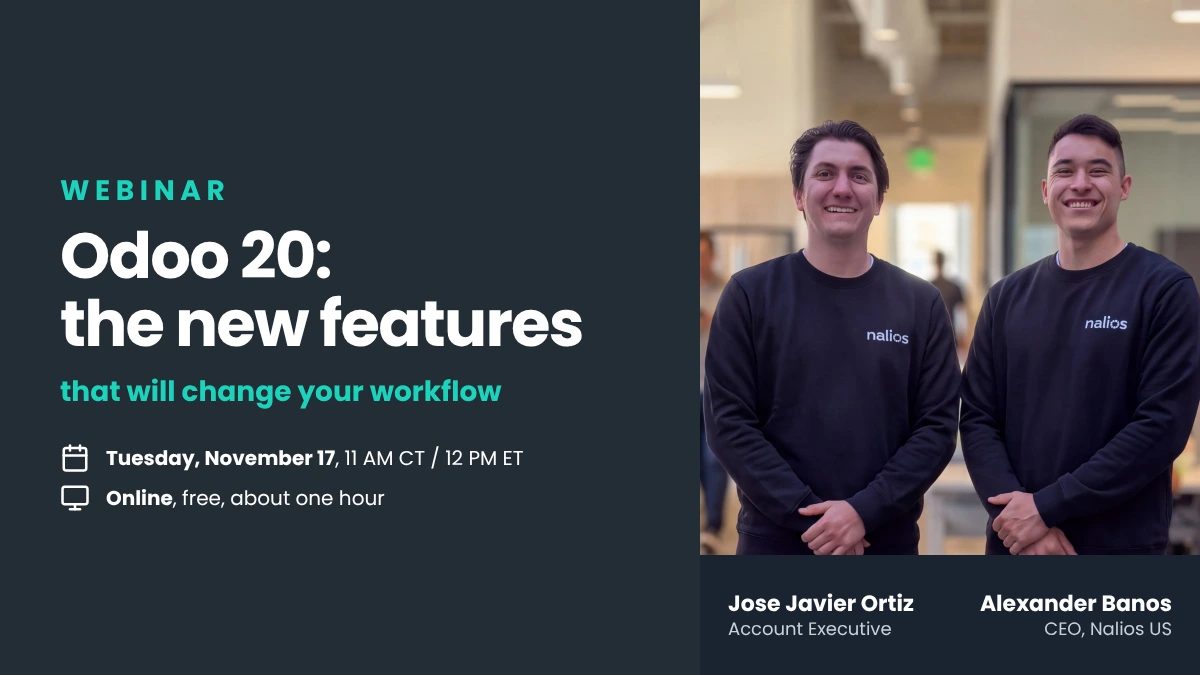
Odoo 20 shipped on September 24. Our teams spent three days at Odoo Experience in Brussels, in the rooms where it was announced. On Tuesday, November 17, Alexander Banos and Jose Javier Ortiz bring that back to you, in English, with a US lens.
01 A release note is not a plan
You can read the Odoo 20 release notes in an afternoon. What that will not tell you is which of those changes will land on your desk in January, which ones are safe to adopt now, and which ones quietly break something you built two years ago.
That is the gap this session fills. Not a feature tour, a shortlist with reasoning behind it.
02 What we will cover
1 · The changes that actually move the needle
AI agents that run inside automated actions and create or update records. MCP connectivity. Offline mode. A rebuilt mobile interface. We will show what each one does and, more usefully, what it does not do yet.
2 · The structural shifts to prepare for
Field Service has been discontinued as a standalone app and folded into Planning. Payroll work entries are gone. Record rules have been replaced by domains set directly on access rights. These are not cosmetic, and they touch daily workflows.
3 · Your questions
The last stretch is yours. If you are wondering what version 20 changes for your specific configuration, bring it. Answering that is more valuable than another slide.
A new version is not a list of features. It is a set of decisions about what you adopt, and when.
💡 The Nalios perspective
A new version is not a reason to upgrade. Every version jump costs something in testing, retraining and reworking the customizations you paid for. The question is not whether Odoo 20 is better. It is whether what it brings justifies the project at your company, now.
We will address that head on, including when the answer is to wait a release.
03 Who this is for
Anyone running Odoo in a US business who has to make a call on version 20 in the coming months: operations leads, controllers, functional owners, and the people who will field the questions when the interface changes.
No technical background required. If you use Odoo, you will follow everything we show.
04 Practical information
A replay is sent to every registrant, so you can sign up even if the slot does not work for you.
What to remember
One hour, the Odoo 20 shortlist, in English.
Save your seat
Registration is free and takes under a minute. Bring the question you have been putting off about version 20.