
Accounting at the heart of business management
With Odoo 19, a major milestone has been reached: tax declaration management is now simpler, more automated, and better suited to the needs of SMEs and large organizations.
In this article, we present the key new feature of Version 19 that will transform the way you handle VAT declarations in Odoo.

Tax declarations: a complex and risky process
Tax declarations are often a source of stress for accounting teams. Complex reports, tight deadlines, high risk of error, time-consuming tasks, and consolidation challenges for multi-company groups, even a small oversight can lead to costly penalties.
For many SMEs, this means accounting teams spend more time managing compliance than creating real strategic value. They often juggle between spreadsheets, manual classifications, and data entry on government portals.
A context calling for change
Tax regulations are evolving quickly, and so are business expectations. On one hand, there’s a growing demand for automation to reduce repetitive tasks and limit errors. On the other, entrepreneurs are looking for simpler, more reliable tax tracking, while accountants seek powerful tools to improve efficiency. Added to this is the increasing government pressure for digital-first tax reporting. In this context, Odoo provides a complete solution: a single platform to centralize and simplify the management of all tax declarations.
Feature overview
The new tax declaration system can be summed up in one sentence: it’s a tax planner based on your fiscal localization and configurations (for example: OSS), gathering all required information into a single view. And the good news: this feature also applies to multi-company groups.
Here’s how to prepare and submit your VAT declaration in just a few clicks:
1. In your accounting dashboard, locate the new “Tax Declaration” journal.
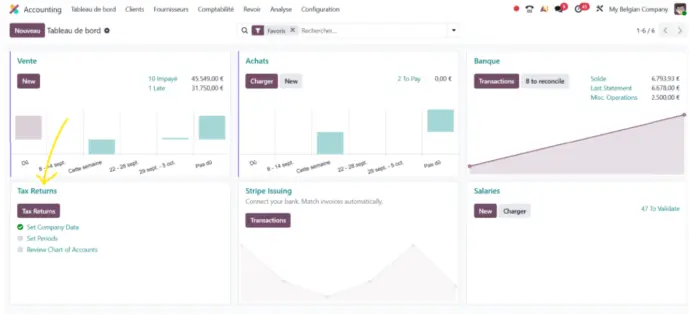
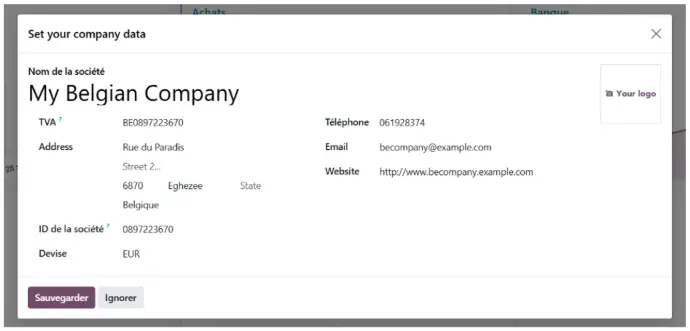
2. Complete the three basic configurations :
a) Enter your company information.
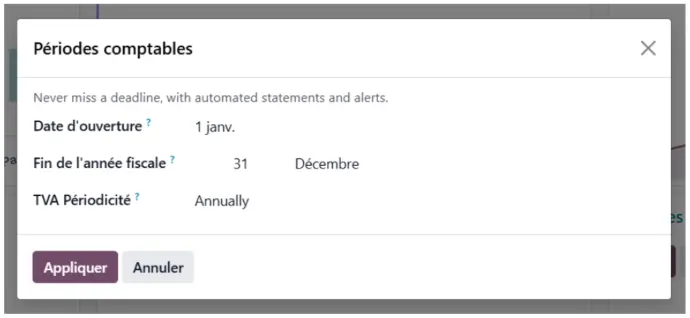
b) Define the accounting period: opening date, fiscal year end, and VAT periodicity.
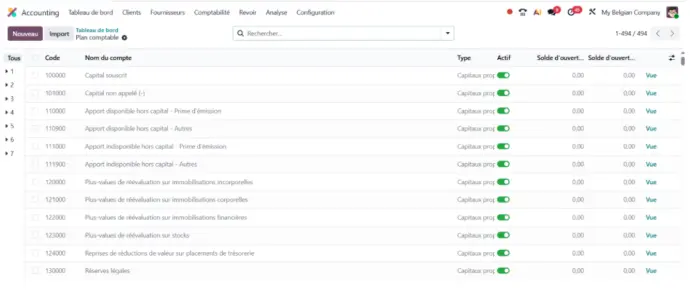
c) Review your chart of accounts.
3. Let Odoo guide you through the process.
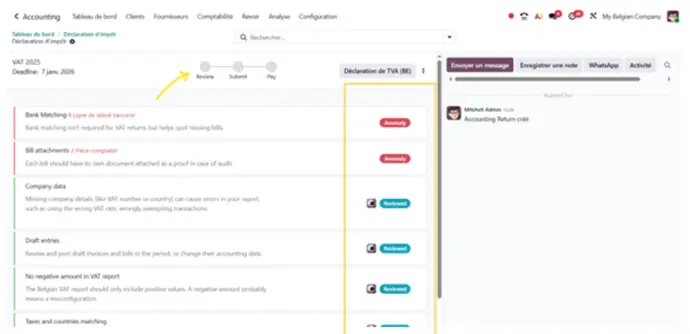
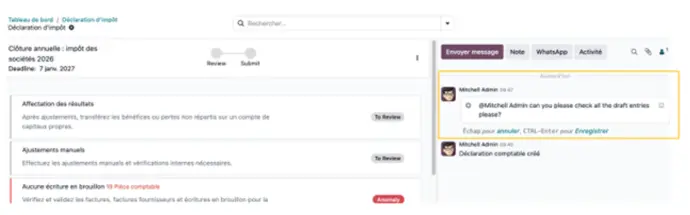
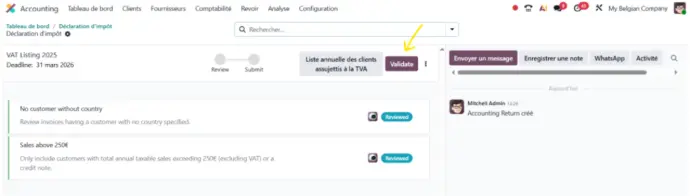
a) Verification: Odoo comes preconfigured with several control points (bank reconciliation, draft entries, tax-country matching, etc.). The statuses “Anomaly,” “Reviewed,” and “To Review” next to each task make tracking easy and transparent.
Indien gewenst kunt u ook uw eigen controles configureren via het menu Check Templates, of bestaande controles bewerken/verwijderen. Hieronder vindt u een voorbeeld van het toevoegen van een controle voor de Jaarafsluiting. De actie moet het mogelijk maken om het Auditdagboek te openen.
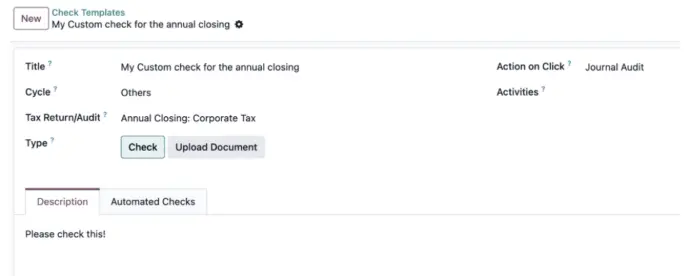
On my Annual Closing: Corporate Tax...
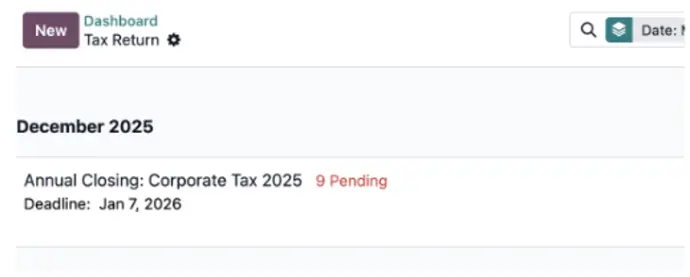
... the custom check will appear here:
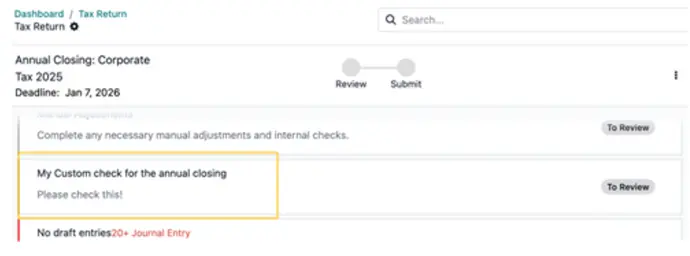
... and opens the Journal Audit directly with one click.
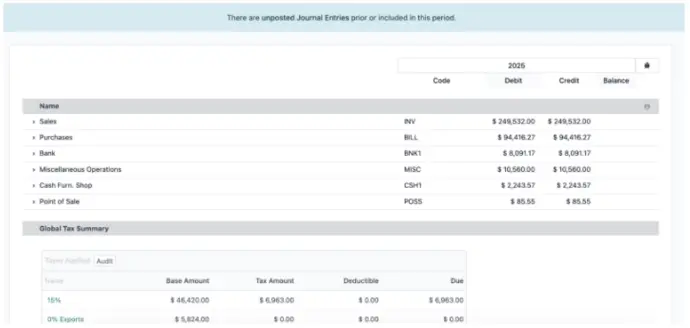
Throughout these verifications, you can collaborate efficiently with colleagues by tagging them in the chatter.
And once everything is ready, simply validate.
Learn more about the authors of this article :

Alex Carruzzo
Business Analyst
Alex has been a Business Analyst at Nalios Switzerland since February 2024. Always attentive and solution-oriented, Alex helps companies transform their processes with Odoo. Curious and pragmatic, he enjoys analyzing business needs to design simple and effective solutions. His mission: making projects smoother, clearer, and more useful for clients on a daily basis.

Anouck Lambert
Business Analyst
Anouck has been working at Nalios Wallonia for nearly three years. As a Business Analyst, she manages end-to-end Odoo implementations and advises teams on email best practices to ensure reliable communication.