
Create and manage employee records
The cards used in Odoo V17 are at the heart of salary management. No employees, no salaries (no arms, no chocolate 😉).
They must contain certain essential information in order to allow the calculation of a salary. Of course, the more complete these employee records are, the better for your business. This article explains how to create and manage these cards efficiently in Odoo V17.
Step 1: create employee record
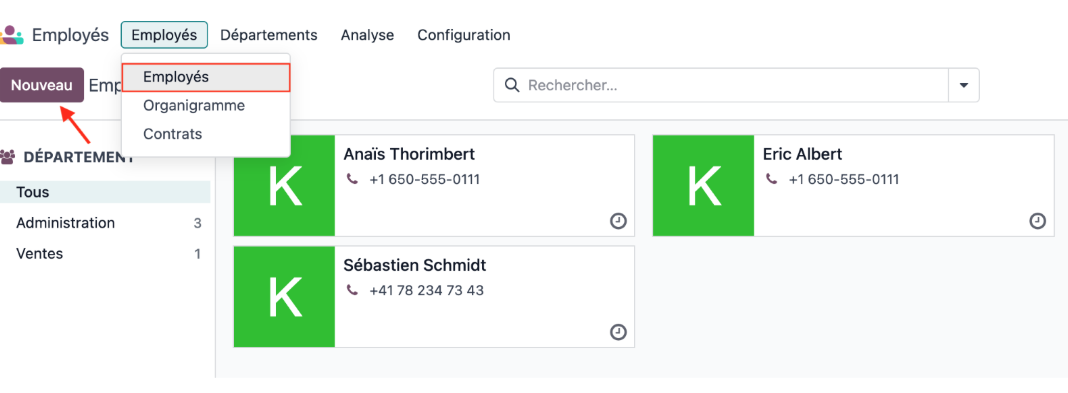
Thanks to a complete configuration, the generation of payroll will be done without problems. To create a new employee record, go to Employees >> Employees >> Employees and click New.
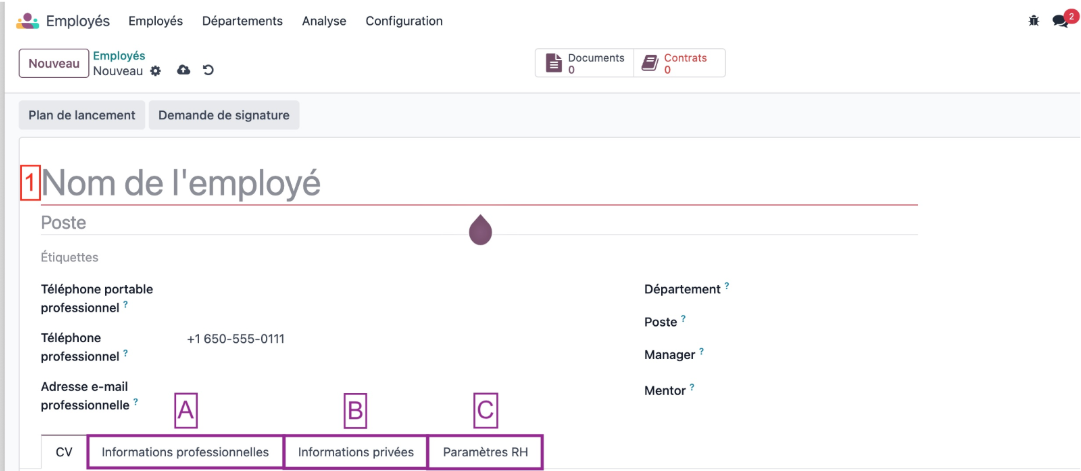
Once you arrive on your new employee’s form view there are several important sections to fill out. Below are the mandatory fields by section, so that a salary can be calculated.
General Information:
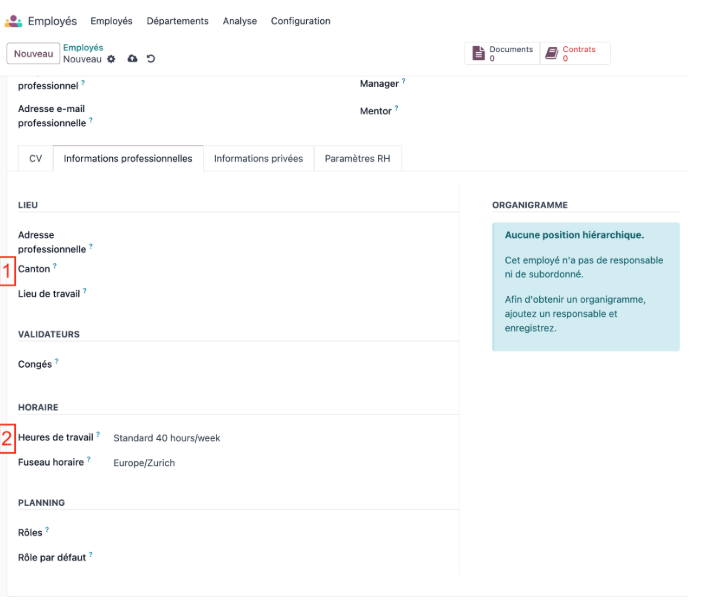
Business information:
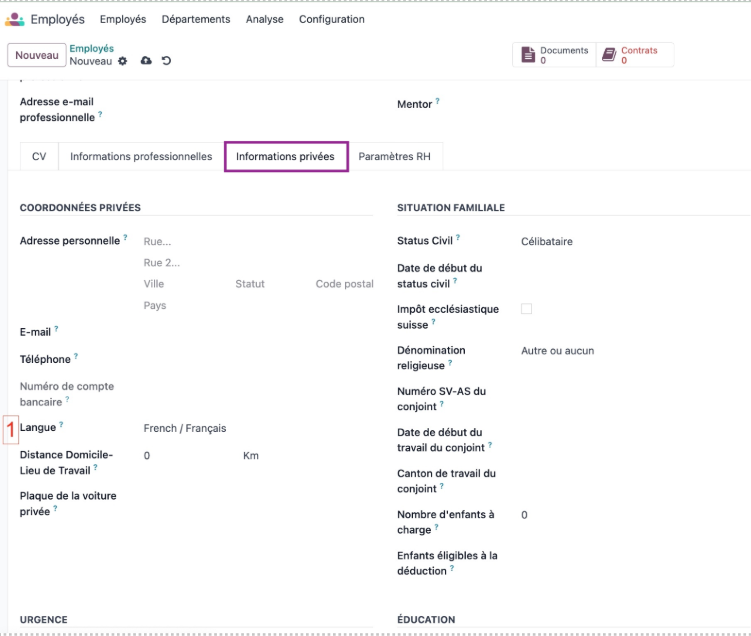
Private information:
Scroll down to the bottom of the page and then:

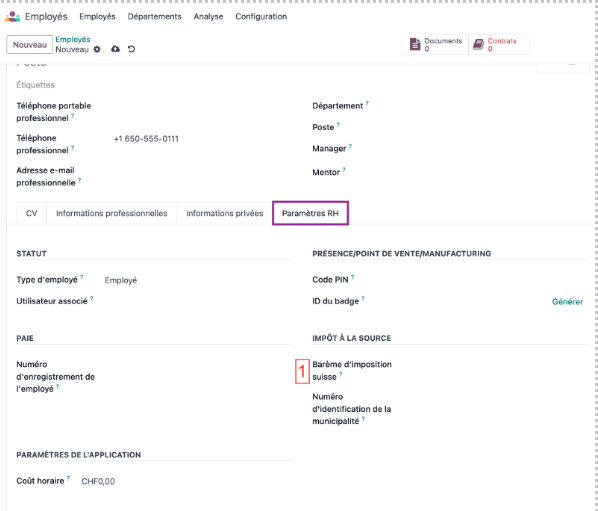
HR Parameters:
Practical tips:
Consider updating your employees' information regularly (e.g. canton of residence, AHV status, marital status, dependent children, etc.) to keep deductions and allowances up to date.
Conclusion
A correctly calculated salary sheet starts with an employee well-informed!
For more information, ask for the Nalios Pay module configuration guide! And to go further, do not hesitate to view our tutorial on YouTube by clicking here