
AI in the ERP no longer just answers questions. With AI agents in Odoo, it detects a problem, analyzes the available information and takes action, within the limits you set.
That is the message of the talk "When intelligence becomes free: lessons from letting AI operate in Odoo", presented at Odoo Experience 2026 and attended by Elias Mondelaers, consultant at Nalios. His core idea: AI is evolving from assistant to true business operator, as long as you stay in control through rules, access rights and approval workflows.
01From assistant to operator: what changes
An assistant waits for you to ask a question. An AI agent monitors a process, spots what is stuck and proposes, or carries out, the next step. That matters in an ERP, where much repetitive work is precisely about spotting an anomaly and triggering the usual action.
In Odoo, an agent combines skills (the instructions and tools it uses to complete a task) and sources (the information it relies on). According to the official Odoo documentation, agents can also be triggered by automated and scheduled actions, and using them consumes IAP credits.
We already presented version 19 of these agents in Odoo 19: deploying your own intelligent agents with RAG. Version 20 takes the idea further, towards action.
02A concrete example: the blocked order
The talk was built around a telling scenario. A customer order needs to be confirmed, but it is blocked. The AI agent detects the problem and analyzes the situation: the stock is unavailable.
It then identifies the preferred supplier, checks delivery lead times and automatically creates the required purchase order, provided the amount stays below the approved thresholds. What used to take several screens and several people is now handled without intervention, within a framework defined in advance.
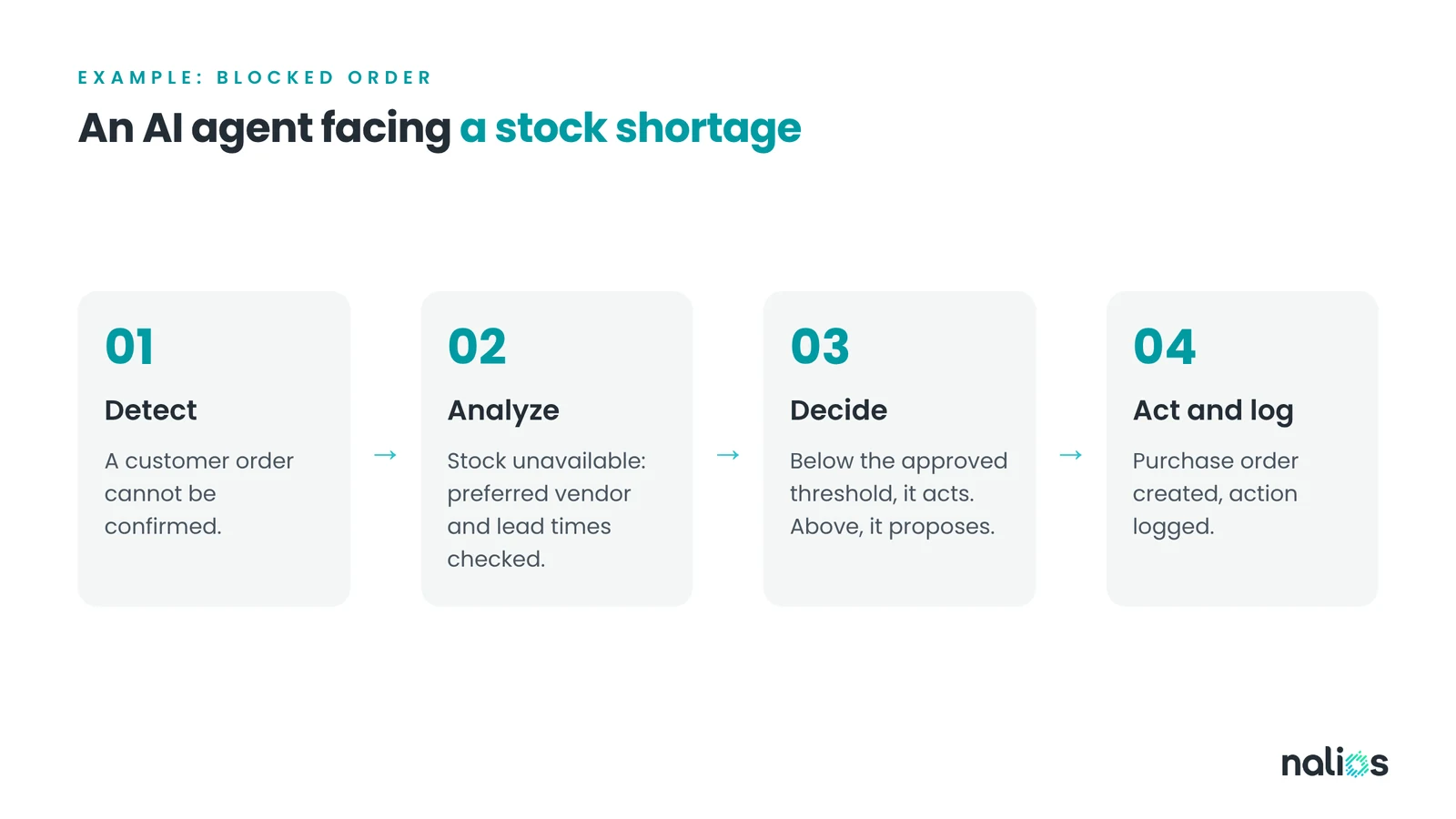
The scenario presented in the talk on AI operating in Odoo
03Transparency as the foundation of trust
Letting AI act on critical processes is only realistic if every action is visible. Every decision made by the agent can be traced: users see what was done and why.
This traceability provides the confidence needed to introduce automation into sensitive processes, while keeping clear governance and identified responsibilities.
AI proposes and executes within the set framework. The rules remain a human decision.
04Business rules to set the level of autonomy
Successful AI adoption depends on clear business rules. You define when the agent can act on its own and when human approval is required. The example from the talk: purchases below a certain amount are processed automatically, while larger transactions trigger a request for quotation or a review by a manager.
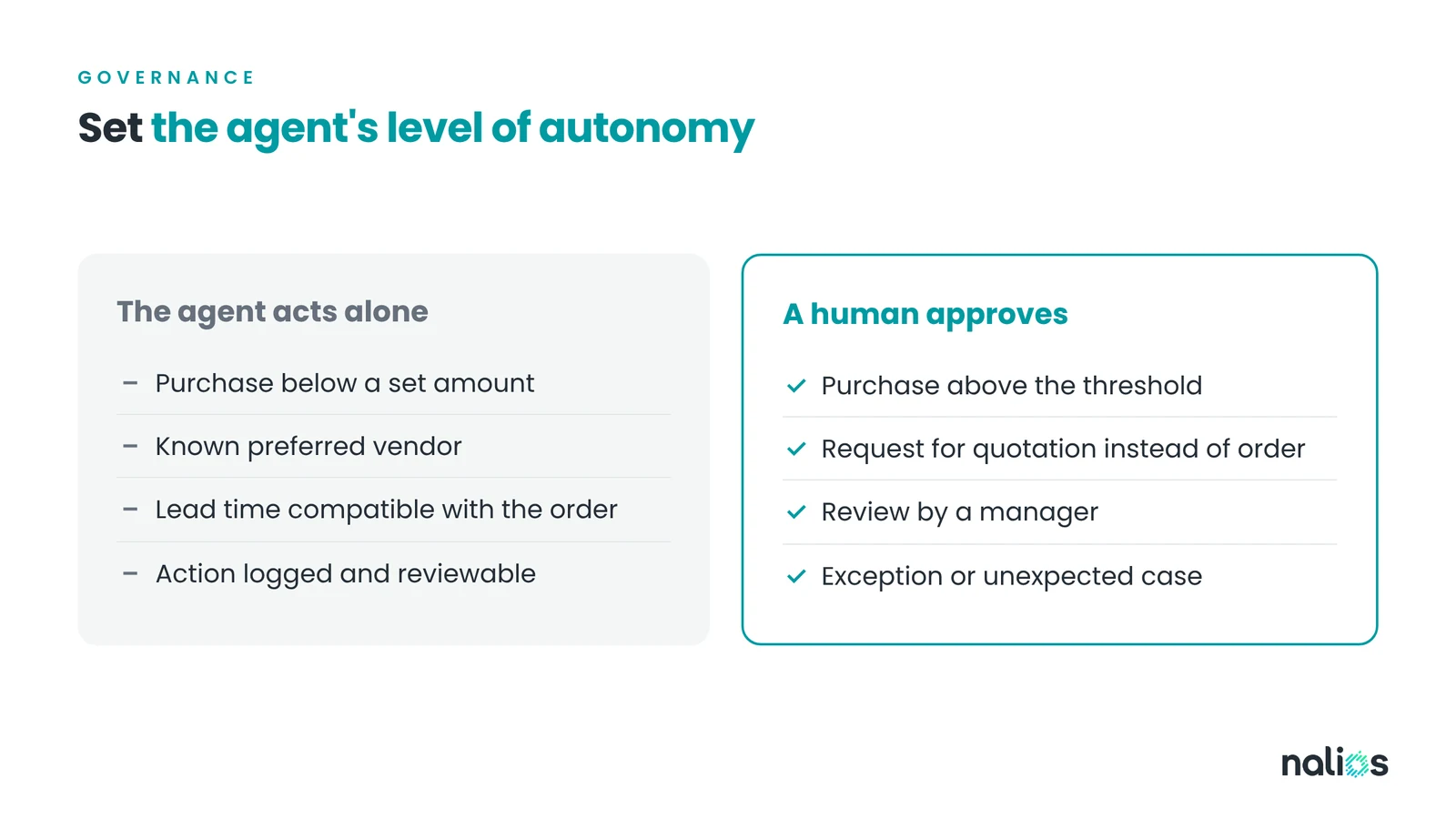
Clear business rules are the key to successful adoption
1 · Start small
The right approach is to start with low thresholds and a limited scope, then widen the agent's autonomy as trust builds. Every traced action helps you fine-tune the rules.
2 · Build on existing permissions
An agent is not meant to bypass your organization. The access rights, approval workflows and thresholds you already apply to your teams remain the best basis for defining what it can do.
05Not just one department, the whole company
What makes AI agents especially interesting is that they are not limited to one department. The same principle applies to sales, purchasing, customer service, logistics, planning or administration.
- Sales: spot a blocked order and prepare the solution.
- Purchasing: trigger replenishment below a defined threshold.
- Customer service: sort and route incoming requests.
- Planning: identify an intervention to schedule.
Odoo's AI can also be complemented by external tools: we explained how Claude connects to Odoo in AI and Odoo: how Claude connects to your ERP through MCP.
06Tomorrow's ERP solves problems, it doesn't just record
The talk's conclusion was clear: the future of the ERP is no longer just about recording transactions. It is about systems that can identify problems, propose solutions and, increasingly, resolve them autonomously. Your teams can then focus on activities that truly add value.
💡 The Nalios perspective
At Nalios, we help companies put AI to use, and we see the same thing in the field: the technology is ready, the challenge is organizational. The companies that succeed are those that can write down their decision rules, not those that switch on the most features.
Before deploying an agent, choose a repetitive, well-documented, low-risk process, such as replenishing small amounts. Set cautious thresholds, monitor the traced actions for a few weeks, then expand. Our page AI in Odoo describes how we support you.
Key takeaways
AI agents in Odoo in four points.
Put AI to work in your Odoo
Together with you, we identify the processes where an AI agent saves time, and we set the rules that govern it.
Discover our AI offeringSources: talk "When intelligence becomes free: lessons from letting AI operate in Odoo", Odoo Experience 2026 (notes by Elias Mondelaers, Nalios), Odoo 20 AI documentation.
Key questions
Short answers to the most frequently asked questions about AI agents in Odoo.
It is an intelligent assistant that combines skills (instructions and tools) and information sources to complete tasks in Odoo. A user can call it, or an automated or scheduled action can trigger it.
Yes, if you allow it. In the OXP 2026 example, the agent creates the purchase order when the amount stays below an approved threshold, and proposes a request for quotation above it.
By defining business rules and approval thresholds, and relying on traceability: every action of the agent can be reviewed to see what was done and why.
According to Odoo's documentation, using AI consumes IAP credits. The volume depends on how you use it: check the terms of your subscription with your Odoo partner.