
Between carriers, subsidiaries and label printers, shipping is full of small frictions. The delivery methods in Odoo 20 remove several of them: new carrier integrations, finer settings per company and more automated order picking.
Maxime Peret, Business Analyst at Nalios, attended the talk "What's new in Shipping Methods" at Odoo Experience 2026. Here is how these changes affect your logistics teams day to day.
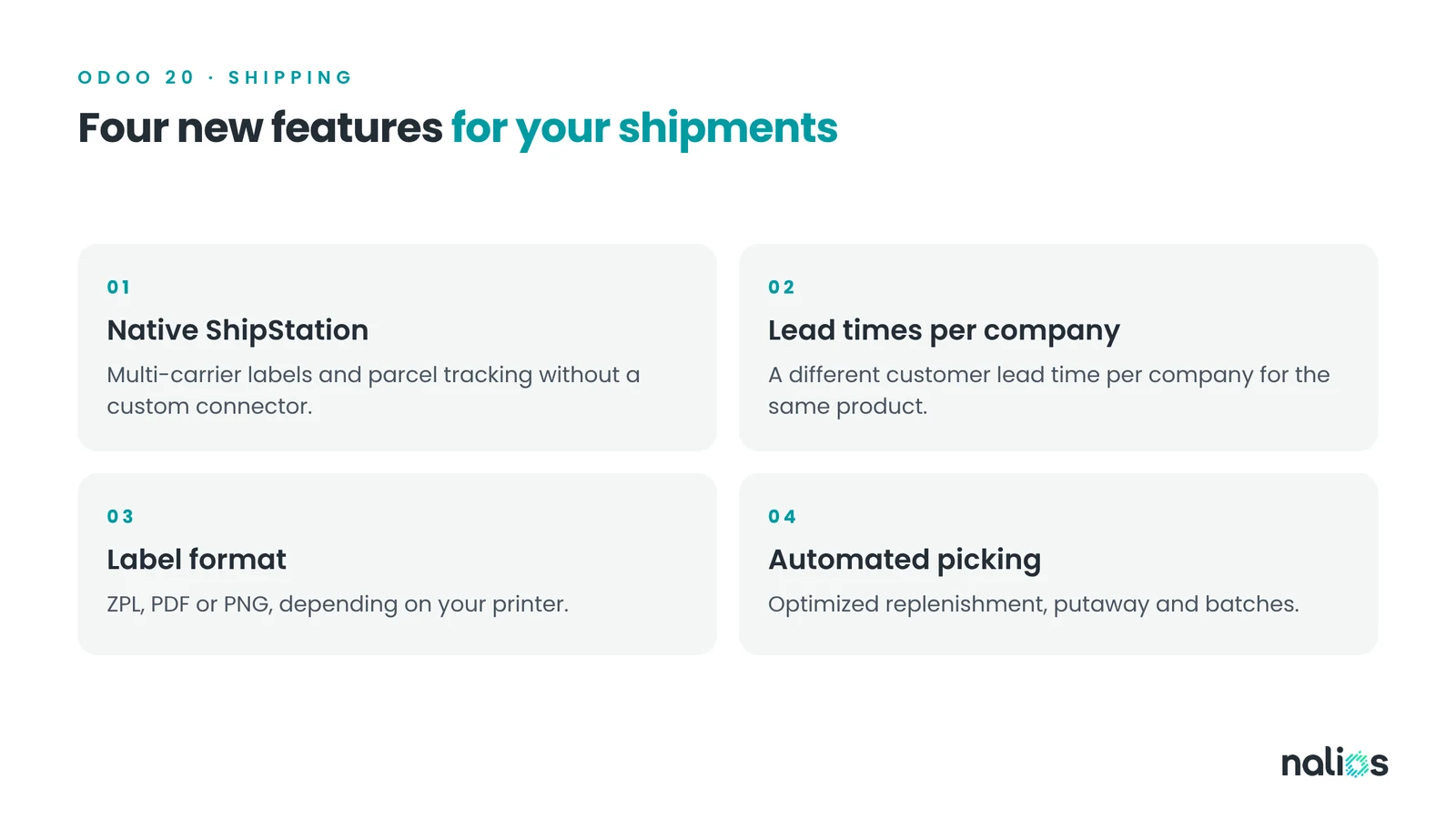
The new features presented in the talk "What's new in Shipping Methods"
01ShipStation natively integrated in Odoo
Odoo now integrates ShipStation directly into the Inventory and Delivery flows. No more custom connector to maintain: multi-carrier label generation and parcel tracking are available out of the box.
For companies that ship with several carriers, setup becomes much simpler. A standard connector evolves with every Odoo version, which also lowers the risks during upgrades.
ShipStation complements the integrations already available. The Odoo 20 documentation also mentions connections to aggregators such as Sendcloud or Envia.com, and to fulfillment platforms such as Gelato.
02Different lead times for each company
In multi-company databases, Odoo 20 lets you set customer lead times per company, even for the same product. A welcome step forward for groups whose subsidiaries have different logistics capacities and supplier agreements.
Until now, these groups had to live with a single lead time that did not reflect each entity's reality. Delivery dates promised to customers become more reliable, and each subsidiary commits only to what it can actually deliver.
1 · A concrete example
The same product sold by a Belgian subsidiary that keeps it in local stock and by a subsidiary that ships it from a central warehouse does not have the same lead time. With Odoo 20, each company shows its own lead time, without duplicating the product.
03Your choice of label format: ZPL, PDF or PNG
Delivery methods, including integrations such as Sendcloud and the other standard connectors, get richer settings. You choose the label format directly: ZPL, PDF or PNG.
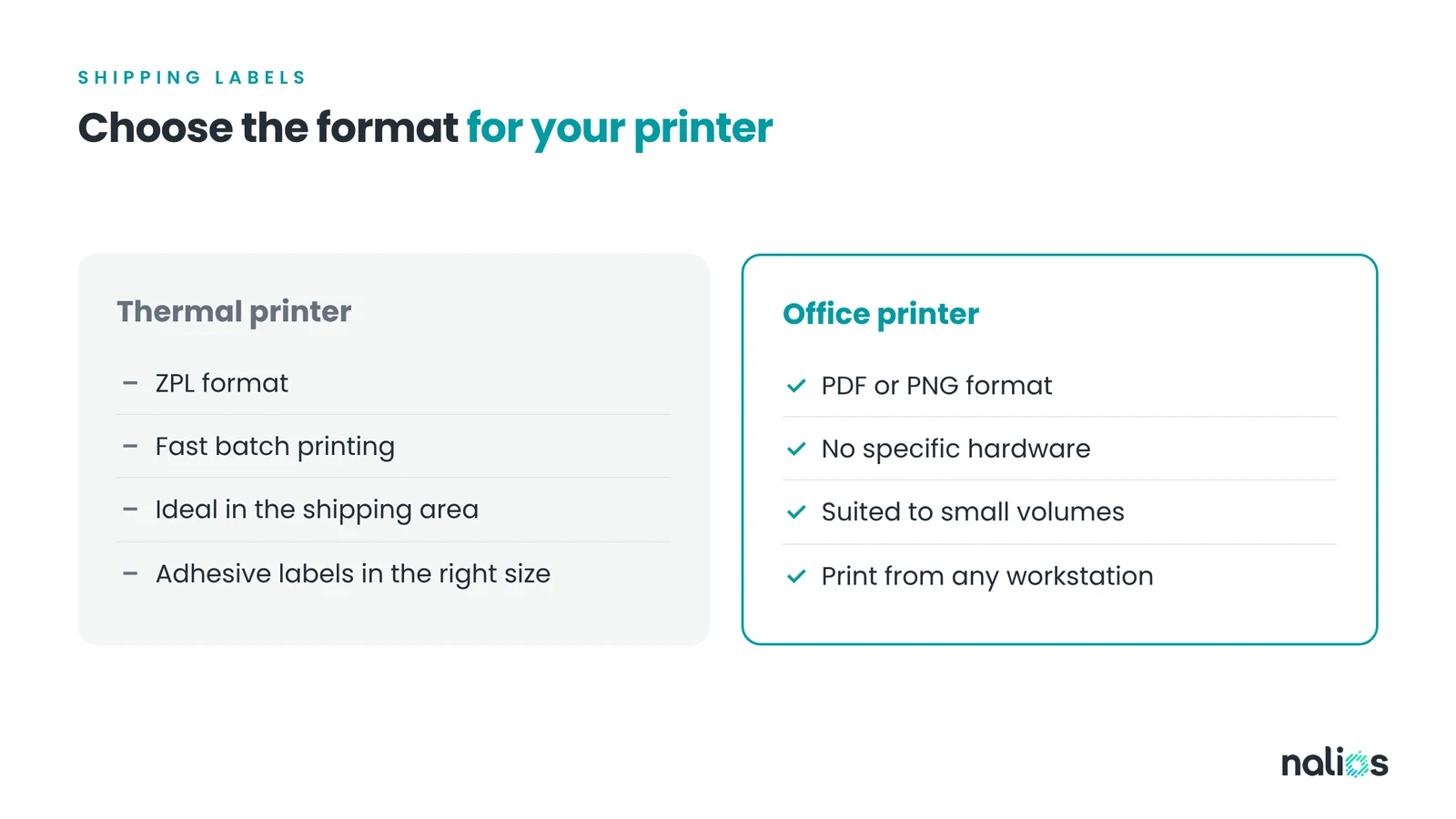
The label format is now set on the delivery method
This lets you match the output to the equipment you actually use, a thermal printer in the shipping area or a standard office printer, with no conversion or extra handling.
04More automated order picking
Shipping flows also benefit from smarter automated replenishment, optimized putaway and more efficient batch picking.
- Replenishment: picking locations are restocked at the right time.
- Optimized putaway: received products are sent to the right location.
- Batch picking: orders are grouped to cut down on travel.
Result: delivery orders are picked and packed with far fewer manual interventions.
| New feature | Who it's for |
|---|---|
| Native ShipStation | Companies that ship with several carriers. |
| Lead times per company | Multi-company groups with different logistics capacities. |
| Choice of label format | Any shipping team, depending on its equipment. |
| Automated picking | Warehouses that want to reduce handling. |
Simplify multi-carrier and multi-company logistics while cutting manual work.
💡 The Nalios perspective
These changes may sound technical, but they directly shape the customer experience: an accurate lead time, a properly labeled parcel, tracking that is available. For online shops, the delivery method is also shown at checkout on your Odoo website and eCommerce.
If you currently use a specific carrier connector, check when you move to Odoo 20 whether the standard integration covers your needs: that is one less custom development to maintain. Take stock of your label printers before setting the format on each delivery method. Carrier availability varies depending on the shipping country.
To see how your logistics flows affect the value of your stock, also read Inventory valuation in Odoo 20: what changes compared to V19.
Key takeaways
The new delivery and shipping features of Odoo 20, in four points.
Smooth shipping with Odoo 20
We set up your carriers, labels and picking flows in Odoo.
Discover our logistics offerSources: talk "What's new in Shipping Methods", Odoo Experience 2026 (notes by Maxime Peret, Nalios), Odoo 20 documentation on delivery methods.
Key questions
Short answers to the most frequently asked questions about delivery in Odoo 20.
Yes. Odoo 20 integrates ShipStation natively into the Inventory and Delivery flows, so you can generate multi-carrier labels and track parcels without a custom connector.
Yes, since Odoo 20. In a multi-company database, each company can have its own customer lead time for the same product.
ZPL for thermal printers, and PDF or PNG for office printers. You choose the format on the delivery method.
Yes. Sendcloud remains a standard integration and benefits from the new settings, including the choice of label format.