
Every Odoo release makes accounting a little faster. The new features in Odoo 20 Accounting go further: they eliminate entire categories of manual work, from payment follow-up to preparing closing files.
At Odoo Experience 2026, the "What's New in Accounting" session covered these changes. Fanny Dozier and Célia Padalina, Business Analysts at Nalios, attended it. Here is what finance teams can expect from this release, area by area.
This article complements our summary of the talk on automation, Odoo 20 Accounting: switch to autopilot, which walks through a typical accountant's day in Odoo 20.
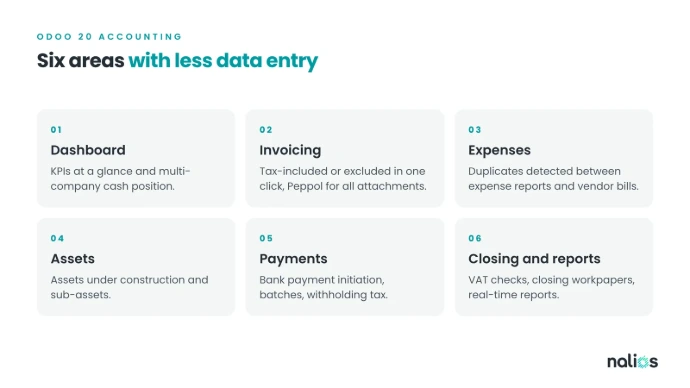
Overview of the new features presented in the "What's New in Accounting" talk
01An accounting dashboard that tells you what matters
The accounting dashboard has been redesigned around the numbers that matter. Key indicators (charges, expenses, cash position, receivables) are visible as soon as you open the app. A new chart view shows cash directly on the dashboard, and it works in multi-company setups.
Accountants can also customize document layouts from the dashboard, without administrator rights. Your invoices look just right, with no ticket to the IT department.
02Invoicing: simpler taxes and clearer sending
- Tax-excluded or tax-included in one click: a button switches how taxes are calculated on a customer invoice. No more maintaining separate tax codes for each scenario.
- End-to-end Peppol: all attachments of an invoice go through Peppol. For a bulk send, Odoo shows which invoices go out by email and which go through Peppol.
- Bulk reset to draft: a set of invoices to correct goes back to draft in a single action.
- Follow-ups per invoice: follow-up now works invoice by invoice instead of customer by customer. Reminders are clearer and tracking is more precise.
If you haven't yet activated Peppol e-invoicing, now is the right time: most accounting automations in Odoo 20 rely on structured invoices.
03Expense reports: no more double-counted expenses
An expense report and a vendor bill often cover the same purchase. Odoo 20 detects this and links the vendor bill to the matching expense report, so the same cost is never booked twice.
Receipts and supporting documents can also be dropped directly on the purchase order. There is no need to extract expenses by hand anymore.
04Fixed assets and deferred expenses: automation takes over
1 · More flexible depreciation
Asset management supports assets under construction. Depreciation only starts when you activate the asset, once it enters service. You can also create sub-assets attached to an existing asset, ideal for an extension or an upgrade.
2 · The account as starting point
Asset creation, depreciation method, link to the fleet vehicle: everything is driven from the account column of the invoice line. You choose the account, Odoo does the rest.
3 · Deferred expenses configured once
Simply mark an account as "deferred" in the chart of accounts. Entries posted to that account are then spread automatically based on the deferral date, and an improved prepaid expenses report gives you full visibility.
05Payments: from Odoo to your bank in seconds
This is one of the headline announcements of the release. Payment initiation sends you straight to your bank for authentication: you click Pay, enter your code, and the payment is allocated. A new status confirms the money has actually left the account.
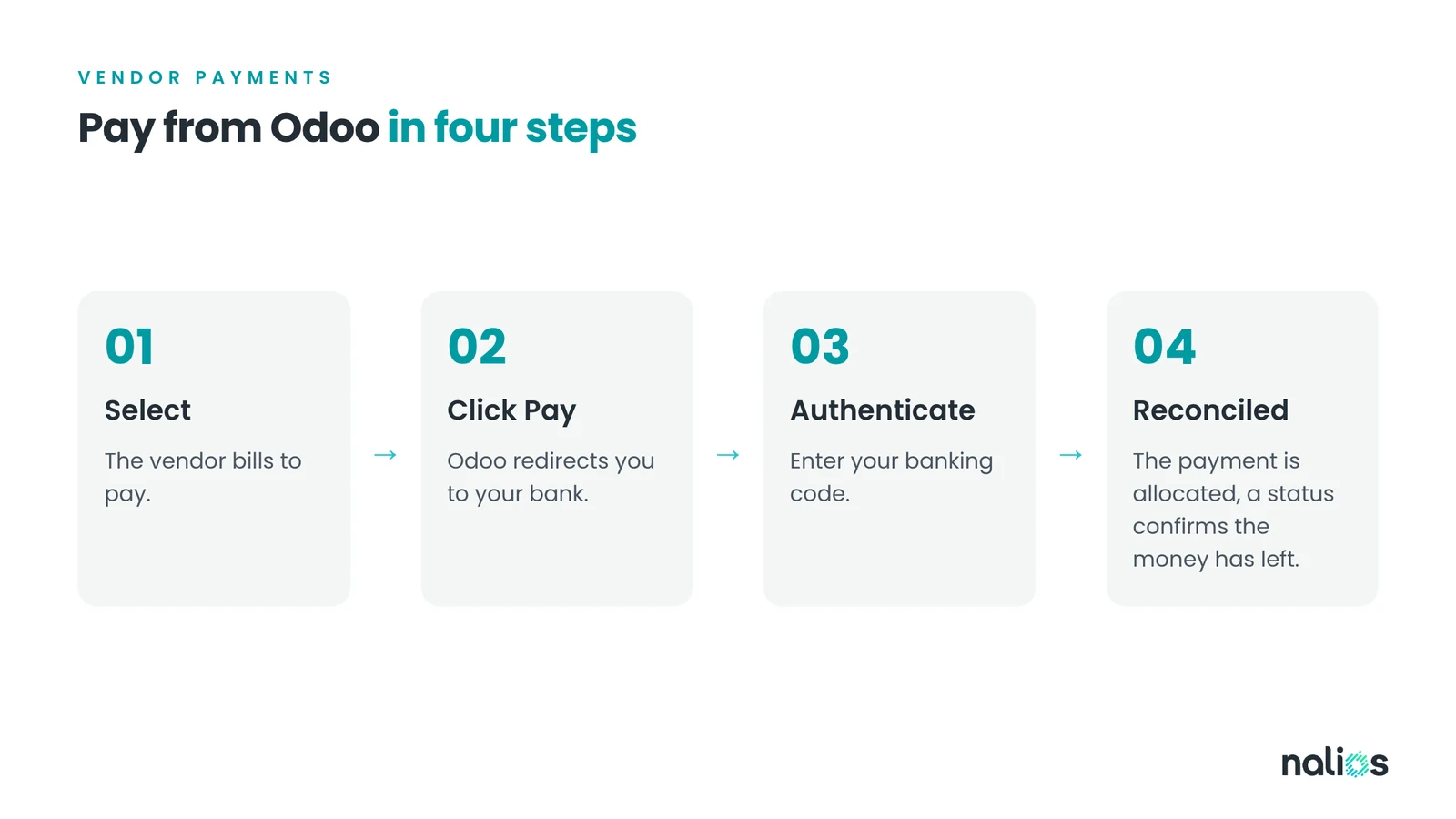
Payment initiation, one of the headline announcements of Odoo 20 Accounting
- Simpler batch payments: the process is lighter, with a "sign payments later" option to prepare now and approve afterwards. SEPA files for vendors remain available.
- Native withholding tax: the whole process is now handled in Odoo.
- Bulk bank reconciliation: many bank lines are reconciled at once based on the transaction type. For a payment received without an invoice, you create activities in bulk and chase customers with the built-in follow-up.
06Closing and compliance with confidence
- Stronger VAT checks: additional checks detect anomalies before the return is filed.
- Journal audit: a new column flags entries that need review.
- Invoices to receive and to issue: a dedicated menu makes it easier to track period-end accruals.
- Closing files: worksheets support notes and standardized statuses. You can reconcile any account with fewer restrictions, and a linked spreadsheet is one click away.
07Real-time financial reporting
| Report | What it brings |
|---|---|
| Cash flow by journal | The cash movements of each journal, as they happen. |
| Comparative income statement | Year-over-year comparison, in amounts or percentages. |
| Analytic budgets everywhere | A Budget button on invoices with analytic distribution to track spending in context. |
| Currency conversion | The balance sheet handles conversion and conversion differences directly. |
| Intercompany report | Differences between group companies are spotted in real time, without waiting for closing. |
Less time on data entry and reconciliation, more time for analysis and decision-making.
💡 The Nalios perspective
These new features share one thing: they need clean input data. Structured invoices via Peppol, a well-configured chart of accounts, correctly flagged deferred accounts: that is where the real gain lies. VAT, withholding tax and payment rules vary by country, so check that each feature is available for your location.
If you are preparing an Odoo migration to version 20, take the opportunity to review your chart of accounts and your deferred expense accounts. And if stock valuation is on your mind, also read Inventory valuation in Odoo 20: what changes compared to V19.
Key takeaways
What's new in Odoo 20 Accounting in four points.
Your accounting on Odoo 20, properly configured
Our consultants help you configure and make the most of Odoo 20 Accounting in your country.
Discover our accounting offerSources: "What's New in Accounting" session, Odoo Experience 2026 (notes by Fanny Dozier and Célia Padalina, Nalios), Odoo 20 release notes.
Key questions
Short answers to the most frequently asked questions about Odoo 20 Accounting.
Yes, thanks to payment initiation. You click Pay, authenticate with your bank, and the payment is allocated automatically. Availability depends on your bank and your country.
Odoo detects when a vendor bill and an expense report relate to the same purchase and links them. The cost is booked only once.
No. In Odoo 20, accountants can customize document layouts from the accounting dashboard.
The autopilot talk follows a typical accountant's day and its automations. This article covers all the accounting news of the release, area by area.