
You know your customers' status, loyalty card, subscriptions, tickets and the revenue they generate. Yet many companies still send exactly the same email to 50 people as to 50,000. With Odoo Email Marketing in version 20, a single campaign can show different content to each recipient.
That is what the talk "Personalize your Email Marketing for each customer with Odoo" demonstrated at Odoo Experience 2026, attended by Célia Padalina, Business Analyst at Nalios. The speaker used the example of a skincare brand launching a new collection, with two goals: generating revenue and building brand awareness.
He started with an often overlooked reminder: before creating a campaign, you need to know why you are sending it, to whom, with what message, and how you will measure its success. The rest of the demo follows that thread.
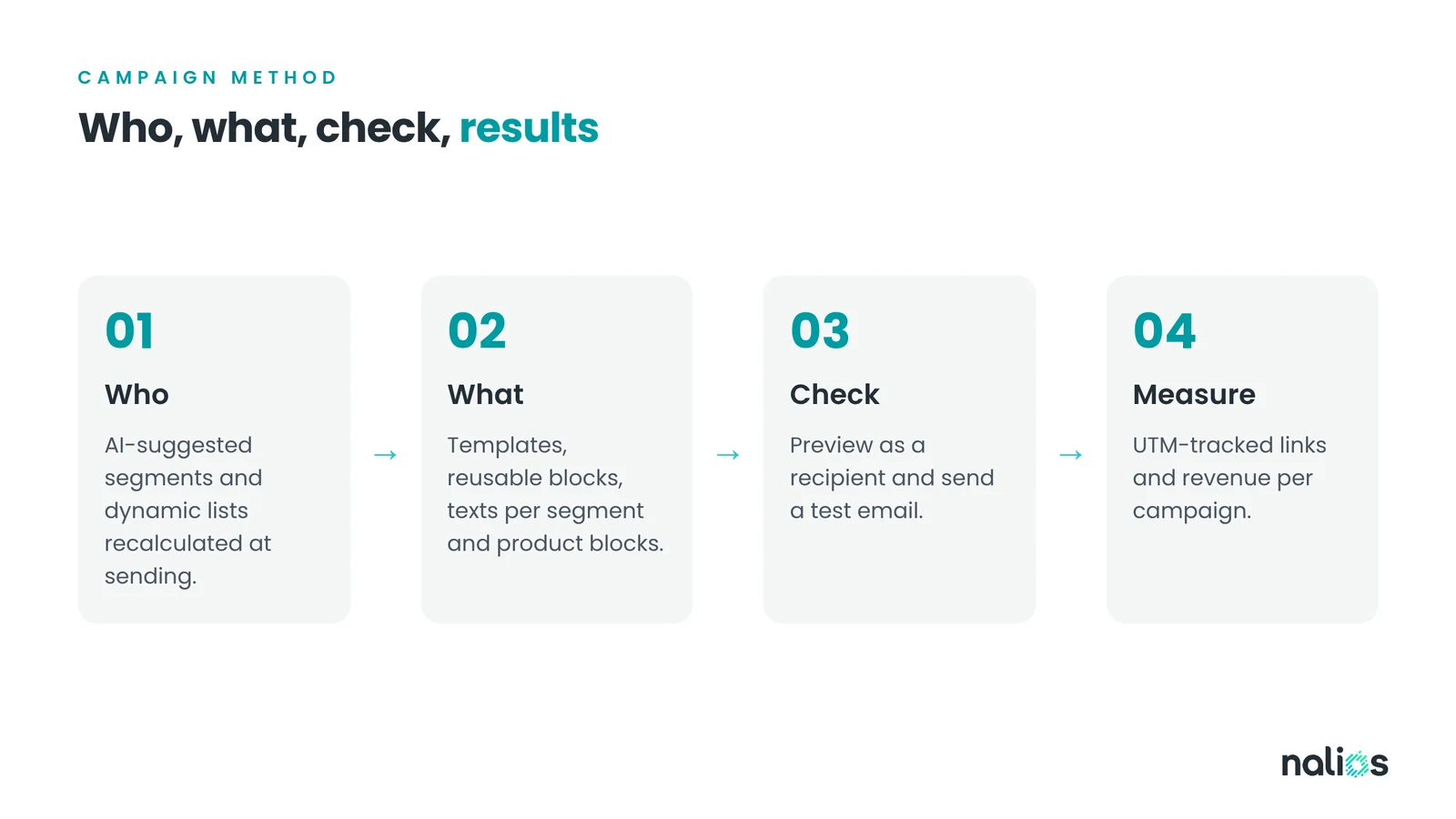
The approach followed during the talk's demo
01Who: clear segments and dynamic lists
1 · Identify your segments with AI
The first step is to define your targets. In Odoo 20, you can ask the AI agent to analyze your contact database and identify marketing segments. In the example, the AI singled out a B2B target (spas, salons, concept stores and resellers) and a B2C target, itself split into three sub-segments based on average basket: VIP, Premium and Regular.
2 · Dynamic lists, always up to date
This is one of the major new features of the release. Instead of freezing a list of recipients, you create a dynamic list based on a filter, for example all contacts tagged "VIP" who have an email address. Odoo shows the number of matching contacts in real time and, above all, the list is recalculated at the exact moment of sending.
A customer who becomes VIP between the preparation of the campaign and its scheduled sending three weeks later will therefore receive the version intended for them. These lists can be based on any Odoo model that contains an email address.
3 · Add contacts to a list from Contacts
Another long-awaited improvement: you select contacts in the Contacts app and add them directly to a mailing list. Odoo tells you how many were already subscribed and how many were just added, and the contact form then shows the lists they are subscribed to.
02What: reusable content written for each segment
- Templates and reusable blocks: you start from a template that already includes your branding, colors and social networks. Odoo 20 also lets you save your own blocks, such as a "the team" or "partner benefits" section, in a reusable library.
- AI for each version of the text: in the editor, AI rewrites a block based on a prompt. In the demo, a different prompt per segment asked for concise text, a catchy subject line and a suitable preheader, with a warmer tone in B2C and a more professional one in B2B.
- Product and event blocks: you select an existing product or event, and the name, description, image, price and eShop link are inserted in one click.
- Dynamic fields with "/": by typing "/" in the text, you insert the contact's name or company name, automatically replaced for each recipient.
Good to know: the link to the product form is direct. A price change made before sending is reflected in the email. Once the email has been sent, the displayed price remains the one from the time of sending.
03Conditional visibility blocks, the real novelty
This is the highlight of the talk. Each block of an email can now carry a visibility condition based on the recipient's data. In practice, you place the three versions of the text in a single email, then specify that the first block is only visible to VIP contacts, the second to Premium and the third to Regular.
A small eye icon marks the conditional blocks. The same approach was applied to a 20% promo code block reserved for VIPs. Conditions can be based on any data stored in Odoo: country, language, tags, and so on.
As long as the data is in Odoo, you can use it to personalize your email.
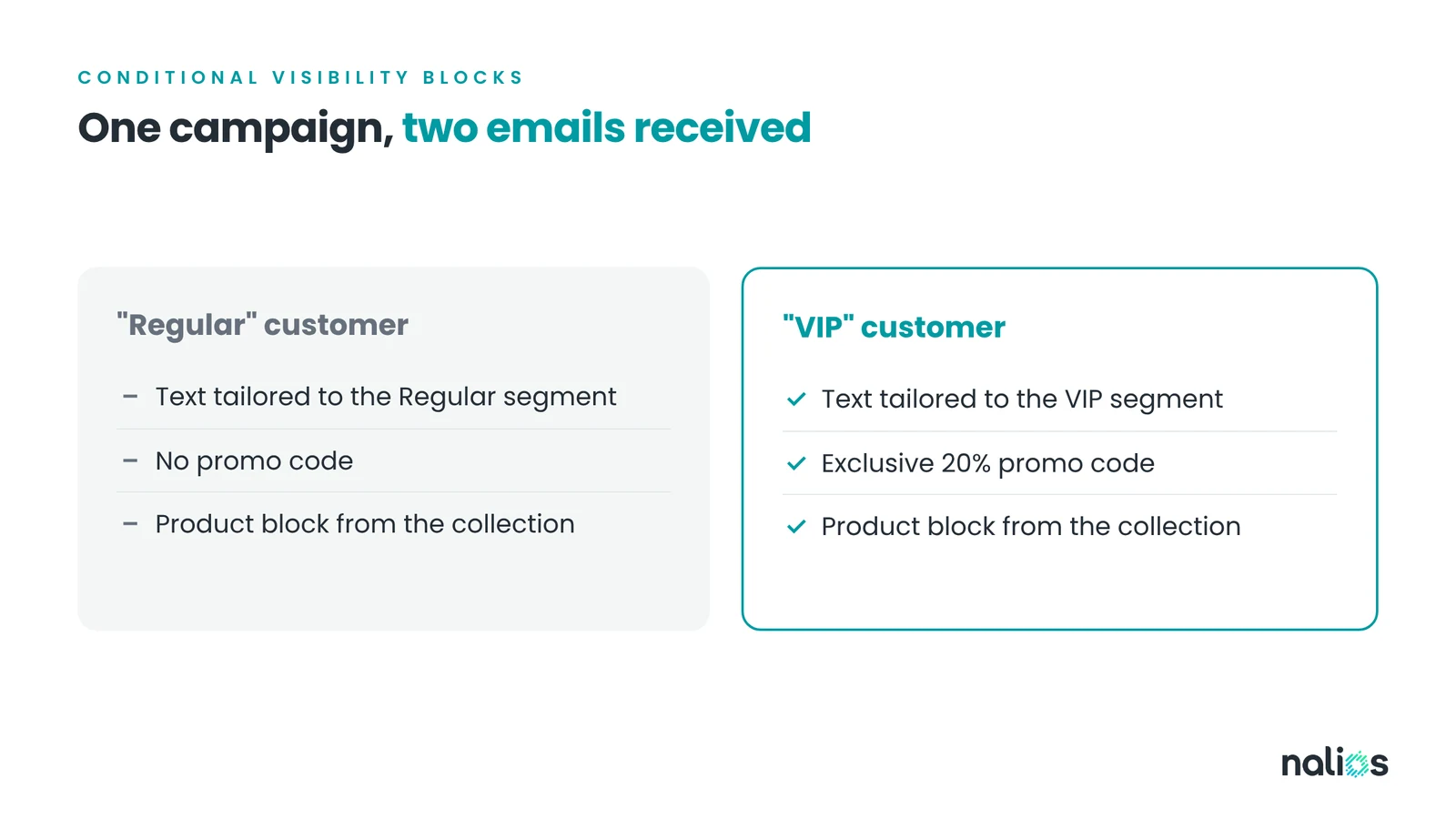
Each block is shown or hidden depending on the contact's data
04Check before sending
The preview button lets you pick a contact and see exactly the email they will receive. During the demo, two customers receiving the same campaign thus got two different messages. The speaker also stressed the importance of sending a test email before any real send, to check that images display and links work properly.
05Measure the revenue generated
Beyond the usual metrics (open, click, reply and deliverability rates), Odoo answers the real question: how much did this campaign bring in? Every link included in the marketing apps (Email, SMS, Social) is automatically tracked through UTM parameters (medium, source and campaign).
The Campaigns feature groups all marketing actions around a single goal and directly displays the quotations, revenue and opportunities generated. On each invoice, the marketing section shows where the sale came from.
Please note: revenue tracking works for purchases made on the Odoo eCommerce website. An order entered manually in Sales cannot be linked to an email. One more reason to take care of your Odoo website and eCommerce.
06What the audience questions taught us
| Question | Answer |
|---|---|
| Can each campaign have its own sender address? | Yes, the sending address can be freely chosen for each marketing email. |
| Can a favorite filter from another app become a dynamic list? | No, the filter must be recreated in Email Marketing. |
| Do sent emails appear in my sent items? | Only if you use an external mail server. |
| Does revenue tracking cover all sales? | It covers purchases made on an Odoo website, not manually entered orders. |
Announced for Odoo 20.1: consent management for tracking pixels and click tracking, as well as full email creation by AI.
💡 The Nalios perspective
This talk shows the strength of an integrated ERP: personalization does not rely on an exported file, but on the live data from your CRM, your sales and your eCommerce. That data must of course be reliable: consistent tags, defined segments, deduplicated contacts.
Before launching your first conditional campaign, clean up your contact tags and define three or four segments at most. To go further, the marketing automation with Odoo then lets you chain mailings together based on each contact's reactions.
Key takeaways
Personalized email with Odoo 20, in four points.
Campaigns that speak to every customer
We configure your Odoo marketing tools and segments for measurable campaigns.
Discover the Odoo marketing toolsSources: talk "Personalize your Email Marketing for each customer with Odoo", Odoo Experience 2026 (notes by Célia Padalina, Nalios), Odoo 20 release notes.
Key questions
Short answers to the most frequently asked questions about email marketing in Odoo 20.
Add a visibility condition to the promo code block, for example "tag = VIP". The block only appears for contacts who meet the condition, in an email sent to everyone.
It is a list based on a filter rather than on fixed contacts. It is recalculated at the time of sending, which guarantees an up-to-date audience.
Yes, thanks to UTM tracking and the Campaigns feature. Tracking covers purchases made on an Odoo website, not manually entered orders.
No. With conditional visibility blocks, a single email contains all the variants, and each recipient only sees their own.