
A ticket without a reply means a customer who is waiting and a service commitment that slips. Odoo Helpdesk 20 tackles this with tools to spot, resolve, invoice and close requests faster, relying heavily on artificial intelligence.
Elias Mondelaers, consultant at Nalios, attended the customer support sessions at Odoo Experience 2026. Here are the Helpdesk new features in Odoo 20 that matter for a support team, and what they change in day-to-day work.
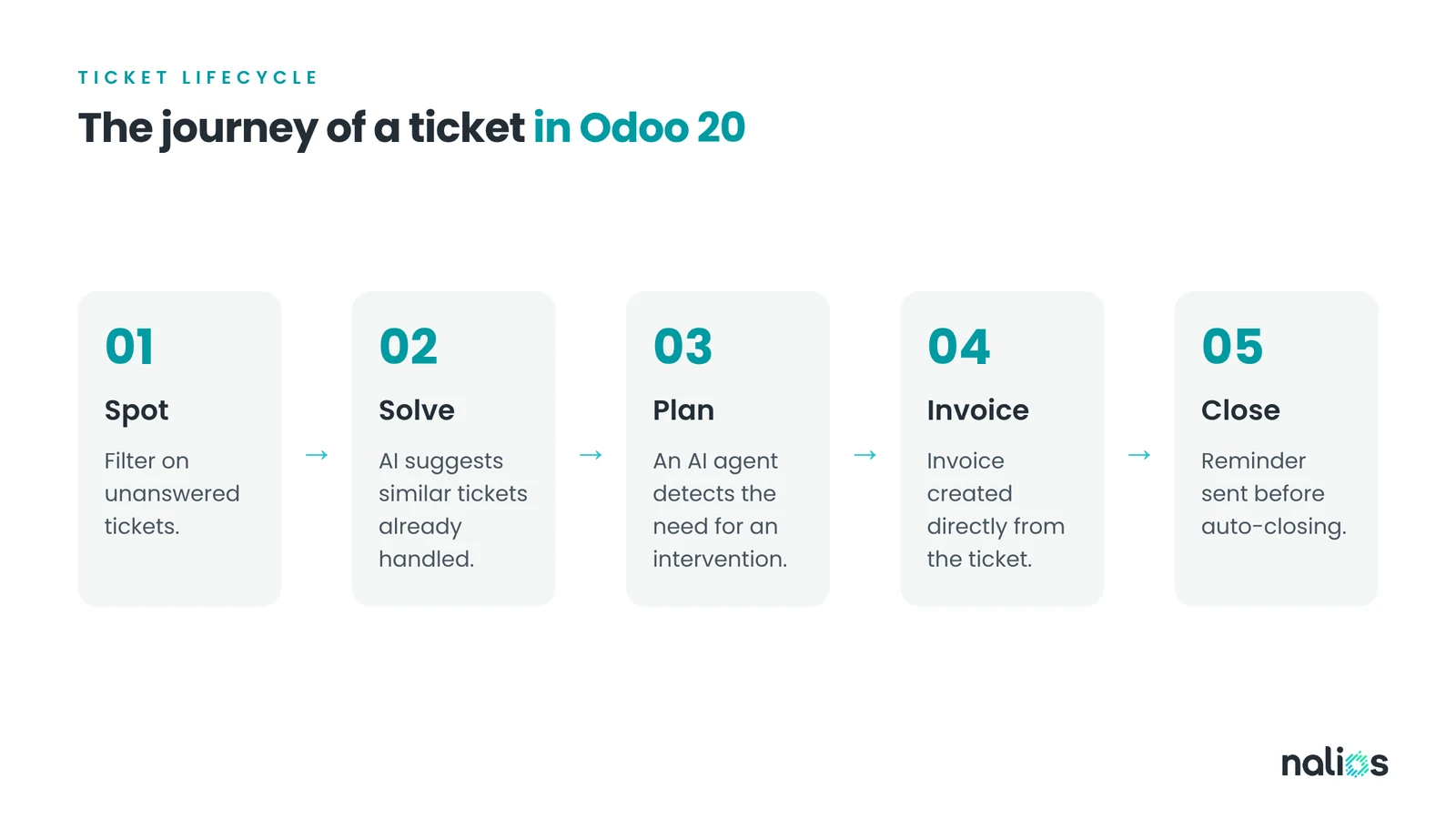
The new features in version 20 cover the entire ticket life cycle
01No more tickets left unanswered
The first new feature looks simple, but it solves a real pain point: a filter for unanswered tickets. Agents see in one click which requests have not received a reply yet, whatever their stage in the pipeline.
For a support manager, this is the starting point of every day. Instead of browsing through the kanban columns, they immediately see which customers are waiting and can spread the workload to meet their service levels.
02AI to resolve faster using past cases
Odoo 20 builds AI assistance directly into the Helpdesk app. The system automatically detects similar tickets that have already been handled and suggests them to the agent.
Agents no longer have to dig through the history or ask a colleague whether they have seen the problem before: the solution used last time is right in front of them. Less time is spent searching, and answers get better because they draw on the experience of the whole team.
1 · A benefit that grows with your knowledge base
The richer and better documented your ticket history, the more useful the suggestions. One more reason to write resolutions with care: a clear answer today helps the whole team tomorrow.
03Invoice support directly from the ticket
For companies that sell billable support, invoicing becomes much smoother. In previous versions it often went through the Sales app. With Odoo 20, the invoice is created directly from the ticket.
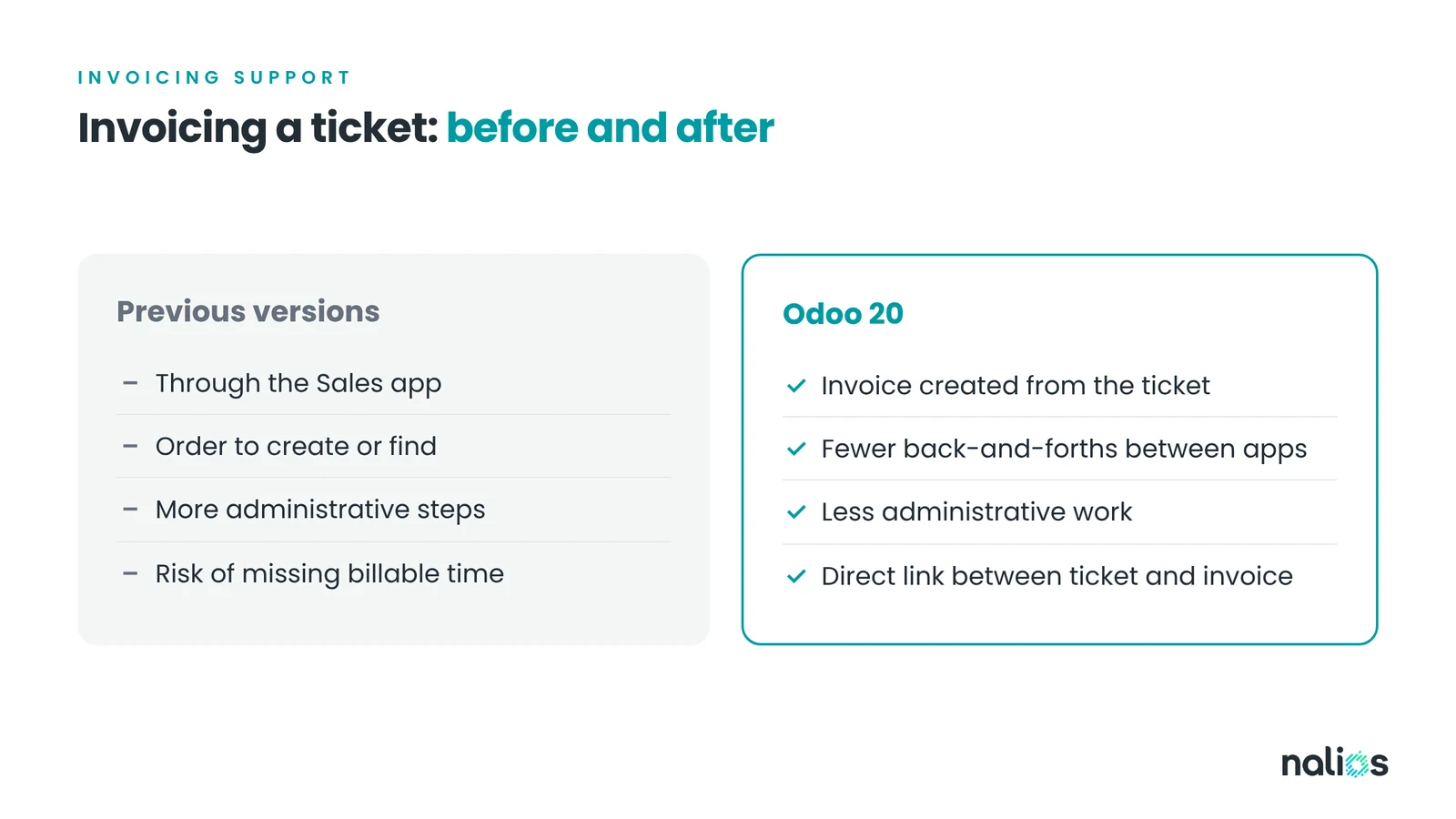
Direct invoicing simplifies paid support
Less switching between apps means less administration and less risk of forgetting billable time. For B2B service companies that live off their support contracts, the impact shows directly in the margin.
04A more transparent customer portal
The customer portal has been enhanced. Your customers can follow the status of their requests more easily, view the exchanges and stay informed of progress, without having to contact support to find out where their ticket stands.
That means fewer "any news?" calls and emails for your agents, and a better experience for customers, who stay in control of the information.
05AI agents to schedule interventions
Another innovation: AI agents that help schedule interventions. Based on the content of a ticket or a conversation with the customer, the system identifies when an on-site intervention is needed and helps organize the related activities.
This evolution makes the most sense with the new Field Service flow, now integrated into Planning. We covered it in detail in Odoo 20 Field Service: your interventions move into Planning. For companies with on-site service, the step from ticket to intervention becomes much more direct.
06Automatic closing that warns before it closes
Finally, Odoo 20 improves automatic ticket closing. Instead of closing a ticket without warning, Odoo can send reminders before closing. Both the customer and the agent get a chance to restart the discussion if action is still needed.
You avoid closing an unresolved issue too early, which would bring back a frustrated customer a few days later and a new ticket to open.
| New feature | Benefit for the support team |
|---|---|
| Unanswered tickets filter | No forgotten requests, service levels better met. |
| Similar tickets suggested by AI | Less search time, better quality answers. |
| Invoicing from the ticket | Less administration, less unbilled time. |
| Enhanced customer portal | Fewer incoming follow-ups, better-informed customers. |
| AI agents for interventions | Faster path from ticket to on-site intervention. |
| Reminder before automatic closing | Fewer tickets closed too early. |
💡 The Nalios perspective
These new features confirm a clear trend: automation and AI serve support teams, not replace agents. AI suggests, the agent decides. The gain depends mostly on the quality of your data: well-defined teams, clear stages, documented resolutions.
If you already use Helpdesk, start by enabling the unanswered tickets filter and the reminder before closing: these are immediate gains with no process change. For AI agents and direct invoicing, allow some configuration time with your Odoo partner. Our page AI in Odoo presents how we support you on these topics.
Key takeaways
What's new in Odoo Helpdesk 20, in four points.
Faster customer support with Odoo
We configure Odoo Helpdesk 20 around your teams, your contracts and your service levels.
Let's talk about your supportSources: Helpdesk sessions at Odoo Experience 2026 (notes by Elias Mondelaers, Nalios), Odoo 20 release notes.
Key questions
Short answers to the most frequently asked questions about Odoo Helpdesk 20.
Odoo Helpdesk 20 offers a dedicated filter for tickets that have not yet received a reply. Agents spot them in one click, whatever the ticket's stage.
Yes. In Odoo 20, the invoice can be created directly from the support ticket, which simplifies billing for paid support.
It detects similar tickets that have already been handled and suggests them to the agent, and AI agents can identify when an on-site intervention is needed and help schedule it.
Less than before: Odoo 20 can send reminders before closing a ticket, giving the customer and the agent a chance to restart the discussion.