Access Rights by Company
Give each user different access rights in each company: accountant in one company, salesperson in another. Menus follow the active company and every record follows the rights of its own company.


Présentation du module

/ Odoo 20 · Administration
Different access rights in every company
In a multi-company Odoo database, a user has the same access rights in all their companies: an accounting manager of the holding is an accounting manager in every subsidiary. Access Rights by Company gives each user other application rights in some of their companies, and applies them everywhere: menus, views, buttons and every single record.
Standard Odoo vs this app
What Odoo does, what we add
Setup
One line per company
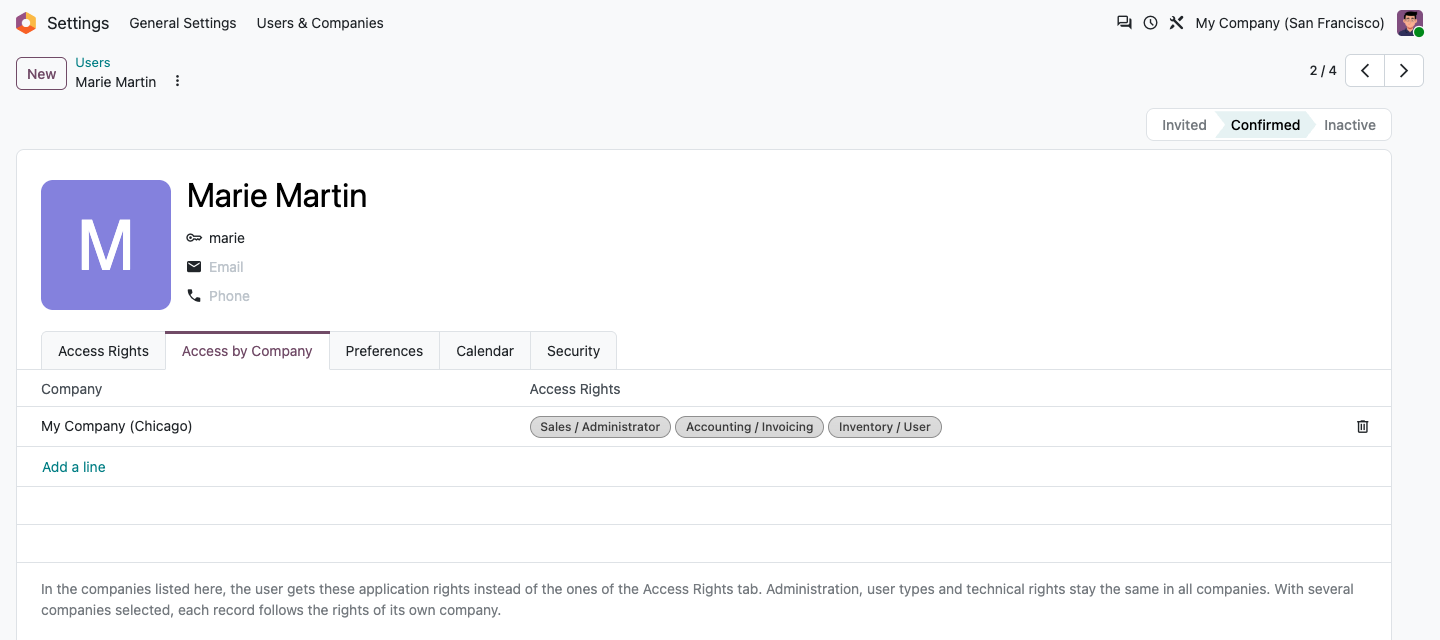
Settings > Users, open a user, tab Access by Company. Companies without a line keep the rights of the Access Rights tab.
Application rights per company
Pick the rights of the user in that company: Sales / Administrator, Accounting / Invoicing, Inventory / User... The line starts from the current rights of the user, you only change what differs.
Global where it matters
Administration (Settings, Access Rights), the user type (internal, portal) and technical rights stay the same in all companies.
Only the companies of the user
A line can only target a company the user is allowed in, one line per company.
Managed by administrators
Only users with the Access Rights administration right see and edit the tab.
Menus and screens
Switch company, switch rights
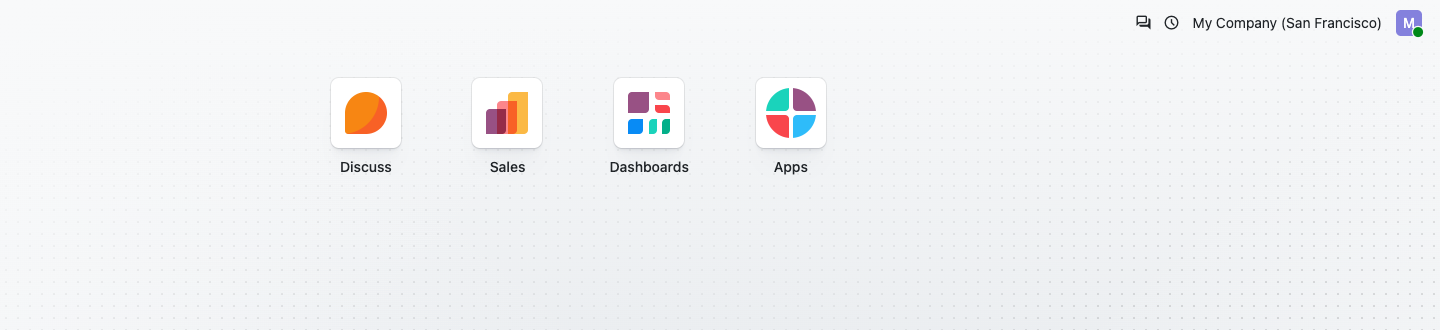
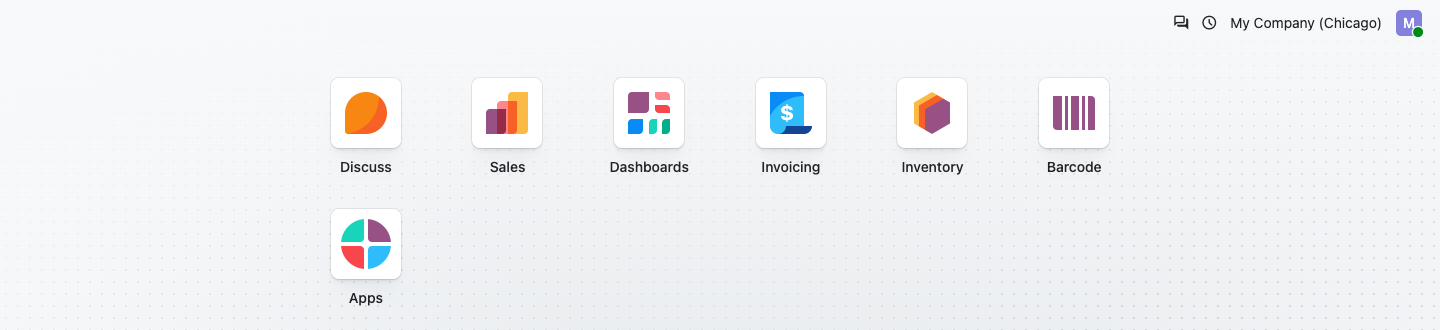
Marie is a salesperson in San Francisco and sales administrator, invoicing and inventory user in Chicago. Menus, views, fields and buttons follow the active company of the company switcher: in San Francisco she only sees Sales, in Chicago she also gets Invoicing and Inventory.
Apps of Marie in San Francisco
Apps of Marie in Chicago
Several companies selected
Every record follows the rights of its company
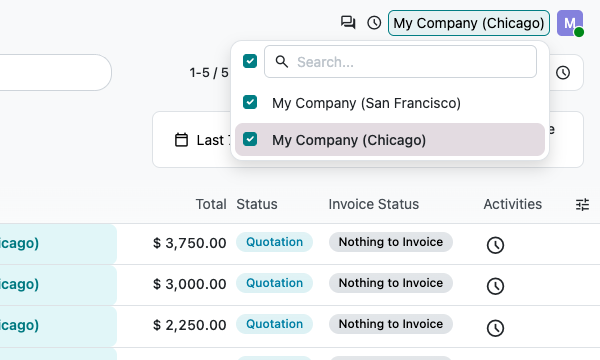
With San Francisco and Chicago both selected, Marie sees every quotation of Chicago (sales administrator) but only her own quotations of San Francisco (salesperson), in the same list.
Read, create, edit, delete
Each operation on a record is checked with the rights of the user in the company of the record: model access rights and record rules alike.
Records without company
Shared contacts, products or any record without a company follow the rights of the active company.
Everywhere
Lists, forms, search, reports, exports, imports and the external API use the same checks: the rights are enforced by the server, not hidden by the interface.
Nothing rewritten
The groups of the user are never rewritten when switching companies: two tabs on two companies work side by side, and there is nothing to resynchronise.
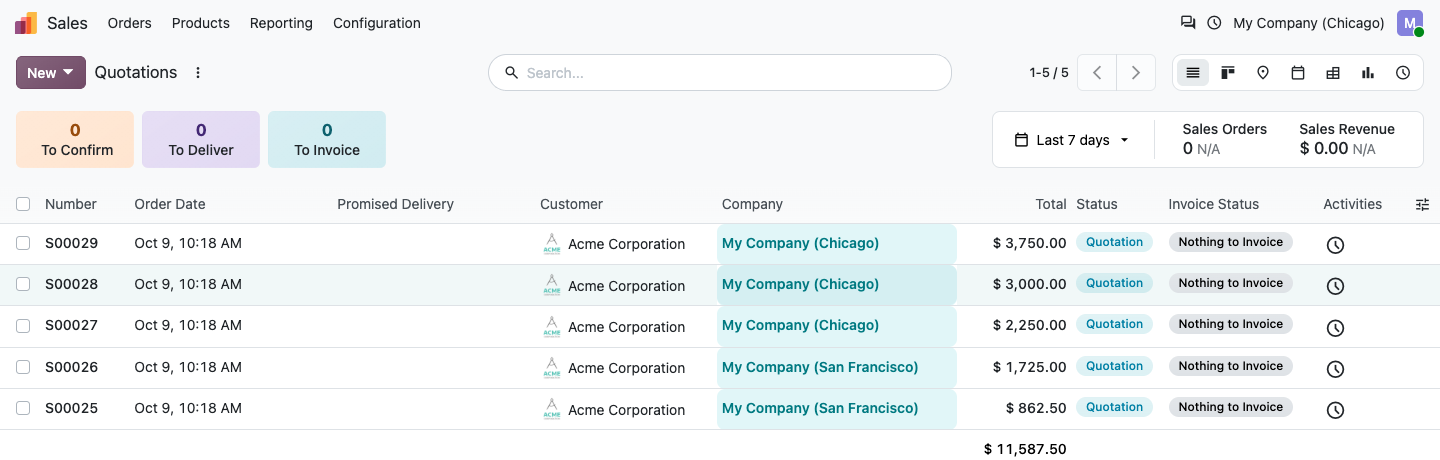
Company switcher
The first company leads the screens
Menus, views, buttons and the business checks written in code (for example only an accounting manager can do this) follow the active company: the first one of the switcher. Records follow their own company.
Setup
Ready in two minutes
1
Install
Install the app. Nothing changes until a user gets a line.
2
Open a user
Settings > Users, a user with several companies, tab Access by Company.
3
Add a company
Add a line for the company where the user has other rights and adjust them.
4
Switch
The user switches company: menus, screens and records follow at once.
Under the hood
How it works
FAQ
Good to know
What happens to the Access Rights tab?
It stays the reference: it applies in every company without a line, and its administration, user type and technical rights apply everywhere.
Can a user be administrator in one company only?
No, on purpose: Settings and Access Rights administration give access to the whole database, so they stay global.
What about code that checks a group?
Business checks written in Python (for example only an accounting manager can post this) and the visibility of fields and buttons follow the active company. Put the company of the record first in the switcher to work with its rights.
And if I uninstall it?
The lines are removed and every user is back to the rights of the Access Rights tab.
Which languages?
English and French (also used for fr_BE).
A question? A problem? Talk to the people who built it.
We will get back to you within 8 business hours.

Email us directly at
Published by
Nalios — Odoo Gold Partner, Belgium — nalios.be