Auto Barcode Generator for Products
Every new product gets a unique barcode automatically: variants, imports and API included, typed barcodes kept.


Présentation du module

/ Odoo 20 · Inventory
Auto Barcode Generator
Every new product gets a unique barcode the moment it is saved. No button, no sequence to manage, no forgotten labels — your warehouse can scan it right away.
What it does
Products without barcodes, gone for good
Missing barcodes block reception, picking and label printing. This module closes the gap at the source: on product creation.
Filled on save
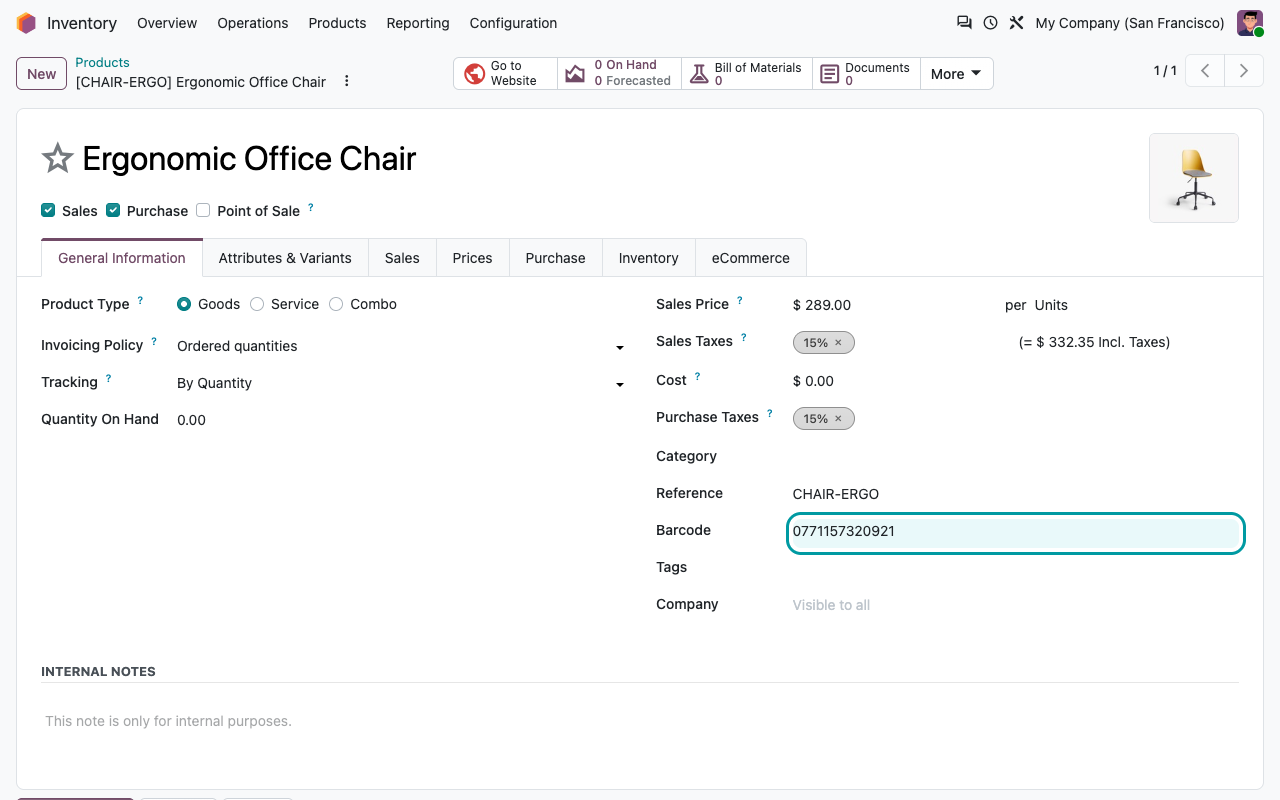
Create a product without a barcode and Odoo assigns a 13-digit numeric code as soon as you save. Nothing to click, nothing to train.
One code per variant
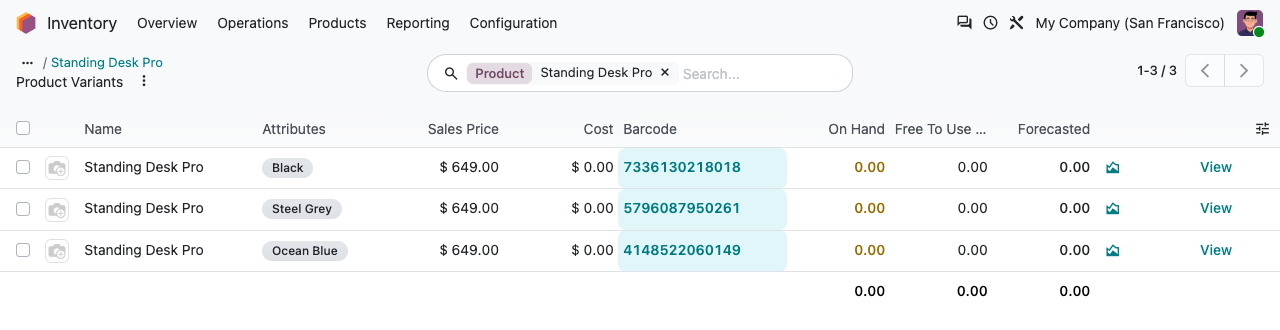
Products generated from attributes (colour, size...) each receive their own barcode, so every variant can be scanned individually.
Every creation channel
Manual form, CSV import, duplication, e-commerce connector or API call: the rule lives in the product model, so no channel slips through.
Your codes stay yours
A barcode typed by a user or present in your import file is kept untouched. The module only fills the empty ones.
Setup
Install it. That is all.
1
Install the module
It only depends on Products. No settings, no new menus, no data to prepare.
2
Create products as usual
From Inventory, Sales, Purchase, an import or an integration — nothing changes for your users.
3
Scan and print
The barcode is on the product form and on every variant, ready for labels, receptions and the Barcode app.
Under the hood
How it works
Using GS1 EAN-13 codes?
Generated codes are internal numeric barcodes: they carry no GS1 company prefix and no EAN-13 check digit, and Odoo prints them as Code 128 on labels. If you sell through retailers who require registered GS1 codes, keep encoding those — the module will never overwrite them.
A question? A problem? Talk to the people who built it.
We will get back to you within 8 business hours.

Email us directly at
Published by
Nalios — Odoo Gold Partner, Belgium — nalios.be