Belgian Company Data
Find a Belgian company by name or number and fill the contact from the official KBO/BCE register, then open a company dashboard with annual accounts, ratios, directors, shareholders and a sector benchmark. Works with a Company Data API key.


Présentation du module

/ Odoo 19 · Belgian company data
Company Data Connector
Official data on every Belgian company, inside Odoo. Find a company by name or number, fill the contact in one click, then open a visual profile: annual accounts, ratios, ownership, directors, sector benchmark and a map.

Contacts
From a name to a complete contact
No more copying from the register. Search once, and the contact is ready — and stays up to date.
1
Find the company
Contacts → Find a Belgian Company. Type a name or an enterprise number and pick the match from a list that shows each address.
2
Create or complete the contact
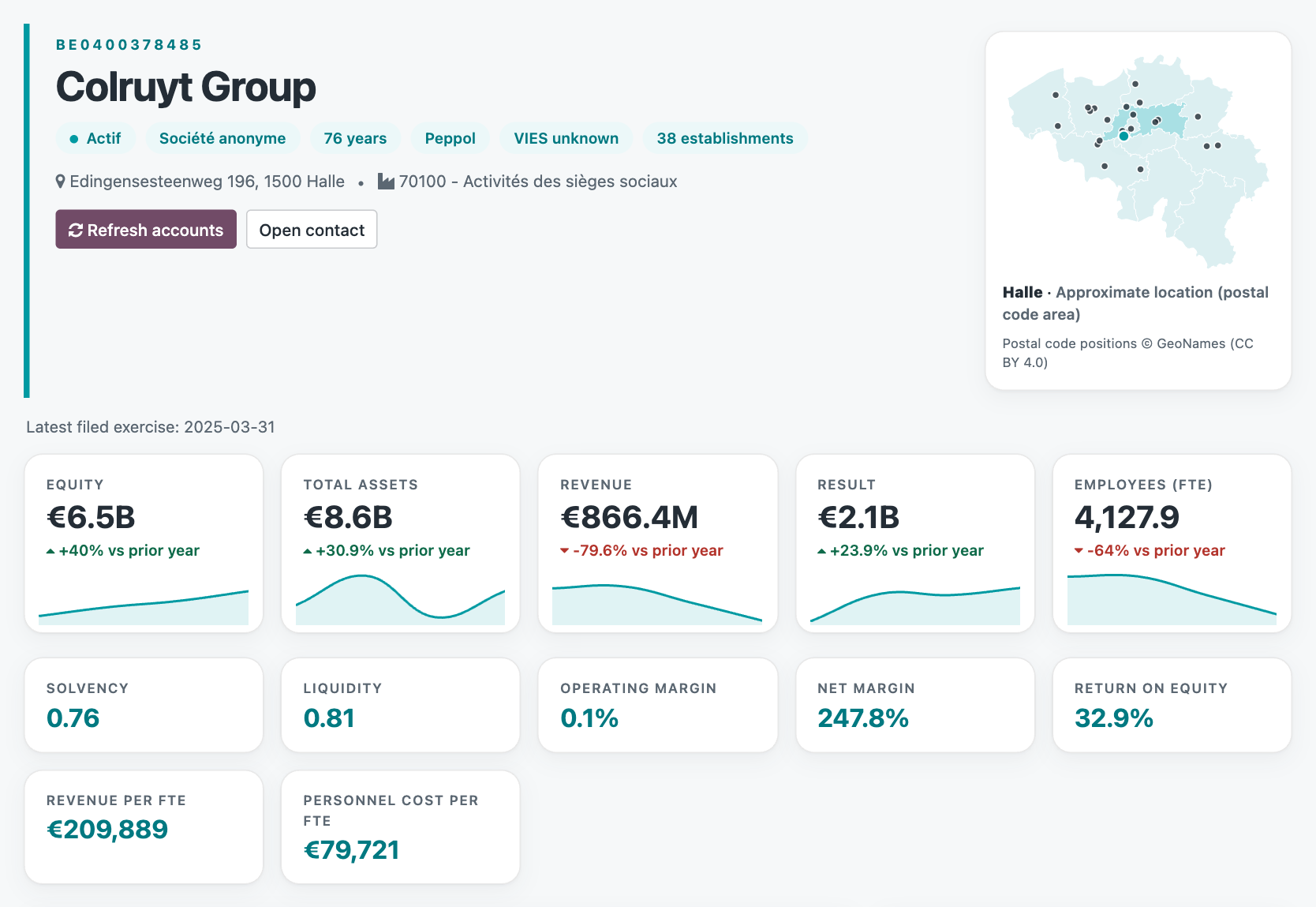
Name, address, VAT number, registry number, e-mail, phone and website come from the register. On an existing contact, values you already entered are never overwritten.
3
Keep it up to date
Refresh from KBO on a contact, or on a whole selection from the list view. Legal form, status, activity, VIES, Peppol and establishment count are kept on the contact.
Company Profile
A visual profile, not a list of fields
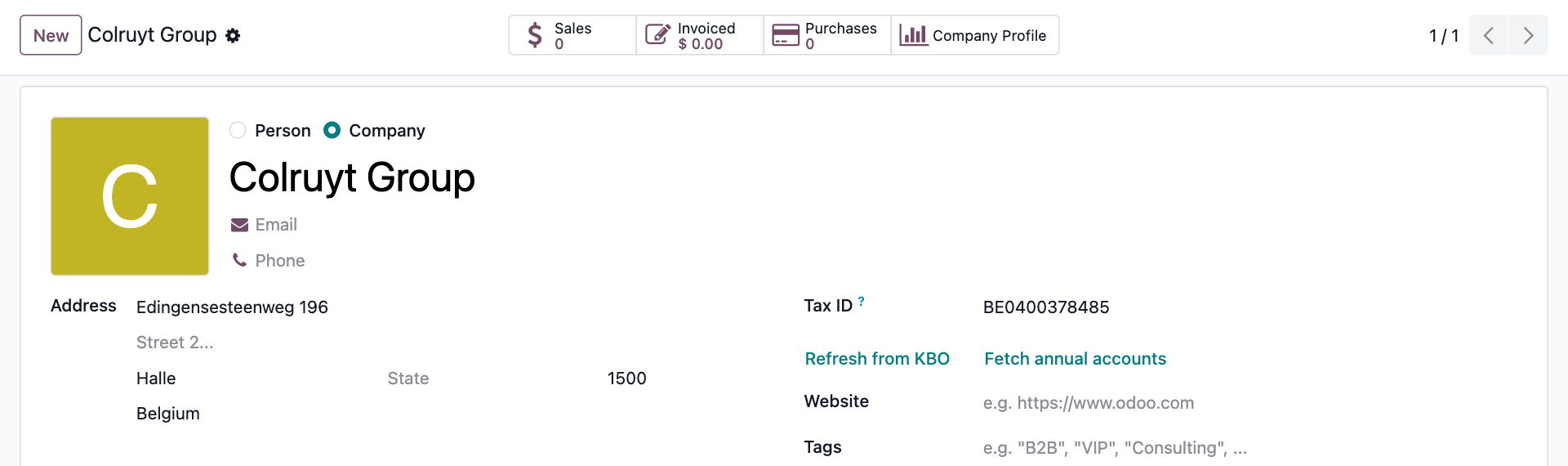
Key figures with trends
Equity, total assets, revenue, result and headcount (FTE) with the year-on-year change and a mini trend line on each tile.
Ratios at a glance
Solvency, liquidity, operating and net margin, return on equity, revenue and personnel cost per FTE — one tile each, in the same format everywhere.
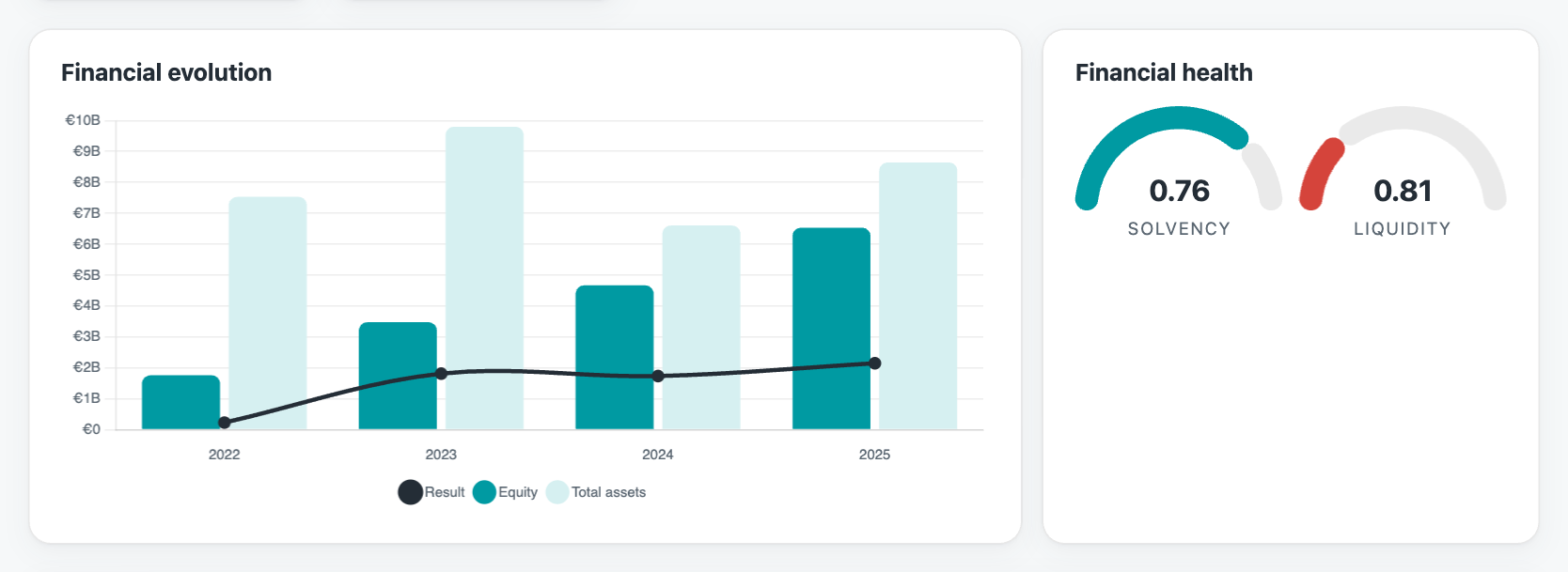
Multi-year evolution
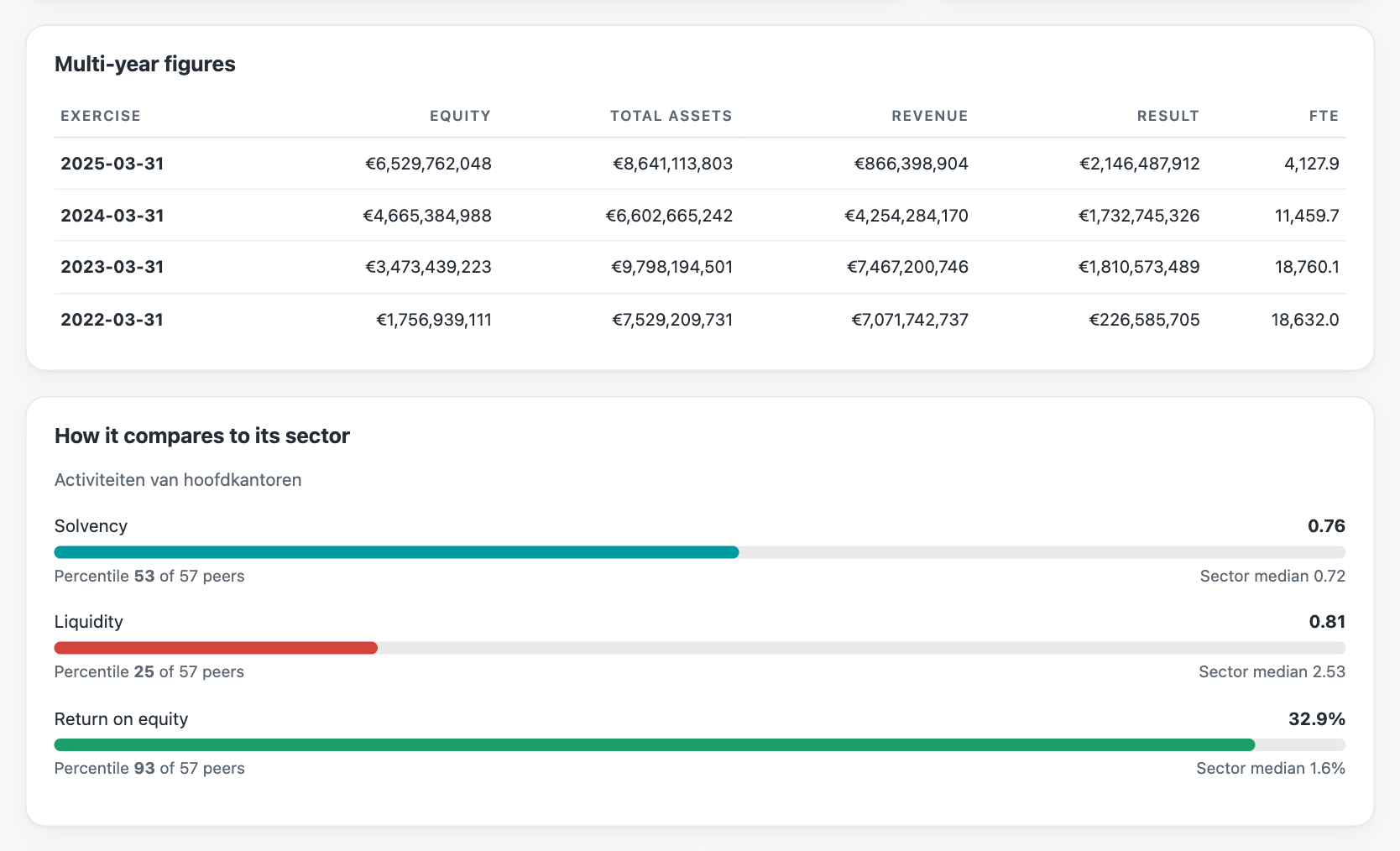
Bars and lines across every filed exercise, plus a table of exact figures. See the trend, then check the numbers.
Sector benchmark
Where does the company stand among its sector peers? Percentile and sector median for solvency, liquidity and return on equity.
Ownership & group structure
Who holds the company, who controls it (more than 50 %), and what it holds in turn — built from the filed accounts.
Directors & board changes
Directors and representatives with their tenure and the mandates on file, and who joined or left between the last two exercises.
Related companies
Other companies that share directors or shareholders with the one you are looking at.
Map & register details
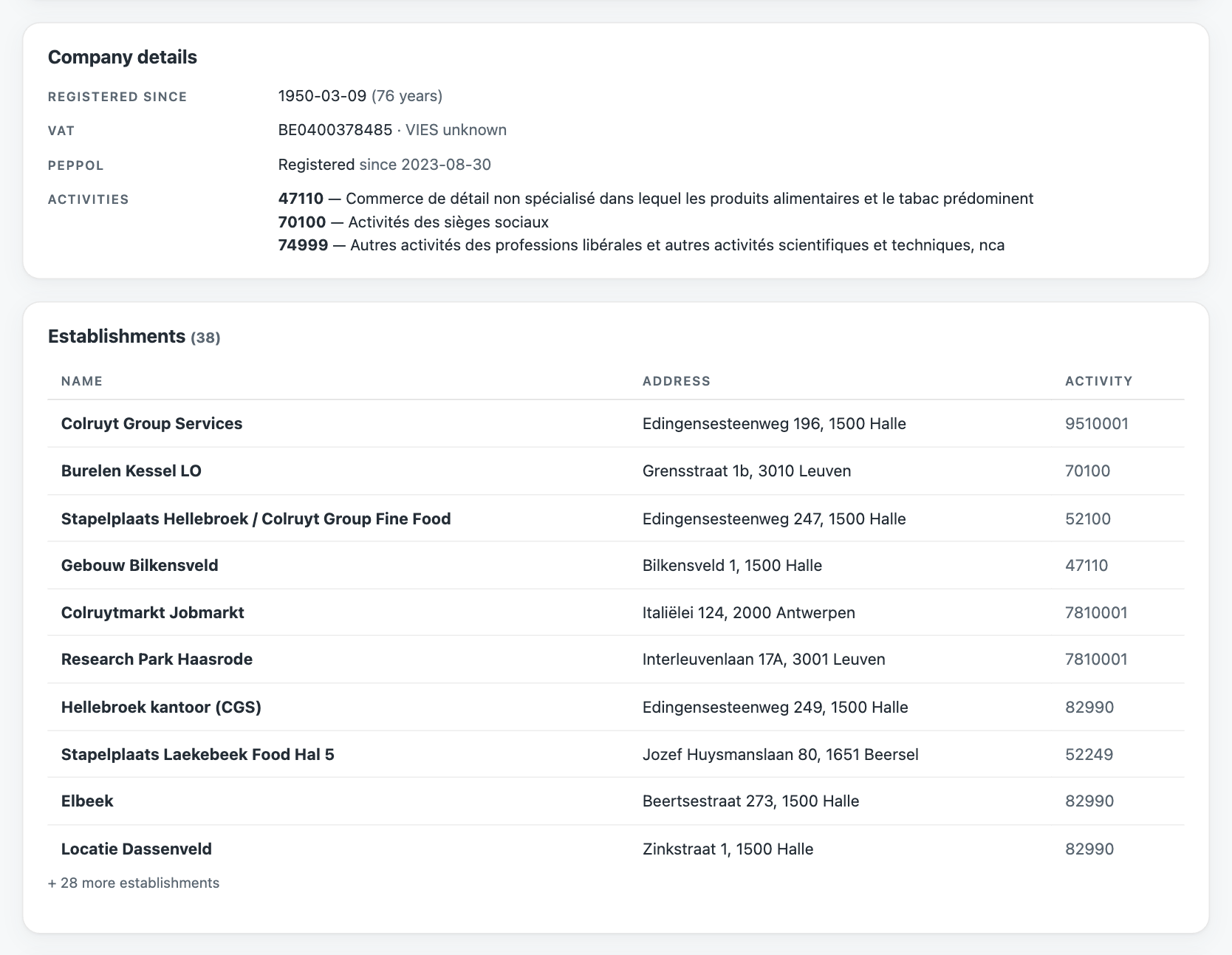
Head office and establishments on a map of Belgium, with VAT and VIES status, Peppol registration, all activities and recent register updates.
Example flow
From first contact to informed decision
01
A new lead mentions a Belgian company
02
You type its name in Find a Belgian Company and pick the match
03
The contact is created with address, VAT number, legal form and activity
04
One click on Fetch annual accounts stores the filed accounts and ratios
05
Company Profile shows figures, trends, sector position, owners and directors on one screen
No copy-paste from the register. No spreadsheet.
Under the hood
Technical highlights
An API key is required
The module itself is free. The data comes from the Nalios Company Data API, which needs a key per Odoo database. Ask us for one, paste it in Settings, press Test connection — that is the whole setup.
A question? A problem? Talk to the people who built it.
Implementation and support are included.

Email us directly at
Published by
Nalios — Odoo Gold Partner, Belgium — nalios.be