Course & Activity School – Grading & Report Cards Add-on
Add-on for Course & Activity School Management: evaluations and exams per course and term, grading scales (scores, letters, competency levels), competencies per discipline, a fast grade entry grid for teachers and term report cards in PDF emailed to the families. The add-on itself is free; the price shown is the main app it requires.


Présentation du module

/ Odoo 20 · School
Evaluations and report cards for your course school
Free add-on for Course & Activity School Management: tests, exams, recitals and observations per course and term, scores, letters or competency levels, a fast grade entry grid for the teachers, and term report cards in PDF with your logo, emailed to the families.

What it adds
From the first test to the signed report card
Evaluations
Test, exam, practical, oral, recital or observation, in a course, with a date, a term (found from the date), a coefficient and instructions. The confirmed students of that day are listed automatically.
Your grading scales
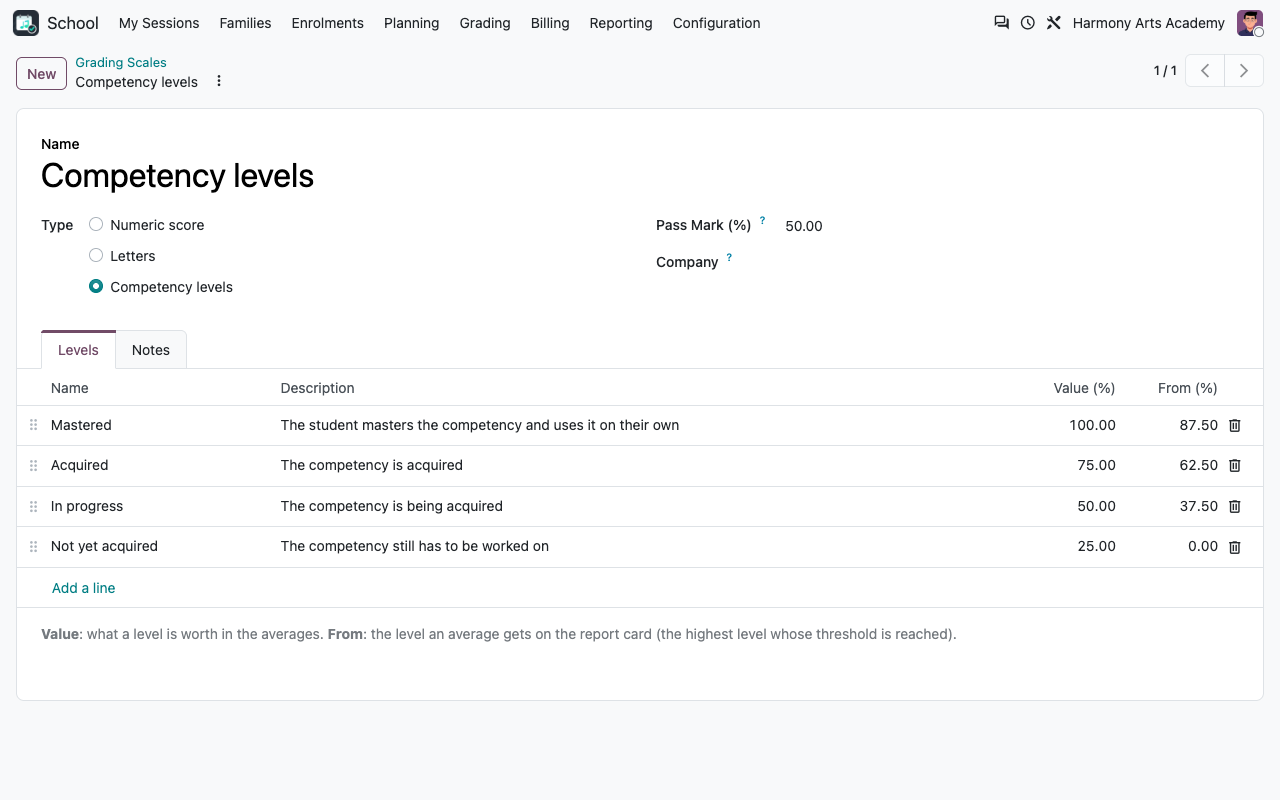
Scores out of 10, 20 or 100, letters A to E, competency levels (Not yet acquired to Mastered), or your own. One default scale for the school, another one per course if needed.
Competencies
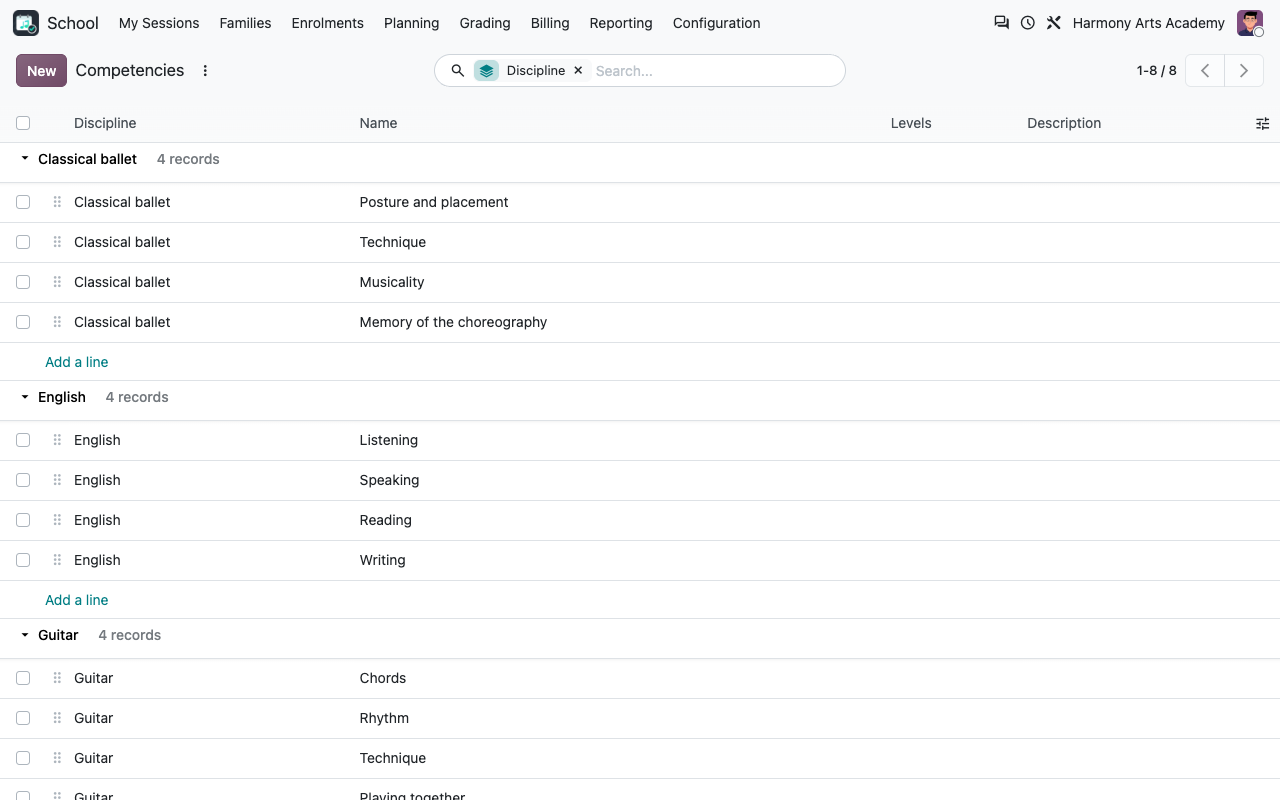
Per discipline (and level): rhythm and reading in piano, posture in ballet, speaking in English... plus transversal ones such as participation. Assess them in an evaluation or directly on the report card.
Fast grade entry
One row per student with their photo: type the score, press Enter, next student. A comma or a dot for the decimals, abs for an absent student.
Teachers grade their own courses
The Teacher group of the core app only sees and grades the evaluations of their courses and writes the comments of their own lines on the report cards. Closed evaluations are locked: only the secretariat reopens them.
Report cards
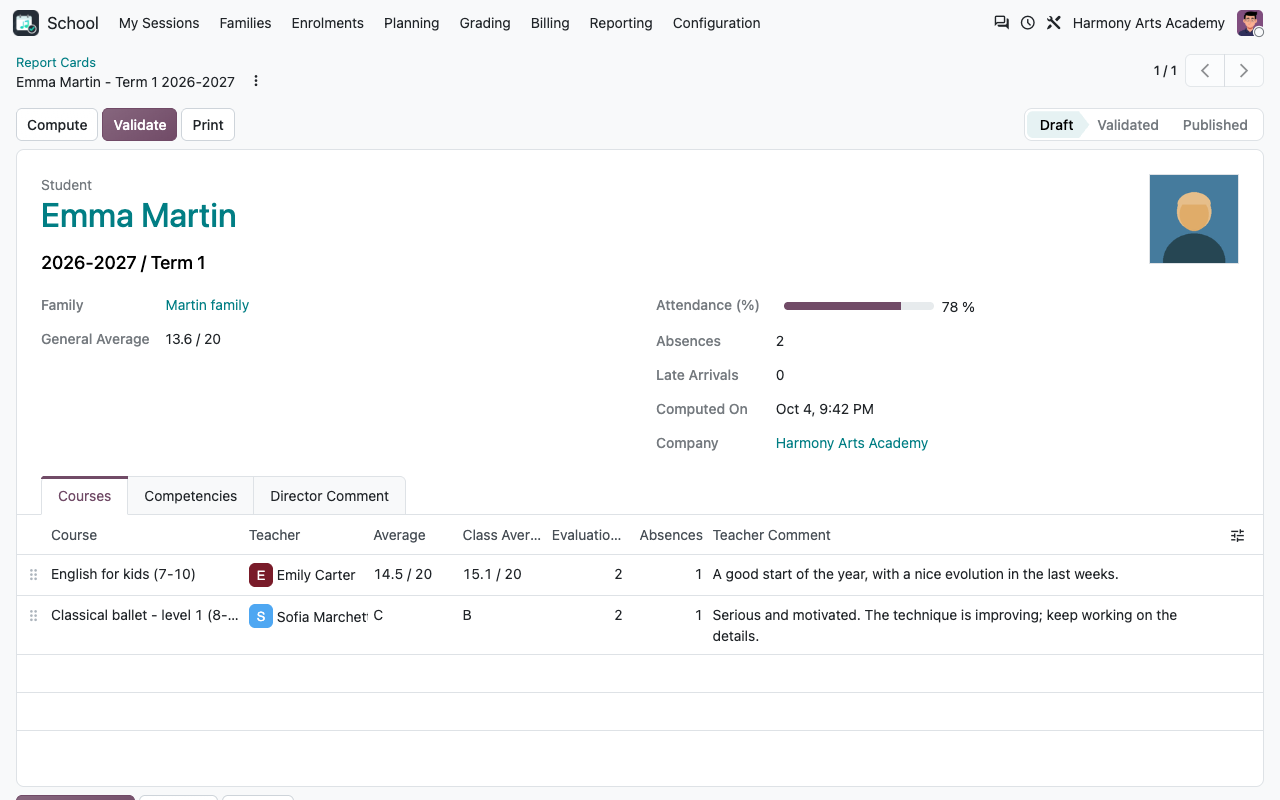
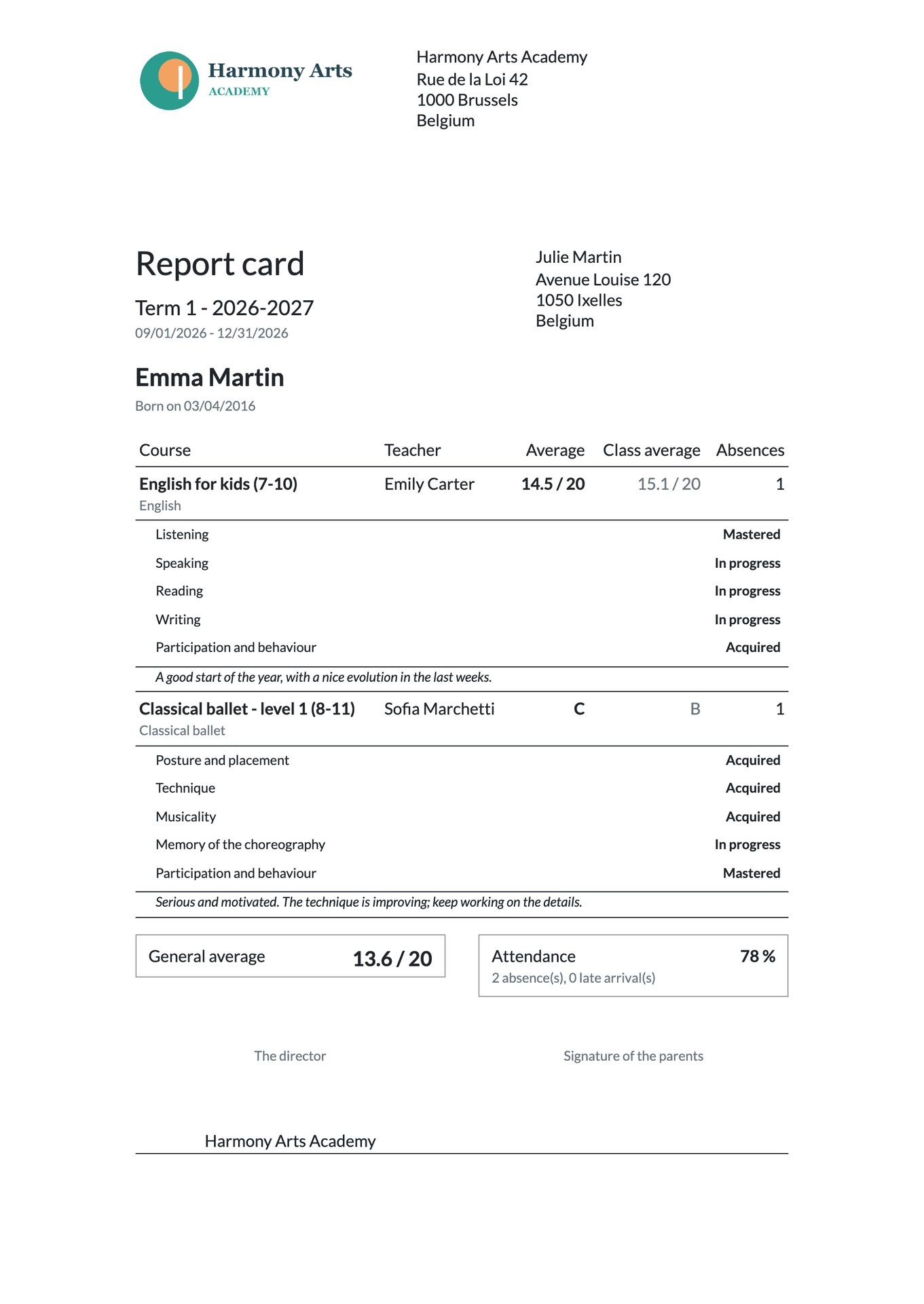
One per student and term: weighted average per course, class average, competencies, absences, teacher comments, general average and the director comment. Validate, print with your logo, publish by email with the PDF attached.
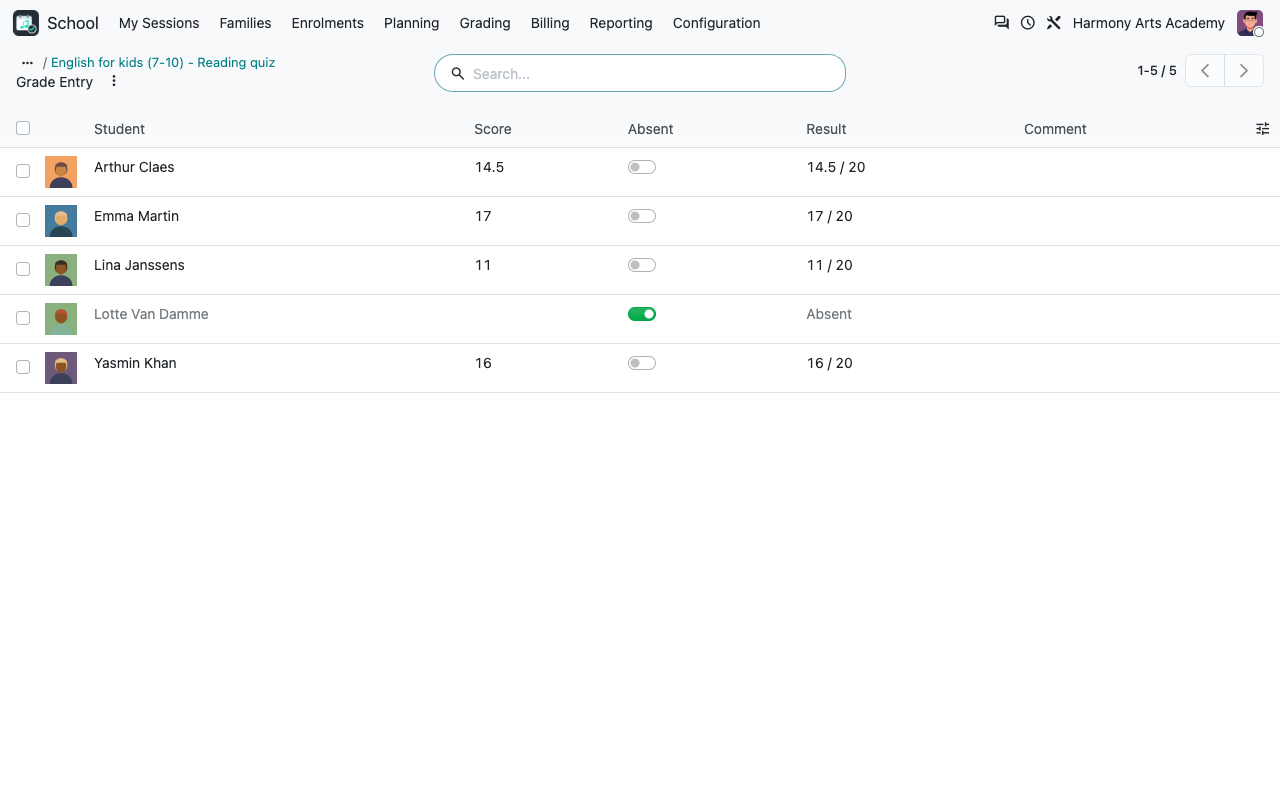
Evaluations
Scores for a quiz, levels for a skill
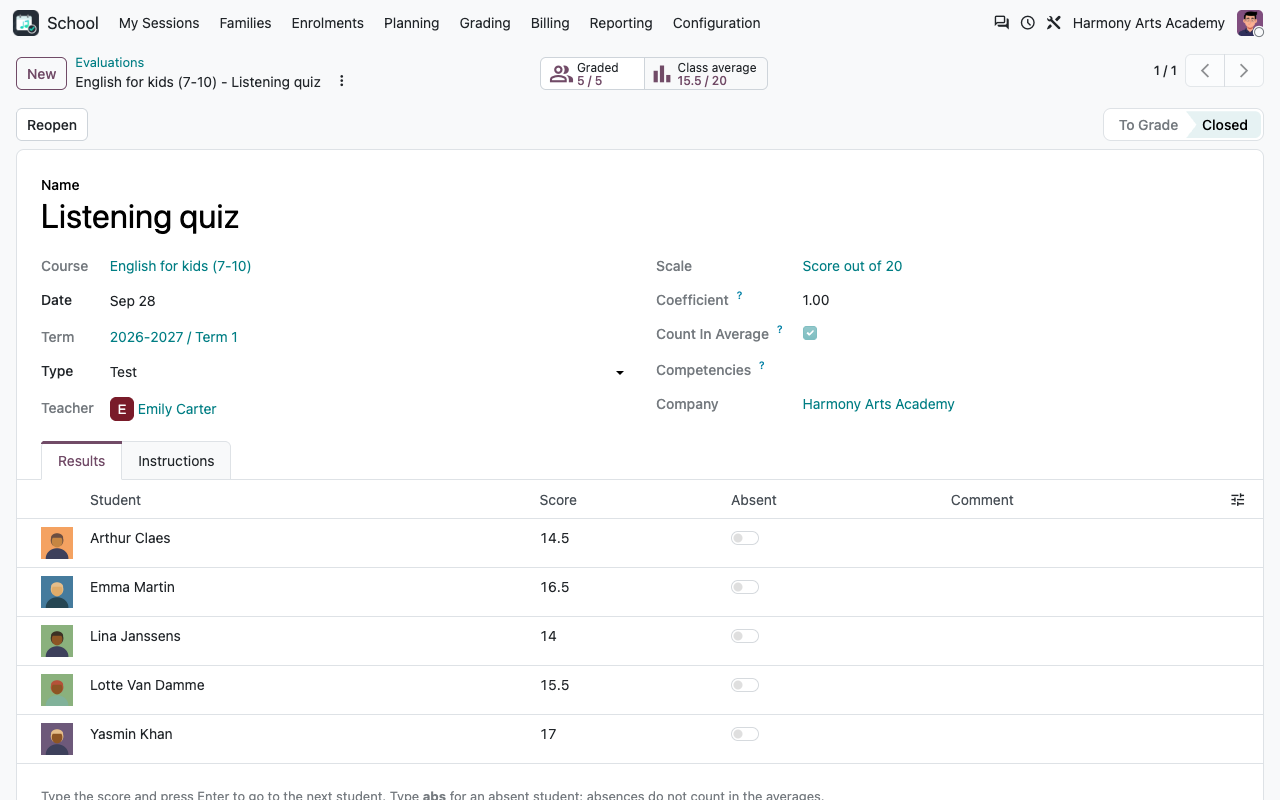
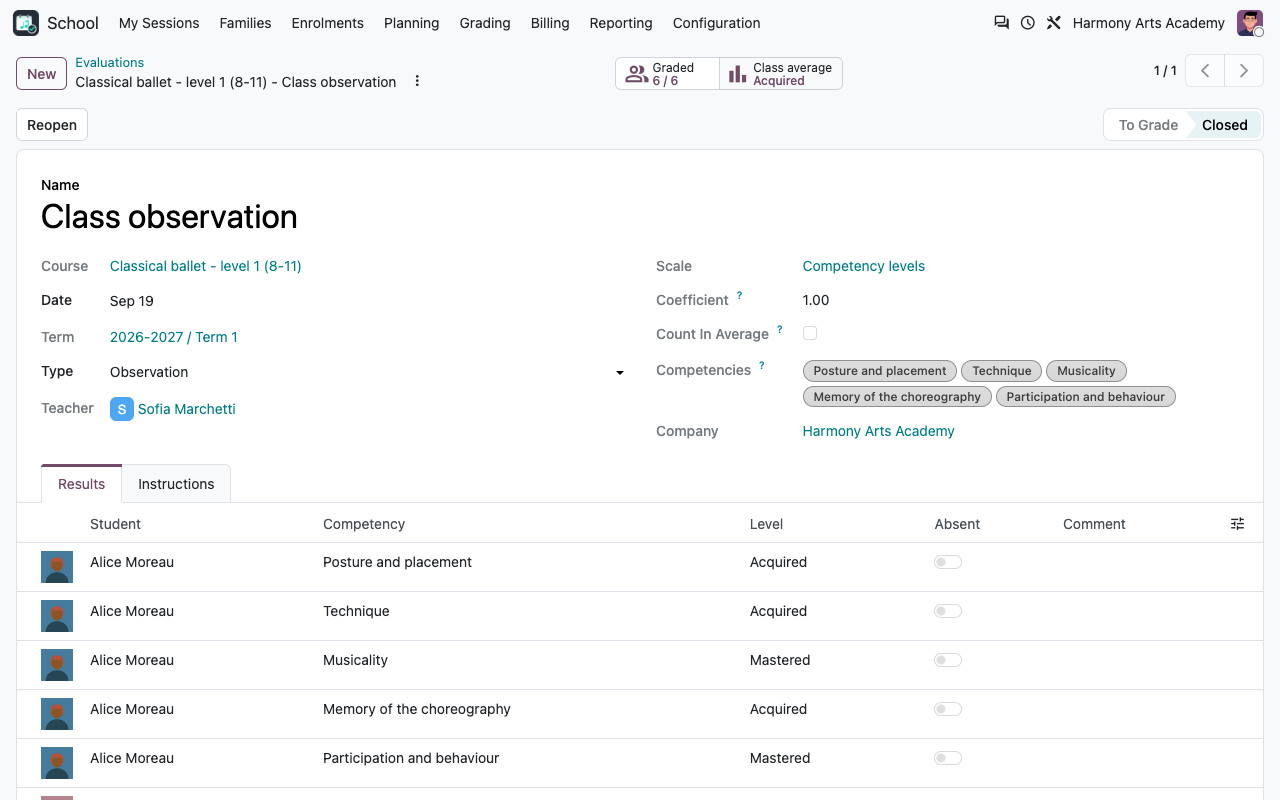
A numeric evaluation counts in the average of the course with its coefficient. An evaluation with competencies gives one line per student and competency, with the level picked from the scale; it feeds the competencies of the report card.
A closed listening quiz with the results and the class average
A ballet class observation: one level per competency
Report cards
Computed for you, commented by the teachers
Generate the report cards of a term in one click (all the students of the season, or only some courses). Averages, class averages, absences and competency levels are computed; teachers add their comment in one list; the director adds a general comment. Recompute a draft at any time: comments and levels set by hand are kept.
A report card with two courses, averages and teacher comments
The PDF report card sent to the family, with the school logo
Teachers and configuration
Simple for the teachers, configurable for the school
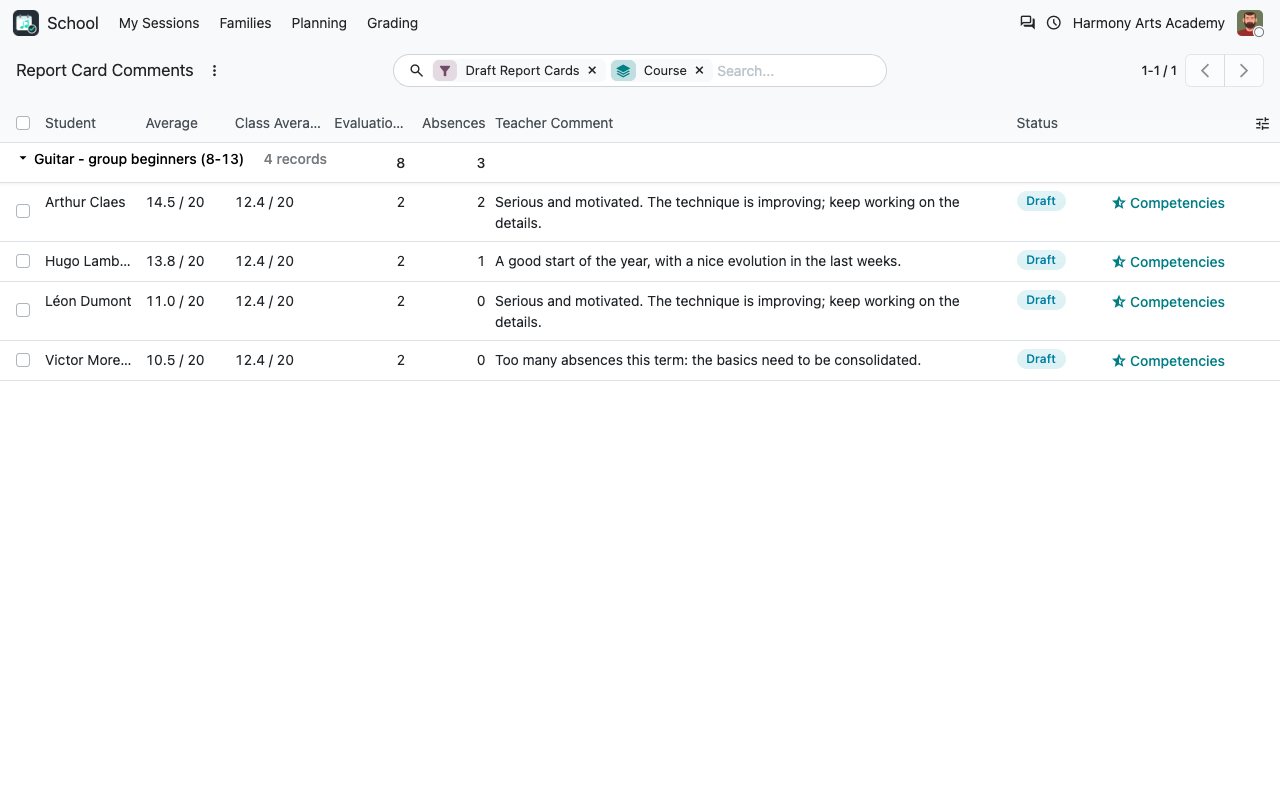
Teachers see Evaluations, Grade Entry and Report Card Comments for their own courses. The director configures the scales (value and threshold of each level, pass mark) and the competencies of each discipline.
A teacher writes the comments of the students of their course
A competency scale: value and threshold of each level
Competencies and results
Your pedagogy, in your words
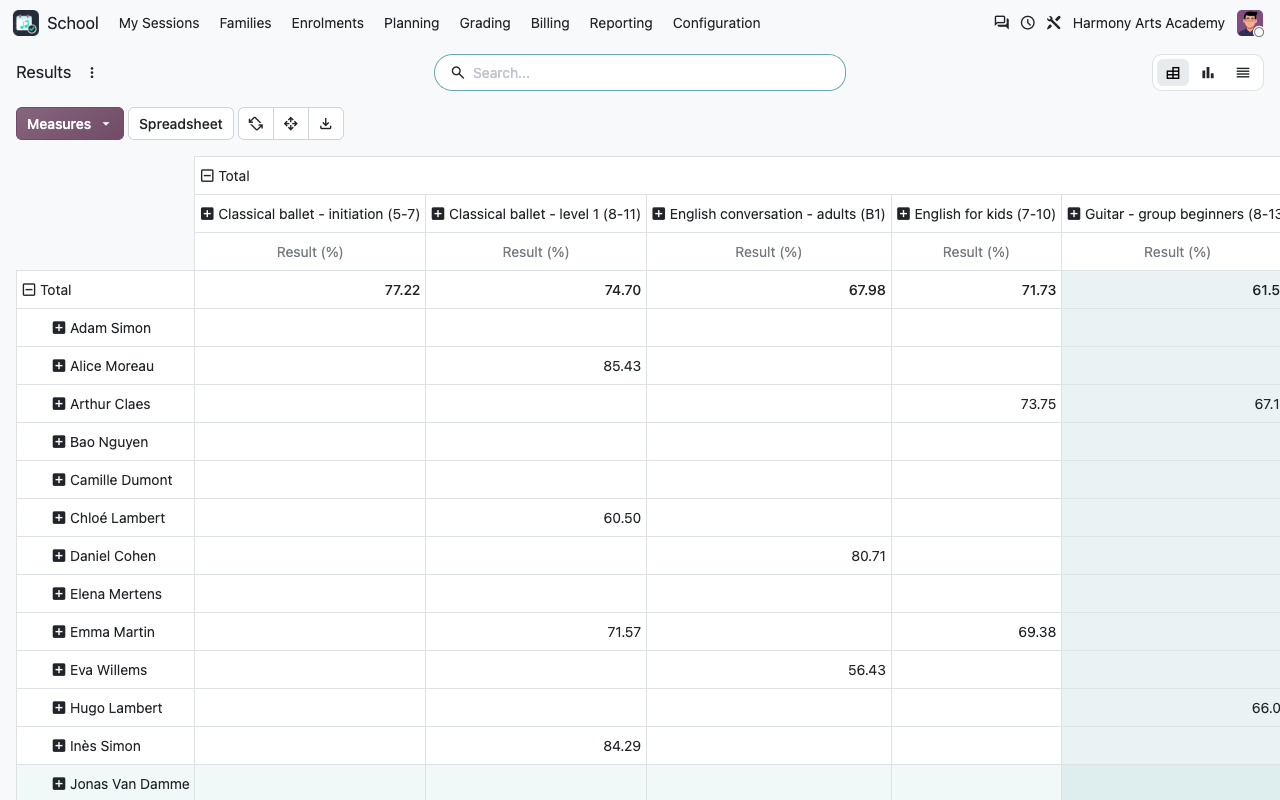
List the competencies of each discipline once; they appear in the evaluations and on the report cards. Every result stays available for analysis: filter and group by student, course, evaluation, competency or term.
Competencies per discipline
All the results, per student and course
Details
How the averages are computed
Report cards in the parent portal
With the free Portal add-on of the school app also installed, a small bridge (course_school_grading_portal, installed automatically) lists the published report cards in the Progress tab of each child in the parent portal, with the PDF to download.
Part of Course & Activity School Management
This module only works with the paid app Course & Activity School Management (technical name course_school), which holds the families, students, courses, sessions, enrolments, invoicing and roll call. Search for it on the Odoo Apps Store. This add-on itself is free: the price displayed on this listing is the one of the main app, which it requires. English and French included.
FAQ
Good to know
Is it made for full-time academic schools?
No. Like the main app, it targets schools of courses and activities: music, dance, languages, sports, art. There is no class council, ranking or national grading rule.
Can parents see the report cards online?
They receive them by email (PDF attached) when the report card is published.
Can a teacher change a grade after closing?
No: a closed evaluation is locked for teachers. The secretariat (or the director) can reopen it.
Can I use my own scale?
Yes: create a numeric scale with any maximum, or letters / levels with your own values and thresholds.
A question? A problem? Talk to the people who built it.
We will get back to you within 8 business hours.

Email us directly at
Published by
Nalios — Odoo Gold Partner, Belgium — nalios.be