Course & Activity School – Timetable Planner Add-on
Add-on for Course & Activity School Management: proposes the weekly timetable of a season (rooms, teachers, availabilities, student groups, preferences) with Google OR-Tools CP-SAT or a built-in solver, then applies it to the courses. The add-on itself is free; the price shown is the main app it requires.


Présentation du module

/ Odoo 20 · School
Your weekly timetable, proposed for you
Free add-on for Course & Activity School Management: it proposes the weekly slots of a season from your rooms, the availability of your teachers and your student groups, shows the score and the conflicts, lets you adjust it, then applies it to the courses.

What it does
From a list of classes to a timetable you can apply
Courses to schedule
Sessions per week, duration, required room features, teachers, student groups, preferred days and hours. Defaults come from the current slots.
Rooms and sites
Capacity and features (piano, mirrors, sound system...) per room, opening hours per site, optional travel time between two sites.
Teacher availability
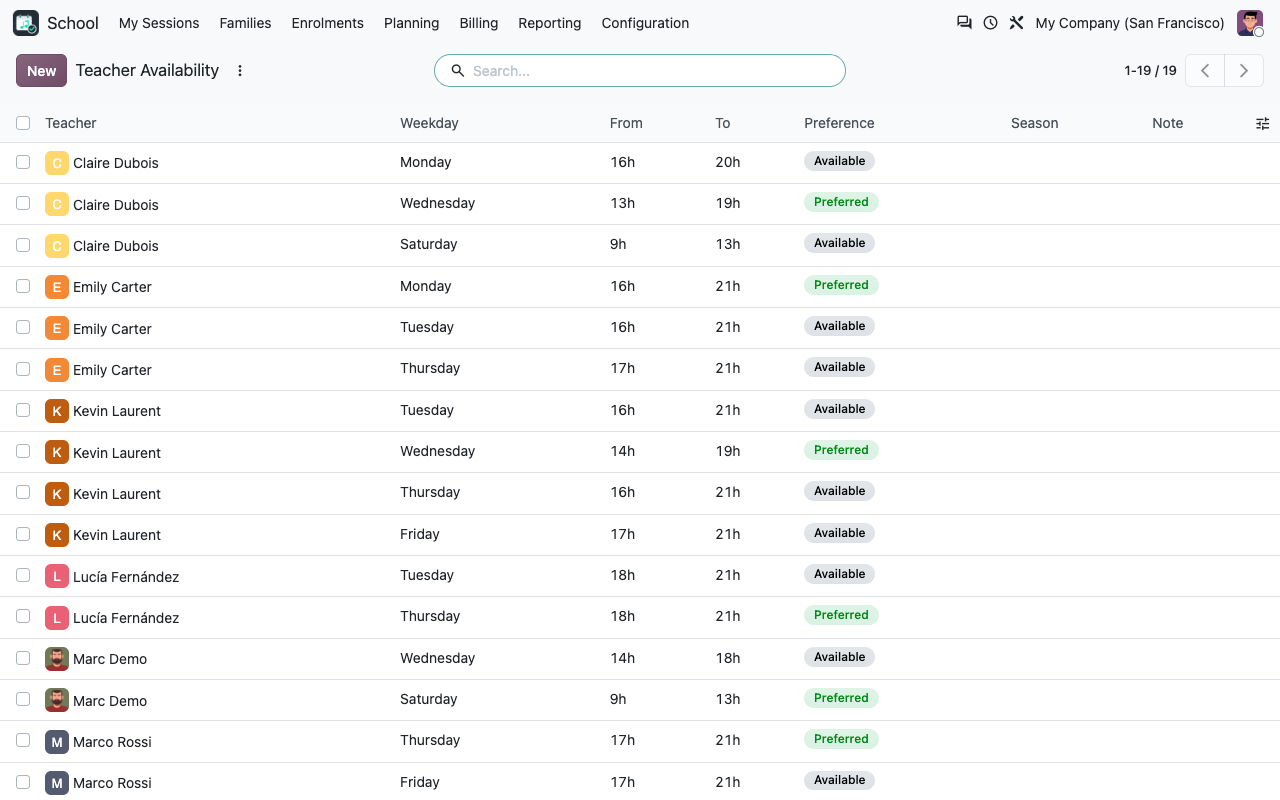
A weekly grid per teacher, per season if needed, with available and preferred hours. Teachers can keep their own lines up to date.
Never two places at once
One room, one teacher, one student group at a time; students enrolled in two courses never have them at the same time; one session of a course a day.
Preferences with weights
Preferred days and hours, teacher preferred hours, compact days for a group, siblings on the same day, keep the usual room, keep the current hours.
Review, adjust, apply
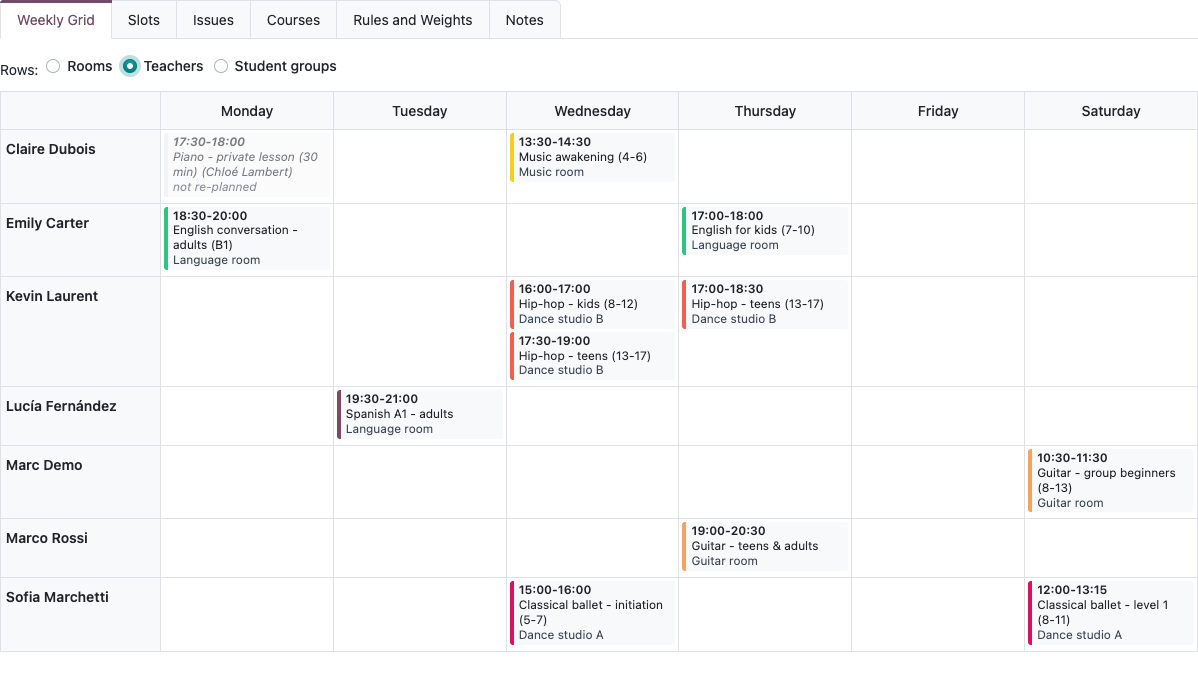
Weekly grid by room, teacher or group, calendar with drag and drop, locked slots, live score. Apply replaces the slots and regenerates the sessions.
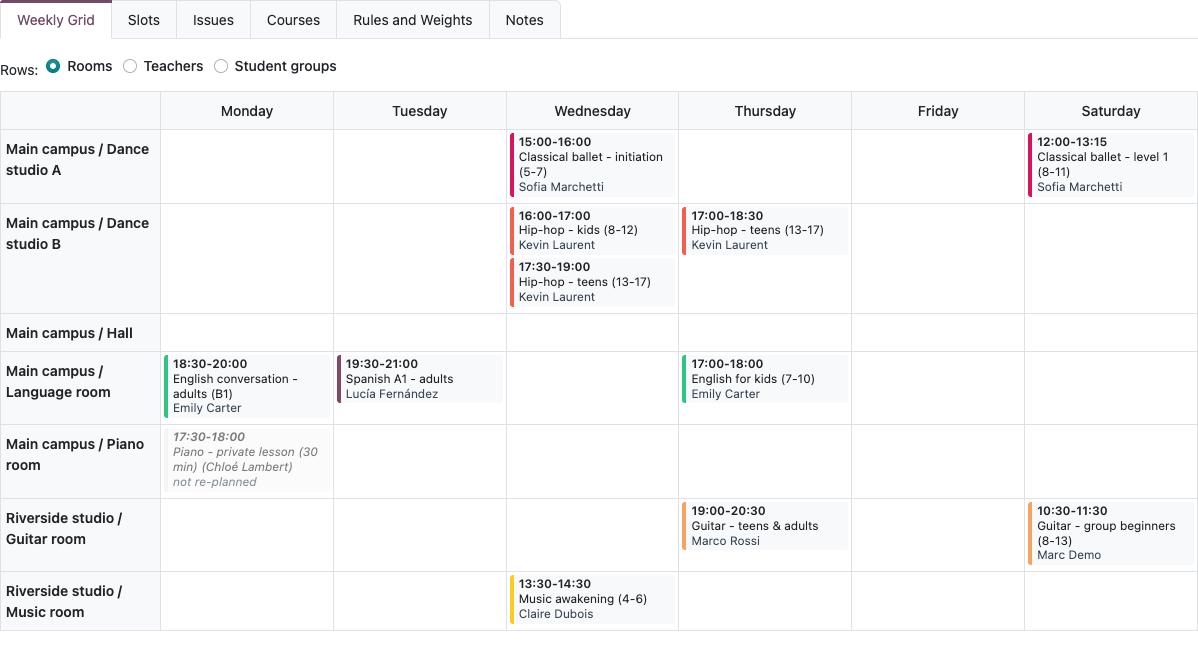
The proposal
Solved, scored, explained
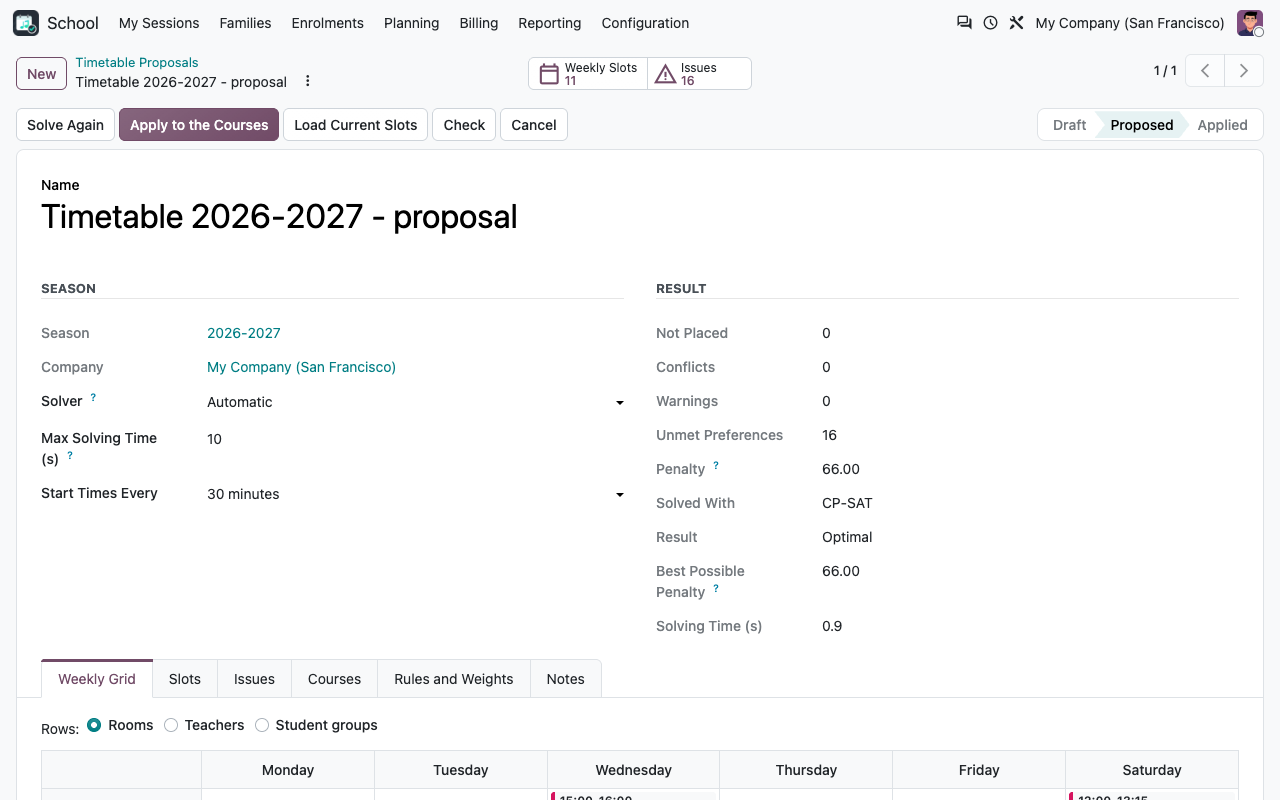
Pick the season: its weekly classes are loaded. Solve: every session gets a day, an hour and a room. The result shows the sessions that could not be placed, the conflicts, the unmet preferences, the penalty and, with CP-SAT, the best penalty that is possible at all.
A proposal solved with CP-SAT: optimal, penalty and best possible penalty
The same week, one row per teacher
Score and conflicts
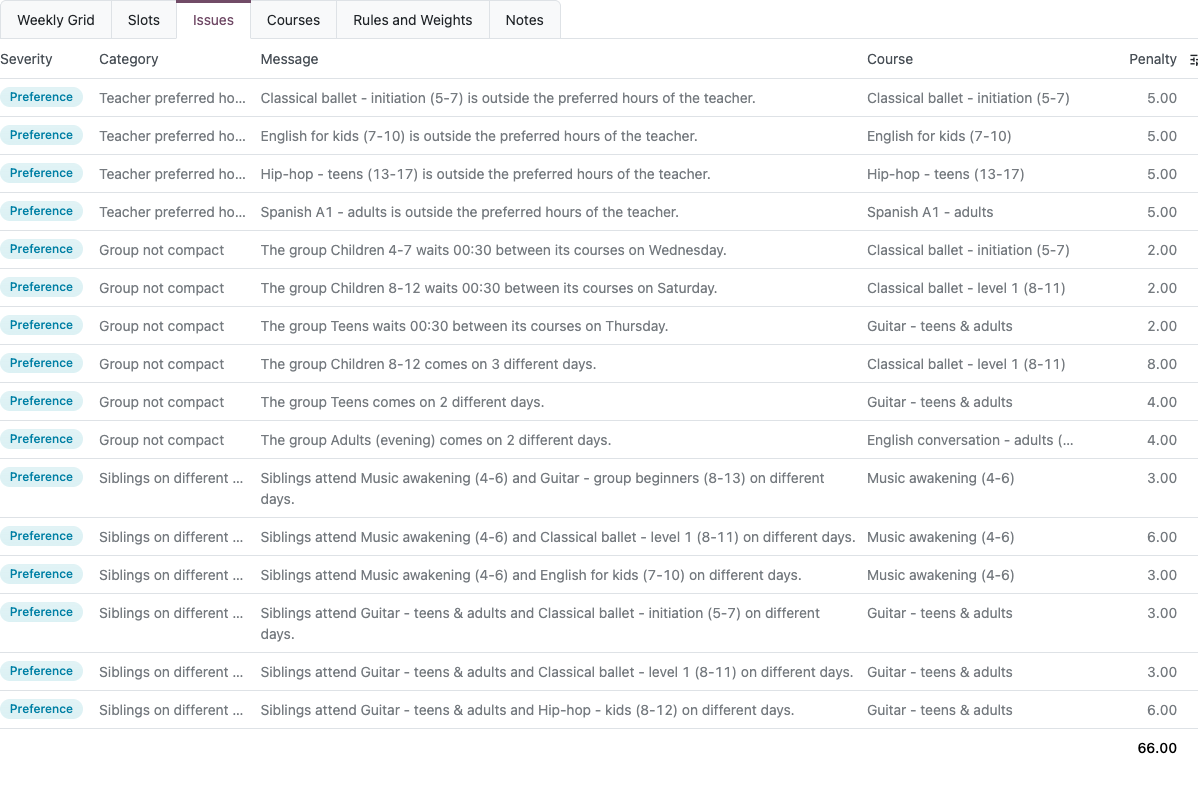
Every unmet preference, in plain words
Conflicts block the apply; warnings flag a manual change outside the rules (teacher not available, site closed, room too small); preferences explain the penalty. The weights are yours.
Issues of a proposal with their penalty
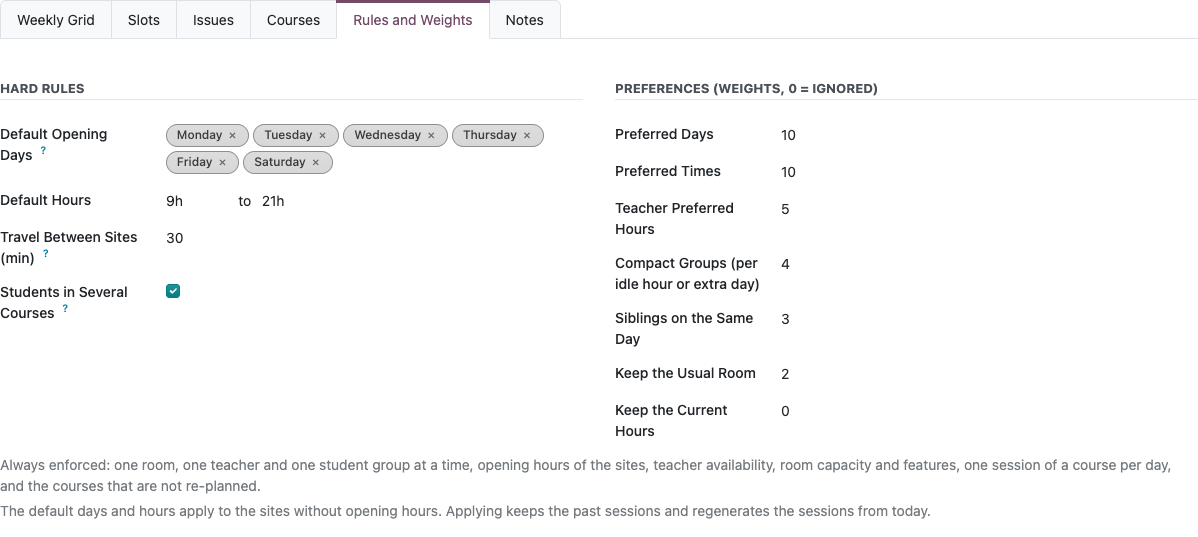
Hard rules and preference weights of a proposal
Manual adjustments
Your changes, checked as you make them
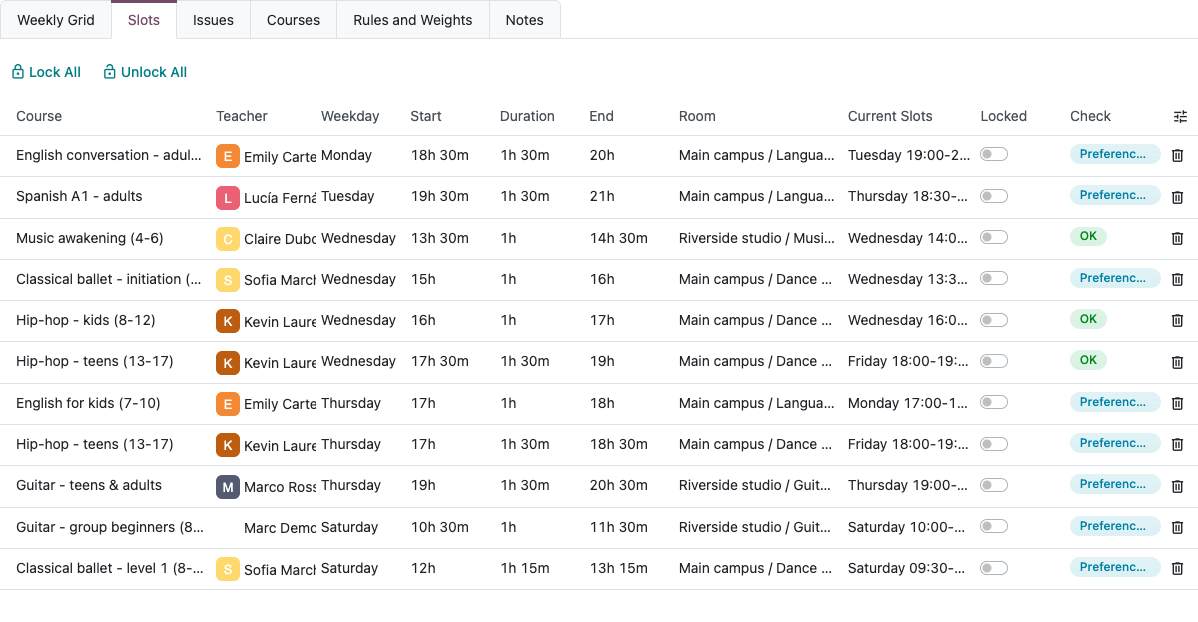
Move a slot in the calendar or edit it in the list: the score and the conflicts are recomputed at once. Lock the slots you want to keep and solve again for the others.
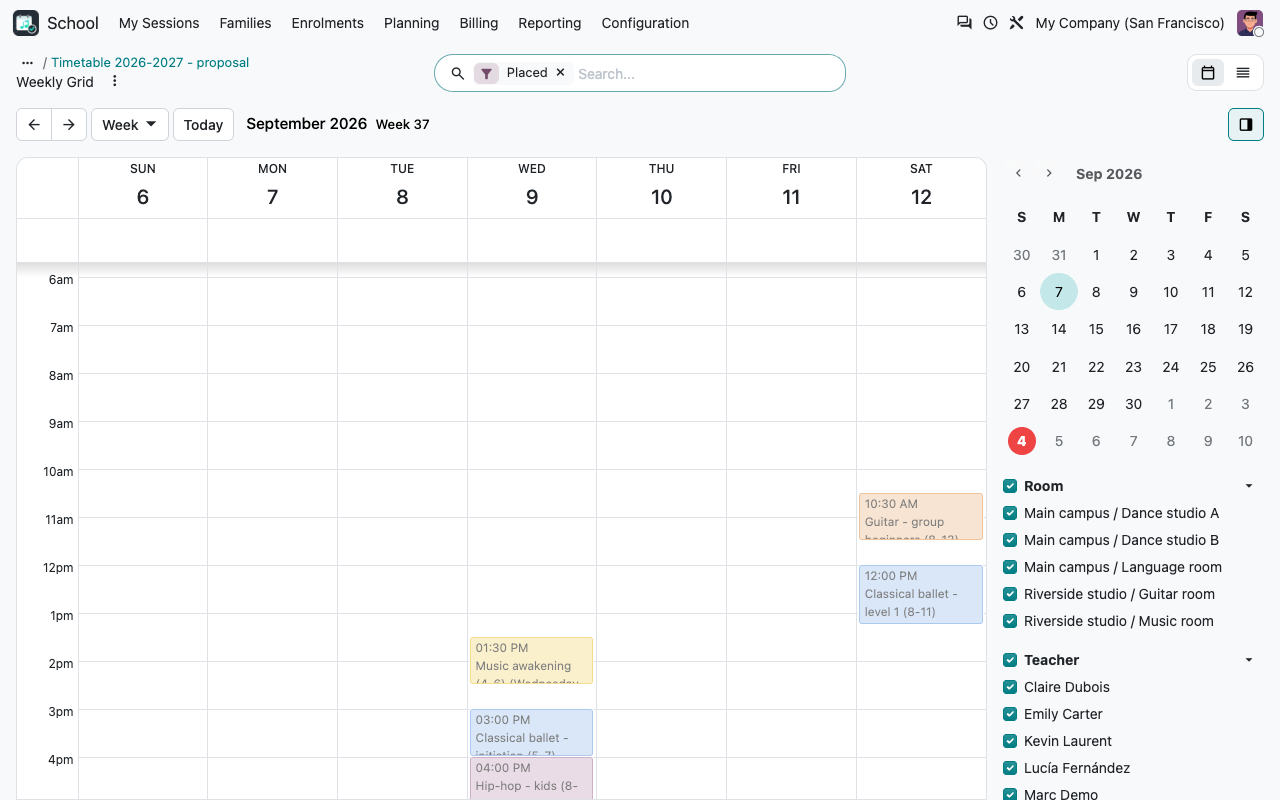
The proposal in the calendar, on a reference week
Proposed slots with their current slots, lock and check
Inputs
Set once, used every season
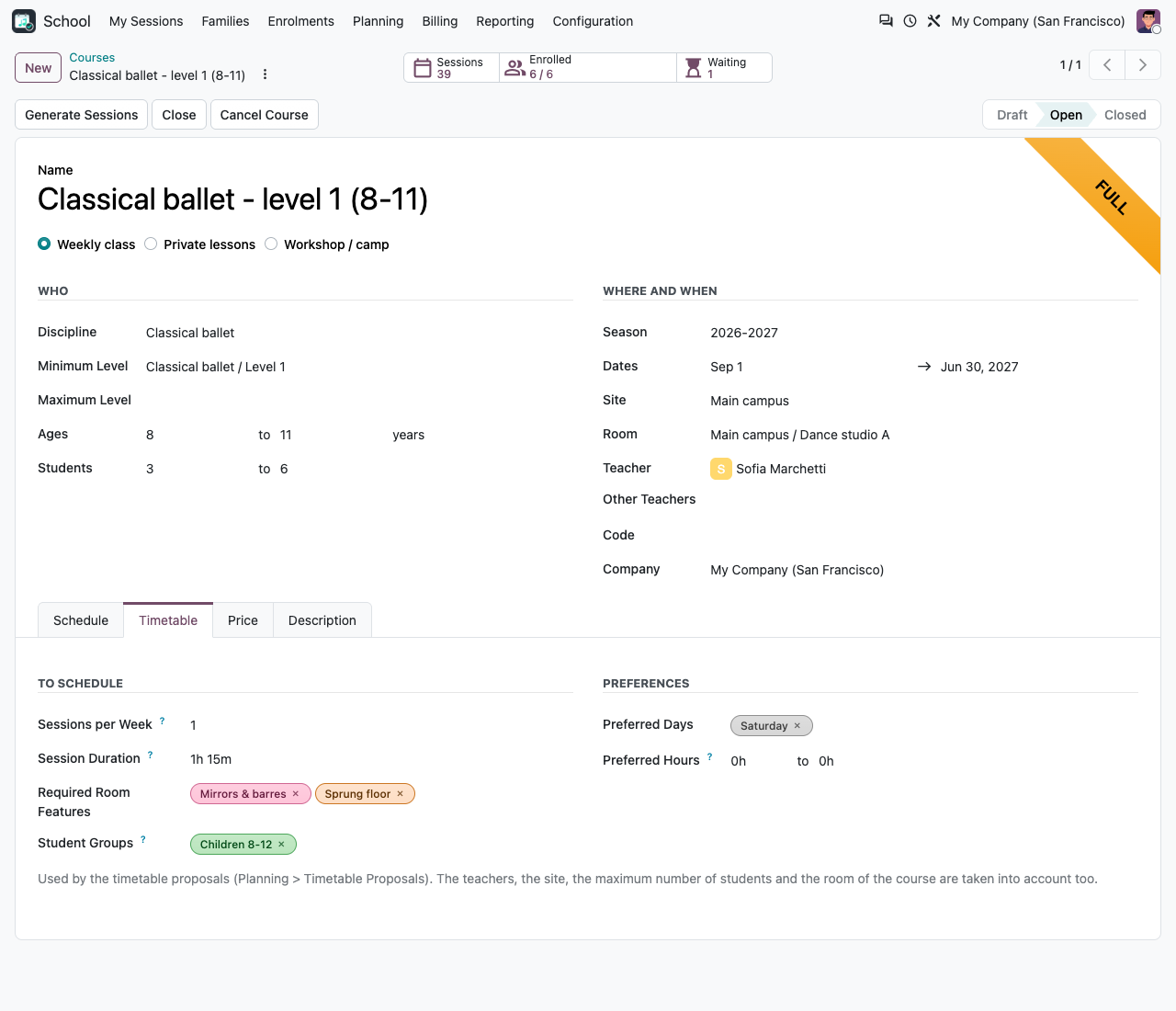
A Timetable tab on the courses, opening hours on the sites, features on the rooms, a weekly availability per teacher and student groups for the courses taken by the same children.
The Timetable tab of a course: sessions per week, duration, room features, groups, preferred days
Weekly availability of the teachers
Solvers
Two engines, one result
How it works
A timetable in four steps
1
Describe
Room features and site opening hours (Configuration), teacher availability and student groups (Planning), the Timetable tab of the courses.
2
Solve
Planning > Timetable Proposals > New: choose the season, check the courses and the weights, click Solve.
3
Review
Read the score and the issues, look at the grid, adjust slots in the list or the calendar, lock what you like and solve again.
4
Apply
Apply to the Courses: slots replaced, sessions regenerated, conflicts reported if any.
FAQ
Good to know
Which courses does it plan?
Weekly classes. Private lessons and camps are not re-planned: the private lessons of confirmed enrolments and the weekly classes left out of the proposal are taken as busy times for their room, teacher and students.
Does it plan a different week every week?
No: it plans the weekly pattern of the season (the slots of the courses). The main app turns it into sessions and skips the holidays.
Is ortools mandatory?
No. Without it the built-in heuristic is used and the proposal form says so. CP-SAT gives better results on tight timetables and proves when a timetable is optimal.
What about the server limits?
Solving runs in the request: keep the solving time (20 seconds by default) below the CPU time limit of your workers. CP-SAT uses two threads.
Can I apply during the season?
Yes. Sessions before today stay as they are; from today on, the sessions follow the new slots. Sessions with a roll call already taken are never removed.
Part of Course & Activity School Management
This module only works with the paid app Course & Activity School Management (technical name course_school), which holds the families, students, courses, sessions, enrolments, invoicing and roll call. Search for it on the Odoo Apps Store. This add-on itself is free: the price displayed on this listing is the one of the main app, which it requires.
A question? A problem? Talk to the people who built it.
We will get back to you within 8 business hours.

Email us directly at
Published by
Nalios — Odoo Gold Partner, Belgium — nalios.be