Made-to-Measure Pricing (Dimensions, m², Price Grids)
Sell products by size: width × height on quotation lines, billed in m², m or m³ or from a width × height price grid, with minimums, rounding, surcharges and a cutting fee.


Présentation du module

/ Odoo 20 · Sales
Sell by size, priced in one click
Blinds, glass, banners, worktops, fabrics, metal sheets: your customers order a width and a height, not a quantity. Made-to-Measure Pricing puts the dimensions on the quotation line, computes the m², metres or m³ to bill, or reads the price in your supplier's width × height grid, and carries the size to the invoice, the delivery and the workshop.
Standard Odoo vs this app
What Odoo does, what we add
Product setup
One tab, five pricing modes
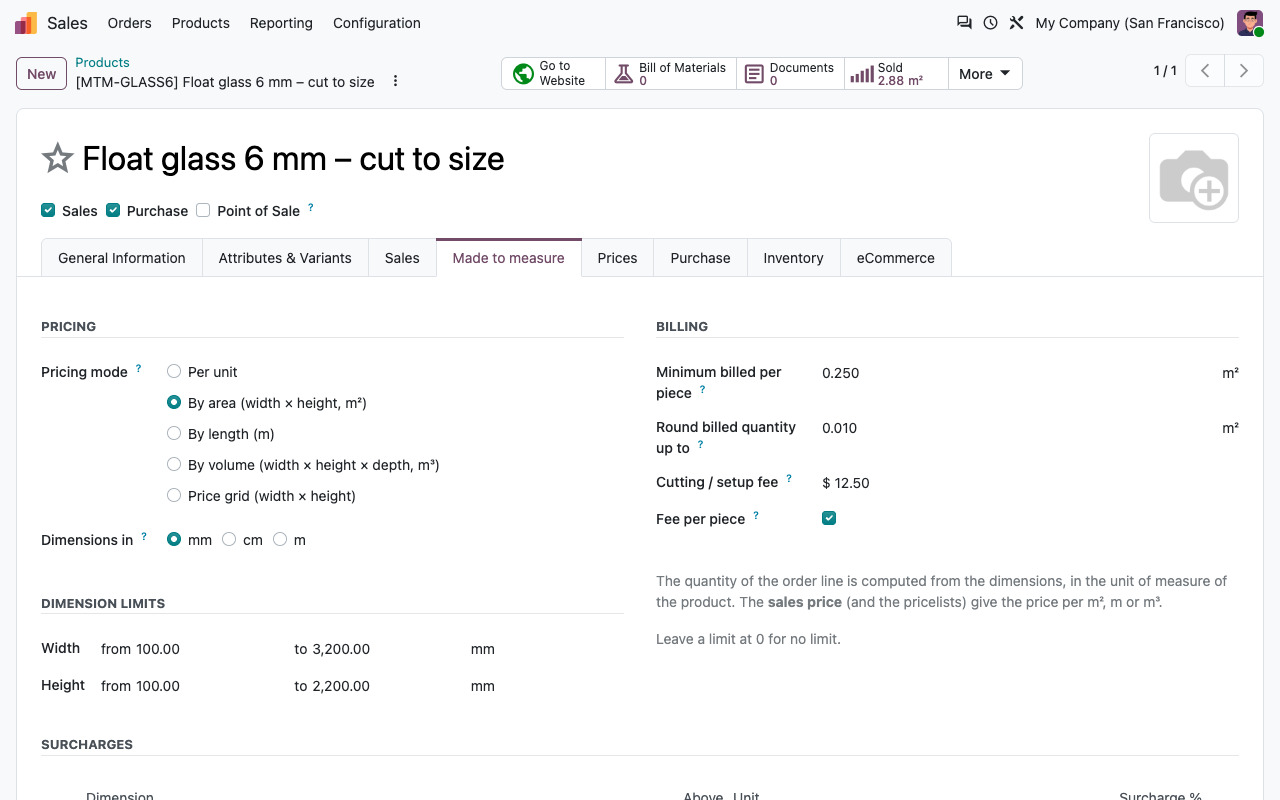
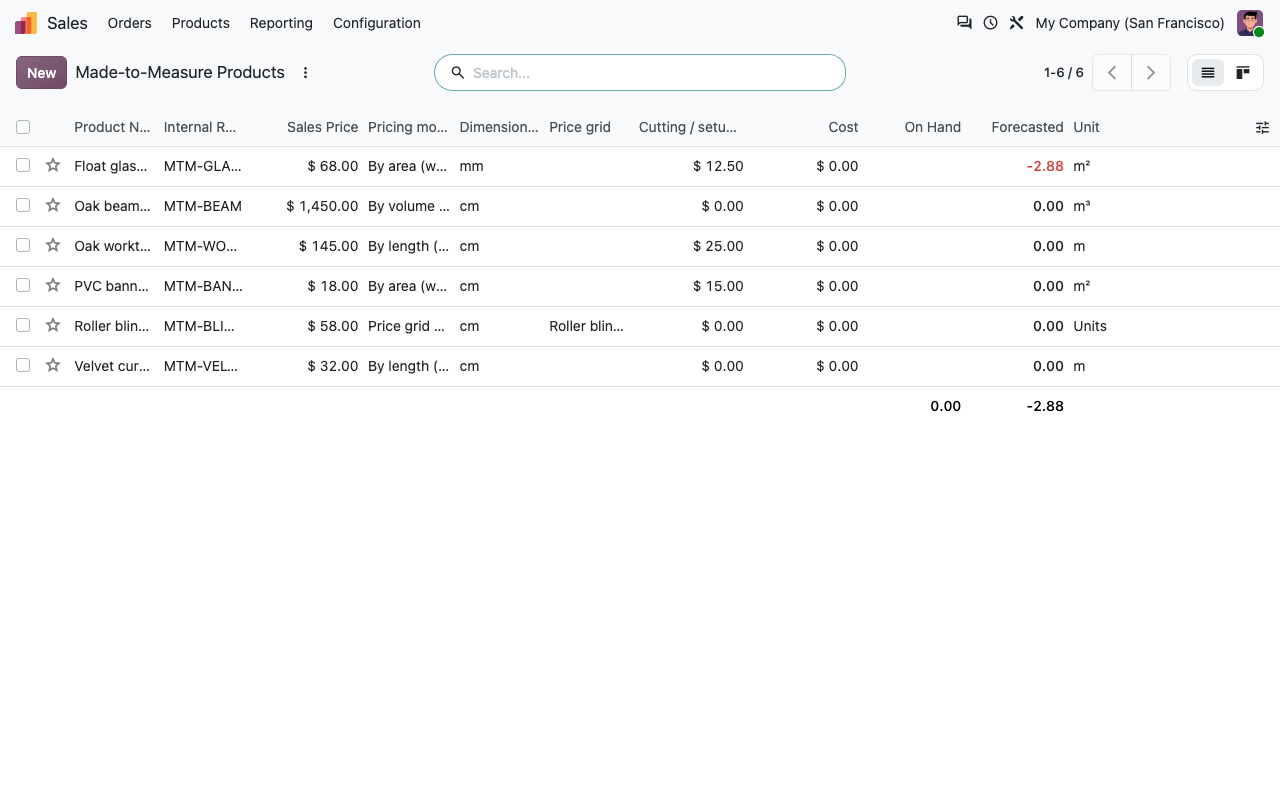
The Made to measure tab of the product chooses how a size becomes a price.
By area, length or volume
Width × height in m², length in m, or width × height × depth in m³. The sales price is the price per m², m or m³, and the line quantity is computed in the unit of measure of the product.
Price grid
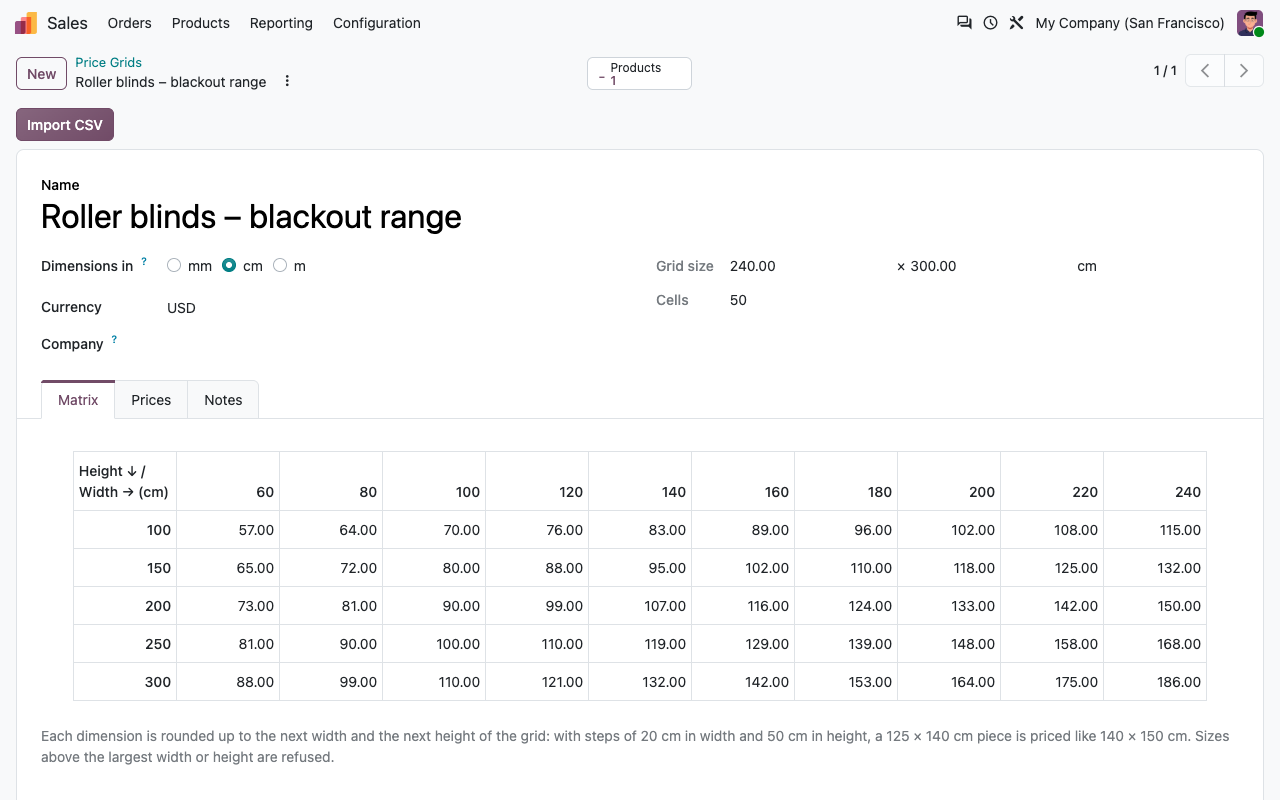
The price of one piece is read in a width × height table. Each dimension is rounded up to the next step of the grid, as on your supplier's price list.
Dimensions in mm, cm or m
Choose the unit your team and your customers use, with a minimum and a maximum per dimension. Out-of-range sizes are refused with a clear message.
Billing rules
Minimum billed per piece (e.g. 0.5 m²), rounding of the billed quantity (e.g. up to 0.1 m²), surcharges above a size (e.g. width over 2 m: +10 %), and a cutting or setup fee, per line or per piece.
Quotations
Type the size, the line does the maths
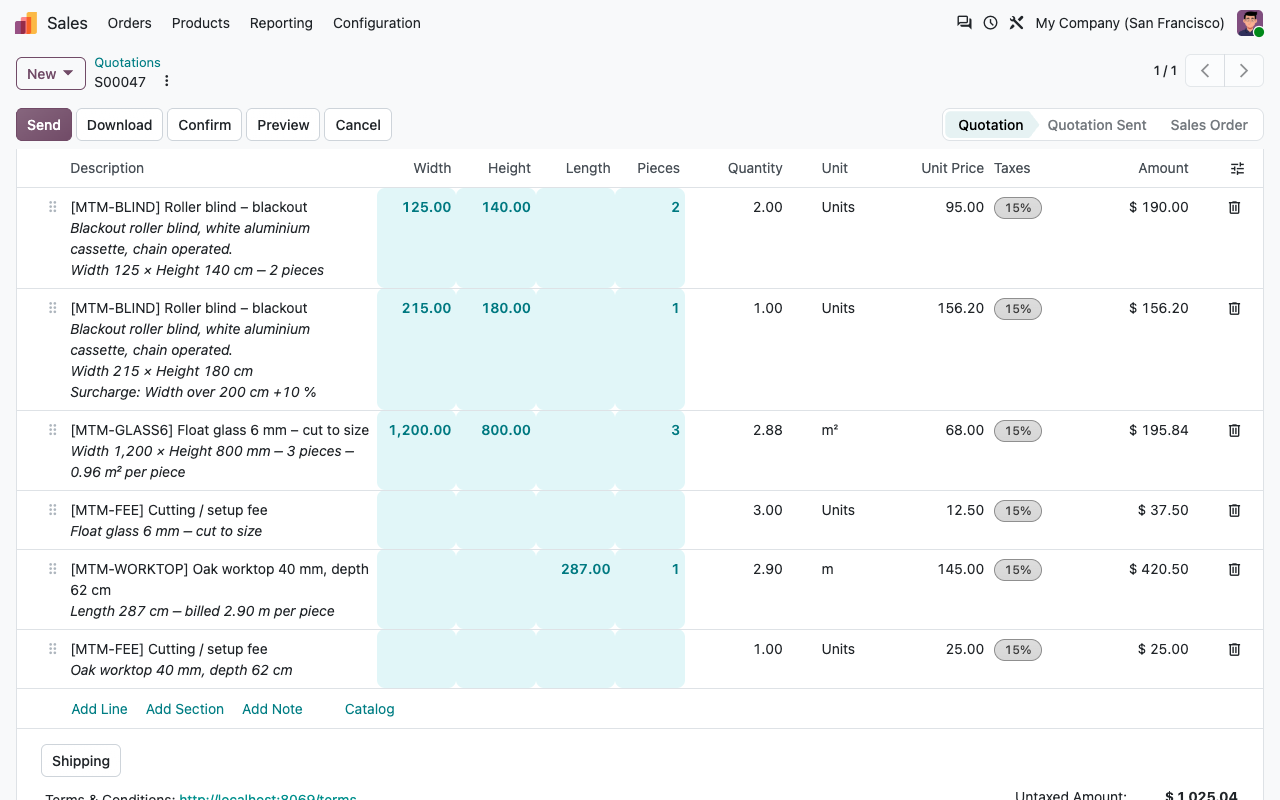
Width, height, depth, length and number of pieces are columns of the order lines. The quantity is locked: it always comes from the dimensions.
Quantity computed
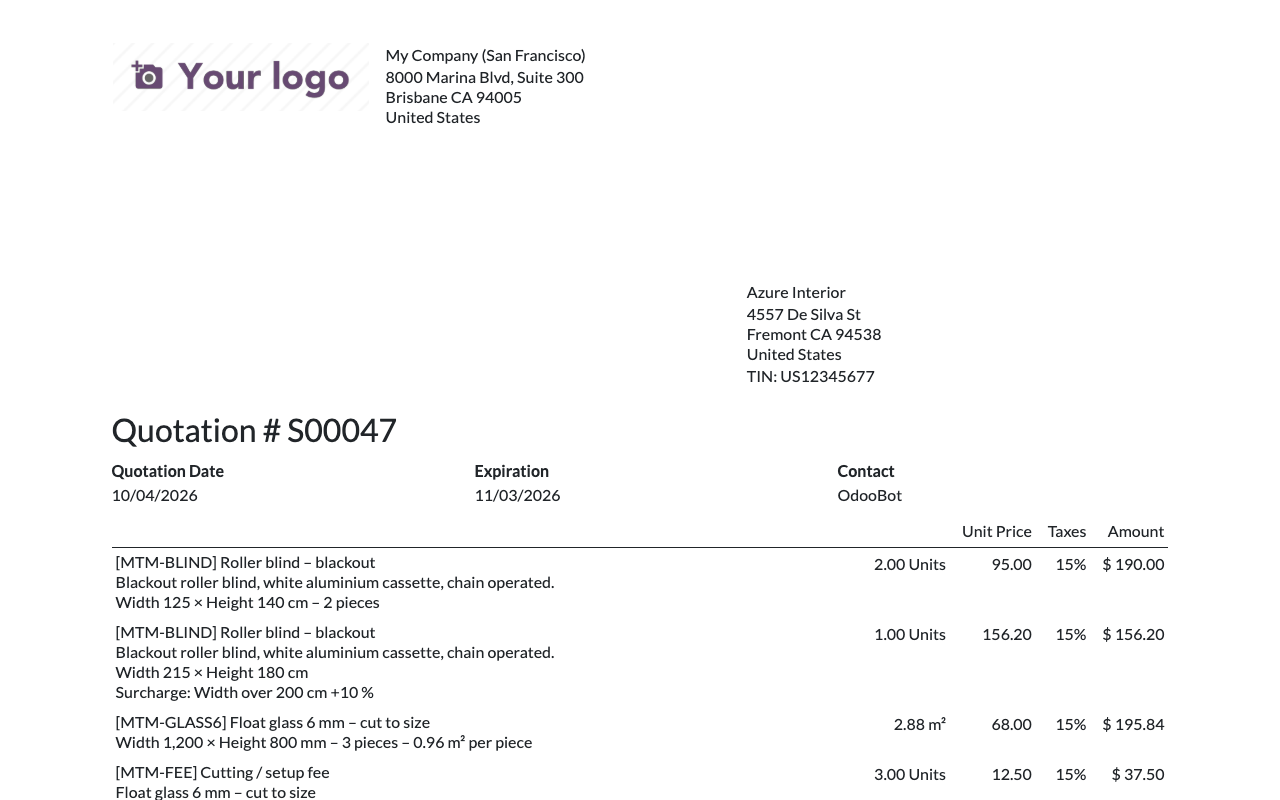
3 panes of 1200 × 800 mm give 2.88 m². With a 1 m² minimum, 4 banners of 60 × 40 cm are billed 4 m². The description says why.
Pricelists still apply
Customer discounts, fixed customer prices and quantity breaks work on the price per m² or on the grid price, with the discount shown or included as you set it in Odoo.
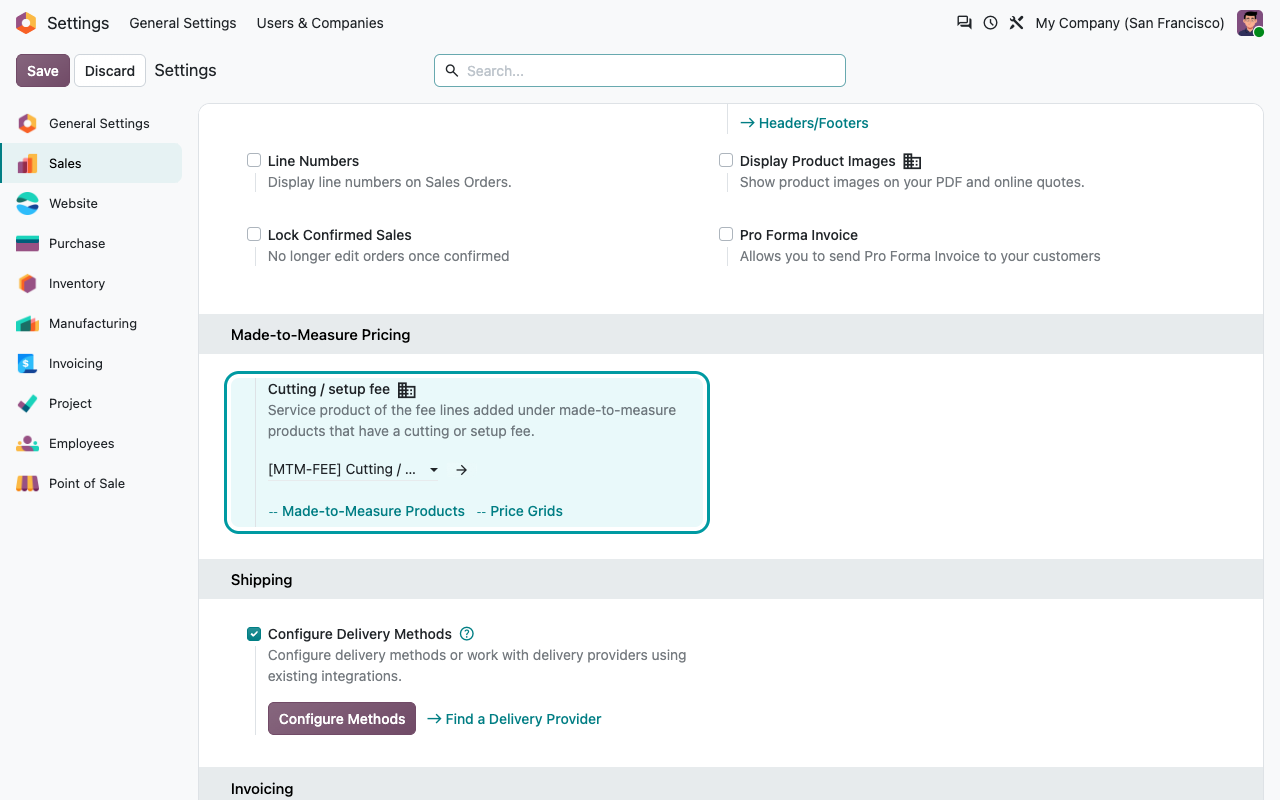
Cutting fee line
The fee is added as a separate line under the product, with the same taxes. Its quantity follows the pieces. Set its price to 0 to waive it.
Checked before confirmation
A quotation can be saved without all the sizes, but cannot be confirmed until every made-to-measure line has valid dimensions.
Price grids
Your supplier's grid, imported in seconds
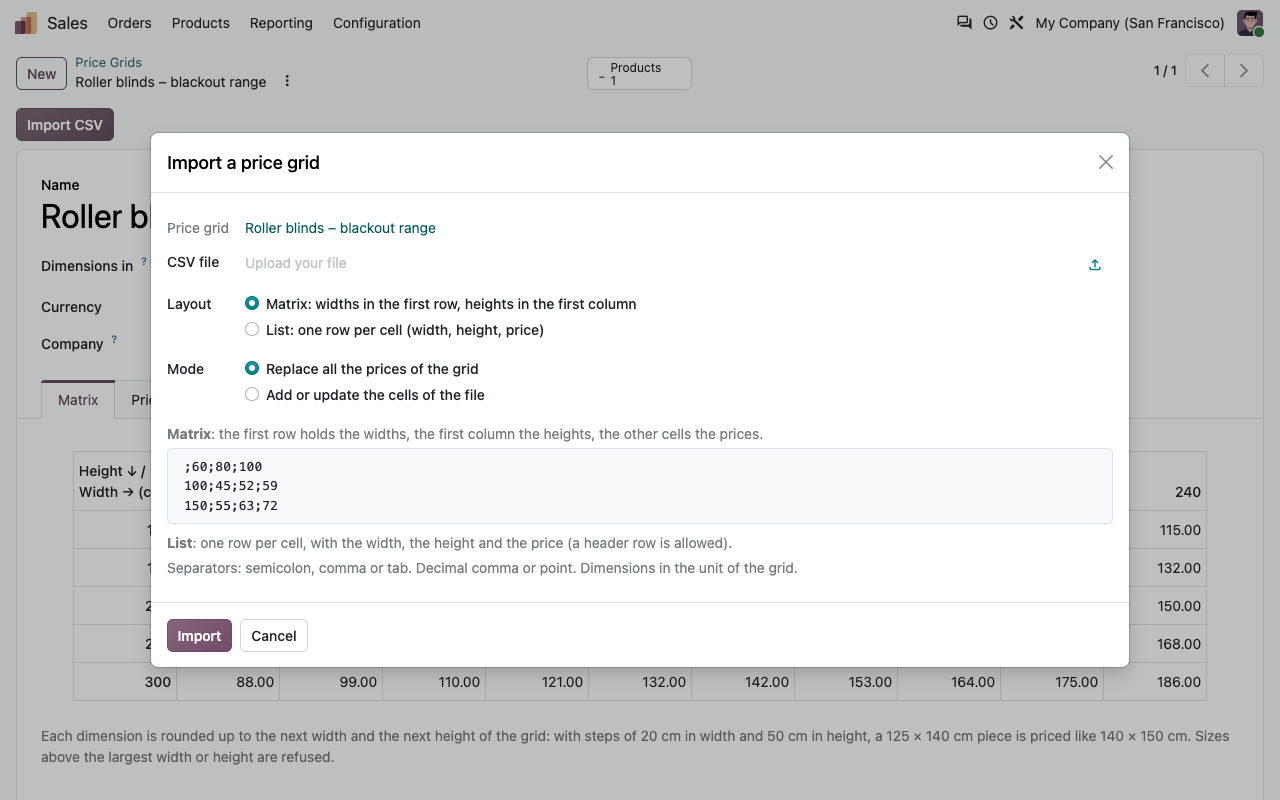
Sales > Products > Price Grids: one grid per range, shared by as many products as you need. Edit the cells, see the matrix, or import a CSV file laid out as a matrix (widths in the first row, heights in the first column) or as a list. Semicolons or commas, decimal comma or point.
Price grid matrix of roller blinds
CSV import of a price grid
Documents
The size follows the order everywhere
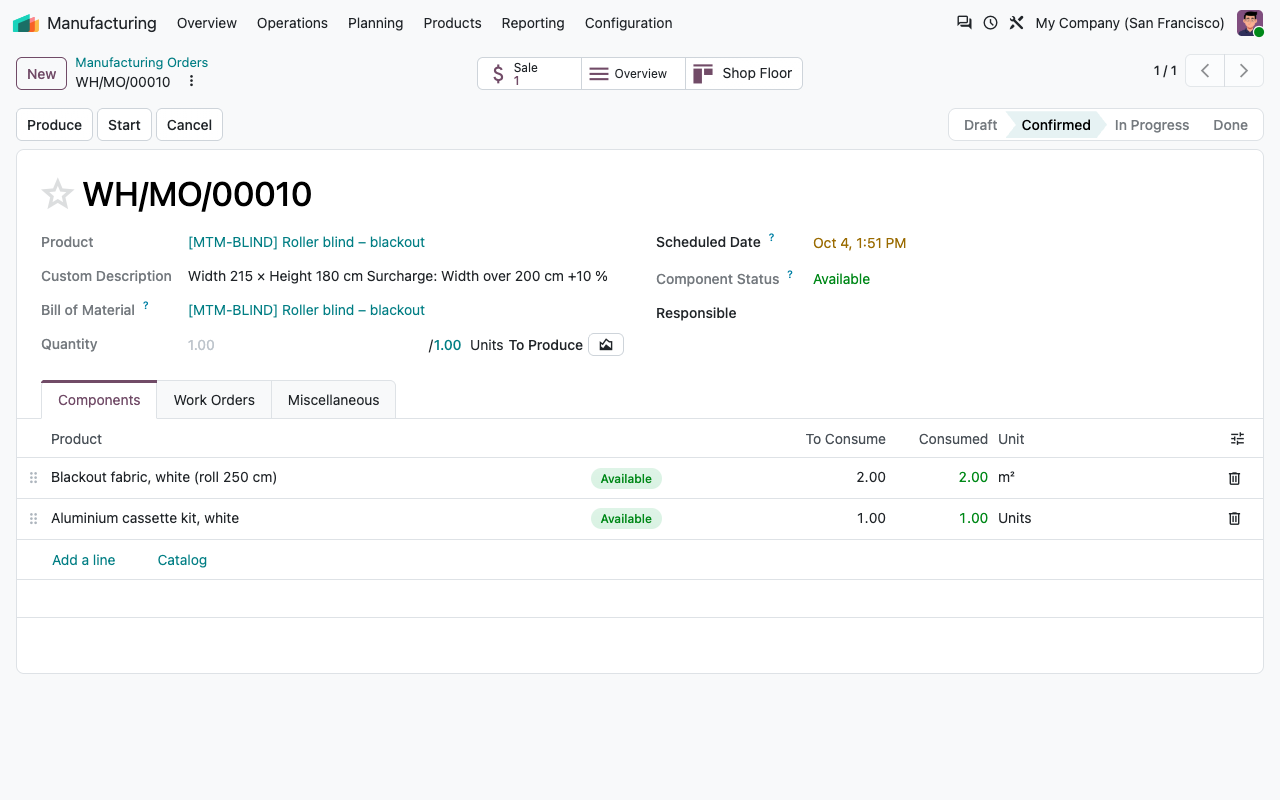
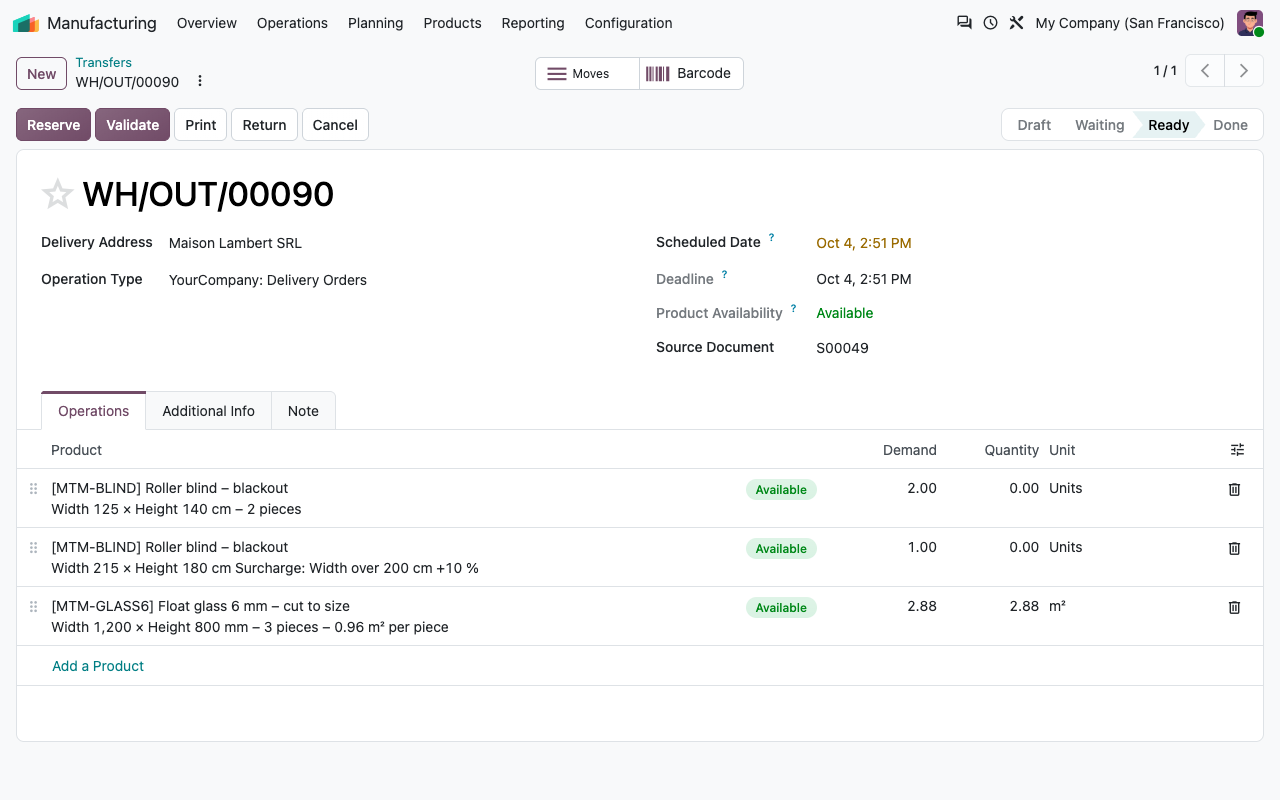
The dimensions are part of the line description: printed on quotations, orders and invoices, shown in the customer portal, copied to the delivery operations and, with Manufacturing, to the Custom Description of the manufacturing order. Inventory and Manufacturing are optional: the app only depends on Sales.
eCommerce add-on
Made to measure, sold online
The free eCommerce add-on is installed automatically when you use eCommerce.
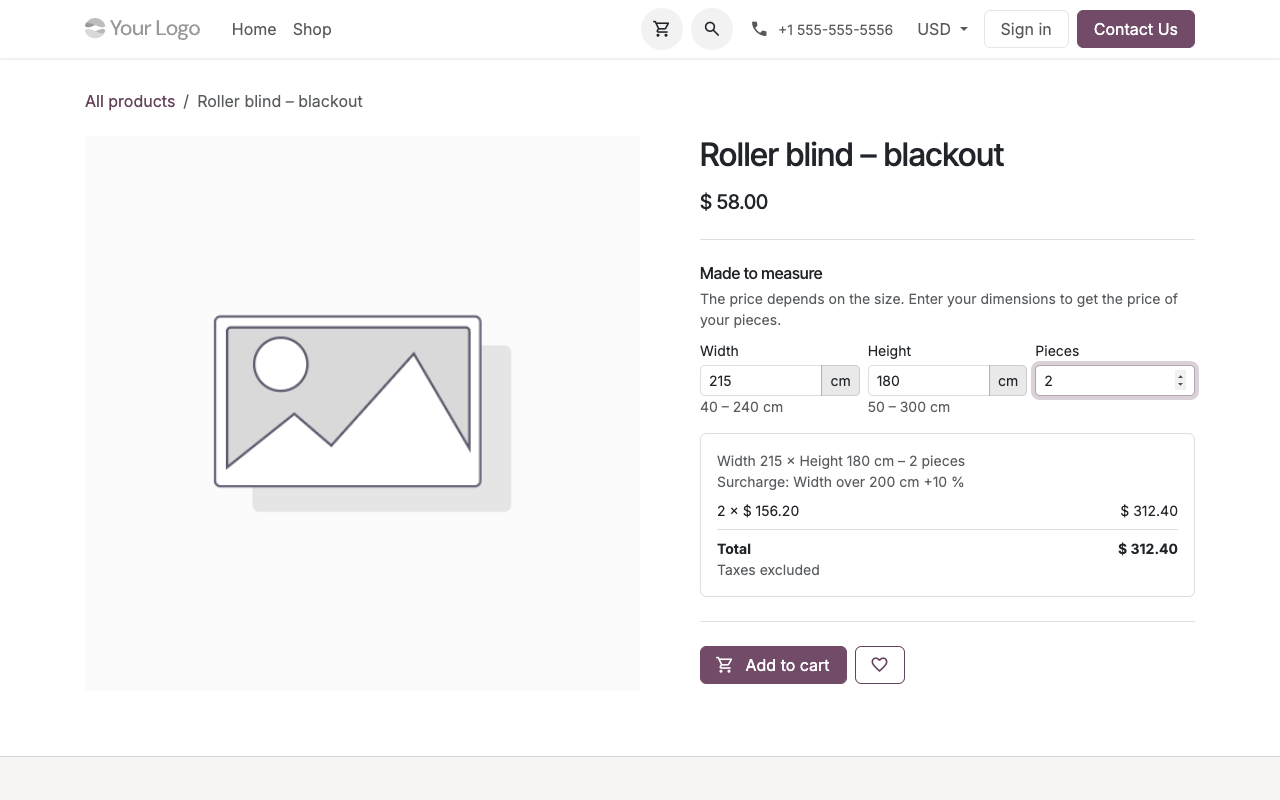
Dimensions on the product page
Width, height, depth or length with their limits, and the number of pieces, on the page of every made-to-measure product.
Live price
Quantity, price, cutting fee and total update as the customer types, with the visitor's pricelist and taxes.
Priced on the server
Add to cart only sends the product, the dimensions and the pieces: the size is checked and the price computed by Odoo, never taken from the browser.
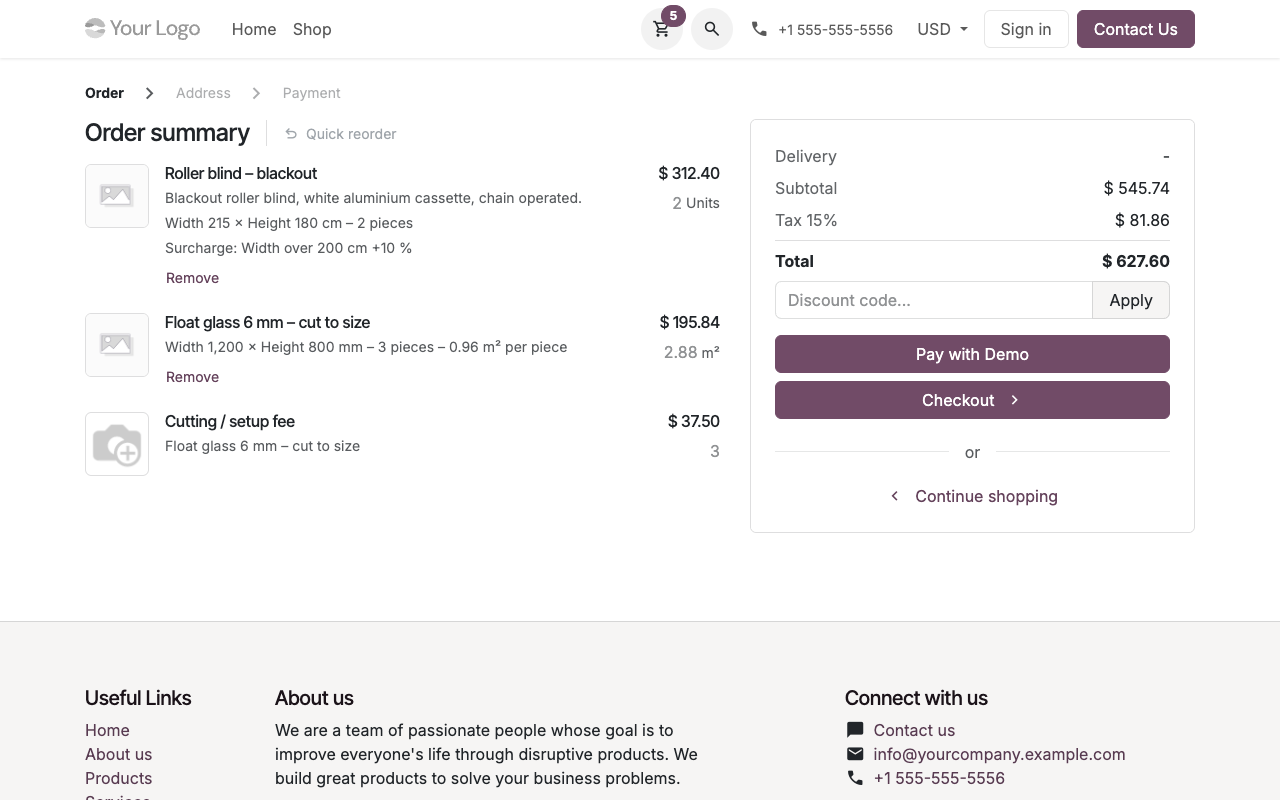
Cart and portal
The size is shown in the cart and in the customer portal. The quantity of a made-to-measure line and its fee cannot be changed in the cart, only removed.
Webshop
A cart that speaks in sizes
Setup
Ready in ten minutes
1
Choose the mode
Open a product, tab Made to measure: by area, length, volume or price grid, the unit of the dimensions and the limits.
2
Set the price
Sales price per m², m or m³, or a price grid. Add a minimum, a rounding, surcharges and a fee if needed.
3
Quote
Add the product to a quotation and type the dimensions. Your pricelists do the rest.
4
Sell online
Publish the product: the webshop shows the dimension inputs and the live price.
Under the hood
How it works
FAQ
Good to know
Can I keep my current products?
Yes. Products stay Per unit until you choose another mode. A product priced by size needs a unit of measure of the same kind: m² for an area, m for a length, m³ for a volume, units for a grid. Installing the app enables units of measure.
Does it work with variants?
Yes: the dimensions are entered on top of the variant, and variant extra prices are added to the grid price. Made-to-measure products are not priced by size inside combo products (Odoo 18 and later).
Small volumes?
Quantities are stored with the decimal accuracy of Odoo (2 decimals by default). For small volumes in m³, raise the Product Unit of Measure accuracy to 3 decimals, or sell in litres.
Webshop limits?
Made-to-measure products are added to the cart from their product page. Attributes that create variants work; attributes that never create variants and free-text custom values are not passed by the made-to-measure add to cart. Reordering a made-to-measure line from the portal is disabled: the customer orders again from the product page.
Which languages?
English and French (also used for fr_BE).
A question? A problem? Talk to the people who built it.
We will get back to you within 8 business hours.

Email us directly at
Published by
Nalios — Odoo Gold Partner, Belgium — nalios.be