Nutri-Score Badge for eCommerce Products
Show the Nutri-Score (A to E) of your food products on your eCommerce shop and product pages.


Présentation du module

/ Odoo 20 · eCommerce
Nutri-Score Badge
Show the Nutri-Score of your food products right where customers decide: on the shop grid and on the product page. Pick a grade from A to E on the product, save, and the badge is online.
What it does
Healthier choices, visible at a glance
Shoppers compare food products in seconds. The familiar five-colour badge answers their first question before they even open the product.
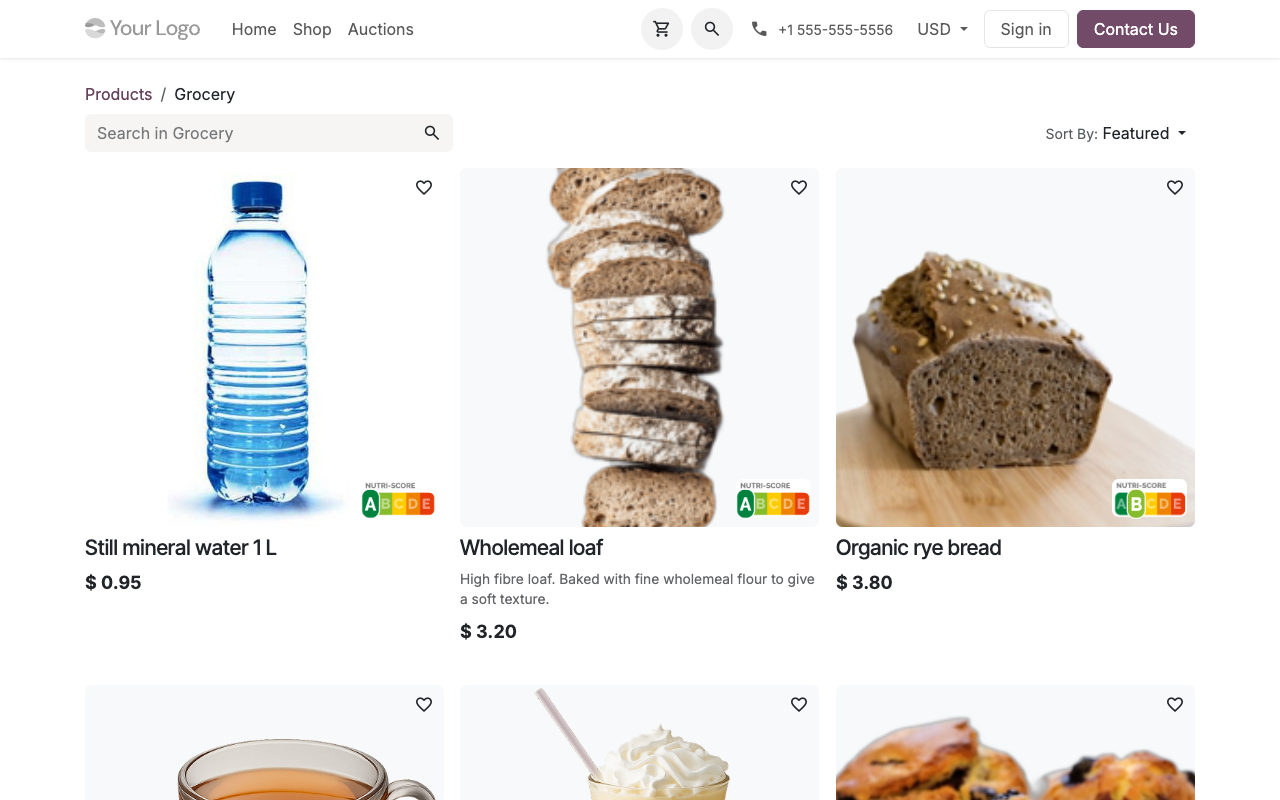
On the shop grid
Every product tile with a grade shows a small Nutri-Score badge in the bottom-right corner of its picture, so the whole catalogue can be scanned at a glance.
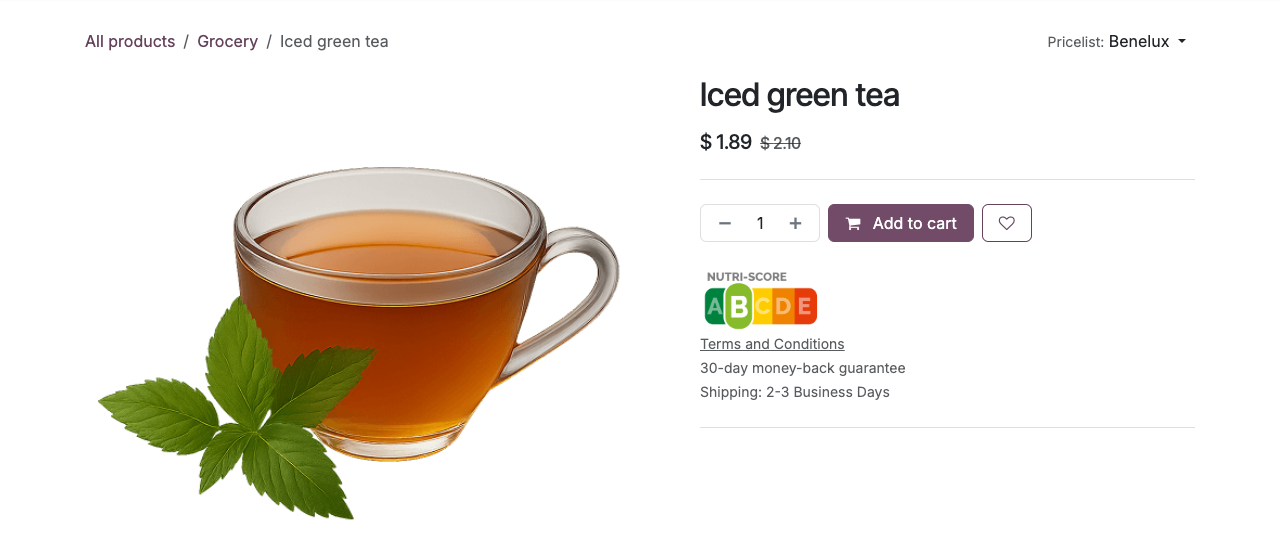
On the product page
A larger badge sits right under the Add to cart button, where the buying decision happens.
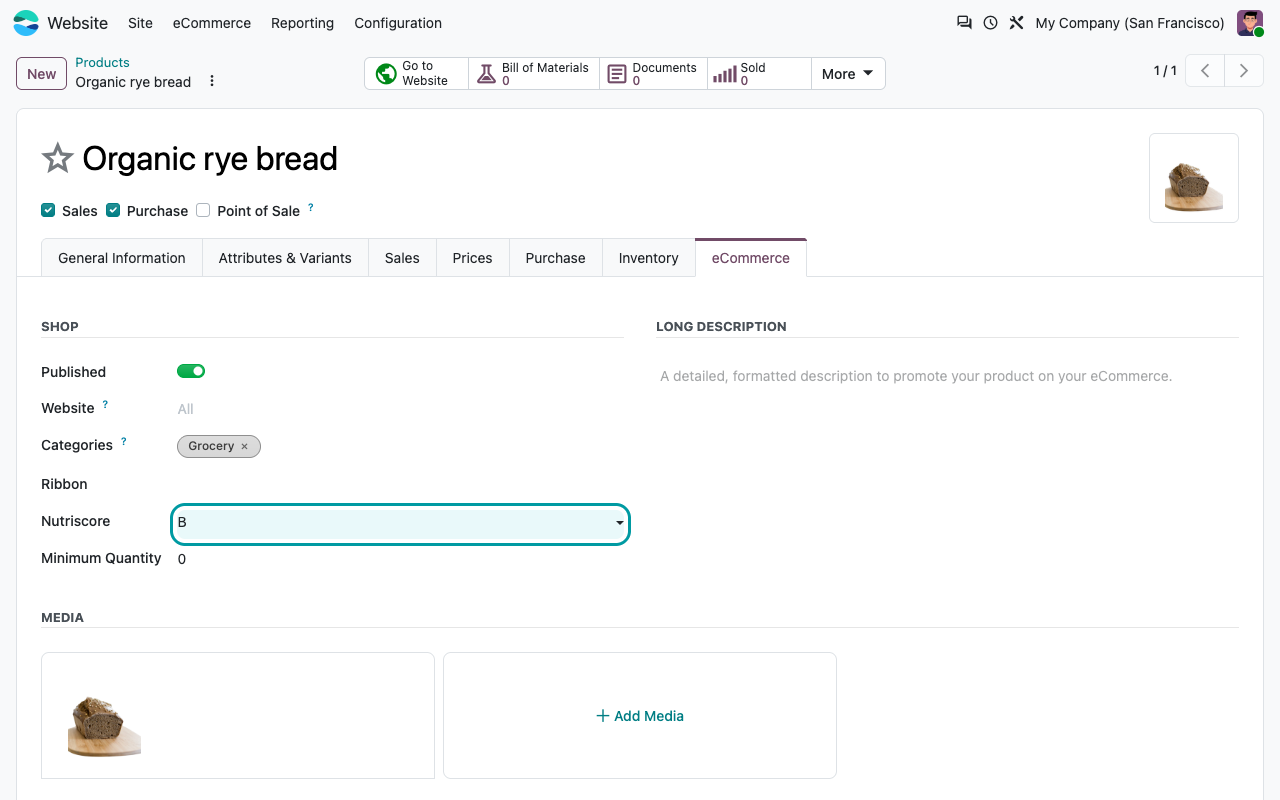
One field per product
A Nutriscore field (A, B, C, D or E) on the product form. The grade is set on the product template and shared by all its variants.
Nothing when empty
Products without a grade show no badge at all. Your non-food items stay exactly as they are.
Product page
The grade, right next to Add to cart
Setup
Three steps. No settings.
1
Install the module
It only depends on eCommerce. No menu, no settings, no data to prepare.
2
Grade your products
Open a product, go to the eCommerce tab and pick the grade in the Nutriscore field of the Shop section. Save.
3
Check your shop
The badge appears on the product tile in /shop and on the product page. Change the grade, the website follows.
Under the hood
How it works
FAQ
Good to know
Is the score calculated for me?
No. You enter the grade you got from your supplier or your own Nutri-Score calculation. The module displays it.
Can I print it on quotations or labels?
No. The badge is shown on the website only: shop grid and product page. It is not added to documents, the Point of Sale or backend lists.
Does it clash with ribbons or the wishlist?
No. On Odoo 20 the badge sits in the bottom-right corner of the product picture, away from the wishlist button and the ribbons. It does not block clicks: the picture still opens the product.
Can I use the Nutri-Score logo freely?
Nutri-Score is a registered logo owned by Santé publique France. Check the usage rules that apply to your products and country before you publish it.
A question? A problem? Talk to the people who built it.
We will get back to you within 8 business hours.

Email us directly at
Published by
Nalios — Odoo Gold Partner, Belgium — nalios.be