One2many and Many2many Pager, Top and Bottom
Adds a second pager below one2many and many2many lists, so you never scroll back up to turn the page.


Présentation du module

/ Odoo 20 · Productivity
The page arrows, where your eyes already are
On a long one2many or many2many list, the arrows only sit above the lines. This module adds a second pager under them, so you turn the page from the last line you read. The one above stays where it is.

What you get
A pager under the lines, the one above stays
Read a long list down to its last line, then turn the page right there. No scrolling back up to the arrows.
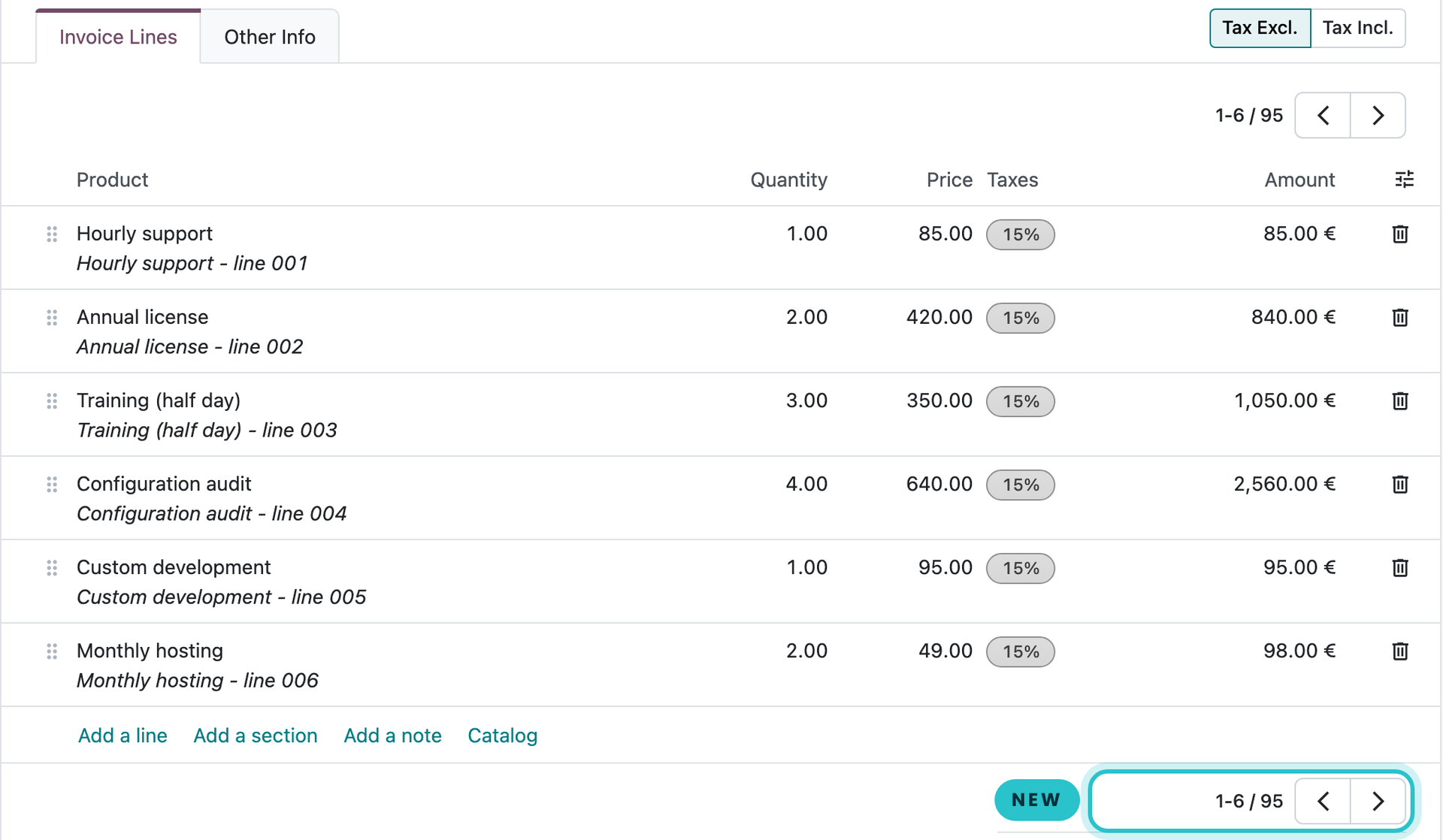
No more scrolling back
Invoice lines, order lines, linked contacts: the arrows are within reach when you reach the end of the page.
Both pagers in sync
They show the same page and the same range. Use whichever is closer, the other one follows.
Nothing to set up
Install it and every long x2many gets its second pager. Uninstall it and Odoo is exactly as before.
Scope
Where it applies
Every x2many field
One2many and many2many, in list or kanban mode, in forms, dialogs and wizards. The pager only appears when the field has more records than one page.
Light by design
One template extension and a few lines of style. It depends only on Odoo's web module, adds no model, no data and no Python.
Sales order lines too
Odoo already shows the pager under the order lines. There, the pager this module adds goes above the lines, so both ends are covered.
A question? A problem? We answer.
Nalios builds and maintains Odoo for SMEs and larger companies, in Belgium. Write to us at [email protected] or visit nalios.be.