POS Gift Receipt Without Prices
Print gift receipts without prices from the Point of Sale, in one click at the checkout.


Présentation du module

/ Odoo 20 · Point of Sale
Gift tickets without prices
Your customer buys a present and asks for a receipt the recipient can use to exchange it. The cashier prints the same ticket from the Print dialog, with the products and quantities but without a single price.

What it does
A gift receipt, two clicks away
The cashier keeps the normal receipt for the buyer and prints a gift ticket on request. Nothing to set up in each shop, nothing to change in your receipt layout.
Right in the Print dialog
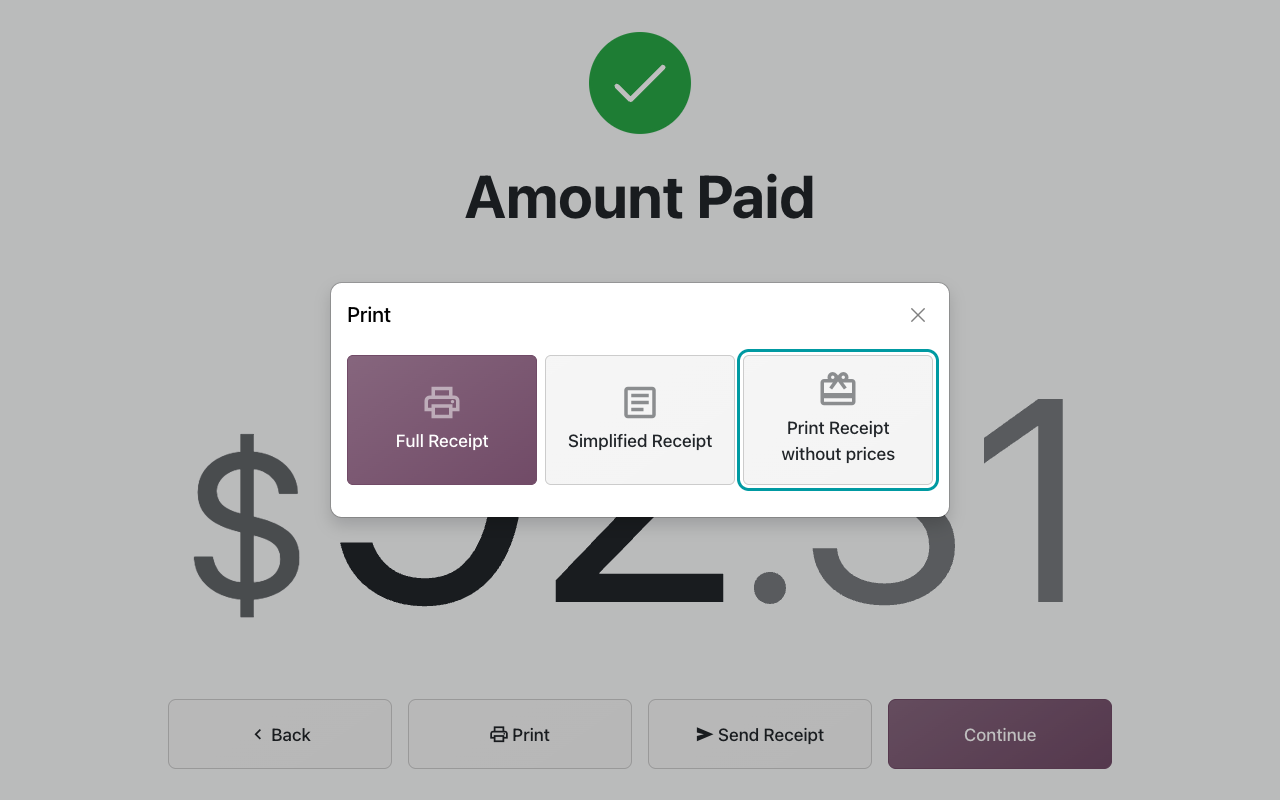
After payment, click Print: next to Full Receipt and Simplified Receipt, a Print Receipt without prices option is always there. The cashier decides order by order.
Every amount removed
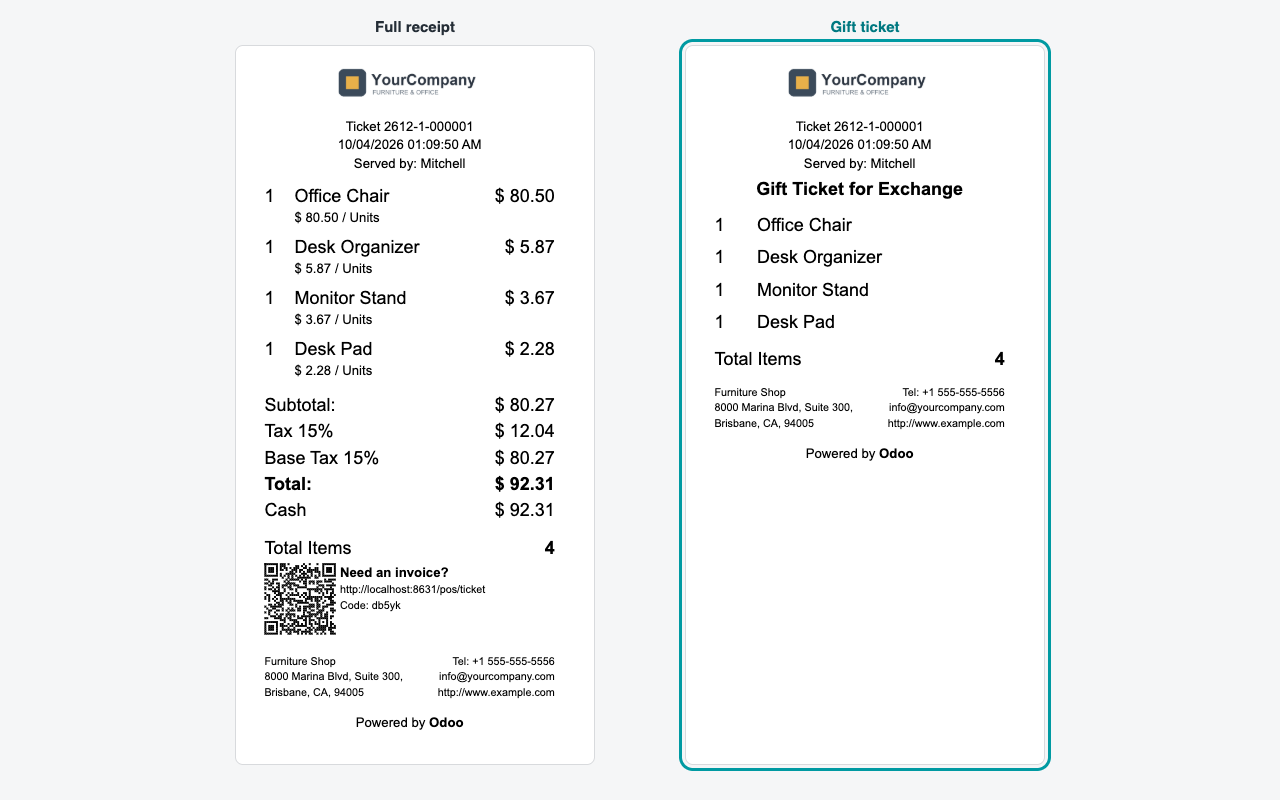
Line prices, unit prices, discounts, taxes, totals and payments are left out. Your shop header, the ticket reference, the date, the products and their quantities stay.
Clearly marked
The ticket carries a Gift Ticket for Exchange mention, so your staff recognise it straight away when the recipient comes back to the counter.
Reprint it later
The same option sits in the Print dialog of the Orders screen: print a gift ticket for a past order when the customer comes back for one.
Side by side
Same order, two tickets
Left: the full receipt for the buyer. Right: the gift ticket printed from the same order, ready to slip into the box.
How to use it
Install. Sell. Print.
1
Install the module
It only depends on Point of Sale. No settings, no new menus, no database changes.
2
Ring up the sale
Add the products, take the payment and validate as usual.
3
Print the gift ticket
Click Print, then Print Receipt without prices. Print the full receipt too if the buyer wants one.
And Odoo's Gift Receipt option?
Odoo 20 has a standard Gift Receipt setting (Point of Sale > Configuration > Settings > Bills & Receipts), off by default, that adds a "Gift Receipt" entry to the Print dialog. This module gives you the price-free ticket in every shop without touching their settings, and adds the Gift Ticket for Exchange mention. When a shop has the standard setting enabled, the module does not add a second entry: Odoo's Gift Receipt is used, with the mention.
FAQ
Good to know
Can I reprint a gift ticket later?
Yes. Open the Orders screen, select a paid order, click Receipt and choose Print Receipt without prices.
Is the gift ticket sent by email?
Not by this module. Emailing the receipt sends the standard receipt (plus Odoo's own gift receipt if you enabled the standard Gift Receipt setting).
Does it change my normal receipts?
No. The full receipt, its layout and its numbering are untouched. The gift ticket is an extra print of the same order.
Which languages?
English and French: the option and the gift mention are translated ("Imprimer le ticket sans prix", "Ticket cadeau pour échange").
A question? A problem? Talk to the people who built it.
We will get back to you within 8 business hours.

Email us directly at
Published by
Nalios — Odoo Gold Partner, Belgium — nalios.be