PrestaShop Connector
Publish your Odoo catalog to PrestaShop with combinations, translations and images, keep stock in sync in real time and import orders automatically. Nothing to install on PrestaShop. Configurable field mappings, multi-shop, PrestaShop 8 & 9.


Présentation du module

/ Odoo 19 & 20 · PrestaShop
PrestaShop Connector
The fully configurable bridge between Odoo and PrestaShop. Publish your catalog with its combinations, translations and images, keep stock in sync in real time, and receive your PrestaShop orders in Odoo — without installing anything on your shop.

Coverage
Your catalog out. Your orders in.
Odoo stays your back office: products and stock are managed in Odoo and published to PrestaShop, orders flow back into Odoo for invoicing and delivery.
Setup
Up and running in 5 minutes
1
Connect your shop
Enable the webservice in your PrestaShop back office and paste the key in Odoo. One click tests the connection and tells you exactly which permission is missing, if any.
2
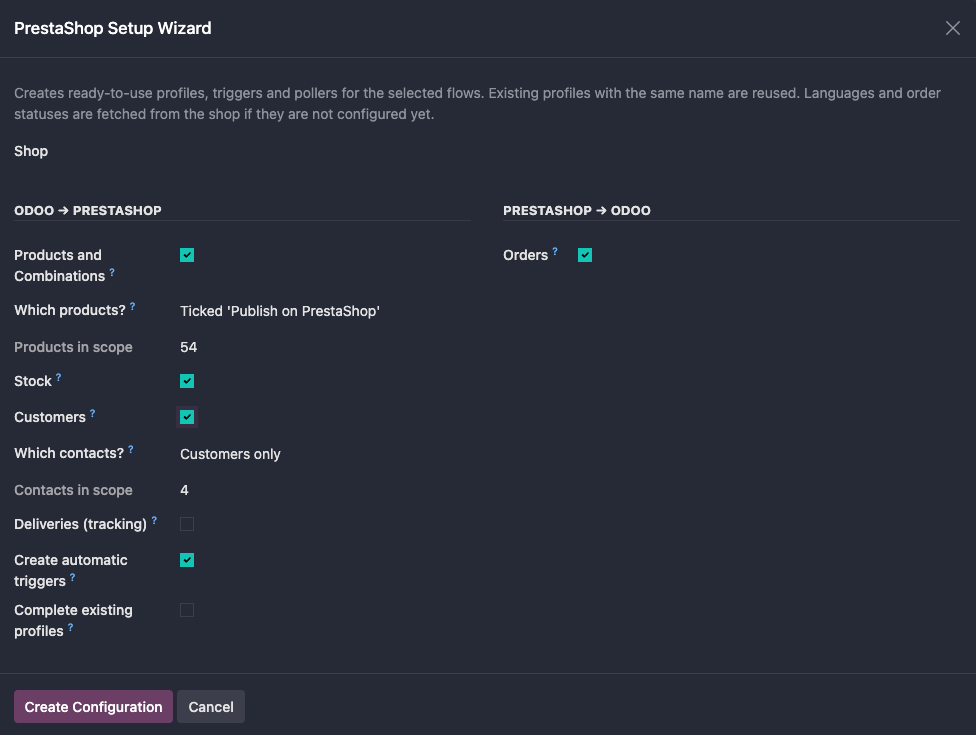
Run the Setup Wizard
Languages, order statuses and tax rules groups are fetched from your shop. Tick the flows you want — products, stock, customers, orders, tracking — and profiles, field mappings, triggers and pollers are created for you.
3
Publish your products
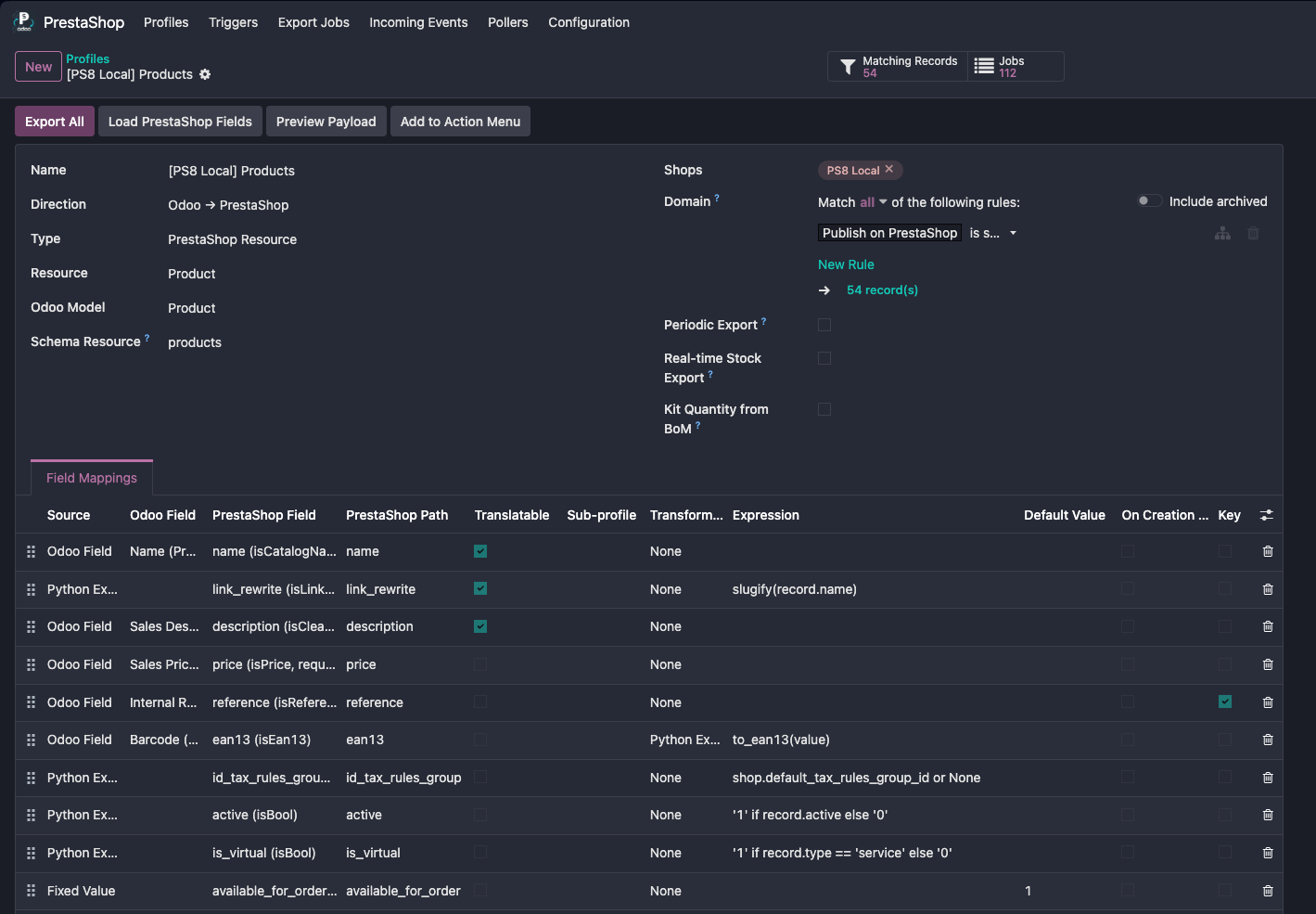
Tick “Publish on PrestaShop” on your products — one by one or hundreds at once from the list view. They appear on your shop with their combinations, images and live stock.
Differentiators
Why this connector is different
Nothing to install on PrestaShop
The connector uses PrestaShop's native Webservice: no PrestaShop module to buy, install or update, and nothing that can break when your shop is upgraded. Odoo does all the work, even on shared hosting.
100% configurable field mapping
Map any Odoo field, Python expression, constant, image or nested list to any PrestaShop field — on any Odoo model. Transformers, default values, matching keys, create-only rules and a payload preview: it's all in the interface, no code required.
Your existing catalog, adopted
Already selling on PrestaShop? Products are matched by reference, combinations by their references, attributes and values by name in any language. Existing objects are linked and updated — never duplicated.
Truly multilingual
Names, descriptions and URLs are sent in every language of your shop, straight from Odoo's translations. Languages without an Odoo translation fall back on your default language, so no product page is ever left empty.
Built for production
Deduplicated job queues, automatic retry when the shop is unreachable, partial failures resumed without duplicates, invalid barcodes skipped instead of blocking an export, and a full audit trail of every payload sent and received.
Real-time stock, no overselling
Every stock change in Odoo — validated transfer, inventory adjustment, sale — is pushed immediately, per combination. The quantity sent is what is really available, minus what is already reserved. Kits are updated as soon as one of their components moves.
Order lifecycle
The complete order lifecycle, automated
01
A customer orders on your PrestaShop shop and pays
02
Within minutes, the sales order lands in Odoo with its customer, addresses, lines, shipping and discounts — confirmed or not, depending on its status
03
Odoo checks the totals against PrestaShop and flags any difference on the order
04
You validate the delivery in Odoo
05
The PrestaShop order switches to “Shipped” with its tracking number, and your customer is notified
Zero copy-paste. Zero double encoding. Full traceability.
Under the hood
Technical highlights

Connecting an existing shop?
Your PrestaShop catalog is recognized and linked to your Odoo products instead of being recreated, and the Historical Import brings your past orders into Odoo by date range — idempotent, using the same mapping profiles as the live sync. Connect a shop that has been running for years and be in sync the same day, without duplicates.
A question? A problem? Talk to the people who built it.
We will get back to you within 8 business hours. A complete user guide (PDF) is included with the module, in its doc folder.
Email us directly at
Published by
Nalios — Odoo Gold Partner, Belgium — nalios.be