Product Allergens
Set allergens on products and ingredients, roll them up on BoMs and manufacturing orders, and show them on your webshop.


Présentation du module

/ Odoo 20 · Manufacturing & eCommerce
Product Allergens
Tag allergens once, on each ingredient. Odoo gathers them on your bills of materials and manufacturing orders, prints them on the production order and shows them to your online customers.
What it does
Allergen information, from ingredient to webshop
One tag field on the product. Everything else follows: manufacturing documents and the eCommerce pages.
Tag your products
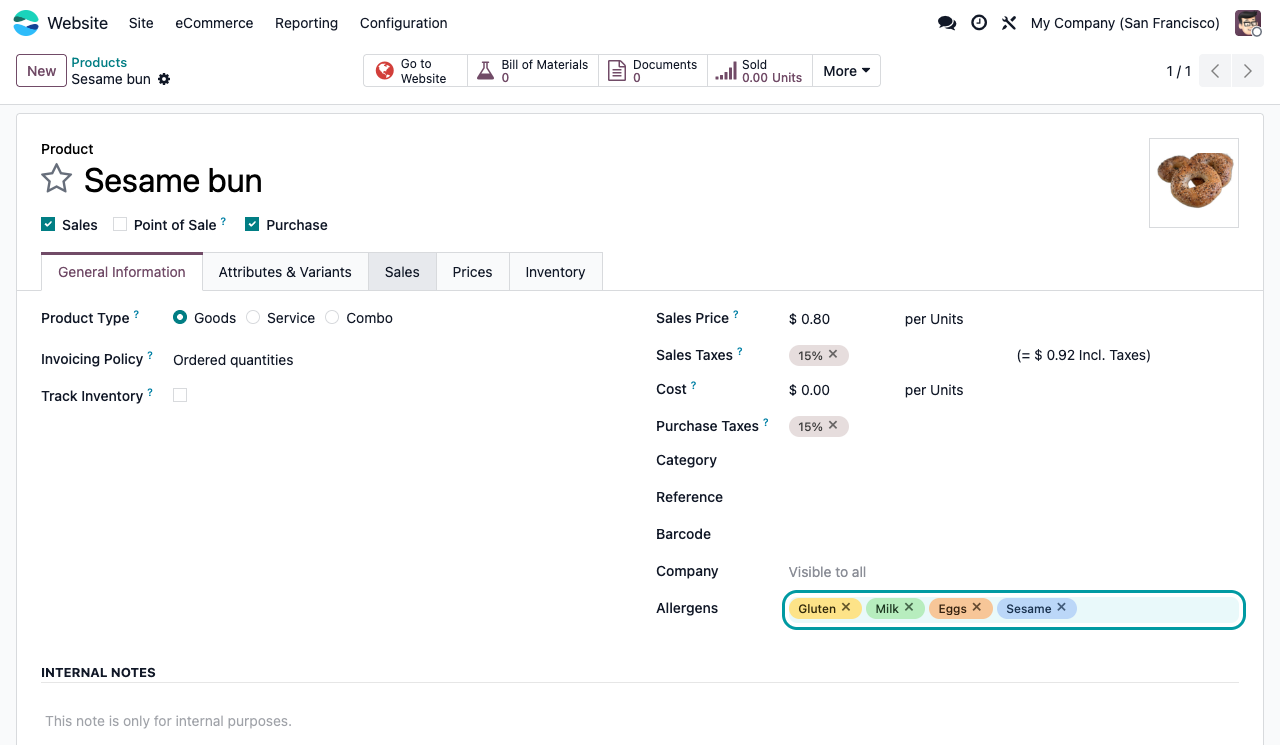
An Allergens field on every product, with coloured tags. Type a name to create a new allergen on the fly, click a tag to change its colour.
Rolled up in Manufacturing
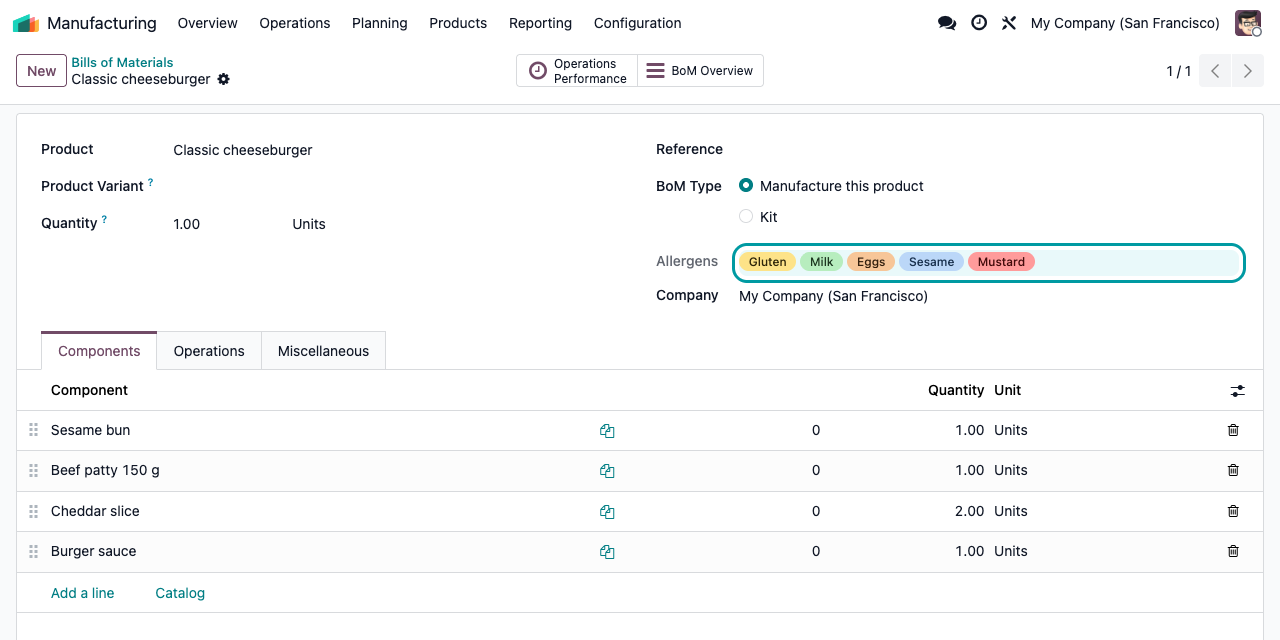
Bills of materials and manufacturing orders show the combined allergens of all their components, read-only and always up to date.
Printed for the shop floor
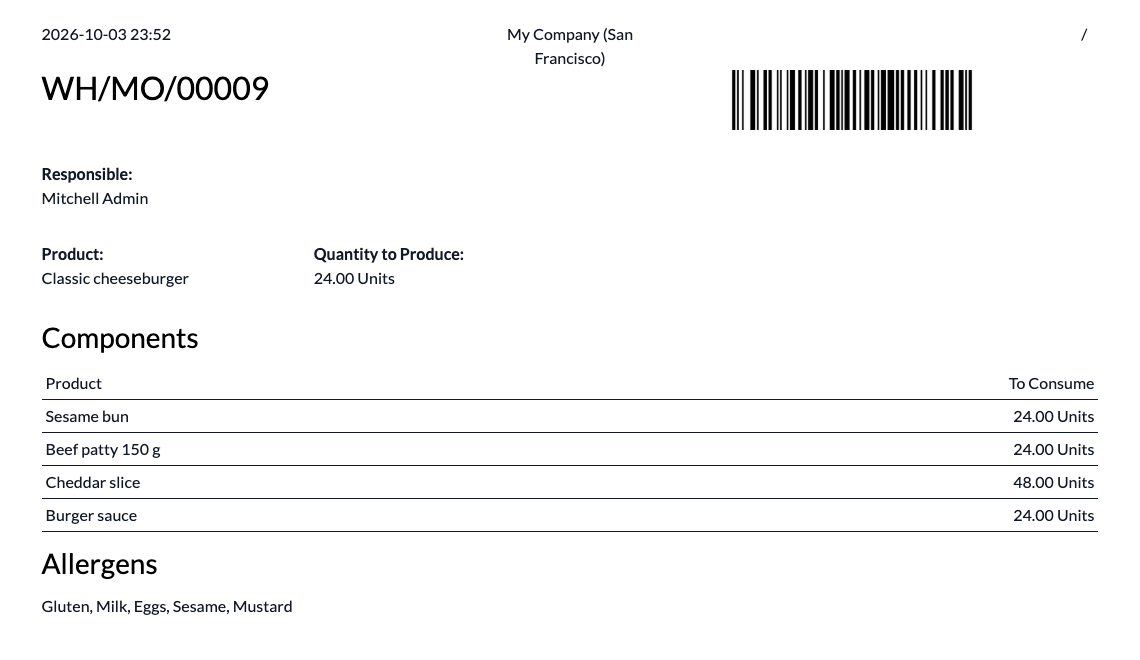
The Production Order PDF ends with an Allergens section listing everything the operators are handling.
Shown to online customers
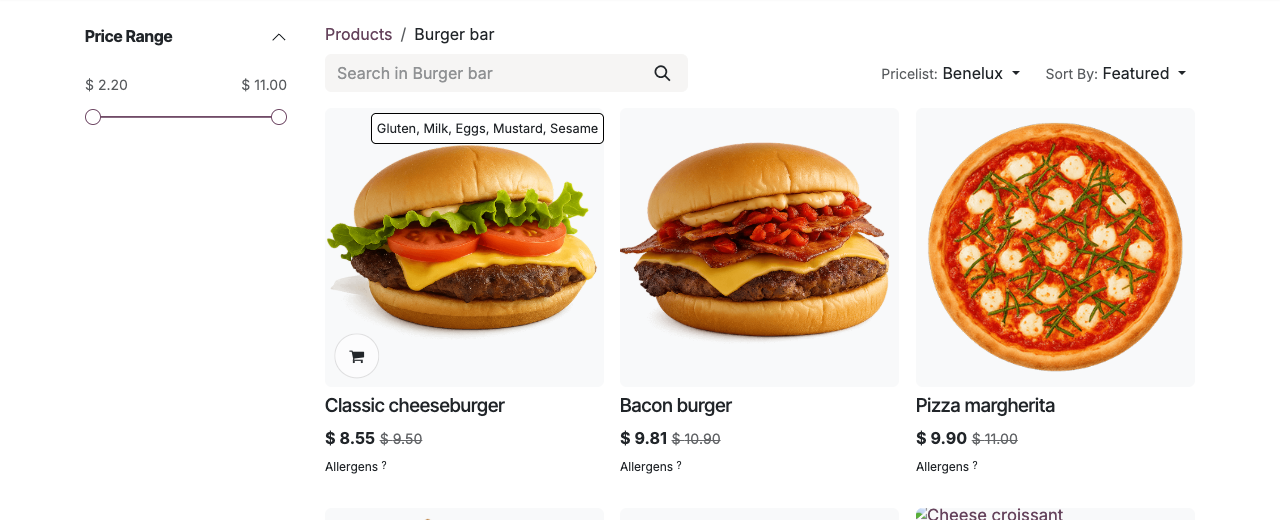
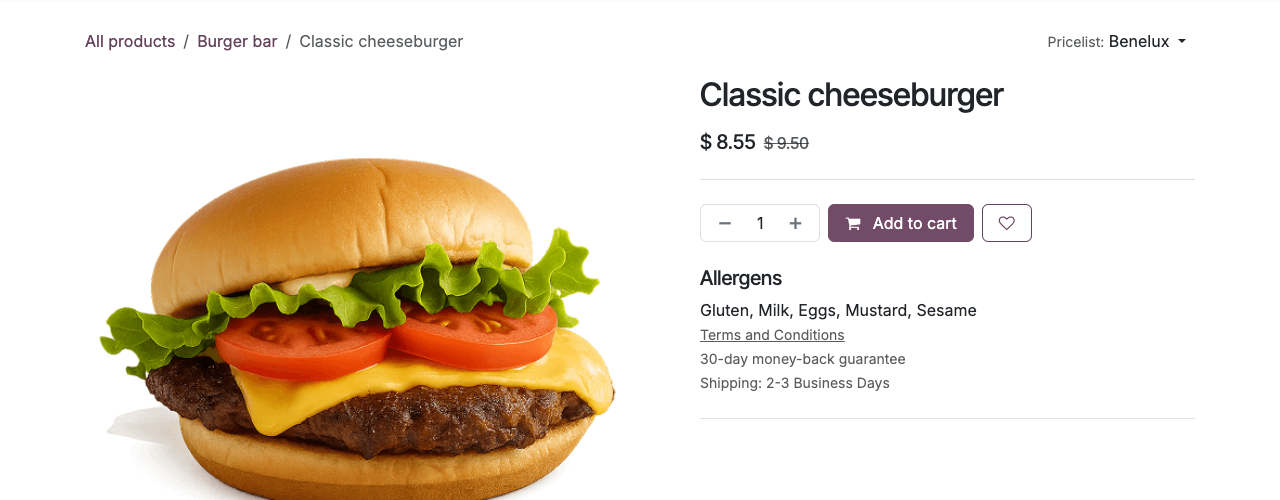
The product page lists the allergens under Add to cart. On the shop grid, an "Allergens ?" link opens the list in a small popup.
Manufacturing
Every component counted, automatically
Add a component to a bill of materials and its allergens join the list. No double entry, no forgotten sesame seeds.
Production
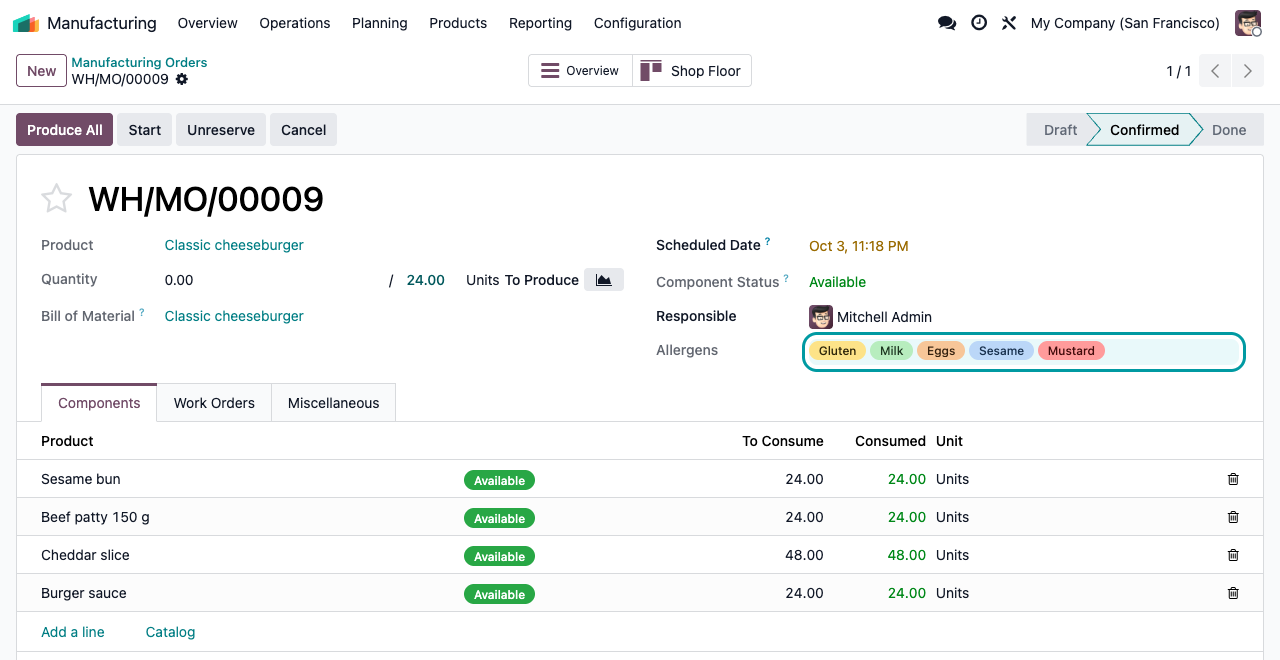
Visible on every manufacturing order
The manufacturing order lists the allergens of the components it consumes, right in its header.
Shop floor
Printed on the production order
Print the Production Order from the manufacturing order: an Allergens section follows the components table.
eCommerce
Clear for your customers, before they order
The product page lists the allergens right under Add to cart.
Setup
Ready in three steps
1
Install the module
It depends on Manufacturing and eCommerce. No settings, no menu to configure.
2
Tag your ingredients
Open a product, General Information tab, and add tags in the Allergens field. New allergens are created by typing their name.
3
Tag what you sell online
Set the allergens of the finished products published on your website too: the shop shows the tags of the product itself.
FAQ
Good to know
Is the list of the 14 EU allergens included?
No list is shipped. You create the allergens you need, once, by typing them in the tag field. They are then shared by all products.
Are allergens of sub-assemblies included?
One level: a BoM or MO shows the allergens set on its direct components. For a semi-finished component, tag that component product itself.
Does the finished product inherit its BoM allergens?
No. The website and the product form show the tags set on the product itself. Use the BoM roll-up to check them, then tag the finished product.
Which documents show allergens?
The Production Order PDF. Quotations, invoices, delivery slips, labels and the Point of Sale are not modified.
Can I filter or group orders by allergen?
Not on BoMs and MOs: the combined allergens are computed on the fly and not stored. Products can be searched by their own tags.
Are allergen names translated?
Allergen names are plain text, entered once in your language. The "Allergens" labels on the website can be translated with the standard website translation tool.
A question? A problem? Talk to the people who built it.
We will get back to you within 8 business hours.

Email us directly at
Published by
Nalios — Odoo Gold Partner, Belgium — nalios.be