Read-Only Fields by User Group
Make fields read-only per user group, model and view type, order lines included. No code required.


Présentation du module

/ Odoo 20 · Customizations
Read-Only Fields by Group
Lock the fields your users should not touch, per group, per model and per view type. Pure configuration from Settings: no XML to write, no module to upgrade.

What it does
Lock a field for the right people
Salespeople should not change the unit price. Only accountants should touch the payment terms. Today that means a custom view per case. With this module it is one line of configuration.
Two logics
“Readonly for these groups” locks the fields for members of the groups. “Editable only for these groups” locks them for everyone else.
Per view type
Apply a rule to all views, or only to the form, list, kanban or activity view of the model.
Lines included
Rules on a line model also apply inside the parent form: lock the Unit Price of quotation lines without touching the rest of the order.
Any model, any field
Standard or custom models, simple or relational fields. Order rules with the handle, archive them with the Active toggle.
Same quotation, two users
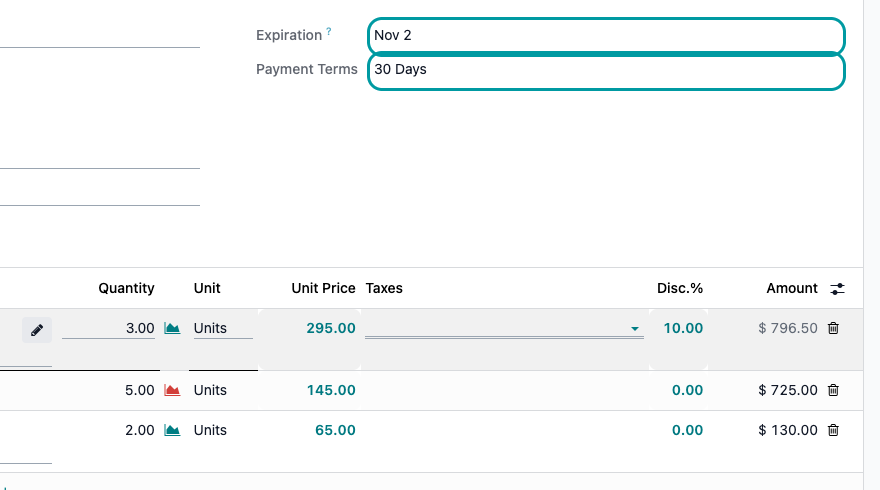
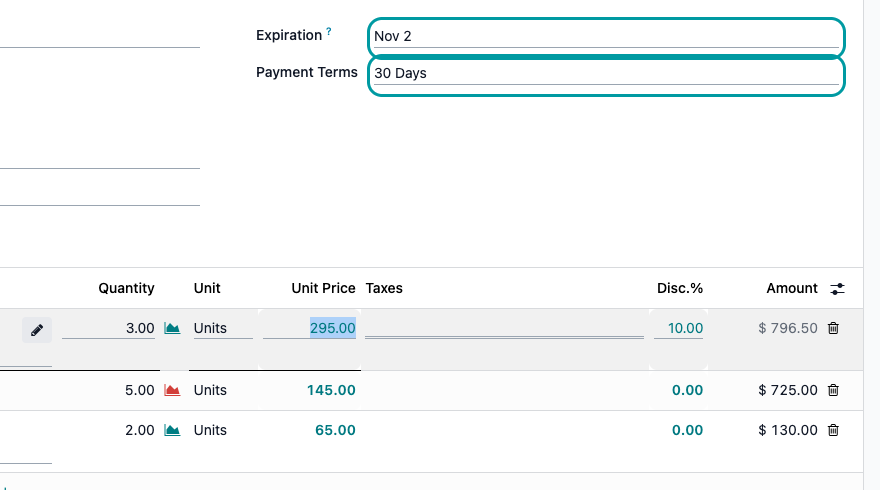
Locked for sales, open for managers
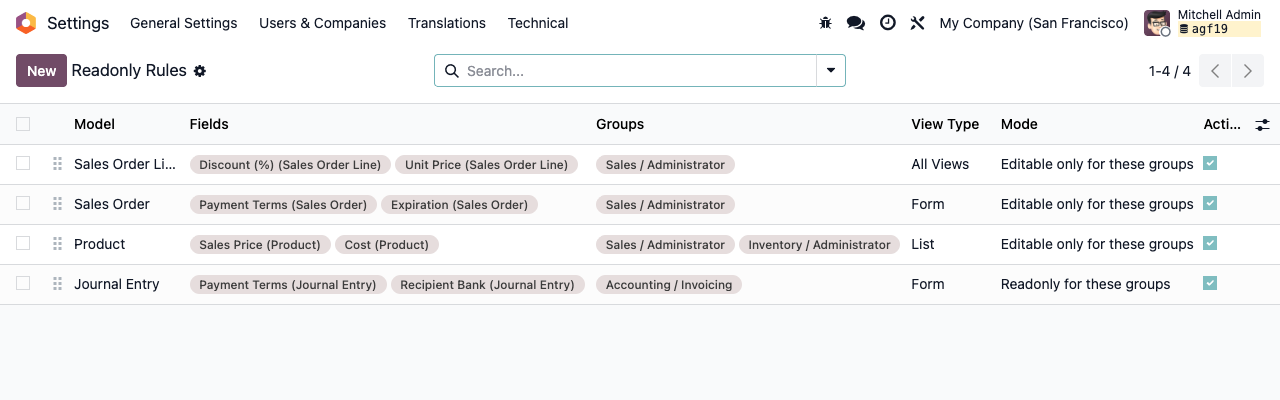
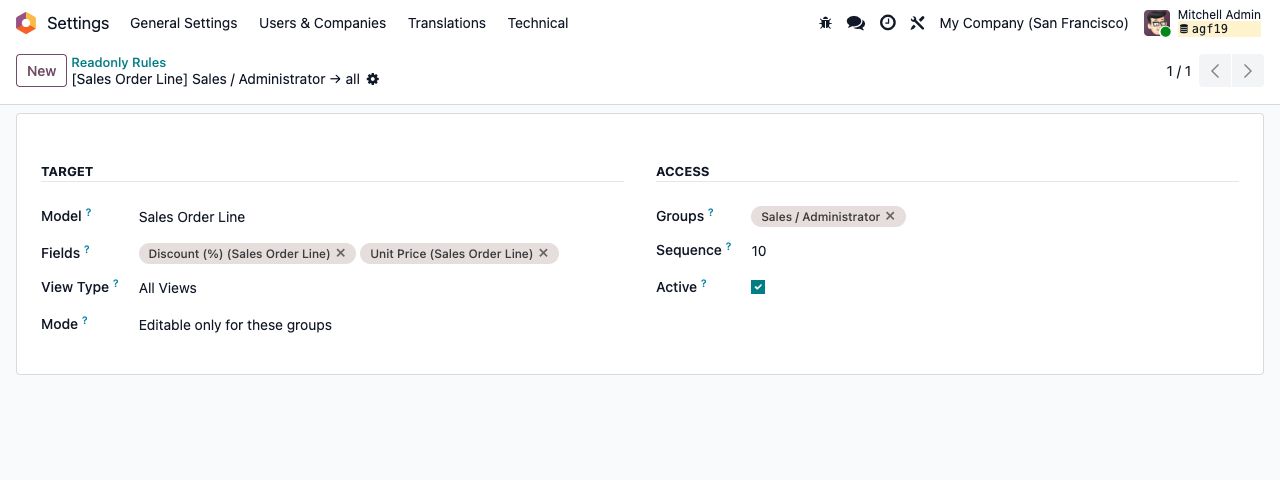
Rules: Unit Price and Discount of order lines, Expiration and Payment Terms of the quotation, editable only for Sales / Administrator. Real Odoo 19 screenshots, first line in edit mode.
Salesperson: the fields are read-only
Sales administrator: the same fields stay editable
Setup
Three steps, no code
1
Open the rules
Activate developer mode, then go to Settings › Technical › User Interface › ReadOnly Rules.
2
Create a rule
Pick the model, the fields, the view type, the mode and the groups. Save.
3
Reload the screen
The rule applies the next time the view is loaded. Odoo caches views in the browser: a page reload, sometimes two, shows the change.
Under the hood
How it works
A screen lock, not a security rule
The lock lives in the user interface. Imports, the API, server actions, automations and onchanges can still write the field. When the data must be protected, use access rights or record rules; use this module to keep everyday screens clean and mistakes out.
A question? A problem? Talk to the people who built it.
We will get back to you within 8 business hours.

Email us directly at
Published by
Nalios — Odoo Gold Partner, Belgium — nalios.be