Returnable Packaging & Deposits
Deposit lines on sales orders, customer packaging balances, returns with deposit refunds, reminders and packaging statements for crates, kegs, bottles, cylinders and pallets.


Présentation du module

/ Odoo 20 · Sales
Returnable Packaging & Deposits
Crates, kegs, bottles, gas cylinders, pallets: the deposit is added to every order, each customer’s packaging balance is kept up to date by the deliveries, and returns are refunded in two clicks.
Sales orders
Deposits that add themselves
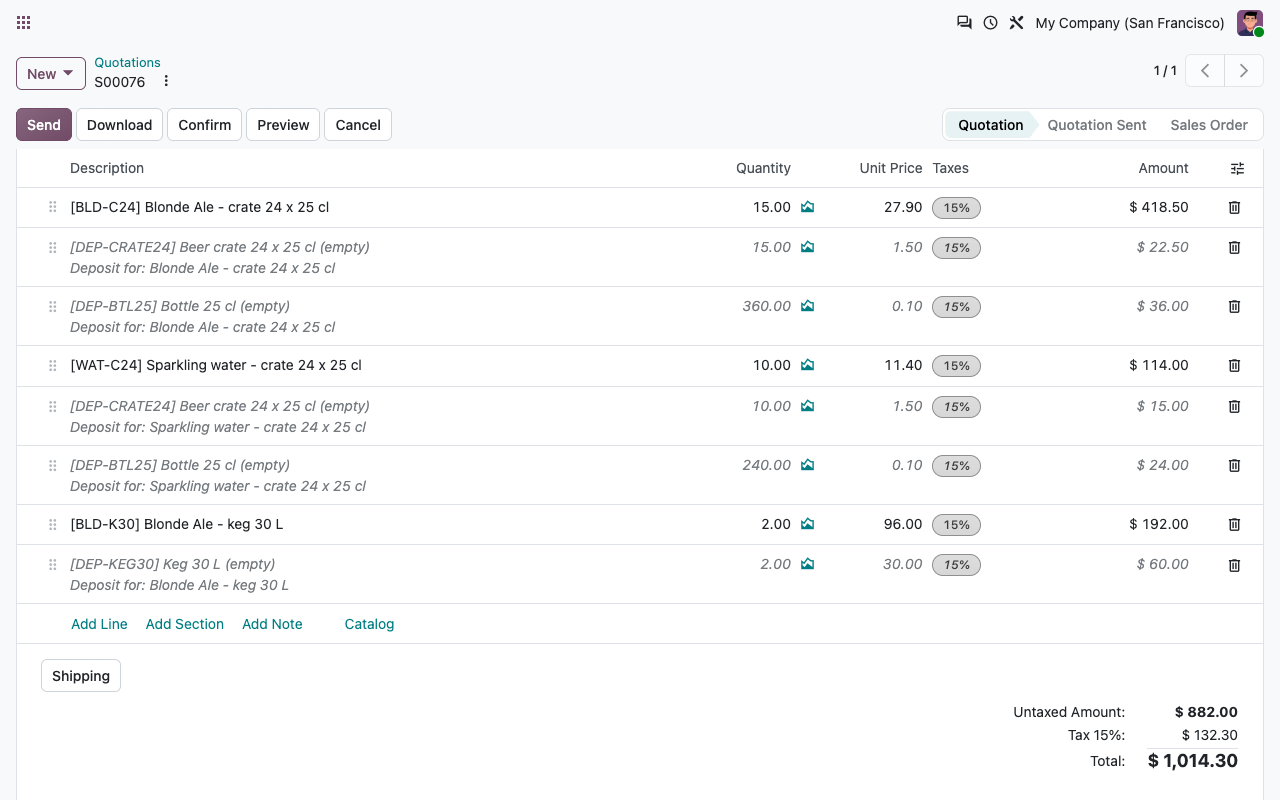
Link packaging to the products you sell once. From then on, every quotation carries the right deposit lines, and nobody has to remember them.
One rule per product
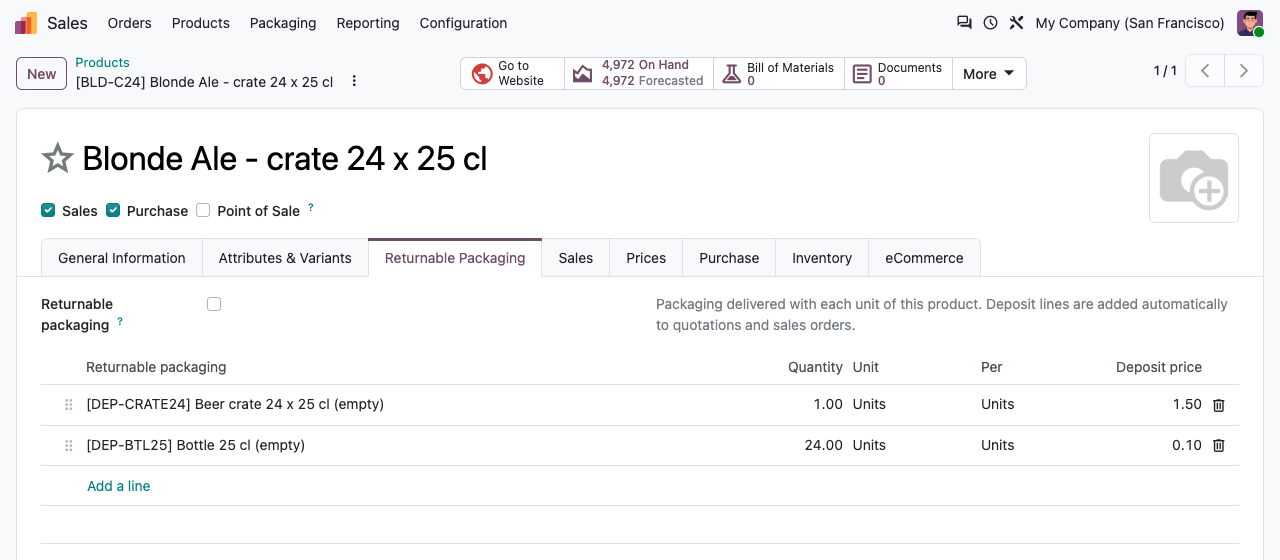
"Beer crate 24 x 25 cl" delivers 1 crate and 24 bottles, "Keg 30 L" delivers 1 keg. Quantities follow the quantity sold and its unit of measure (a dozen crates gives 12 crates).
Always in sync
Change the quantity, the unit or the product, delete the line: the deposit lines below it are updated or removed when you save. They are never duplicated, also when you duplicate the order.
Clearly labelled
Each deposit line sits right below its product, in italics, with "Deposit for: ..." and a fixed deposit price. Pricelist discounts do not apply to deposits.
Your taxes, not ours
Deposits use the customer taxes of the packaging product, mapped by the fiscal position. No tax is hard-coded: set what your country requires.
Customer balances
Who holds what, at a glance
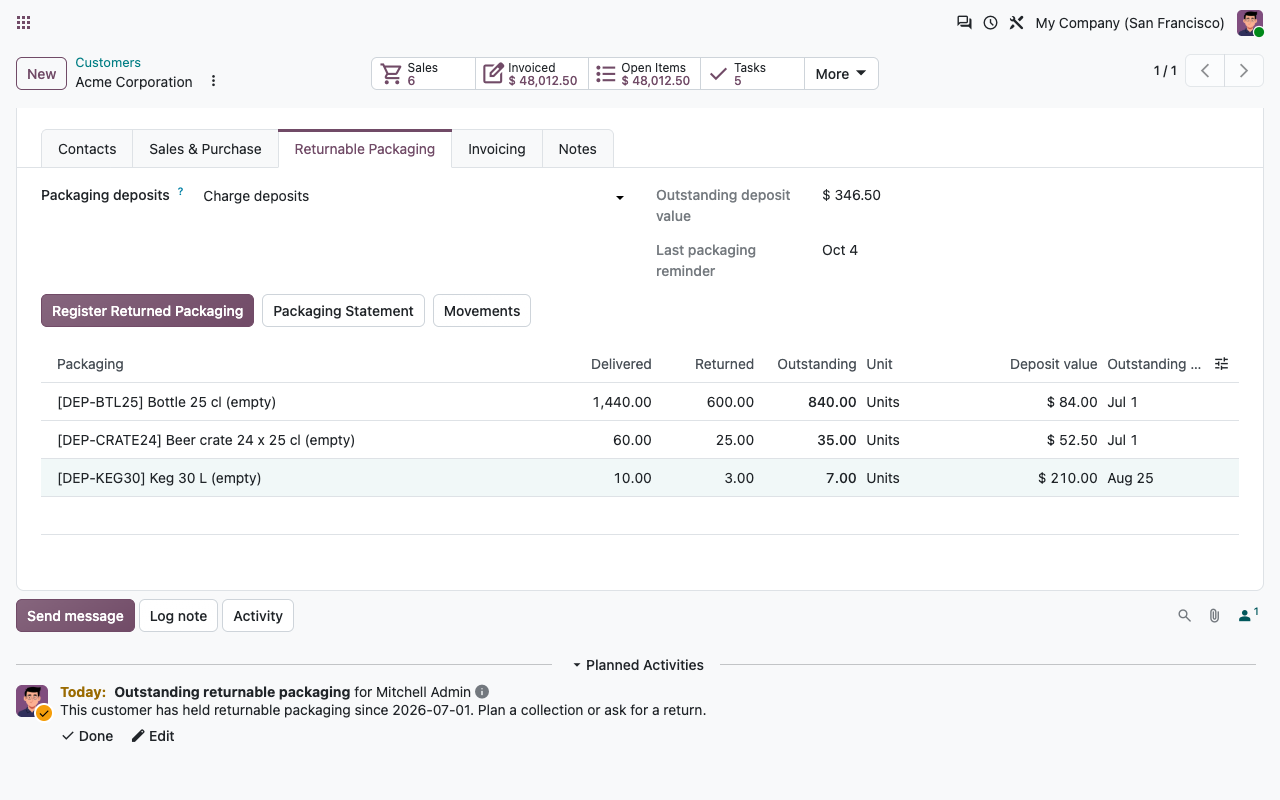
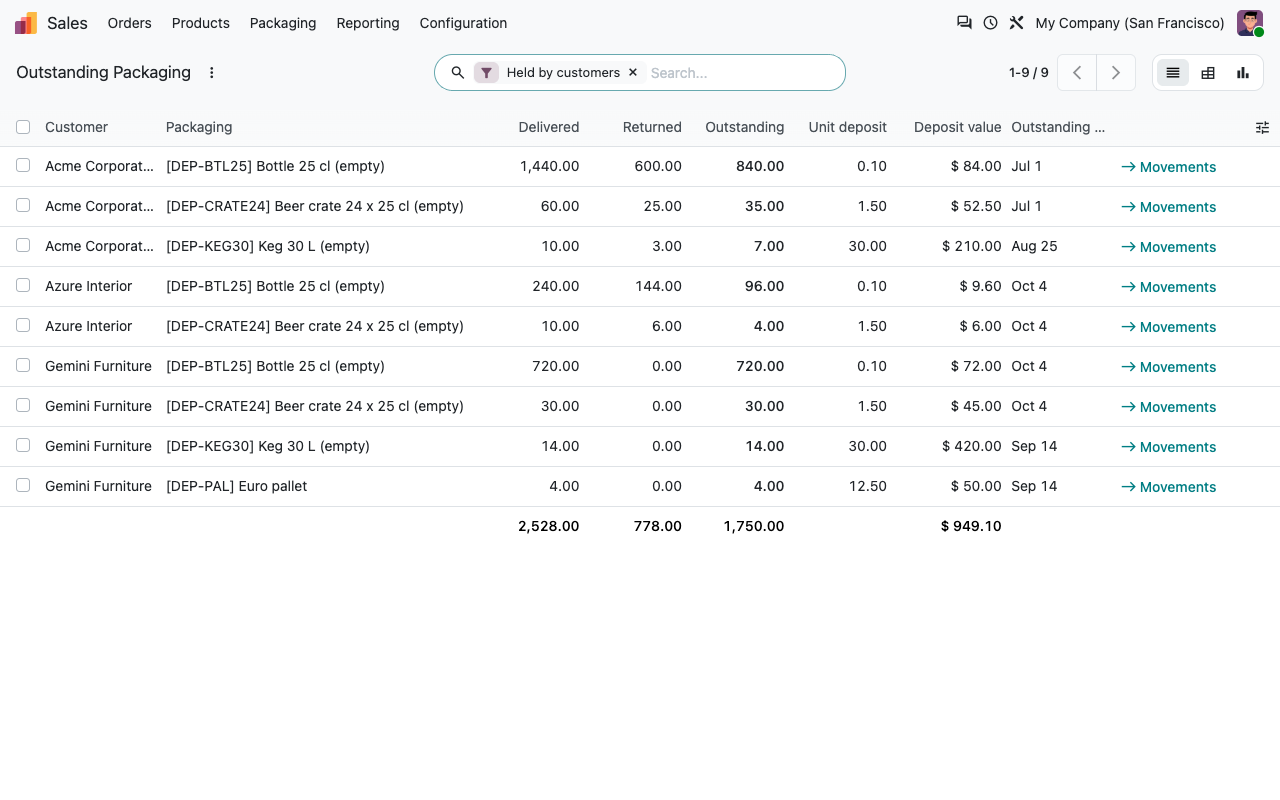
Deliveries and returns feed a packaging ledger: one movement per validated transfer, backorders included. Each customer shows its outstanding packaging, deposit value and the date of the oldest unreturned item.
Returnable Packaging tab on the customer
Outstanding packaging report, all customers
Returns
Empties back, deposit refunded
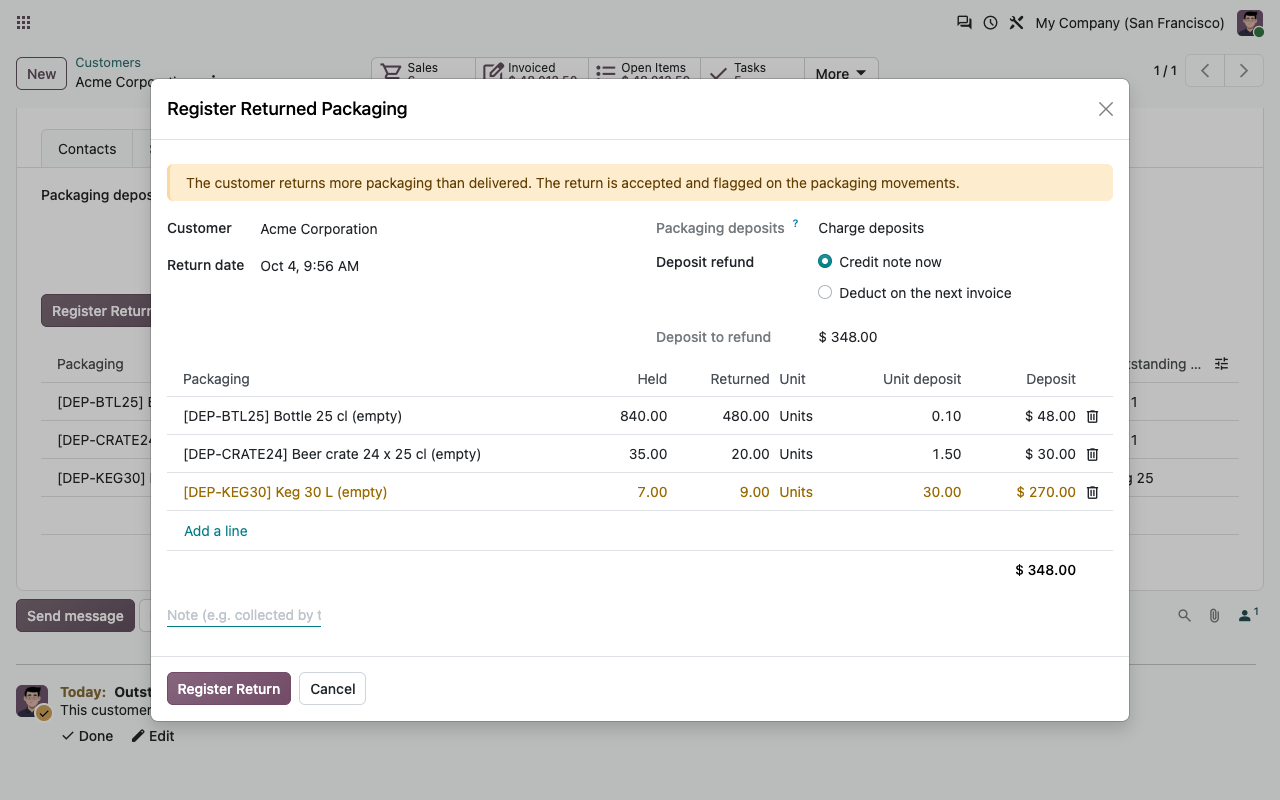
Register returned packaging from the customer, the sales order or the delivery. The wizard proposes what the customer holds; you type what came back.
Stock and accounting in one go
A validated return receipt puts the packaging back in stock, and a draft credit note refunds the deposit, with the same taxes as the deposit lines.
Or deduct on the next invoice
Prefer one document? The refund is added as a negative line on the next invoice created from a sales order, as long as that invoice stays positive.
Crates from another supplier
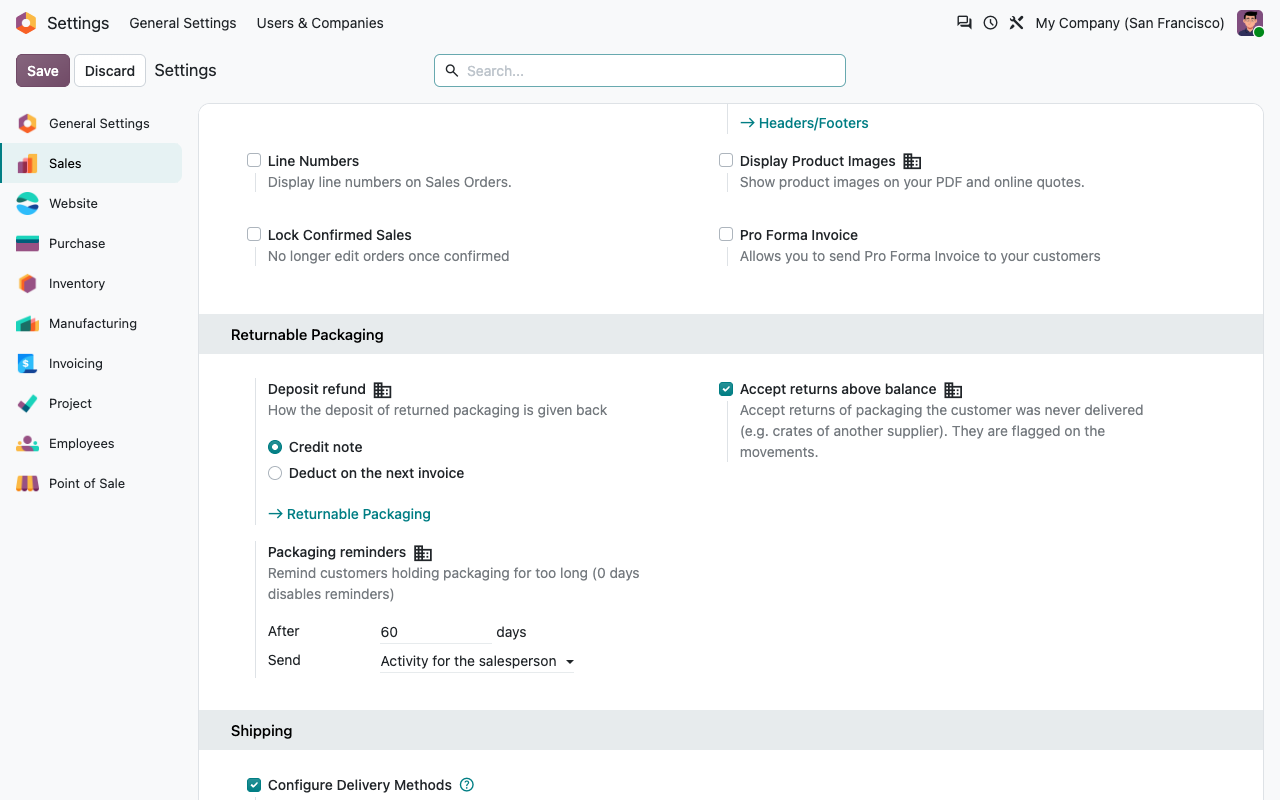
Returns above the customer balance are accepted and flagged on the movements, or blocked: your choice in the settings.
Monthly packaging accounts
Per customer: charge deposits, track packaging without charging (zero-price deposit lines), or add no packaging lines at all.
Statements & reminders
Nothing stays out forever
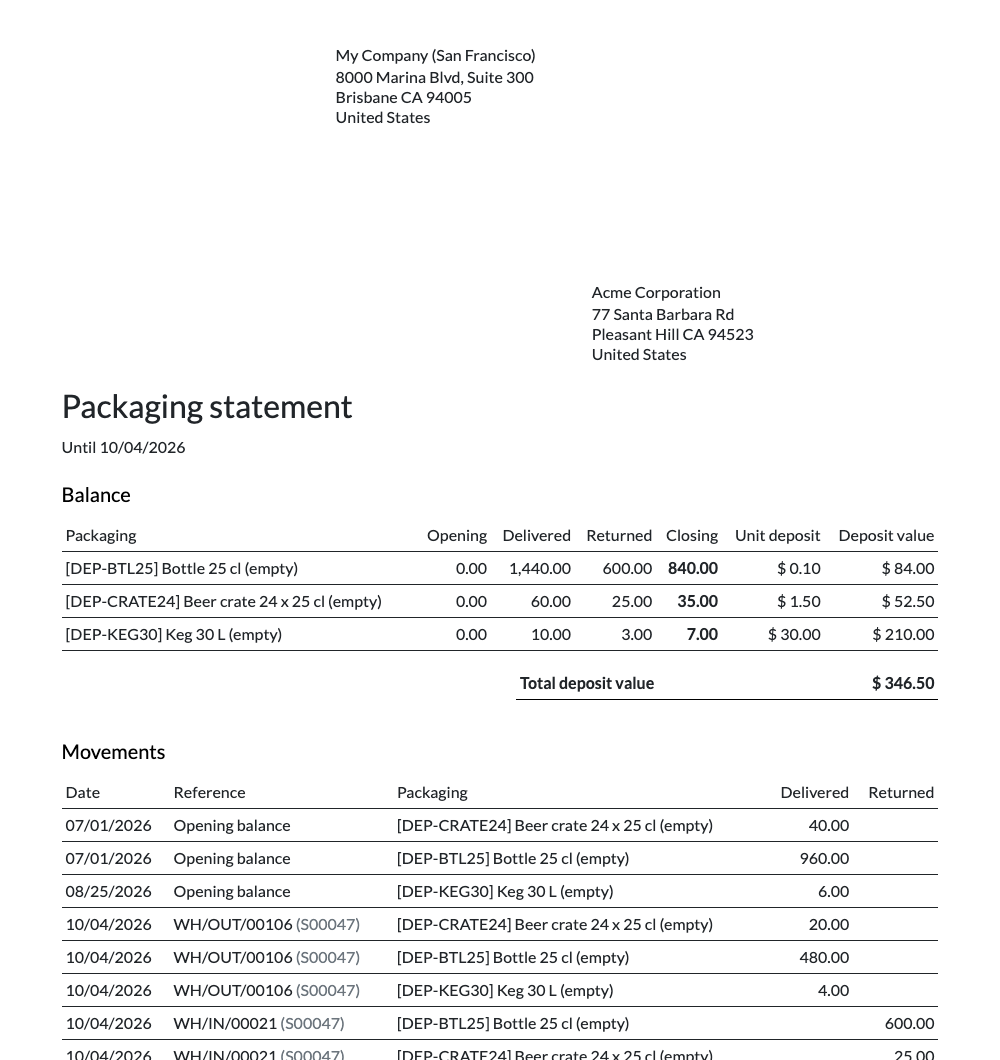
Print a packaging statement per customer for any period: opening balance, deliveries, returns, closing balance and deposit value. A daily scheduled action reminds customers whose oldest packaging is older than the delay you choose, with an activity for the salesperson, an email to the customer, or both.
Packaging statement (PDF)
Settings in Sales
Setup
Ready in ten minutes
1
Create your packaging
Sales > Packaging > Returnable Packaging: a storable product per crate, keg or bottle, with its deposit price and taxes.
2
Link it to what you sell
On each product, the "Returnable Packaging" tab lists the packaging delivered per unit.
3
Sell, deliver, collect
Deposits, balances, returns and reminders follow. Record opening balances once as adjustments.
Under the hood
How it works
FAQ
Good to know
Does a return made with the standard Return button count?
Yes, it updates the customer balance. Only returns registered with the wizard refund the deposit automatically.
Can I sell packaging at a deposit in another currency?
Deposit prices are in the company currency and converted to the currency of the order. Credit notes are issued in the company currency.
What about existing customers who already hold crates?
Record their current balance once as an adjustment in Packaging Movements. Reminders and statements start from there.
Are invoices created by hand covered?
Deposit lines are invoiced like any order line. The "next invoice" refund is applied to invoices created from sales orders.
A question? A problem? Talk to the people who built it.
We will get back to you within 8 business hours.

Email us directly at
Published by
Nalios — Odoo Gold Partner, Belgium — nalios.be