Route Optimization & Delivery Planning
Optimize delivery rounds in Odoo: vehicles with capacities, customer time windows, breaks, routes on a map, a mobile page for drivers with proof of delivery (signature, photo) and arrival time SMS. No subscription.


Présentation du module

/ Odoo 20 · Inventory
Delivery rounds, optimized inside Odoo
Plan the delivery rounds of the day from your delivery orders: vehicles with capacities and working hours, customer time windows, lunch breaks. One click assigns and orders the stops, computes the arrival times on real roads, shows the routes on a map and sends drivers a mobile page with proof of delivery. No routing subscription, no per-driver fee.
Standard Odoo vs this app
What Odoo does, what we add
Route plan
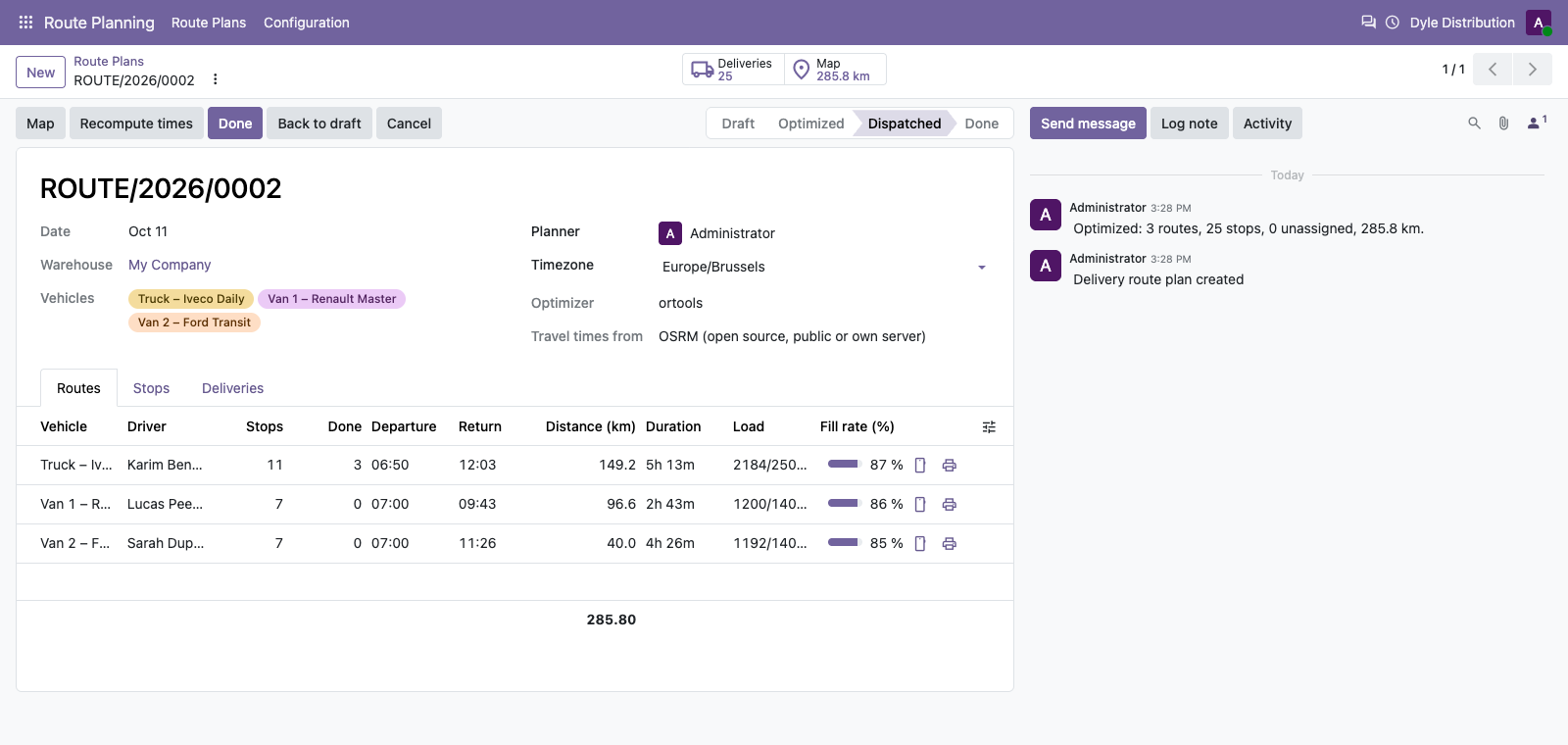
The deliveries of the day, planned in one click
Route Planning > Route Plans: choose the day, the warehouse and the vehicles, load the delivery orders and click Optimize.
Real constraints
Weight, volume and pallets per vehicle, working hours, maximum duration, a break in a time window, customer delivery windows and unloading time.
Optimized rounds
Google OR-Tools assigns the stops to the vehicles and orders them to minimize the total time; deliveries to the same address become one stop.
Arrival times
Arrival, waiting, driving time and distance for every stop; departure is delayed when the first customer opens later.
Nothing left behind silently
Deliveries that cannot fit are listed with the reason: too heavy for every vehicle, window outside the working hours, no room left, or address not found.
Map
Every round on the map
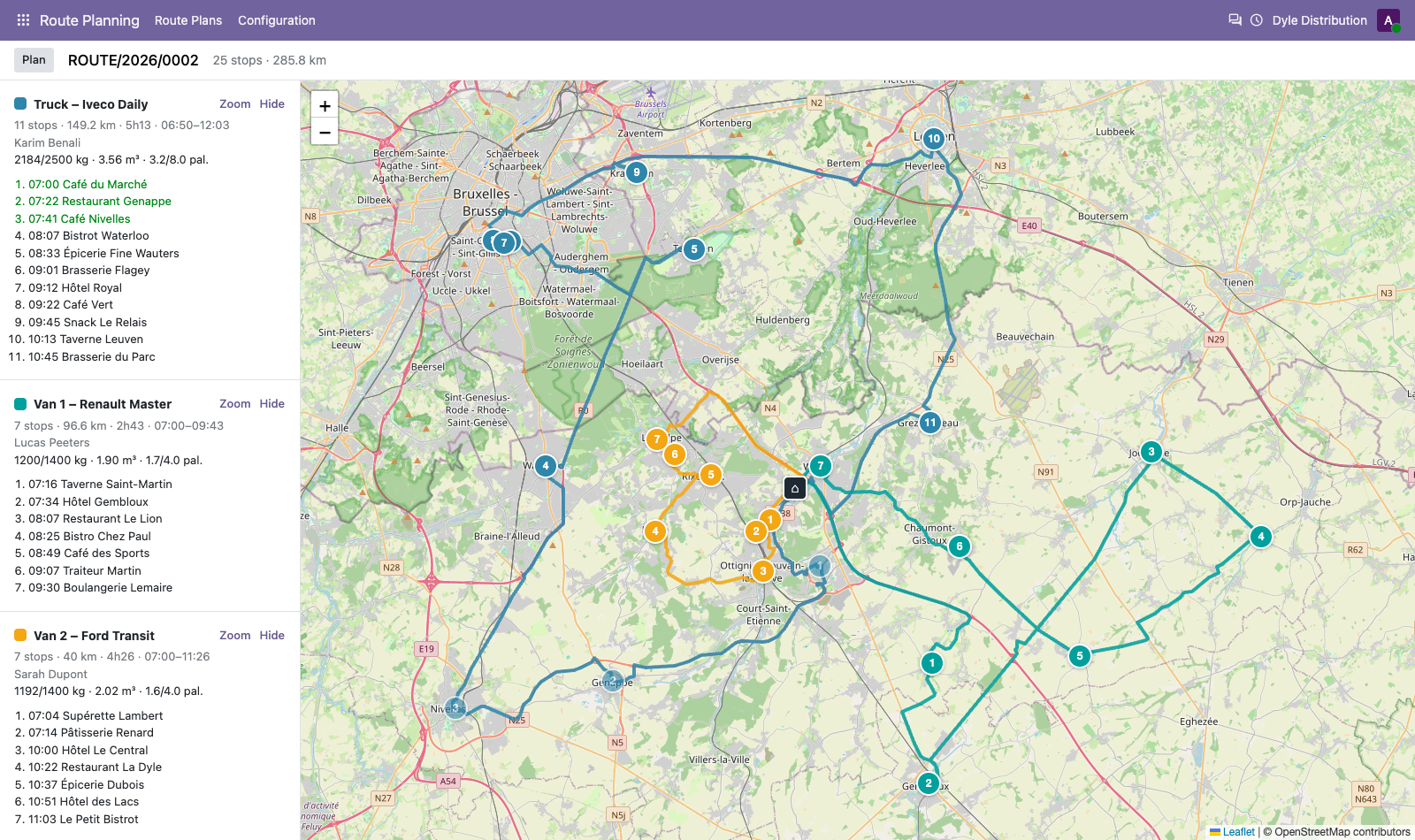
Routes drawn on the roads, one colour per vehicle, numbered stops with their arrival time, the depot and the deliveries not planned. Zoom on a route, hide the others.
Adjust
You keep the last word
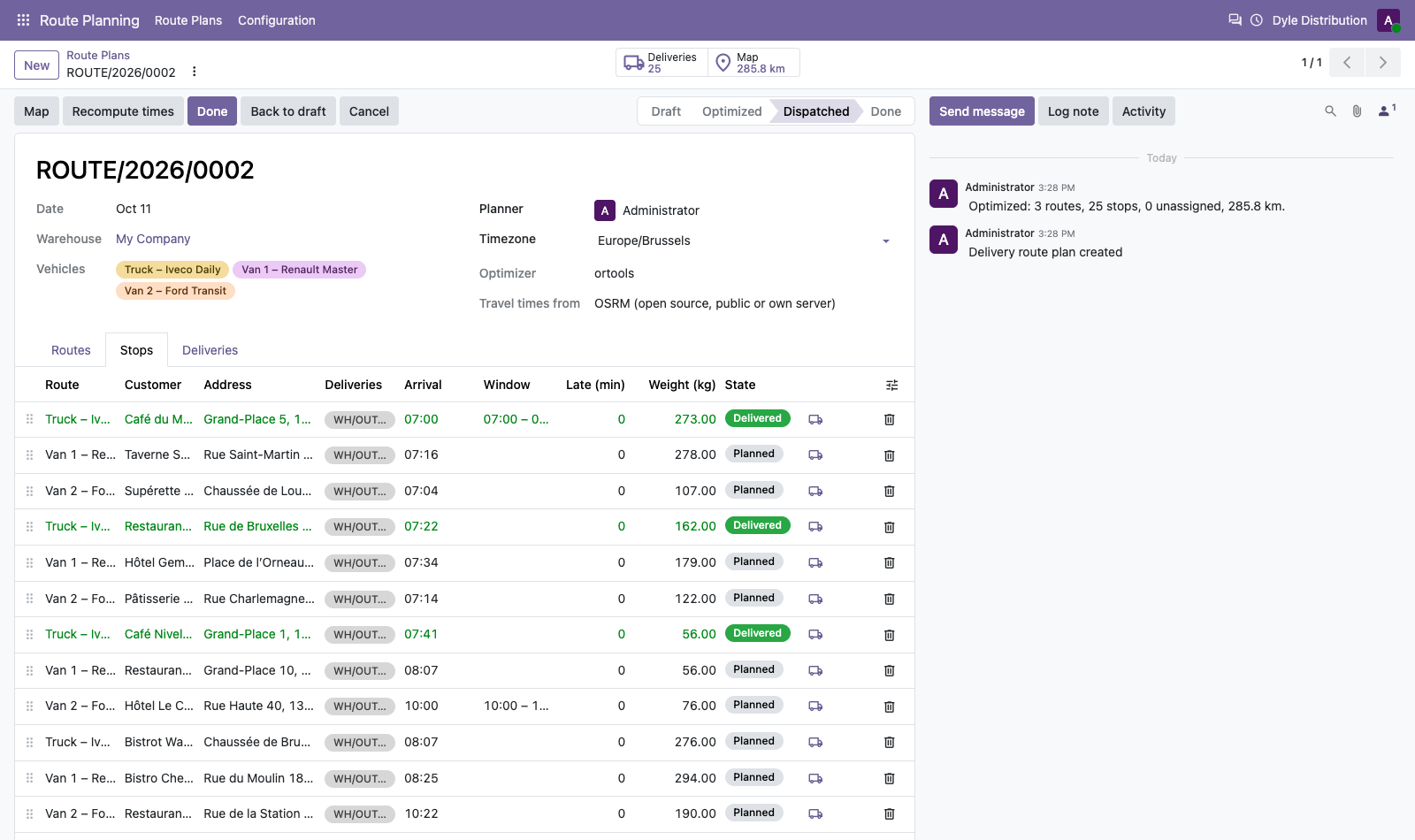
Change the order of the stops, move a stop to another vehicle or add a delivery that was not planned, then Recompute times: the arrival times, waits and distances follow, without a new optimization.
Drag and drop
Reorder the stops of a route in the list.
Move between vehicles
Change the route of a stop, or add a not planned delivery to a route.
Late arrivals shown
Stops arriving after the customer window are highlighted after a manual change.
Route sheet
Print the route of each vehicle: order, times, addresses, phone, instructions and a signature column.
Drivers
A mobile page, no Odoo licence
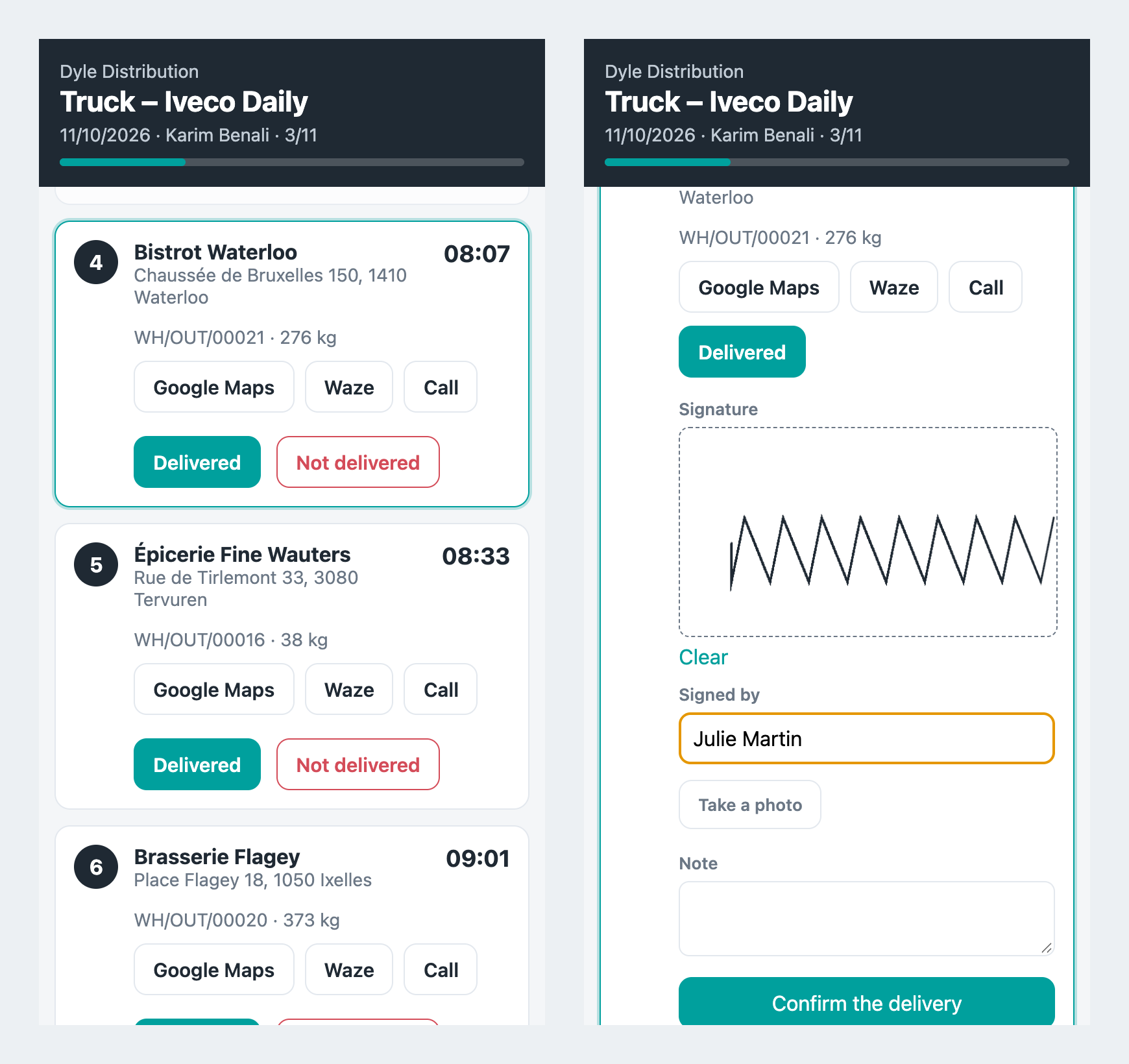
Send to drivers creates a secure link per route, sent by SMS. Drivers open it on their phone, without an Odoo user.
Ordered stops
Customer, address, arrival time, window, delivery instructions and the next stop highlighted.
Navigate and call
One tap opens Google Maps or Waze on the address, or calls the customer.
Proof of delivery
Signature on the screen, name of the signer, photo from the camera and a note, attached to the delivery order.
Not delivered
Customer absent, refused, no access...: the reason is posted on the delivery order. Optionally, delivered orders are validated in Odoo.
Setup
Vehicles and customers
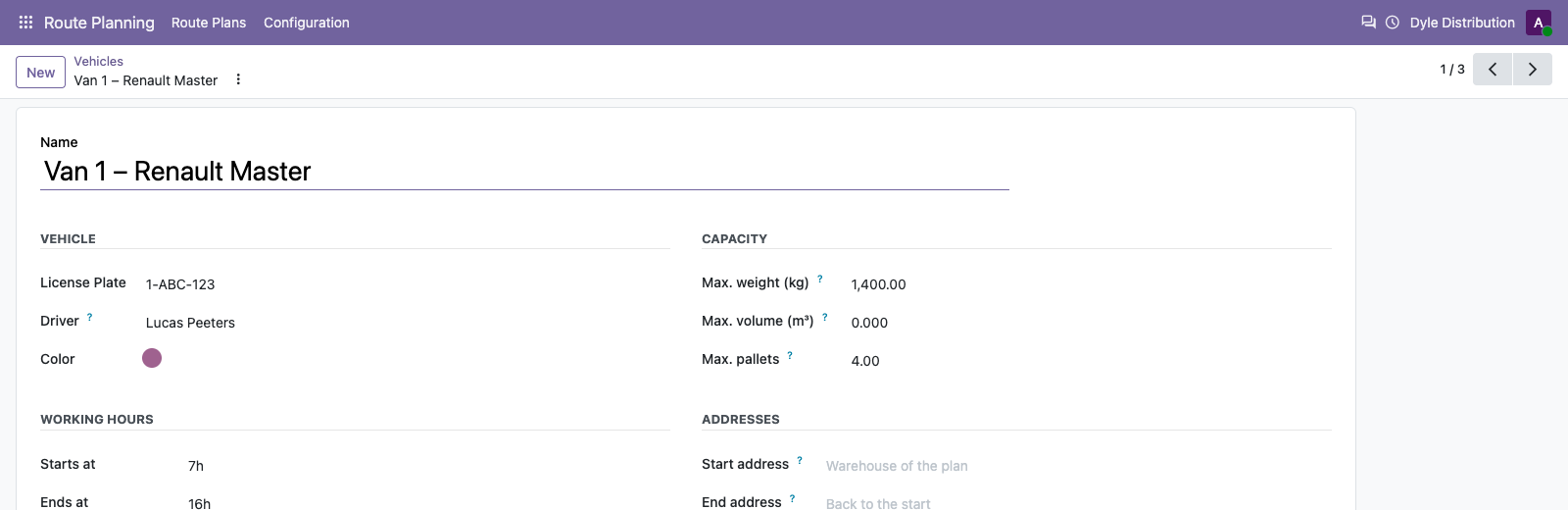
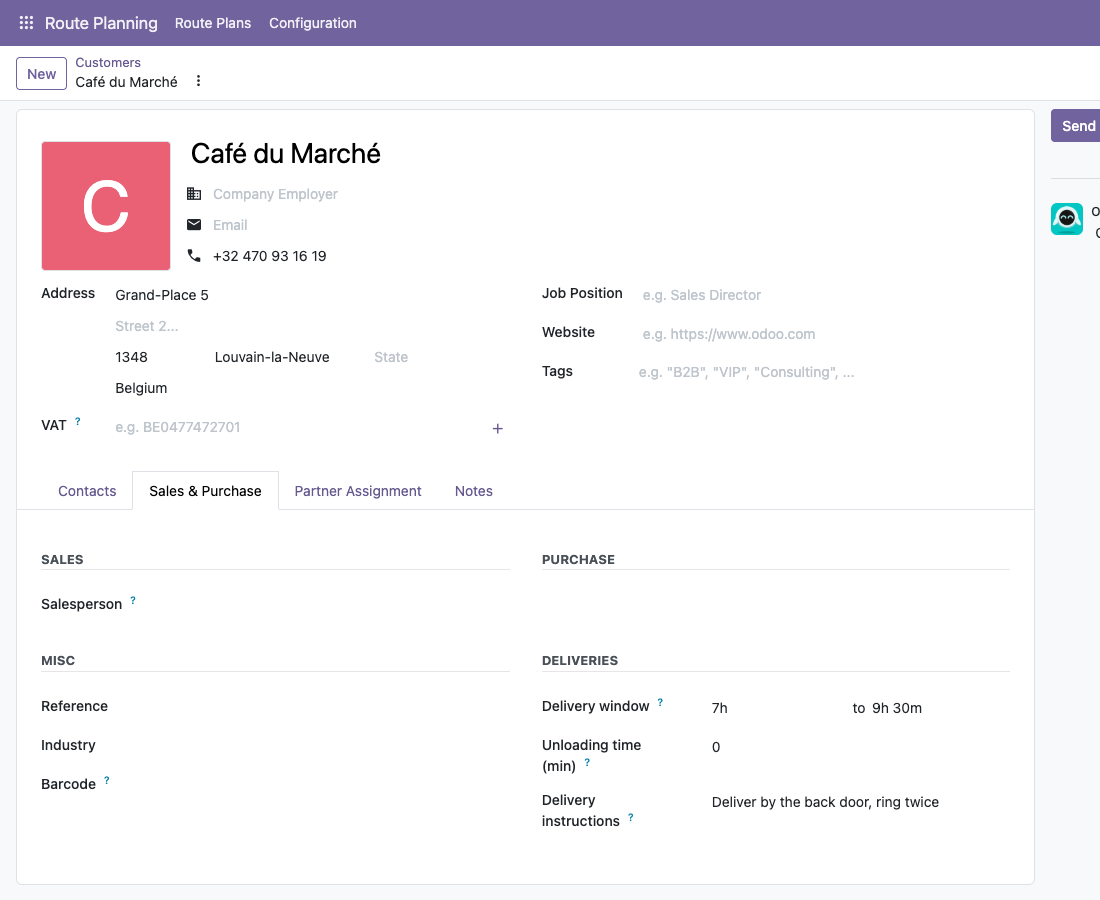
Each vehicle has its capacities, hours, break and start address. Each delivery address can have a delivery window, an unloading time and instructions for the driver. Products have a weight, a volume and optionally a number of units per pallet.
Vehicle with capacities, working hours and break
Delivery window and instructions of a customer
Travel times
Your routing service, your choice
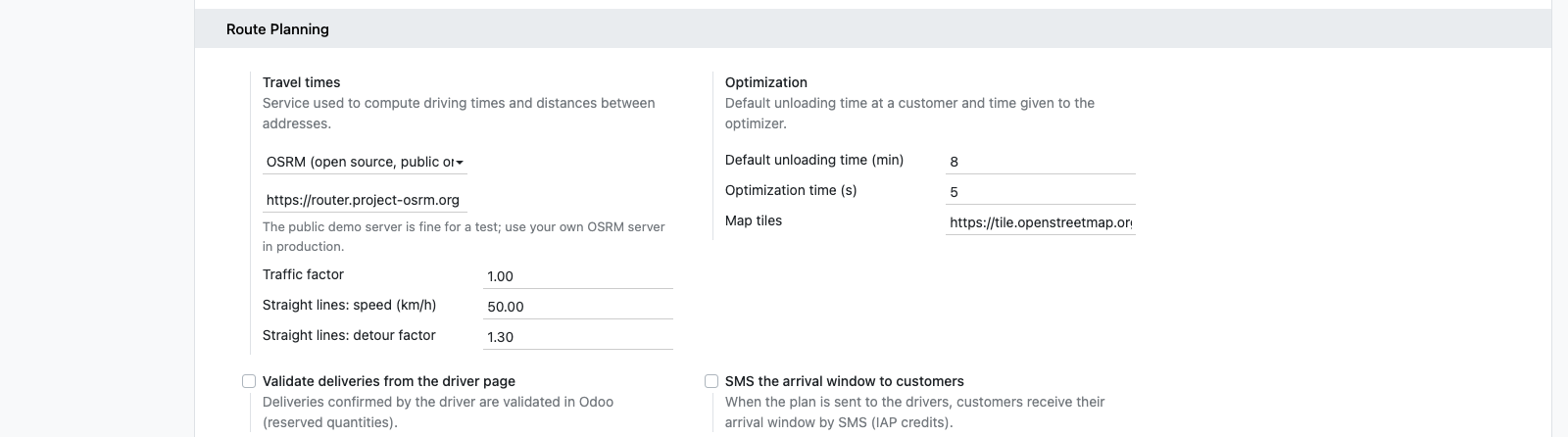
Inventory > Configuration > Settings > Route Planning.
OSRM
Open source and free: the public demo server for a test, your own server (or one hosted for you) in production. Roads are also drawn on the map.
OpenRouteService, GraphHopper, Google Maps
With your own API key, billed by the service to you, not through us.
No service at all
Straight lines with an average speed and a detour factor: always available, also used as a fallback when a service does not answer.
Arrival SMS
Customers receive their arrival window (for example 09:00 – 10:00) and drivers their link, with the SMS credits of Odoo.
Daily use
From orders to delivered
1
Load
New route plan: the delivery orders of the day and the vehicles are loaded.
2
Optimize
One click: rounds, order, arrival times and the map.
3
Send
Drivers get their link, customers their arrival window.
4
Deliver
Signatures and photos come back on the delivery orders, the plan follows the progress.
Under the hood
How it works
FAQ
Good to know
How many deliveries?
Dozens to a few hundred stops per plan. The optimization time is a setting (10 seconds by default).
Is the public OSRM server allowed in production?
It is a demo server with a fair-use policy. Use your own OSRM server, or one of the services with your key, for daily use.
Do drivers need an Odoo user?
No. Each route has a secret link, valid for that route only.
Pickups and several depots?
Each vehicle can start and end at its own address. Pickups (collecting goods) are not optimized in this version.
Which languages?
English and French (also used for fr_BE).
A question? A problem? Talk to the people who built it.
We will get back to you within 8 business hours.

Email us directly at
Published by
Nalios — Odoo Gold Partner, Belgium — nalios.be