Studio to Module Exporter
Turn your Odoo Studio customizations into a real, clean, versionable module, with a hook that migrates your existing data.


Présentation du module

/ Odoo 20 · Administration
Studio to Module Exporter
Turn what Odoo Studio built in your database into a real module your developers can read, review and version in Git — with a migration hook that moves your existing data to the new fields.
What you get
From Studio clicks to clean code
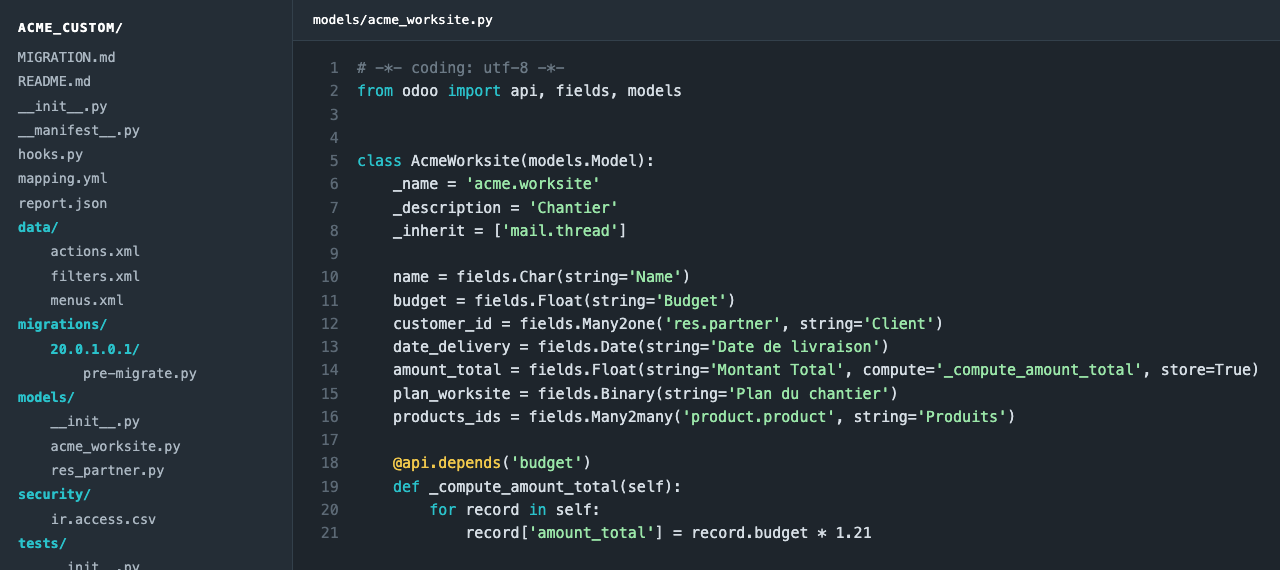
Studio is fast, but its x_studio_ fields, XML dumps and inline code are hard to maintain. The exporter reads everything owned by studio_customization and writes a genuine module.
A real module
Python models, cleaned views (attrs converted, positional xpaths resolved, sibling inherits merged), access rights (ir.access, record rule domains included), actions, menus, automations and saved filters.
Readable names
x_studio_date_livraison becomes date_delivery: names come from the labels, with a built-in French→English business dictionary. Override any name in the mapping box.
Computes and actions
Studio computed fields become compute methods with @api.depends deduced from the code. Python server actions become model methods.
Your data follows
The generated hook copies rows (same ids), columns, many2many links and file attachments to the new fields, remaps chatter and attachments, then removes the superseded Studio objects.
How it works
Export, review, install
1
Run a dry run
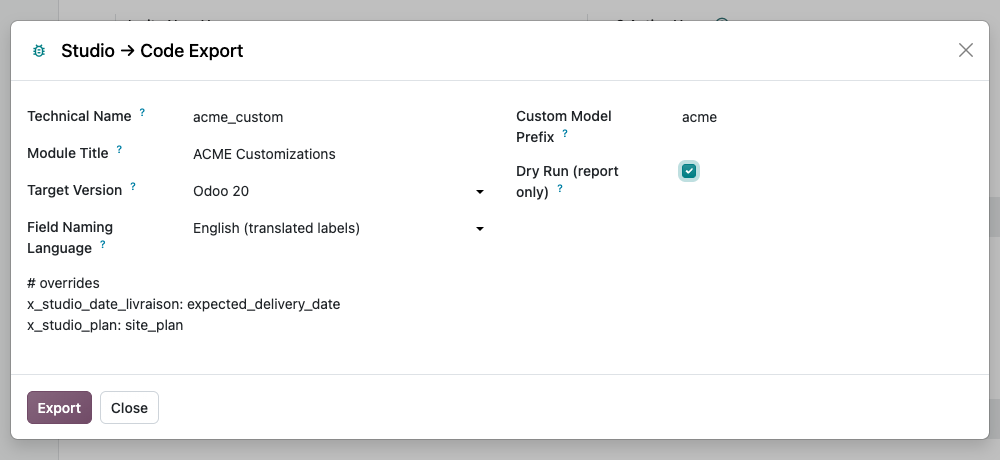
Developer mode, then Settings › Technical › Studio → Code Export. Set the module name, title and model prefix, tick Dry Run and export.
2
Adjust the names
Read the report, fix names in the mapping box (x_studio_field: new_name), export again without dry run and download the zip.
3
Install the module
Commit it to Git, back up the database and filestore, install it following its MIGRATION.md and run its tests.
Conversion report
Nothing renamed behind your back
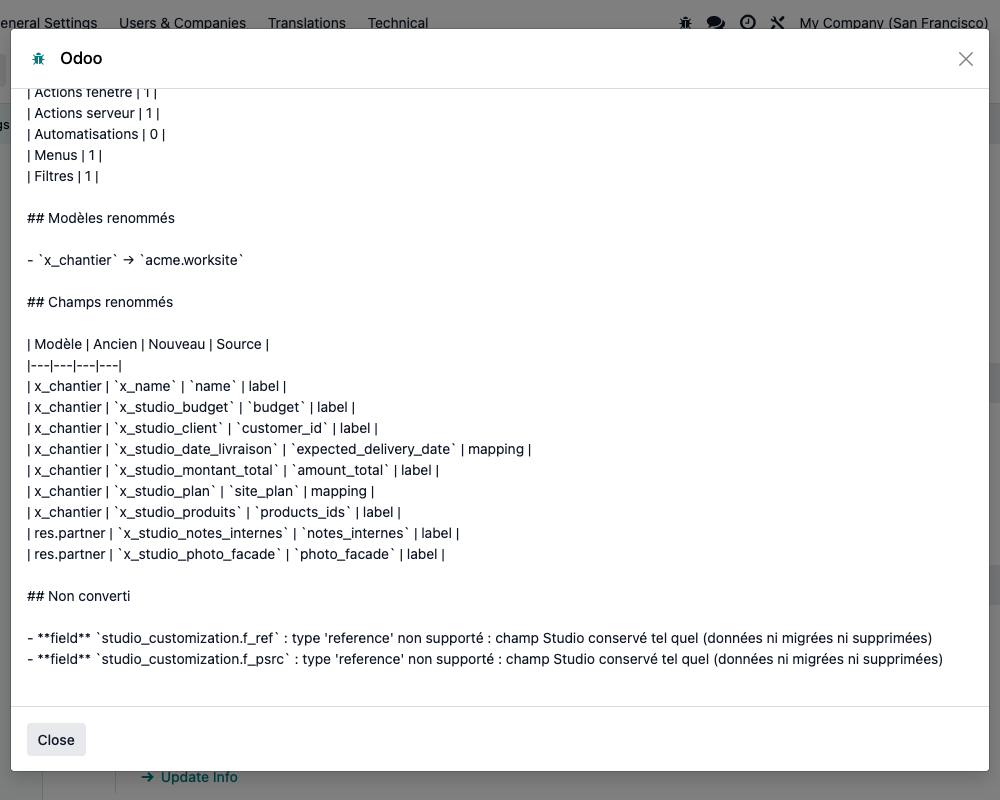
Every export lists the inventory, the renamed models and fields with the source of each name, what was not converted and the warnings. The report, the generated README.md and MIGRATION.md are written in French.
Under the hood
Scope and limits
Back up before you install
Exporting changes nothing. Installing the generated module does: its hook deletes the superseded Studio views, actions, menus, rules, filters and automations, and the old fields and models once their data is copied. Test on a copy of the database first, back up the database and filestore, and never uninstall studio_customization before the hook has run. Not available on Odoo Online (custom modules required).
A question? A problem? Talk to the people who built it.
We will get back to you within 8 business hours.

Email us directly at
Published by
Nalios — Odoo Gold Partner, Belgium — nalios.be