Supplier Price List Import & Margin Update
Import the monthly price files of your suppliers (CSV, Excel), check every price change, update vendor prices, costs and sale prices with your target margins.


Présentation du module

/ Odoo 20 · Purchase
Supplier Price List Import & Margin Update
Every month your suppliers send a new price file. Import it as it is, CSV or Excel, see every price change before it counts, then update your vendor prices, your costs and your sale prices in one click, with the margin you want per product category.
What it does
From the supplier file to your sale prices
No more copy-paste between the supplier spreadsheet and Odoo. Each line of the file is matched with your product, compared with the current price and applied only when you say so.
One profile per supplier
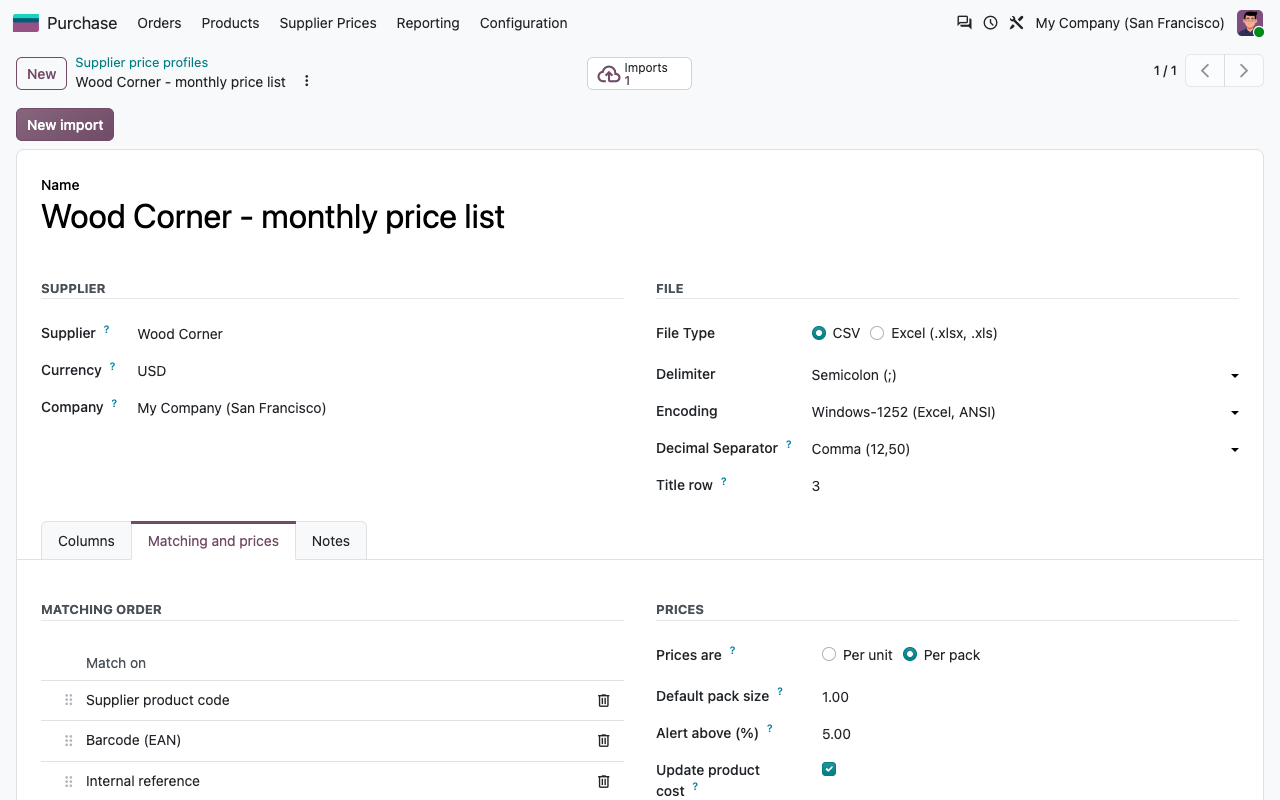
CSV (delimiter, encoding, decimal comma) or Excel, the row of the column titles, the columns to read. You set it up once, every next file takes a few clicks.
Matched with your products
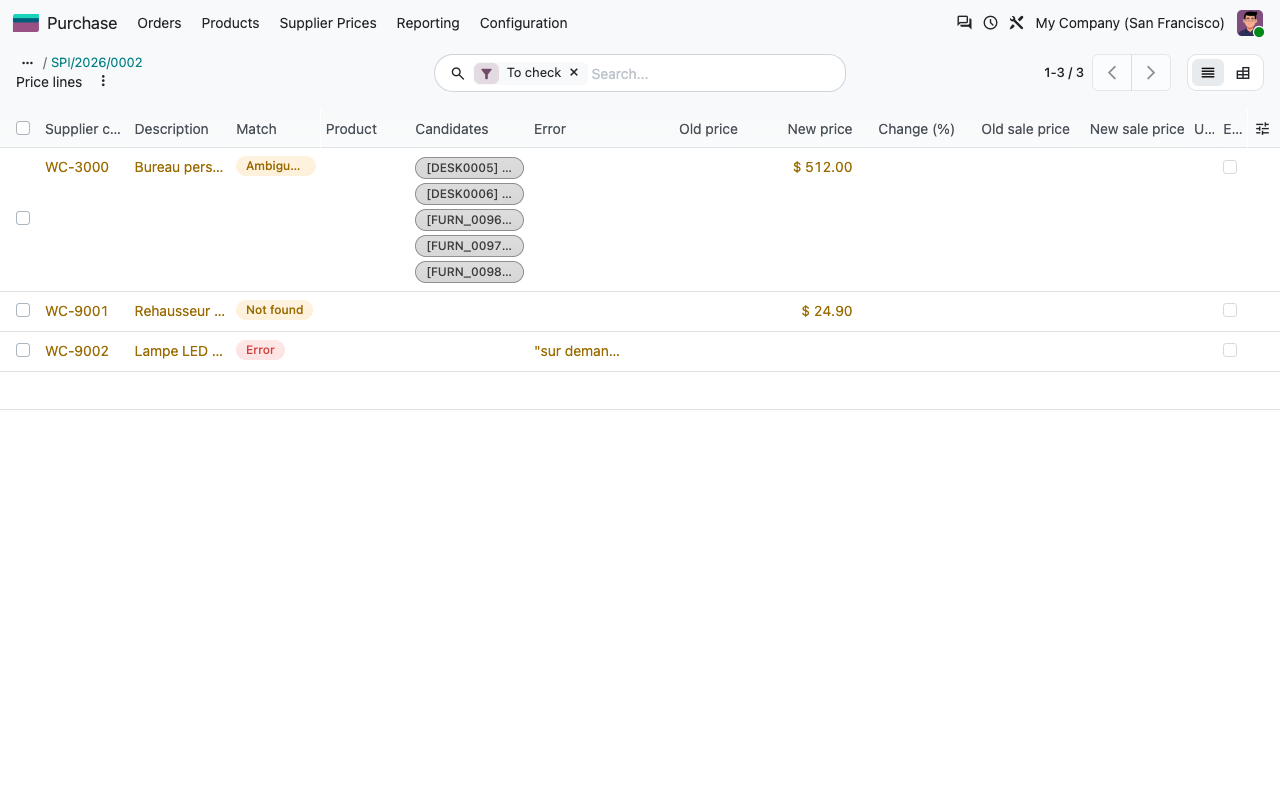
By supplier product code, barcode (EAN, with or without leading zero) or internal reference, in the order you choose. Several products found: the line is flagged as ambiguous and you pick one.
Every change in sight
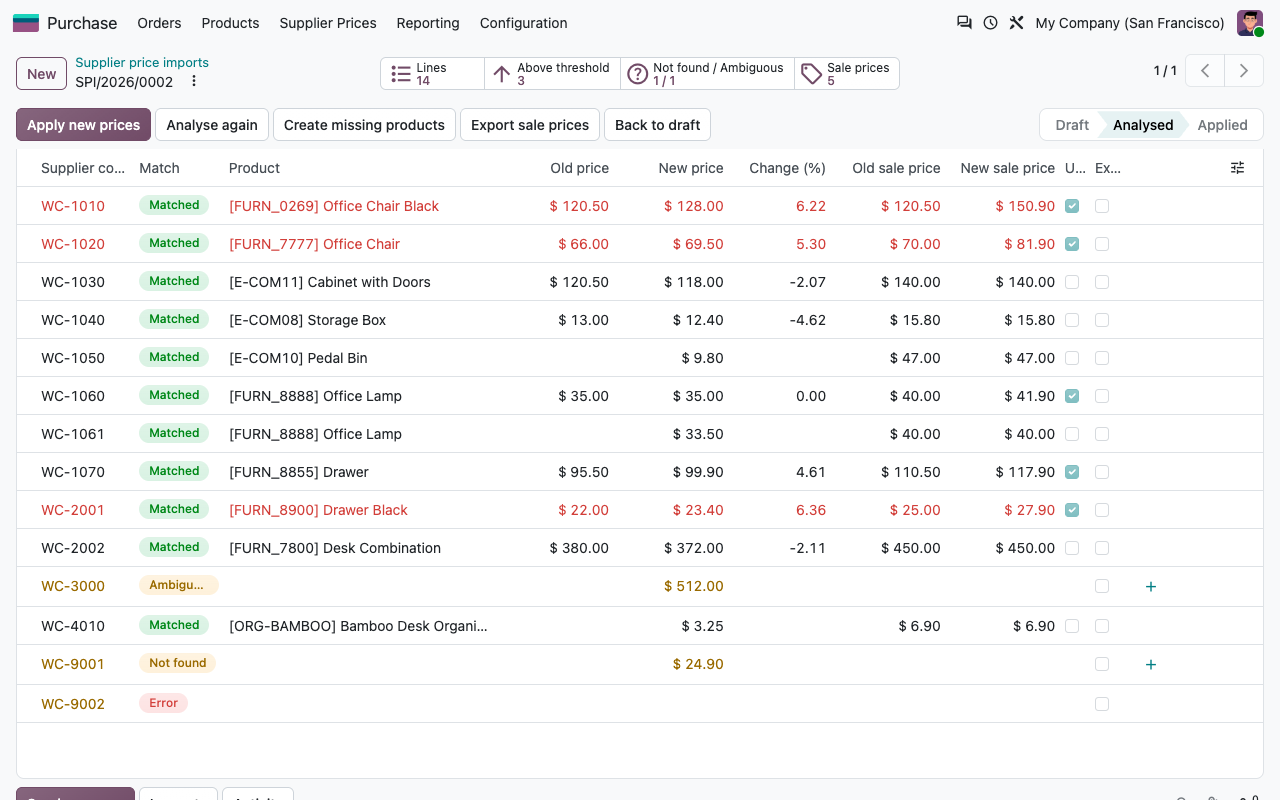
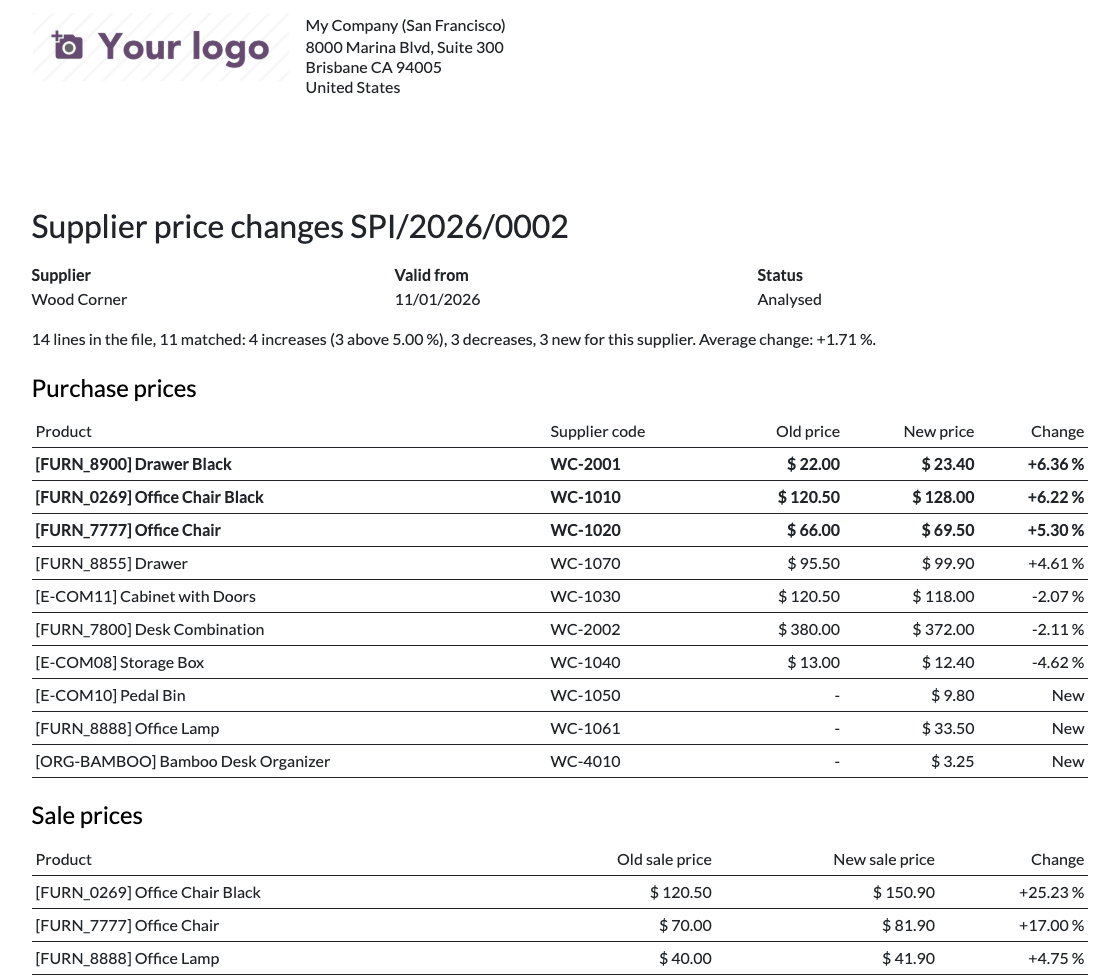
Old price, new price and change in percent on every line. Increases above your alert threshold are shown in red. Filter increases, decreases, new products, lines not found or in error.
Applied when you decide
Exclude a line, link it to a product, create the missing product, adjust a sale price. Nothing changes in Odoo before you click Apply.
How it works
Four steps, every month
1
Upload
Create an import from the profile of the supplier and upload the file he sent you.
2
Analyse
One line per row of the file, with the product found, the old and the new price, the new cost and the sale price proposed.
3
Check
Look at the increases, link or create the products not found, exclude what you do not want.
4
Apply
Vendor prices, costs and sale prices are updated. The import stays as history, with its file.
Vendor prices
Dated prices, no overlap
Validity dates
The new vendor price starts on the date of the import (or the date of the file line). The current price ends the day before, so purchase orders use the right price on each date.
Per pack or per unit
Supplier prices per box of 10? The price is divided by the pack size of the line, or the default pack size of the profile.
Minimum quantities
A price for 10 pieces lives next to the base price and is chained separately. The cost comes from the base price.
Several currencies
A currency per file or per line. Changes are compared in the currency of the supplier, the cost is converted to your currency at the date of the price.
Sale prices
Your margin, kept automatically
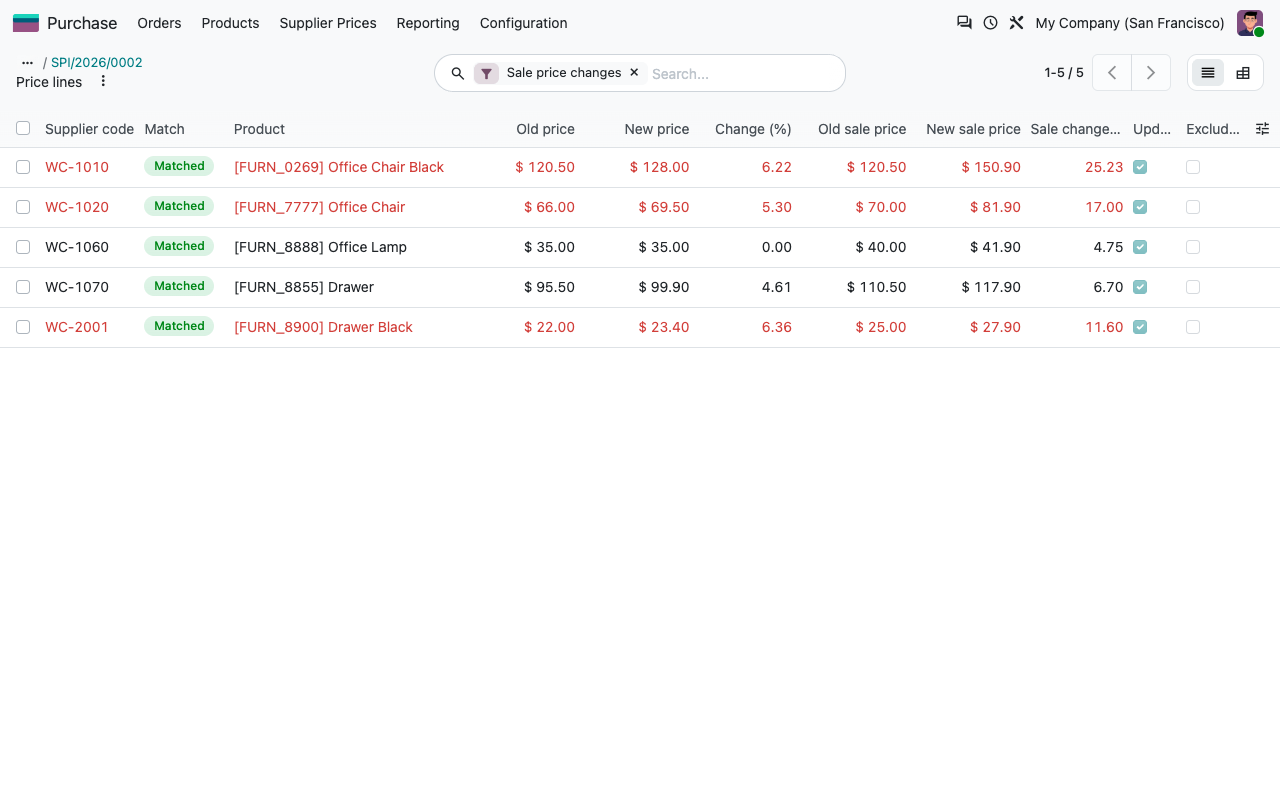
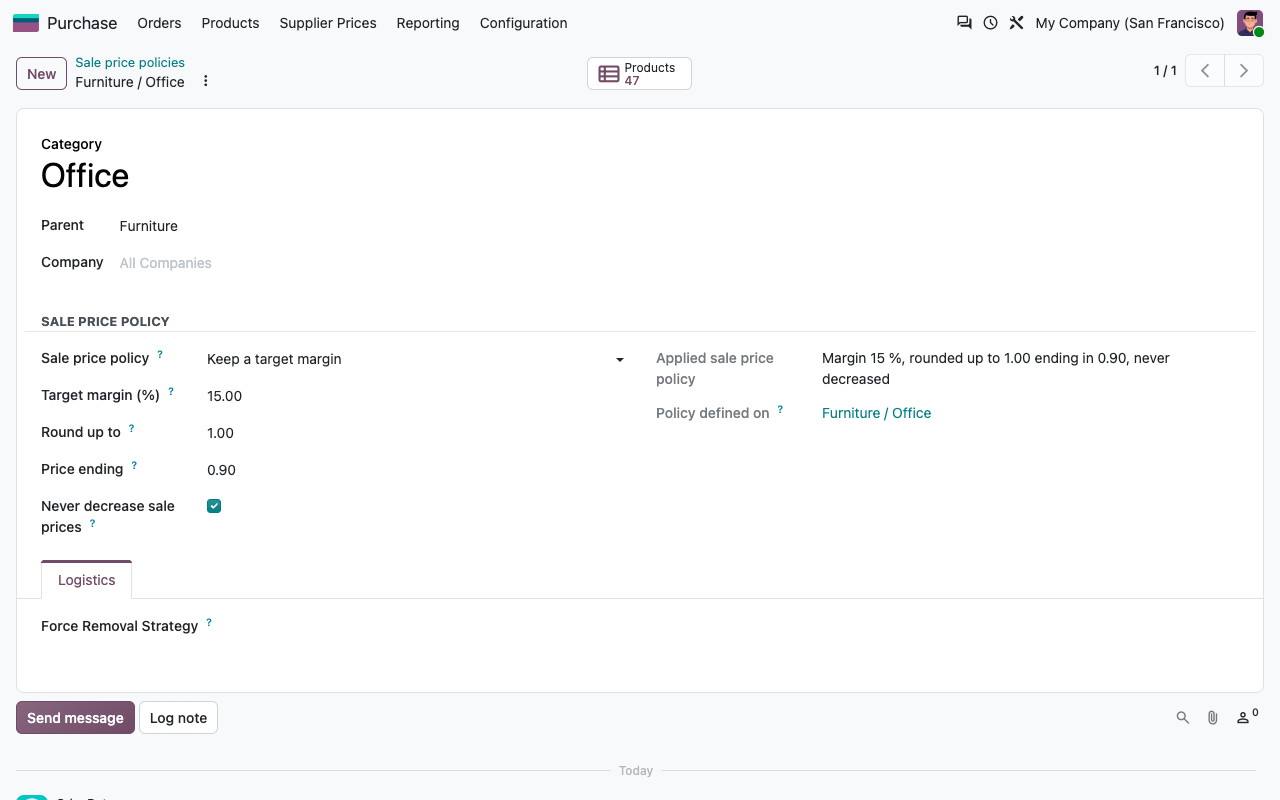
Per product category: a target margin (sale price = cost / (1 - margin)) or a coefficient (cost × 1.8), rounded up to a step with a price ending such as .99 or 9.90. Sub-categories follow their parent. You see every proposed sale price before applying, and you can change or skip any of them.
Sale price preview: old and new sale price with the policy used
Sale price policy of a product category: margin 15 %, rounded up to 1.00 ending in 0.90, never decreased
For the buyers
Know what your suppliers changed
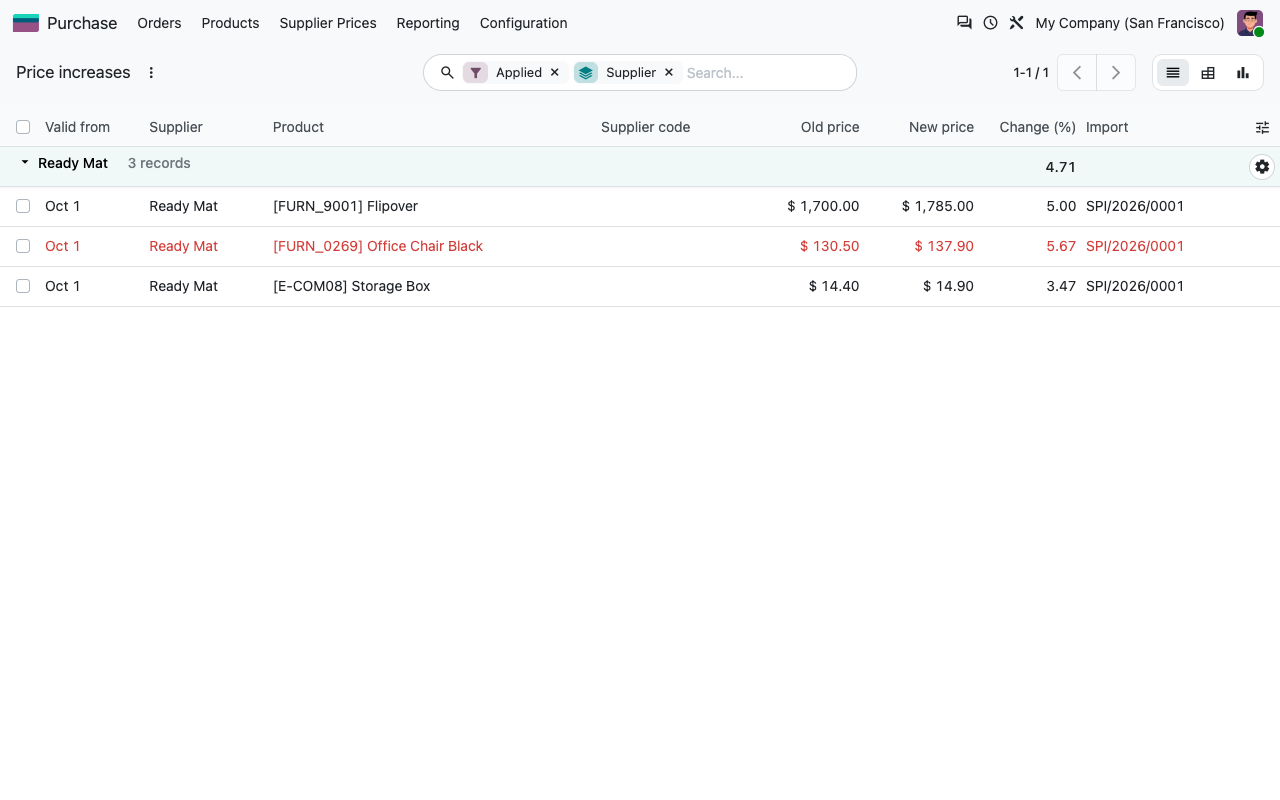
Price increases report
All the increases applied, per supplier, with the change in percent. List, pivot and graph views, filters by date, product category or supplier.
History per product
A smart button on the product form lists every supplier price change of the product, with its old and new value.
Printable summary
One PDF per import: purchase price changes sorted by increase, alerts in bold, and the sale price changes.
Export of the new sale prices
A CSV file with reference, barcode, old and new sale price, ready for your shelf labels or your web shop.
Configuration
The supplier file as it is
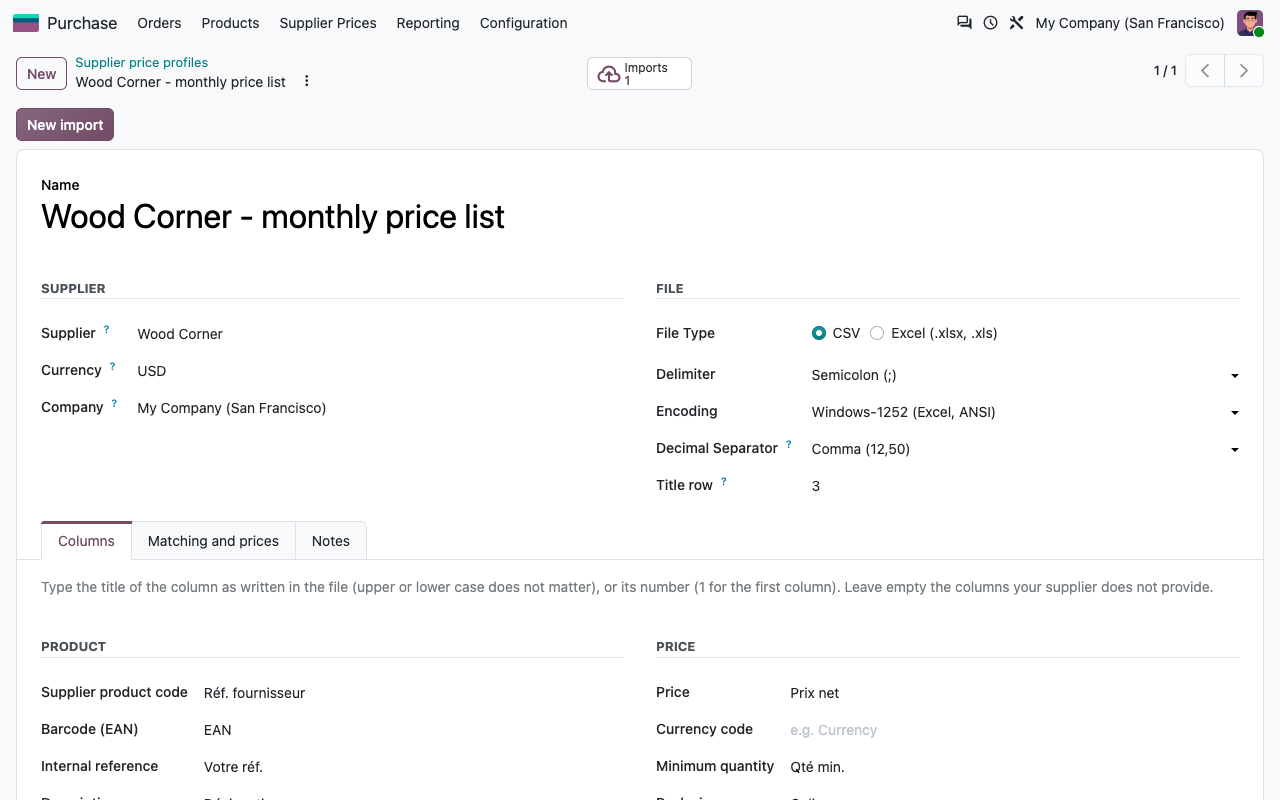
Map the columns by their title (as written in the file) or their number. Rows above the titles are ignored. The supplier can keep sending the same file: you do not have to clean it first.
Import profile of a supplier: Windows-1252 CSV with decimal comma, titles on row 3
Price changes report of an import
Under the hood
What is changed exactly
Works with Price Indexation
This module updates your purchase costs and the sale prices that follow them. If you also index your customer price lists once a year (Agoria, health index, Syntec), our app Price Indexation for Contracts & Price Lists does it. The two apps are independent and can be installed together.
FAQ
Good to know
Can the new prices be scheduled?
Vendor prices yes: they start on the date of the import, the current ones stay valid until the day before. Costs and sale prices are written when you click Apply: apply the import on the day the new prices start if you want them to follow at the same time.
What happens with a line that matches no product?
It stays in the import as Not found. You can link it to a product, create the product from the line (if the profile allows it, administrators only) or leave it.
Several lines for the same product?
Different minimum quantities give different vendor prices. The cost and the sale price come from the line with the lowest minimum quantity.
Does it read PDF price lists?
No. CSV and Excel files only. Ask your supplier for the spreadsheet he uses to make the PDF.
A question? A problem? Talk to the people who built it.
We will get back to you within 8 business hours.

Email us directly at
Published by
Nalios — Odoo Gold Partner, Belgium — nalios.be