
In many warehouses, each order is still picked individually. It is simple, but costly: unnecessary trips, repeated visits to the same locations and precious time lost. Batch picking in Odoo turns this approach around.
At Odoo Experience 2026, the talk "Smarter picking, faster shipping" asked a simple question, followed by Elias Mondelaers, consultant at Nalios: do you organise your warehouse around the order, or your orders around the warehouse? Here is what your teams should take away logistics.
01The problem with order-by-order picking
Picking order by order is the most intuitive method. The picker takes an order, walks through the warehouse, comes back, then starts again with the next one. When two orders contain the same item, they pass the same spot twice.
With a few orders a day, the impact is small. With larger volumes, these back-and-forth trips add up: more distance covered, more handling, and orders that leave later, especially during peak periods.
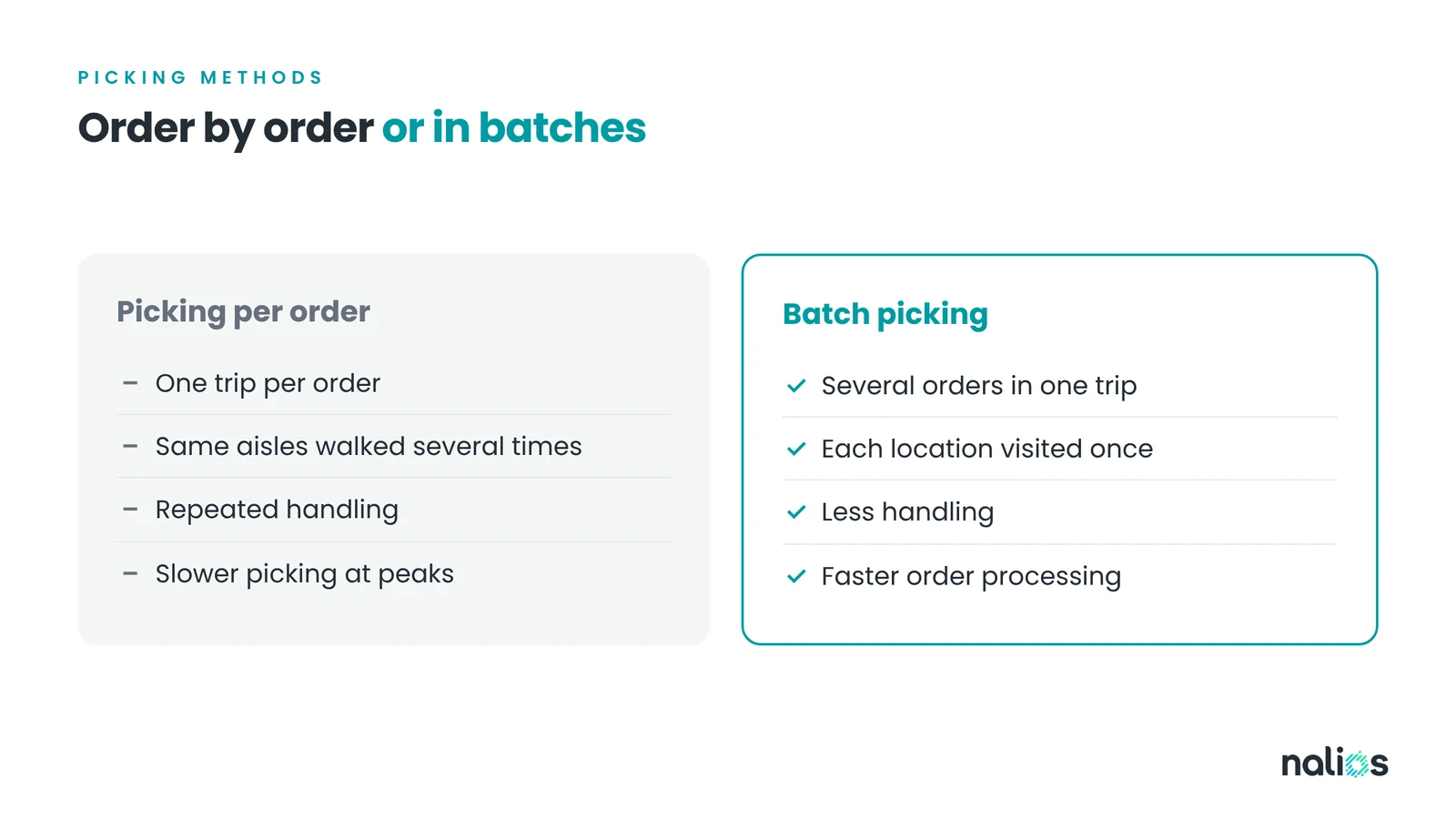
Batch picking reduces movement in the warehouse
02Batch picking: pick several orders in a single pass
The principle of batch picking is to pick several orders in a single trip. According to the Odoo documentation, it lets a single picker handle several orders at once, reducing the number of trips to the same location. Orders are grouped and consolidated in a single pick list.
1 · Grouping criteria you control
The strength of the method lies in how batches are built. Orders can be grouped according to criteria that suit your business:
- Destination country: all orders going to the same country.
- Customer region: to optimise delivery rounds or carrier pickups.
- Product type: fresh, bulky or fragile products together.
- Handling constraints: items that require special equipment.
- Cart type: orders suited to the same picking equipment.
2 · Batch, cluster or wave: what's the difference?
Odoo offers several picking methods, and the Barcode app can process transfers in batches, waves and clusters. The main difference lies in sorting:
| Method | Principle |
|---|---|
| Batch picking | Several orders are picked together, then sorted by order in a separate step. |
| Cluster picking | Items are sorted directly into bins or containers dedicated to each order during picking. |
| Wave picking | Picking waves group order lines according to a defined rule. |
Odoo's documentation states that batch picking is particularly suited to warehouses handling large order volumes with stable demand.
03Extend the approach to packing and shipping
The talk stressed one point: the same approach can apply beyond picking. Batch packing and batch shipping coordinate downstream operations, so related orders move through the warehouse together.
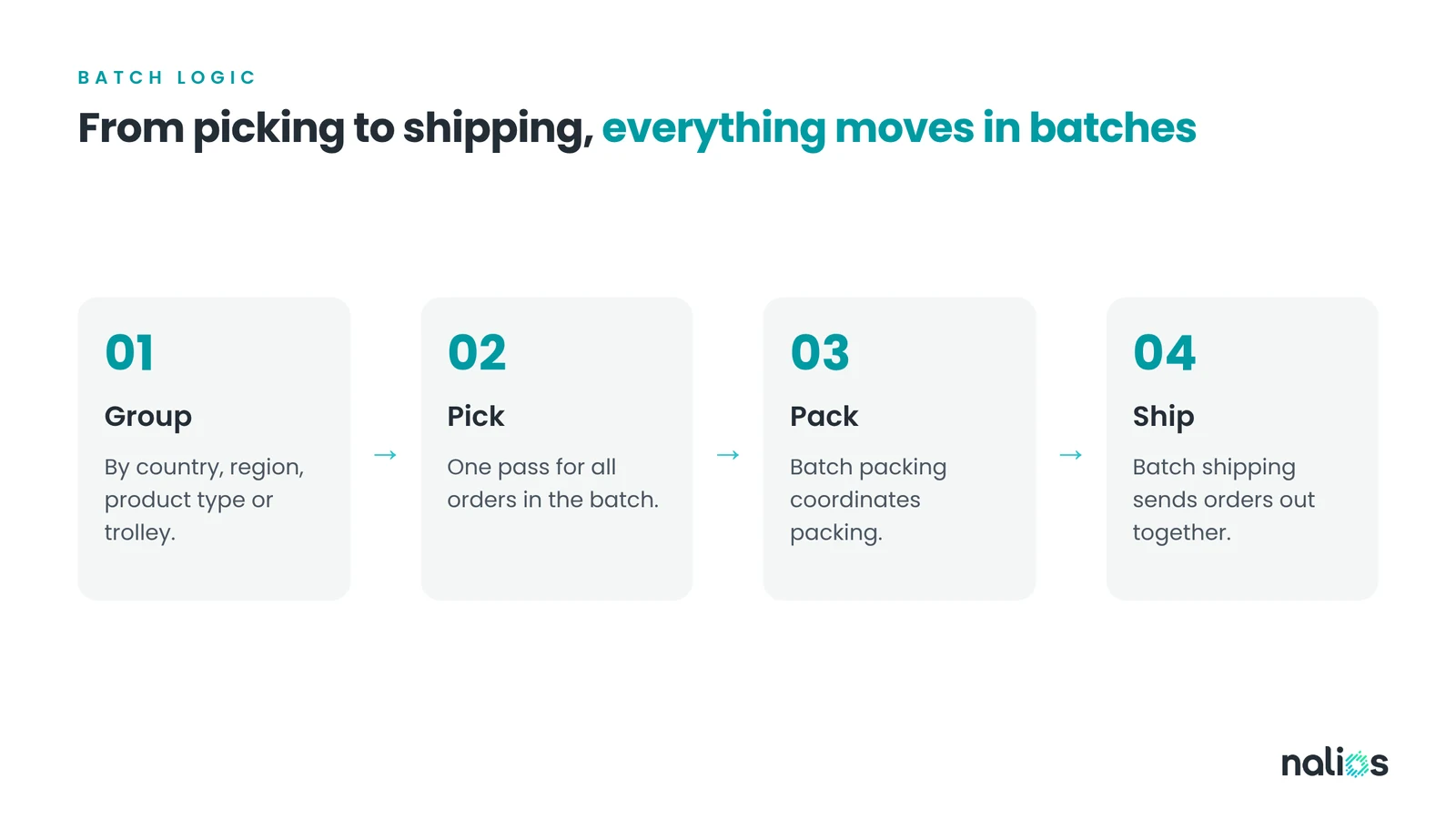
Batch picking extends to packing and shipping
The result: fewer bottlenecks, better use of resources and faster order fulfilment, from the first line picked to carrier departure.
Do you organise your warehouse around the order, or your orders around the warehouse?
04The concrete benefits for the warehouse
- Fewer trips: pickers no longer walk through the same aisles several times.
- Less handling: items are picked once for several orders.
- Faster order processing: the time between order and departure shrinks.
- Better use of resources: staff and equipment work on consistent batches.
- Faster shipping: grouped orders leave together.
05Setting up batch picking in Odoo
Batch picking relies on the batch transfers of the Inventory app. It requires a structured warehouse: storage locations enabled and multi-step routes, to separate picking, packing and shipping. Batches can then be processed from the back end or from the Barcode app, on a mobile terminal.
The question is not only a technical one. The talk invited us to ask why the warehouse is organised this way, rather than how. Many companies structure their processes around each individual order, and force their teams to walk the same aisles again and again.
💡 The Nalios perspective
Batch picking is one of the most profitable levers in logistics, but it can't be improvised. The grouping criteria, location addressing and number of outbound steps must match your reality on the floor. Poor grouping creates more sorting than it saves.
Start by analysing your orders: number of lines, most frequent items, destinations. If a large share of orders share the same items or destinations, batch picking will save you time. Test it on one zone or order type before rolling it out to the whole warehouse.
Whether you work in retail and in food and beverage, the method adapts to your constraints. And to track the impact of your flows on stock value, read Inventory valuation in Odoo 20: what changes compared to V19.
Key takeaways
Batch picking in Odoo, in four points.
A warehouse organised to ship faster
We analyse your flows and configure the batch picking that fits your warehouse in Odoo.
Discover our logistics offerSources: talk "Smarter picking, faster shipping", Odoo Experience 2026 (notes by Elias Mondelaers, Nalios), Odoo documentation on batch picking.
Key questions
Short answers to the most frequently asked questions about batch picking in Odoo.
It is a picking method where a picker collects several orders in a single trip. The orders are grouped into a batch, then sorted by order.
Batch picking requires a separate sorting step after picking. Cluster picking sorts items directly into bins dedicated to each order during picking.
For warehouses that handle large order volumes with stable demand, and where orders often share items or destinations.
Yes. Odoo's Barcode app lets you process batch, wave and cluster transfers created in the Inventory app.