Hide Prices on Quotations & Invoices (PDF)
Hide unit price, discount, taxes or totals on quotation and invoice PDFs, document by document.


Présentation du module

/ Odoo 20 · Sales · Invoicing
Remove prices from your PDFs
Send a quotation without unit prices, an invoice copy without discounts, or a document with products and quantities only. Four checkboxes on each quotation, order and invoice decide what the PDF shows.
What it does
You choose what the customer sees
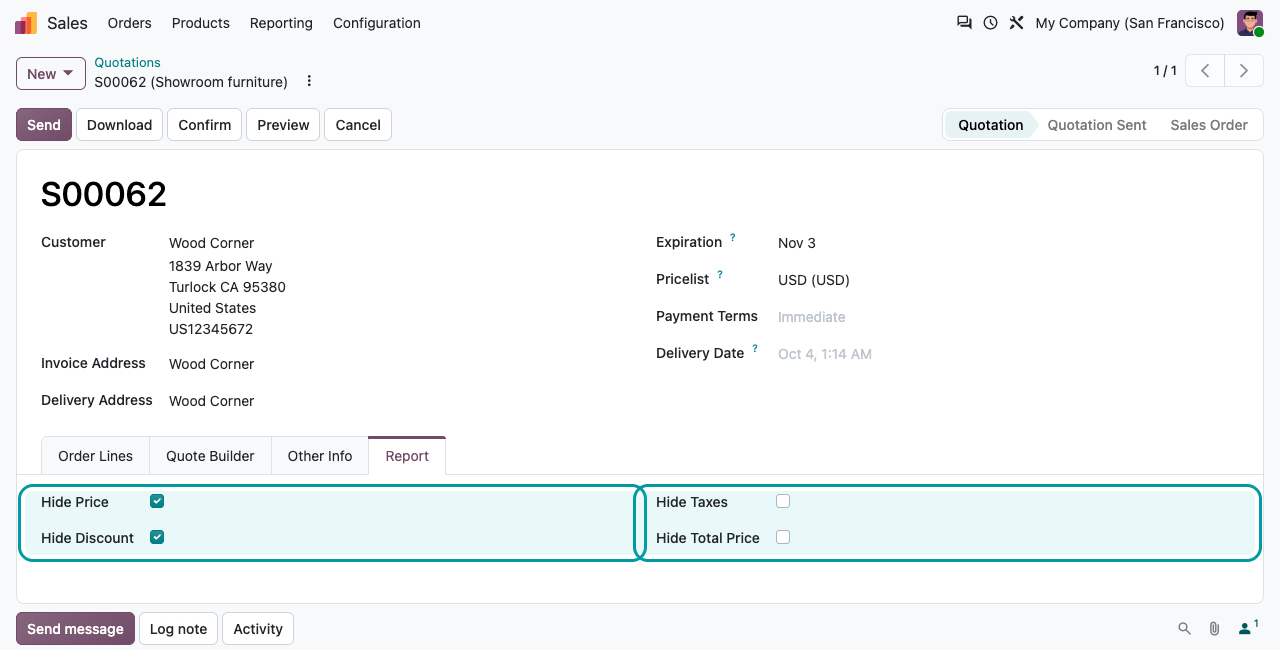
A Report tab on the quotation / sales order form and on the invoice form, with four options that apply to the printed PDF of that document only.
Hide Price
Removes the Unit Price column. The line amounts and totals stay.
Hide Discount
Removes the Disc.% column, for customers who should only see net amounts.
Hide Taxes
Removes the Taxes column from the lines.
Hide Total Price
Removes the line Amount column and the totals block (untaxed amount, taxes, total).
Before / after
Same quotation, two documents
Left: the standard quotation. Right: the same quotation with Hide Price, Hide Discount and Hide Taxes ticked.
Standard quotation PDF
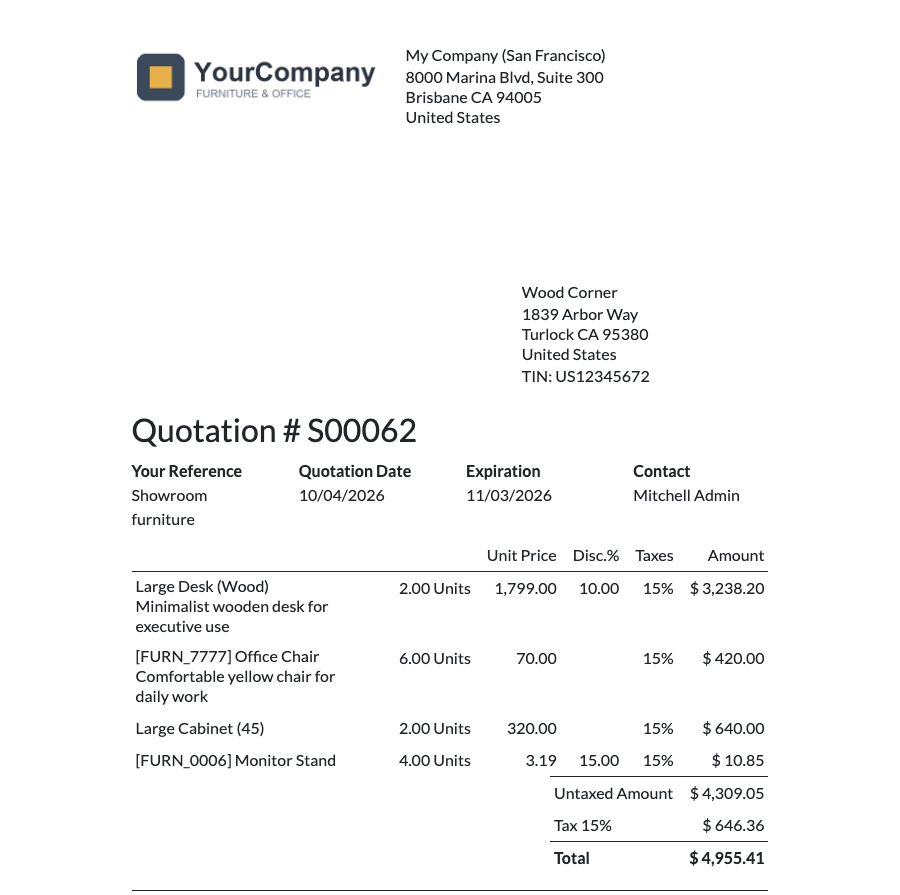
Unit price, discount and taxes hidden
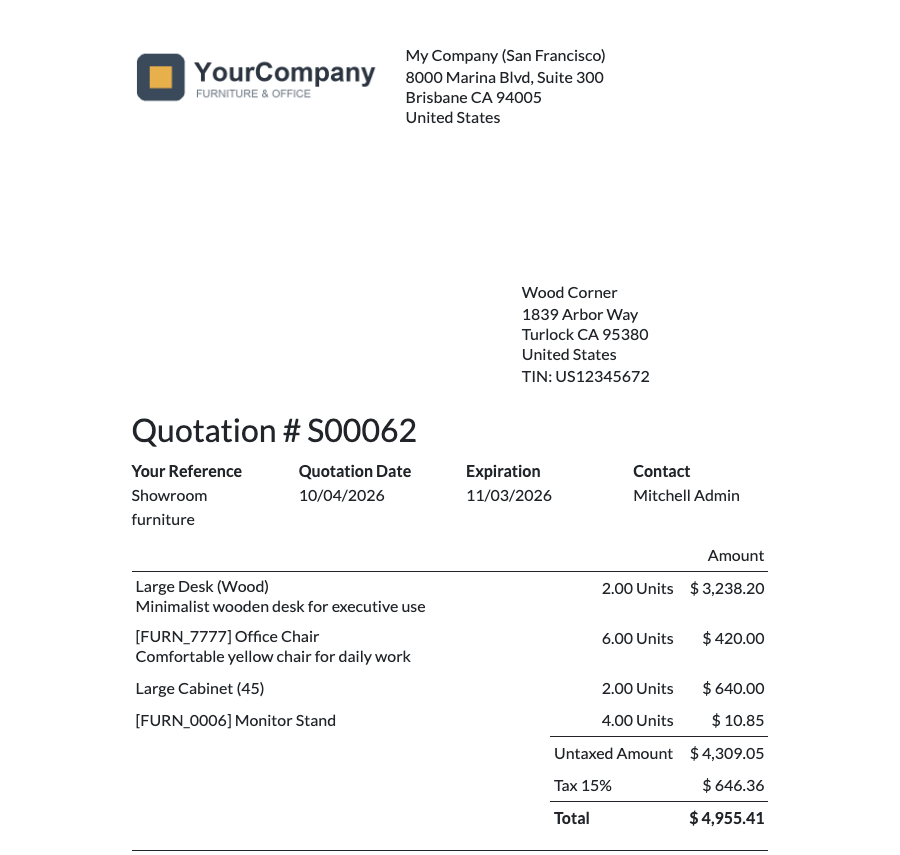
Quantities only
Tick all four: a priceless list
With every option ticked, the PDF lists the products and quantities only, without any amount or total. Handy as an order confirmation for a warehouse, a site manager or a third party.

How to use it
Open, tick, print
1
Open the document
A quotation, a sales order or an invoice, then its Report tab.
2
Tick what to hide
Combine the four options as you like. They are saved on that document only.
3
Print or send
Print the PDF or send it by email: the attached PDF follows your choice.
Sections, combos and collapsed groups
The four options also apply to section and subsection subtotals, combo product amounts and the summary rows of sections collapsed with Odoo's standard Hide Prices / Hide Composition options: hidden columns disappear from every row, so the table stays aligned, and Hide Total Price removes the section and combo amounts too.
FAQ
Good to know
Does it change the online quotation?
No. Only the PDF documents are affected. The customer portal page and the standard email text (which mentions the total) are unchanged.
Are the options copied to the invoice?
No. They are set per document: tick them again on the invoice if needed.
Which layouts are supported?
The standard Quotation / Order and Invoice PDF templates. Custom report templates may need an adaptation: ask us.
Is an invoice without prices legal?
That depends on your country. Use it for pro-forma documents or copies for third parties, and keep a complete invoice for accounting.
A question? A problem? Talk to the people who built it.
We will get back to you within 8 business hours.

Email us directly at
Published by
Nalios — Odoo Gold Partner, Belgium — nalios.be