Indexed Surcharges (Fuel, Energy, Raw Materials)
Add fuel, energy and raw material surcharges to your quotations and invoices automatically, with monthly rates or an index scale, customer notices and revenue reporting.


Présentation du module

/ Odoo 20 · Sales
Indexed Surcharges (Fuel, Energy, Raw Materials)
Diesel, energy and steel prices move every month. Add the surcharge of the period to every quotation automatically, carry it to the invoice and show your customers exactly how it is computed.
What it does
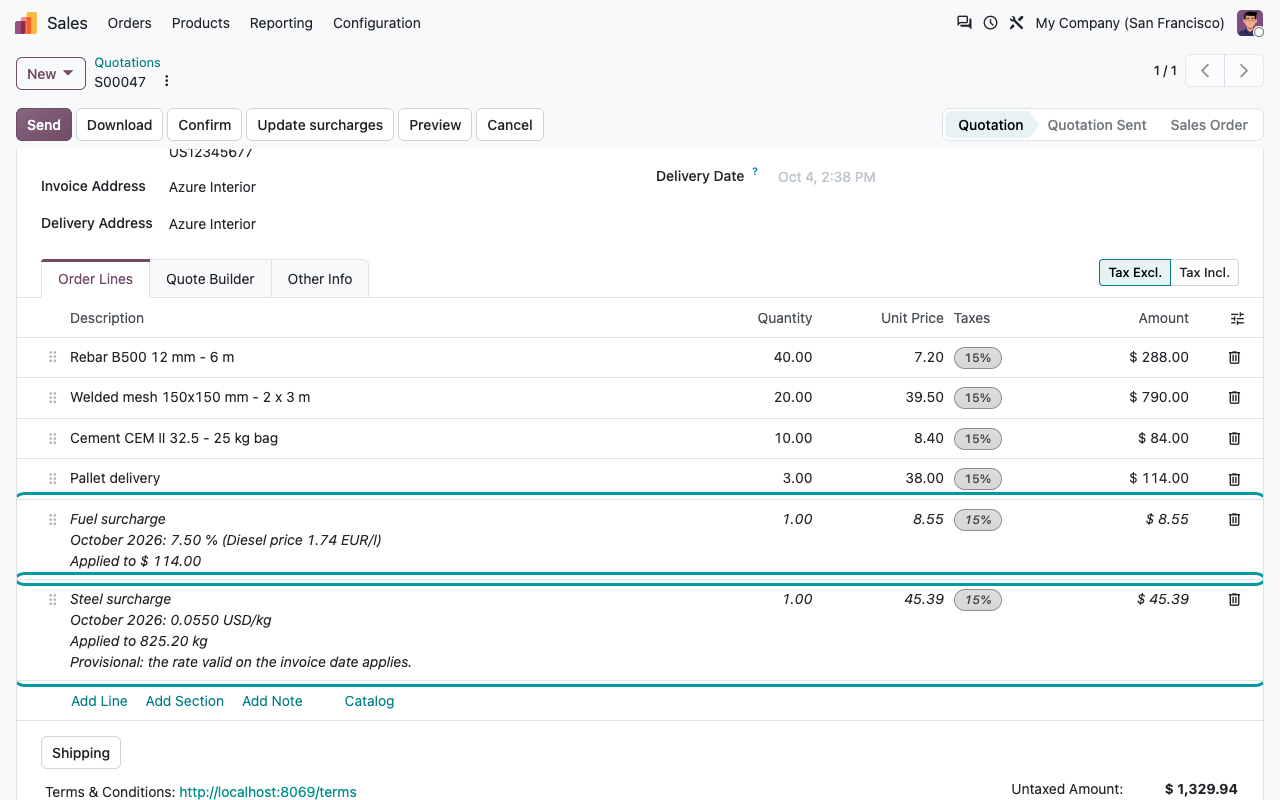
The surcharge of the month, on every quotation
One line per surcharge, added by Odoo, with the period, the rate and what it applies to. Your salespeople do not compute anything, your customers see a clear line.
Four ways to compute
A % of the untaxed amount of the eligible lines, a fixed amount per order, an amount per kg (product weight x quantity) or an amount per unit sold.
Only the right products
Eligible product categories (sub-categories included) and products, plus excluded products. Surcharge products, down payments, sections and notes are never charged.
Only the right customers
All customers, customers with some tags or a list of customers, with exempt customers on top (their contacts are exempt too). Optional threshold: only from, or only below, an order amount.
Always up to date
Change a quantity, a product, the customer or the date and save: the surcharge lines follow. Never duplicated, and only a surcharge administrator can remove one.
How it works
Set it up once, update a rate each month
1
Create the surcharge
Name, way of computing, eligible products and customers. The service product is created for you.
2
Publish the rates
One rate per period, typed in or imported from a CSV file. Or type the index value and let the scale give the rate.
3
Quote
The surcharge line is added on save, with the rate valid at the order date or at the delivery date.
4
Invoice
The line goes to the invoice, recomputed on the invoiced quantities, at the order rate or at the invoice date rate.
Periodic rates
Monthly rates, or a scale on an index
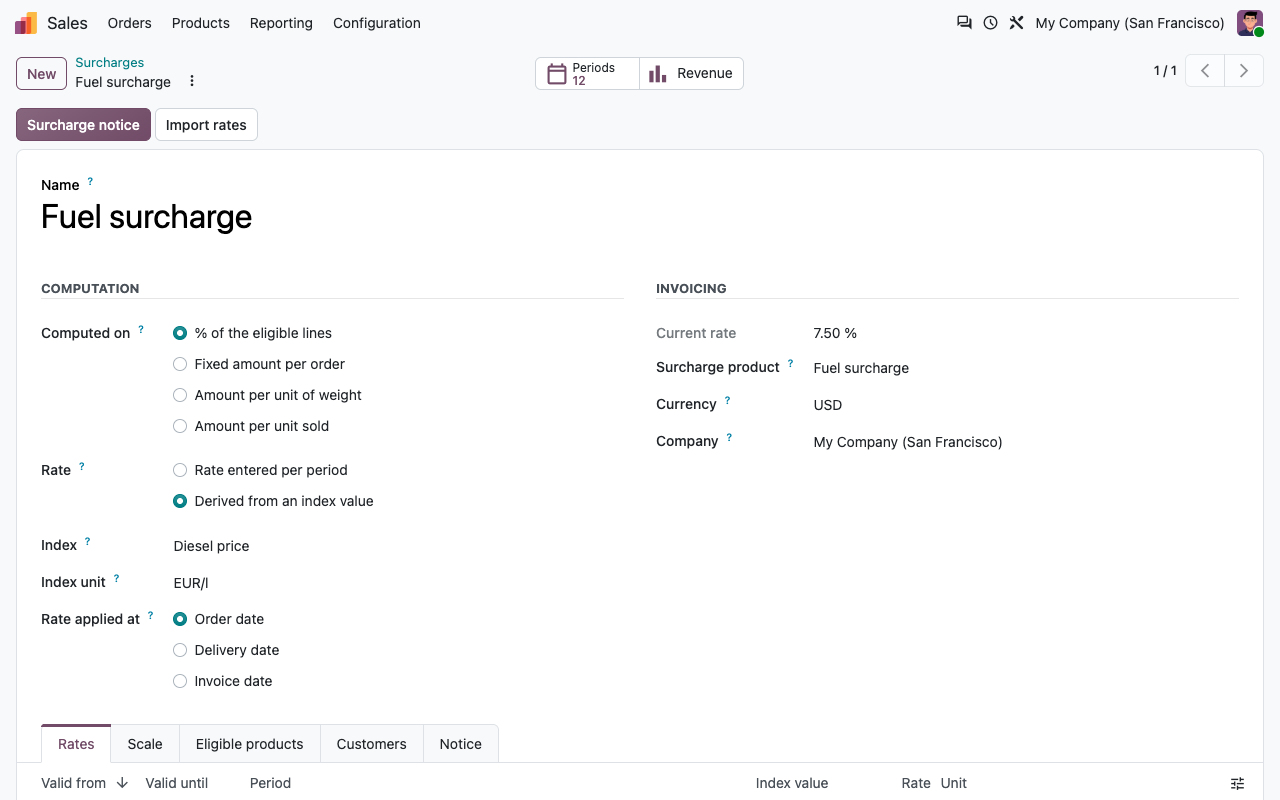
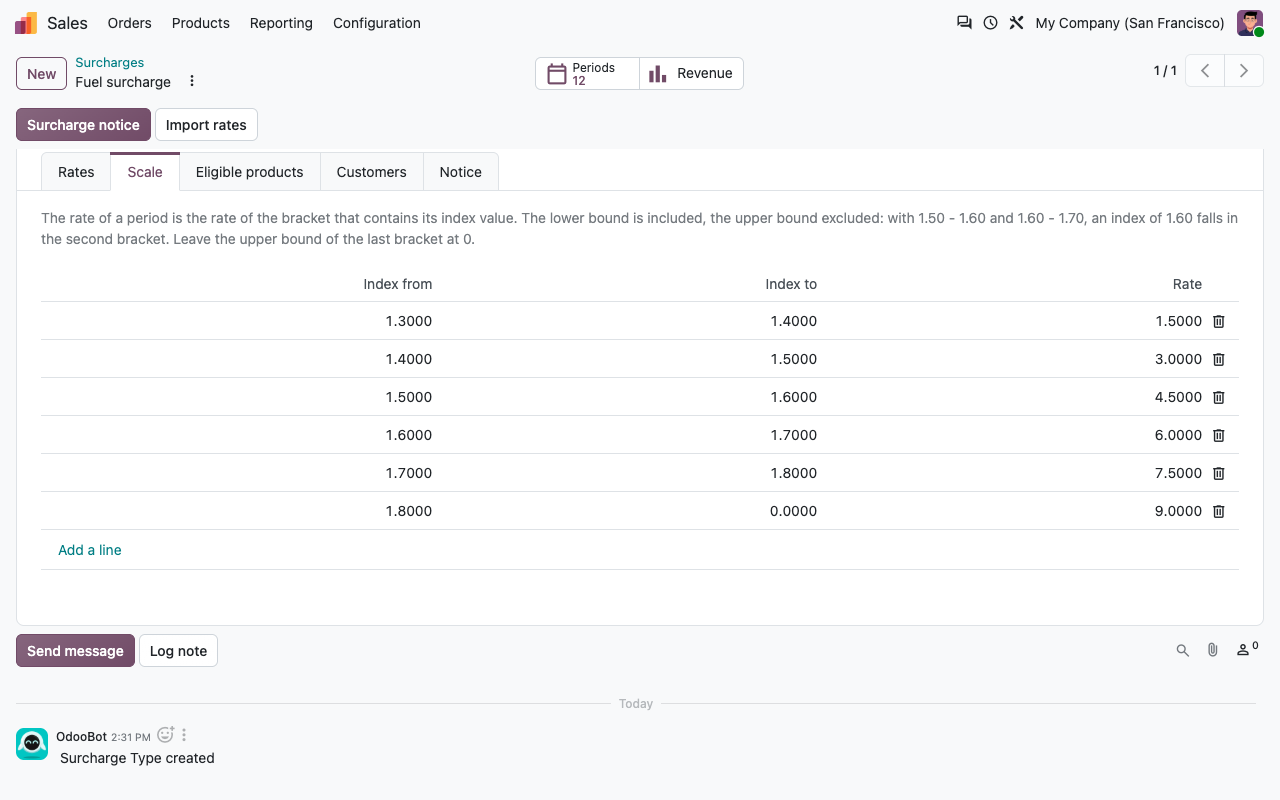
Each period has its validity dates. For a fuel surcharge, type the diesel price of the month: the scale turns it into a rate (1.60 to less than 1.70 EUR/l gives 6 %). Lower bound included, upper bound excluded, so a value on a boundary always falls in one bracket.
Monthly periods with the diesel price and the resulting rate
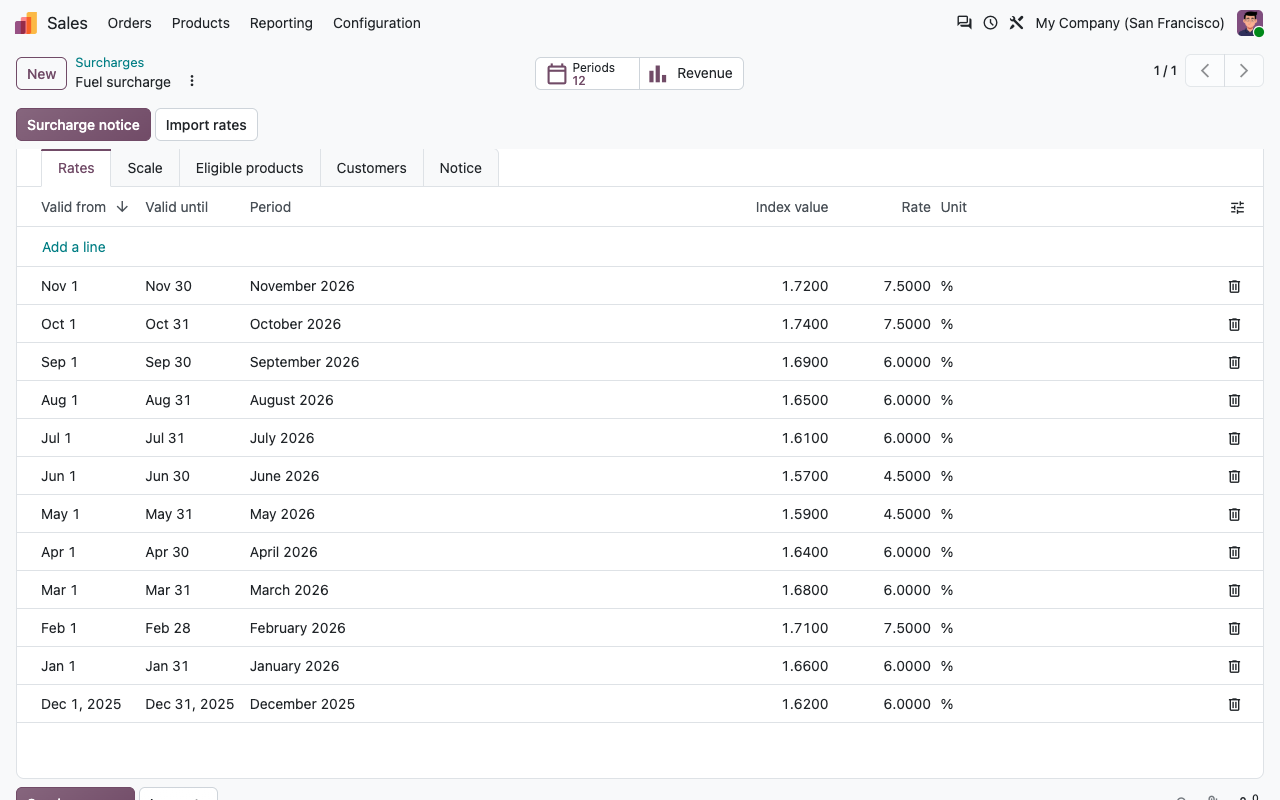
The scale: diesel price brackets and their rate
Invoicing
Carried to the invoice, recomputed when needed
On what is invoiced
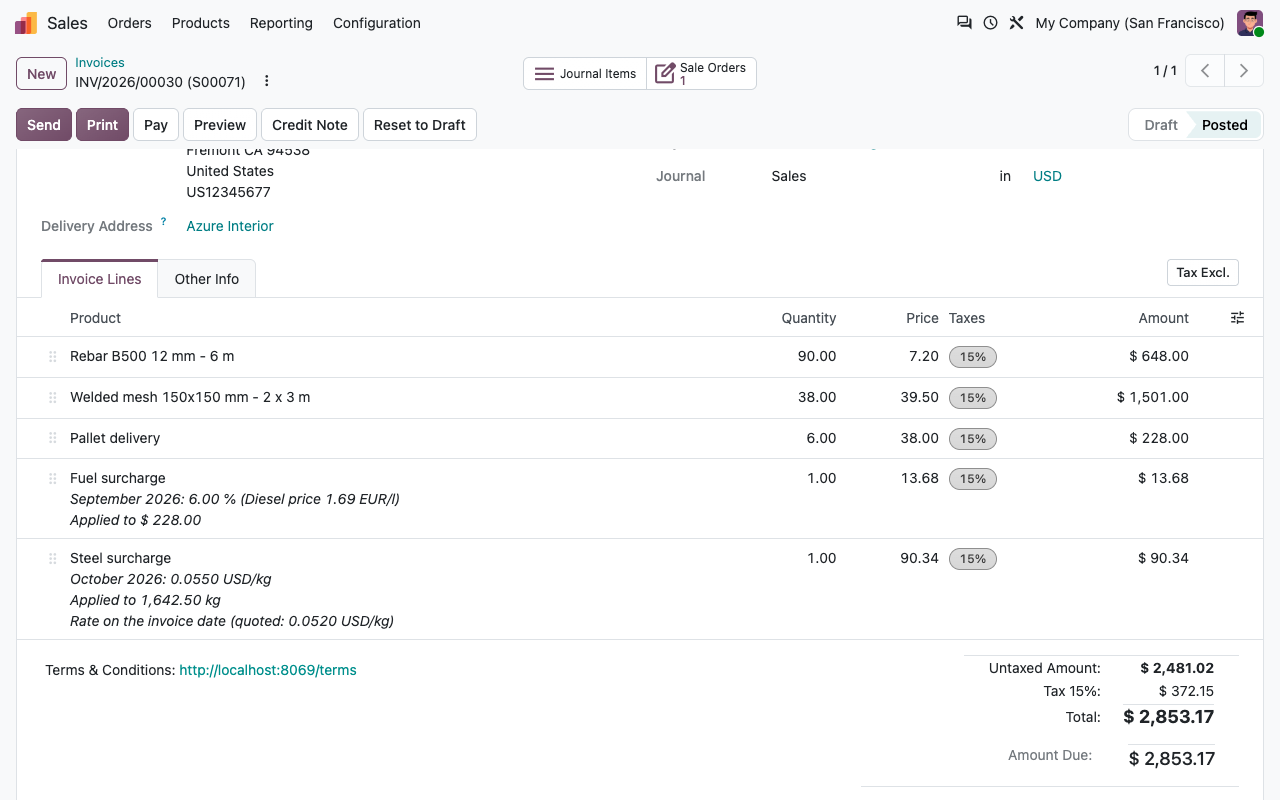
The invoice line is recomputed on the eligible lines of the invoice: delivered quantities, partial invoices (each invoice carries its own surcharge), credit notes for returns.
Rate of the order date
By default the rate shown on the quotation stays on the invoice. Confirming the order does not change it.
Or rate of the invoice date
For delivered goods: the quotation shows the current rate as provisional, the invoice uses the rate valid on its date, and its line says which rate was quoted.
Normal sales lines
A service product with its own income account and taxes. Nothing changes in your accounting, your reports or your exports.
Customer communication
Explain the surcharge, before the customer asks
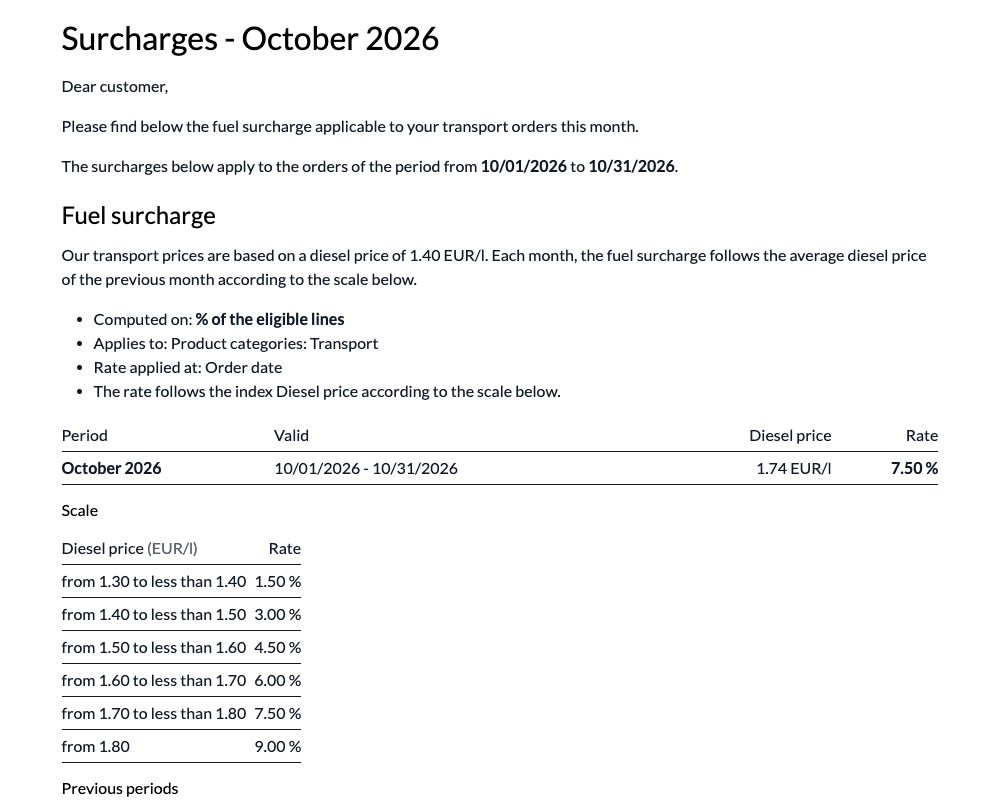
Print a surcharge notice for a period: one page per customer, in their language, with the rate of the period, how it is computed, the scale and the previous months. A rate history report is also available on each surcharge.
Reporting
How much the surcharges bring in
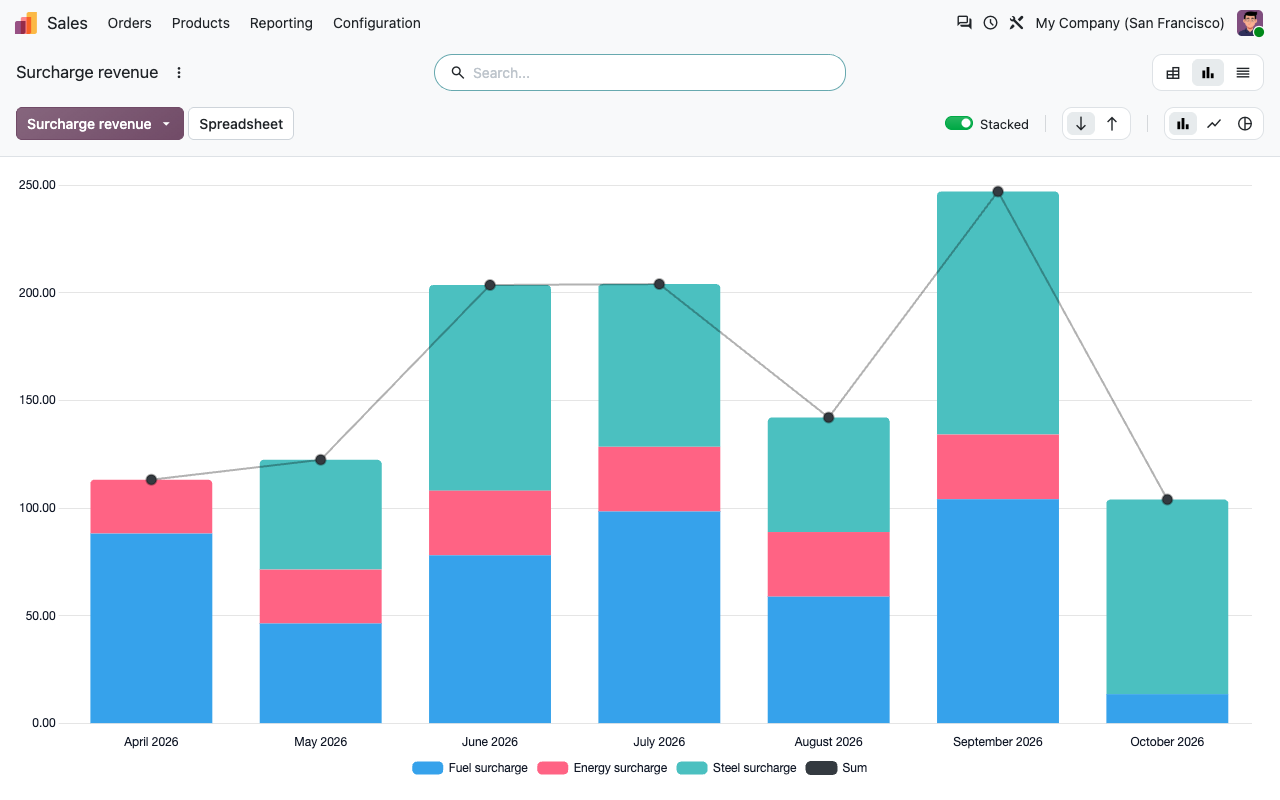
The surcharges of your posted invoices and credit notes, by surcharge, month, customer or salesperson, in a pivot table or a graph.
Standard Odoo vs this app
What Odoo already does, and what this app adds
Under the hood
Good to know before you start
Sample rates in the demo data
The demo data contains a fuel, a steel and an energy surcharge with sample rates so you can try the app. They are not official figures: enter or import the values you publish to your customers. The app does not download index values.
FAQ
Good to know
Can a salesperson remove a surcharge for one customer?
No: only a surcharge administrator can. To exempt a customer for good, add it to the exempt customers of the surcharge.
What if no rate is published for the period?
No surcharge line is added. The rate history shows the periods you have published.
Can I change the amount of a surcharge line by hand?
No, the line is read-only on the quotation and recomputed on save. Change the rate of the period, or ask an administrator to remove the surcharge from the order.
Does it work with the e-commerce?
Surcharge lines are added on quotations and orders managed in the back office. Website carts are left untouched.
A question? A problem? Talk to the people who built it.
We will get back to you within 8 business hours.

Email us directly at
Published by
Nalios — Odoo Gold Partner, Belgium — nalios.be