Multiple Delivery Addresses per Sales Order
Ship one sales order to several addresses: set a delivery address per order line and get one delivery per address.


Présentation du module

/ Odoo 20 · Sales
One sales order, several delivery addresses
Your customer orders for its three shops in one go. Set a ship-to address on each order line and Odoo creates one delivery order per address when you confirm. One order, one invoice, every parcel to the right door.

What it does
Split deliveries, not orders
Without it, a sales order has a single delivery address. Ordering for several sites means several quotations, several invoices, and a lot of copy-paste.
A ship-to on every line
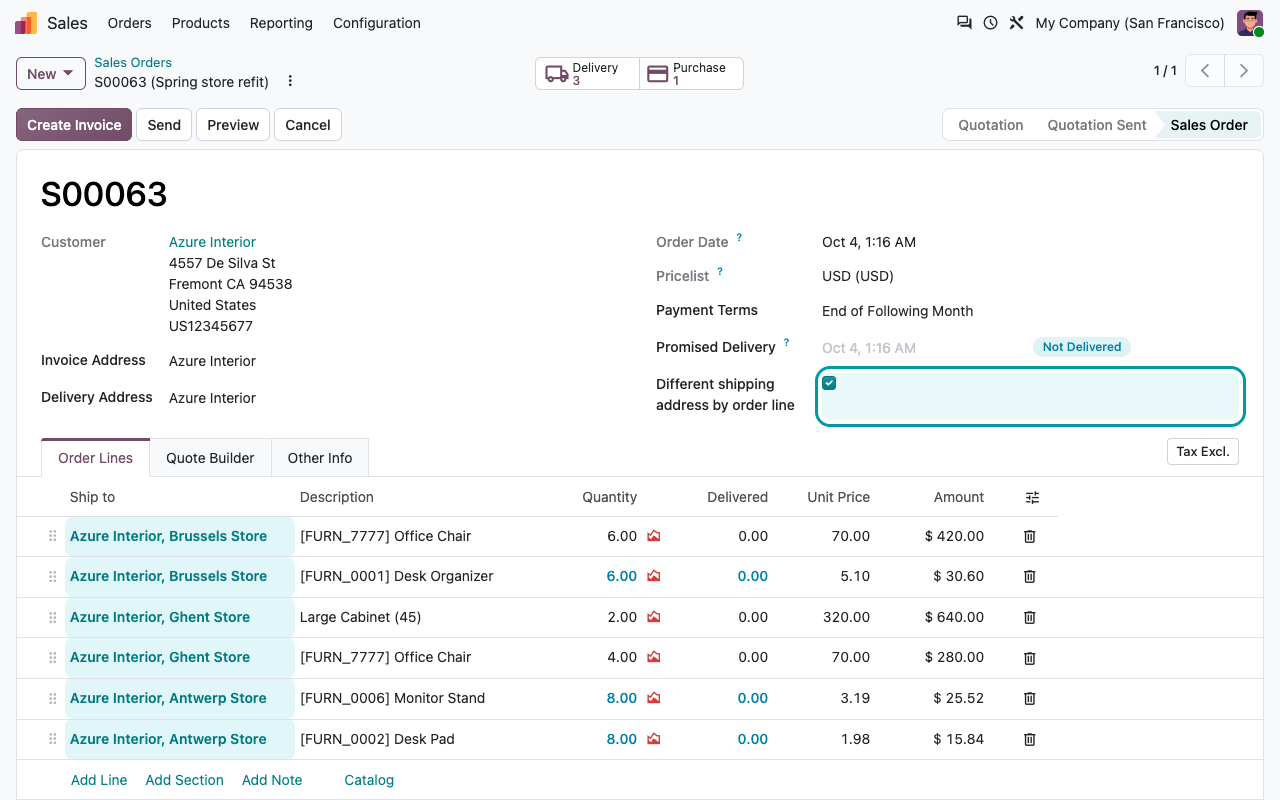
Tick Different shipping address by order line on the order and a Ship to column appears in the order lines.
Sensible default
New lines take the order's delivery address (or the customer). You only change the lines that go somewhere else.
One delivery per address
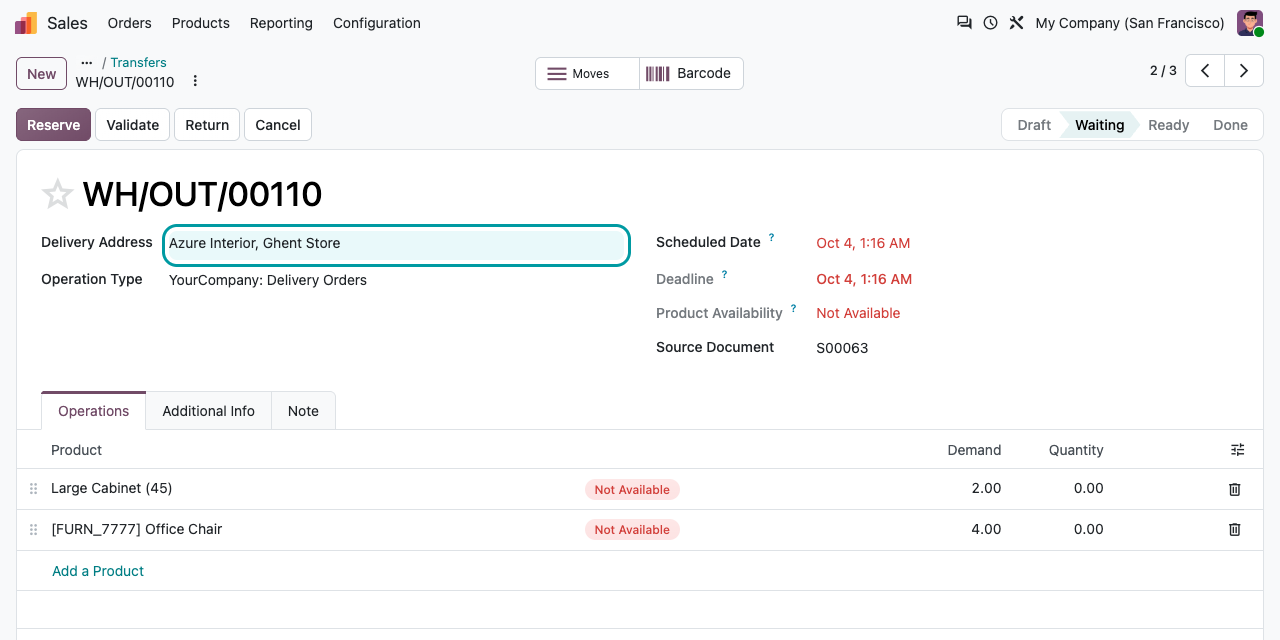
On confirmation, the lines are grouped by ship-to address: each address gets its own delivery order, with its own delivery address and delivery slip.
Still one order
All deliveries stay linked to the sales order (Delivery smart button) and you keep one invoice for the whole order.
On confirmation
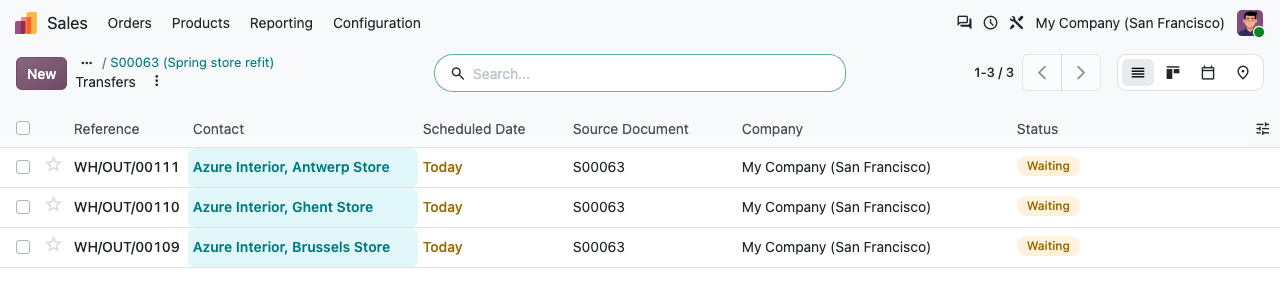
Three addresses, three deliveries
The order above creates one delivery order per store, all linked to the same sales order. Each one only contains the products for that address.
How to use it
Tick, fill, confirm
1
Tick the option
On a quotation, tick Different shipping address by order line, ideally before adding lines.
2
Set the ship-to
Add your products and pick a Ship to address on the lines that go elsewhere.
3
Confirm
Odoo creates one delivery order per ship-to address. Lines added later to a confirmed order join the open delivery of their address.
FAQ
Good to know
What if I do not tick the option?
The order behaves exactly like standard Odoo: one delivery address, no Ship to column.
Which addresses can I choose?
Any contact. The list is not limited to the customer's own addresses, so check the ship-to when you pick it.
I ticked the box after adding lines.
Existing lines keep an empty Ship to: fill it in before confirming, otherwise those lines go to the order's delivery address.
Shipping costs and documents?
Shipping methods and costs stay per order, not per address. The quotation PDF and the customer portal do not show the ship-to of each line.
A question? A problem? Talk to the people who built it.
We will get back to you within 8 business hours.

Email us directly at
Published by
Nalios — Odoo Gold Partner, Belgium — nalios.be