Odoo Cockpit
Run Odoo from one page: personal and team dashboards, one-click actions, analyses (RFM, Pareto, forecast...), field sales cockpit and an optional AI assistant.


Présentation du module

/ Odoo 20 · Productivity
Odoo Cockpit
Your whole Odoo, one screen. Personal and team dashboards built in clicks on any data, work lists with one-click actions, nine ready-made analyses, a field sales cockpit and an optional AI assistant.

Your home page
Open Odoo. See what matters.
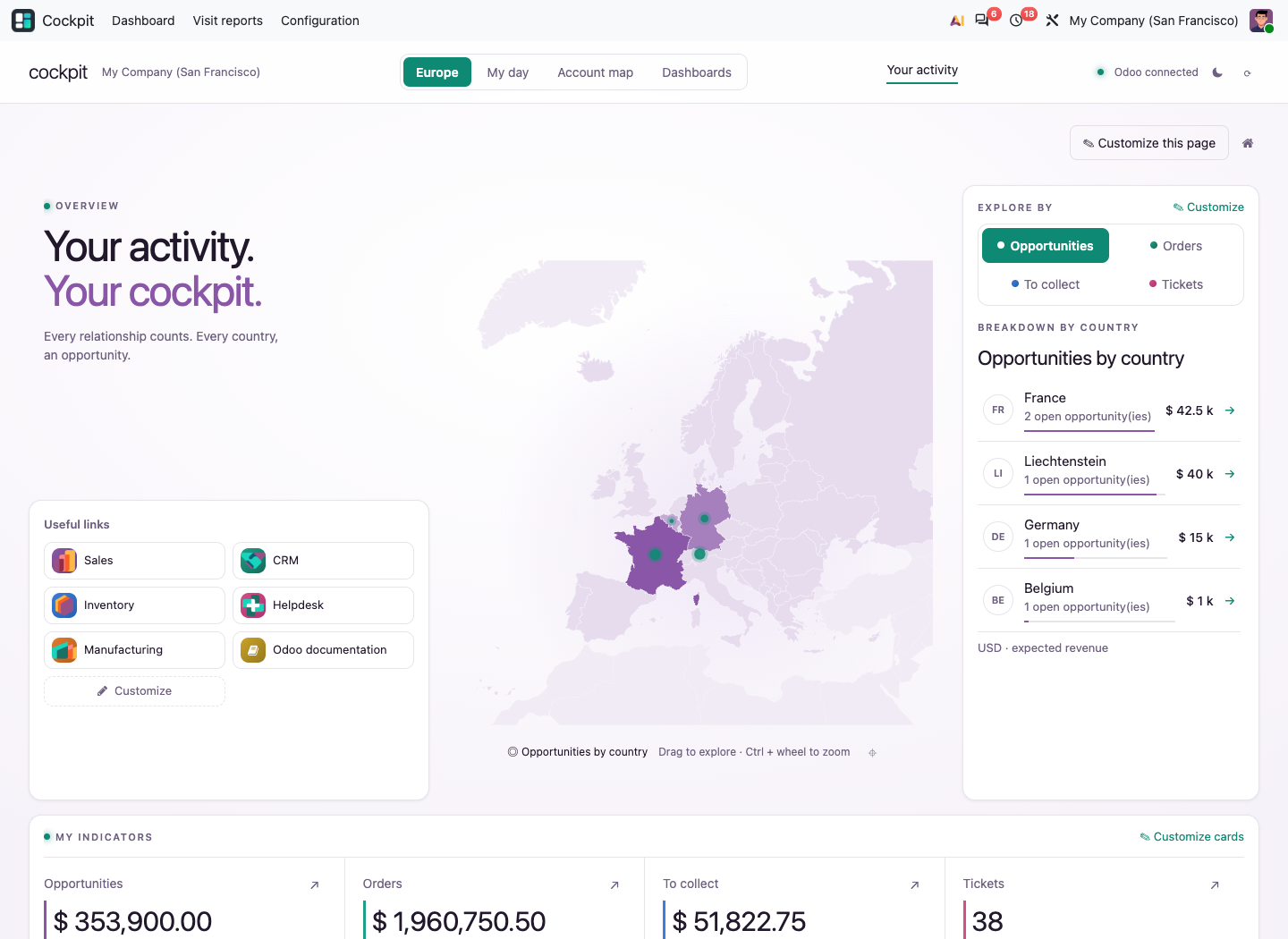
Every user lands on a page they configure: activity by country or region, key indicators, useful links and the alerts that need an answer today.
Coverage
One app. Every daily need.
What users get, and what managers configure for them.
Setup
Up and running in 3 steps
1
Install and open Cockpit
Your home page is ready at once: activity map, indicators, useful links and alerts, computed from the apps you already use.
2
Start from a template
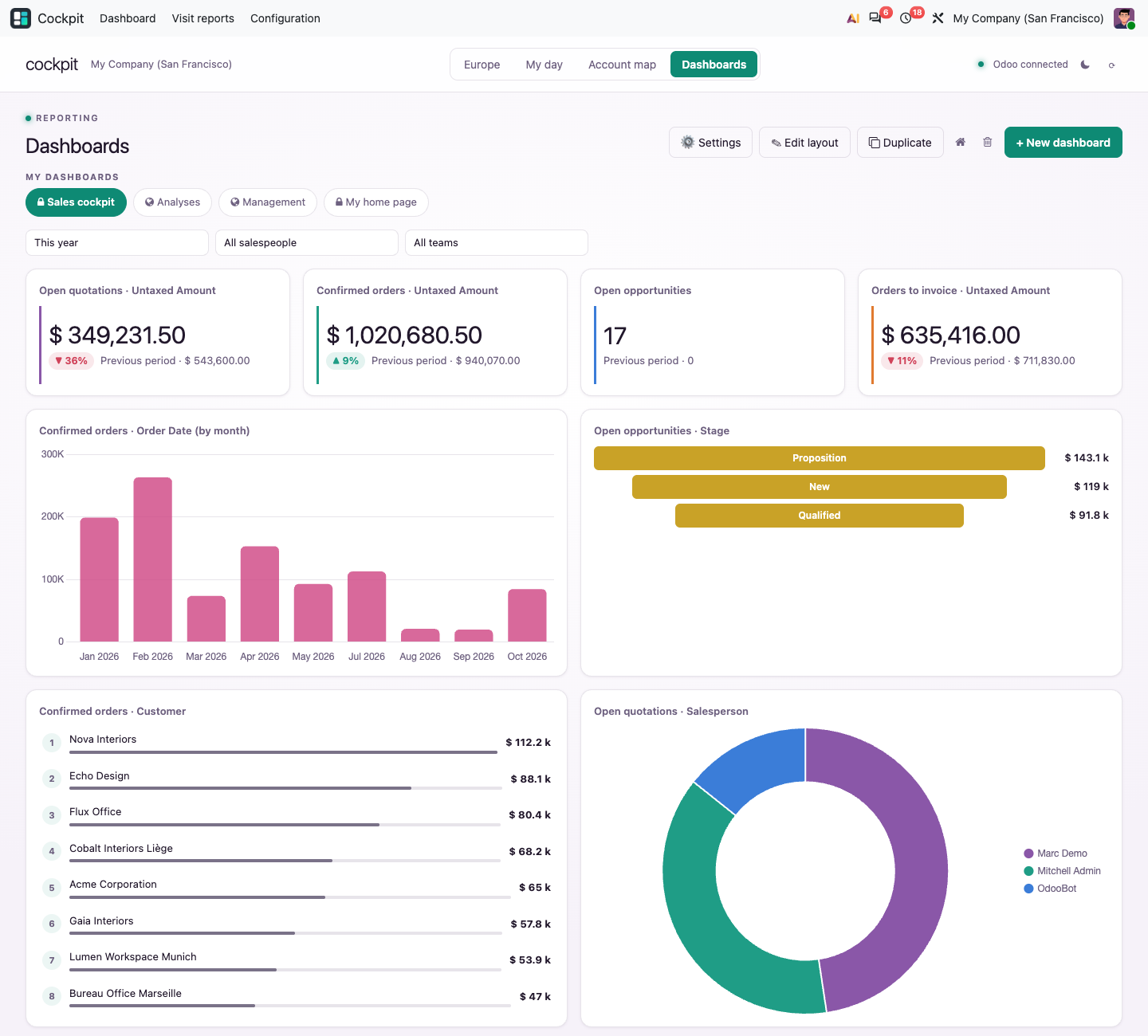
Sales, deliveries, support, production, accounting, purchase or a personal workspace: each dashboard is created with its widgets in one click.
3
Make it yours
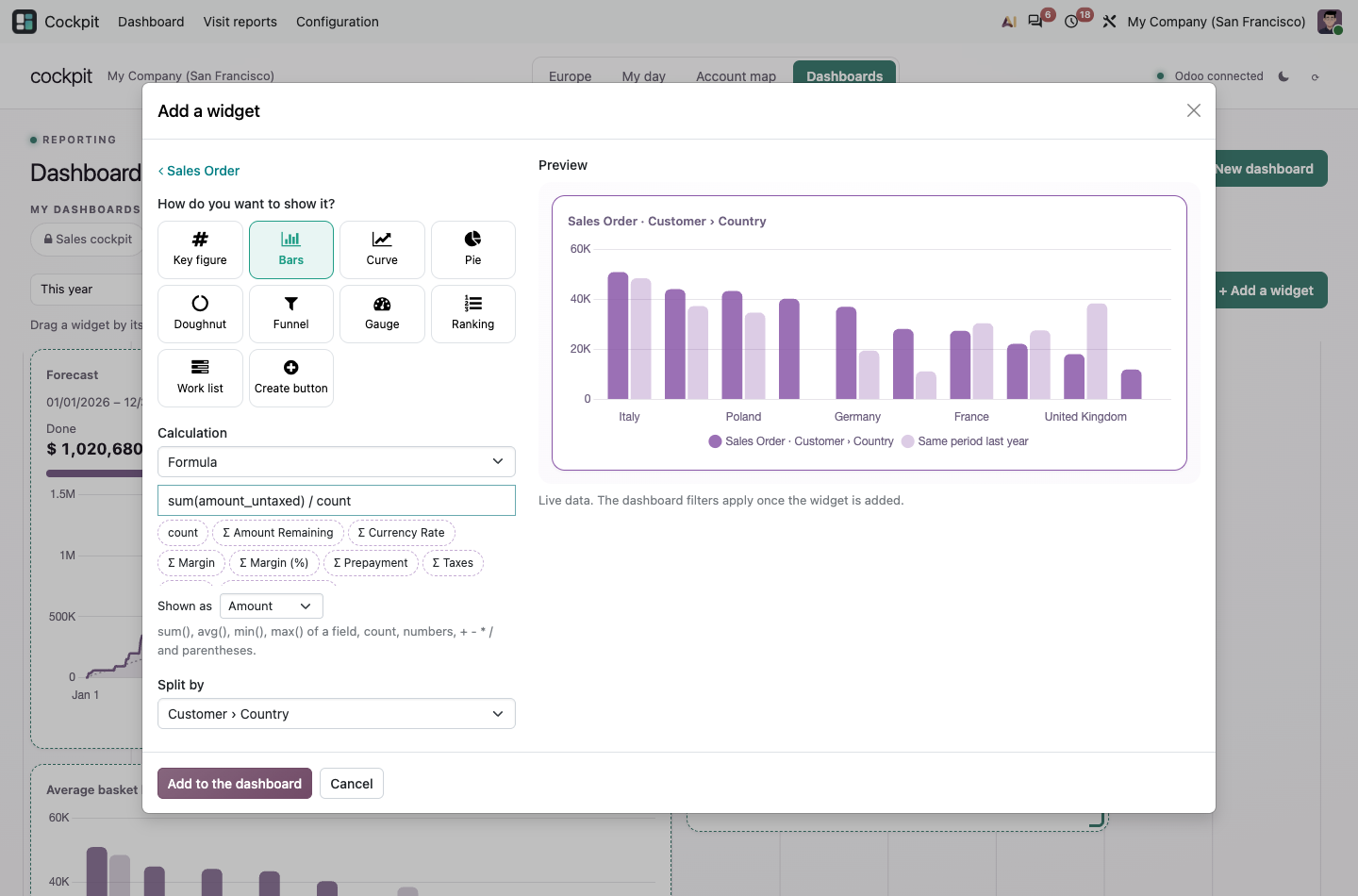
Add widgets on any data, drag them where you want, share a dashboard with your company or impose it on a team.
Differentiators
Why Cockpit is different
Any data, step by step
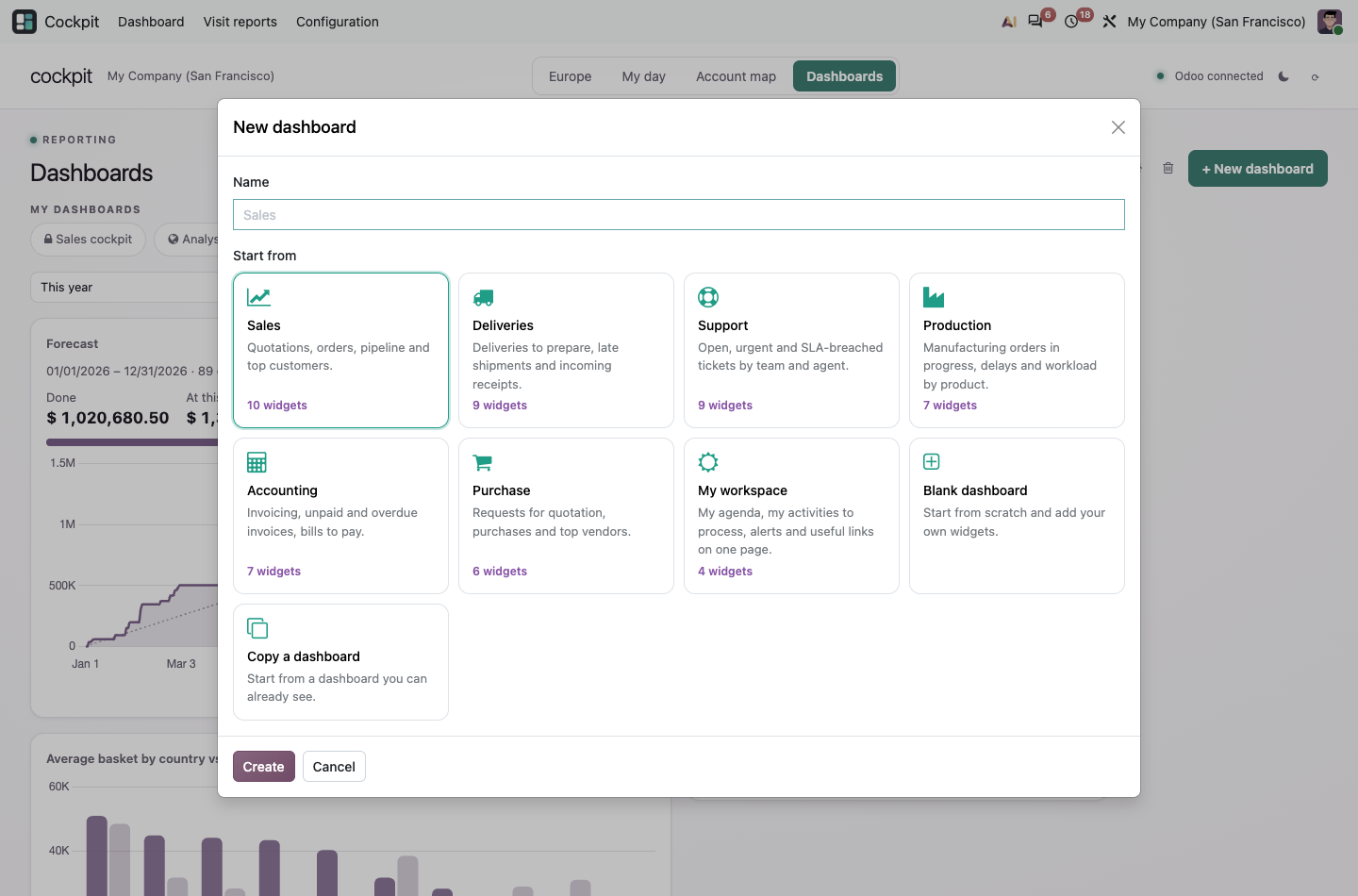
Pick any Odoo model, choose how to show it (key figure, bars, curve, pie, funnel, gauge, ranking, work list) and see a live preview. No SQL, no Studio, no developer.
Real formulas
sum(), avg(), min(), max() and count combined with + - * / and parentheses. Group by linked fields (customer › country) and compare with the previous period or last year.
Action where you look
Work lists come with buttons such as Confirm or Mark as won. Managers choose the buttons; they always run with the rights of the user who clicks.
Teams, not just users
Give each team its own home page and dashboards. Members always see them and can duplicate them to build their own version.
Made for the field
My day with travel times between meetings, a map of accounts by potential, visit reports on your own templates and alerts that suggest the next action. The same forms can be filled on any record, straight from a work list.
Your AI, your choice
The assistant is off by default. Turn it on with your own key for Anthropic, OpenAI, Gemini, Mistral or any OpenAI-compatible service. It proposes; you decide.
Analyses
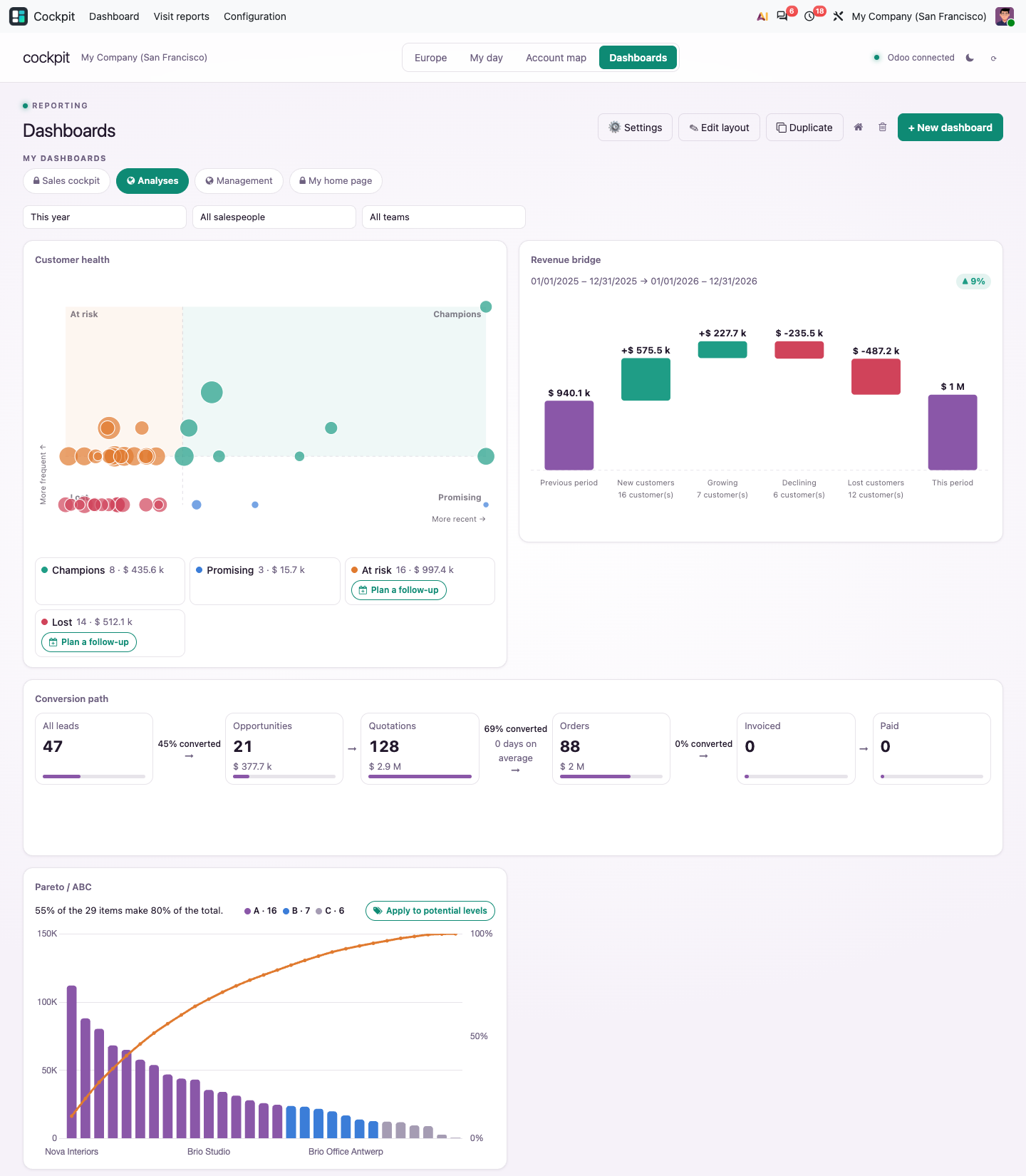
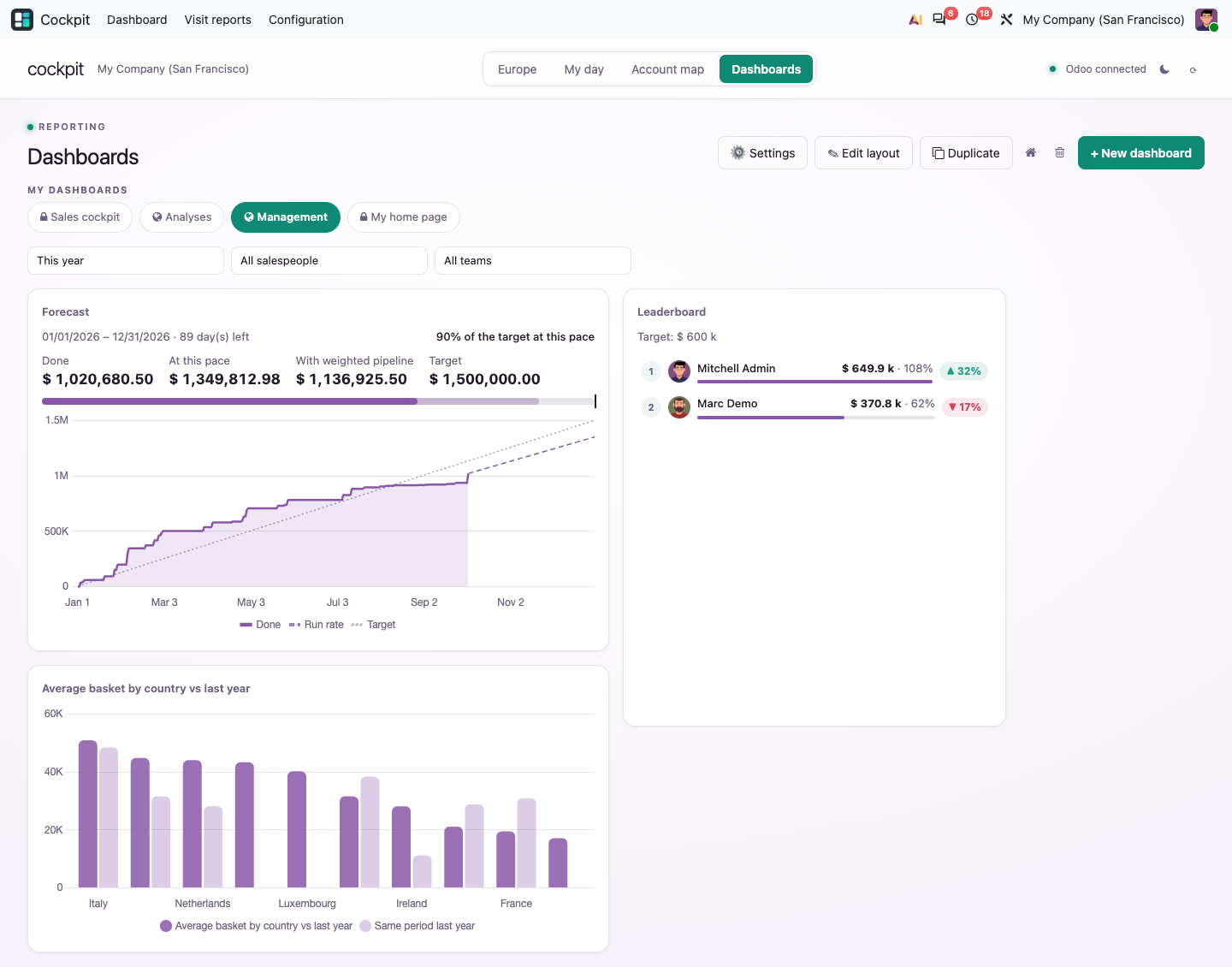
Nine analyses, ready to use
01
Customer health
Champions, customers at risk and lost customers, with one-click follow-up activities.
02
Revenue bridge
Why the result moved: new, growing, declining and lost customers.
03
Conversion path
From lead to payment: volumes, conversion rates and delays.
04
Pareto / ABC
The few customers or products that make most of the result.
05
Calendar heatmap
One square per day to spot peaks, gaps and seasons.
06
Heat matrix
Two dimensions crossed, the strongest cells highlighted.
07
Forecast
Where you will land: done so far, run rate and weighted pipeline.
08
Leaderboard
Each salesperson against the target and the previous period.
09
Timeline
Upcoming deadlines on a time line, late ones in red.
Pick a source, drop it on a dashboard. No configuration needed.
AI assistant · optional
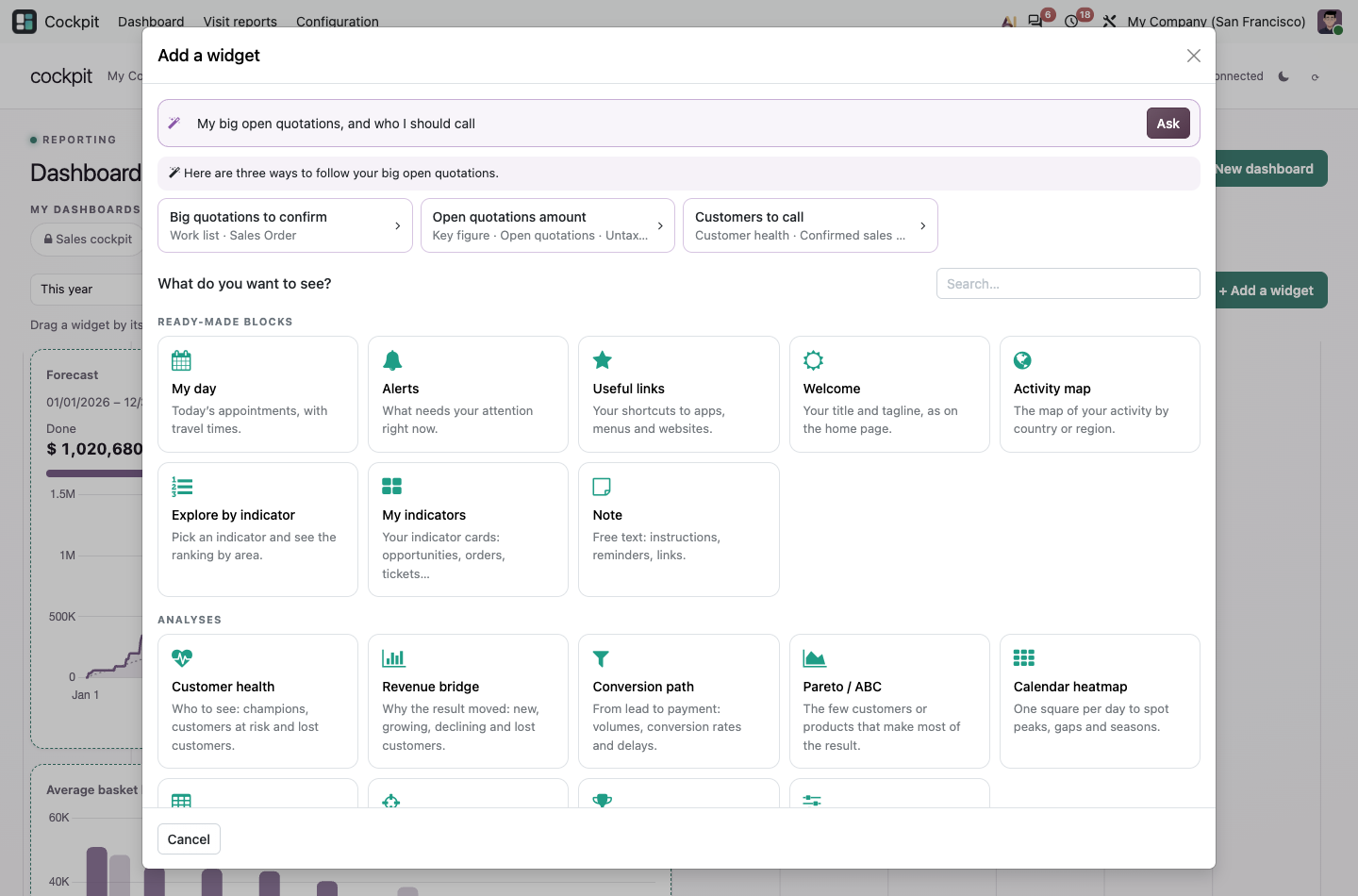
Ask in plain words. Get widgets.
Describe what you want to follow. The assistant proposes widgets built on your real Odoo data; you preview them with your own access rights and add the ones you like. It is off by default and uses your own API key.
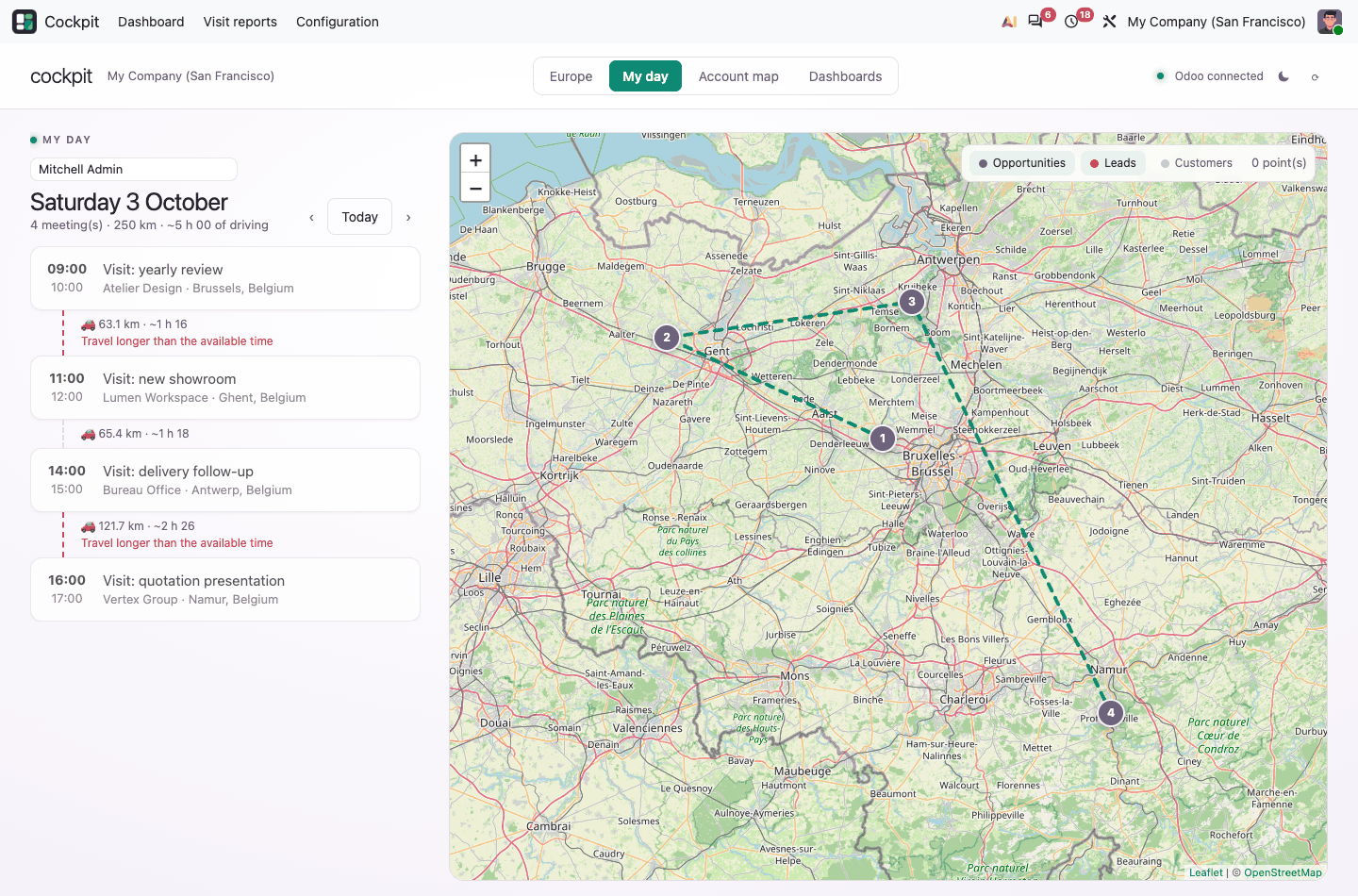
Out on the road?
My day lays out your meetings on a map with travel times and flags the ones you cannot reach on time. Open the route in Google Maps or Waze, see the accounts nearby worth a visit, and write the visit report on your phone, by voice if you like.
Under the hood
Technical highlights
A question? A problem? Talk to the people who built it.
We will get back to you within 8 business hours.

Email us directly at
Published by
Nalios — Odoo Gold Partner, Belgium — nalios.be