Price Indexation for Contracts & Price Lists
Index your price lists and sales prices once a year (Agoria, health index, Syntec): preview, apply, revert and send customer letters.


Présentation du module

/ Odoo 20 · Sales
Price Indexation for Contracts & Price Lists
Your contracts let you index your prices once a year: Agoria, health index, Syntec. Compute every new price from the index values, check the preview, apply it in one click and send each customer a letter in their language.
What it does
From index values to new prices
No more spreadsheet next to Odoo. The indexes, the formula of your contracts and the new prices live in the same place as your price lists.
Indexes with dated values
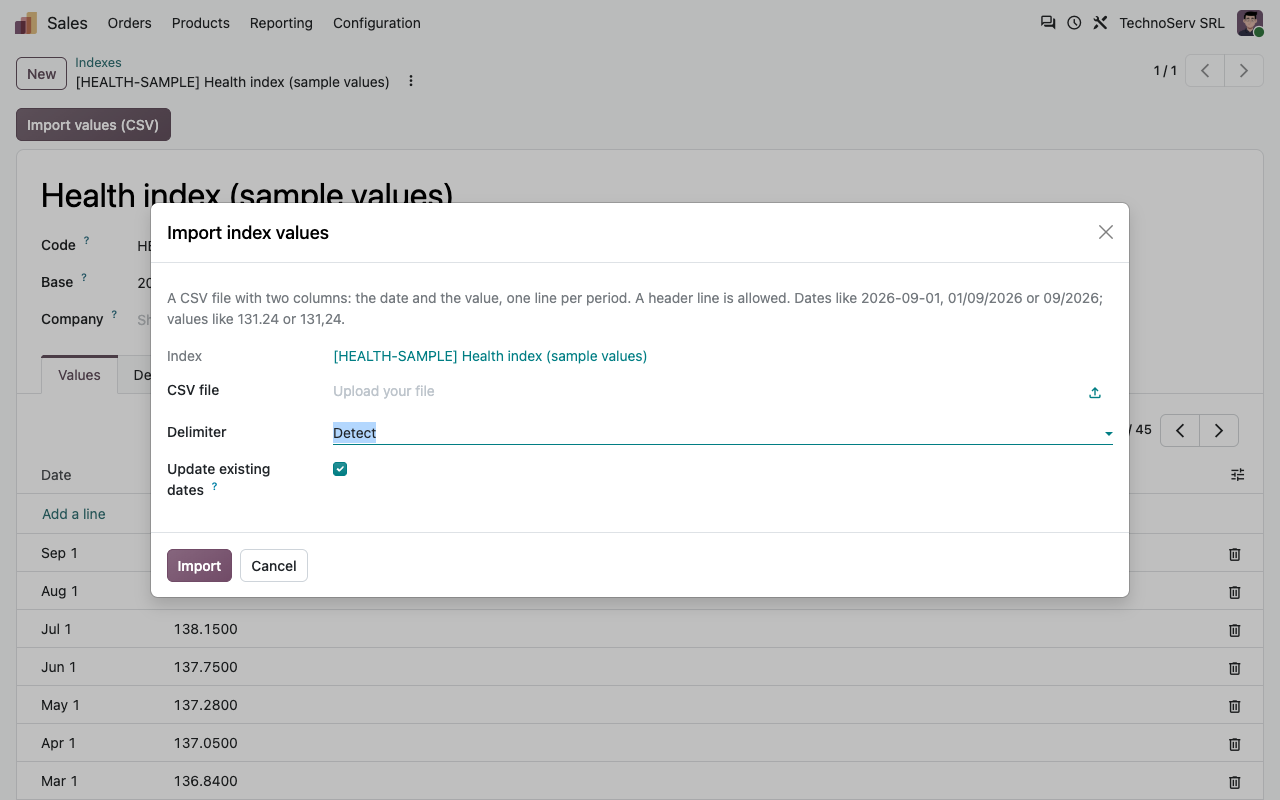
Type the monthly values or import them from a CSV file (date and value, decimal comma accepted). The value used for a date is the latest one published on or before it.
Three formulas
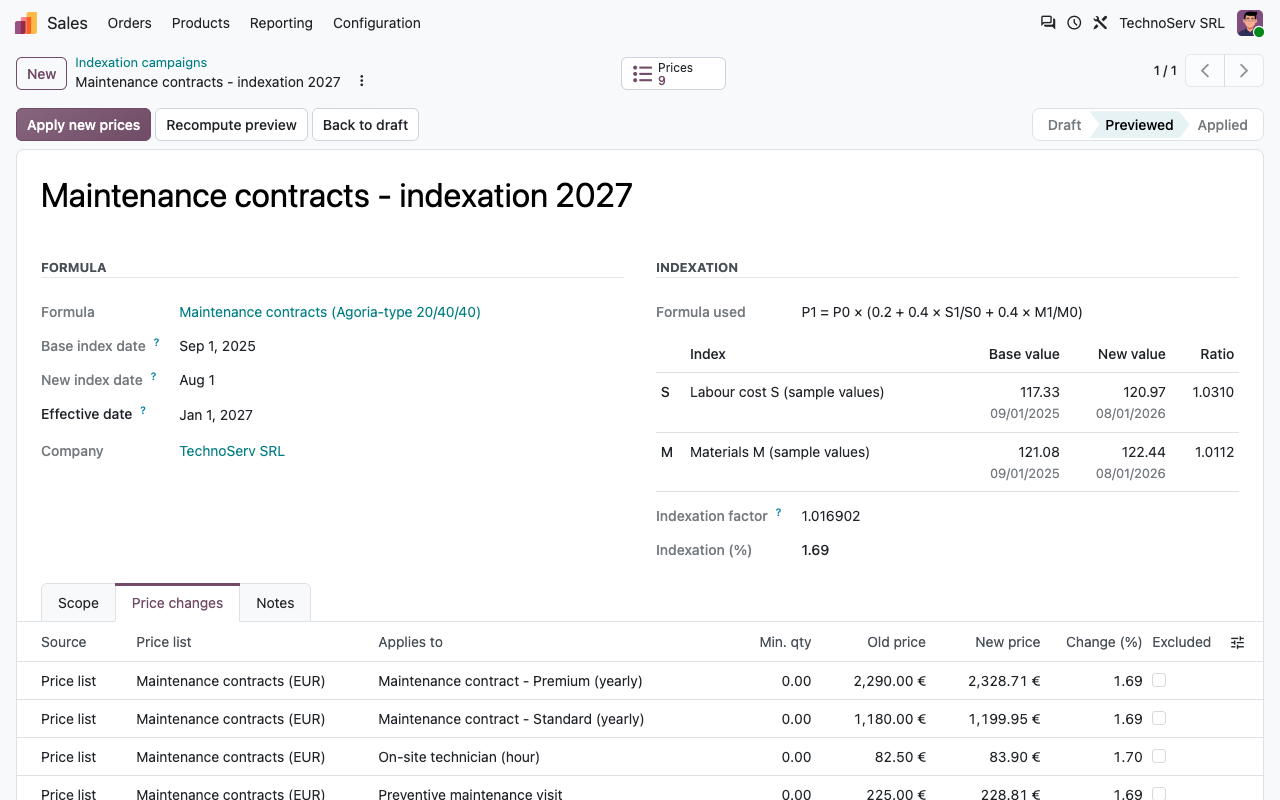
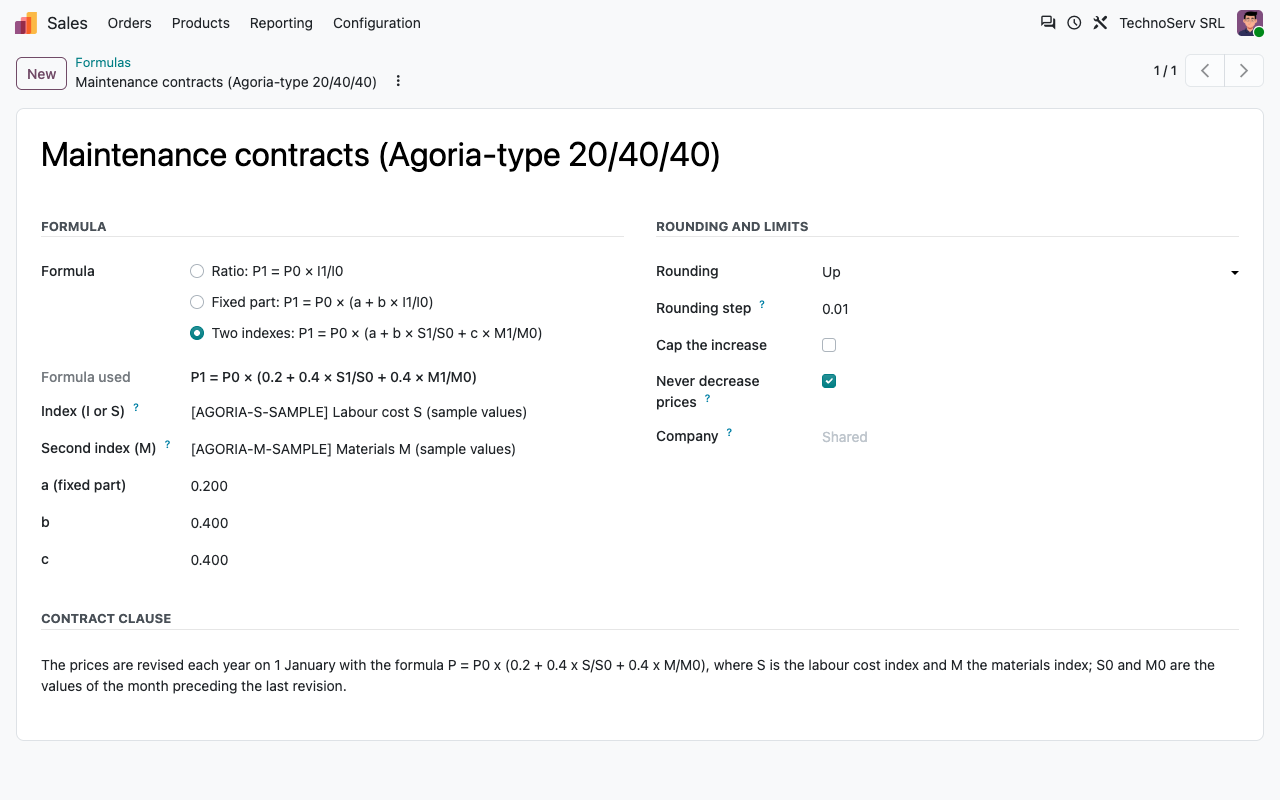
Ratio P0 × I1/I0 (Syntec type), fixed part P0 × (a + b × I1/I0) (health index type), or two indexes P0 × (a + b × S1/S0 + c × M1/M0) (Agoria type). Odoo checks that the coefficients add up to 1.
Rounding, cap and floor
Round half-up, up or down to the cent, to 5 cents or to the unit. Cap the increase at a maximum percentage, and choose whether prices may go down when the indexes do.
A preview you can edit
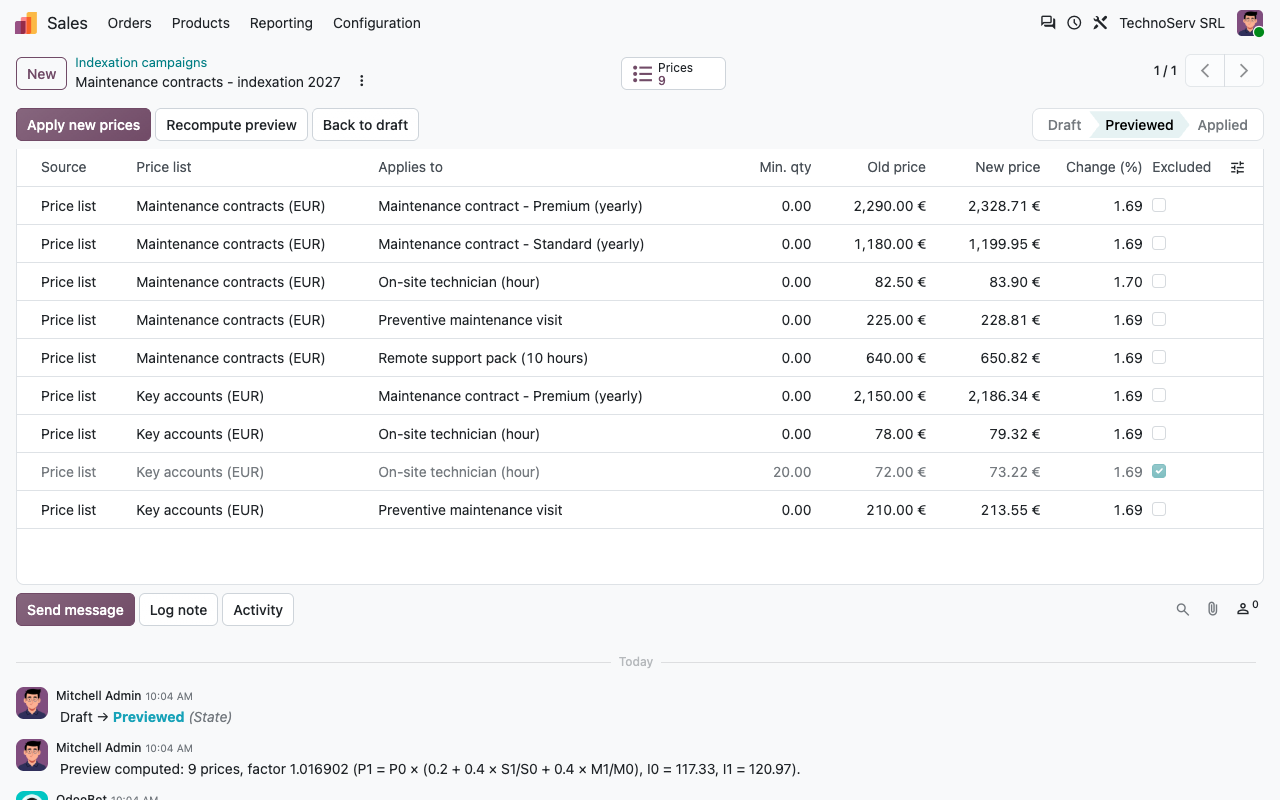
Every fixed price of the selected price lists, and if you want the sales price of the products, with the old price, the new price and the change. Adjust or exclude any line before applying.
How it works
Four steps, once a year
1
Update the indexes
Import the new values of your indexes, or type them in.
2
Create a campaign
Pick the formula, the base and new index dates, the effective date, the price lists and, if needed, product categories or customers.
3
Check and apply
Compute the preview, correct or exclude lines, then apply: the new prices are written on the price lists and products.
4
Notify
One letter per customer concerned, printed or sent by email with the PDF attached.
Customer letters
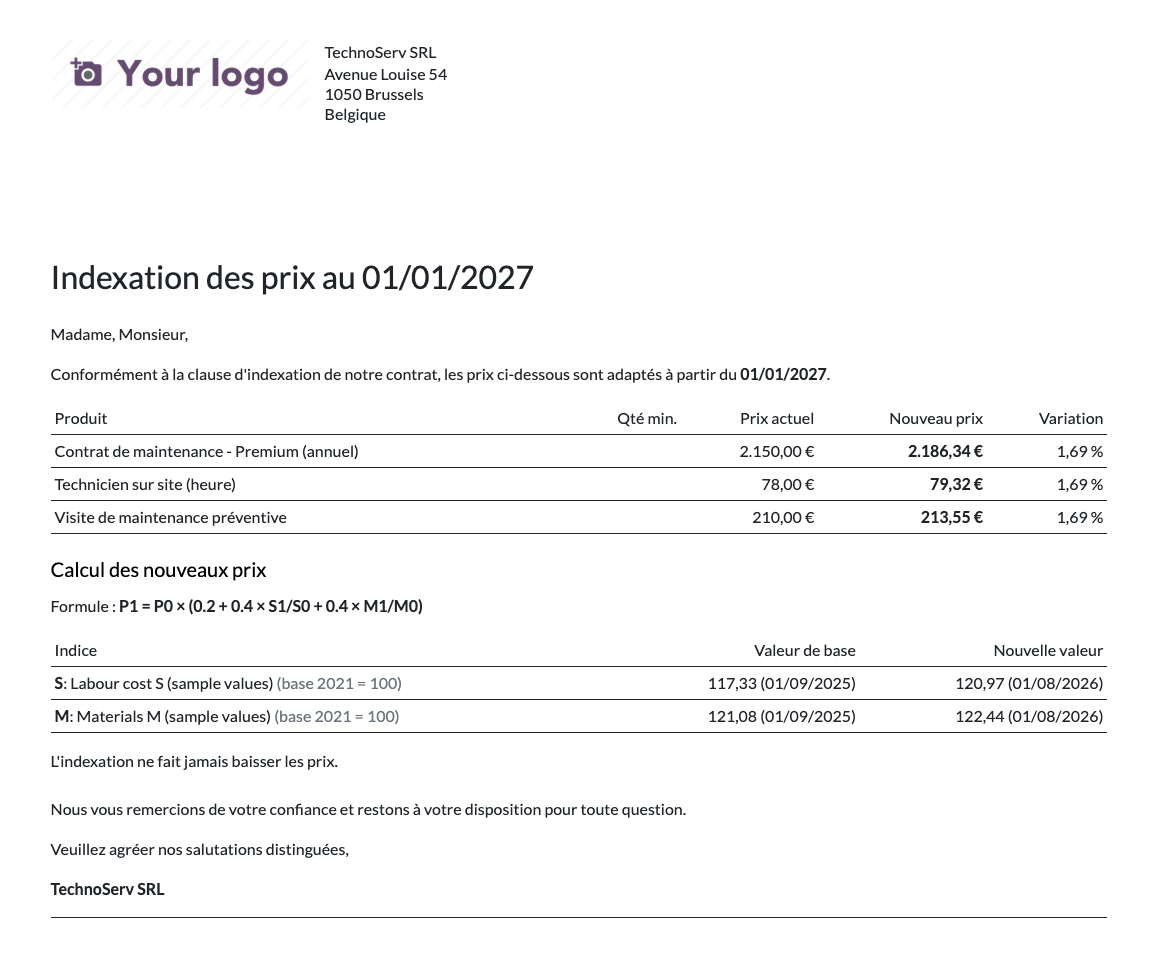
A letter per customer, in their language
Each customer whose price list was indexed receives a PDF letter with their new prices, the formula and the index values used. Send all the letters in one click: subject, email and PDF follow the customer language, with French and English texts included.
Safe by design
Apply with confidence, revert if needed
Checked before writing
If a price was changed after the preview was computed, Odoo stops and asks you to compute the preview again.
One-click revert
A campaign can be reverted: every price goes back to its previous value. If someone changed one of them since, the revert is refused and the prices concerned are listed.
Full history
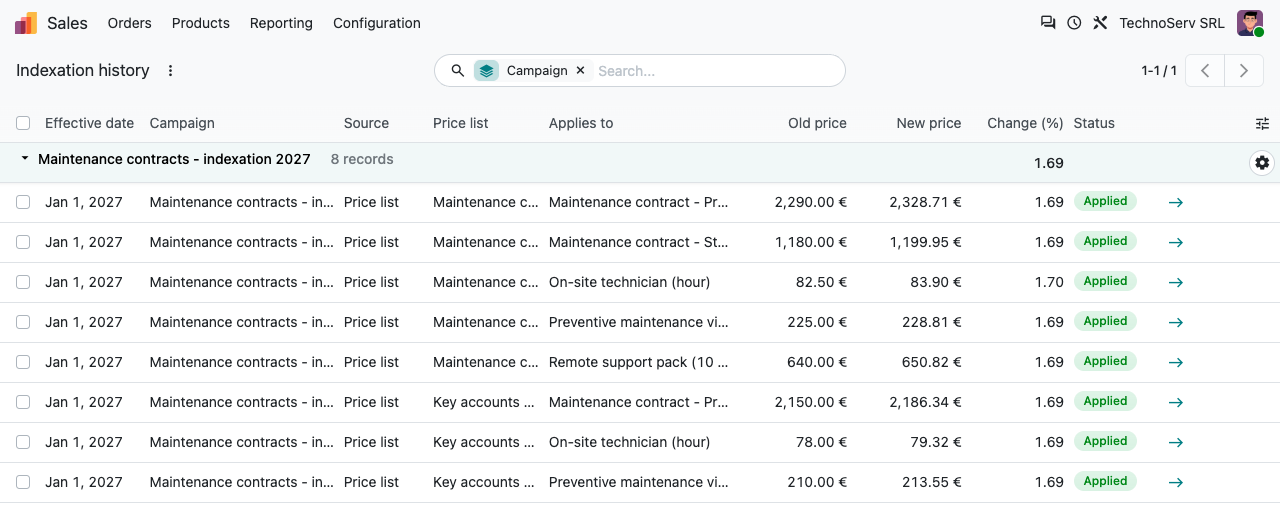
Every indexed price is kept with its old and new value. Open it from the product form, from the price list rule or from the Indexation history menu.
Two roles
Users prepare and preview campaigns. Administrators (Sales administrators by default) manage indexes and formulas, apply, revert and send the letters.
Configuration
Your contract clause, once and for all
A formula keeps the coefficients, the indexes, the rounding and the limits of your indexation clause. An index keeps its values and their history.
Agoria-type formula with two indexes
Index values, imported from a CSV file
Under the hood
What is indexed exactly
Sample index values
The demo data contains sample index series so you can try the module. They are not official figures: import the values published for your contracts (Agoria, Statbel, Syntec...) before indexing real prices. The module does not download index values.
FAQ
Good to know
Are the official index values included?
No. You import them from a CSV file or type them in, at the pace they are published. Nothing is downloaded from the internet.
Can the new prices be scheduled?
No. The prices are written when you click Apply. The effective date is the date announced to your customers.
Several currencies?
Each price keeps the currency of its price list. Rounding uses the step you set on the formula.
One formula per customer?
One formula per campaign. Run one campaign per group of contracts (price lists or customers) that share the same clause.
A question? A problem? Talk to the people who built it.
We will get back to you within 8 business hours.

Email us directly at
Published by
Nalios — Odoo Gold Partner, Belgium — nalios.be