3CX Caller ID
Incoming 3CX calls open the caller's contact in Odoo, or create it if the number is unknown.


Présentation du module

/ Odoo 20 · Telephony
3CX Caller ID
The phone rings, the caller’s contact opens in Odoo. Unknown number? The contact is created on the spot. One URL to set in 3CX, nothing else to configure.

What it does
Know who is calling before you pick up
3CX opens a web page on every incoming call. This module makes that page your Odoo contact, so your team answers with the customer file already on screen.
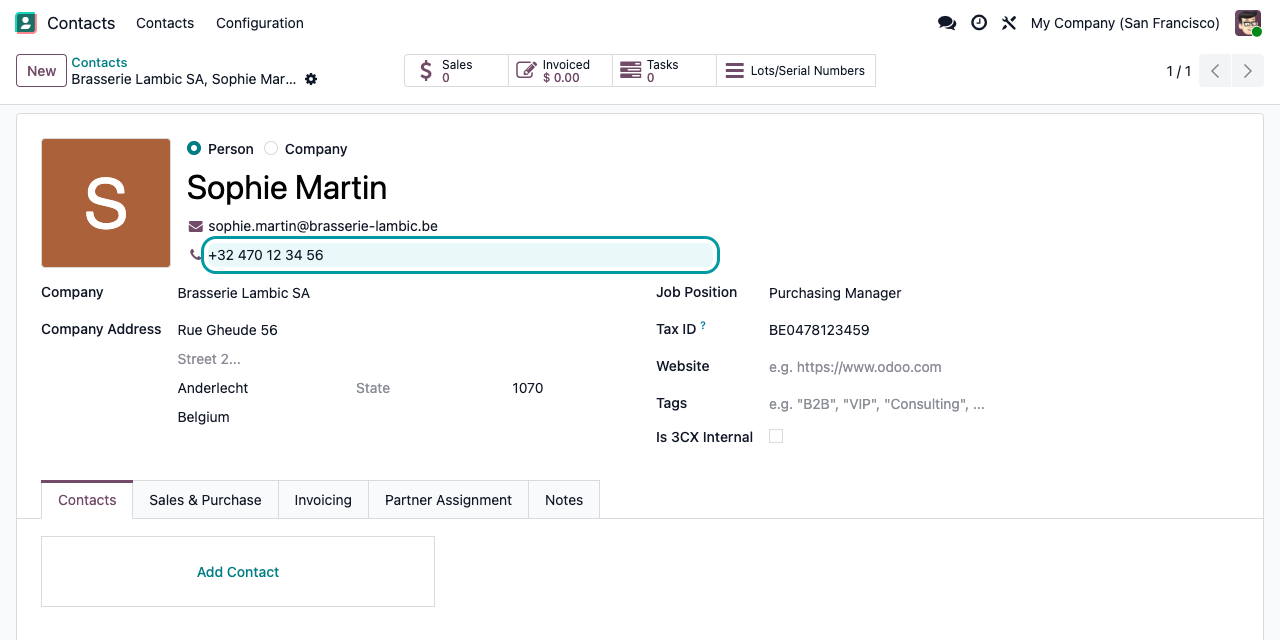
Known caller: the contact opens
Odoo looks the number up among your contacts and opens the matching contact form directly, with its company, address and history.
Unknown caller: the contact is created
No match? Odoo creates a contact with the number, named after the caller name 3CX sends (or “New” if it sends none), and opens it so you can complete it during the call.
Shared number: you choose
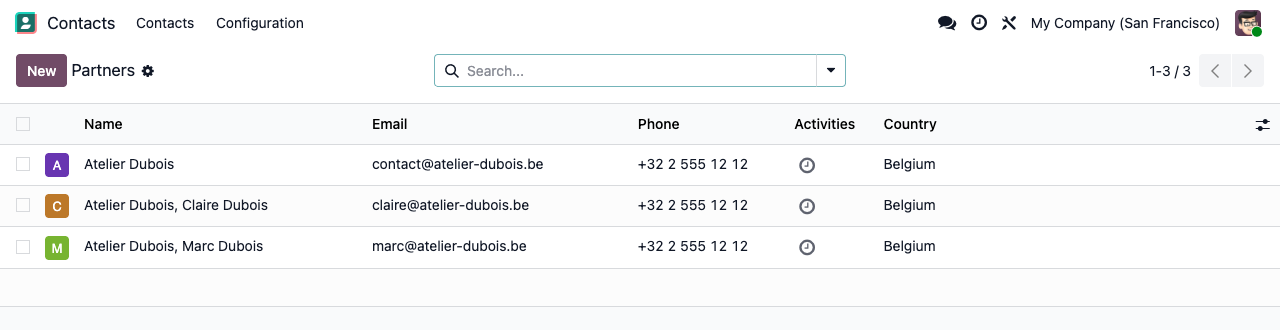
When several contacts share the number (a switchboard, a family business), Odoo lists only those contacts instead of guessing.
Colleagues stay quiet
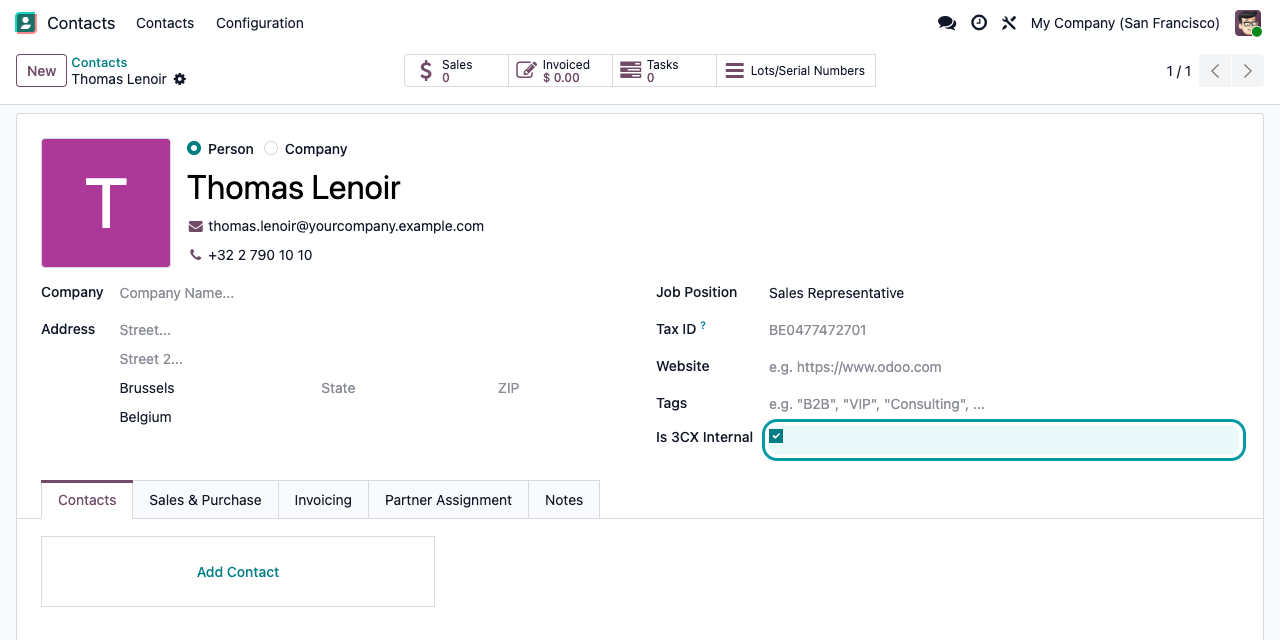
Tick Is 3CX Internal on your colleagues’ contacts: their calls open the Odoo home page instead of a contact form.
Every case covered
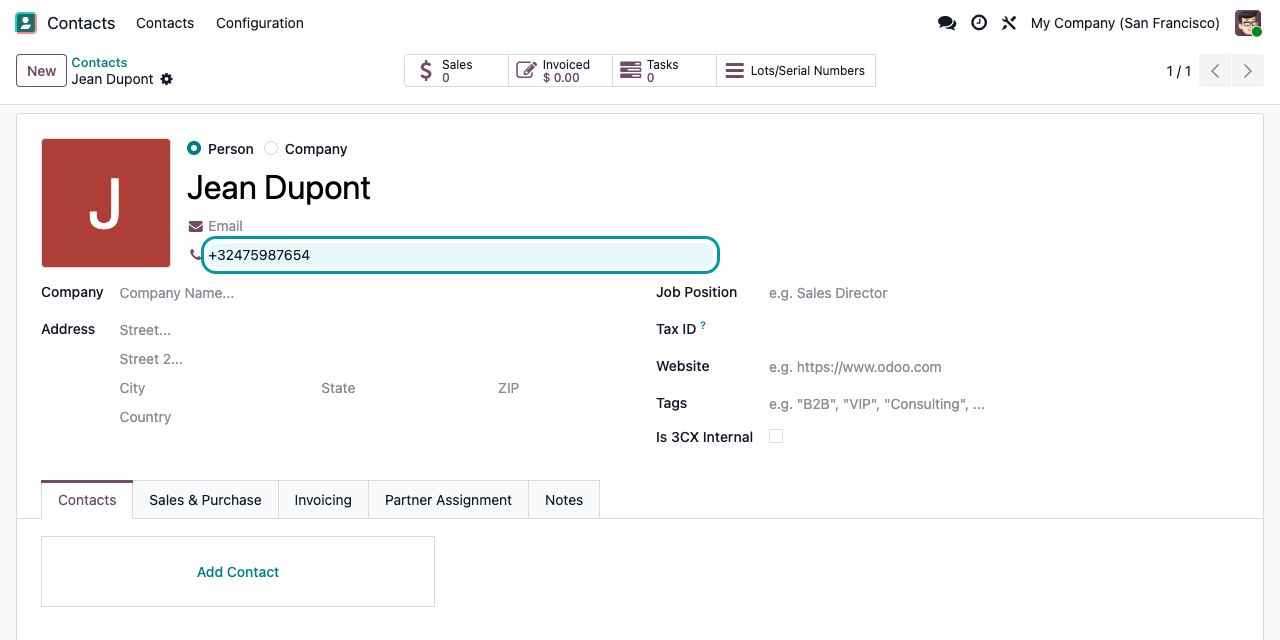
Unknown number? No call is lost
A number Odoo has never seen becomes a contact during the call, with the caller name when 3CX provides it. Complete the address while you talk.
Setup
Ready in three steps
1
Install the module
No menu, no settings, no new access rights. Contact access follows your standard Odoo rights.
2
Set the URL in 3CX
Where 3CX opens a web page on incoming calls, enter your Odoo address followed by /3cx/%CallerNumber%, optionally with /%CallerName%. Check the variable names of your 3CX version.
3
Stay logged in to Odoo
The page opens in the browser where you use Odoo. If the session has expired, Odoo shows its login page first.
Under the hood
How matching works
Need call logs in Odoo?
This module does one thing: open the right contact when the phone rings. It does not record calls, durations or call history. If you need that, our 3CX CRM Template full integration generates the 3CX CRM template and adds contact lookup and creation from the 3CX client, plus call and live chat logs in Odoo.
A question? A problem? Talk to the people who built it.
We will get back to you within 8 business hours.

Email us directly at
Published by
Nalios — Odoo Gold Partner, Belgium — nalios.be