Consignment Stock at Customers
Stock placed at your customers' sites stays yours until used: one location per site, min/max replenishment, consumption reports from the portal, counts or CSV, automatic delivery and invoicing at the agreed prices, customer statements.


Présentation du module

/ Odoo 20 · Inventory
Consignment Stock at Customers Invoice on Consumption
Spare parts in a workshop cabinet, medical devices in a clinic, drinks behind a hotel bar: the goods stay in your stock and your valuation until they are used. Each customer site gets its own stock location, is replenished up to an agreed maximum, and reports what it used from the portal, by a count or by CSV. You deliver and invoice exactly that, at the agreed price.

Customer sites
Your stock, on their shelf
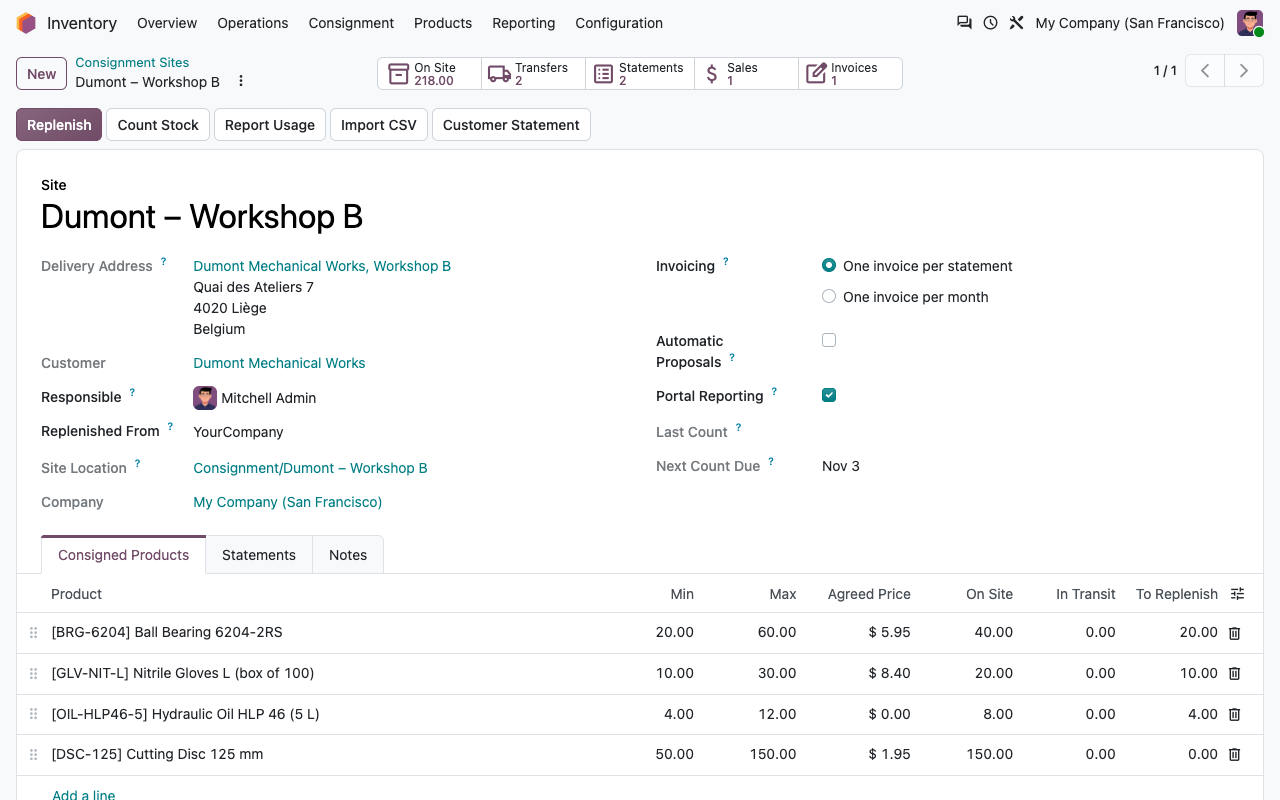
Open the customer, click Consignment and create the site. The app sets up the stock location, the transfer types and the delivery route. You list the products you place there.
One location per delivery address
An internal location under "Consignment", outside your warehouses. The goods stay in your company and your stock valuation, and are never promised to another sales order.
Min, max and agreed price
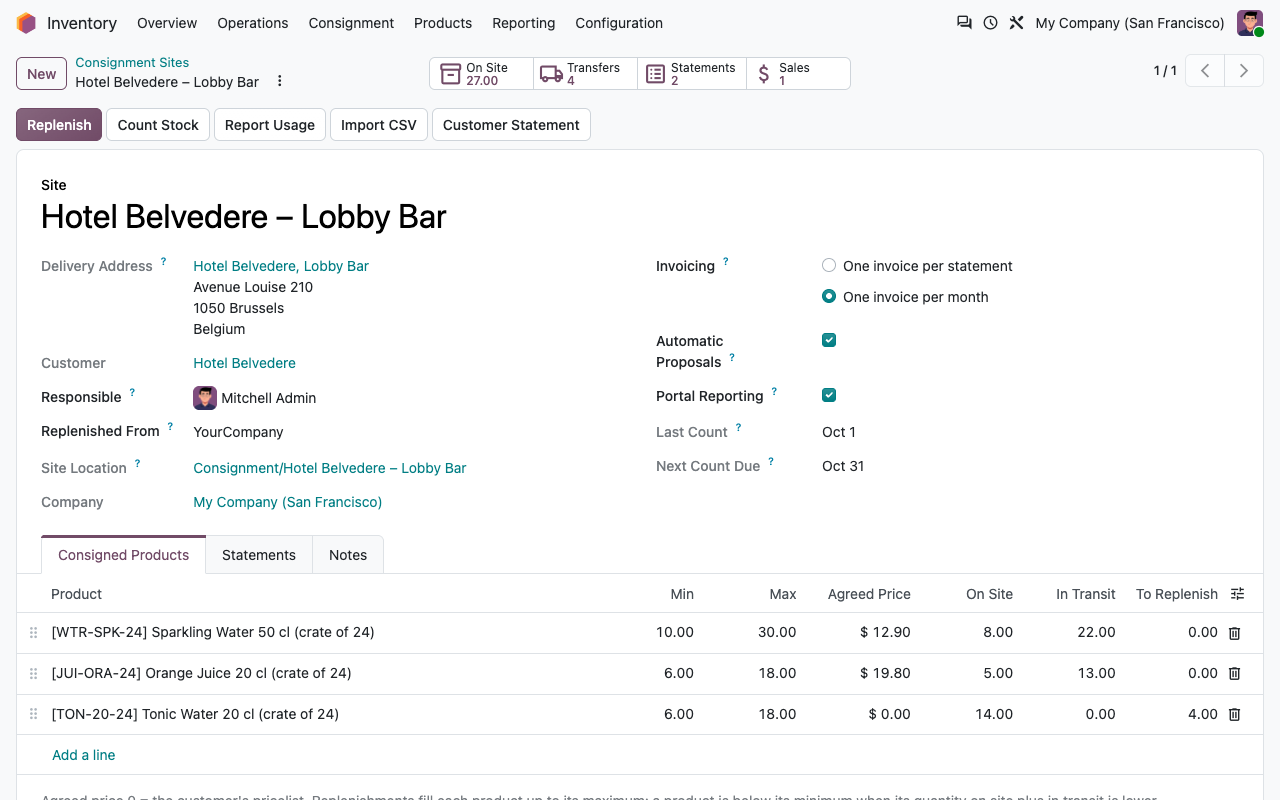
Per product and per site. Leave the price at 0 to use the customer's pricelist. Quantities on site and in transit are always visible.
Replenish in one click
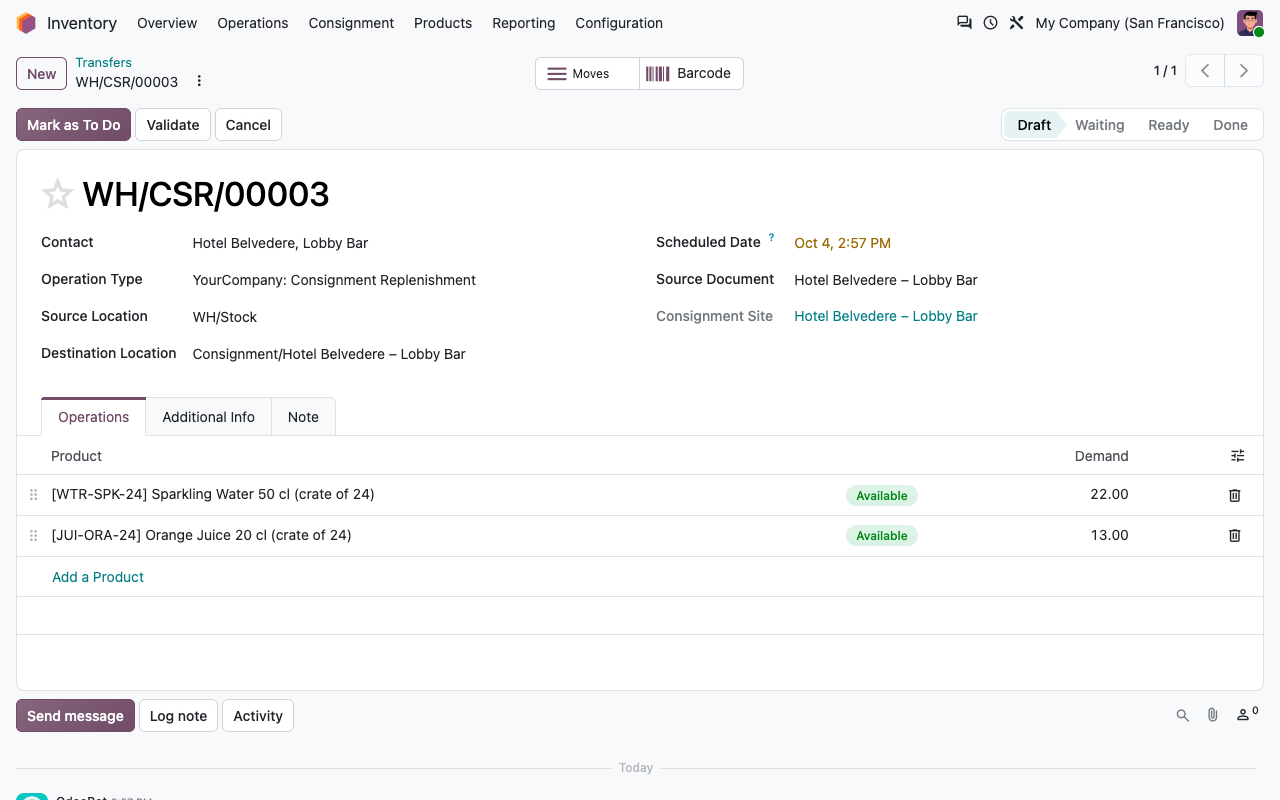
A transfer from your warehouse to the site, up to the maximum, minus what is already on the way. It is a standard internal transfer with its own sequence and a delivery slip for the customer.
Automatic proposals
Optional per site: every day, products below their minimum get a draft replenishment and the site responsible gets a to-do.
The cycle
From the shelf to the invoice
01
You replenish the site up to its maximum: a standard internal transfer, still your stock.
02
The customer uses what it needs, and reports it: used quantities or what is left on the shelf.
03
You validate the statement: the consumption is delivered from the site and sold at the agreed price.
04
The invoice follows: right away, or grouped at the end of the month. The next replenishment fills the gap.
Pay for what you use. Nothing else.
Consumption reports
Three ways to report usage
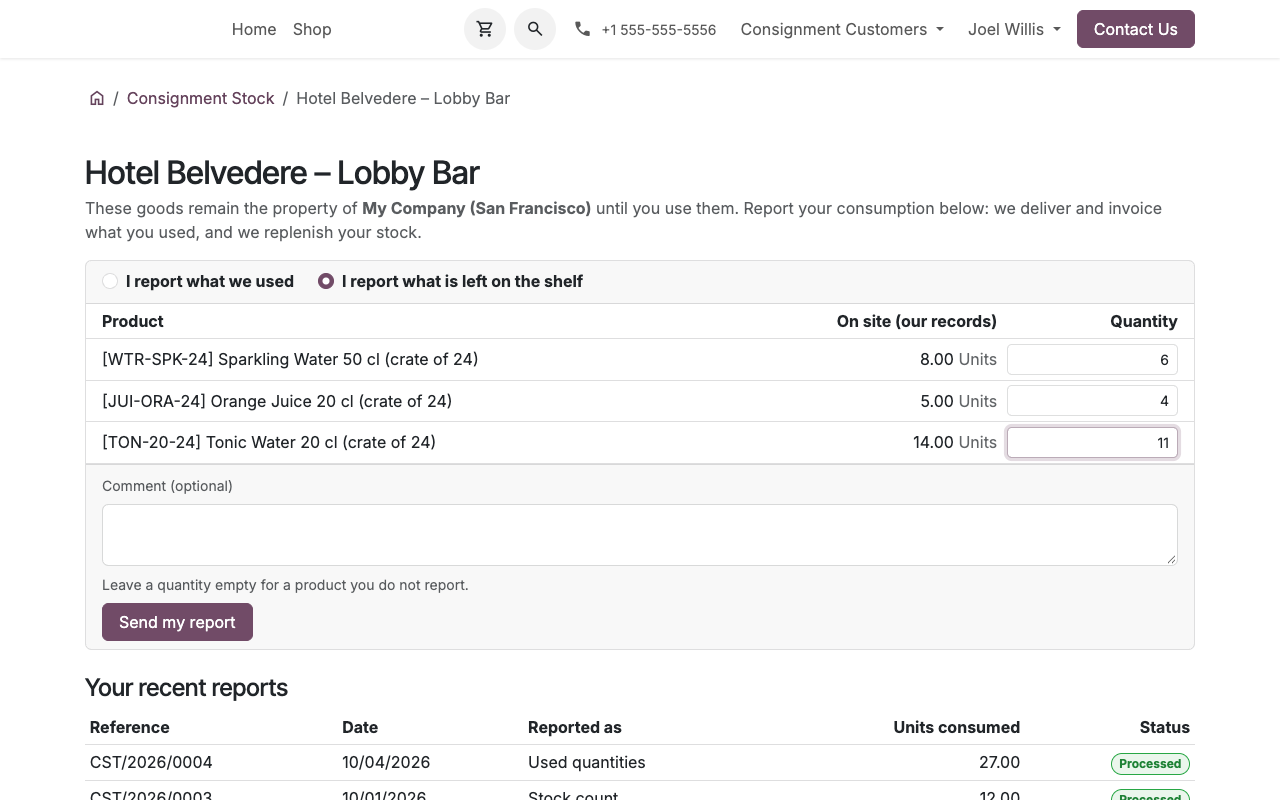
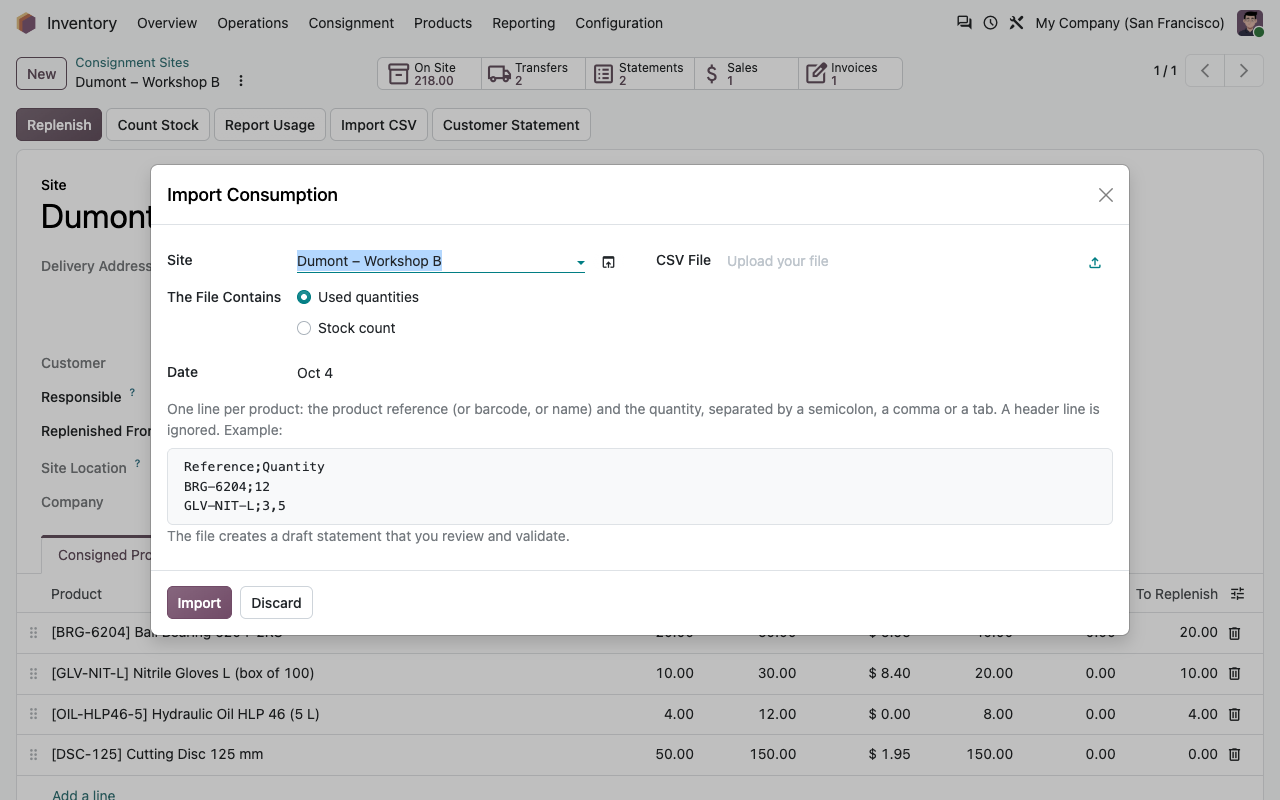
Every report becomes a draft consumption statement that you review and validate. The customer portal lists the customer's own sites only: they enter what they used, or what is left on the shelf, and see their recent reports. Your team can count the site from the back office (the count is pre-filled with your records, change what differs), or import a CSV file from a scanner or a vending cabinet: product reference or barcode, quantity.
Customer portal: report used quantities or a count
CSV import of a consumption report
Consumption statements
Checked before it is invoiced
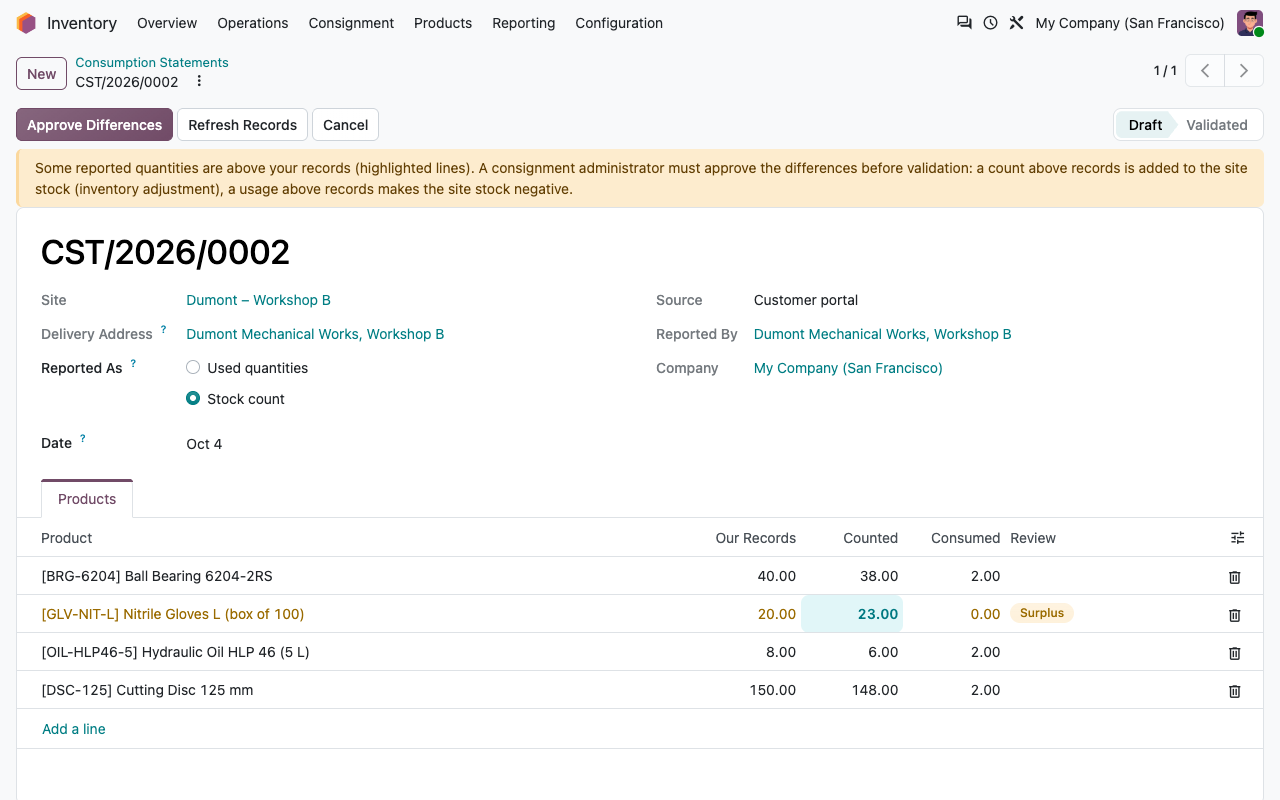
A statement compares the report with your records. Validation does the rest.
Used or counted
Used quantities are sold as reported. A count sells the difference between your records and what is left. The records are frozen when the count is entered, so a replenishment validated in between is not invoiced.
Differences flagged
A count above your records, or a usage above what is on site, needs a Consignment Administrator's approval. An approved surplus becomes a standard inventory adjustment on the site.
Delivered from the site
Validation creates and confirms a sales order whose delivery leaves the site location, not your warehouse. The goods leave your stock and valuation at that moment.
At the agreed price
One draft invoice per statement, or one sales order per site and month invoiced when the month is over. Taxes, fiscal positions and payment terms are the customer's.
Follow-up
Priced, delivered, documented
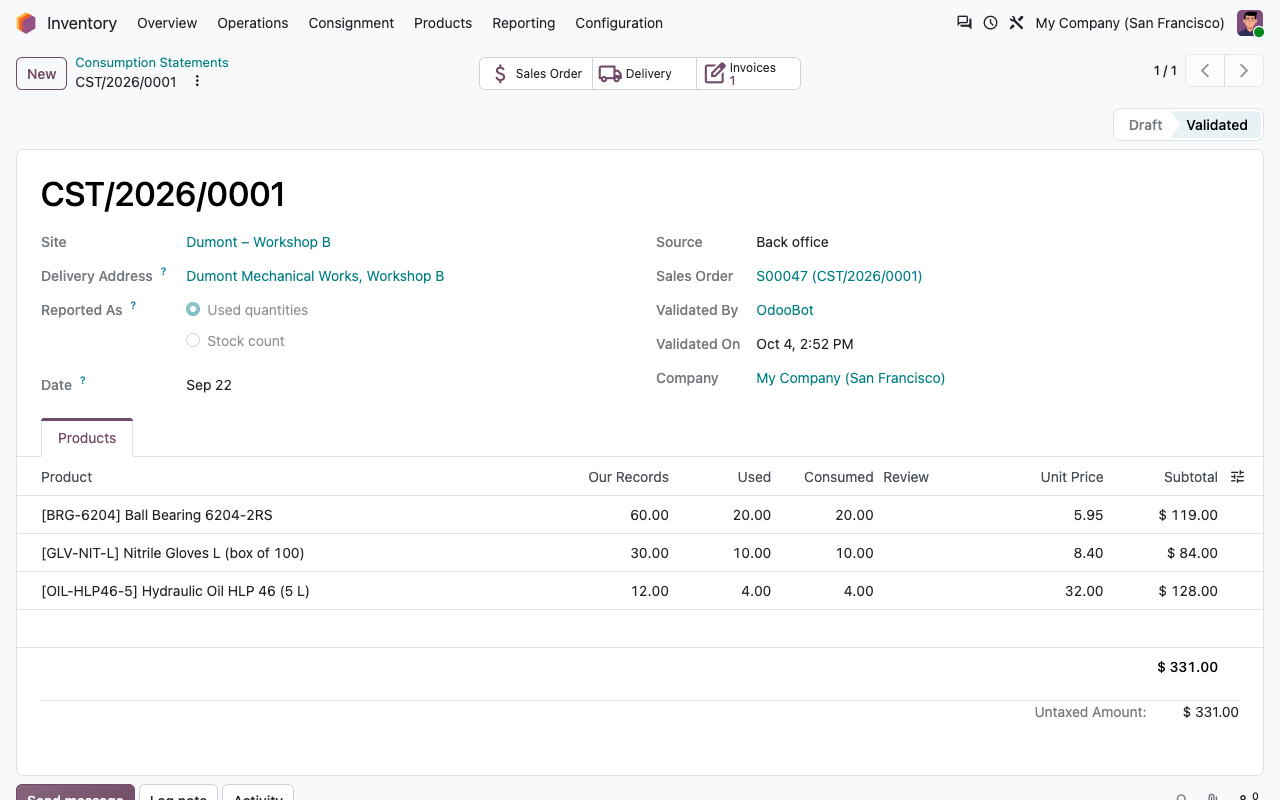
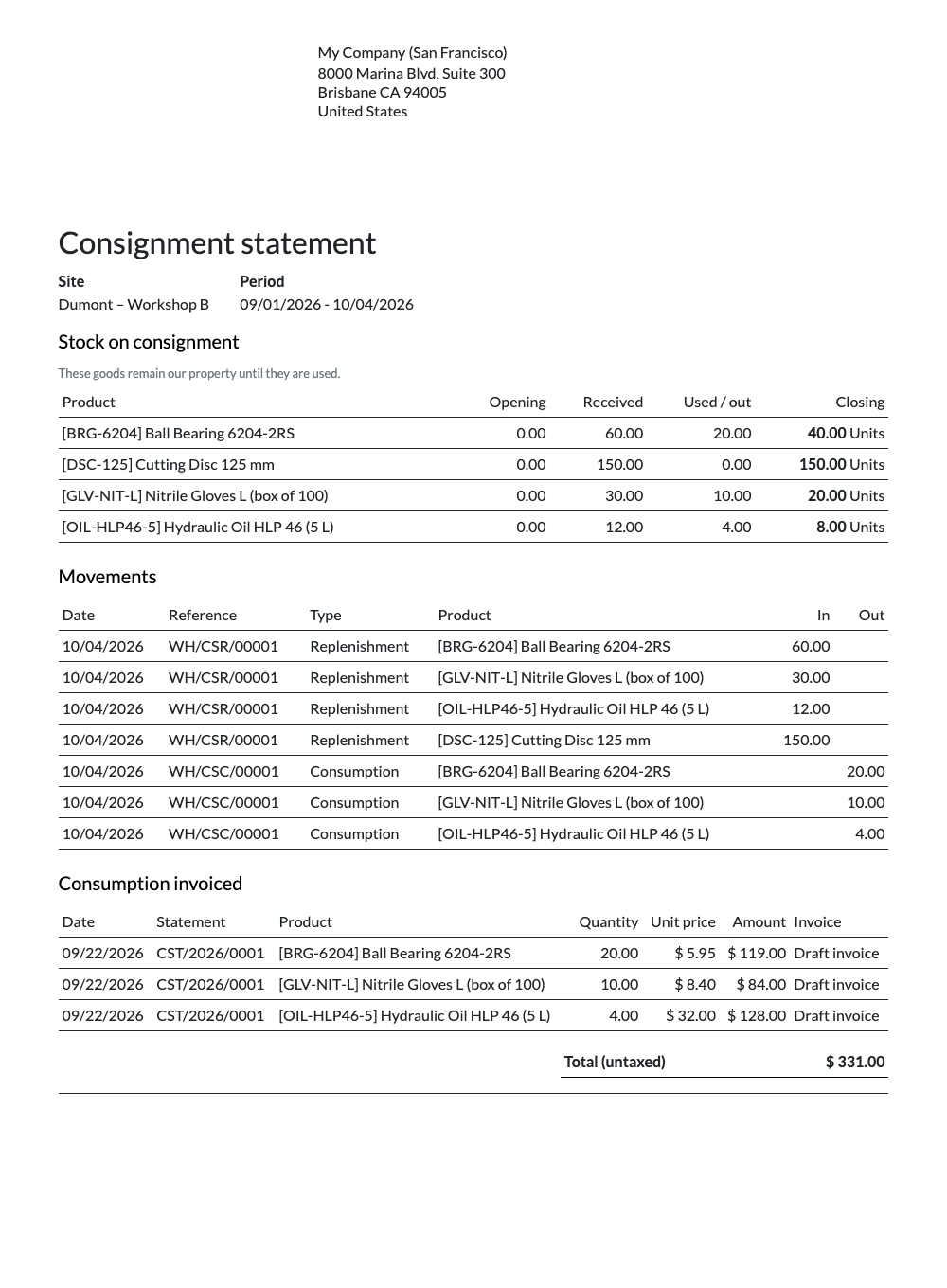
Each validated statement links to its sales order, its delivery and its invoice. The customer statement (PDF) gives, per site and period, the stock on consignment at the start and the end, every movement (replenishments, consumption, count adjustments) and the consumption invoiced: the document to send with the invoice or to agree on the stock at the end of a contract.
Validated statement with the agreed prices
Customer consignment statement (PDF)
Replenishment & reminders
No empty shelf, no forgotten count
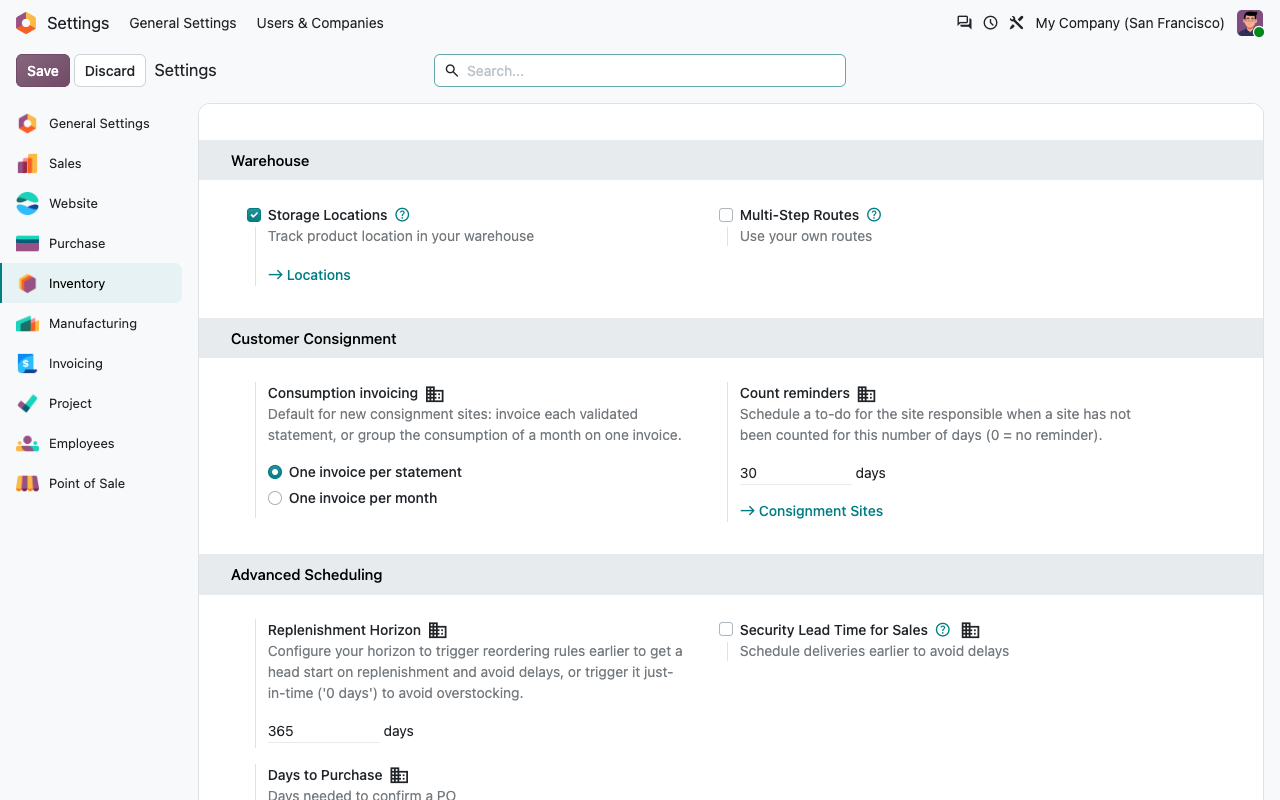
Sites with automatic proposals get a draft replenishment as soon as a product drops below its minimum, from the last known quantities. Sites that have not been counted for a number of days (30 by default) get a "Count the consigned stock" to-do for their responsible.
Replenishment proposal: warehouse to customer site
Site invoiced monthly, with automatic proposals
Standard Odoo and this app
What you already have, what we add
Setup
Ready in ten minutes
1
Create the site
On the customer, click Consignment, then New: pick the delivery address and the warehouse that replenishes it.
2
List the products
Add the products with their min, max and agreed price, click Replenish and validate the transfer.
3
Let the customer report
Give the customer's contacts portal access. Validate the statements as they arrive; invoices follow.
Under the hood
How it works
FAQ
Good to know
Does the customer become the owner of the stock?
No. The goods stay yours, in your valuation, until a statement is validated. That is the difference with a sale on delivery.
What if goods come back from the customer?
Use the standard Return button on the replenishment transfer: the goods go back to your warehouse and the customer statement shows them as returned.
Are invoices posted automatically?
No. Invoices are created as drafts, so your accounting team checks and posts them as usual.
Which price is invoiced?
The agreed price of the site, in your company currency, converted to the currency of the customer's pricelist. With no agreed price, the pricelist decides.
A question? A problem? Talk to the people who built it.
We will get back to you within 8 business hours.

Email us directly at
Published by
Nalios — Odoo Gold Partner, Belgium — nalios.be