Course & Activity School Management
For music, dance, language, sport, art schools and holiday camps: families, students, courses, sessions, enrolments with waiting list, discounts, instalments, invoicing, roll-call, make-ups, teacher hours and certificates.


Présentation du module

/ Odoo 20 · School
Your course and activity school, run from one app
For private schools of music, dance, languages, sports, tutoring, art and holiday camps, for children and adults. Families and their payers, students, weekly classes, private lessons and camps, sessions for the whole season, enrolments with a waiting list, discounts and instalments on standard invoices, a roll call teachers take on their phone, make-ups, teacher hours and annual certificates.

What it does
From the enrolment to the tax certificate
One school, many activities: the same app handles a weekly ballet class, a 30-minute private piano lesson and a five-day holiday camp with lunch and after-care.
Families
Parents, legal guardian, main payer and an optional second payer with a share of every invoice (separated parents). Address, language, GDPR consents with their dates.
Students
Children or adults: birth date and age, level per discipline, photo, emergency contacts, authorised pick-up persons, dated authorisations and documents with expiry and reminder.
Medical data, protected
Allergies, treatments and doctor are visible only to a dedicated Medical Data group. Teachers just see an allergy icon on the roll call.
Catalogue
Disciplines and levels, seasons and terms, school holidays and public holidays, sites and rooms. Weekly classes, private lessons and camps with priced options.
Sessions for the season
Generated from the weekly slots, holidays skipped, with room conflict checks. Cancel a session (families notified) or record a replacement teacher.
Enrolments
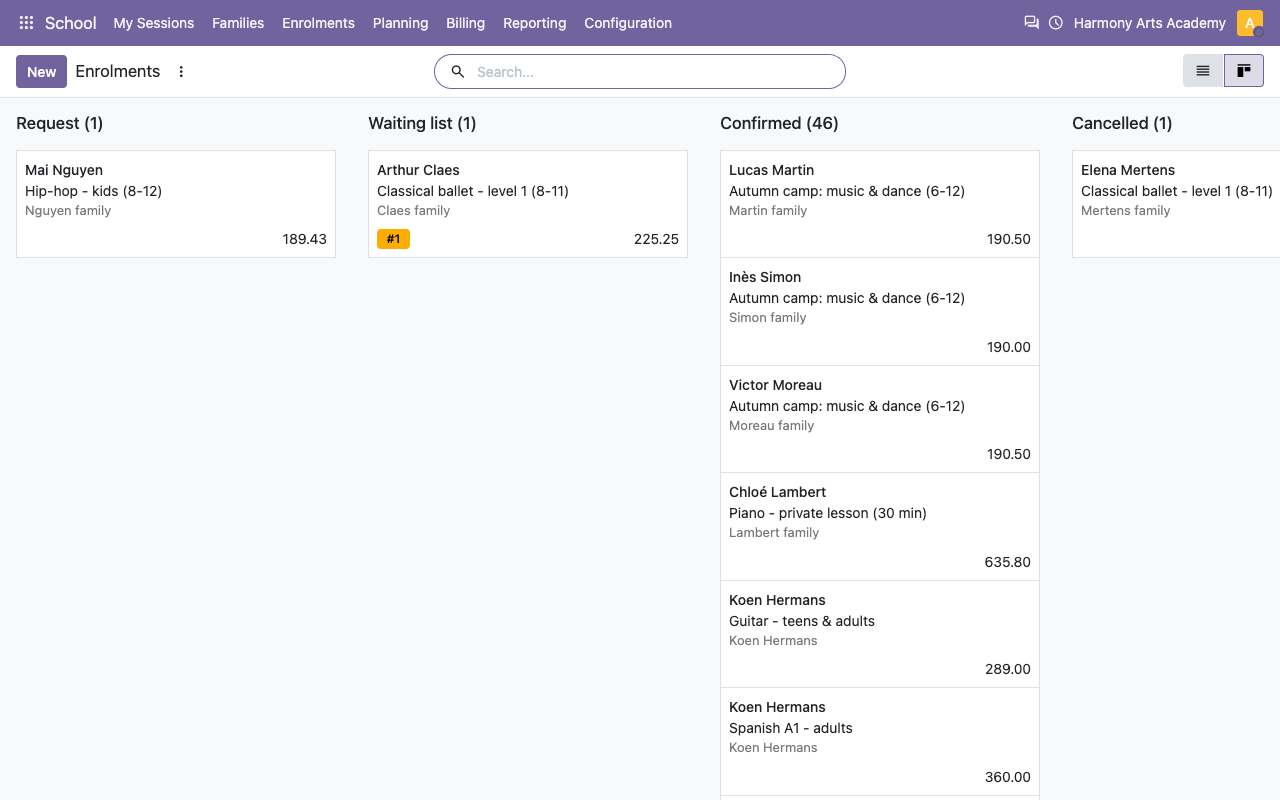
Age and level checked, capacity checked, waiting list with automatic promotion when a seat frees up and an email to the family.
Pricing
Membership fee per family and season, sibling and multi-course discounts, reduced rate on proof, promo codes, prorated late starts, price per course, term or session.
Invoicing
Standard invoices per enrolment, family and season or term, payment plans in 1, 3 or 10 instalments, reminders for unpaid instalments, prorated credit notes on withdrawal.
Roll call and teachers
Big buttons on a phone, absences notified to the parents, make-ups for excused absences, progress comments, teacher hours exported to CSV.
Roll call
Taken on a phone in thirty seconds
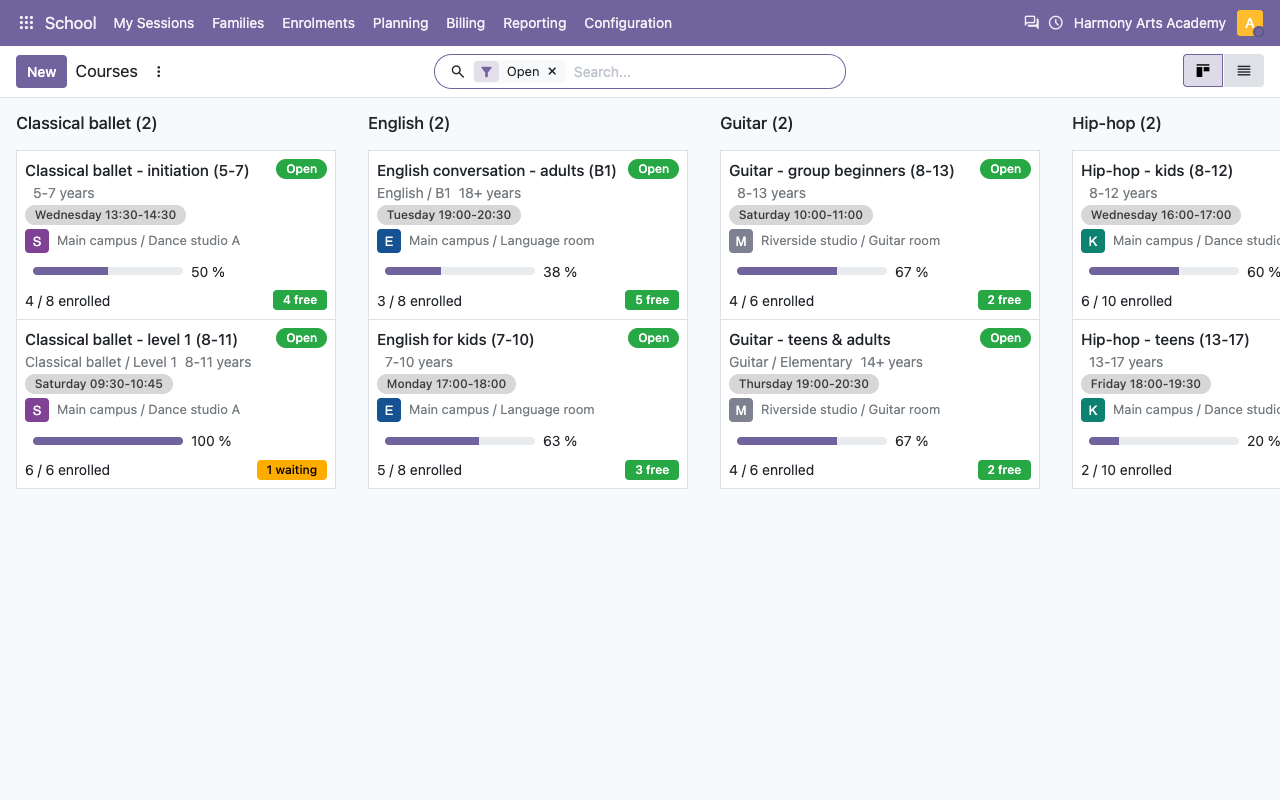
Teachers open My Sessions, tap Roll Call and mark each student Present, Late, Absent or Excused. Photos and the allergy icon are on the card. Closing the roll call emails the parents of students absent without notice.
The roll call on a phone
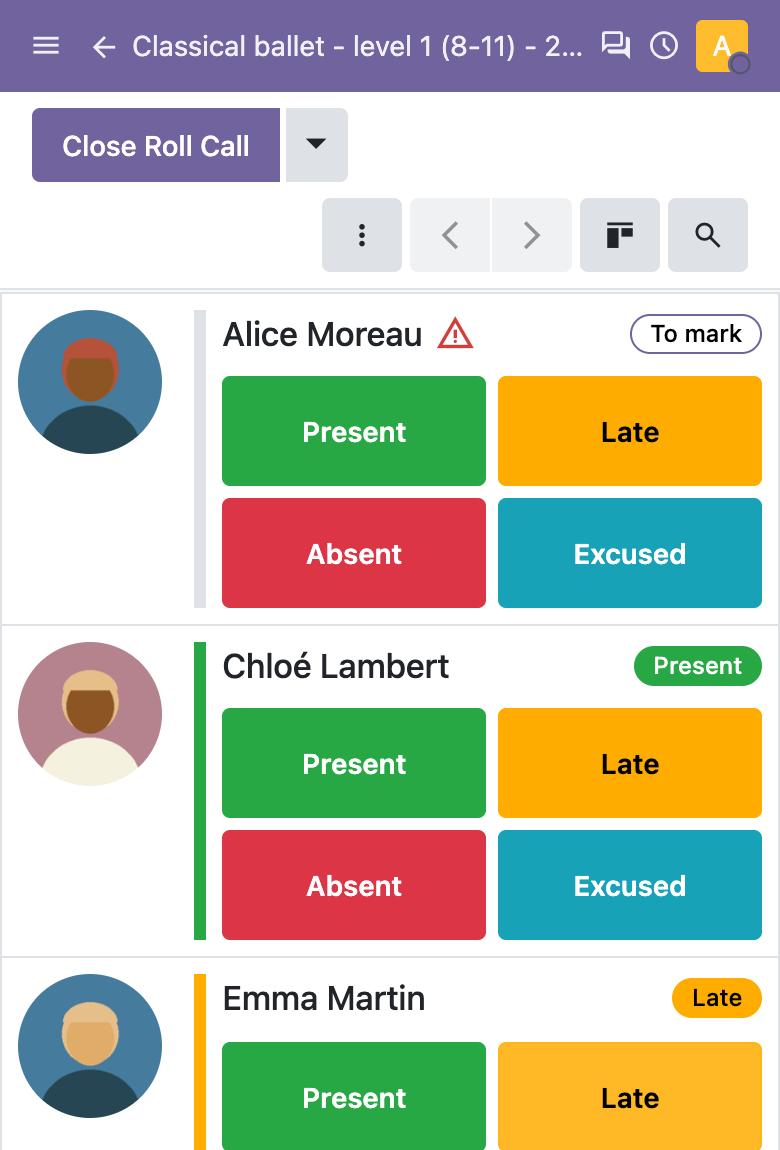
The session with its roll call in the back office
Courses
Who, where, when, and how many seats
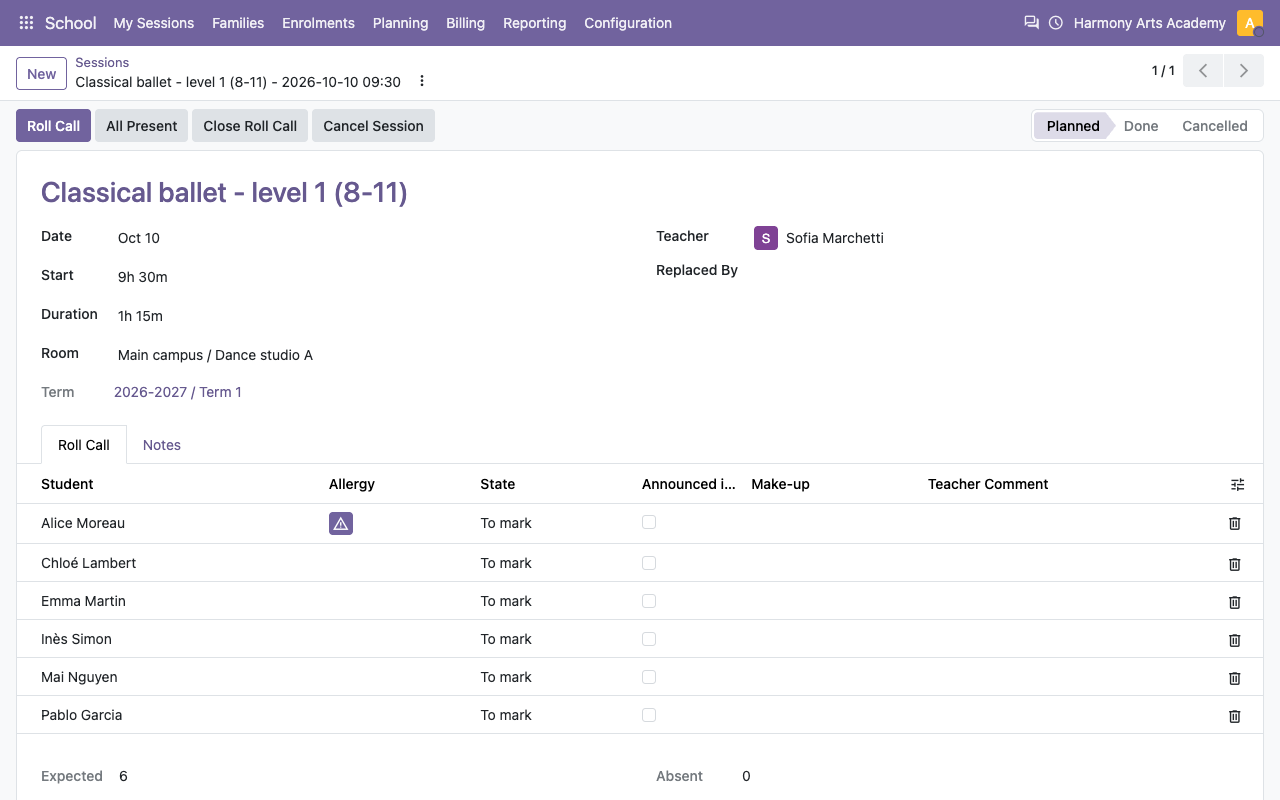
Age range, minimum and maximum level, capacity, room, teachers and weekly slots. Open the course and its sessions are created for the whole season, without the holidays.
A full course with one student on the waiting list
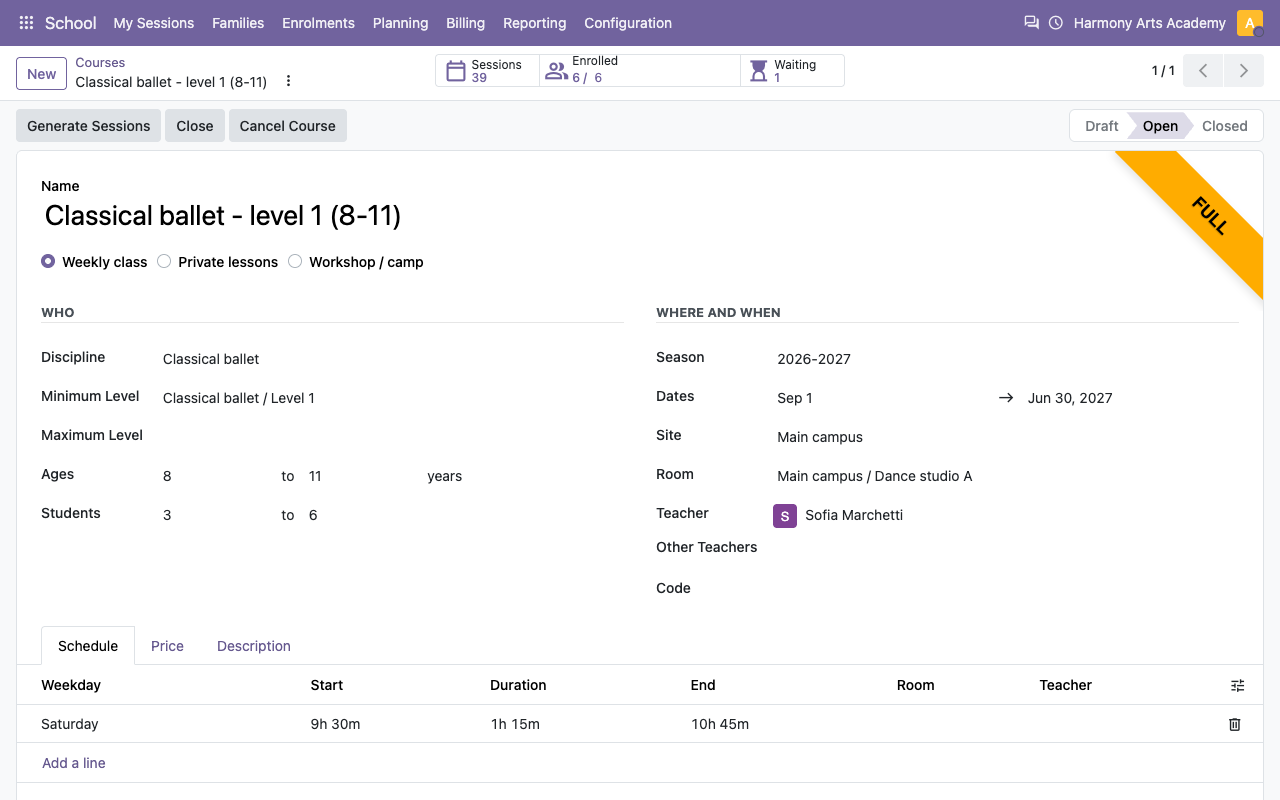
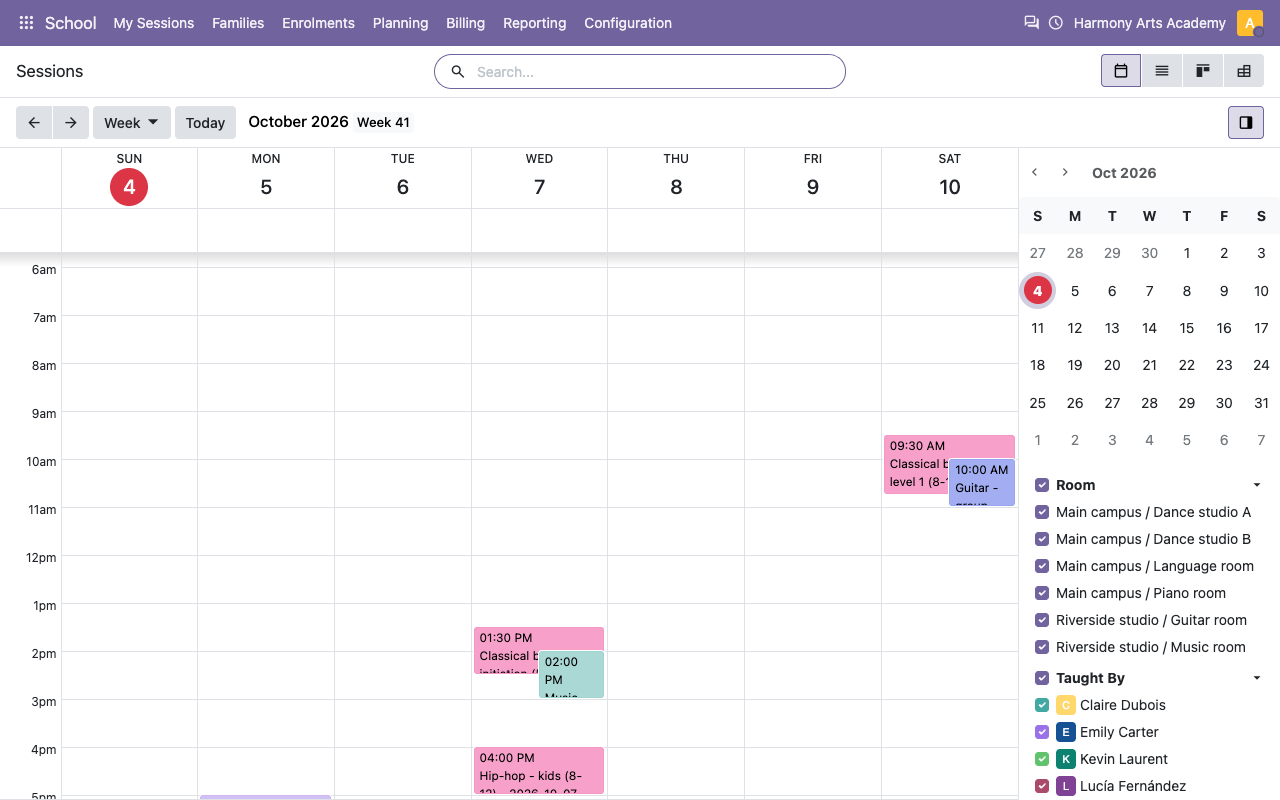
The week of the school, by room and teacher
Families and students
Everything the front desk needs to know
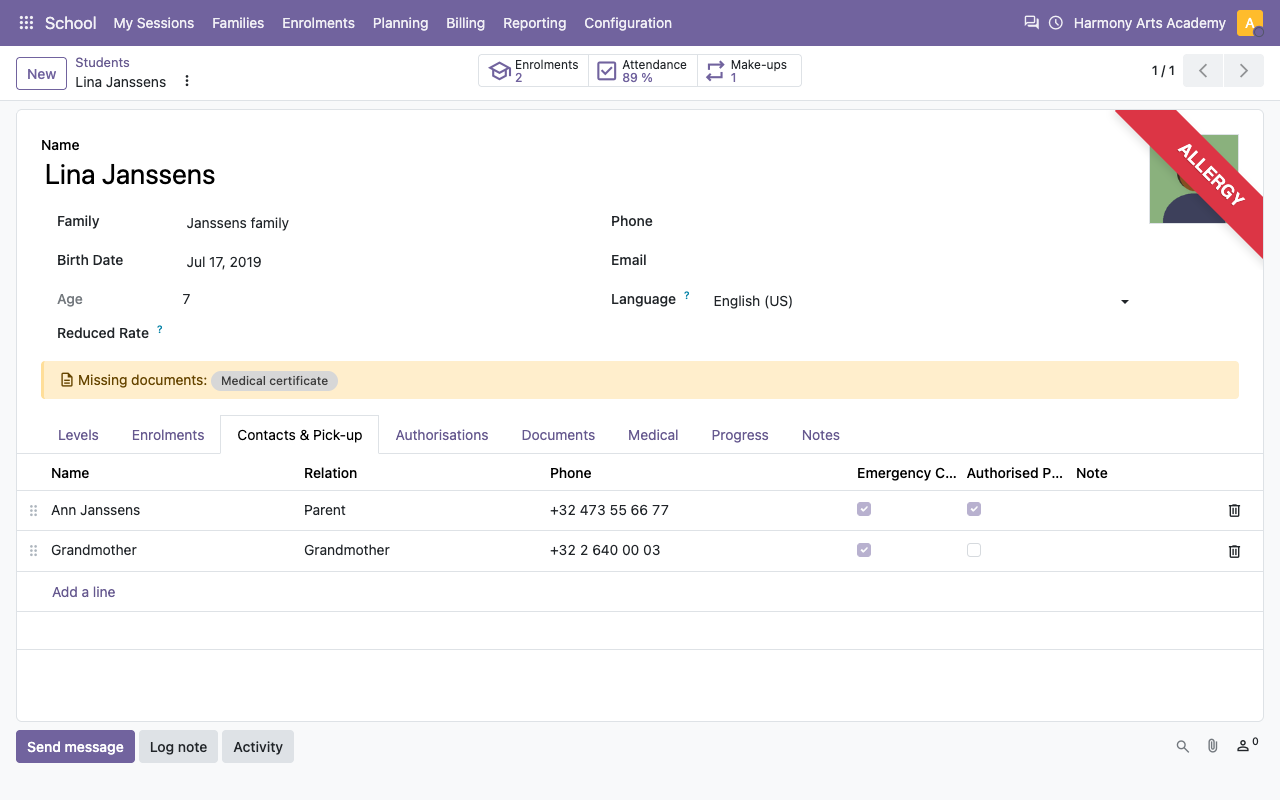
The family groups the adults, the payers and the children. The student file holds the levels, emergency and pick-up contacts, authorisations (image rights, leave alone, emergency care), documents and their expiry. Missing documents are flagged.
A family with three children

Emergency contacts and authorised pick-up persons
Confidentiality
Medical data for authorised staff only
The Medical tab and its fields are restricted to the Medical Data Access group, on every screen and through the API. Export and anonymisation actions answer GDPR requests.

Enrolments
Priced with every discount, queued when full
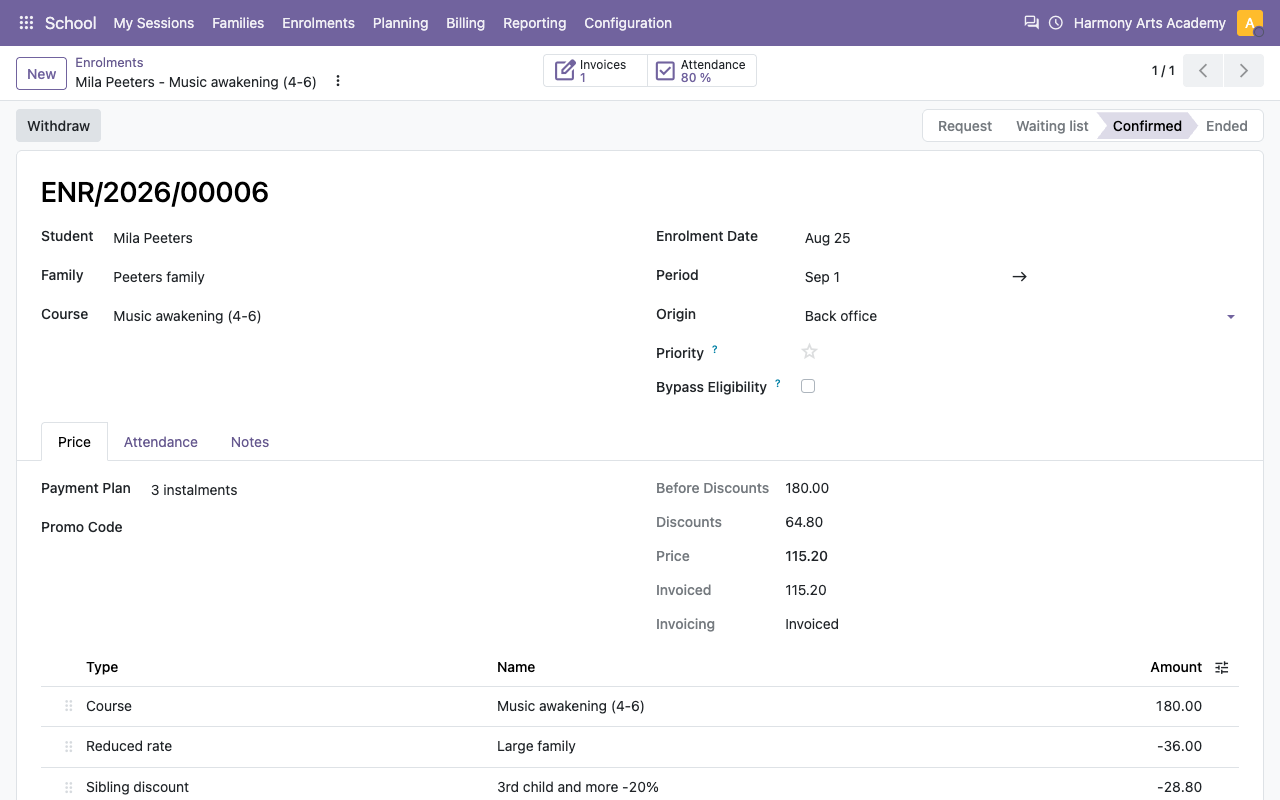
Each enrolment shows its price details: course, reduced rate, sibling and multi-course discounts, promo code, options. When the course is full, the student goes on the waiting list and gets the next free seat automatically.
Price details of an enrolment with a reduced rate
Requests, waiting list, confirmed and cancelled enrolments
Billing
Standard invoices, paid in instalments
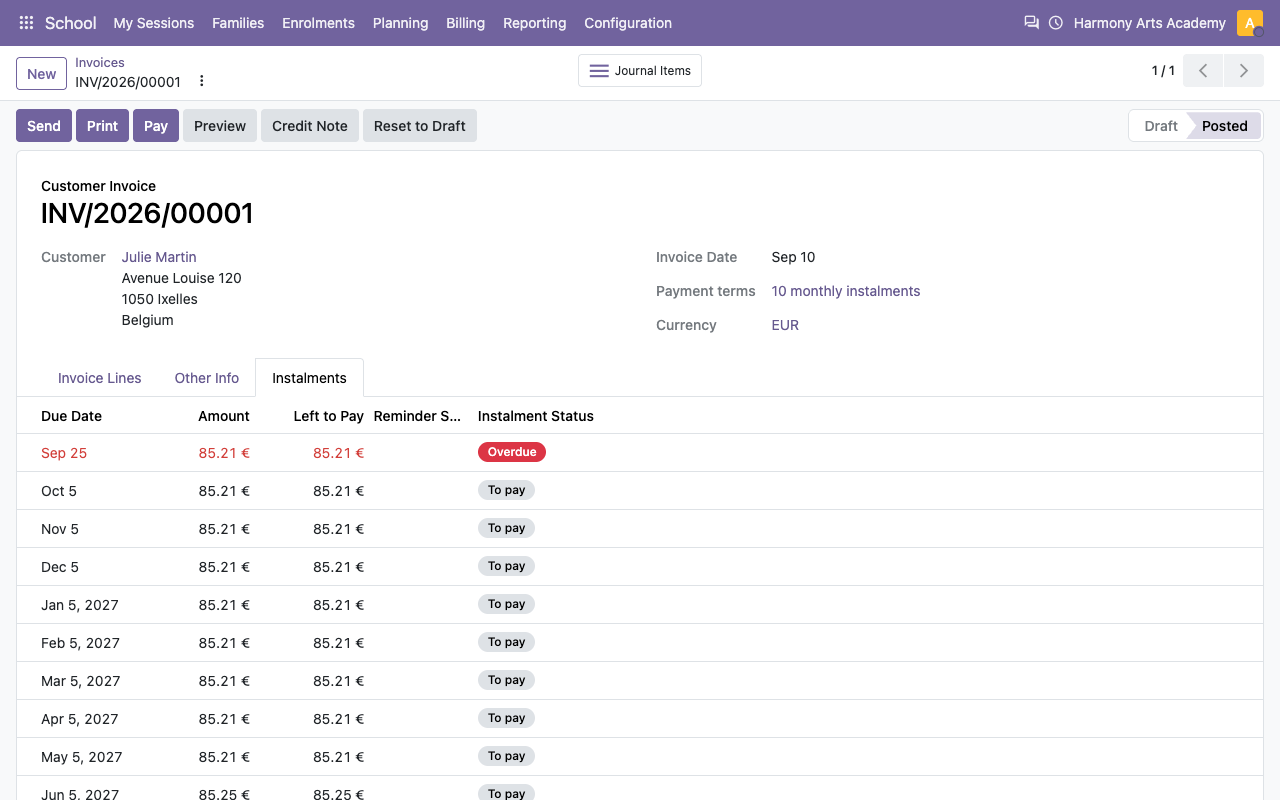
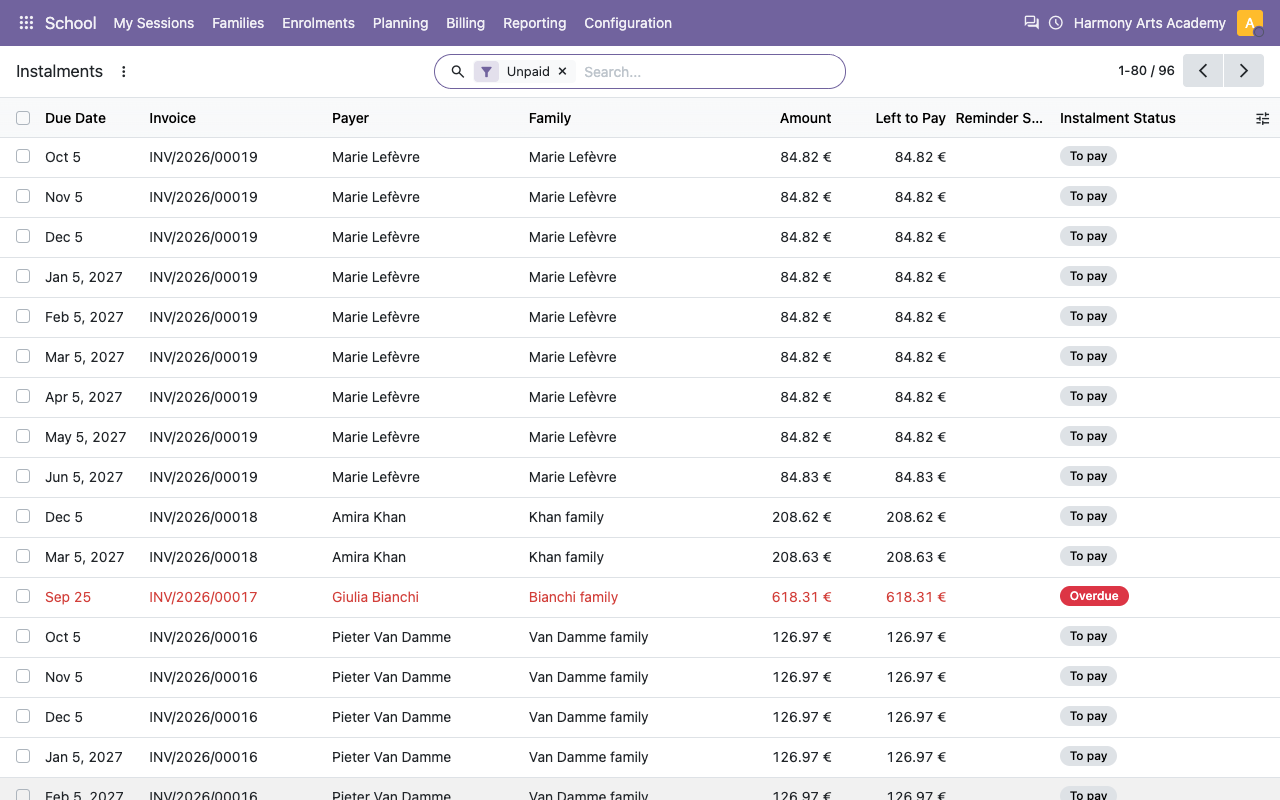
Invoice per enrolment, per family and season, or per term. The membership fee is added once. The payment plan gives the instalments of the invoice; unpaid ones are reminded by email. Families with two payers get two invoices.
A customer invoice in 10 monthly instalments
Every instalment to collect
Withdrawals
A prorated credit note in one click
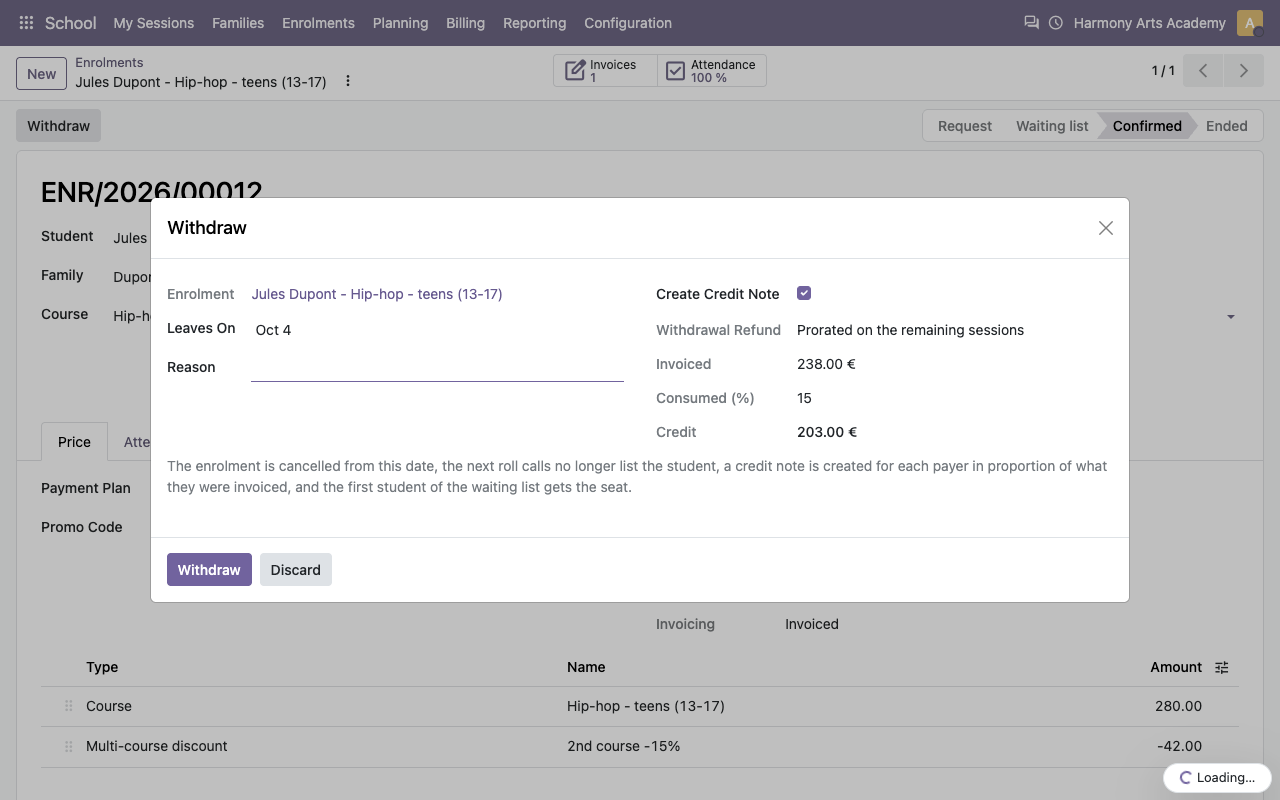
Withdraw a student from a date: the credit note follows your rule (remaining sessions or days, with a share kept by the school), split between the payers, and the seat goes to the waiting list.
Withdrawal with the credit computed
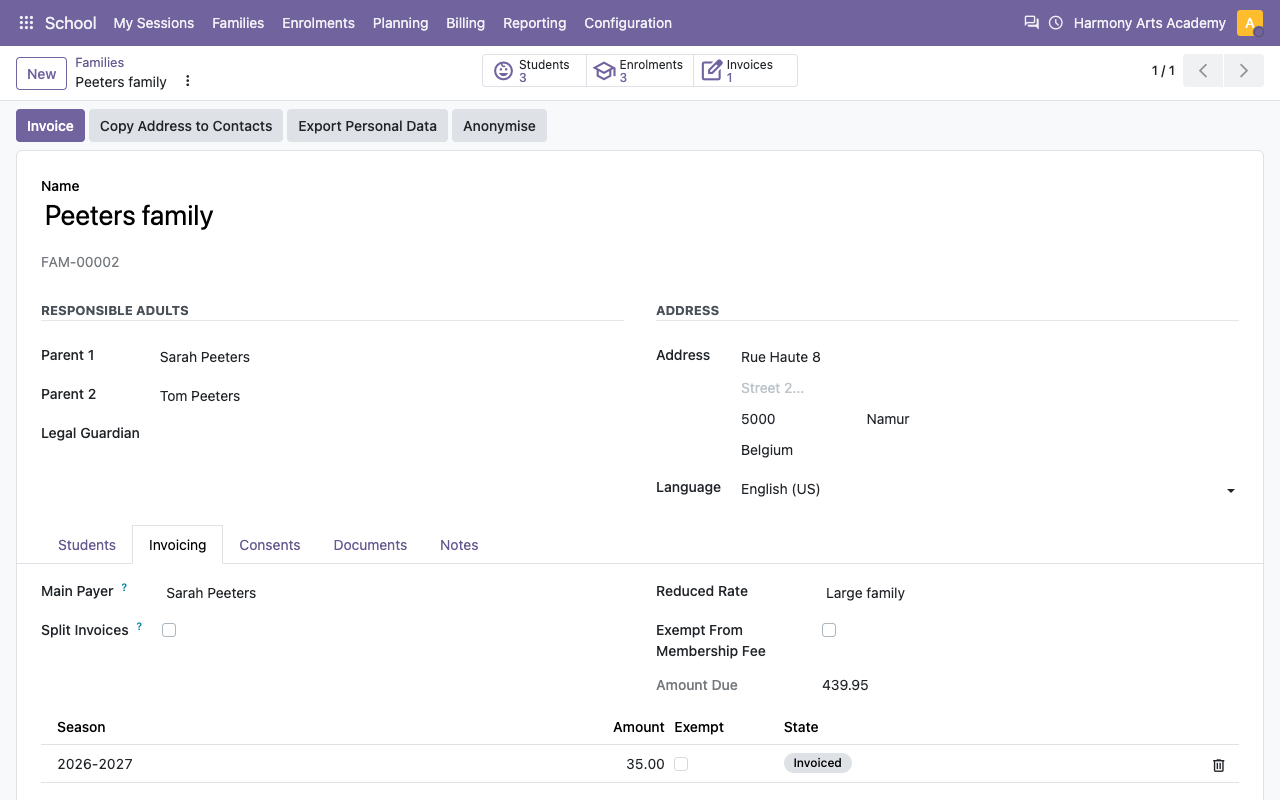
Payers, reduced rate and memberships of a family
Seasons and make-ups
Holidays planned once, missed classes made up
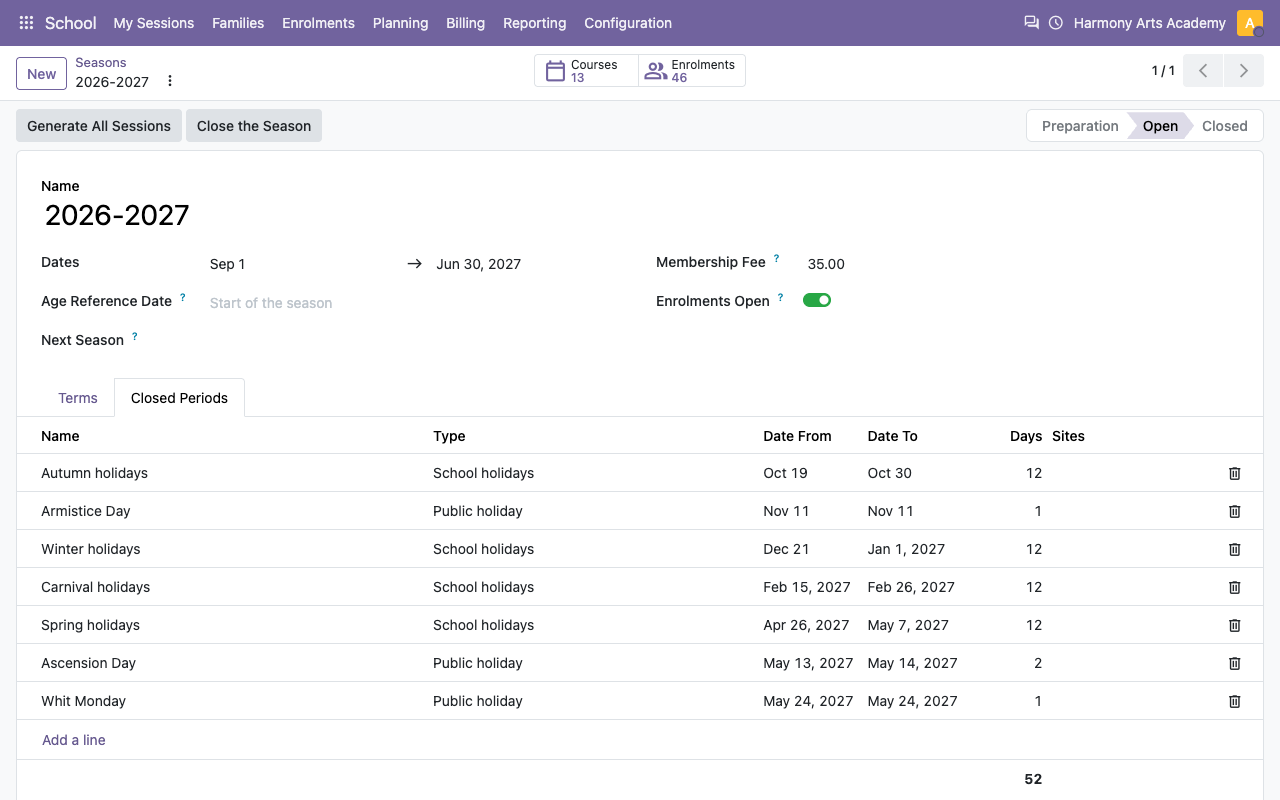
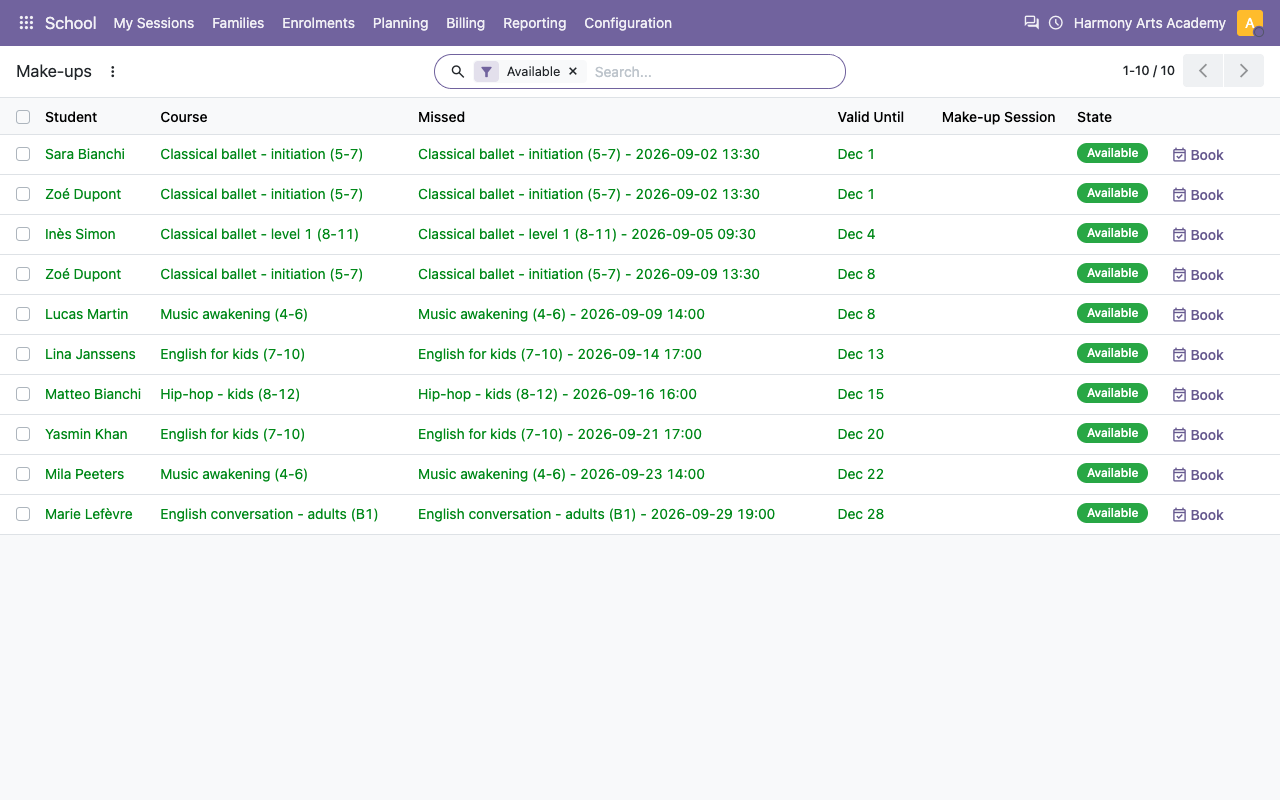
Terms and closed periods (per site if needed) drive the sessions and the prices per term. An excused absence gives a make-up to book in a compatible session with a free seat.
A season with its holidays and public holidays
Make-ups available, with their validity
Dashboards
Fill rate, revenue, teacher hours
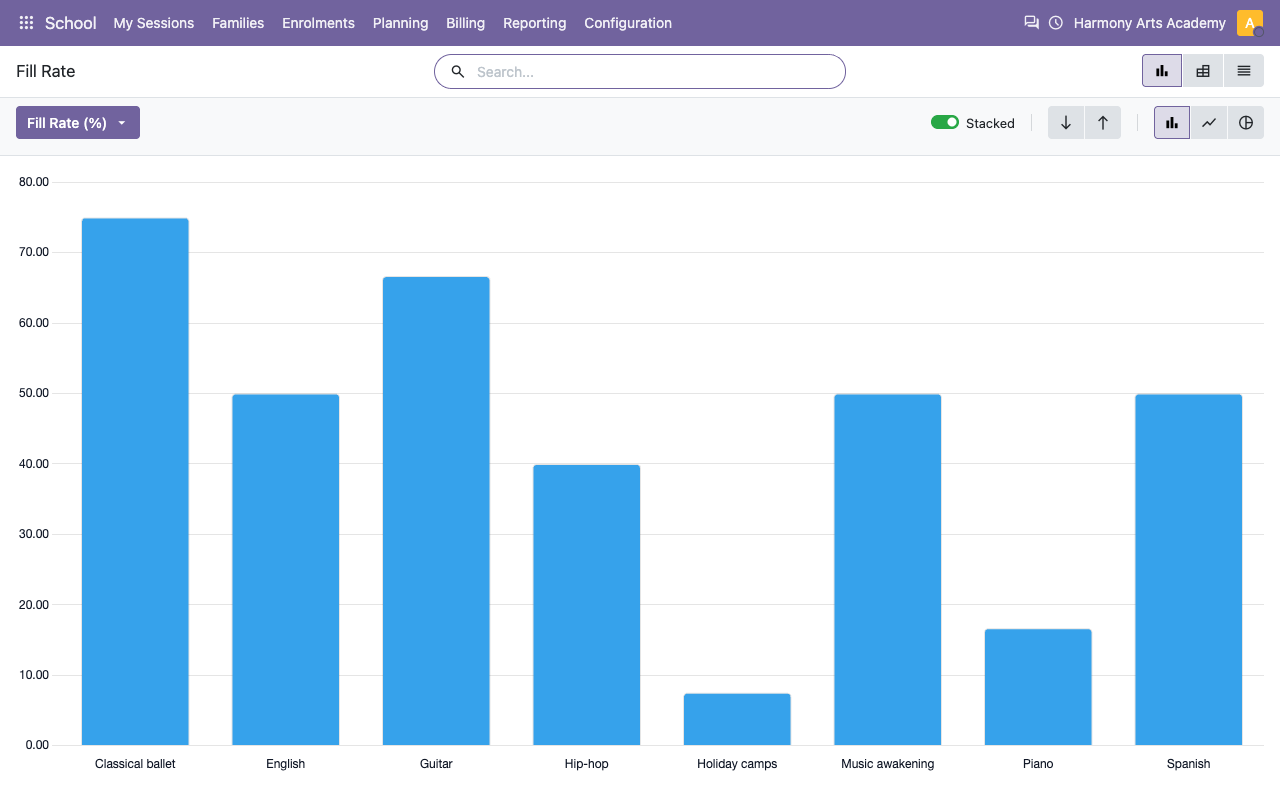
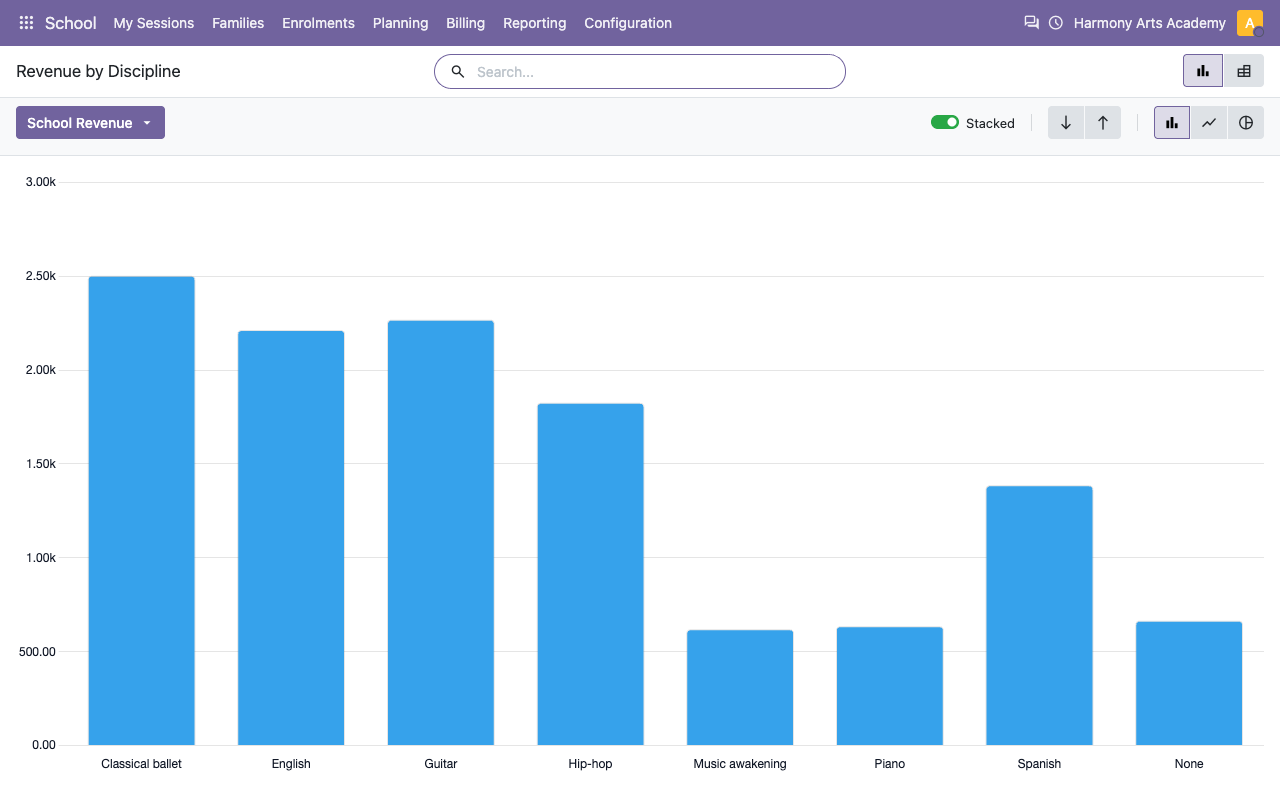
Fill rate and waiting lists per course, revenue per discipline, unpaid instalments, attendance, and the hours taught per teacher and month (with a CSV export for the payroll).
Fill rate per discipline
Revenue per discipline
Certificates
Annual certificates from your own template
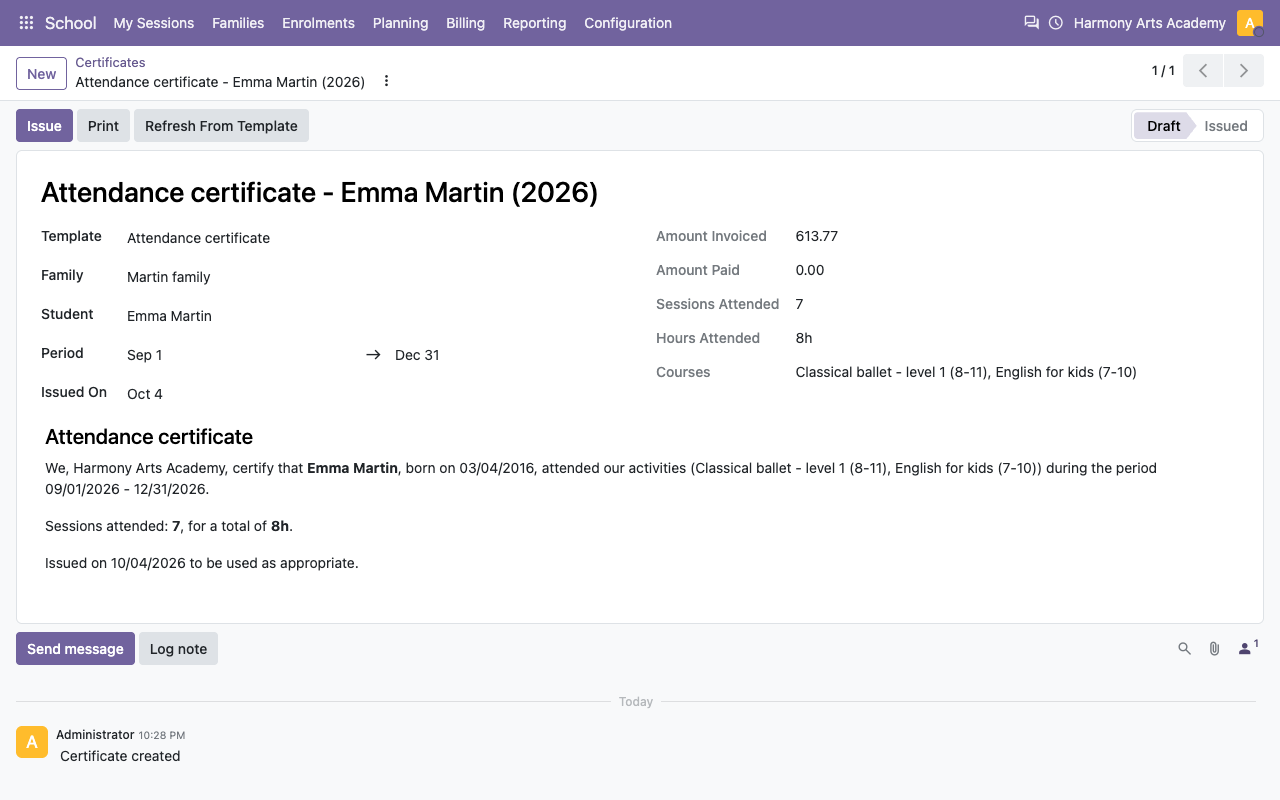
Attendance, payment and tax certificates per family or per student, generated for a period from editable templates (no national rule is hard-coded), printed on your letterhead.
Built on standard Odoo
What Odoo already does, what the app adds
How it works
Set up in ten minutes
1
Your school
School > Configuration: settings (invoicing, refunds, notifications), the season with its terms and holidays, disciplines and levels, sites and rooms, discounts and payment plans.
2
Your courses
Create the courses with their slots, teacher, room, ages, level, capacity and price, then Open: the sessions of the season are generated.
3
Run the year
Enrol the students, invoice the families, let teachers take the roll call from My Sessions, follow the instalments, issue the certificates.
Under the hood
The details
FAQ
Good to know
Can families register online?
Not with this module alone: it covers the back office. Online registration forms, the parent portal and the mobile web app come with a separate free add-on (Course & Activity School – Portal Add-on).
Is it a K-12 school ERP?
No. It is made for private schools of courses and activities (weekly classes, private lessons, camps), not for timetables of full-time academic schools.
Does it handle the tax certificate of my country?
It provides an editable certificate template with the amounts paid and the attendance of the period. No national rule or official form is hard-coded: adapt the text to your country.
Can teachers use their phone?
Yes: the roll call is a mobile-friendly back-office screen with big buttons. Teachers need an Odoo user with the Teacher group.
Can I collect payments online?
Invoices are standard Odoo invoices: use the standard payment providers and customer portal of Odoo to have them paid online.
A question? A problem? Talk to the people who built it.
We will get back to you within 8 business hours.

Email us directly at
Published by
Nalios — Odoo Gold Partner, Belgium — nalios.be