Course & Activity School – Portal Add-on
Add-on for Course & Activity School Management: online registration forms with signature and payment, parent and student portal, teacher roll call on the portal and an installable mobile web app. The add-on itself is free; the price shown is the main app it requires.


Présentation du module

/ Odoo 20 · School
Online registration and a family app for your course school
Add-on for Course & Activity School Management: families register their children online with the live price and pay online, then follow schedules, absences, make-ups, documents and instalments from a mobile web app in your colours. External teachers take the roll call on the same app. The add-on itself is free: the price shown on this listing is the one of the main app.

What it adds
From the first registration to the last instalment
Registration form builder
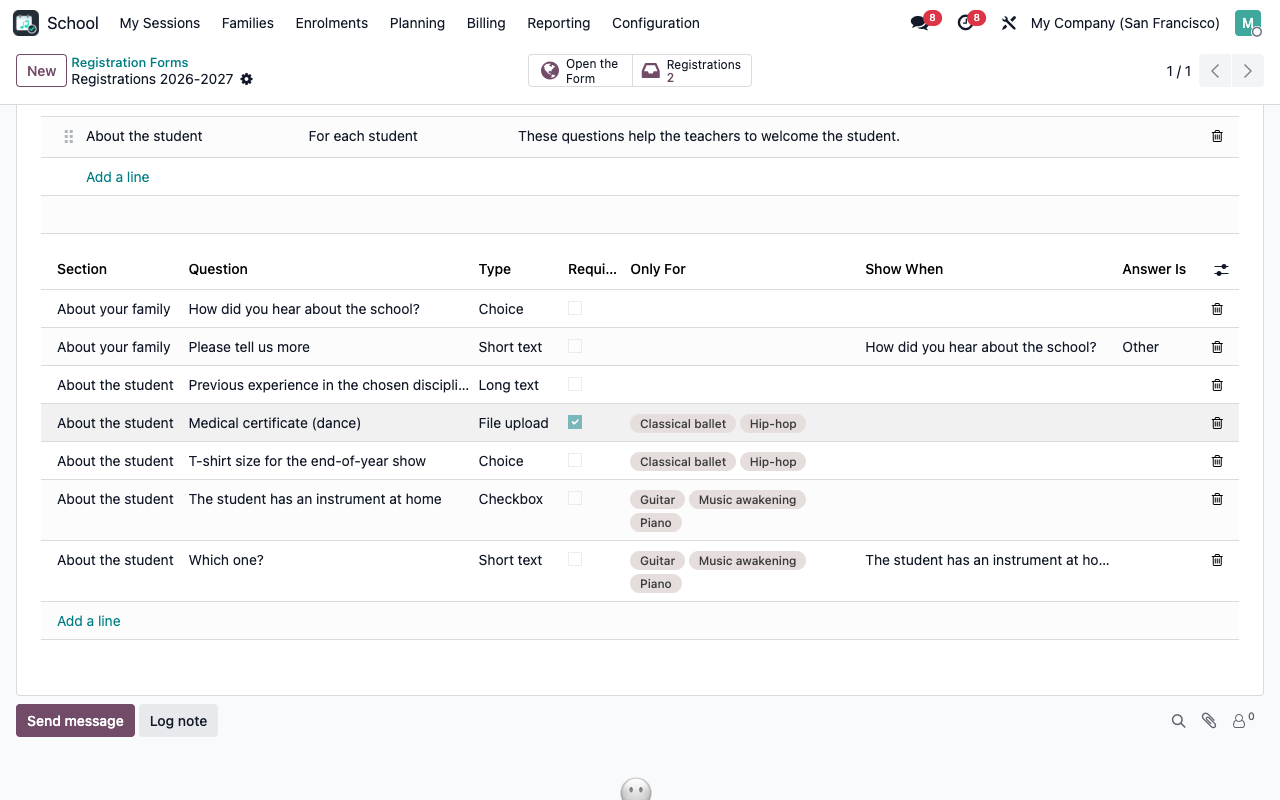
Per season, without code: sections once per family or per student, text, choice, checkbox, date and file questions, conditional questions, questions required for some disciplines only.
Several children at once
Parent account created on the fly (or login), children added, courses filtered by age and level with the live remaining seats, waiting list when a course is full.
Live price
The price of the main app: membership fee, reduced rate, sibling and multi-course discounts and promo codes, updated at every click, with the first instalment of the chosen plan.
Rules signed on screen
Rules to accept, GDPR consents and authorisations per child, signature drawn with a finger or the mouse. No Enterprise Sign needed.
Online payment
Whole amount or first instalment with the standard payment providers of Odoo, or payment on site. The other instalments are paid later from the family space.
Validation queue
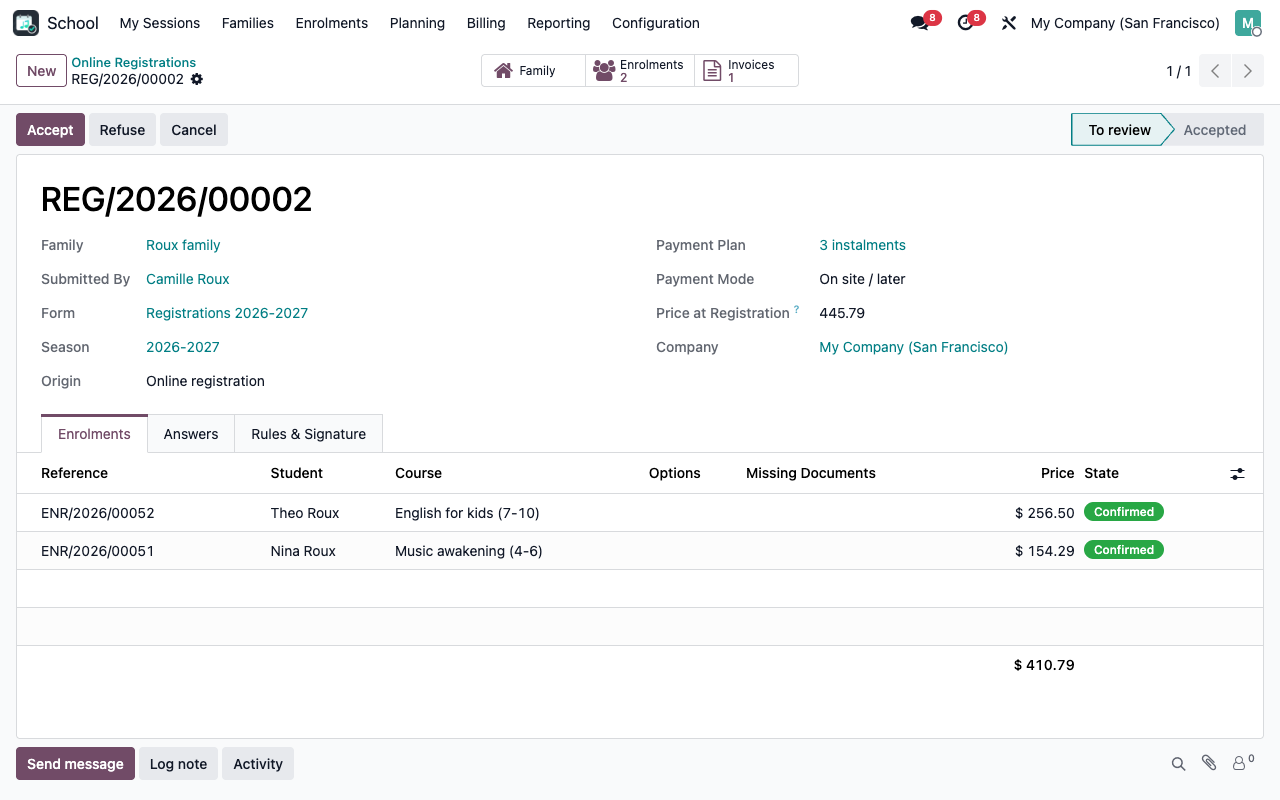
Every registration lands in the back office with its answers, files, missing documents and signature. Accept or refuse with an email to the family.
One page per child
Weekly schedule and next sessions, absences and lates, absence notice in advance, make-up booking in a compatible session, progress comments, documents to provide.
Family space
Invoices and instalment schedule paid online, certificates, address and phones, authorisations, pick-up persons, consents, new enrolment, withdrawal, one-click re-enrolment.
Teachers and the web app
External teachers see their sessions and take the roll call. The portal installs on phones as an app in the school colours, with the schedule kept offline.
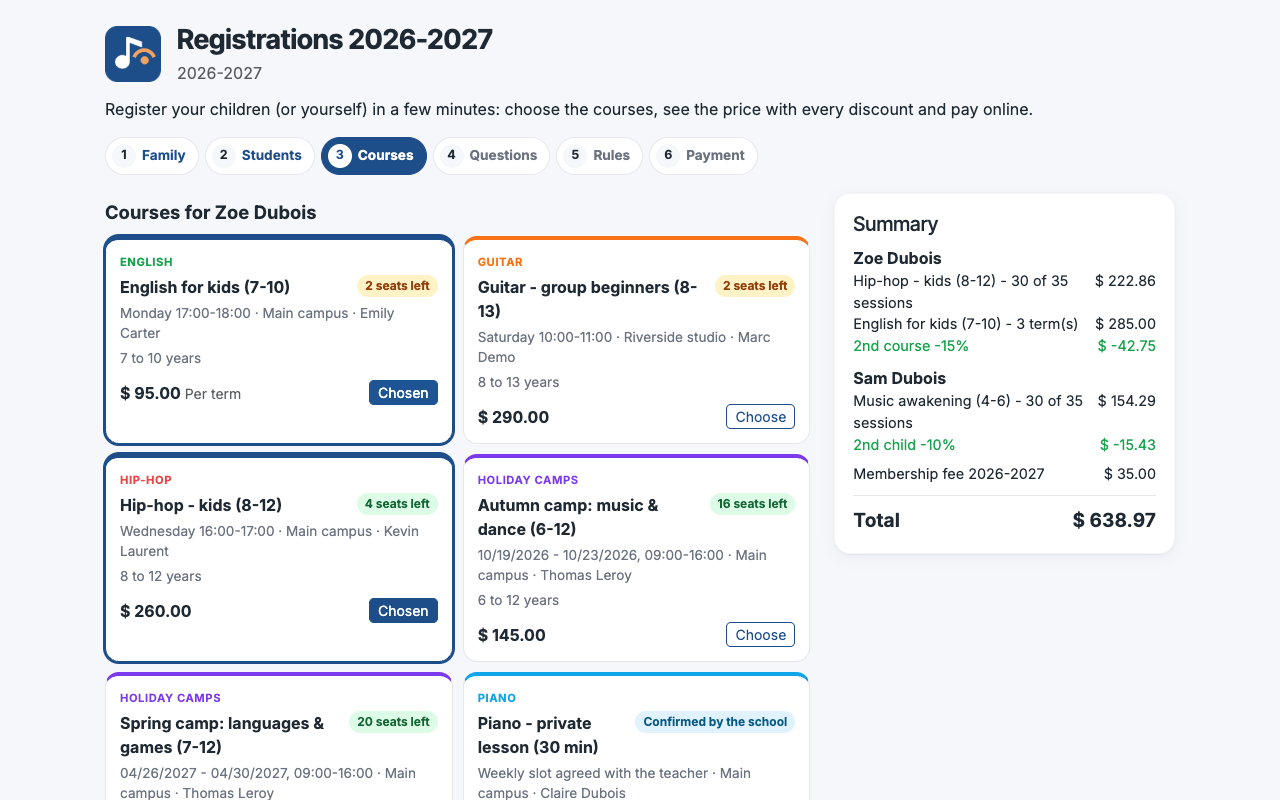
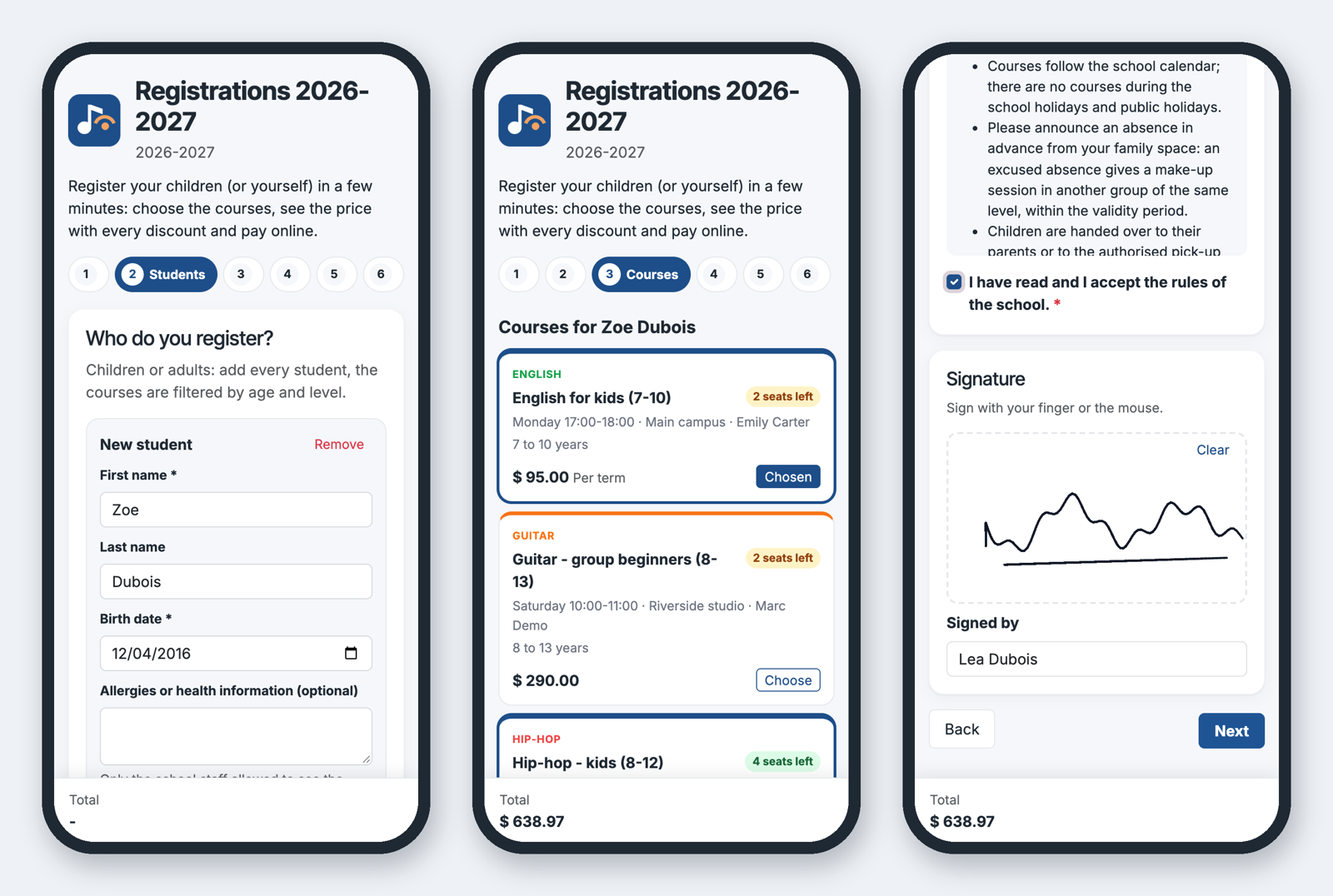
Registration on a phone
Five minutes, all the children
Family, students, courses, your questions, rules and signature, payment. Each step is checked on the spot; the server checks everything again (eligibility, seats, required questions, files) before booking the seats.
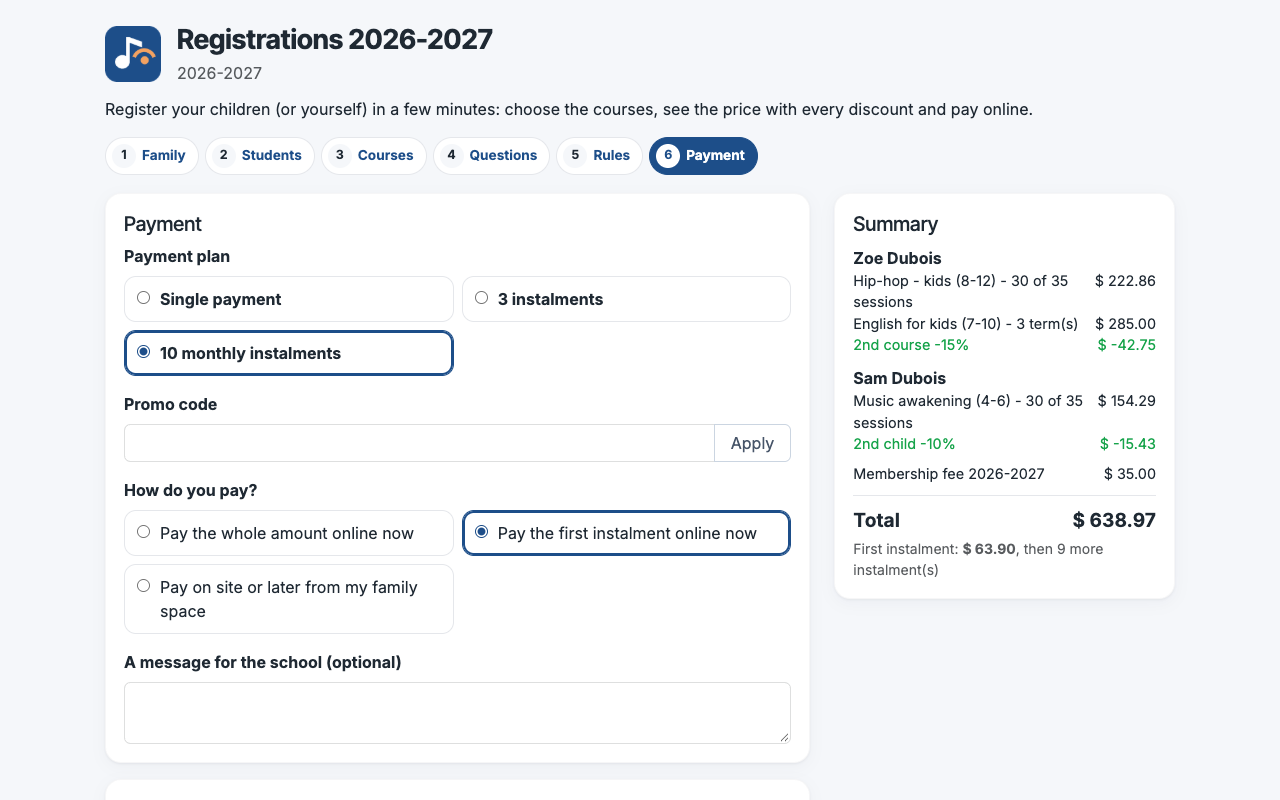
Payment
Pay now or later, in instalments
The plans and payment choices offered come from the form. Online payment goes through the standard payment link of the invoice, so every provider of Odoo works and the payment is reconciled with the invoice.
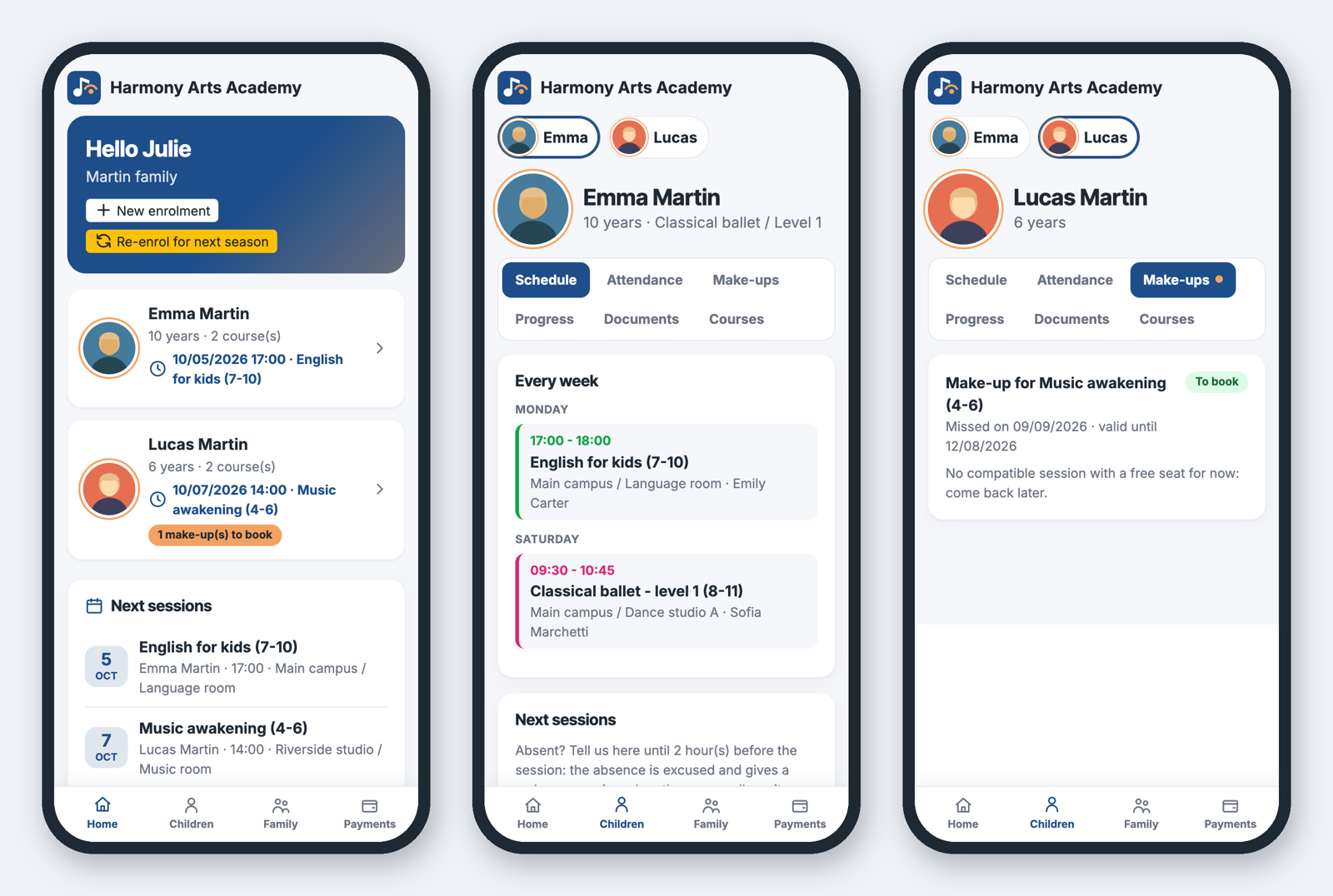
Family portal
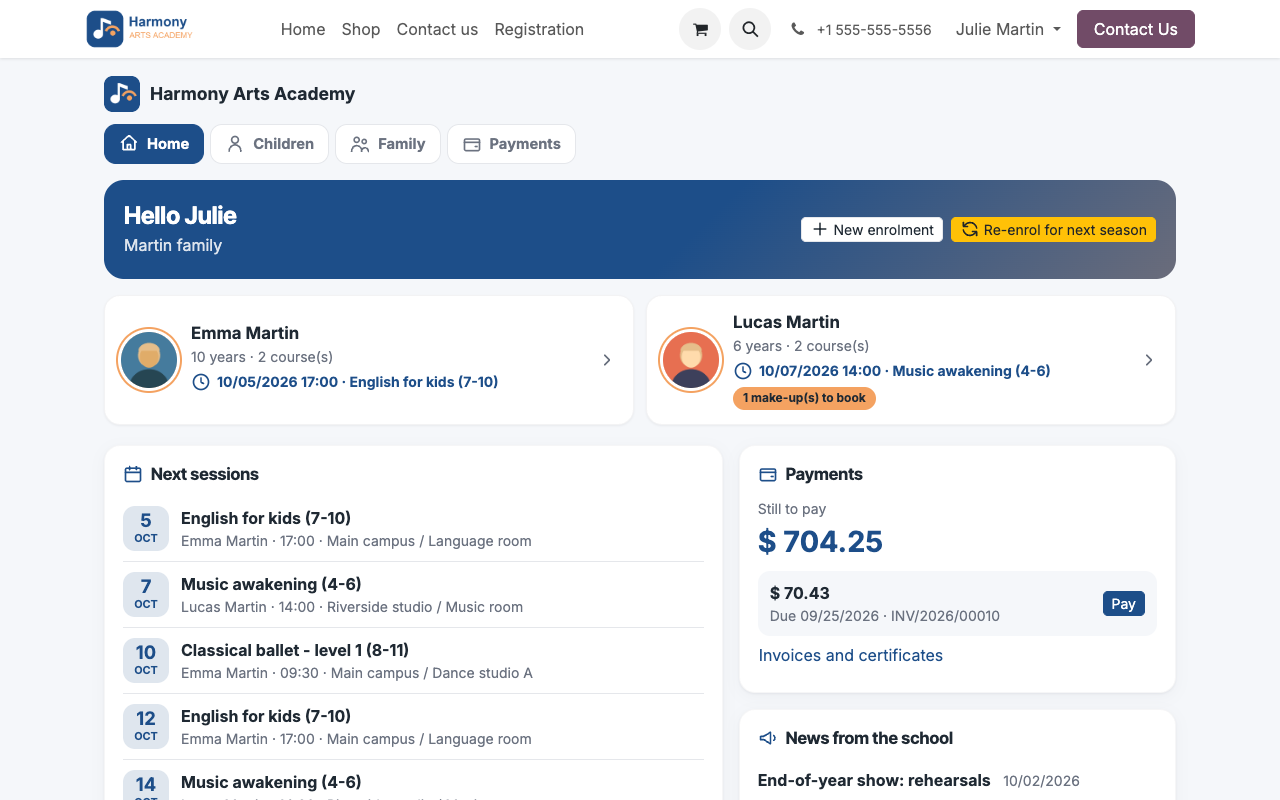
Everything a parent needs, on the phone
A home page with each child, the next sessions, the instalment to pay and the news of the school; one page per child with a switcher; a bottom tab bar like a native app.
Family space
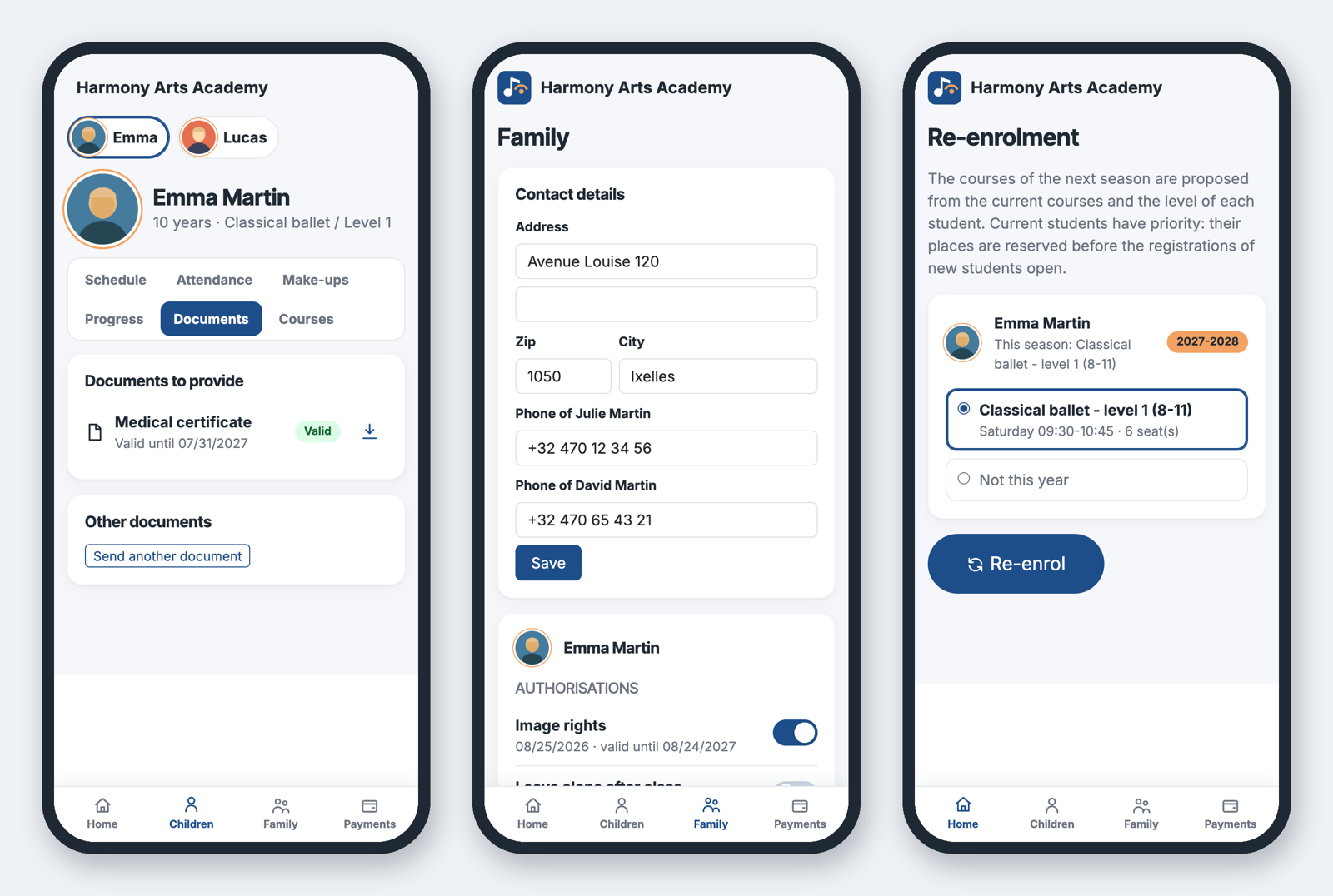
Documents, contacts, next season
Parents upload the documents the school asks for, keep their address, phones, authorisations and pick-up persons up to date, and re-enrol their children for next season in one click.
Payments and certificates
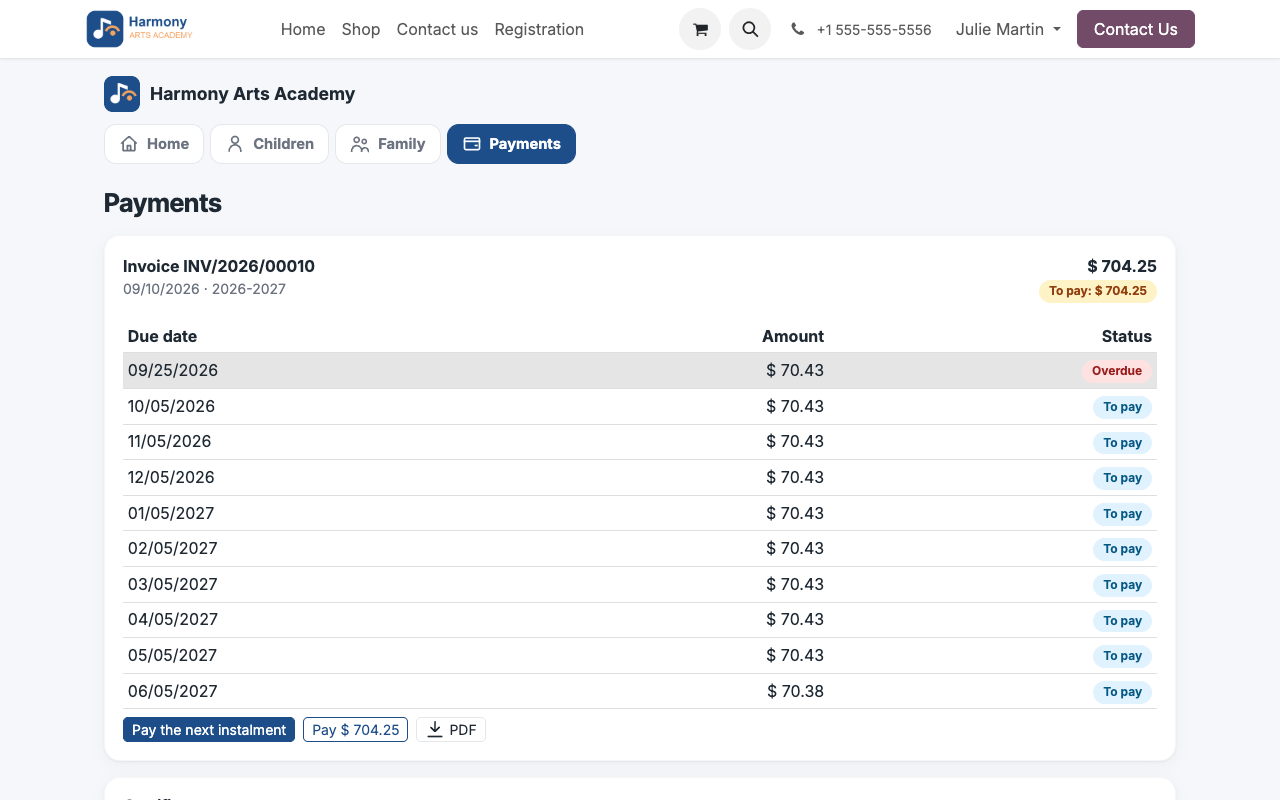
The instalment schedule, paid online
Each invoice of the family with its instalments: pay the next one or the whole balance, download the PDF, download the certificates issued by the school.
Invoices and instalments of the family
The family home page on a computer
Teachers
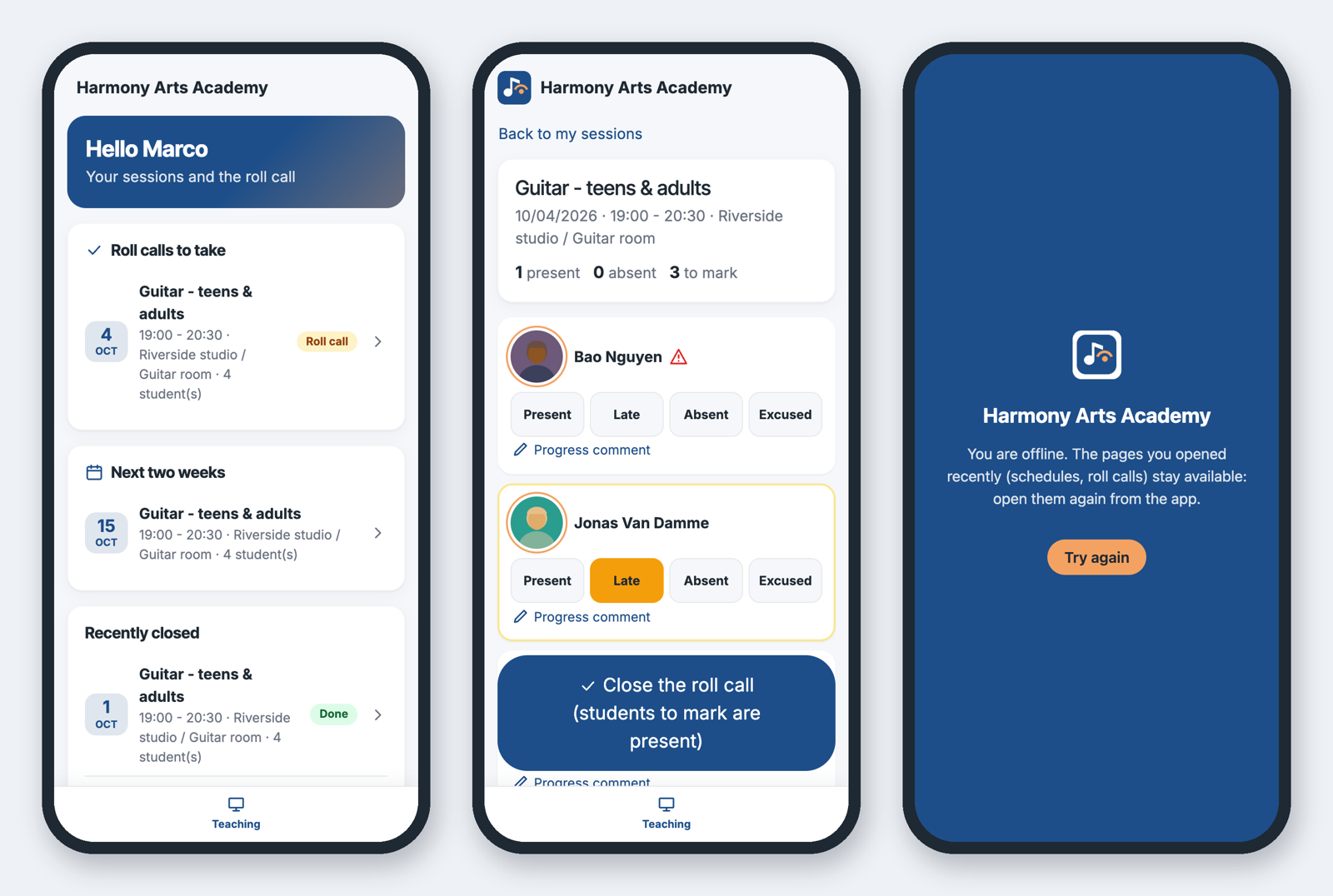
The roll call without an Odoo user
External teachers get a portal access: their sessions to call, big buttons per student, the allergy icon (never the medical details), progress comments, close the roll call. Installed as an app, the pages already opened stay readable offline.
Back office
Review, accept, or refuse
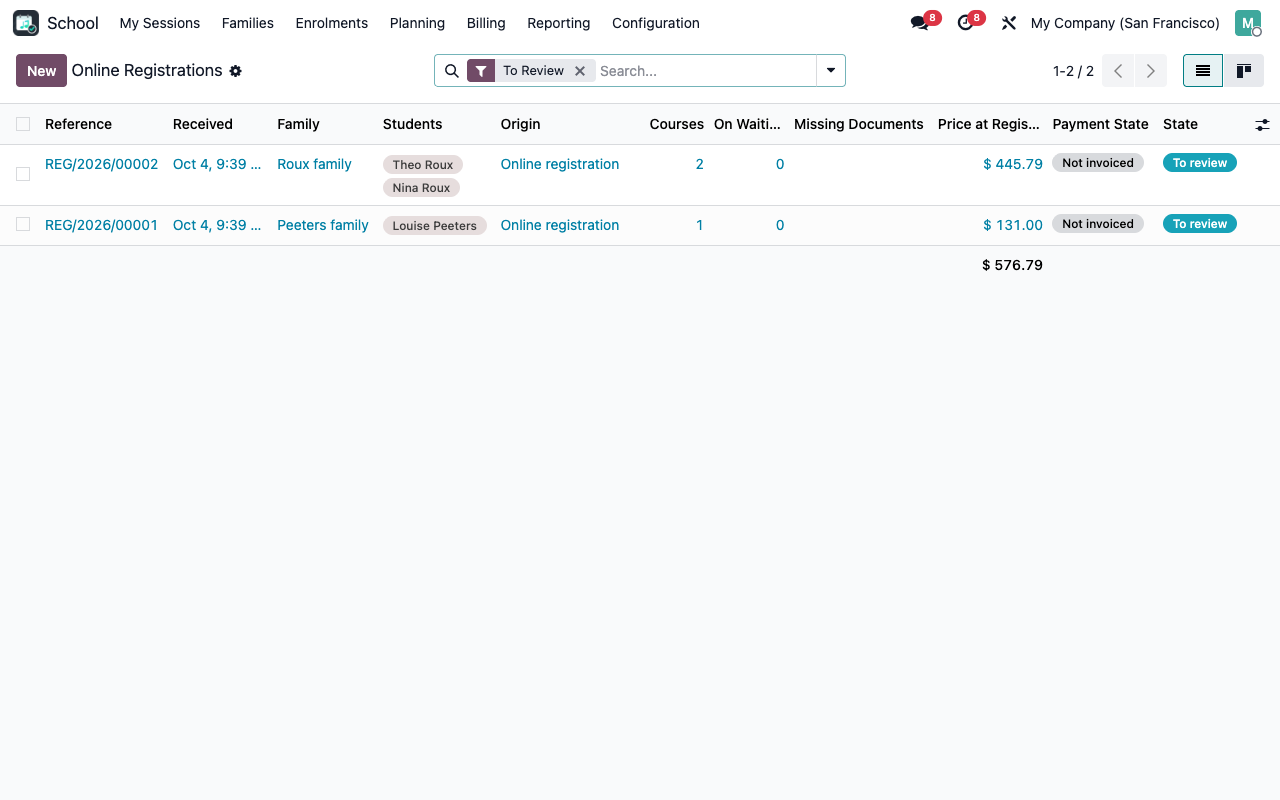
School > Enrolments > Online Registrations: the queue shows the students, the missing documents, the waiting list and the payment of each registration. Accepting confirms the requests and invoices them; refusing cancels or credits them and emails the reason.
Registrations to review
A registration with its enrolments, answers and signature
Configuration
Your form, your rules
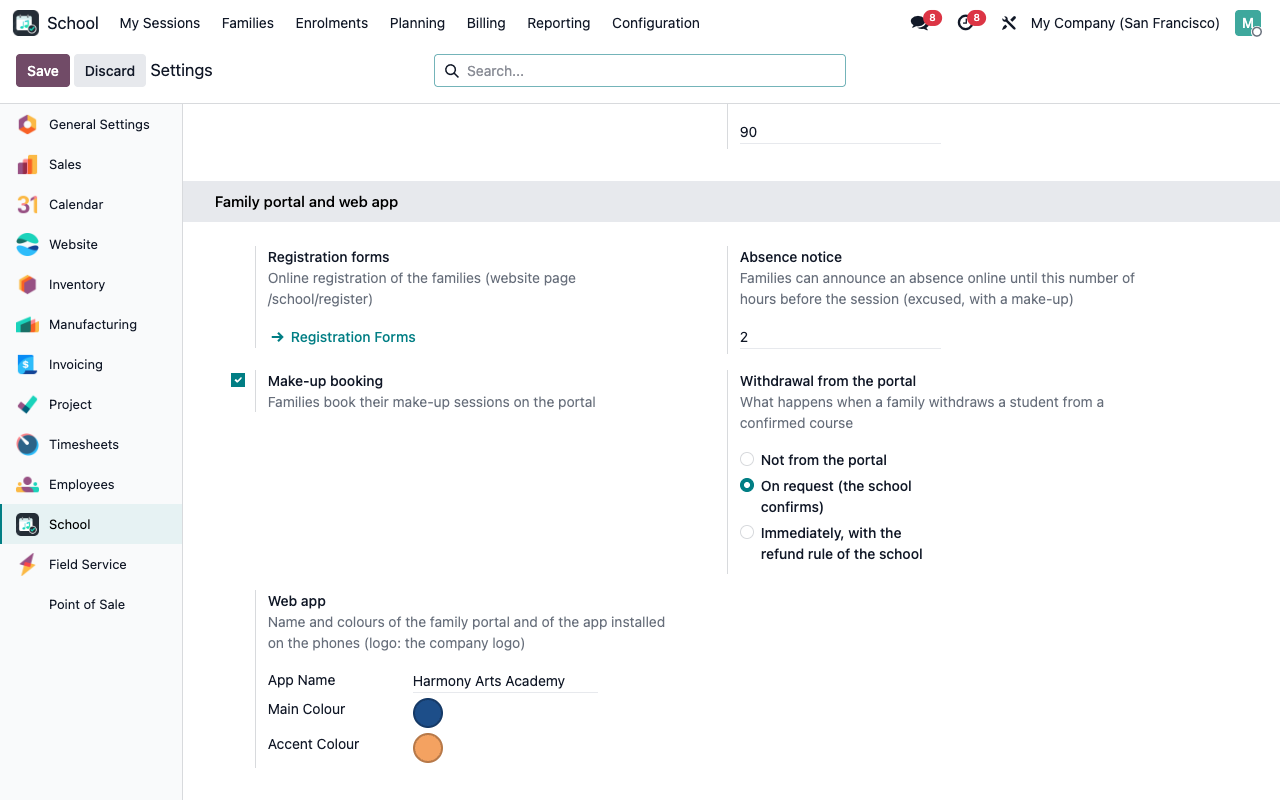
School > Configuration > Registration Forms: seasons, disciplines, questions and conditions, rules, consents and authorisations, instant or reviewed confirmation, payment choices. Settings: absence notice delay, online make-up booking, withdrawal policy, app name and colours.
Form builder with sections and conditional questions
Portal and web app settings
Under the hood
The details
Part of Course & Activity School Management
This add-on only works with the paid app Course & Activity School Management (technical name course_school), which holds the families, students, courses, sessions, enrolments, pricing, invoicing, roll call and certificates. Search for it on the Odoo Apps Store.
FAQ
Good to know
Do families need to create an account first?
No. A visitor fills in the form; the parent account is created with the registration and the parent receives the standard invitation email to choose a password. Known families log in and find their children.
Which payment providers can I use?
Any payment provider enabled in Odoo (Stripe, Mollie, Adyen, PayPal, wire transfer...). Online payment needs the instant confirmation and the invoicing at confirmation on the form.
Is the app in the App Store or Google Play?
No: it is a web app. Parents and teachers install it from the browser (Add to Home Screen); it opens full screen with the school icon and colours.
What works offline?
The pages already opened on the phone (schedule, child pages, roll call list) are shown from the last copy, with an offline banner. Actions (absence notice, roll call) need a connection.
A question? A problem? Talk to the people who built it.
We will get back to you within 8 business hours.

Email us directly at
Published by
Nalios — Odoo Gold Partner, Belgium — nalios.be