Customer Rebates & Year-End Bonuses
Volume rebate agreements per customer or customer group: tiers, live progress, monthly accruals and one credit note at year end.


Présentation du module

/ Odoo 20 · Sales
Customer Rebates & Year-End Bonuses
Built for wholesalers and distributors in food & drinks. Agree tiers with a customer or a buying group, see at any time how much they earned and how much is missing to the next tier, accrue the rebate every month and issue one credit note at the end of the year.

The agreement
Your conditions, written once
One rebate agreement per customer and per period, under Sales > Orders > Customer Rebates. Draft, Active, Closed, with its own chatter.
A customer or a buying group
One customer (its contacts included), or every company carrying a tag: their invoices are pooled in one volume and the rebate goes to the partner you choose, for example the head office or the buying group.
Calendar year or your own dates
January to December, or any period such as April to March. Renewal creates the next period with the same conditions.
The products that count
All products, product categories (subcategories included) or a list of products, minus excluded products such as deposits or promotions.
Amount or quantity
Invoiced amount excl. tax, or invoiced quantity (in each product's unit of measure, with your own label: crates, kg, hl). Always net of credit notes.
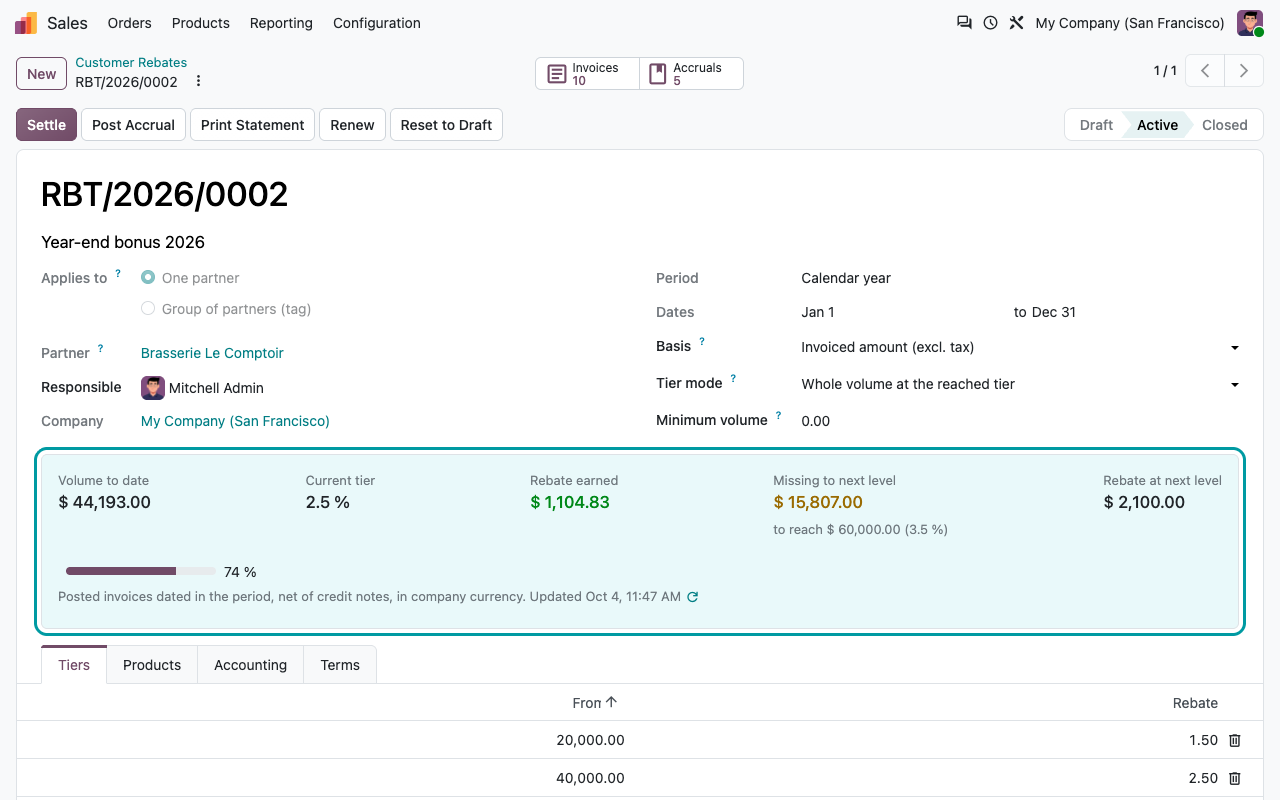
Tiers
From 50,000 → 2 %, from 100,000 → 3 %
As many tiers as you need, with the two ways rebates are negotiated.
Whole volume at the reached tier
The rate of the highest tier reached applies to the whole volume: 100,000 invoiced at 3 % gives 3,000. Retroactive, the classic year-end bonus.
Incremental, per tier slice
Each rate only applies to the slice of volume in its tier: 2 % from 50,000 to 100,000, then 3 % above.
Percentage or amount per unit
A percentage of the amount, or on a quantity basis a fixed amount per unit (0.30 per crate from 500 crates). Quantity tiers can also give a percentage of the amount on the whole volume.
Optional minimum
No rebate at all below a minimum volume, whatever the tiers. Useful with incremental tiers that start at zero.
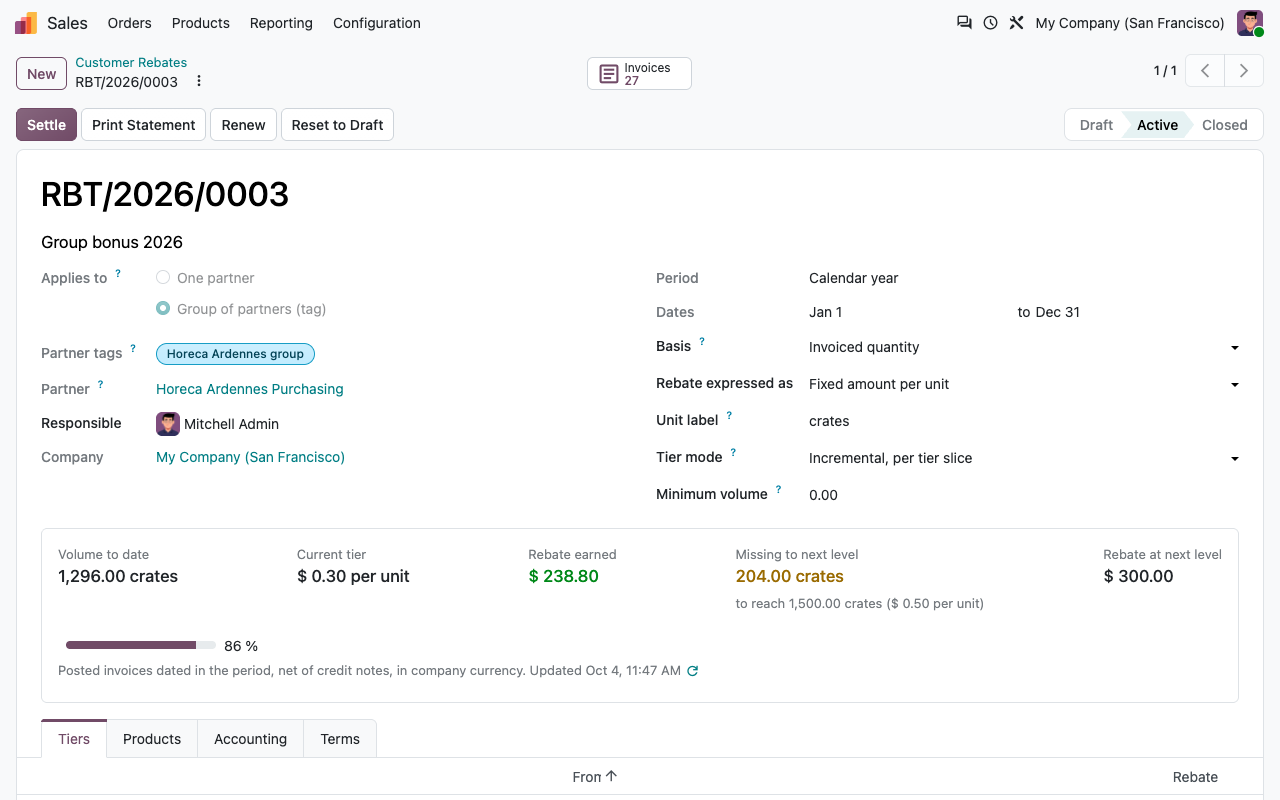
Live progress
What they earned, what is missing
Volume to date, current tier, rebate earned, amount missing to the next level and the rebate at that level. Refreshed when an invoice of the customer is posted, reset to draft or cancelled, every night, and on demand.
On the customer
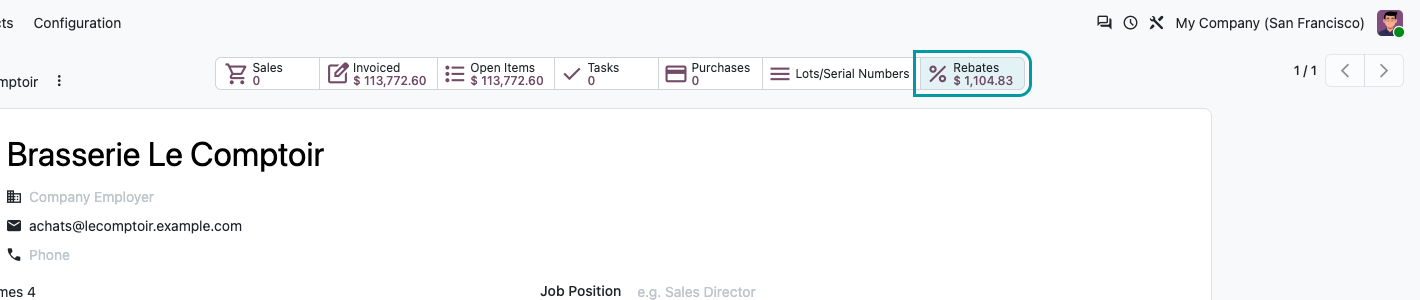
A Rebates smart button on the contact shows the rebates earned on its running agreements and opens them, group agreements included.
For the whole sales team
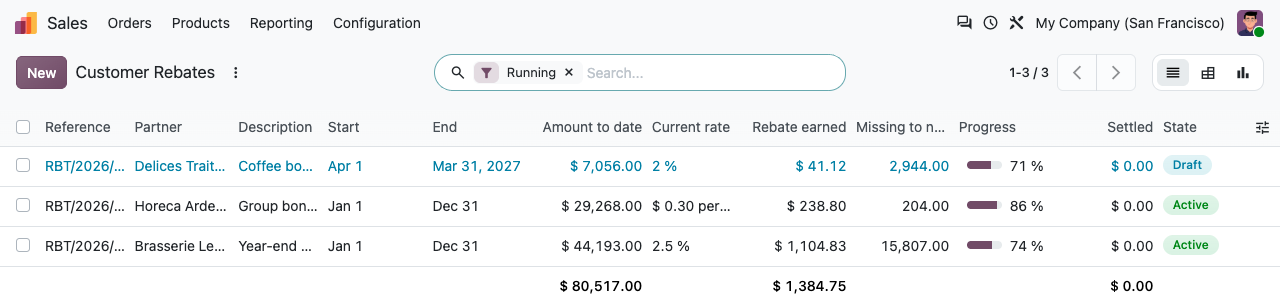
The list shows amount to date, current rate, rebate earned, missing volume and a progress bar per agreement: the call list for the last quarter.
Only what was really invoiced
Posted invoices dated in the period, net of credit notes, in company currency: invoices in another currency are converted at their own rate.
Never counted twice
Settlement credit notes never reduce the volume of the next period, and two active agreements with the same partner, products and dates are refused.
On the contact
The rebate at a glance
Rebate statement
A statement to send to your customer
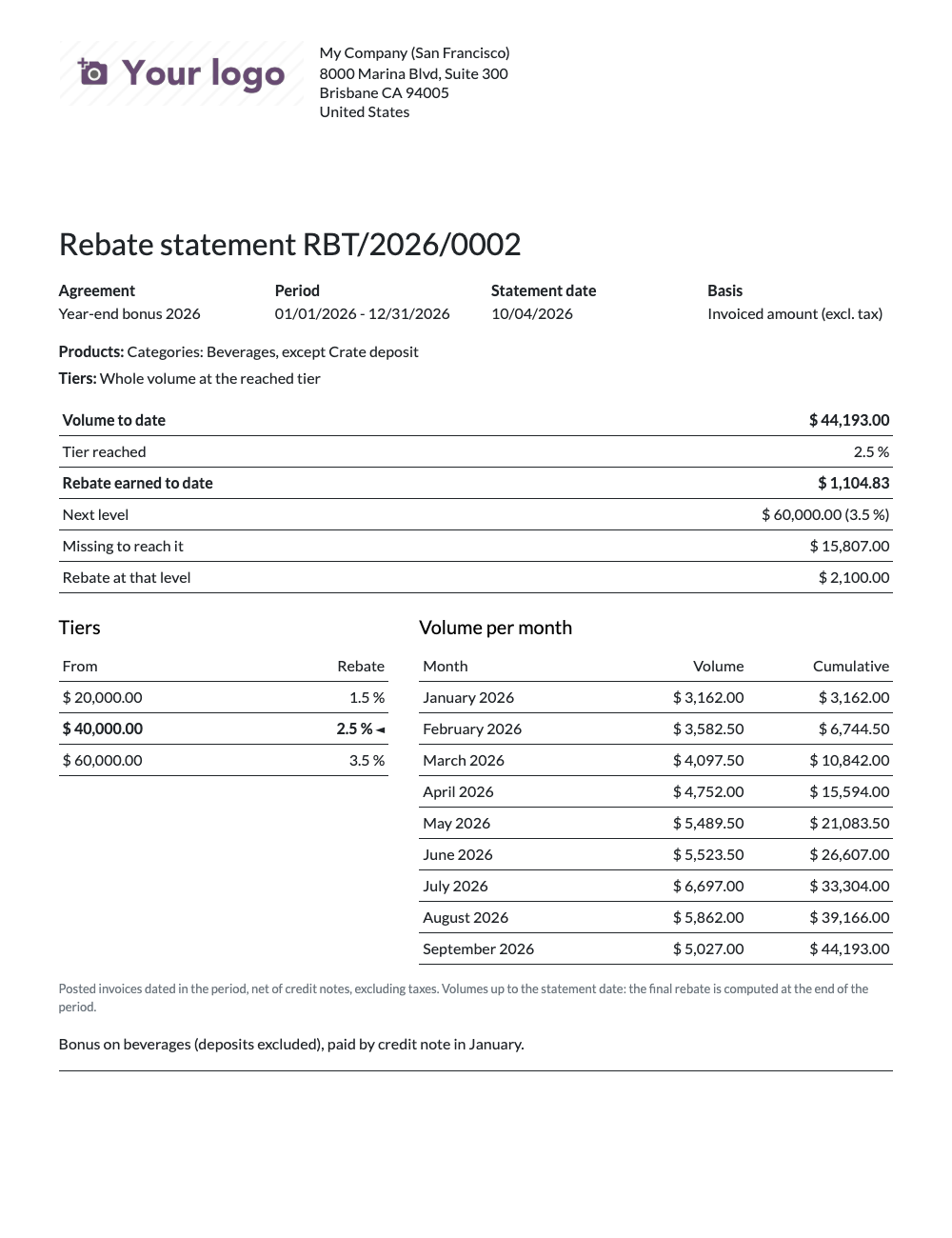
Print Statement produces a PDF in the customer's language (English and French included): period, products, tiers with the one reached, volume to date, rebate earned, next level, amount missing and the volume month by month. The motivation letter for the last quarter.
Accruals
Margins right every month
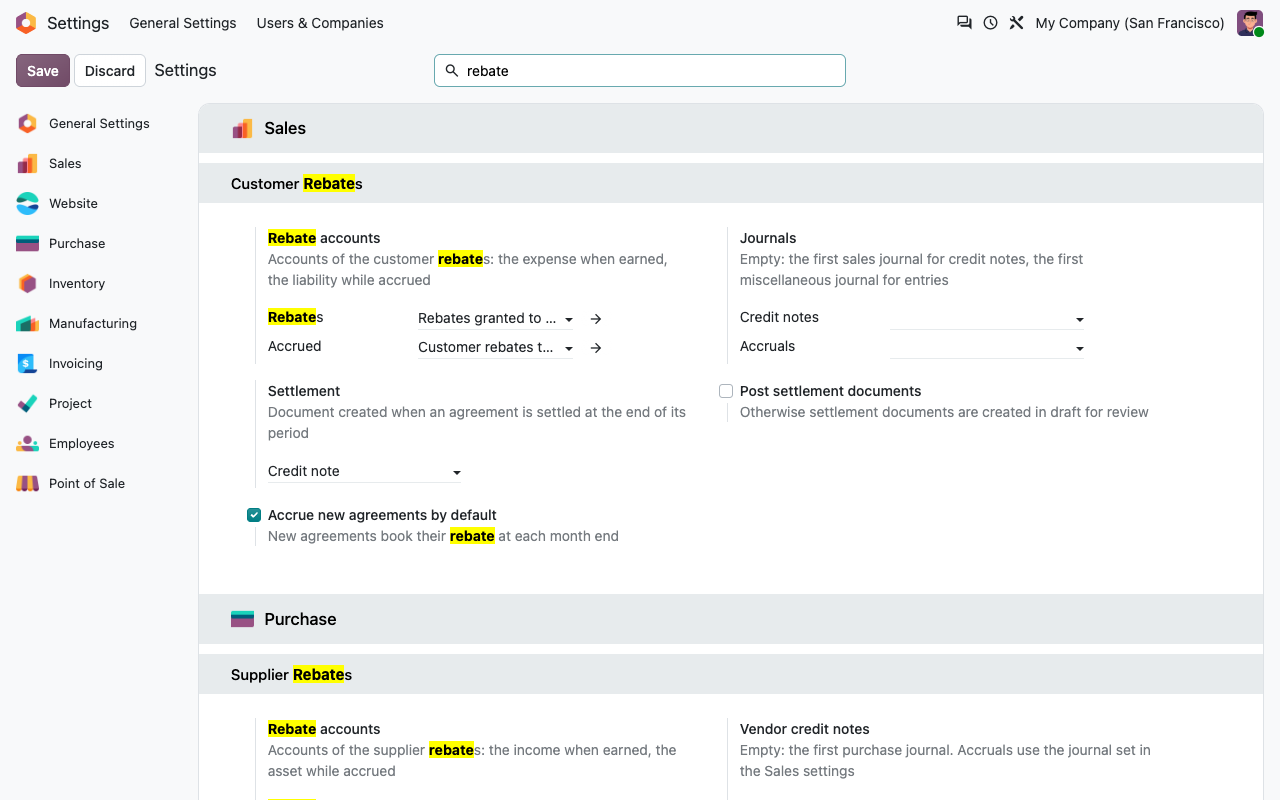
Tick Monthly accruals on the agreement (or by default in the settings).
Booked at each month end
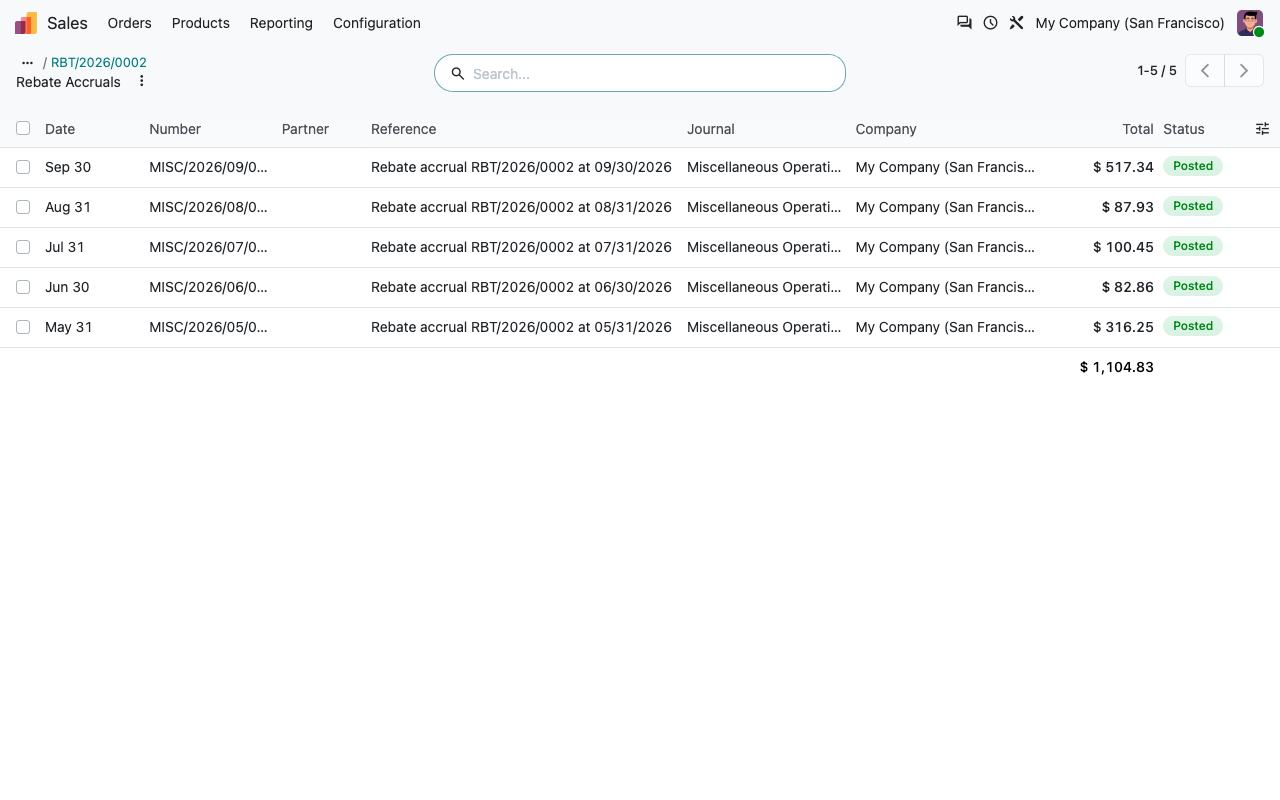
A nightly job books the rebate earned up to the last closed month end: rebate account against the accrued rebates account. Only the difference with what is already accrued is booked, so the entries also go down after a credit note.
Reversed at settlement
When the agreement is settled, one entry reverses everything accrued, and the credit note books the final rebate. The net expense of the year is exactly the rebate granted.
On demand
Post Accrual books the last closed month right away, for example before a monthly closing.
Errors stay visible
If an entry cannot be posted (lock date, missing account), the reason is written in the chatter of the agreement.
At year end
Settle and renew in one click
1
Select the agreements
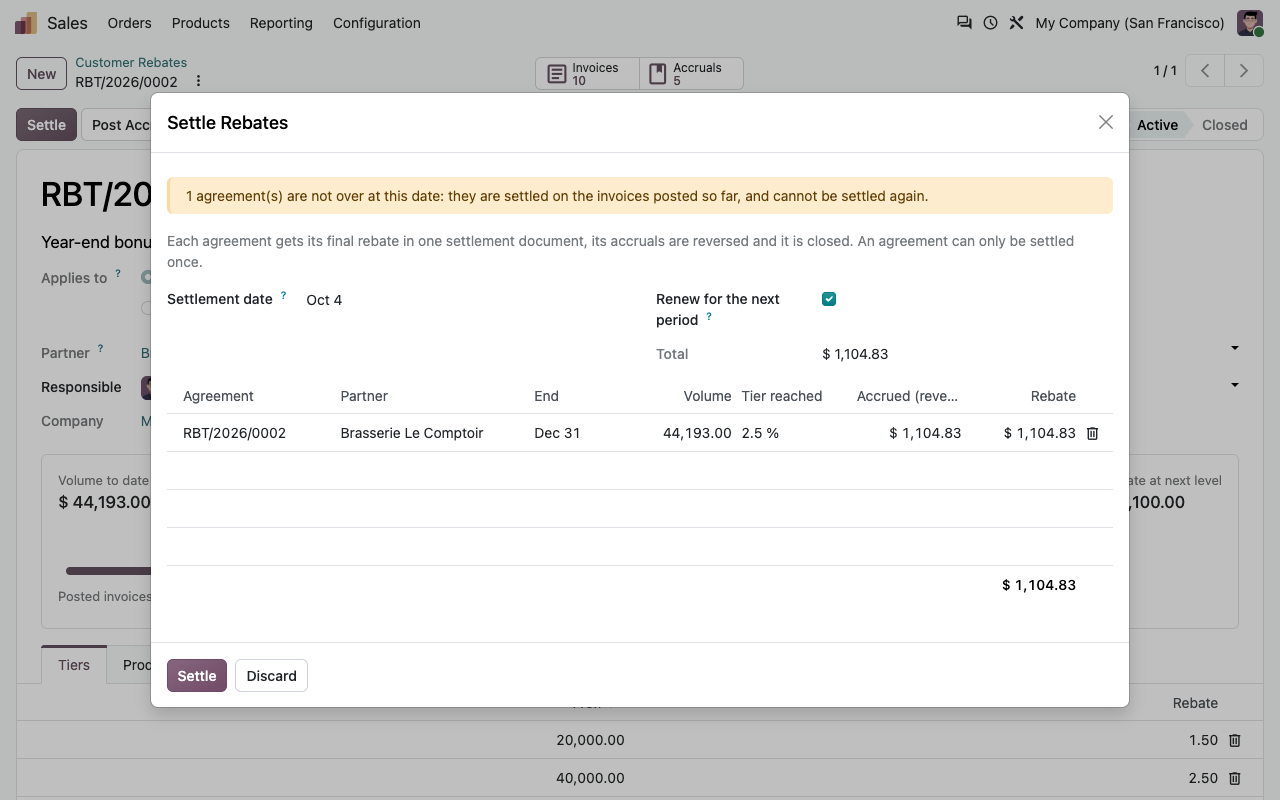
One agreement, or all the agreements of the period from the list: Settle shows the volume, tier, accrued and rebate of each one.
2
One document each
Each agreement gets one credit note (or one entry), its accruals are reversed and it is closed. It can never be settled twice.
3
Next period ready
Tick Renew: the agreements of the next period are created in draft with the same conditions, ready to be activated.
Settlement
A normal credit note, with the right VAT
Split by tax rate
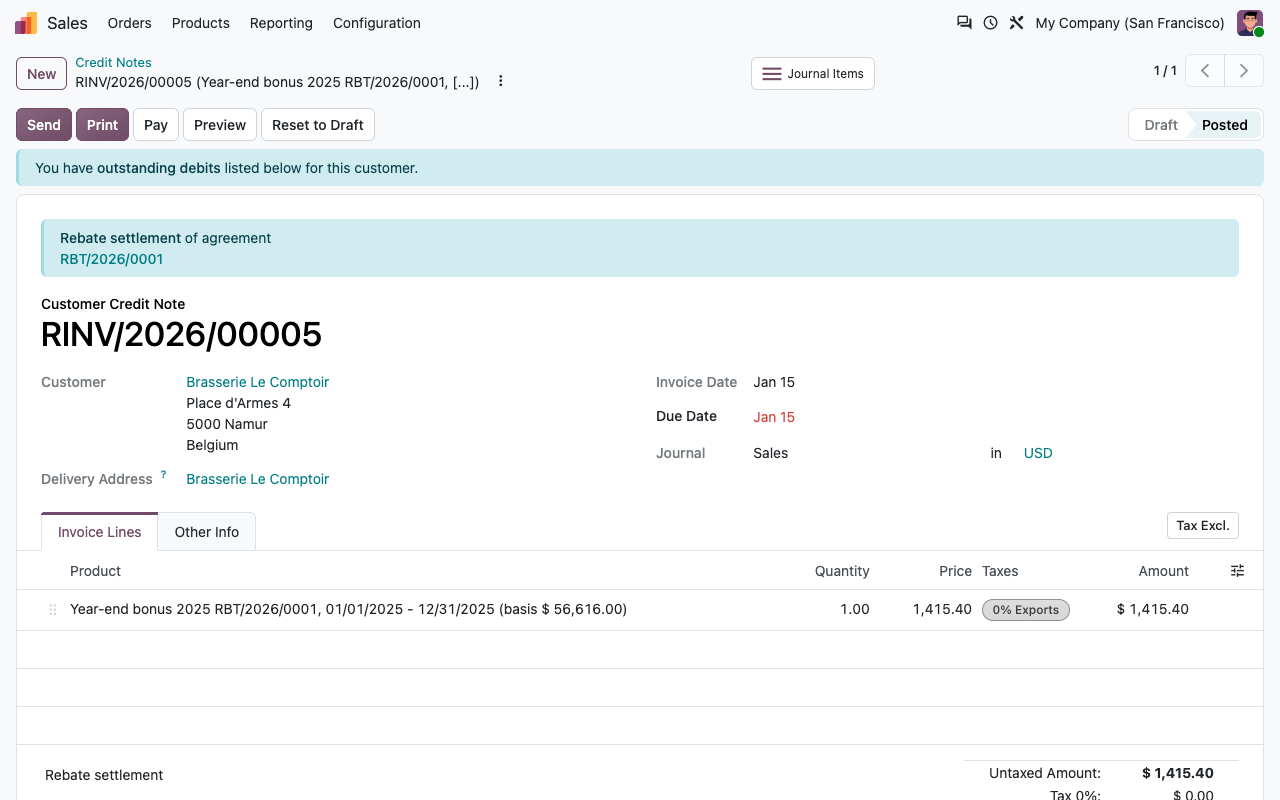
The rebate is spread over the tax rates of the invoiced lines, pro rata of their amount: food at 6 % and beer at 21 % each get their line, so the VAT correction is right.
Or an entry on the partner account
Prefer to pay the rebate out? Choose Journal entry on the partner account: rebate account against the partner's payable, without tax.
Draft or posted
Settlement documents are created in draft for review, or posted directly if you choose so in the settings. Each line shows the agreement, the period and the basis.
Corrections
Cancel the credit note and Reopen the agreement to settle it again. As long as the credit note is valid, reopening is refused.
Reporting
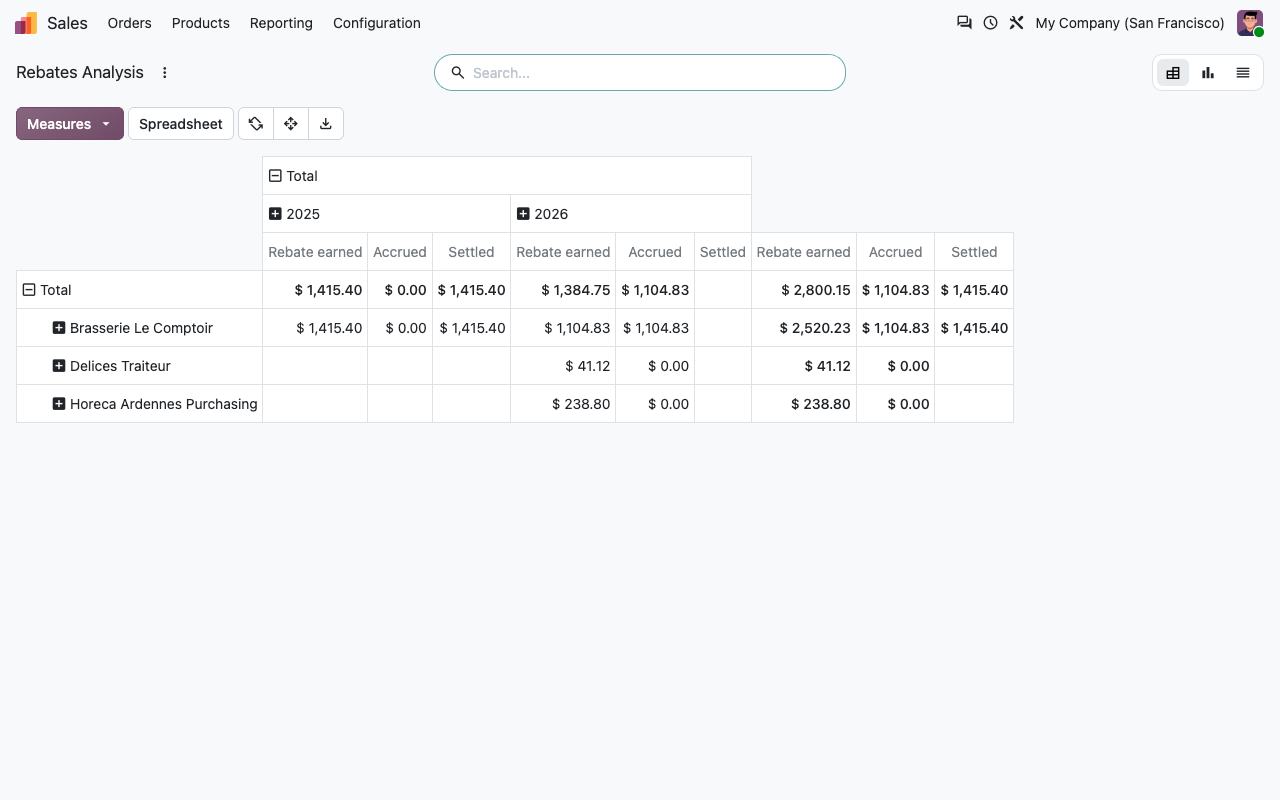
Earned, accrued, settled
Sales > Reporting > Rebates: rebates earned, accrued and settled by partner and by year, in pivot, graph or list.
Under the hood
Precise details
FAQ
Good to know
What if an invoice is posted after the settlement?
The settlement uses the posted invoices at that moment. A late invoice or credit note dated in a settled period does not change the closed agreement: adjust with a manual credit note, or cancel the settlement credit note, reopen and settle again.
In which currency is the rebate?
In the company currency. Invoices in another currency count at their accounting value; the credit note is issued in the company currency.
Can a customer have several agreements?
Yes, on different products (for example one on beer, one on coffee) or on different periods. The same partner with the same products on overlapping dates is refused.
Which accounts should I use?
For example 708 Rabais, remises et ristournes accordés for the rebates and a current liability account for the accrued rebates. The module does not create accounts: you choose them in the settings.
How does a group agreement work?
Tag the member companies (the tag must be on the company, not on a contact). Their invoices are pooled in one volume; the credit note goes to the partner set on the agreement.
Is a quantity basis meaningful across products?
Quantities are added in each product's unit of measure. Use it on products sold in the same unit (crates, kg, hl), or with a product scope.
A question? A problem? Talk to the people who built it.
We will get back to you within 8 business hours.

Email us directly at
Published by
Nalios — Odoo Gold Partner, Belgium — nalios.be