Food Labelling (EU INCO 1169/2011)
Ingredient lists from your recipes, the 14 allergens in bold, nutrition declaration per 100 g and per portion, best before / use by dates and lots: print EU food labels (FR/NL/EN/DE).


Présentation du module

/ Odoo 20 · Manufacturing
EU food labels, straight from your recipes
Your bills of materials already say what goes into each product. This app turns them into the label Regulation (EU) No 1169/2011 asks for: the ingredient list in the right order with the allergens in bold, the nutrition declaration, the dates, the lot and the net quantity, in French, Dutch, English or German.
What it does
From recipe to label, without retyping
Built for bakeries, pastry shops, butchers, caterers and small food makers who sell pre-packed food in Belgium, France, the Netherlands or Luxembourg.
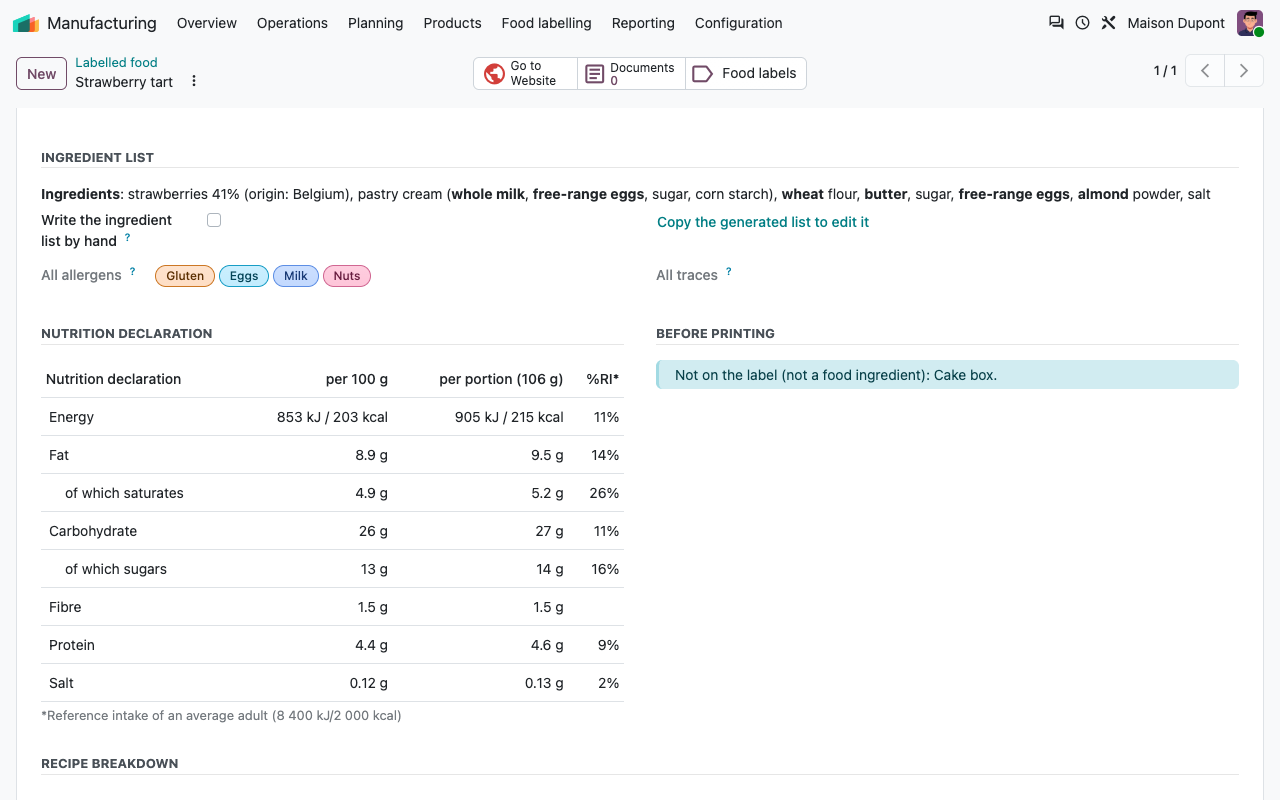
Ingredient list, generated
Sub-recipes exploded, quantities converted to grams, ingredients sorted by weight at the time of use, compound ingredients in brackets.
Allergens in bold
The 14 allergens of Annex II are installed and translated. They follow the recipe up to the label, with the "May contain traces of" of each ingredient.
Nutrition declaration
Computed per 100 g from the ingredients, with a cooking loss, rounded with the EU rules. Per portion with the reference intakes if you want.
Checked before printing
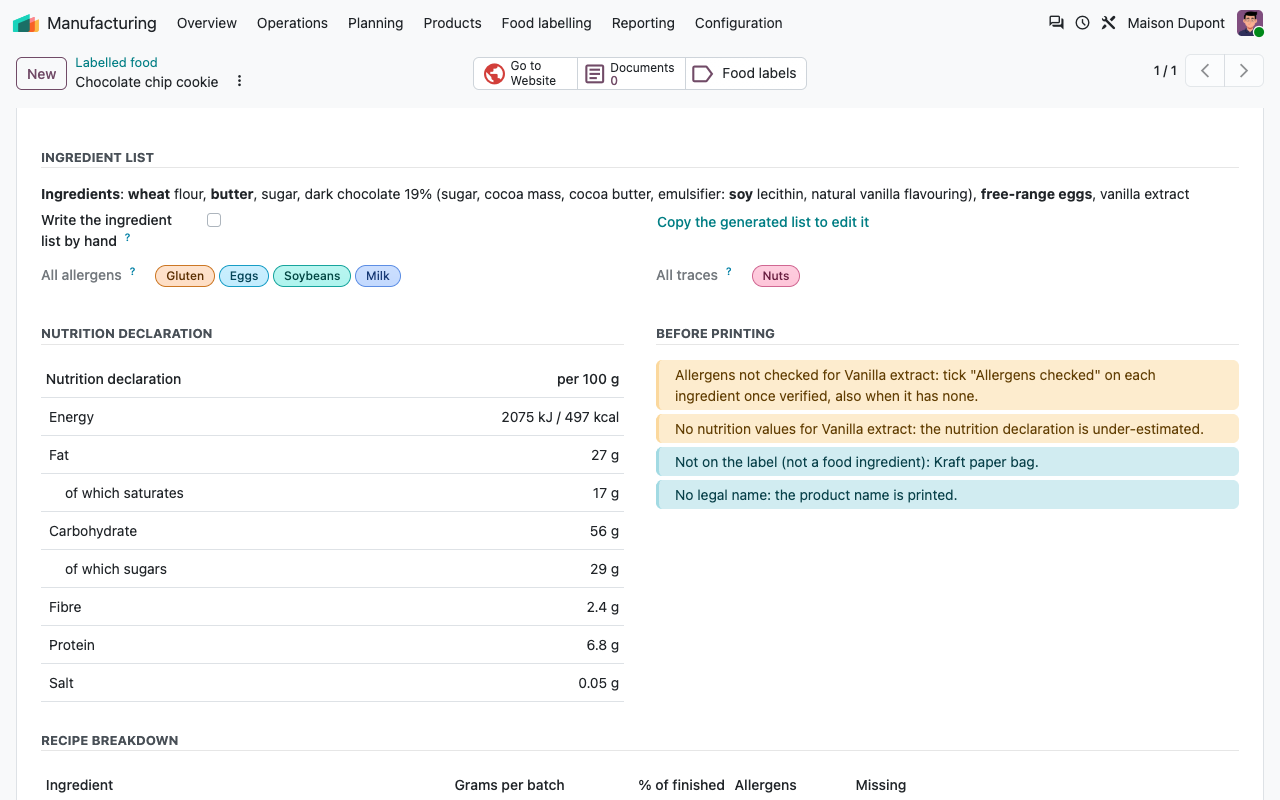
Missing nutrition values, allergens not checked, unknown weights, no net quantity or shelf life: you see it before the label is printed.
Standard Odoo or the app
What Odoo already does, what this app adds
Ingredients
Each ingredient once, every label right
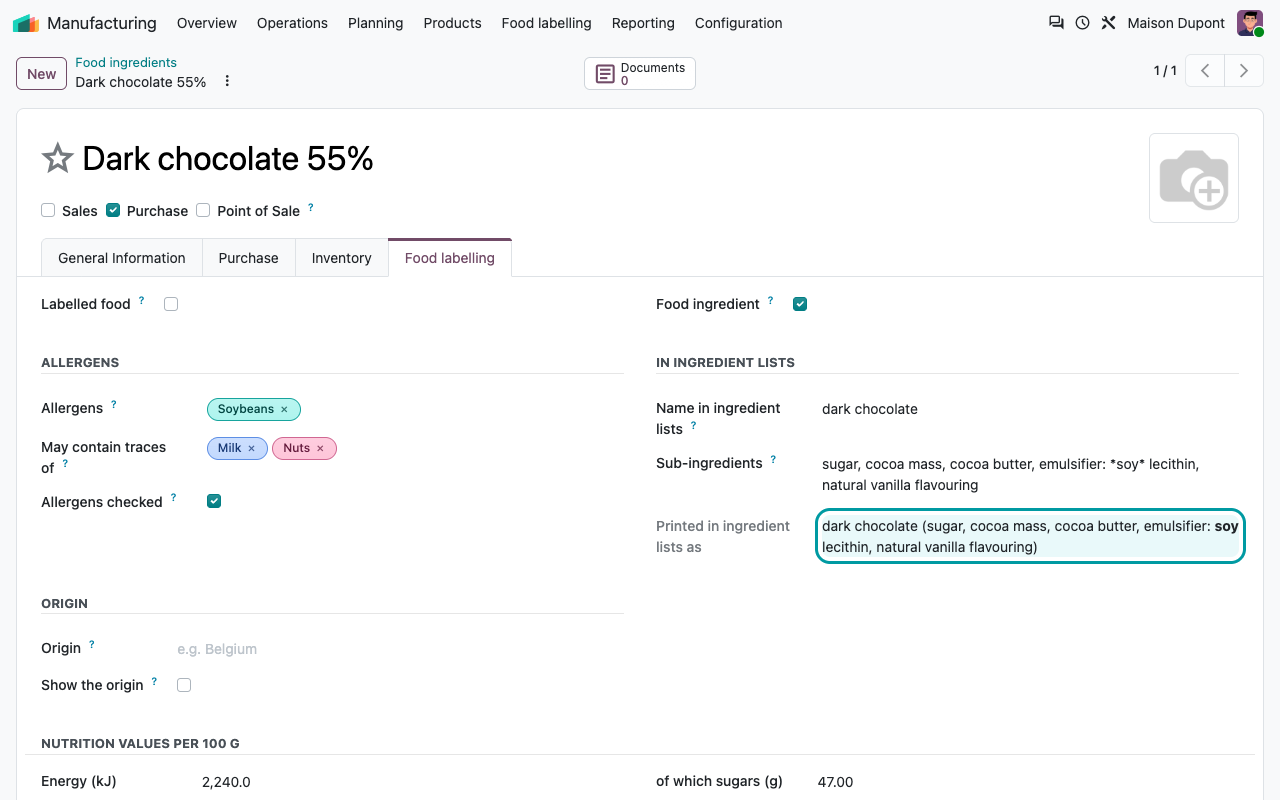
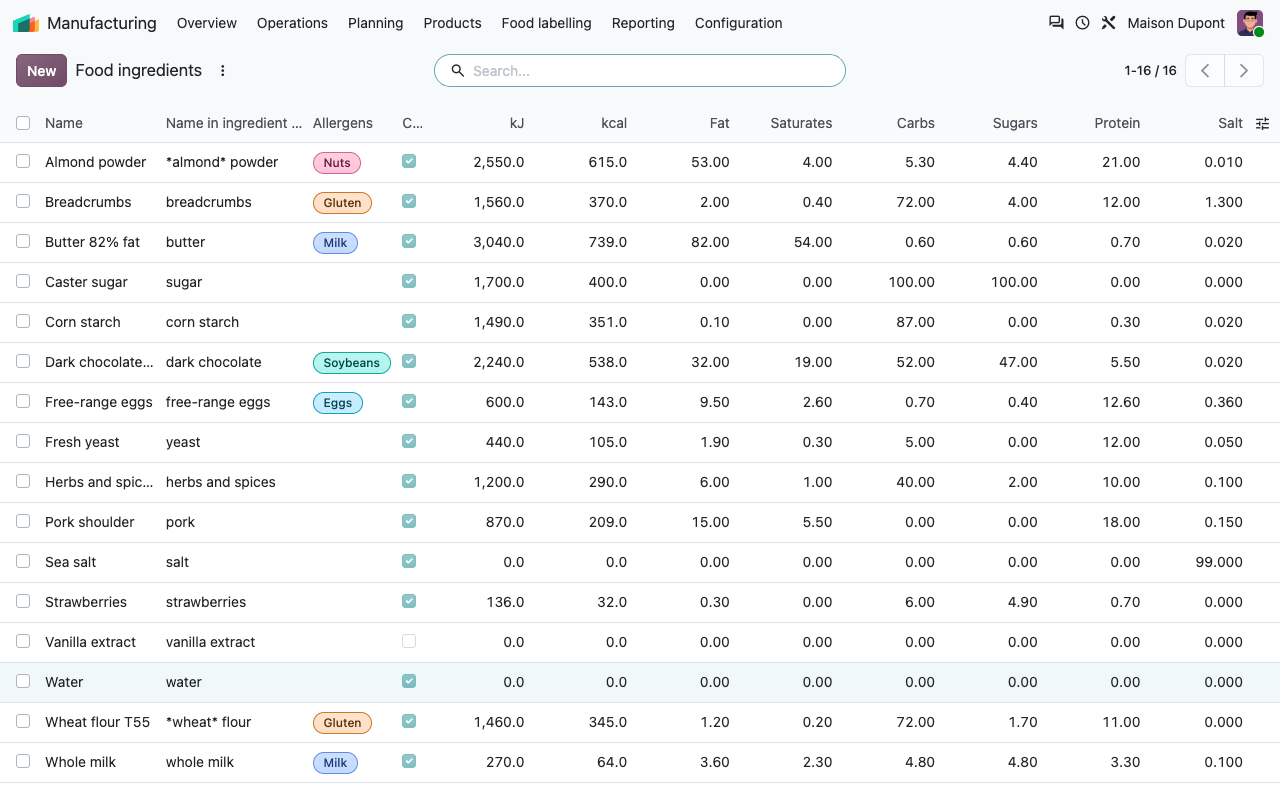
Tick Food ingredient on your raw materials and fill in their allergens, the name used in ingredient lists and their nutrition values. Words between asterisks are printed in bold: *wheat* flour, or emulsifier: *soy* lecithin in the sub-ingredients of a compound ingredient you buy. The list view lets you enter many ingredients in one go.
A compound ingredient and how it is printed
Allergens and nutrition values of all ingredients
The recipe
The order of weight, computed for you
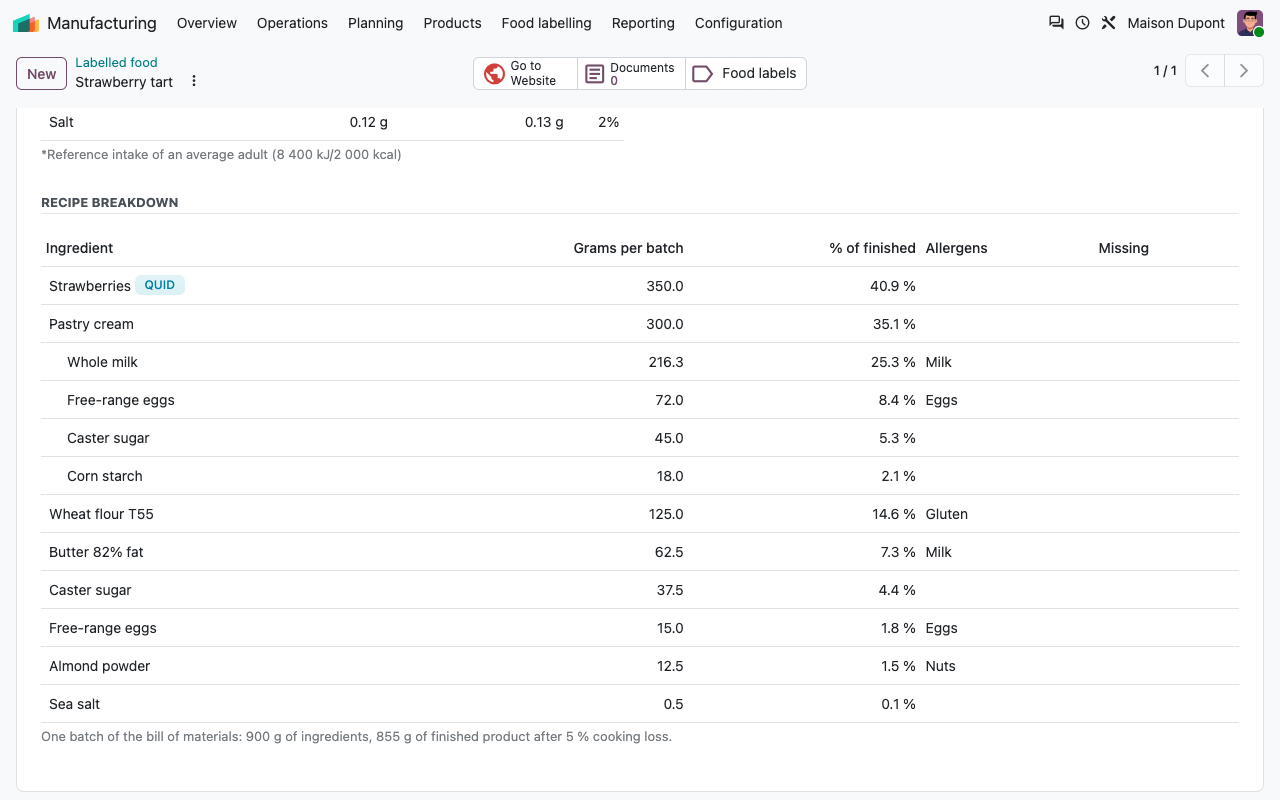
The bill of materials is exploded down to the ingredients, sub-recipes included. Grams, kilograms, litres and units are converted to grams (with the weight of the product for litres and units). A sub-recipe is merged into the list, or printed as a compound ingredient: pastry cream (milk, eggs, sugar). Highlighted ingredients get their percentage (QUID). Packaging in the recipe is left out.
Labels
Everything the law asks, on one label
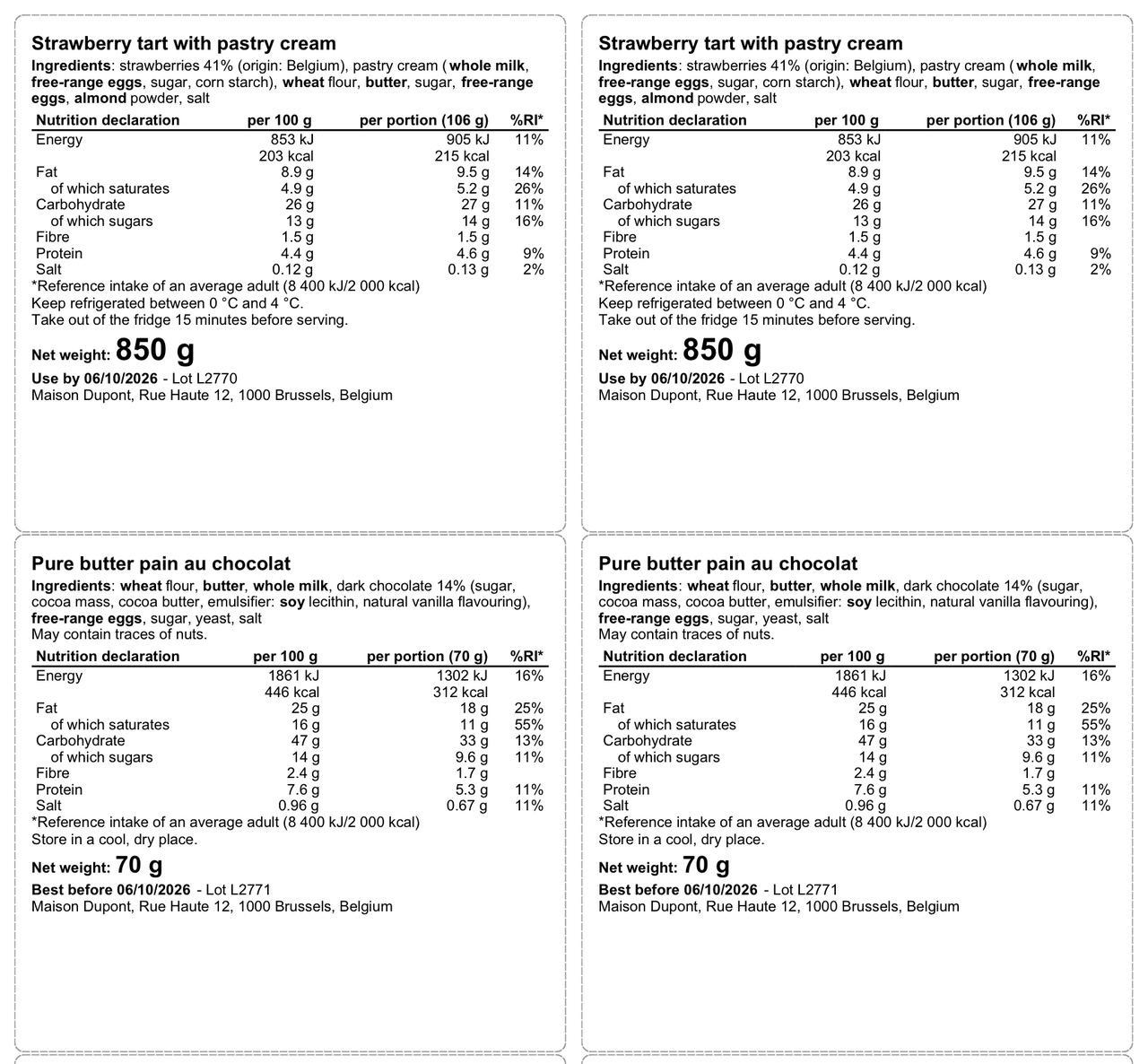
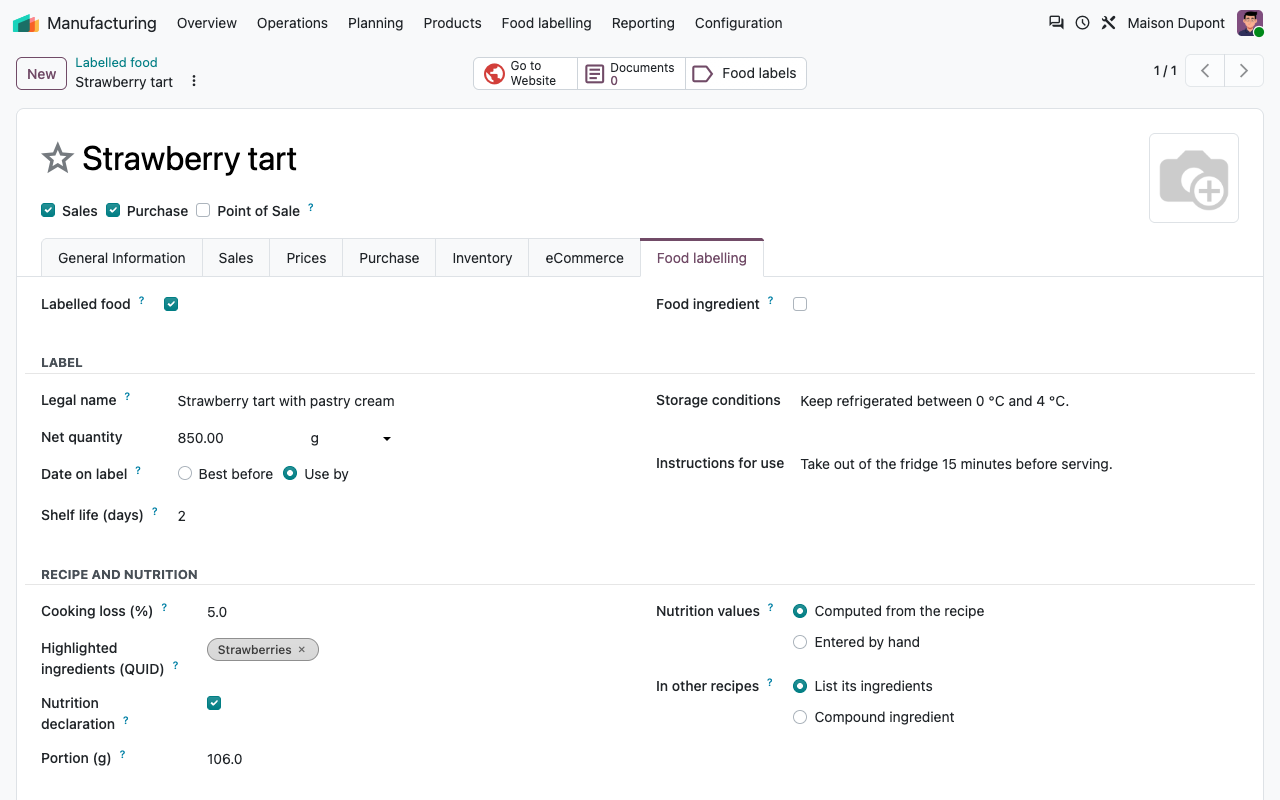
Legal name, ingredients with allergens in bold, "May contain traces of", nutrition declaration, storage conditions, instructions for use, net quantity with large figures, best before or use by date, lot number and food business operator. Real PDF, A4 sheet of 6 labels.
Languages
In the language of your customers
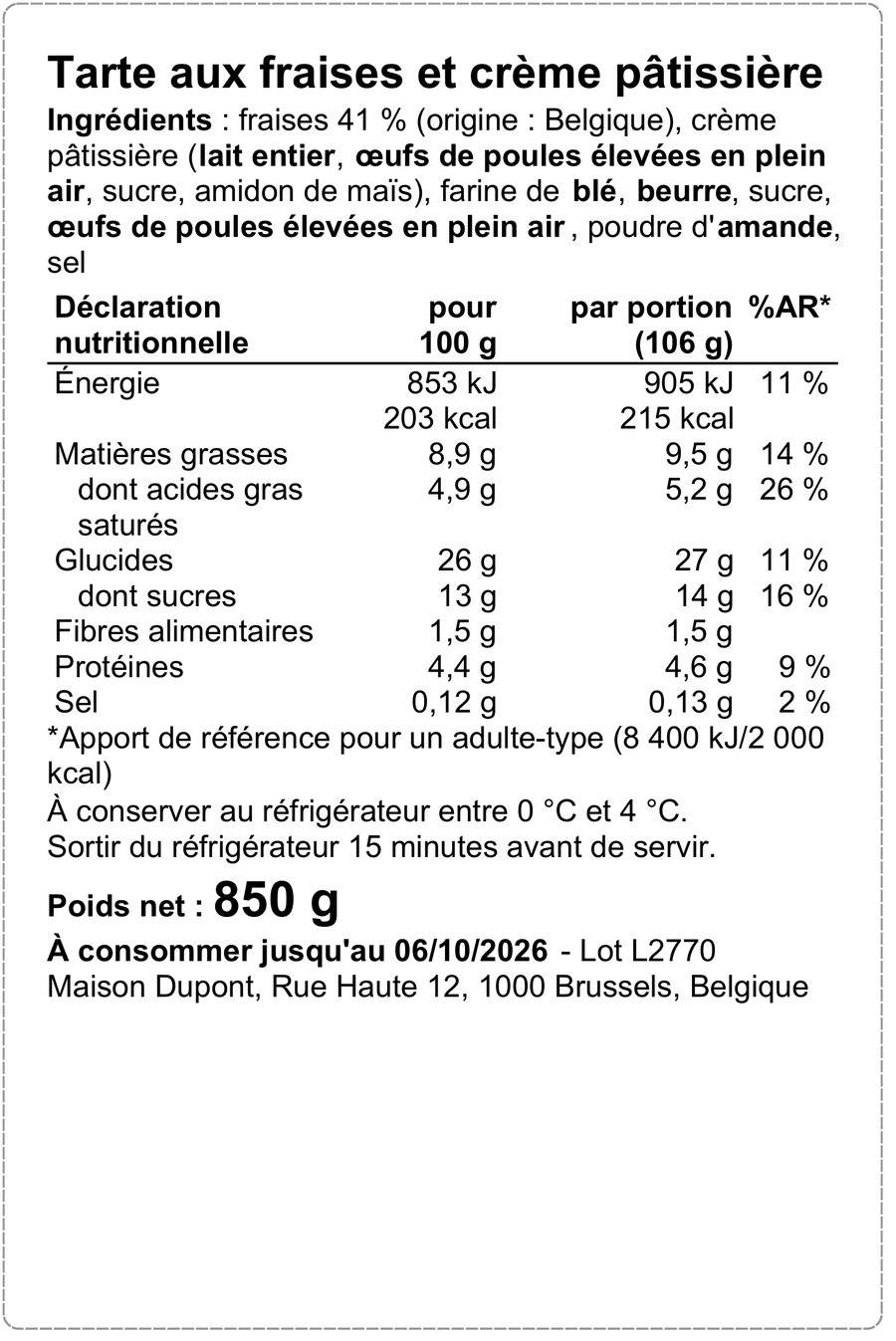
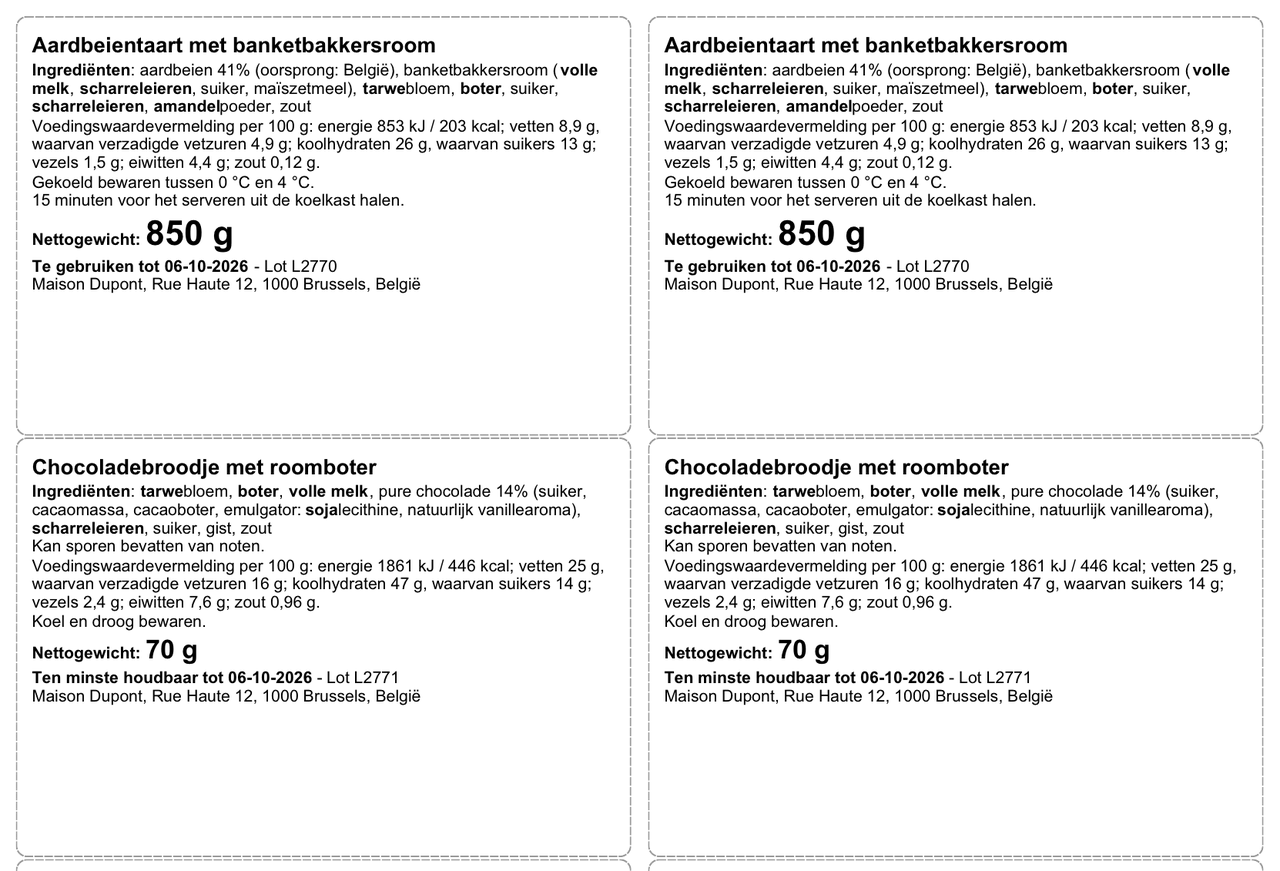
Choose French, Dutch, English or German when you print. The legal wording, decimal commas and date formats follow the language; your product texts use their Odoo translations. The 100 x 150 mm label and the sheets of 6 carry the nutrition table; the sheets of 8 and 12 use the linear format allowed by Article 34.
100 x 150 mm label, French
A4 sheet of 8 labels (99 x 68 mm), Dutch
Nutrition
The nutrition declaration, done the EU way
From the recipe
Nutrients of the ingredients added up, divided by the weight of the finished product: the weight of the ingredients minus your cooking loss %. Or values entered by hand (lab analysis).
Rounded right
EU guidance on rounding: energy to 1 kJ / 1 kcal, fat or sugars to 1 g or 0.1 g, "<0.5 g" below, salt to 0.1 g or 0.01 g.
Per portion
Give a portion in grams and the label also shows the values per portion and the % of the reference intakes (8 400 kJ / 2 000 kcal).
Exempted food
Handcrafted food sold directly by its maker in small quantities is exempted (Annex V): untick the nutrition declaration for it.
Before printing
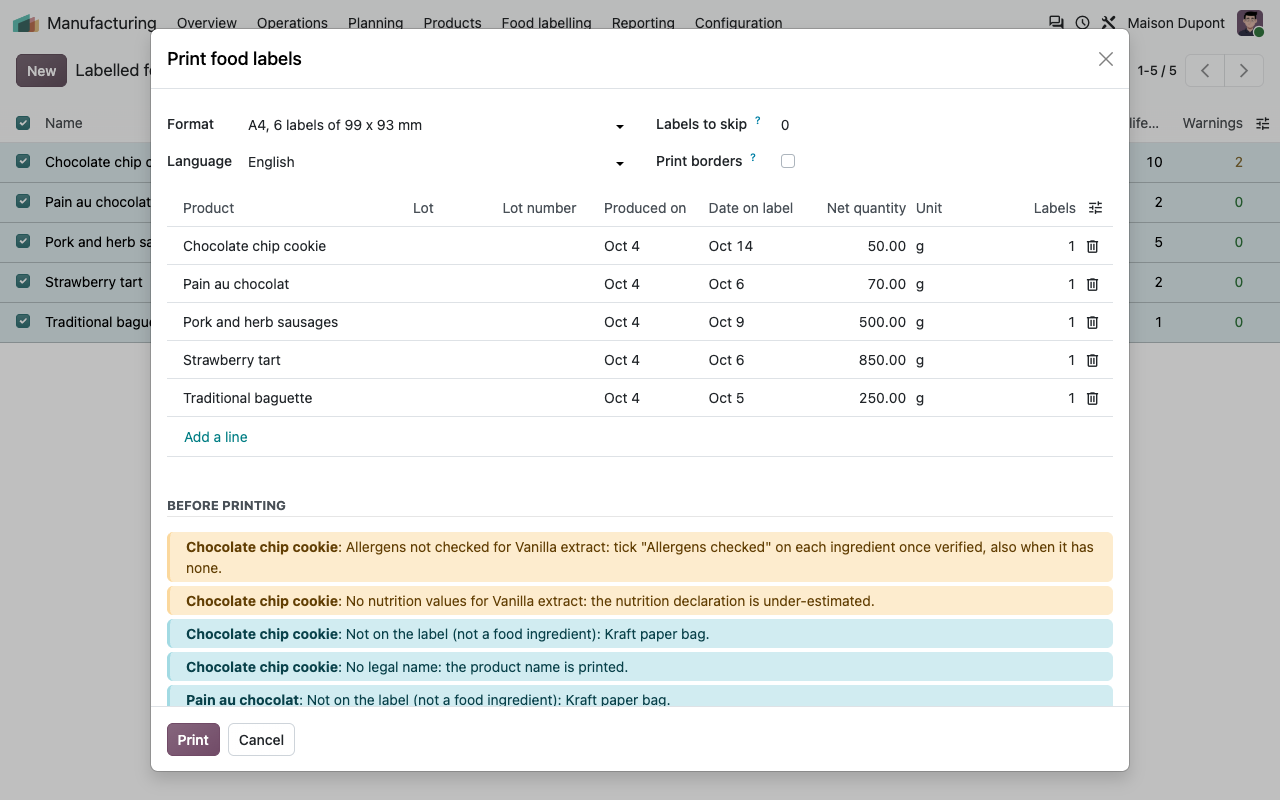
Missing data, shown before the label
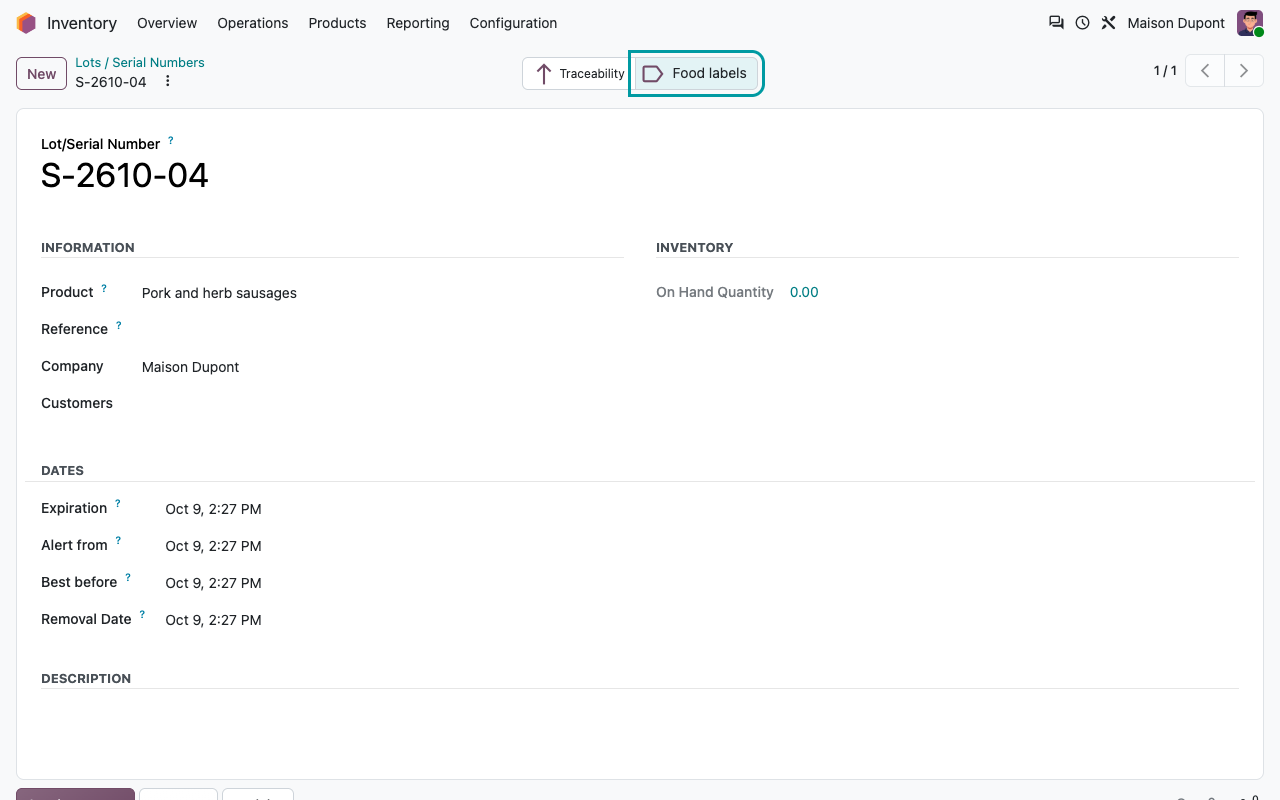
Print from the product, from a list of products, from a lot (its expiration or best before date is used) or from a manufacturing order (its lot, its date and one label per unit made). The print window lists what is missing; printing anyway needs a tick.
Print window with the missing data
Missing data on the product
Setup
Ready in ten minutes
1
Settings
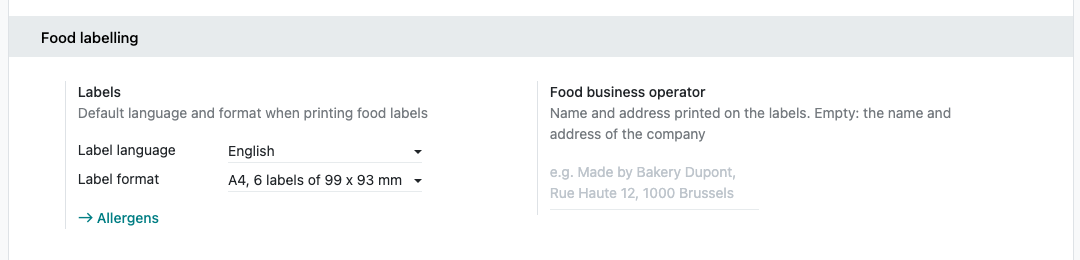
Manufacturing settings: default label language and format, and the food business operator if it is not your company address.
2
Ingredients
Manufacturing > Food labelling > Food ingredients: allergens, name in lists, nutrition per 100 g, weight of a unit.
3
Products
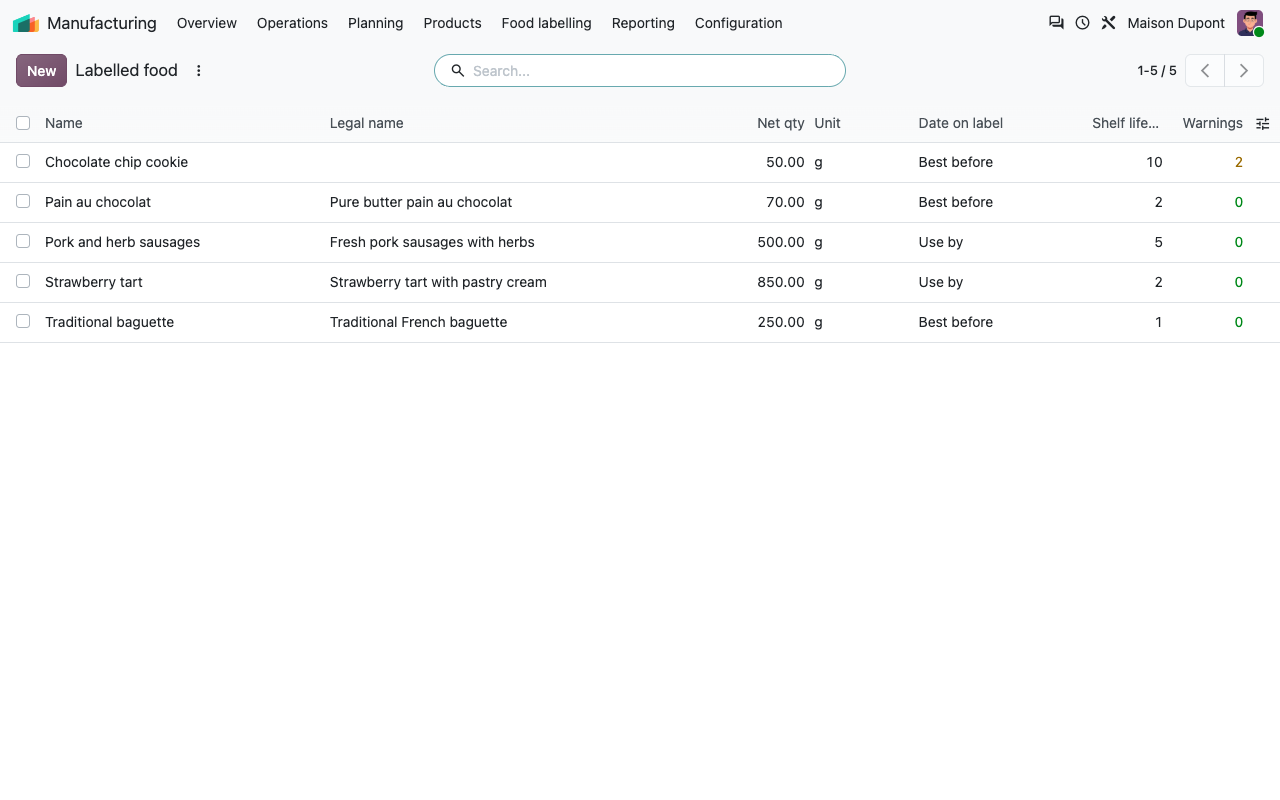
Tick Labelled food, fill in the legal name, net quantity, date type, shelf life and storage. The recipe is your bill of materials.
4
Click Food labels on the product, the lot or the manufacturing order, check the warnings and print.
Day to day
Labelled food and lots
Labelled food with its number of warnings
Food labels from a lot, with its dates
Under the hood
How it works
FAQ
Good to know
Can one label carry two languages?
No: one language per print. For French and Dutch packs, print two labels or write the second language in the product texts.
Per 100 ml for drinks?
No: the nutrition declaration is per 100 g. Net quantities can be in ml, cl or l.
Does it print on label printers (ZPL)?
It prints PDF on A4 label sheets or on 100 x 150 mm labels, which most label printers accept. No ZPL.
Does it detect allergens in my texts?
No: you tick the allergens of each ingredient and mark them with asterisks. Unchecked ingredients are reported before printing.
What about the 2 % and added water rules?
They are not applied automatically. Copy the generated list and edit it by hand when you need them.
Is the label legally checked?
The app applies the rules described here. You remain responsible for the information on your food.
A question? A problem? Talk to the people who built it.
We will get back to you within 8 business hours.

Email us directly at
Published by
Nalios — Odoo Gold Partner, Belgium — nalios.be