FTP / SFTP Auto Export
Automatically send Odoo documents as PDF or CSV files to FTP or SFTP servers, on schedule, with a full log.


Présentation du module

/ Odoo 20 · Administration
FTP / SFTP Auto Export
Push Odoo documents to your partners’ FTP or SFTP servers on a schedule: one PDF per record, one CSV per record or one CSV per batch. Each record goes out once, and every file sent is logged with a copy.
What it does
Your documents, on their server
Accountants, logistics partners, EDI platforms, data warehouses: many partners still collect files on an FTP server. This module drops them there for you, without anyone exporting by hand.
Any model, any report
Pick the model (sales orders, invoices, transfers, your custom objects) and, for PDF, any report available on it. No development.
CSV the way they want it
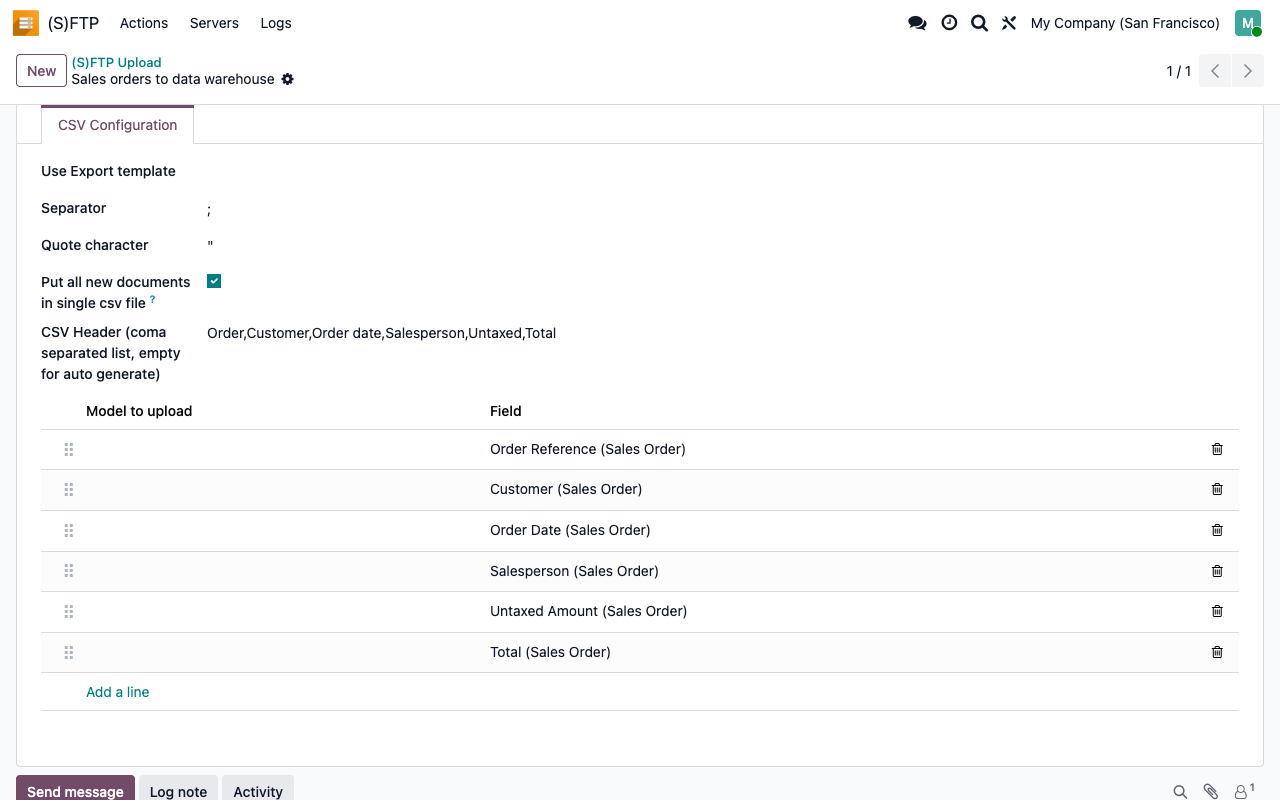
Reuse a saved Export template, or list the fields yourself and drag them into order. Choose the separator, the quote character and the header row. One file per record, or one file for the whole batch.
Each record sent once
Each action remembers what it already sent. The next run only picks up the records that have not been sent yet.
A trace of every file
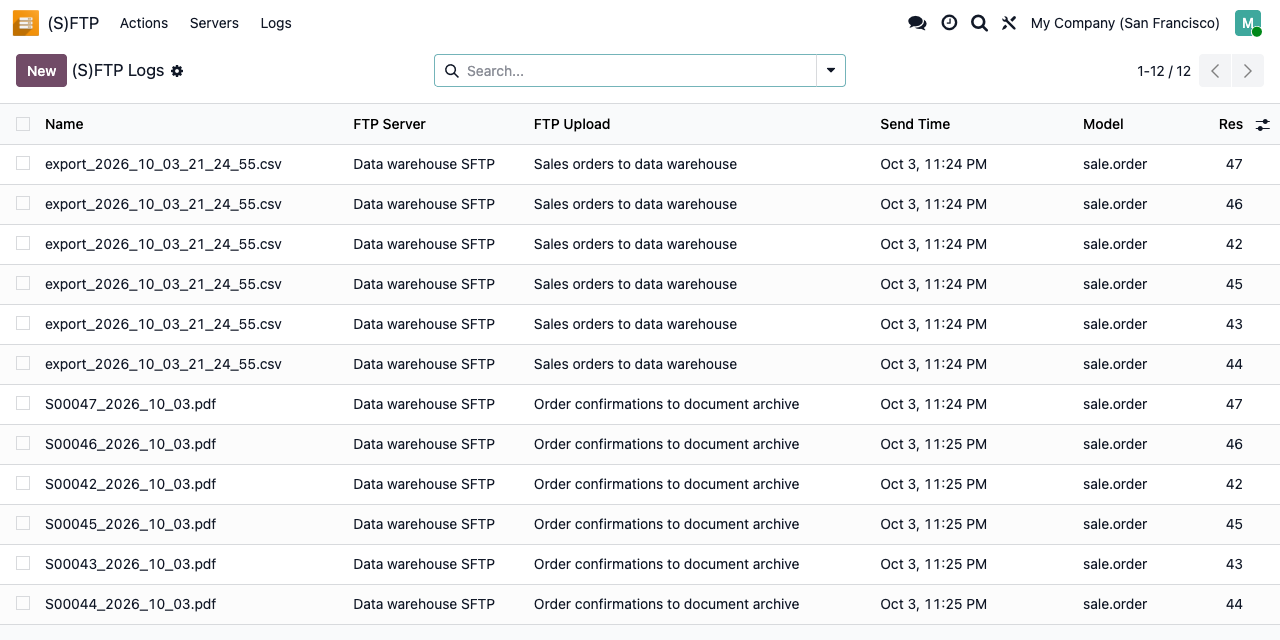
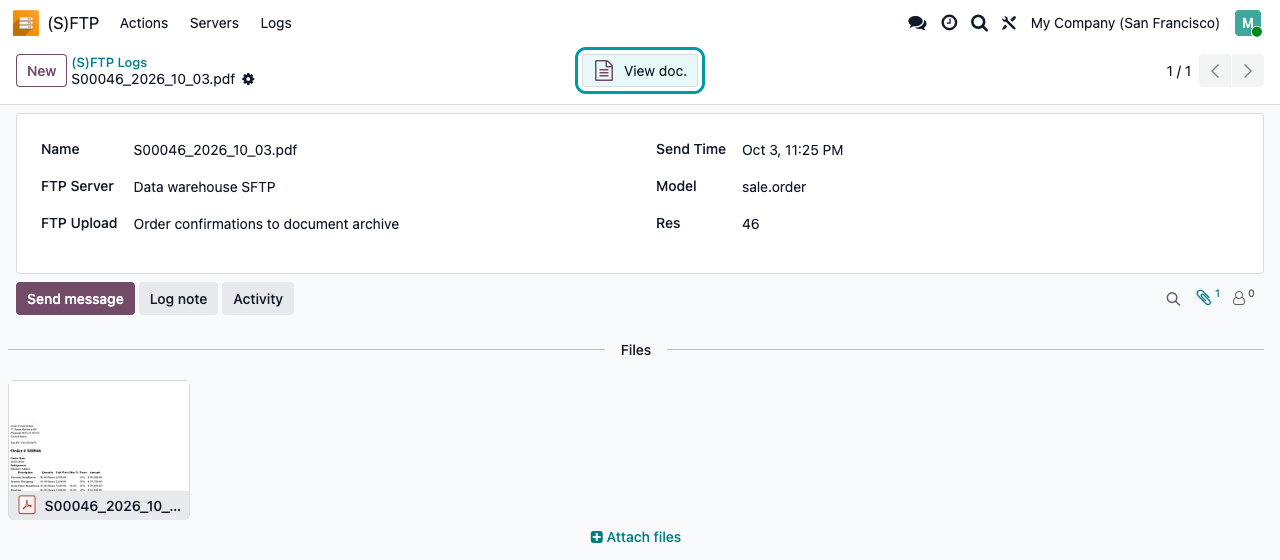
Every upload is logged with its date, server and action, a copy of the file and a button back to the source document. Errors are posted in the chatter of the action.
Setup
Three screens. Then it runs on its own.
1
Declare the server
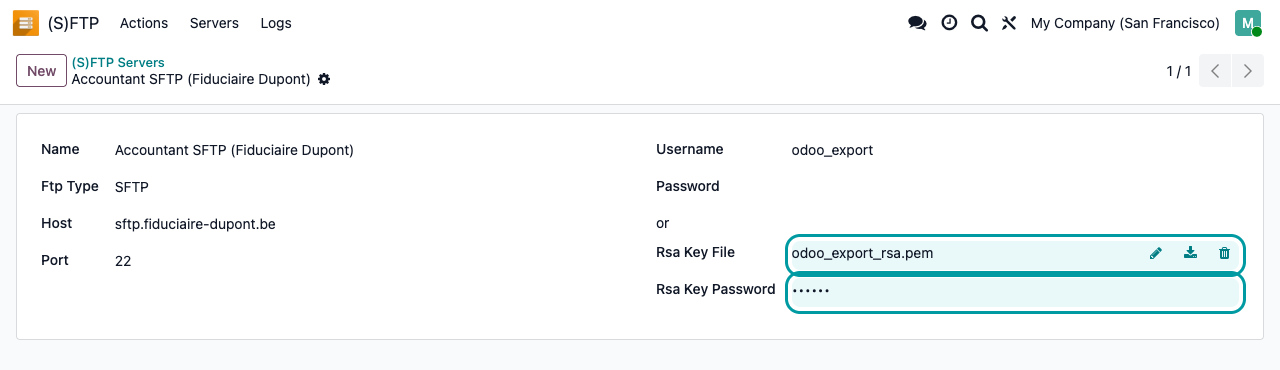
FTP or SFTP, host, port and user. For SFTP, authenticate with a password or with an RSA private key and its passphrase.
2
Create an action
Server, upload folder, companies, model and file name pattern. Then the PDF report to print, or the CSV columns to export.
3
Set the rhythm
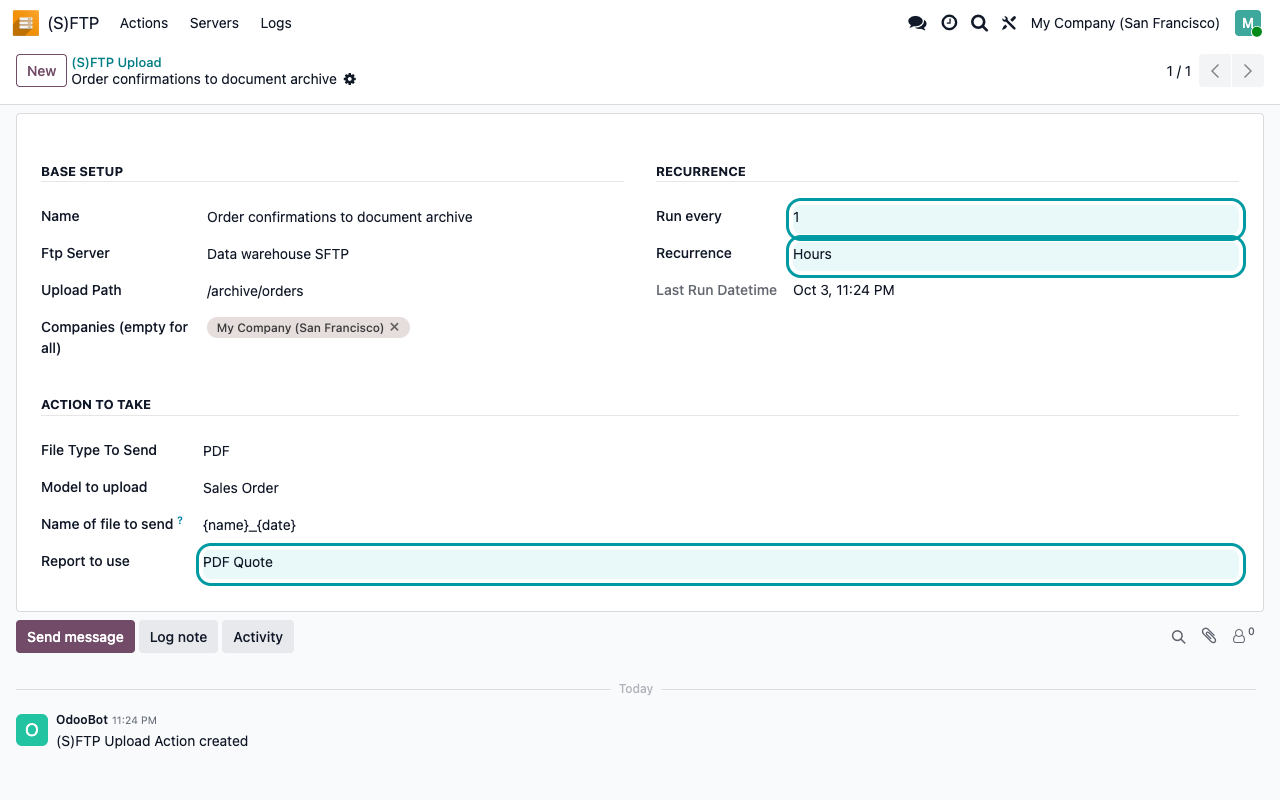
Run every N minutes, hours, days, weeks or months. A scheduled action checks every minute which actions are due and runs them.
Servers and logs
Know what left, when and where
One server can serve several actions, and you can declare as many servers as you have partners. The log keeps the file that was sent and links back to the document.
Under the hood
How it works
Read this before your first run
An action has no record filter. Its first run sends every existing record of the model in the selected companies: all historical orders, draft quotations and cancelled documents included. Try it on a staging copy first, and point new actions at a test folder until the result is what your partner expects.
FAQ
Good to know
Can I send only some records, for example posted invoices?
Not with a filter: an action covers every record of its model in the selected companies. Choosing the companies is the only built-in restriction.
What if the server is down?
The error is posted in the chatter of the action and nothing is logged for those records, so they are sent again at the next run.
Can it download or import files?
No. It only uploads files from Odoo to the remote server.
How are credentials stored?
Passwords, keys and passphrases are stored in the Odoo database, readable by administrators. Use a dedicated account that can only write to the upload folder.
A question? A problem? Talk to the people who built it.
We will get back to you within 8 business hours.

Email us directly at
Published by
Nalios — Odoo Gold Partner, Belgium — nalios.be