Maintenance Contracts & Recurring Visits
Installed equipment, periodic maintenance contracts, automatic visits as project tasks, customer reminders, visit certificates and recurring invoicing.


Présentation du module

/ Odoo 20 · Services
Maintenance contracts, visits on autopilot
For heating and cooling installers, lift and fire safety companies. Register the equipment you installed, sign a maintenance contract, and Odoo plans every periodic visit, reminds the customer, keeps the equipment history and prepares the invoices.
What it does
Periodic maintenance, without the spreadsheet
Yearly boiler services, quarterly lift checks, extinguisher inspections: the visits you owe your customers are written in the contract. The module turns them into planned work, follows them up and bills them.
Installed base
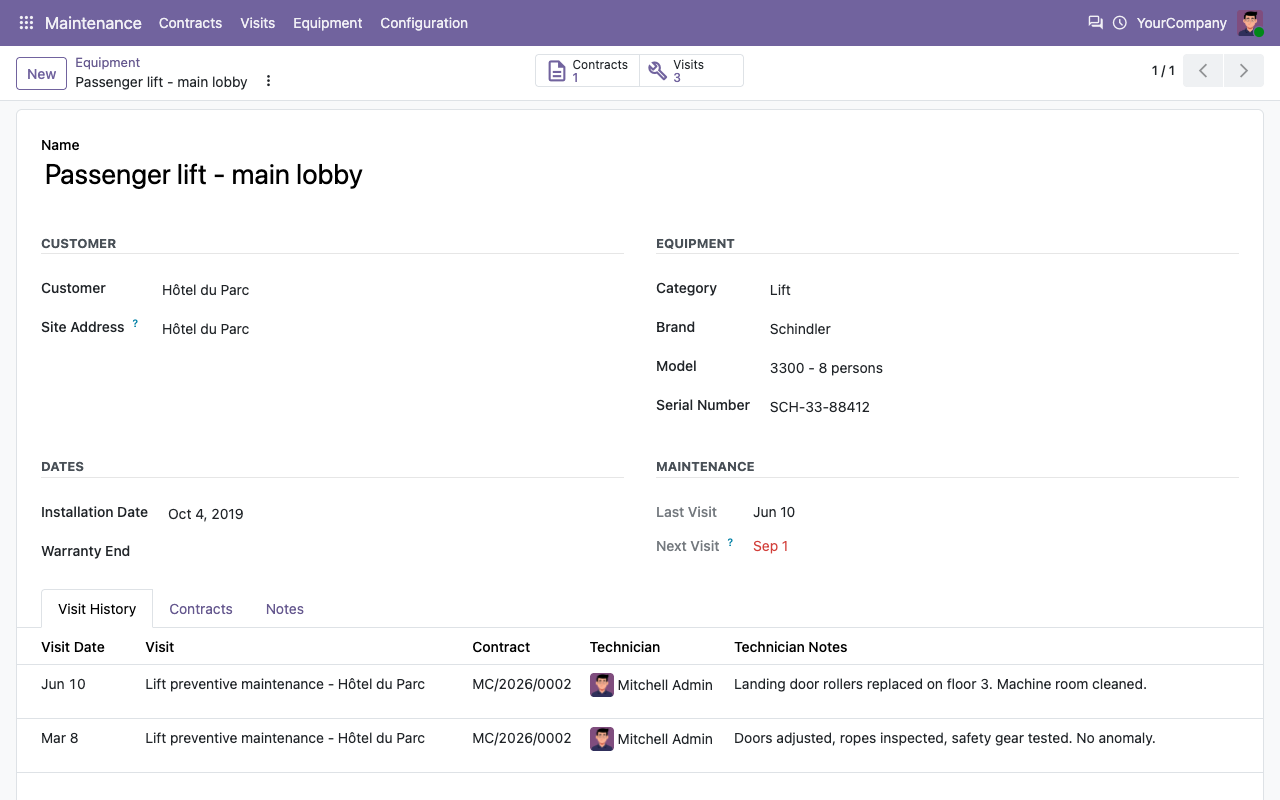
Every boiler, heat pump, lift or extinguisher with its brand, model, serial number, site address, installation date and warranty end. Visit history and next visit on each one.
Contracts with a schedule
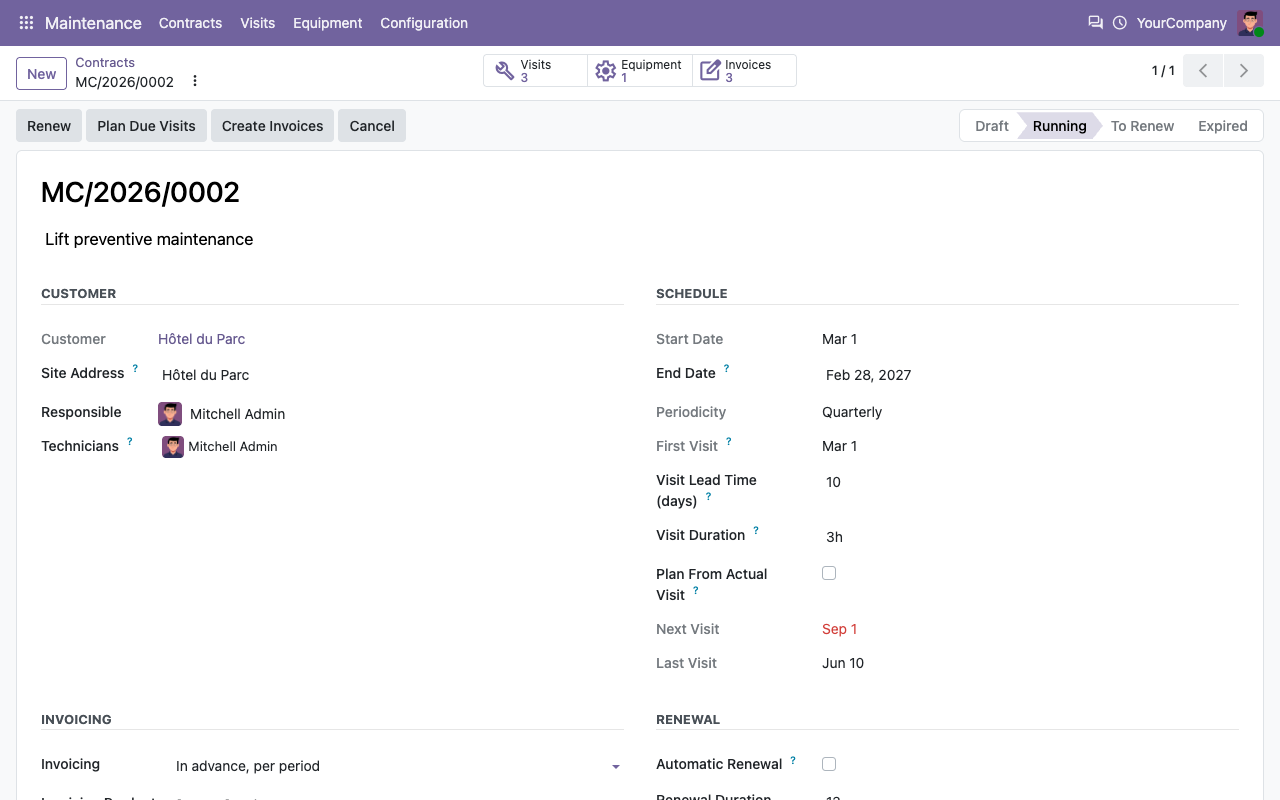
Monthly, quarterly, half-yearly, yearly or every N months, with start and end dates, the equipment covered, the technicians and a price per period.
Visits created for you
A daily job creates each visit as a project task a few days before it is due, with customer, site, equipment and assignees. Never twice for the same period.
Customers reminded
An email goes to the customer a few days before the visit (on/off, number of days and template in Settings). Overdue visits get an activity.
Visit report
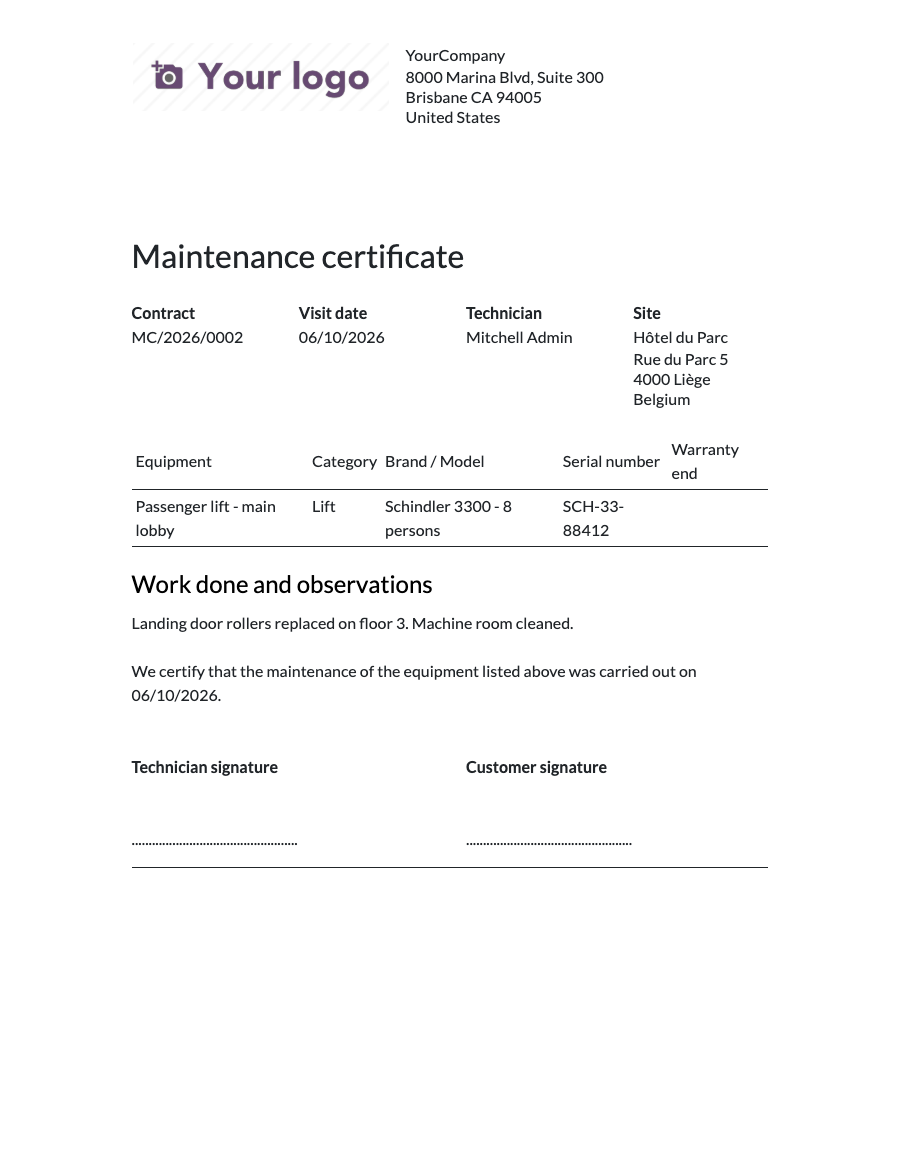
The technician writes his notes and clicks Mark Visit Done: the visit is saved on each equipment history and a maintenance certificate can be printed.
Invoices prepared
In advance for each period, after each visit, or not at all. One draft invoice per period or visit, with the period in the line label, never duplicated.
Planning
Your month of visits at a glance
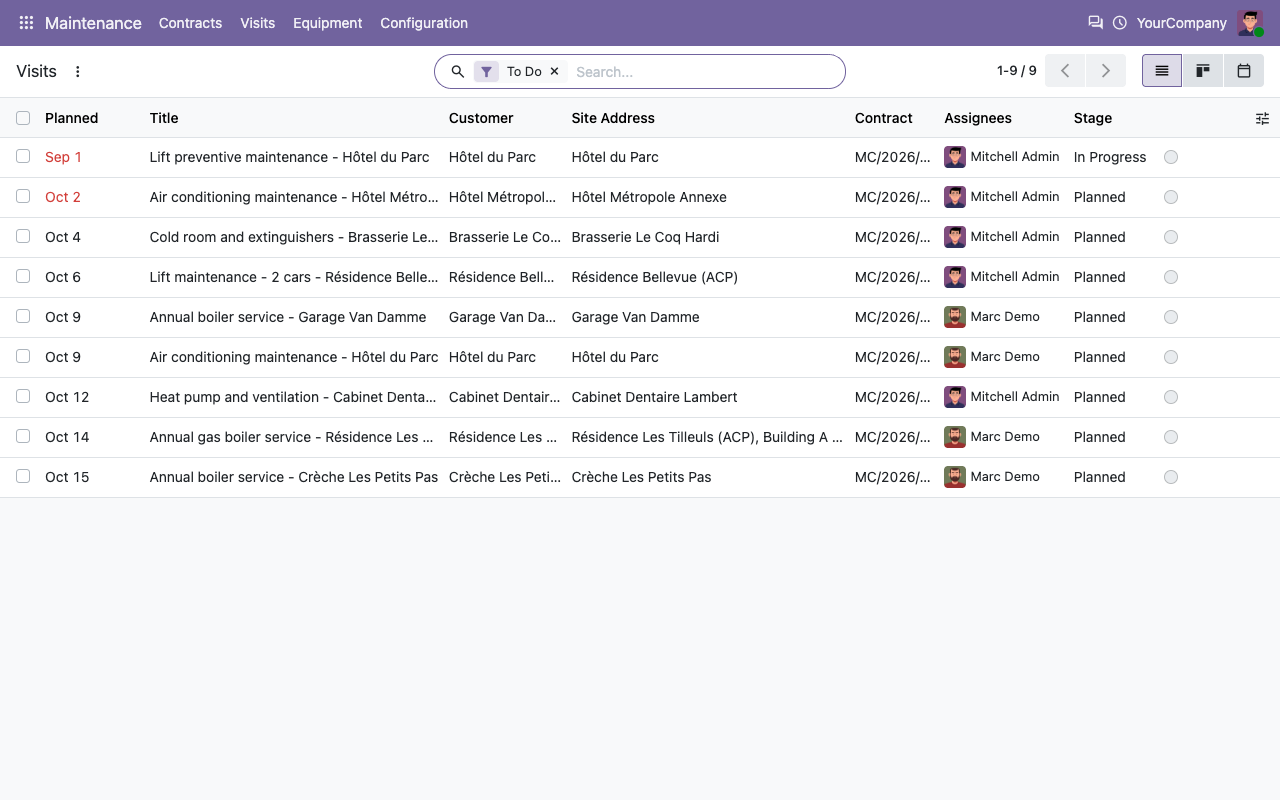
Visits are ordinary project tasks in a dedicated Maintenance project: list, kanban, calendar and filters for visits due this month or overdue.
Visits calendar
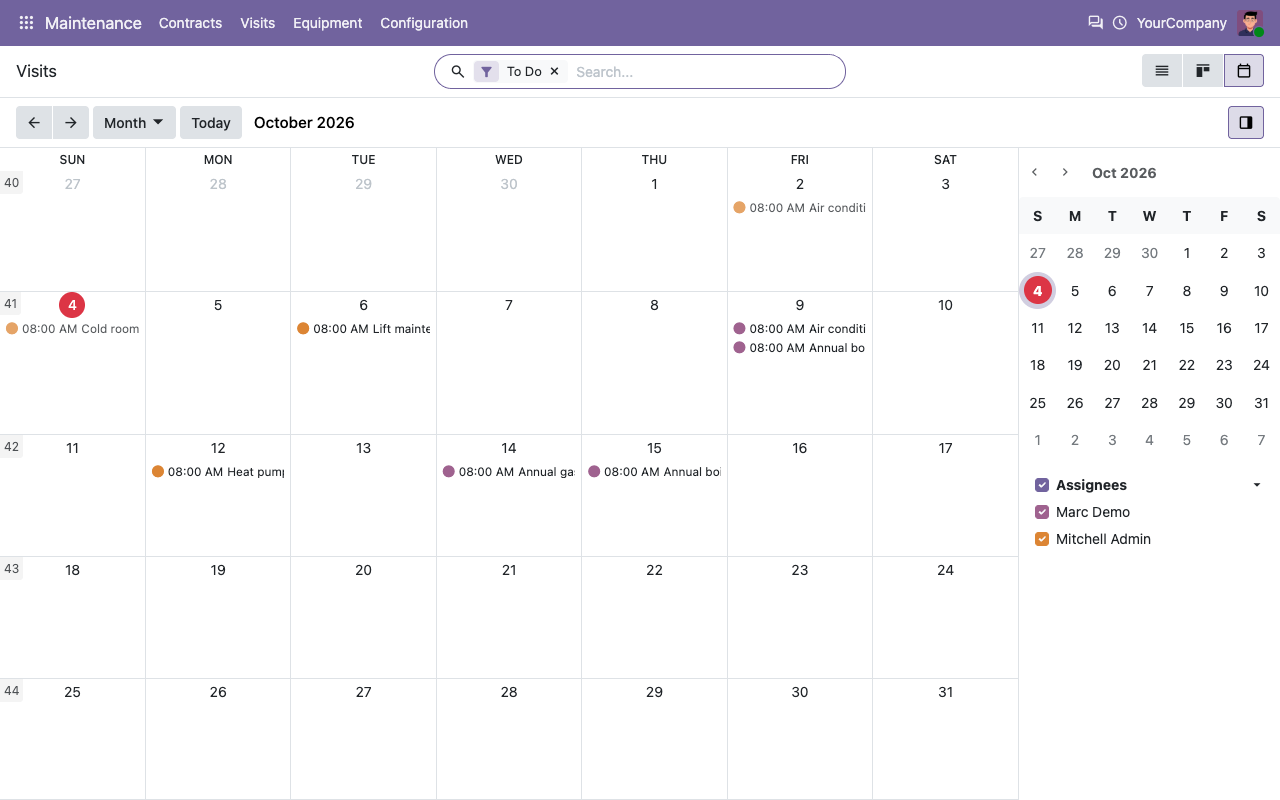
Visits to do, overdue ones in red
How it works
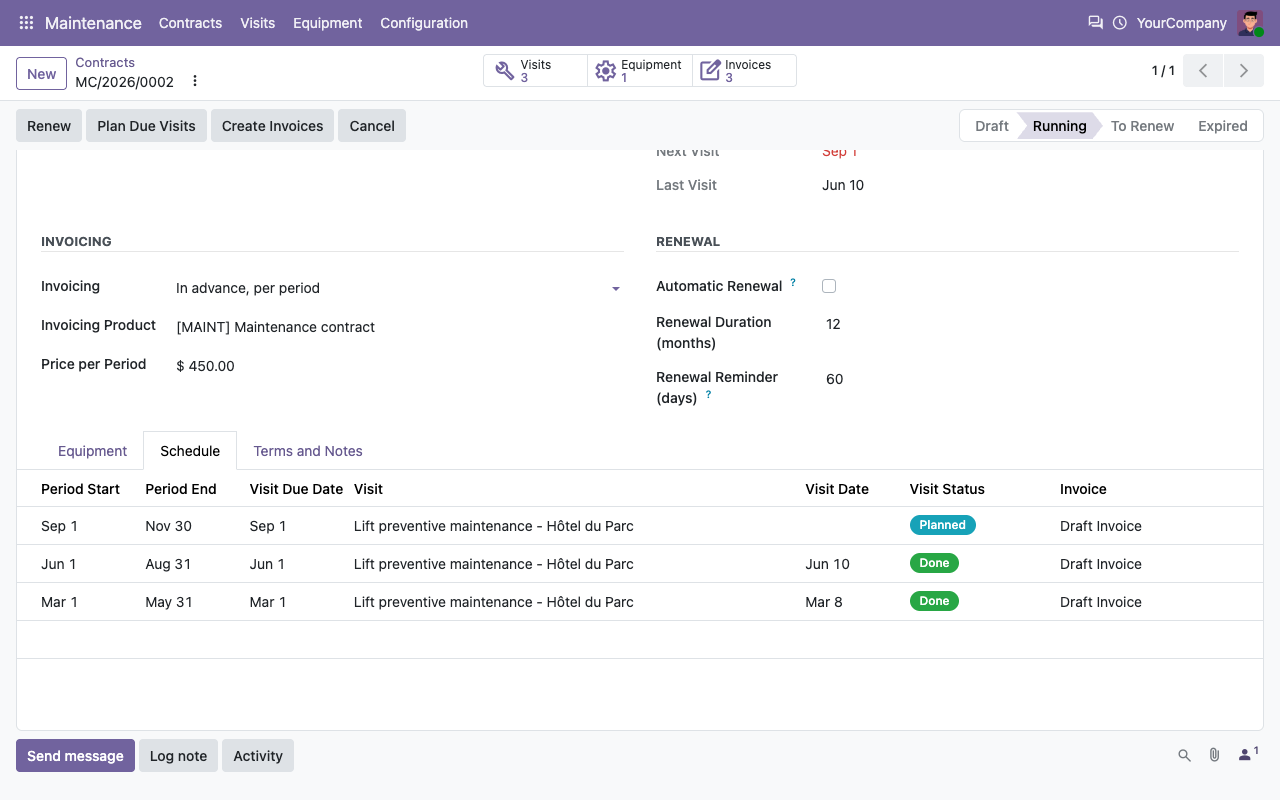
From contract to invoice
1
Register the equipment
Create the equipment installed at your customers, on the customer or on one of its addresses (site). Default categories are provided.
2
Activate the contract
Choose the customer, site, equipment, periodicity, lead time, technicians, price and invoicing policy, then click Activate.
3
Visit, close, invoice
Visits appear in the Maintenance project before they are due. Mark them done; invoices are drafted by the daily job or the Create Invoices button.
In the field
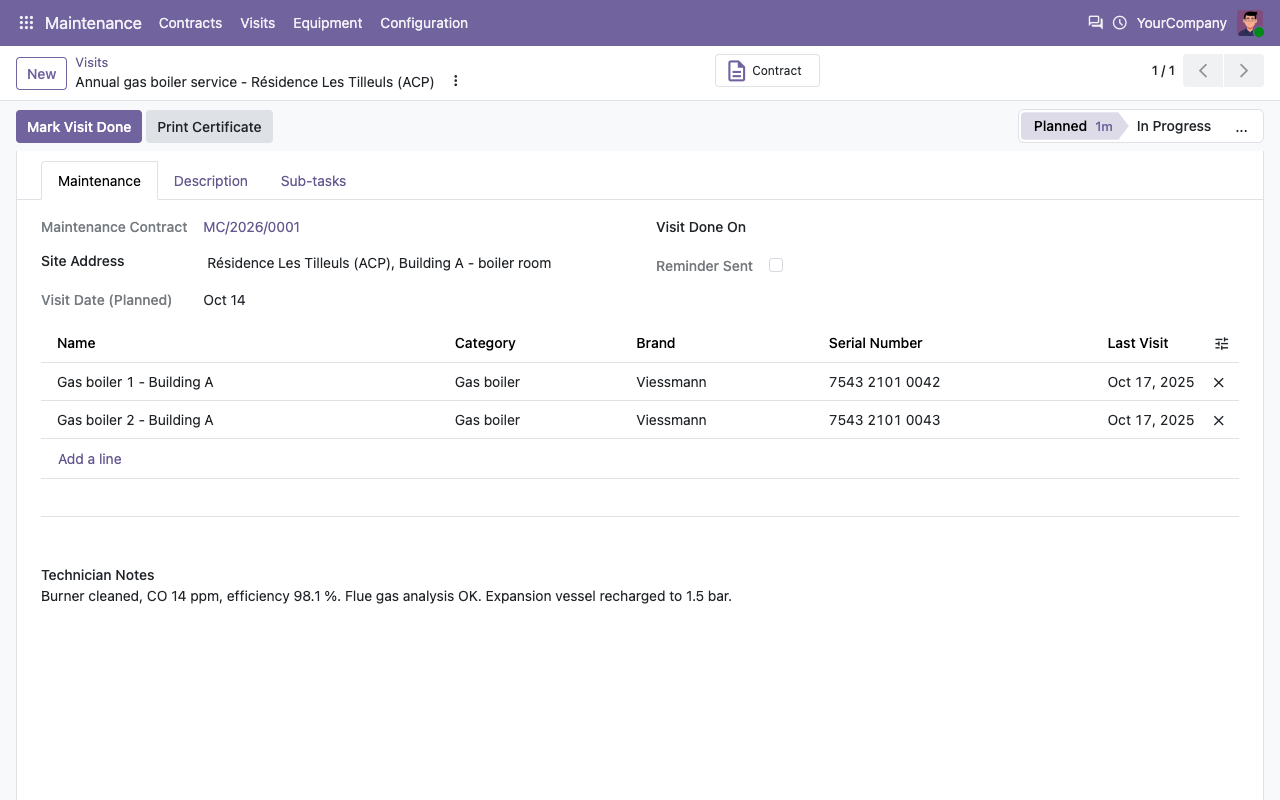
One click to close a visit, one page to prove it
The Maintenance tab of the task lists the equipment to service. The notes and the visit date go to the history of each equipment; the certificate is printed from the task.
Visit task: equipment, site and technician notes
Maintenance certificate (PDF)
Installed base
The full history of every equipment
Under the hood
The details
FAQ
Good to know
Does it need Field Service?
No. Visits are standard project tasks, so it runs on Community and Enterprise. It does not add route planning, mobile signature or stock consumption on visits.
What time are visits planned?
On Odoo 17 and later, the task deadline is set at 08:00 in the company time zone on the due date. On Odoo 16, tasks only have a deadline date.
How is a visit closed?
With the Mark Visit Done button, or by closing the task (Done state on 17+, a folded stage on 16). The visit is recorded once, even if the task is reopened and closed again.
What about past periods?
Periods that ended before you activate a contract are neither planned nor invoiced, so back-dated contracts do not create a flood of overdue visits.
Are invoices posted?
No, they are created as drafts so that you can check them. Posting and sending stay in your usual invoicing flow.
Is the price prorated?
No. Each period is invoiced at the contract price, including a shorter last period when the end date cuts it.
A question? A problem? Talk to the people who built it.
We will get back to you within 8 business hours.

Email us directly at
Published by
Nalios — Odoo Gold Partner, Belgium — nalios.be