Product & Lot Recall Campaigns
Run a product or lot recall end to end: impact analysis on the standard traceability, quarantine, customer notices with acknowledgement, returns, destruction and a closing report for the authorities.


Présentation du module

/ Odoo 20 · Inventory
Product & lot recalls, handled end to end
Find every unit of a recalled lot and of the products made with it, block the remaining stock, notify the customers who received it, follow their returns and print the report for the authorities. Built on the standard Odoo traceability.
Recall campaign
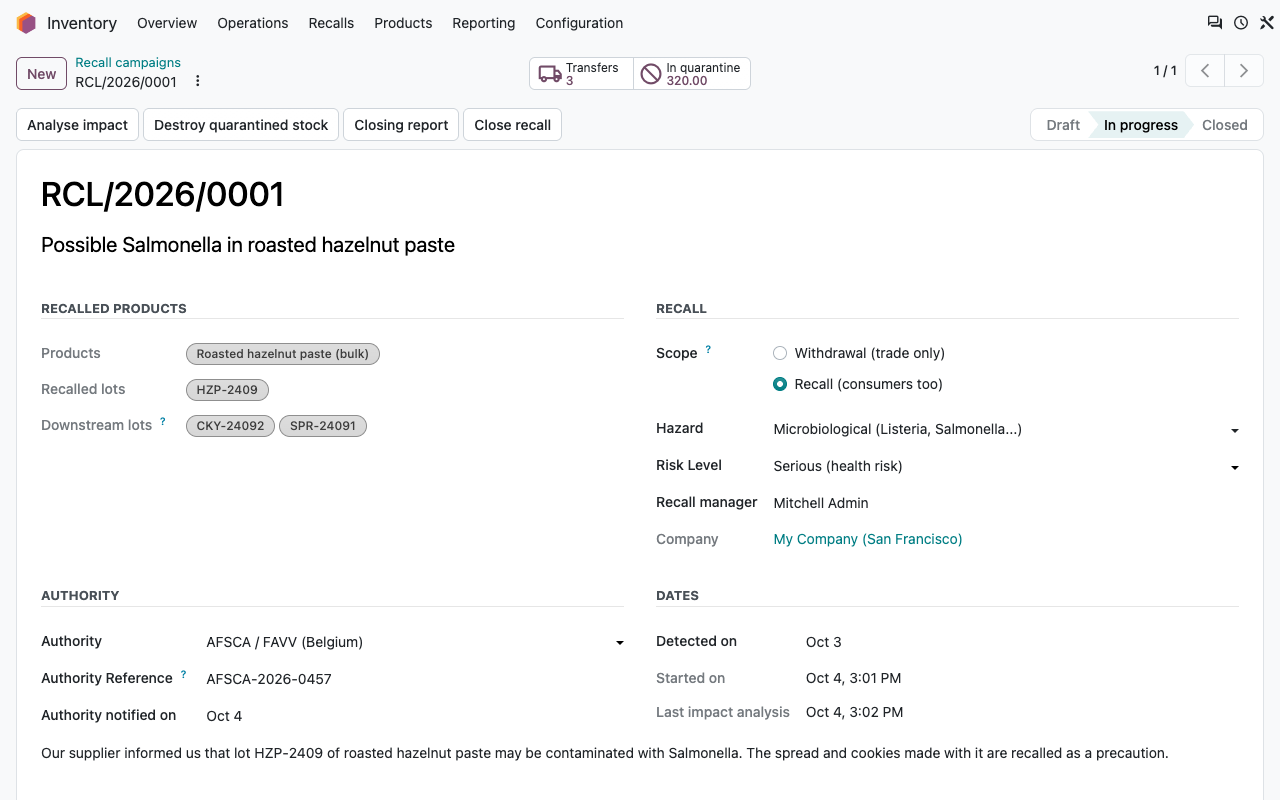
One file per recall, from alert to closing
Food producers, cosmetics makers and small manufacturers must be able to withdraw or recall a lot fast and prove it to AFSCA / FAVV or the DGCCRF (RappelConso). A recall campaign keeps everything in one document, with its own reference and chatter.
Lots or a production period
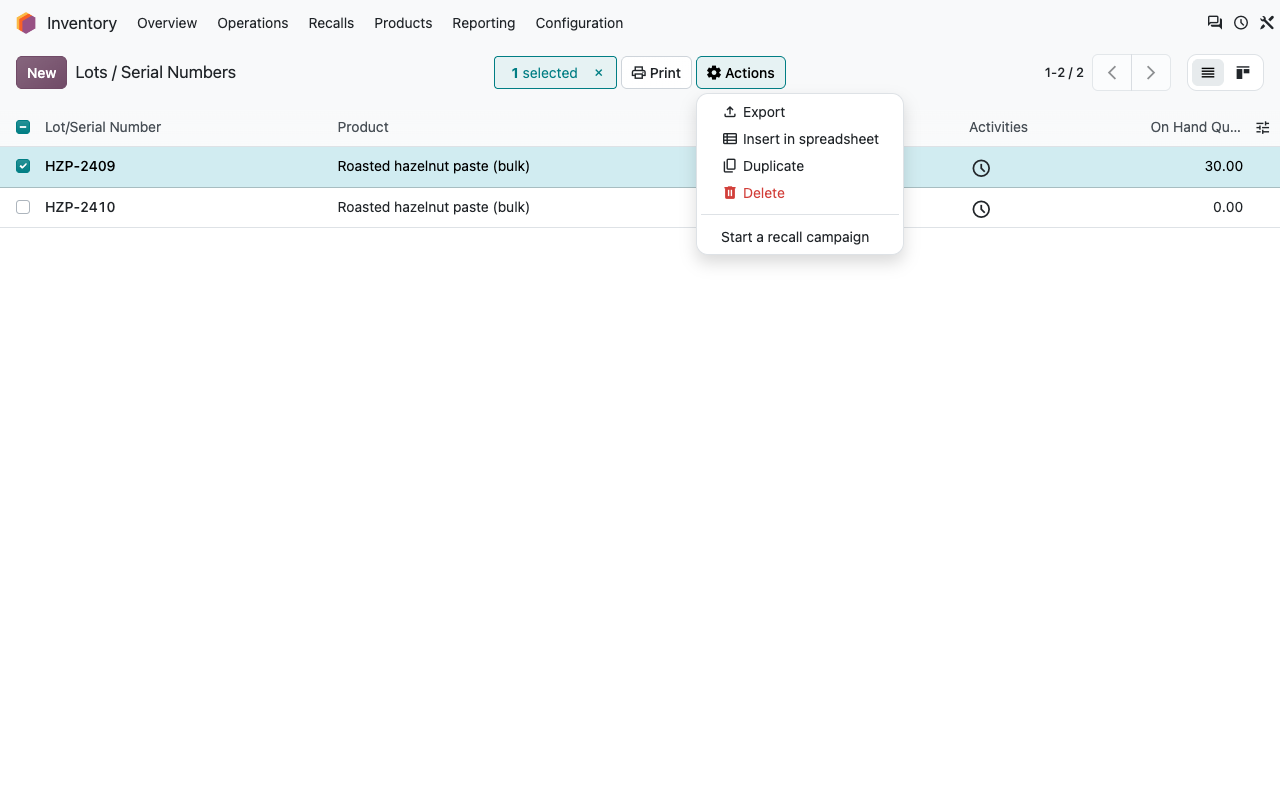
Pick the lots, or the products and a date range: every lot produced or received in that period is added. Start a campaign from the lots list too.
Reason and risk
Hazard (microbiological, allergen, foreign body...), risk level, withdrawal (trade only) or recall (consumers too), authority and its reference.
Draft, in progress, closed
Prepare the campaign, start it, close it when it is done. Every step is logged in the chatter with its date and author.
Who does what
Inventory users run the campaigns. Destroying stock, closing and reopening are for Recall managers (Inventory administrators).
Impact analysis
Every unit, wherever it went
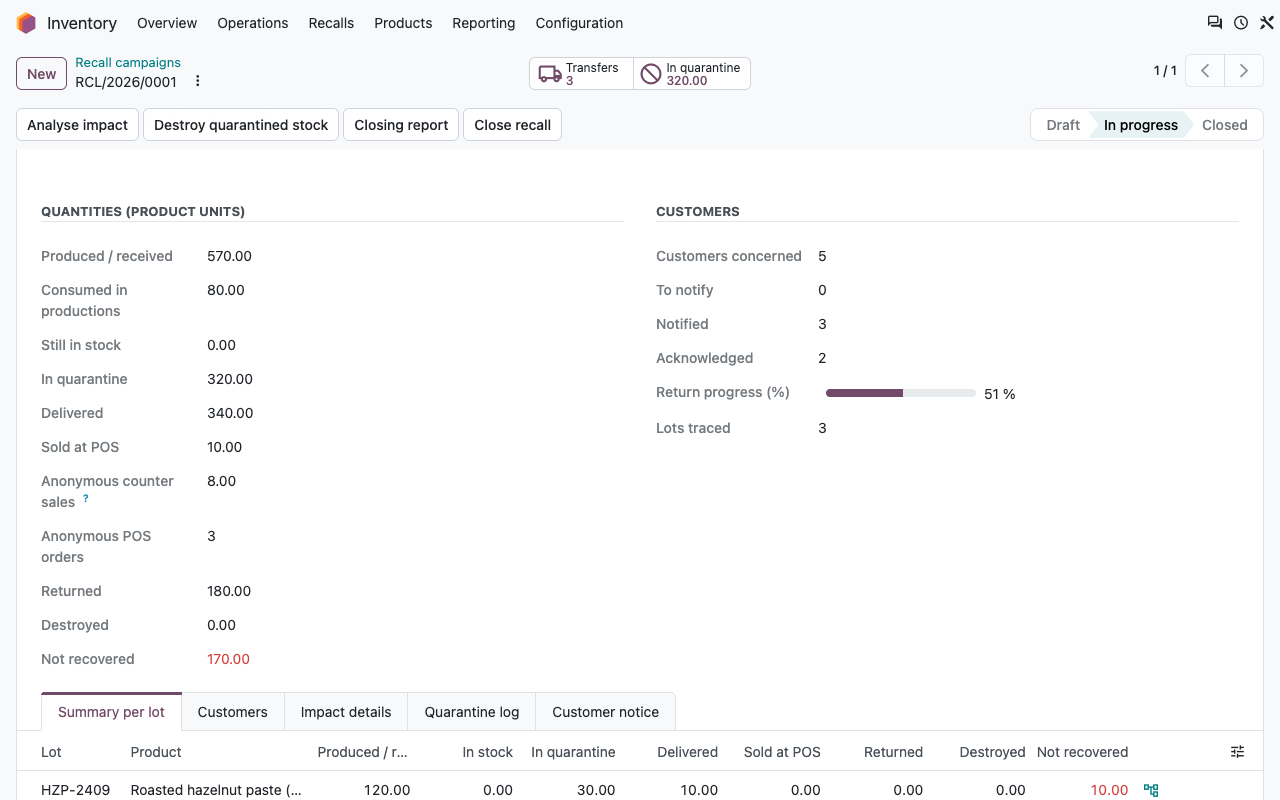
One click analyses the recalled lots and the lots made with them, recursively, through the standard traceability. The figures are refreshed after every quarantine, return or destruction.
Produced or received
Quantities produced, received from suppliers or added by inventory adjustment, lot by lot.
Still in stock
Quantity per location, and what is already in quarantine.
Delivered, per customer
Each delivery with its customer, delivery address and reference, and the returns already received.
Used in other products
Consumption in production and the lots made with it: spread made with a recalled hazelnut paste, cookies made with that spread...
Details
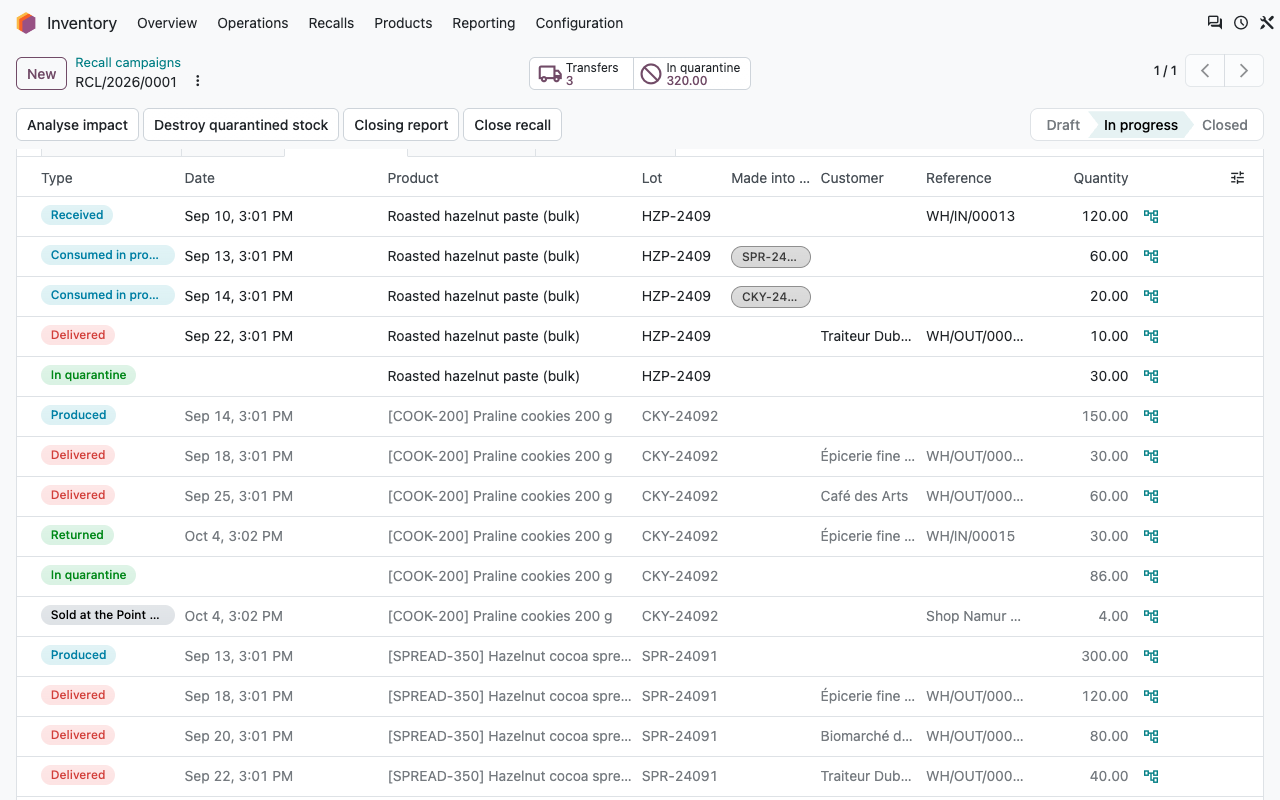
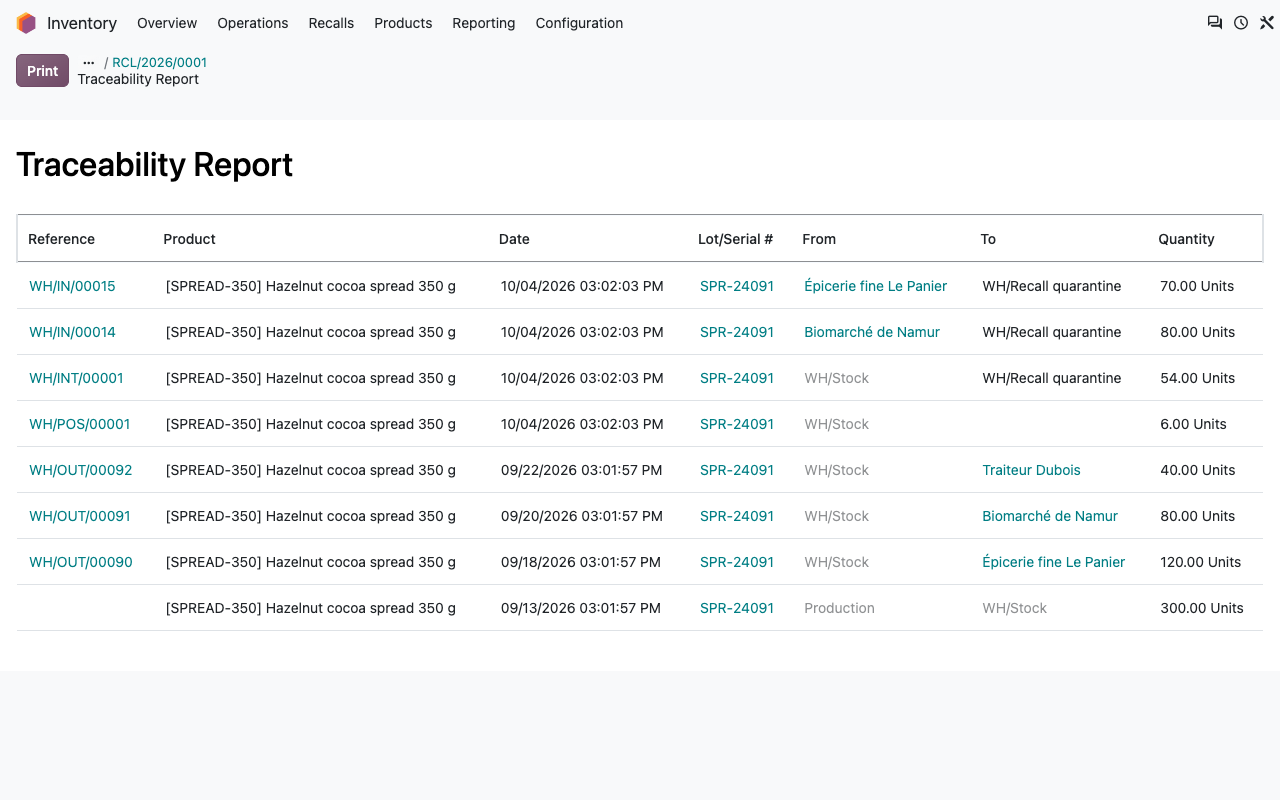
Line by line, with the standard report one click away
Impact details: receipts, consumption, deliveries, returns, stock
The standard Traceability report of a downstream lot
Containment
Block the stock in one click
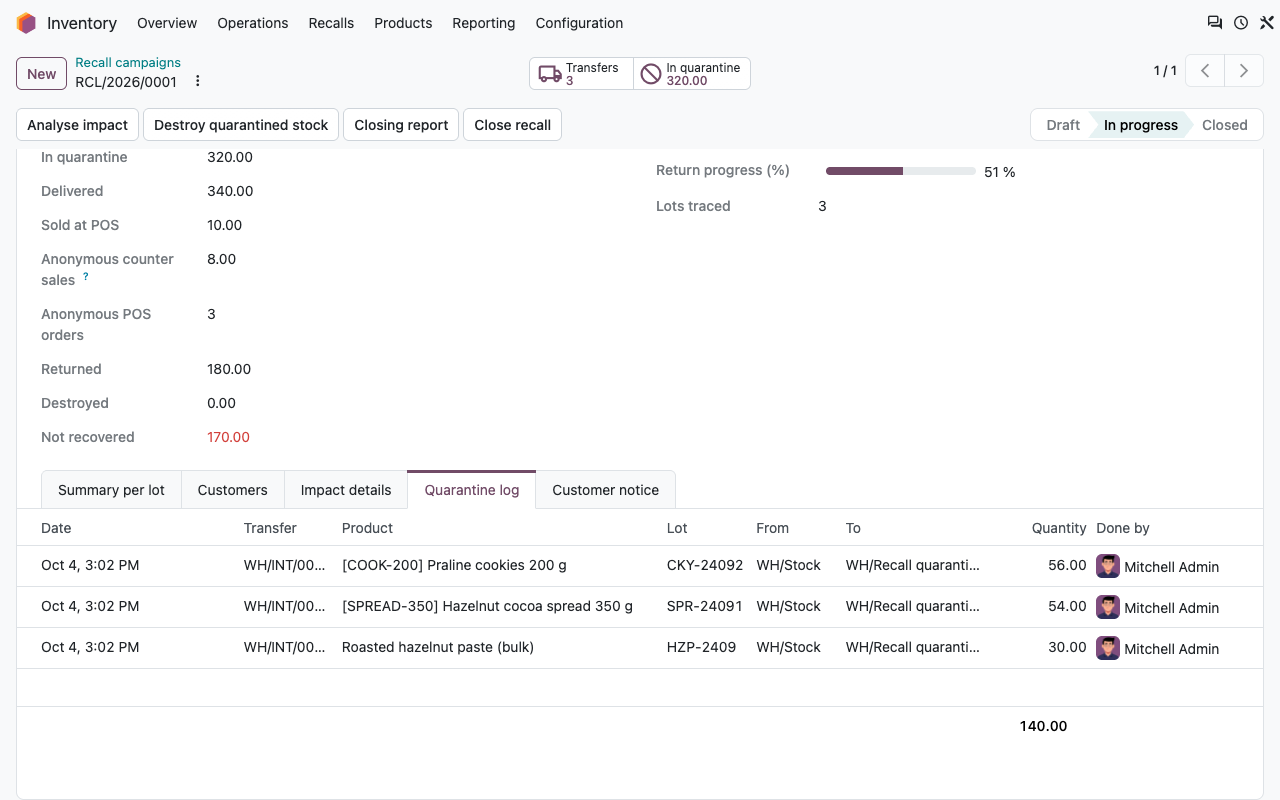
Quarantine stock moves everything left of these lots to a Recall quarantine location created in each warehouse, next to (not inside) the stock location, so it can no longer be reserved or delivered.
Reservations released
Pending deliveries that had reserved the lots lose their reservation, and the chatter tells you which ones.
A transfer per warehouse
One validated internal transfer per warehouse, and a quarantine log: date, lot, from, to, quantity, user.
Customers
Notify every customer, and know who read it
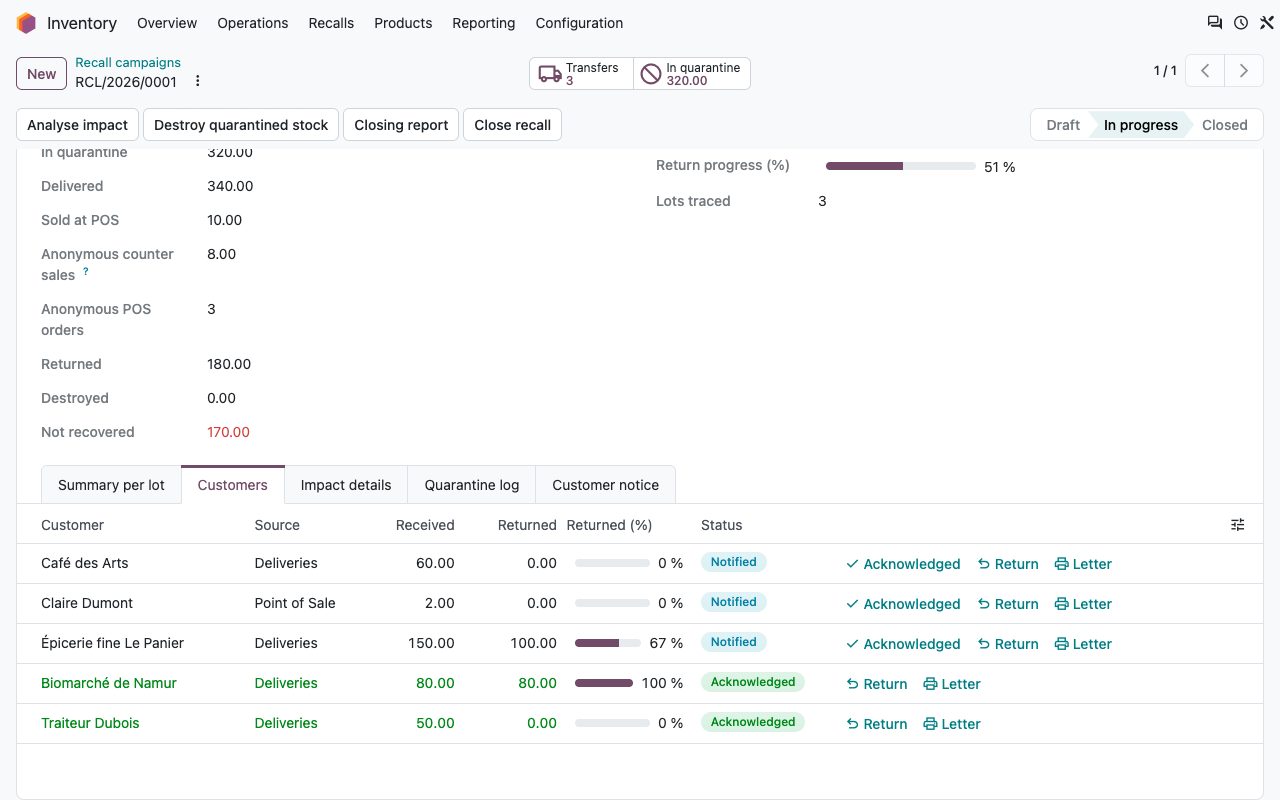
Each customer who received the lots gets a row: lots and quantities received, returns, and the status of the notice.
Recall notice by email
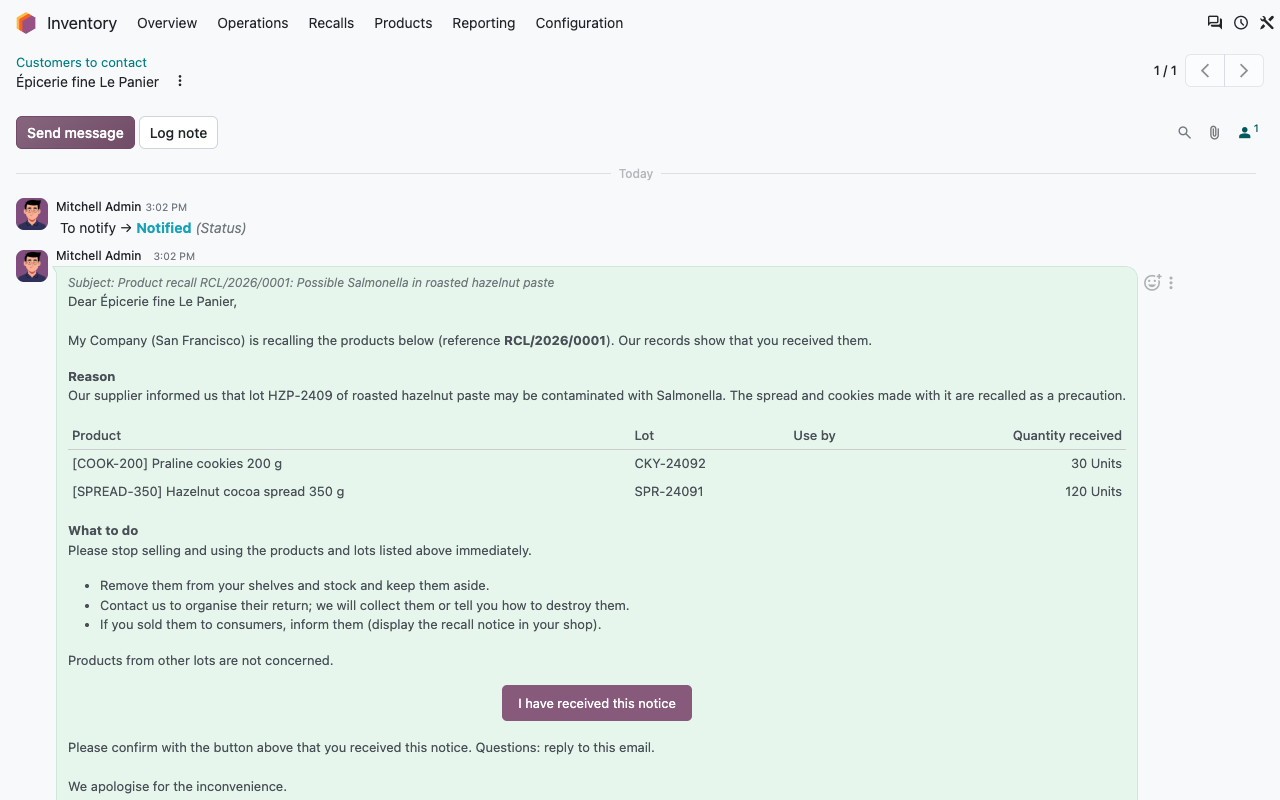
Notify customers sends the notice to every customer still to notify: products, lots, quantities received, reason and your instructions. The email is kept in the chatter of the customer row.
Acknowledgement link
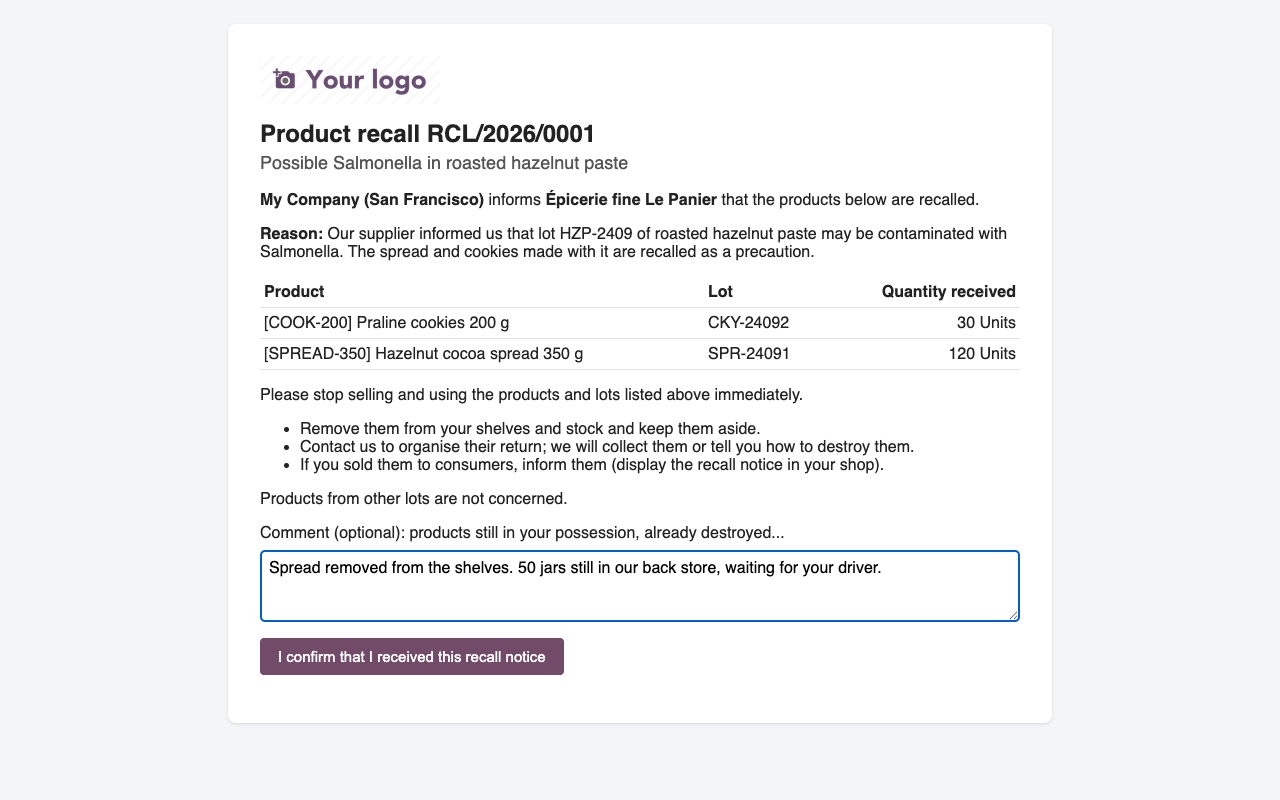
The customer confirms with one click, and can add a comment (quantities still on hand, already destroyed...). Opening the link alone does not count.
No email? A letter
Print the recall letter, with a signature block, or record a call or a visit by hand.
To notify, notified, acknowledged
Statuses are kept when you analyse again. New customers found later are added as to notify.
On the customer side
A clear notice, a one-click answer
The email template is yours to edit (wording, signature) and can be chosen per campaign. The instructions are written per campaign.
The recall notice, kept in the chatter
The acknowledgement page opened from the email
Odoo 20
Built on the Odoo 20 recall email
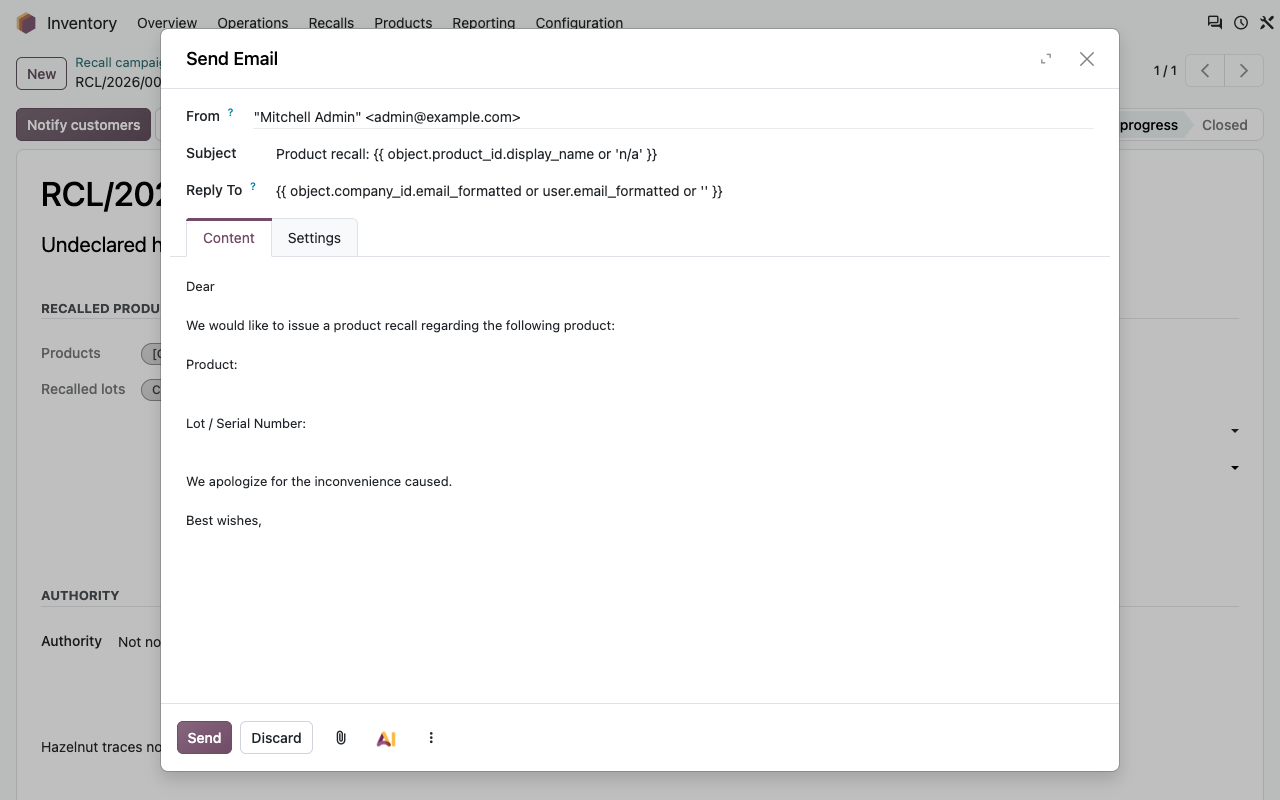
Odoo 20 can send a short recall email for each delivered move line (Inventory > Moves History > Send email, template Product recall). The app reuses it rather than replacing it.
From the campaign
Standard recall email opens the Odoo composer with that template, on one delivered move line per customer and lot still to notify.
Counted as notified
Whether it is sent from the campaign or from Moves History, the customers of an open campaign who received these deliveries become Notified (Standard recall email), and the campaign logs it.
Or the full notice
Use Notify customers when you want one email per customer with all its lots, your instructions and the acknowledgement link.
Returns and destruction
Bring it back, then destroy it
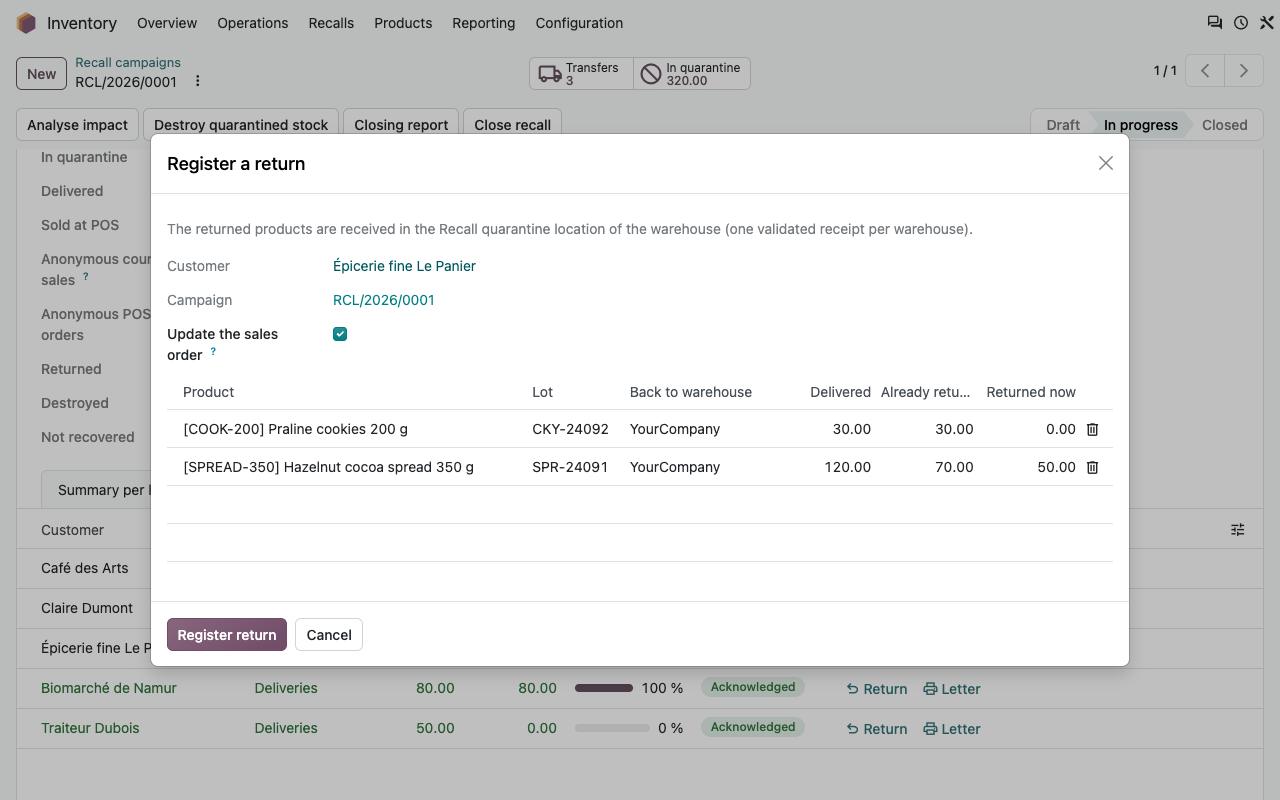
Register what each customer sends back. The figures and the progress of the campaign follow.
Returns into quarantine
The return proposes what the customer still holds, per lot. A validated receipt brings it into the quarantine location of the warehouse it came from.
Credit notes as usual
The return is linked to the delivery and can lower the delivered quantity of the sales order, so you issue the credit note from the order.
Progress
Returned / received per customer, and for the whole campaign.
Destruction
Destroy quarantined stock scraps everything of these lots that is in quarantine, with the standard scrap, and counts it as destroyed.
Closing report
The file for the authorities
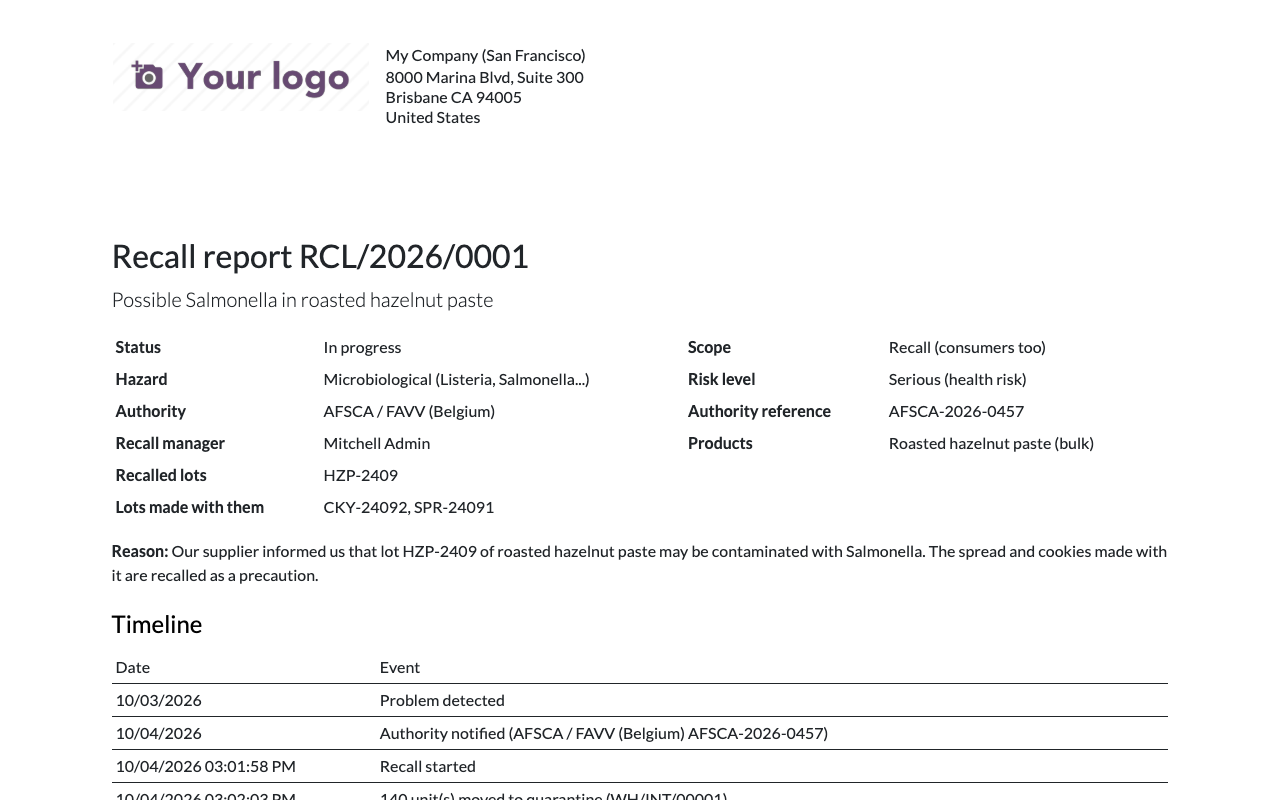
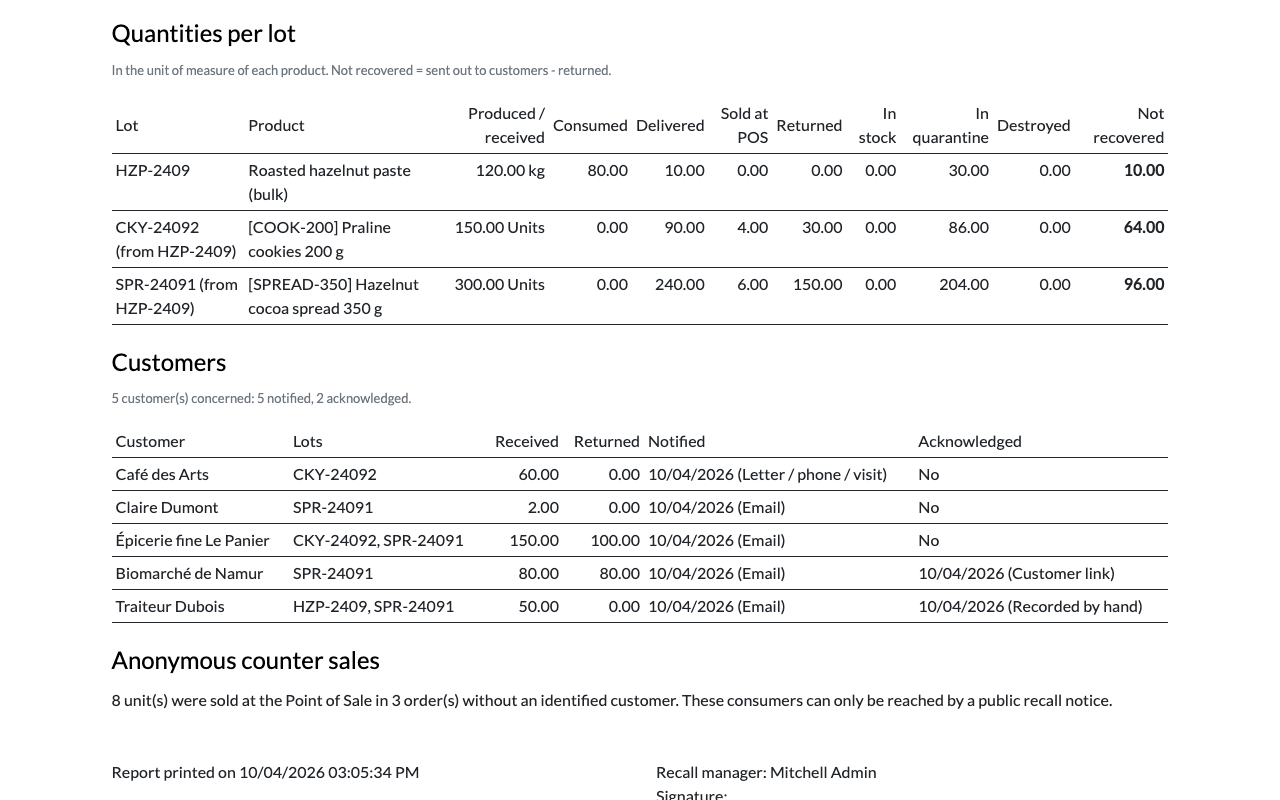
A PDF with the identification of the recall, the timeline (detection, authority, quarantine, notices, acknowledgements, returns, destruction, closing), the quantities per lot and the customers with the date and means of notification. Print it at any time; it is final once the campaign is closed.
Identification and timeline
Quantities per lot and customers
Standard Odoo or this app?
What Odoo already does, what the app adds
Setup
Ready before the alert
1
Track your lots
Inventory settings: enable Lots & Serial Numbers and track the products concerned by lot. With Manufacturing, use lots on components and finished products too.
2
Adapt the notice
Edit the template Recall: notice to customers and the default instructions. Check that your outgoing mail server works.
3
On the day
Inventory > Recalls: create the campaign (or select the lots and use Start a recall campaign), start it, quarantine, notify, follow the returns.
Under the hood
How it works
FAQ
Good to know
Does it notify the authority?
No. You notify AFSCA / FAVV or publish on RappelConso as required; the campaign keeps the reference and the closing report gives them the figures and the timeline.
What about consumers?
Choose Recall (consumers too) and adapt the instructions. Sales to unknown consumers cannot be notified one by one: the POS add-on counts them so you can size the public notice.
Products made without a lot?
The trace stops there: a finished product that is not tracked by lot shows as consumed, without downstream lot.
Can I run two recalls on the same lot?
Yes, each campaign has its own customers and statuses. The lot form shows its recall campaigns.
A question? A problem? Talk to the people who built it.
We will get back to you within 8 business hours.

Email us directly at
Published by
Nalios — Odoo Gold Partner, Belgium — nalios.be