Sales Framework Agreements (Blanket Orders)
Yearly customer agreements with agreed prices and committed quantities, call-off orders at the agreed price, consumption tracking, over-commitment control, end-of-term alerts and renewal.


Présentation du module

/ Odoo 20 · Sales
Sales Framework Agreements (Blanket Orders)
For suppliers of public bodies, industry and B2B distribution working with yearly agreements. Agree prices and quantities with a customer once, let every quotation pick the agreed price, and see at any time what was ordered, delivered, invoiced and what is still to come.
Standard Odoo or the app
What Odoo already does, what this app adds
The agreement
Your conditions, written once
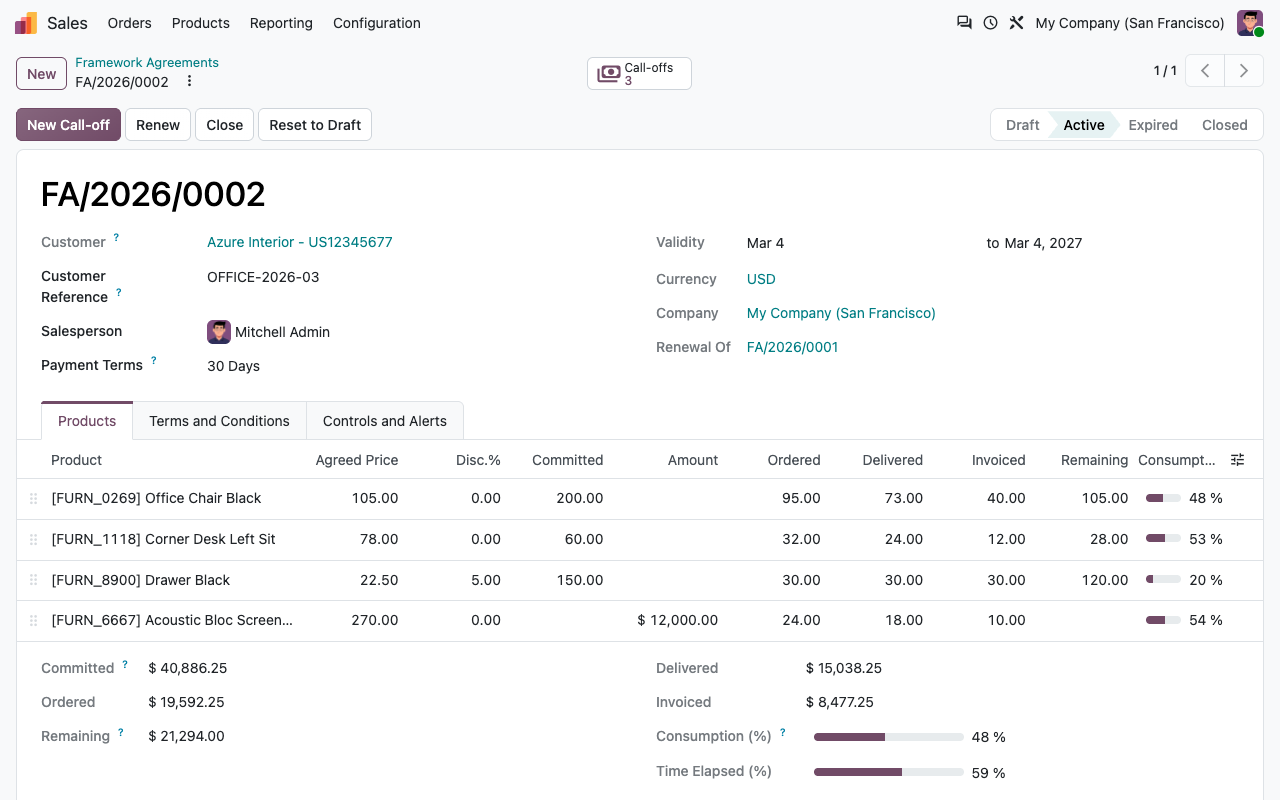
One framework agreement per customer and per period, under Sales > Orders > Framework Agreements. Numbered, with its own chatter and states: Draft, Active, Expired, Closed.
For the whole customer
The agreement is set on the commercial entity: every contact and delivery address of the customer orders against it.
Agreed price and discount
Per product, in the unit and currency of the agreement. Payment terms and terms & conditions are part of it.
Quantity and/or amount
Commit on a quantity (200 chairs), on an untaxed amount (12,000 of acoustic screens), or on nothing (price only). Optional minimum and maximum per order.
Printed for signature
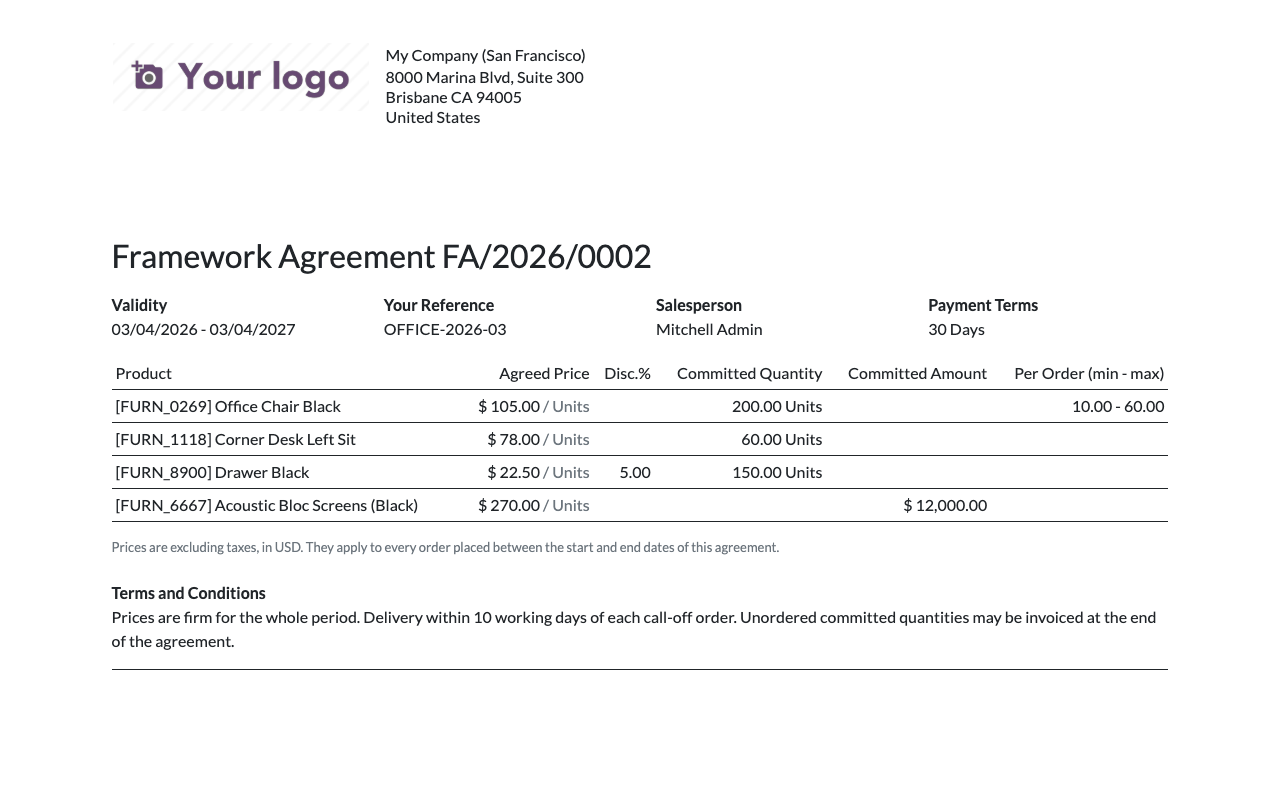
A PDF with validity, customer reference (tender or contract number), agreed prices, commitments, per-order limits and your conditions.
Call-off orders
The agreed price, without thinking about it
Every confirmed order of the customer consumes the agreement. Quotations stay normal sales orders: delivery, invoicing and portal work as usual.
From the agreement
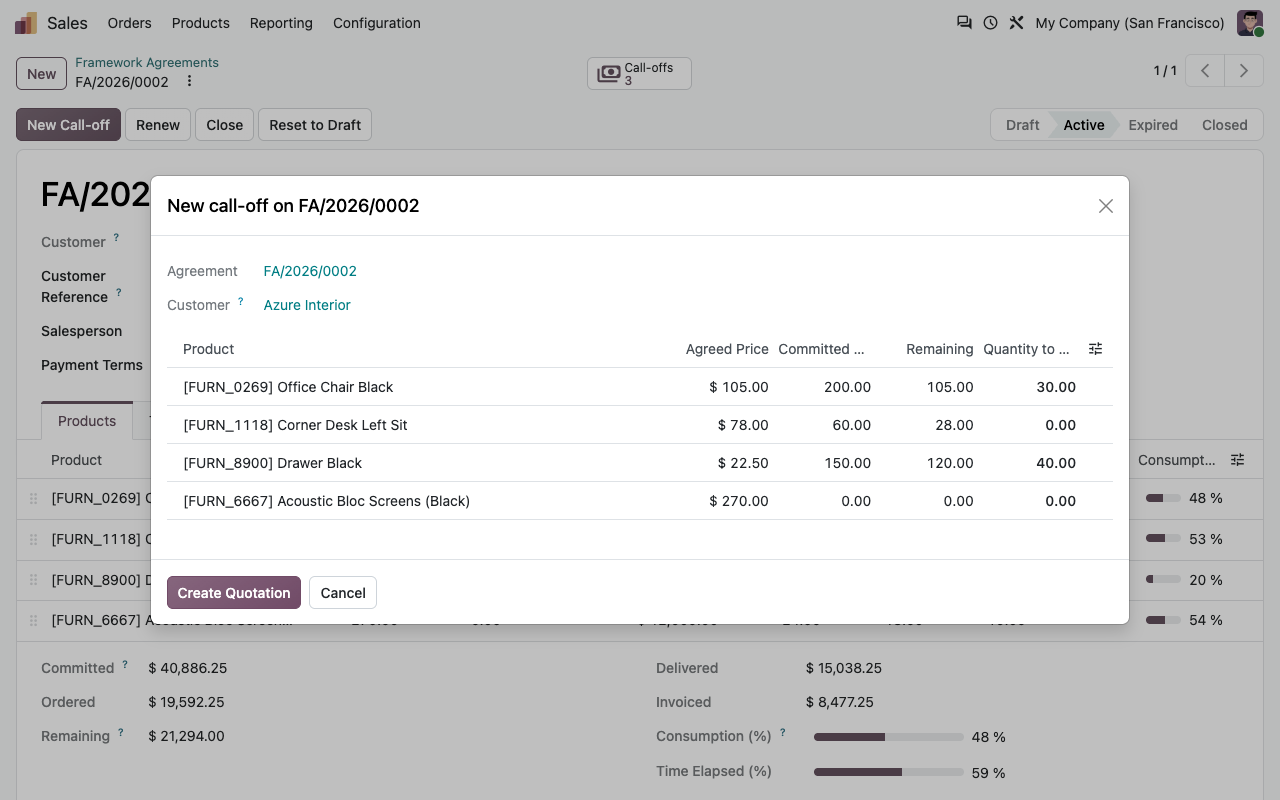
New Call-off lists the products with their remaining quantity: type the quantities, get a quotation linked to the agreement, with its payment terms and reference.
Or from any quotation
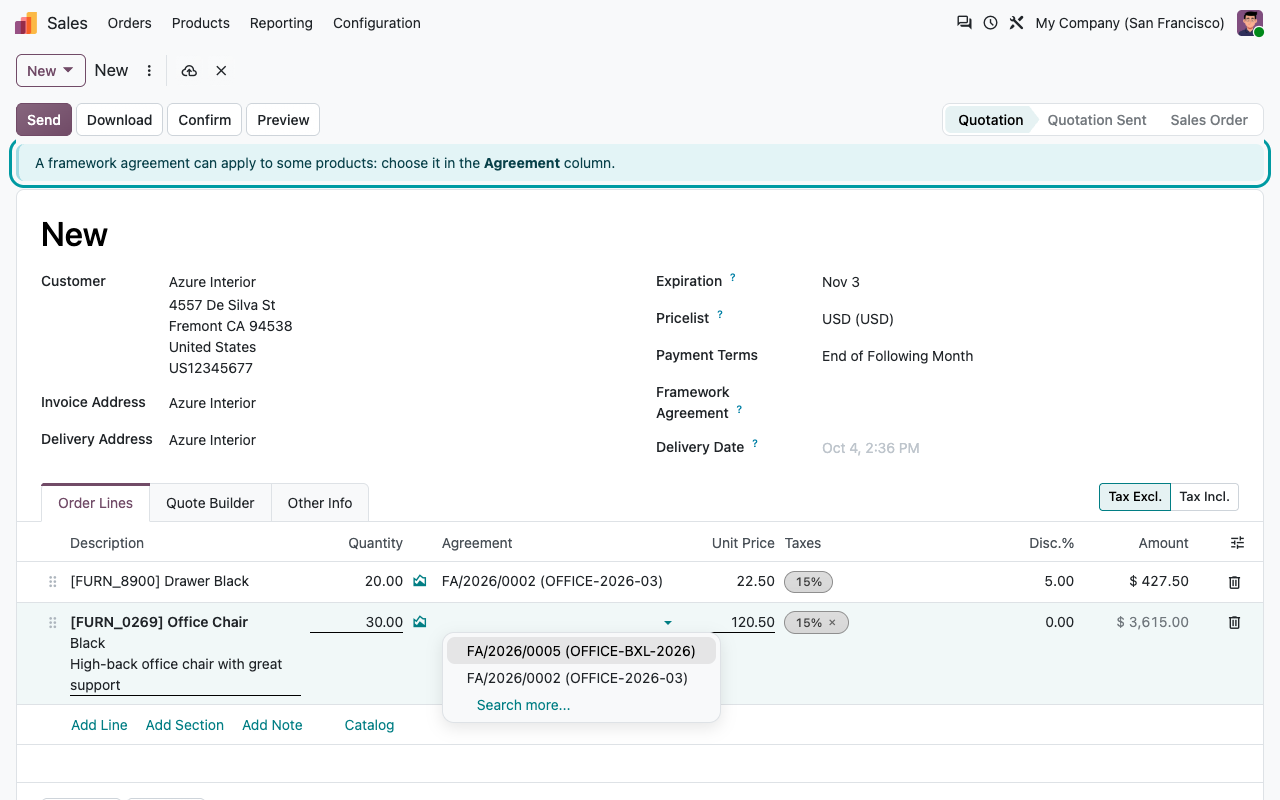
Add a product of an active agreement to a quotation of that customer: the line is linked and gets the agreed price and discount instead of the pricelist.
Several agreements match?
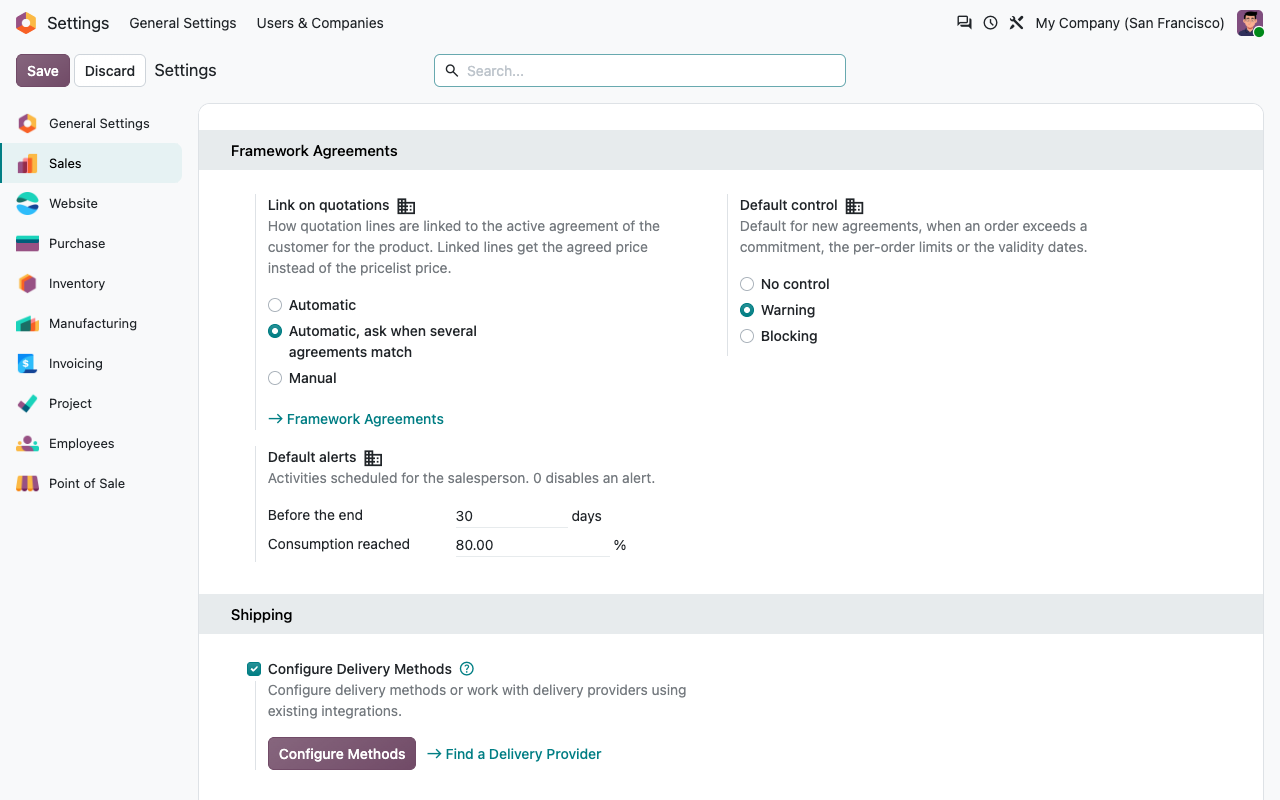
Choose in the settings: link automatically (the agreement ending first wins), let the salesperson pick in the Agreement column, or always pick by hand.
Only within the dates
Only active agreements valid on the quotation date and of the order's company are proposed. Confirmed orders keep their link and their price.
New call-off
Order against the agreement in a few keystrokes
Controls
Above the commitment? You decide
Per agreement, with a default in the settings: No control, Warning or Blocking.
While typing
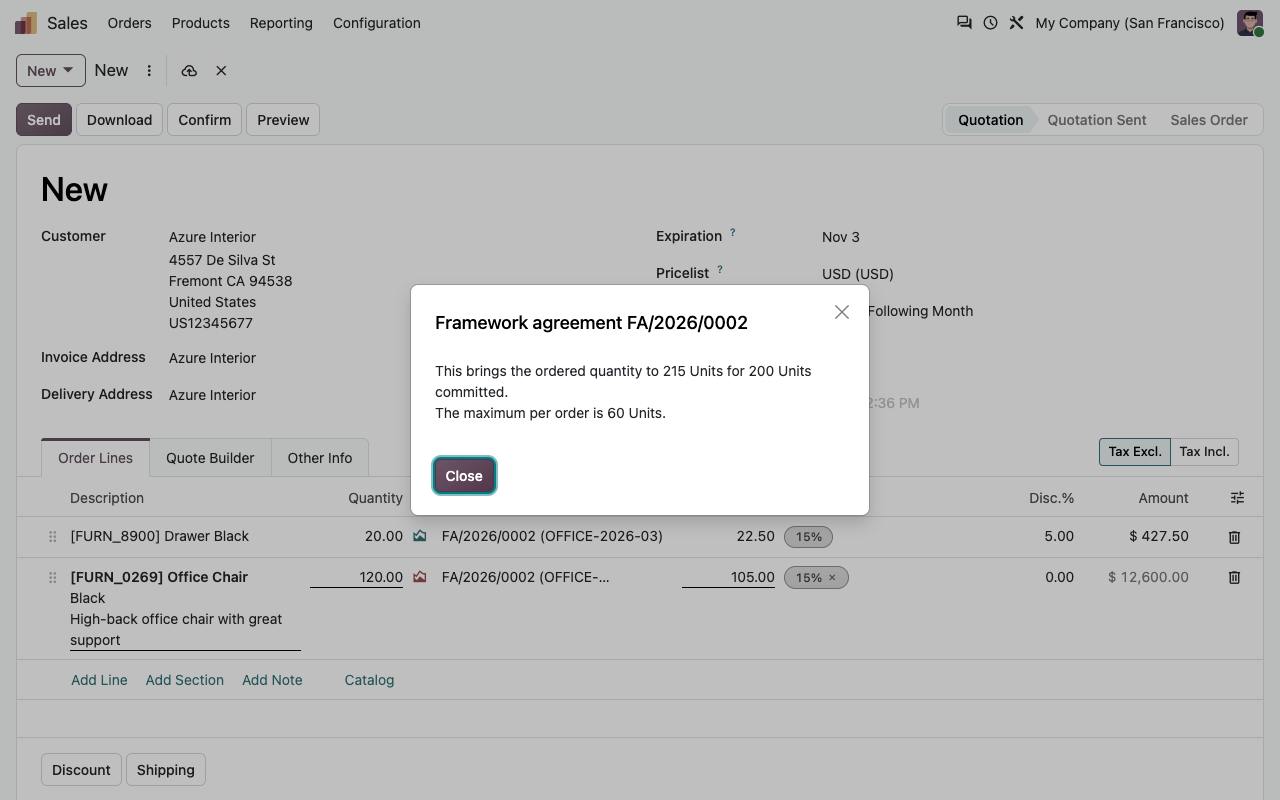
As soon as a quantity brings the line above the committed quantity or above the maximum per order, a warning tells the salesperson by how much.
At confirmation
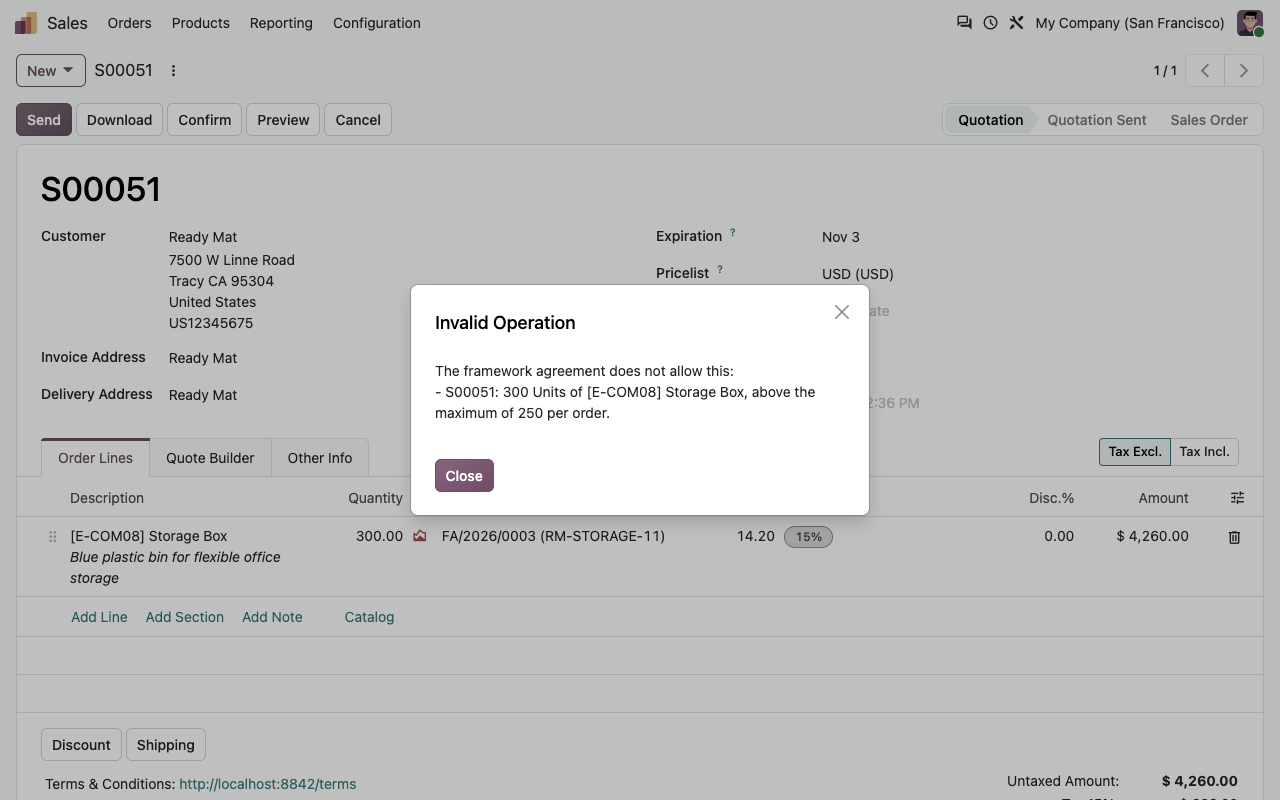
Committed quantity or amount exceeded, order below the minimum or above the maximum per order, agreement expired or closed: with Warning the order is confirmed and the problem is logged on the order and the agreement; with Blocking it cannot be confirmed.
Also after confirmation
Adding a line or raising a quantity on a confirmed order is checked against the commitment too.
Visible on the agreement
Lines above their commitment turn red, and a banner says so on the agreement.
Blocking
When the contract is the limit
Typical for public procurement: the order cannot be confirmed above the maximum per order or outside the agreement.
Consumption
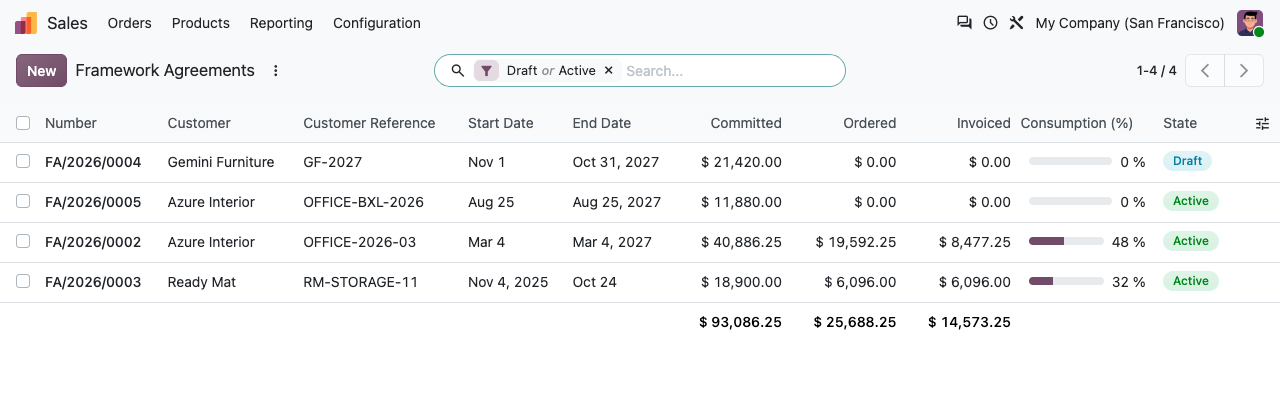
Ordered, delivered, invoiced, remaining
Per product line and in total, in quantity and in the agreement currency.
Ordered
Confirmed orders only: quotations do not count, cancelled orders stop counting. This is what consumes the commitment.
Delivered
The delivered quantity of the order lines: from the deliveries when Inventory is installed (returns included), or entered by hand for services.
Invoiced
The invoiced quantity of the order lines, net of credit notes, as in standard Sales.
Remaining and consumption
Committed minus ordered, consumption percentage next to the time elapsed: you see at a glance who is behind.
Alerts and renewal
No agreement ends by surprise
Before the end
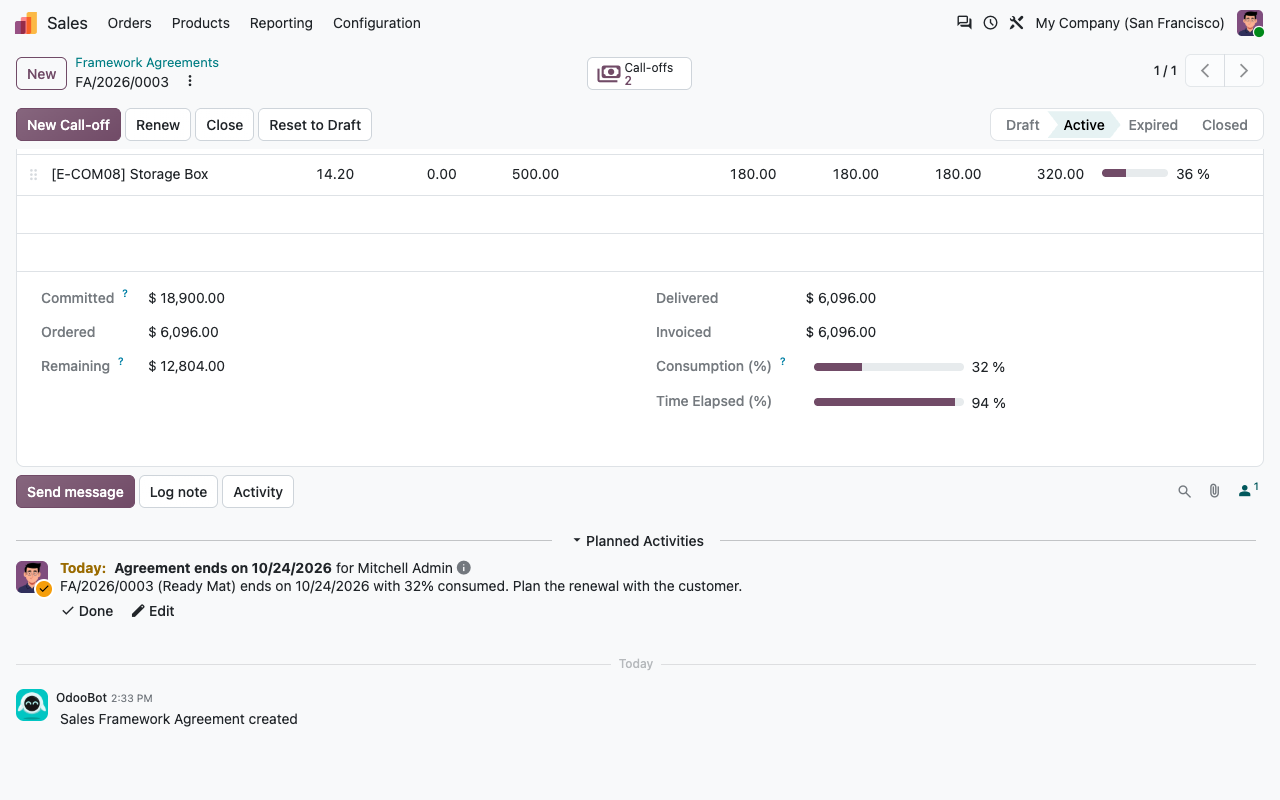
An activity for the salesperson N days before the end date (30 by default), with the consumption reached.
At a consumption threshold
An activity when the agreement reaches X % of its commitment (80 by default): time to talk about the next one.
Expiry
A daily job sets the agreements past their end date to Expired: they no longer give their prices to new quotations.
Renewal in one click
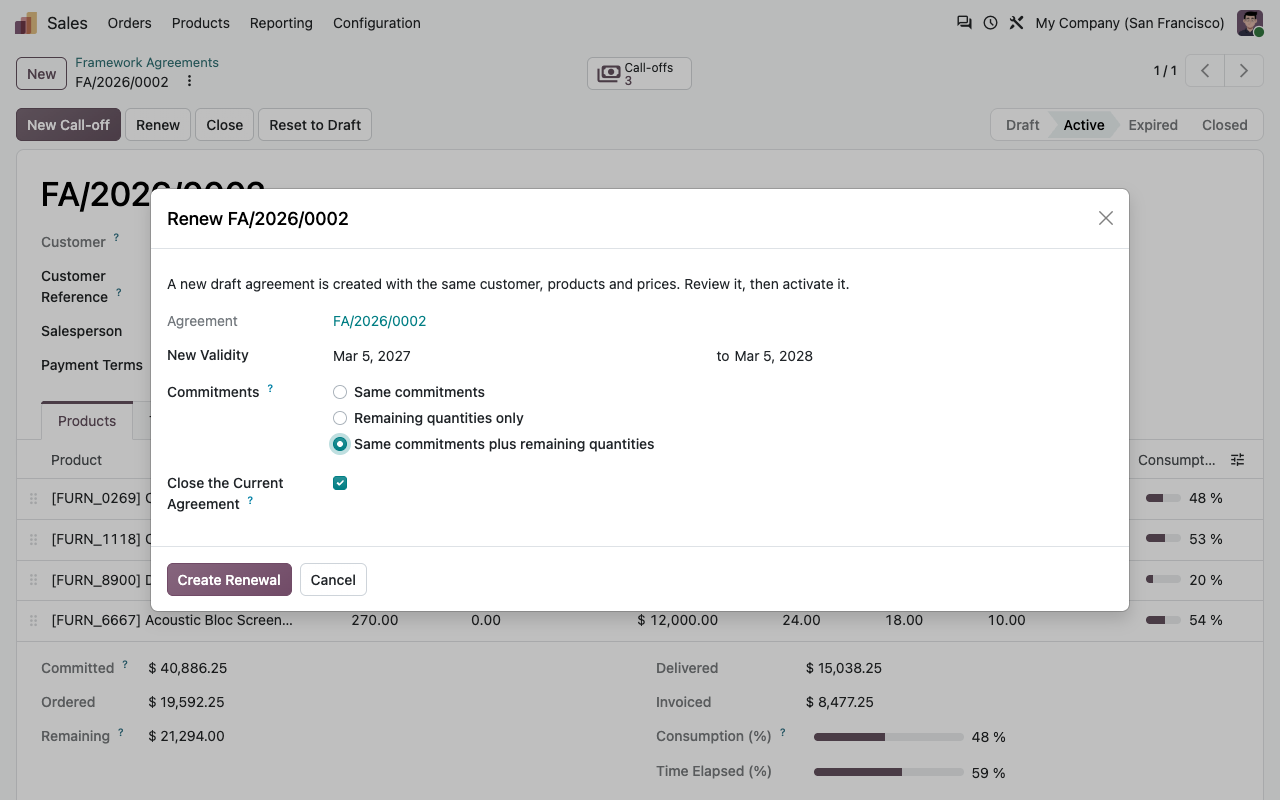
Renew creates the next agreement in draft, from the day after the end and for the same duration, with the same commitments, the remaining quantities only, or the same commitments plus the remaining quantities. The current one can be closed at the same time.
End of term
The activity lands on the right desk
Reporting
Who is behind their commitment?
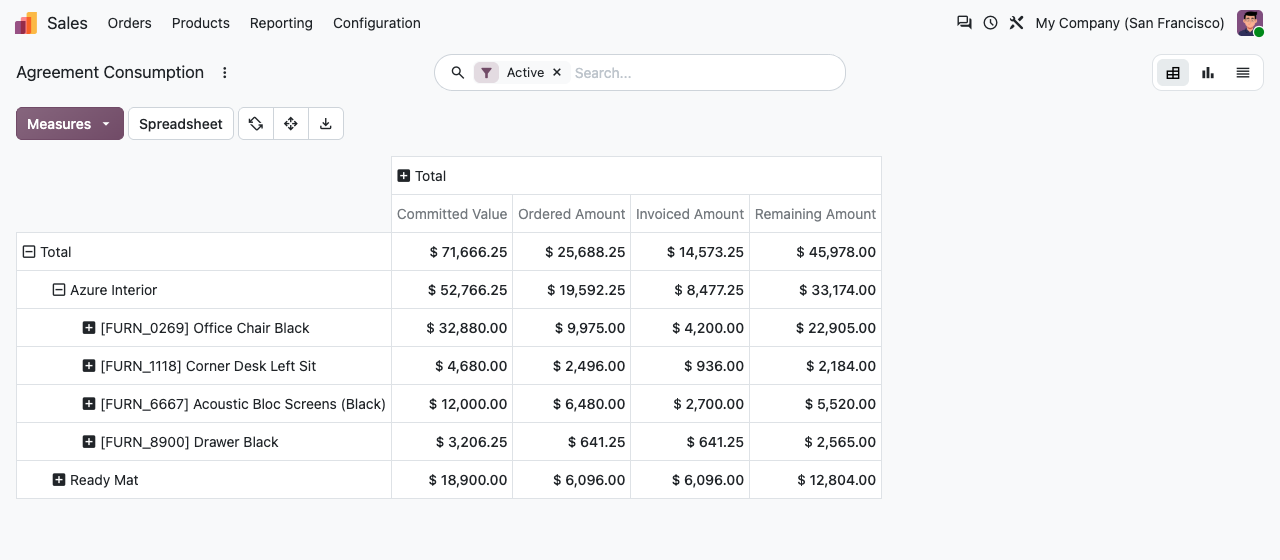
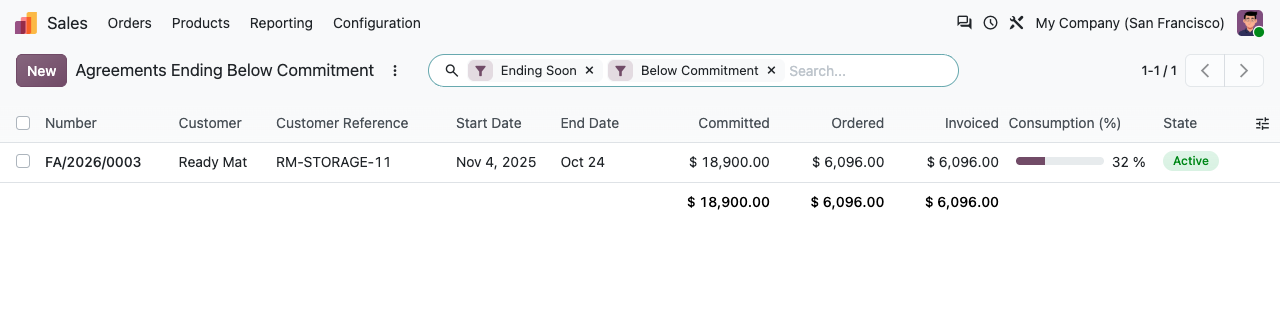
Sales > Reporting > Framework Agreements: committed, ordered, delivered, invoiced and remaining by customer, agreement, product or end date, in pivot, graph or list. Agreements Ending Below Commitment lists the active agreements in their end alert period with less than 100 % ordered.
Agreement consumption by customer and product
Agreements ending below their commitment
The document
A clean agreement to send and sign
Under the hood
Precise details
FAQ
Good to know
Does it replace pricelists?
No. Products outside the agreement keep the pricelist price. On a linked line, the agreed price and discount replace the pricelist ones.
Are eCommerce orders linked?
No. Agreement prices are applied to backend quotations and call-offs, not to website carts, so the shop never shows a price different from the cart.
Can a line have both a committed quantity and a committed amount?
Yes. Both are checked. The consumption percentage uses the quantity when there is one, else the amount.
What does the consumption of the agreement measure?
The ordered value of the lines with a commitment, compared with their committed value (committed amount, or committed quantity at the agreed net price). Price-only lines are shown but do not count.
Can I change an active agreement?
Dates, reference, salesperson, payment terms, conditions, controls and alerts: yes. Products, prices and commitments: reset to draft, change, activate again. Existing orders are not repriced.
Are combo products supported?
No, on Odoo 18 and later combo products cannot be put in an agreement; their components follow the normal pricing.
A question? A problem? Talk to the people who built it.
We will get back to you within 8 business hours.

Email us directly at
Published by
Nalios — Odoo Gold Partner, Belgium — nalios.be