Training Organization Management & Qualiopi (France)
For French training organisations: programmes, sessions in half-days, agreements, convocations, signed attendance sheets, certificates, evaluations, funder invoicing, BPF and Qualiopi file.


Présentation du module

/ Odoo 20 · Events
Your training organisation, Qualiopi-ready in Odoo
For French training organisations (organismes de formation). Publish complete programmes, plan sessions in half-days, get agreements and attendance sheets signed online, send convocations and certificates, invoice OPCO and companies separately, then compute your BPF and keep your Qualiopi file with its evidence.

What it does
From the catalogue to the audit
Everything a Qualiopi auditor and a funder ask you for, produced by the way you already run your sessions in Odoo Events. Documents are printed in French.
Programmes
Objectives, audience, prerequisites, duration, content, methods, evaluation, access time, accessibility and price. Missing mandatory items are flagged. Printable programme PDF.
Sessions in half-days
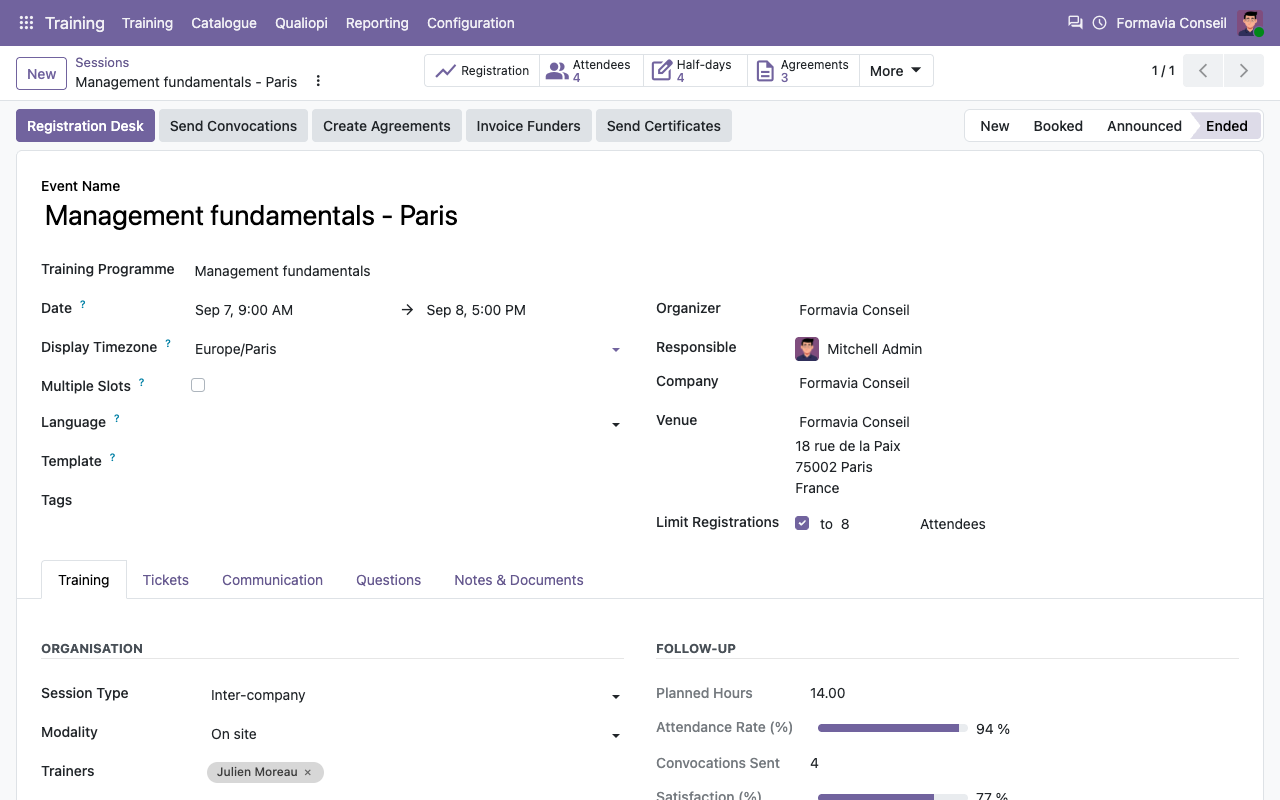
A session is an Odoo event linked to a programme, with trainers, on-site or remote modality, intra or inter-company, and its morning and afternoon half-days.
Online signatures
Trainees sign each half-day on a tablet in the room or through a personal link (remote). The trainer closes the sheet. Time and IP are kept.
Agreements and contracts
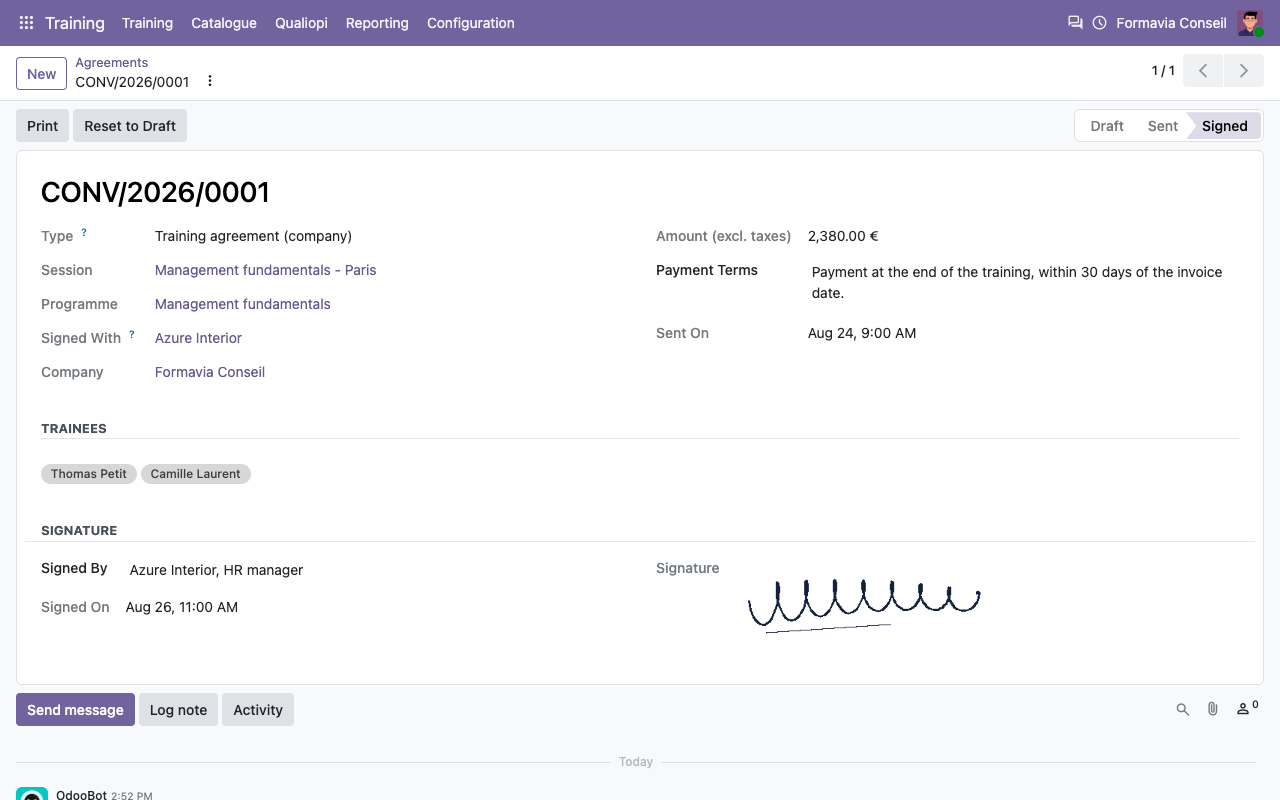
One convention per employer, one contrat de formation per individual, generated from the session, emailed and signed online. Status followed.
Convocations and certificates
Convocation emailed with the programme. Certificat de réalisation and attestation de fin de formation with the hours really attended.
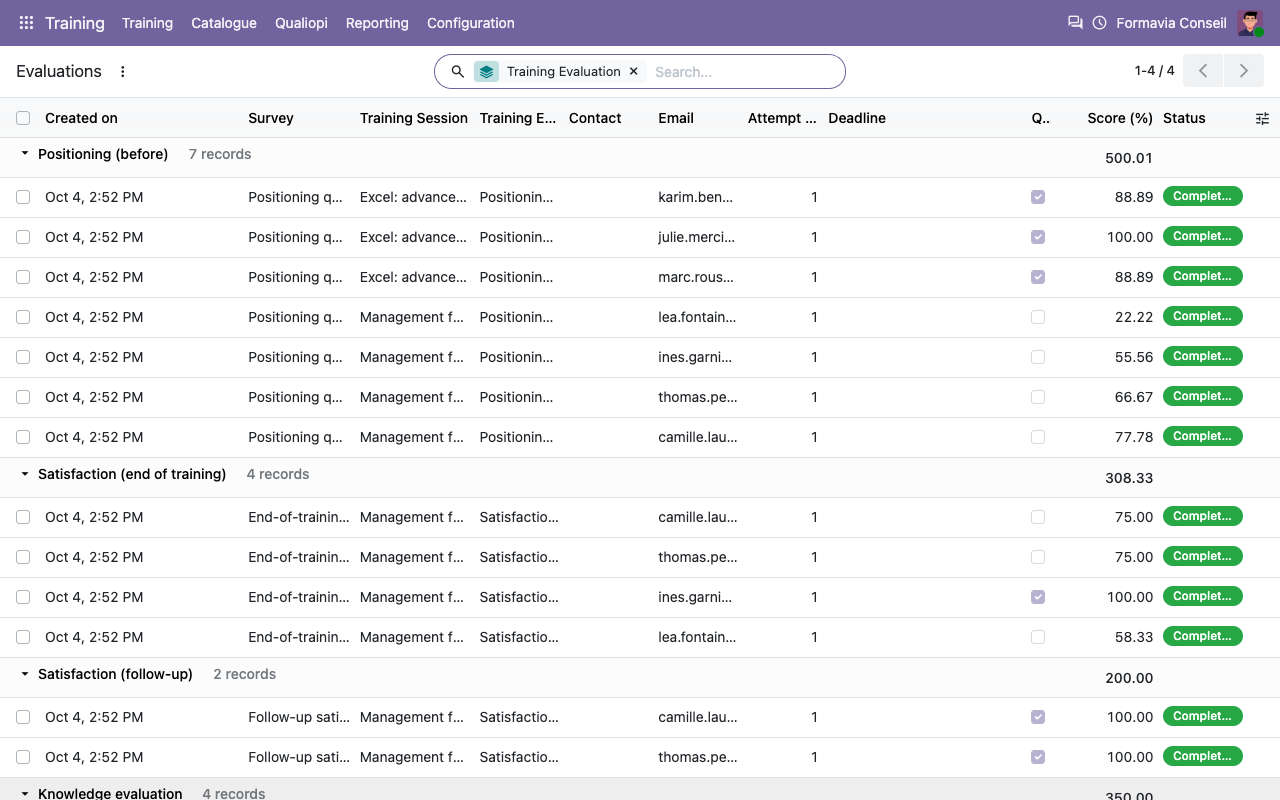
Evaluations with Surveys
Positioning, knowledge evaluation, end-of-training and follow-up satisfaction sent from the session; answers linked to the trainee and the session.
Funding and invoicing
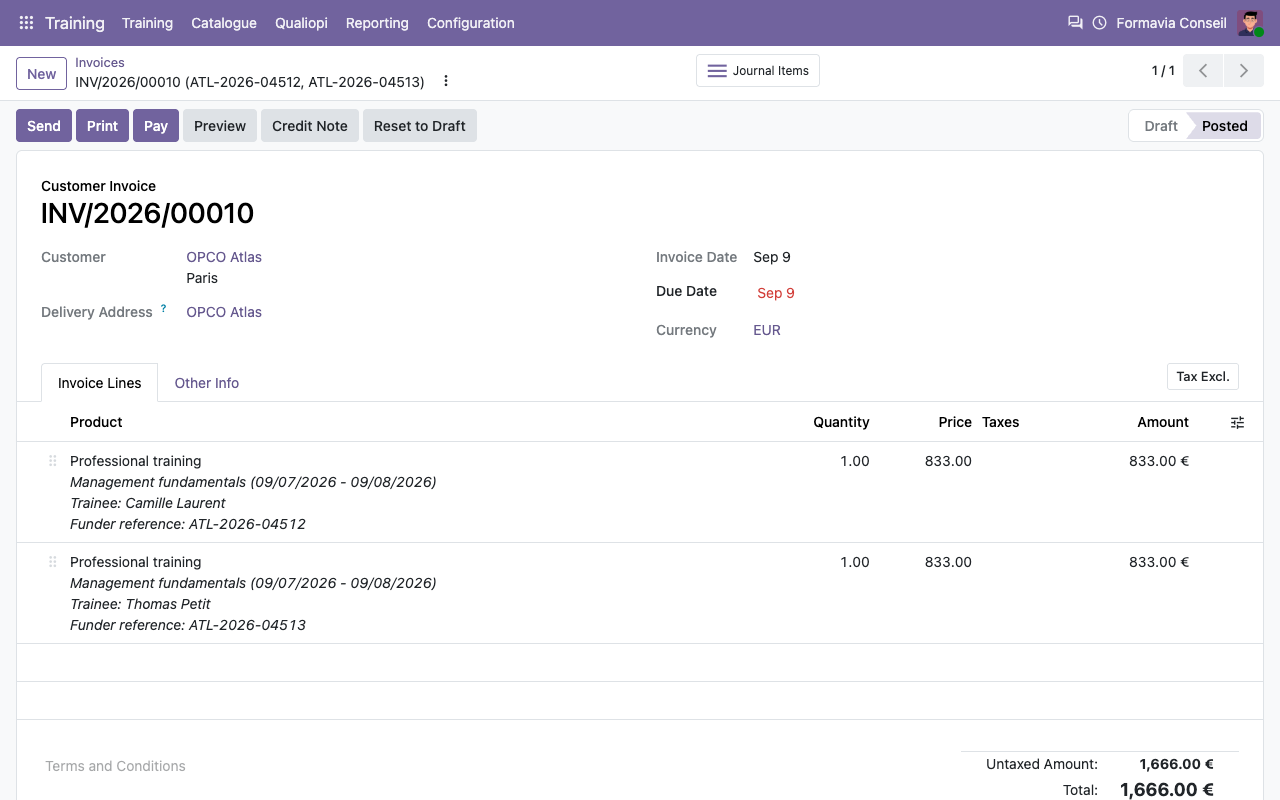
Several funders per trainee (OPCO, CPF, company, France Travail, the trainee). One draft invoice per funder, with one line per trainee.
BPF
Revenue by funder category, trainees and hours by type, objective and specialty, trainers: computed for a year, printable and exportable.
Qualiopi file
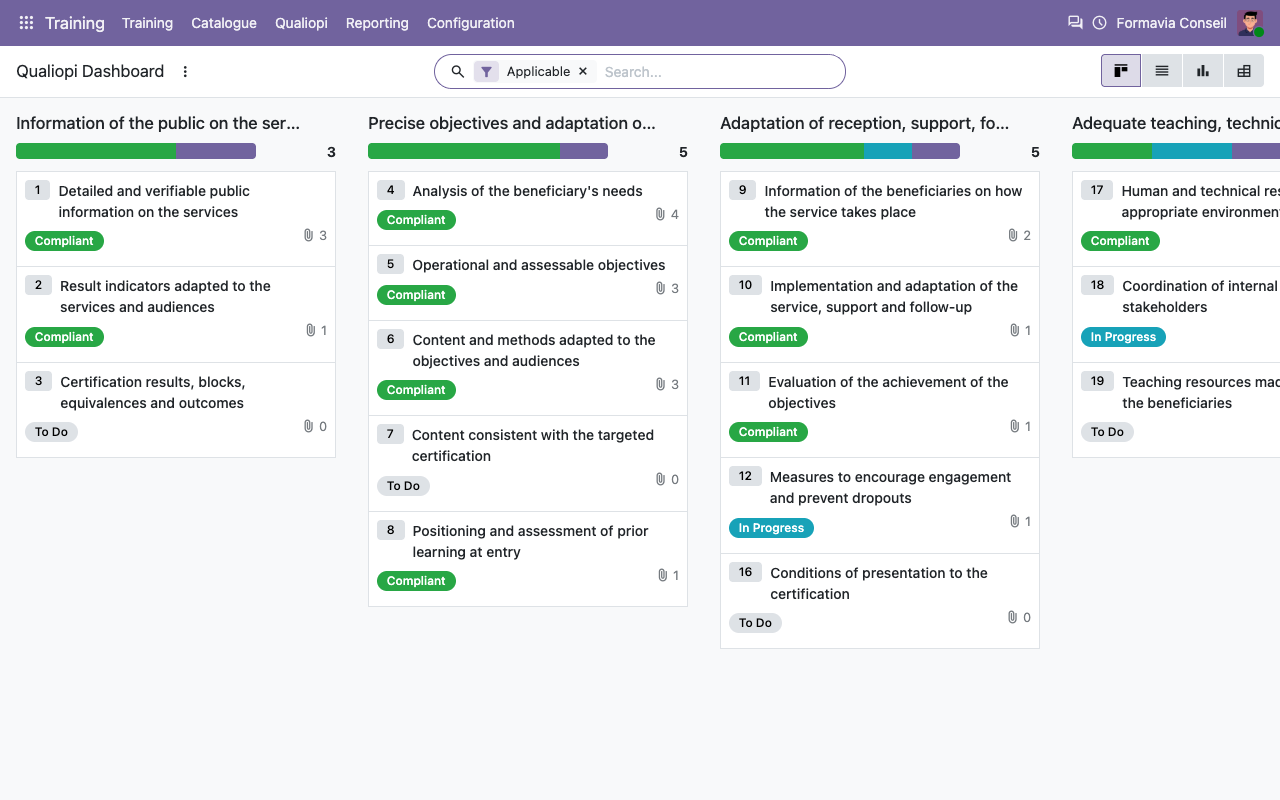
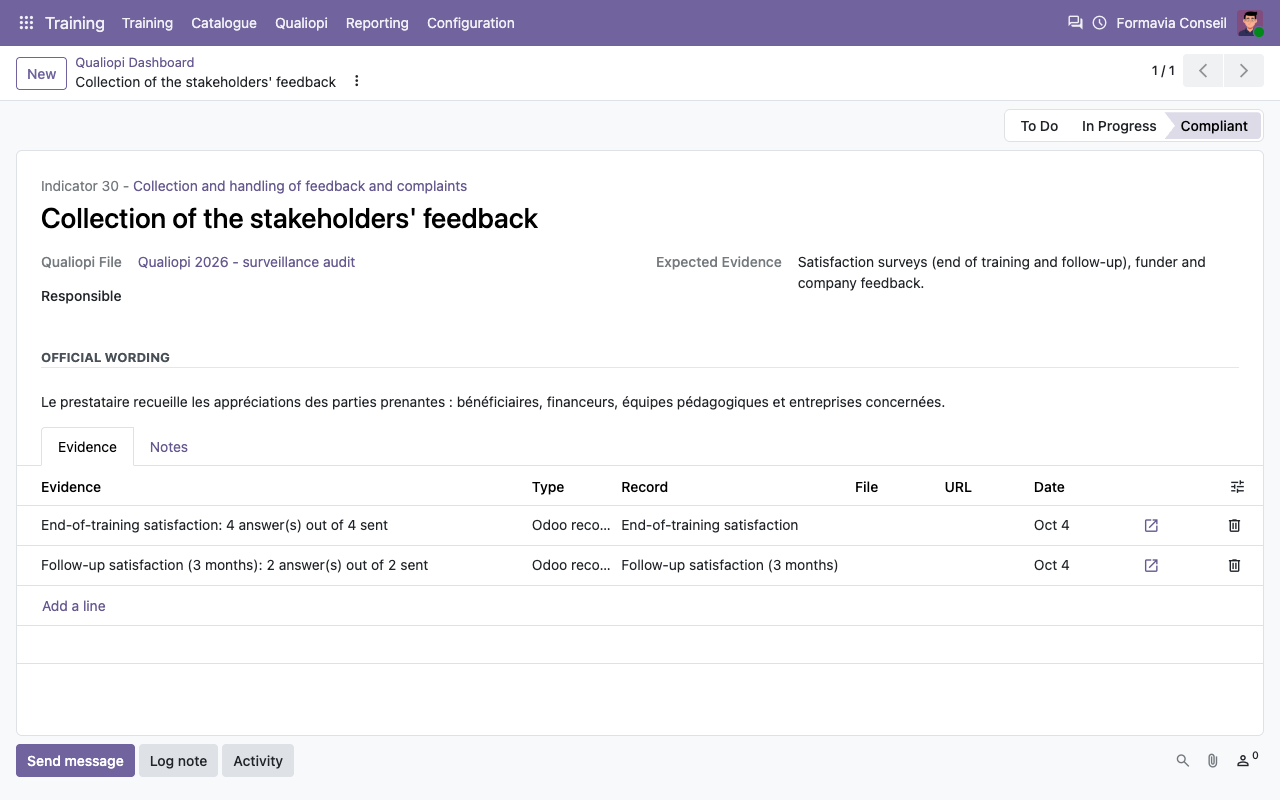
The 7 criteria and 32 indicators with status, notes and evidence. Programmes, sessions, surveys and agreements are linked automatically.
Built on standard Odoo
What Odoo already does, what the app adds
Attendance
Half-day sheets signed in seconds
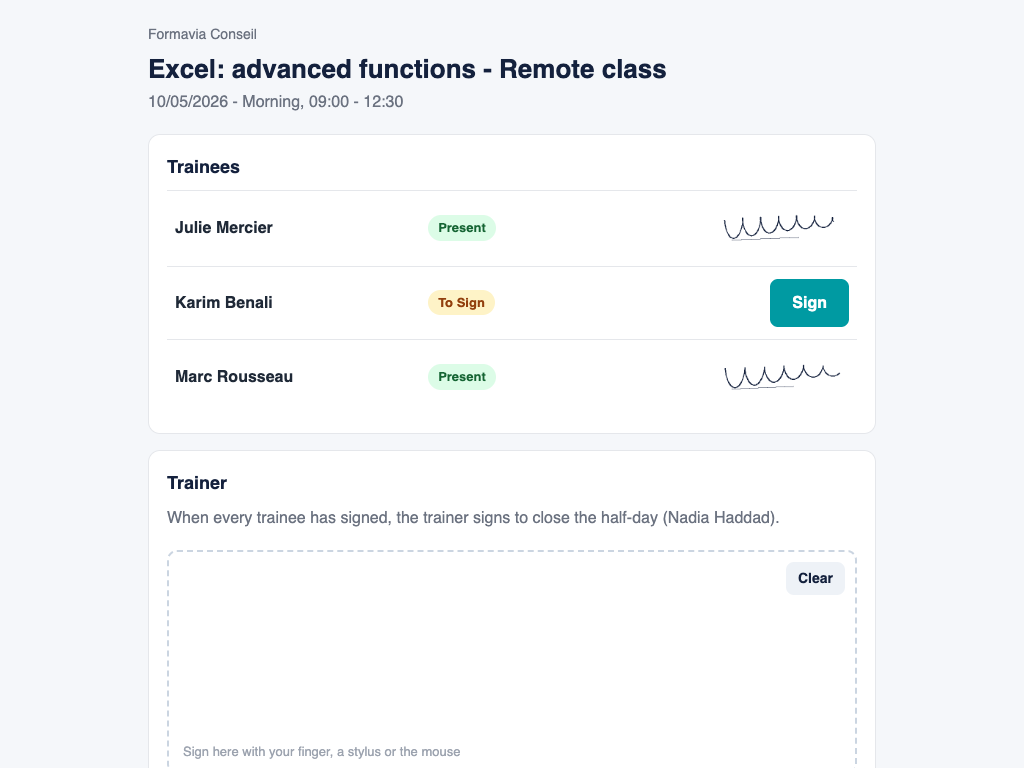
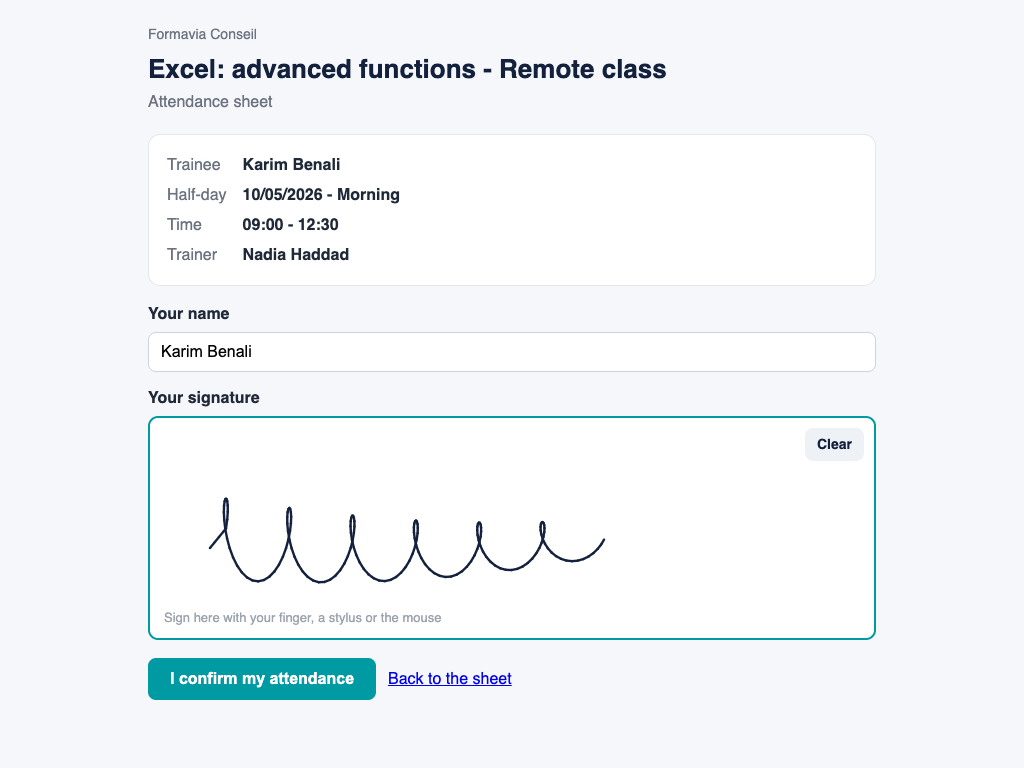
Open the sheet of the half-day on a tablet: each trainee taps Sign, signs with a finger, and the trainer closes it. Remote trainees get a personal link by email.
The sheet of the half-day on a tablet
A trainee signs
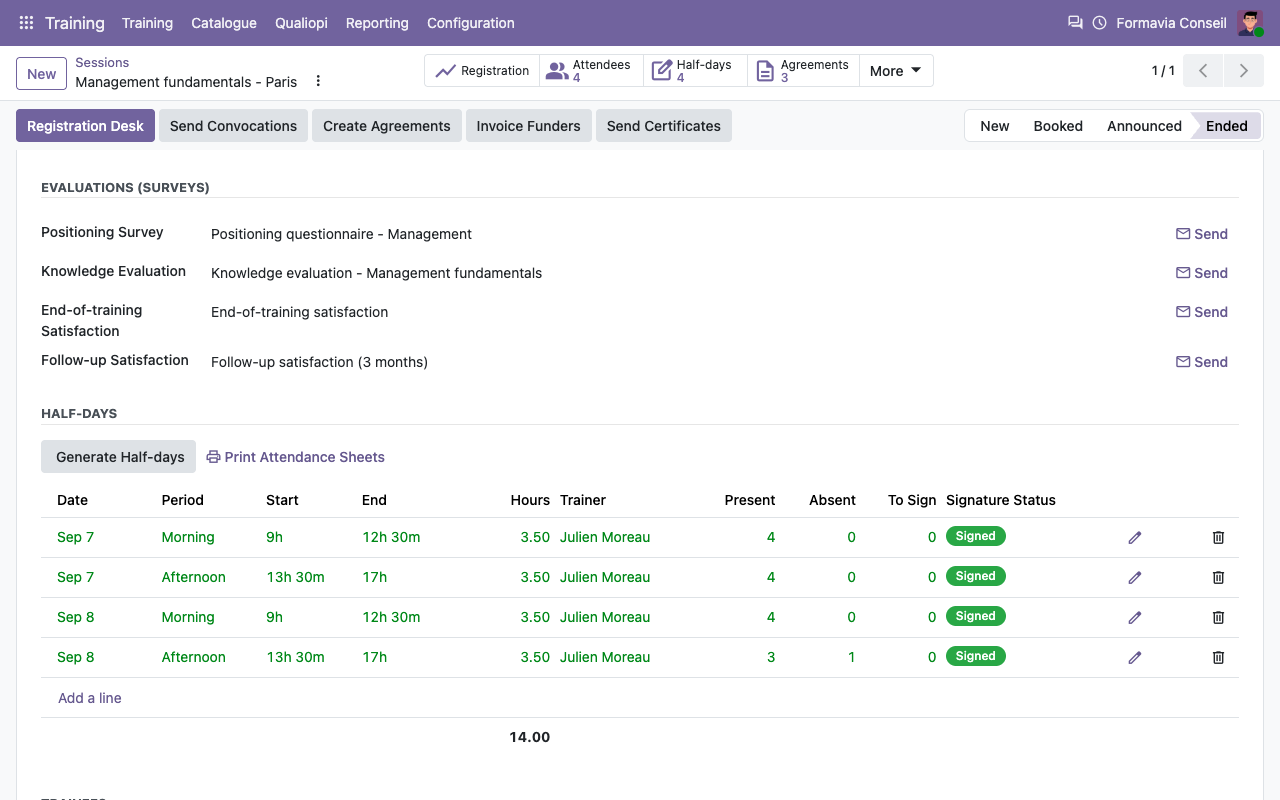
Half-days
Generated from the session, followed one by one
Documents in French
The proof your funders and auditor expect
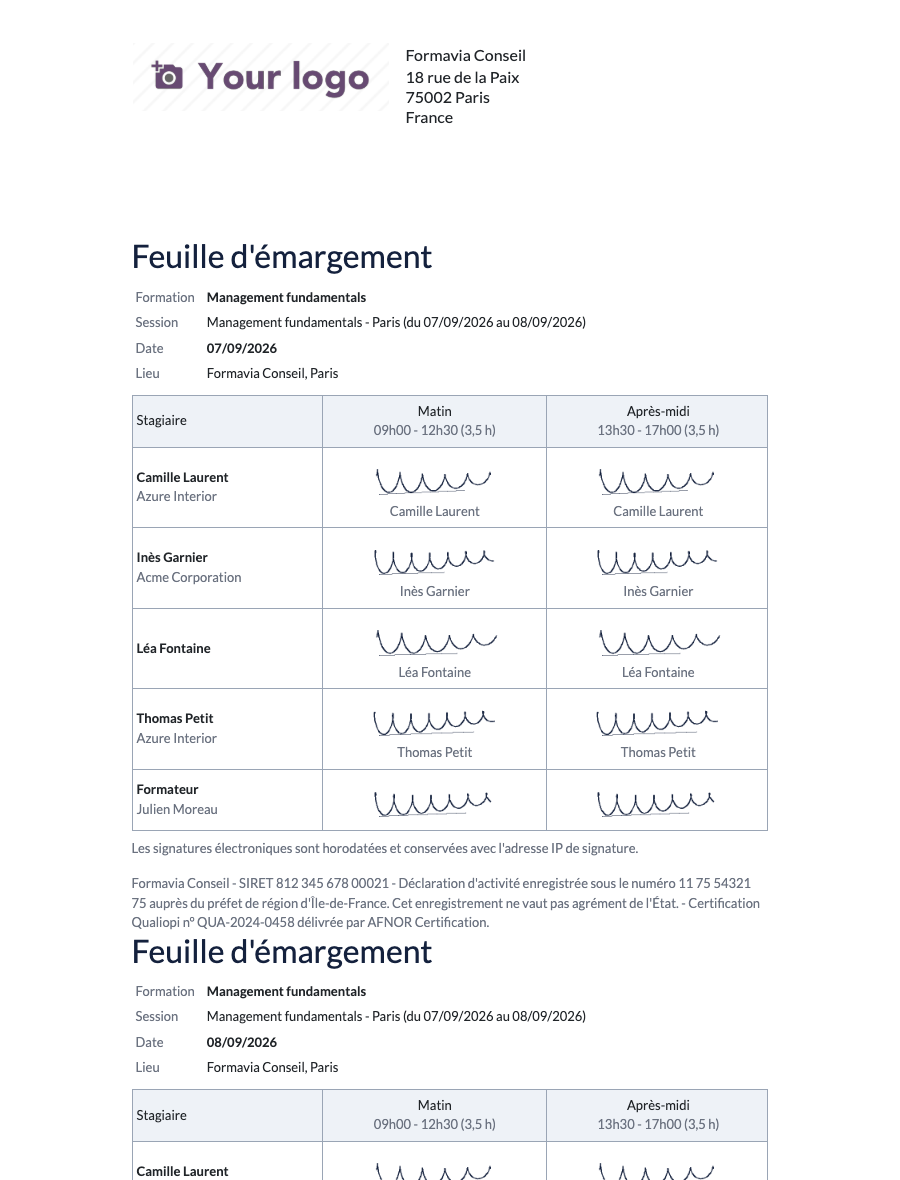
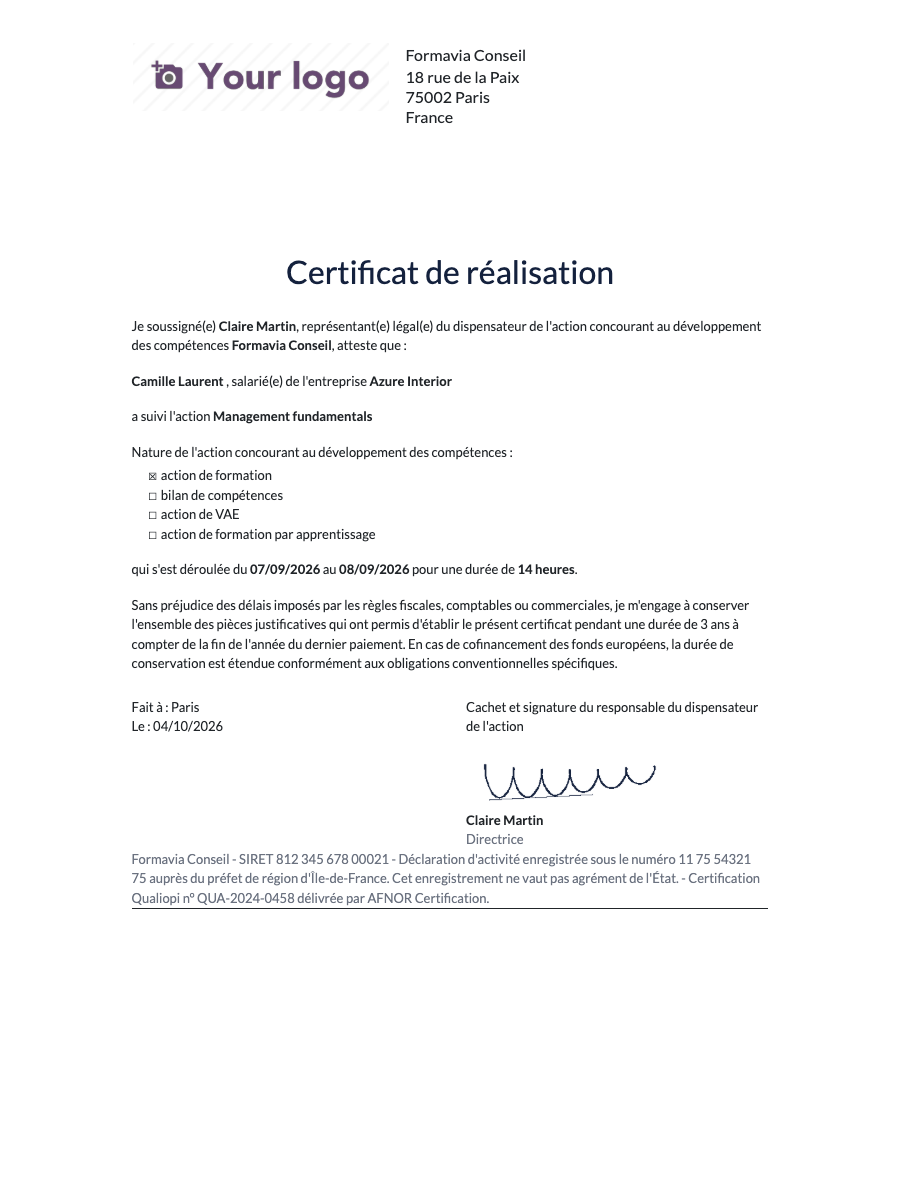
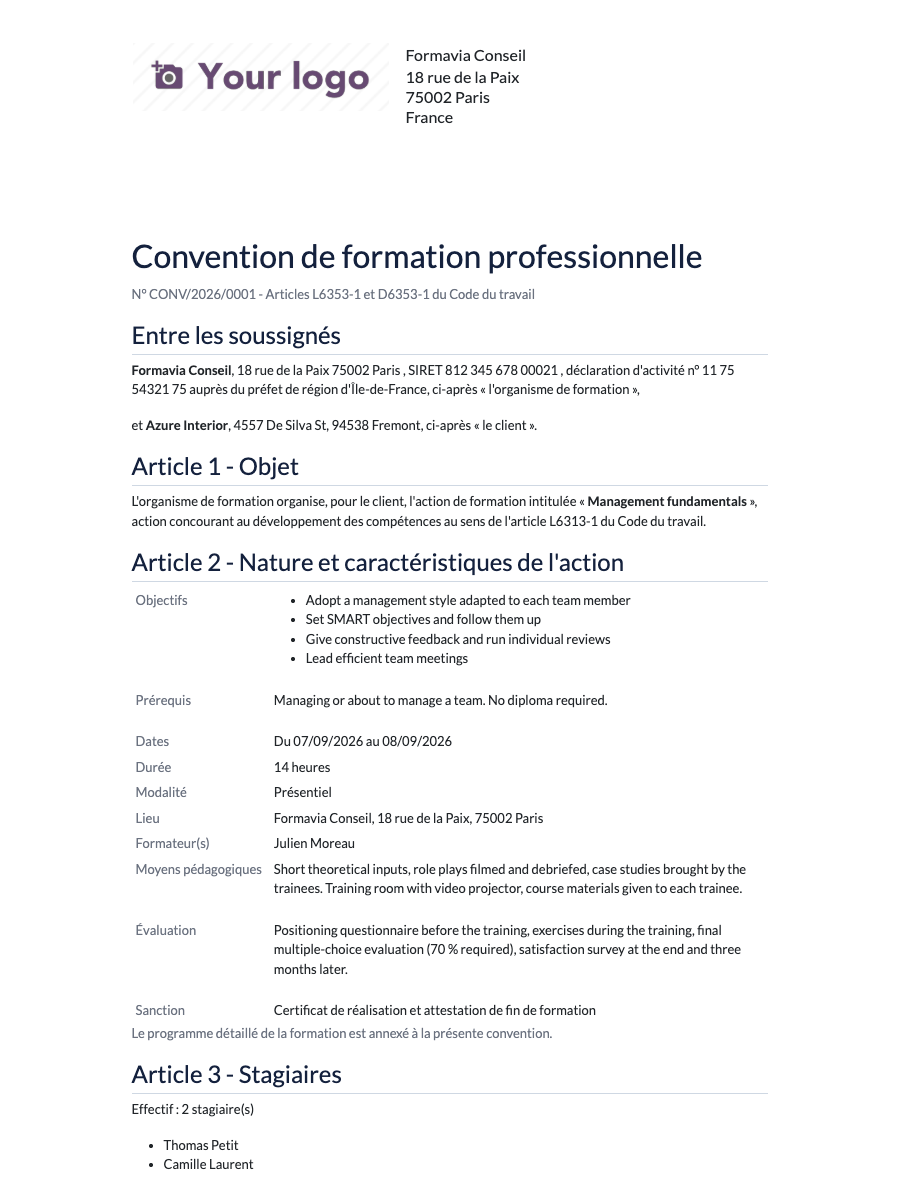
Signed attendance sheet (one page per day), certificat de réalisation following the official model, attestation de fin de formation, convention / contrat de formation with the legal mentions and the programme in appendix.
Feuille d'émargement
Certificat de réalisation
Agreements
Sent, signed online, tracked
Training agreement signed online by the company
Convention de formation professionnelle (PDF)
Funding
OPCO, company, CPF: one invoice per funder
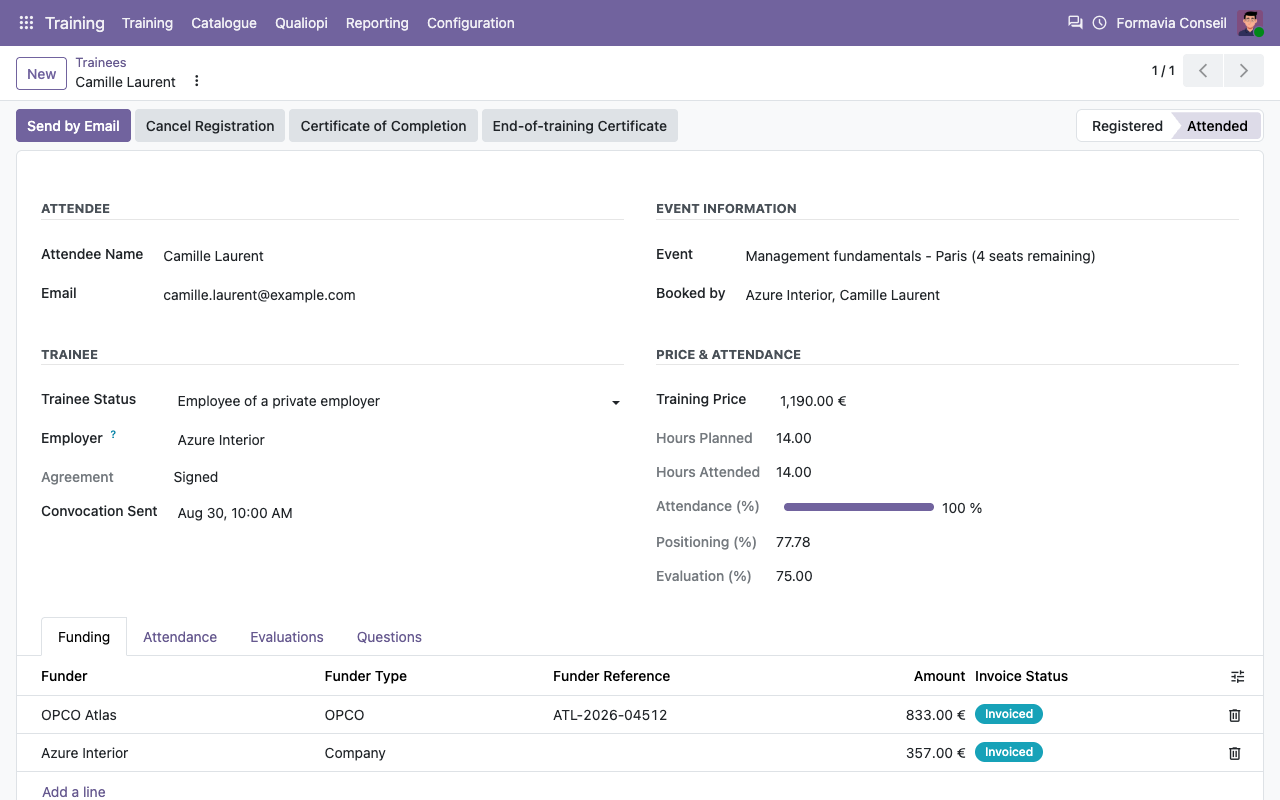
Each trainee gets a funding line for the employer (or for himself) by default. Split it between an OPCO and the company, add the funder reference, then Invoice Funders drafts the invoices.
Trainee: employer, attendance, scores and funding
The OPCO invoice, one line per trainee
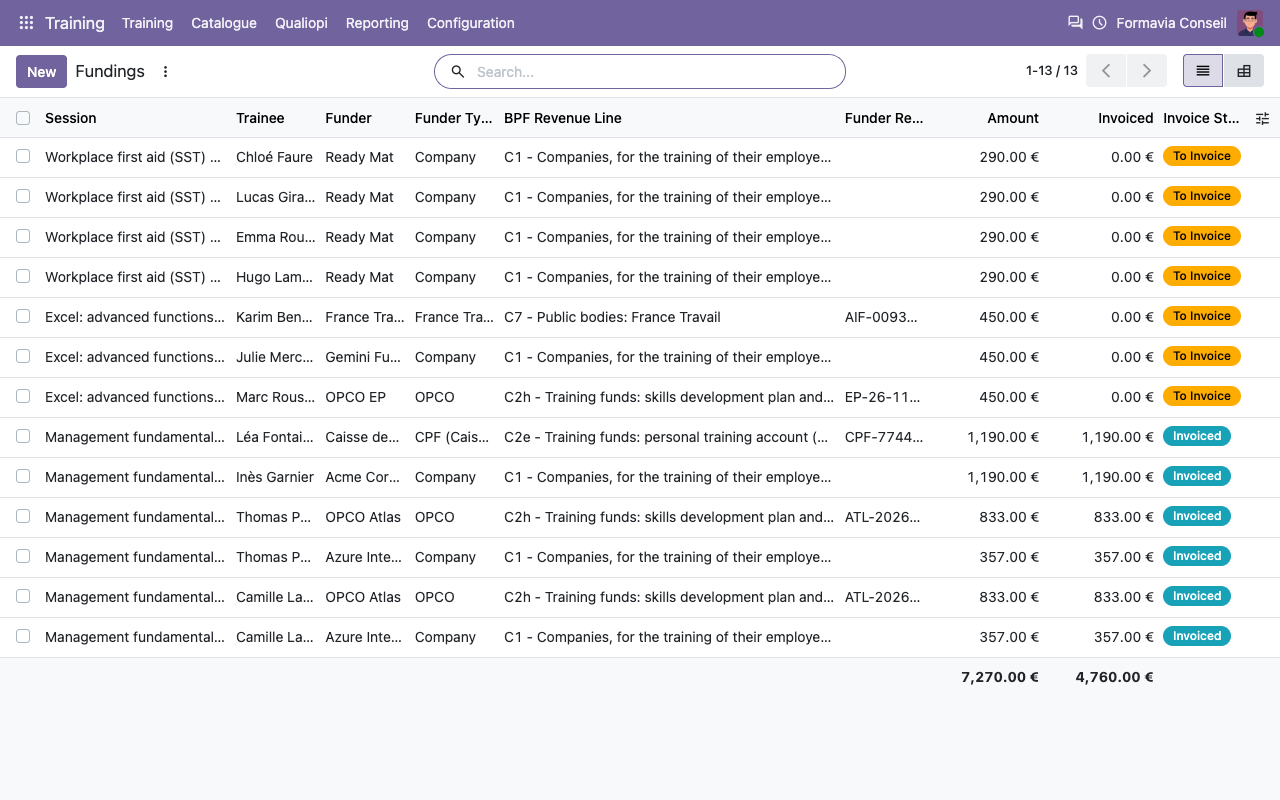
Funding overview
Every funding line and its invoice status
BPF
Your Bilan Pédagogique et Financier, computed
Create the BPF of a year and click Compute. Check the figures, adjust them if needed, print them or export them, and report them on Mon Activité Formation.
Section C: revenue by funder category
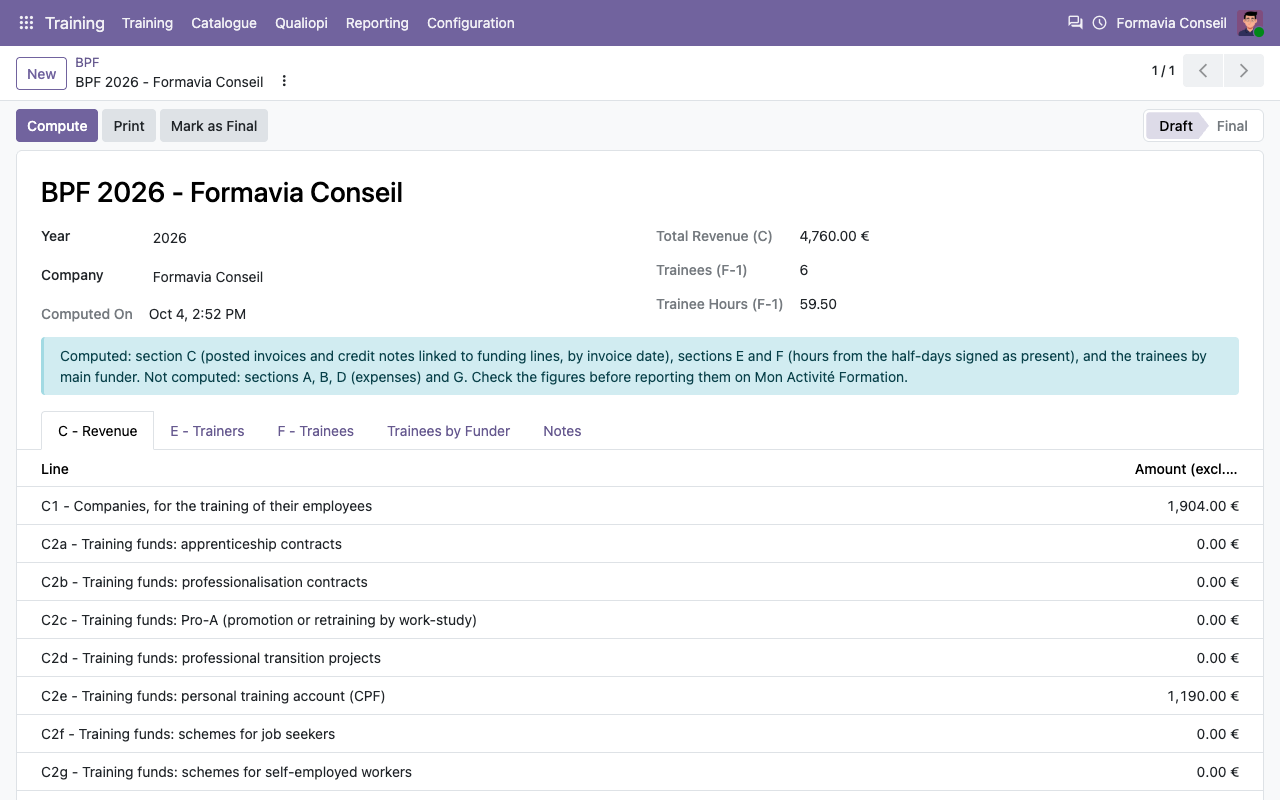
Sections F: trainees and hours
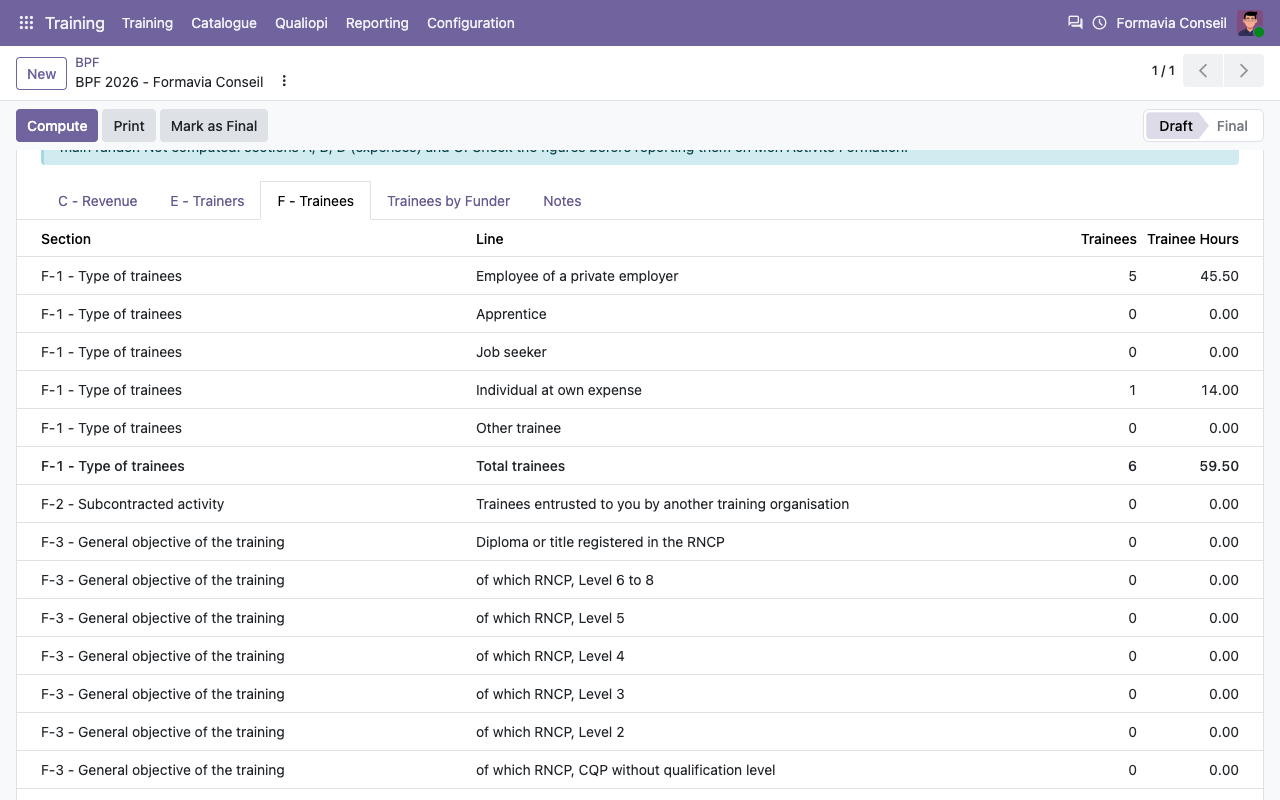
BPF
Which boxes are computed
Qualiopi
32 indicators, evidence at hand
A Qualiopi file per year lists the indicators by criterion. Indicators that do not apply to you (certifying trainings, apprenticeship, work-based periods, subcontracting) are set aside. Collect Evidence links complete programmes, result indicators, signed agreements, positioning and evaluation surveys, convocations, signed attendance sheets, trainers and the disability referent. Add documents and links for the rest.
Dashboard by criterion
An indicator with its official wording and evidence
Catalogue
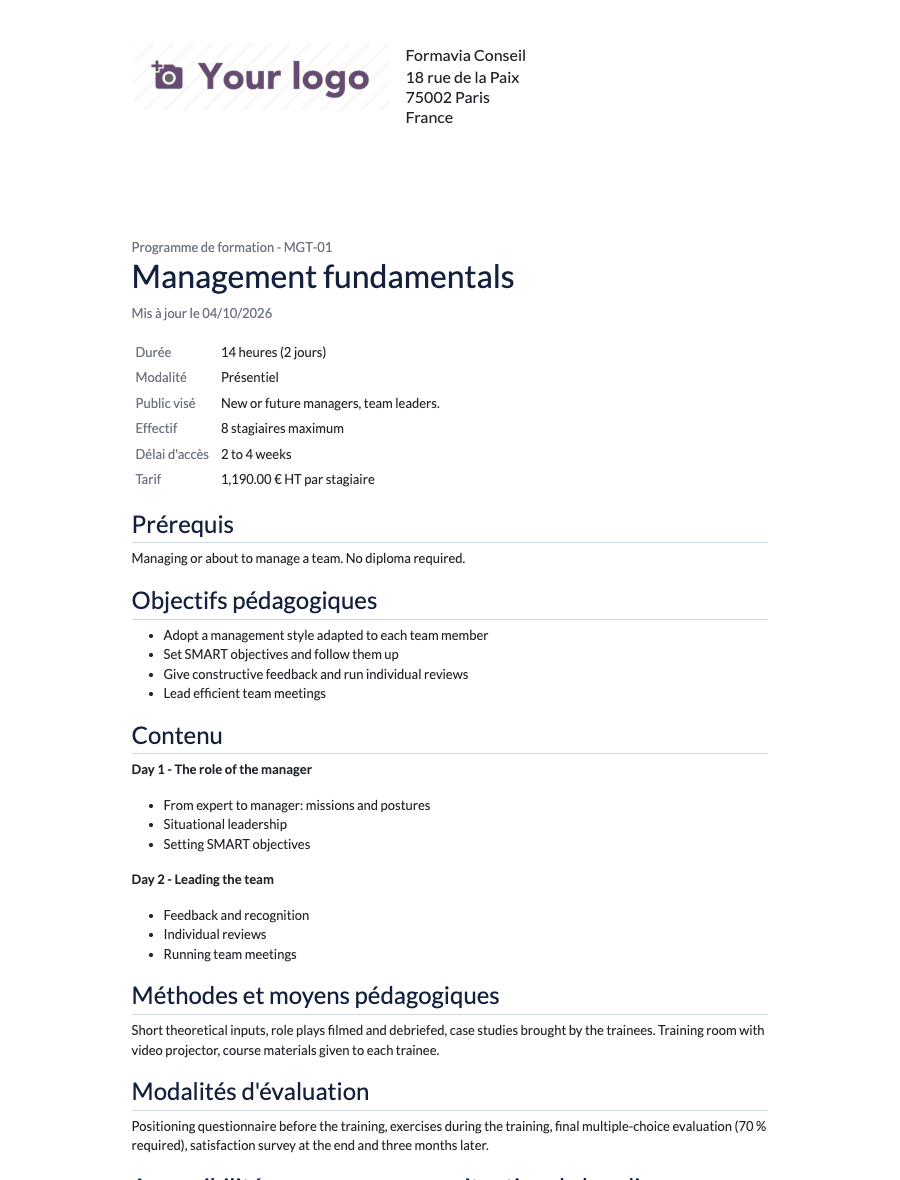
Complete programmes, with their results
Programme with its satisfaction and success rates
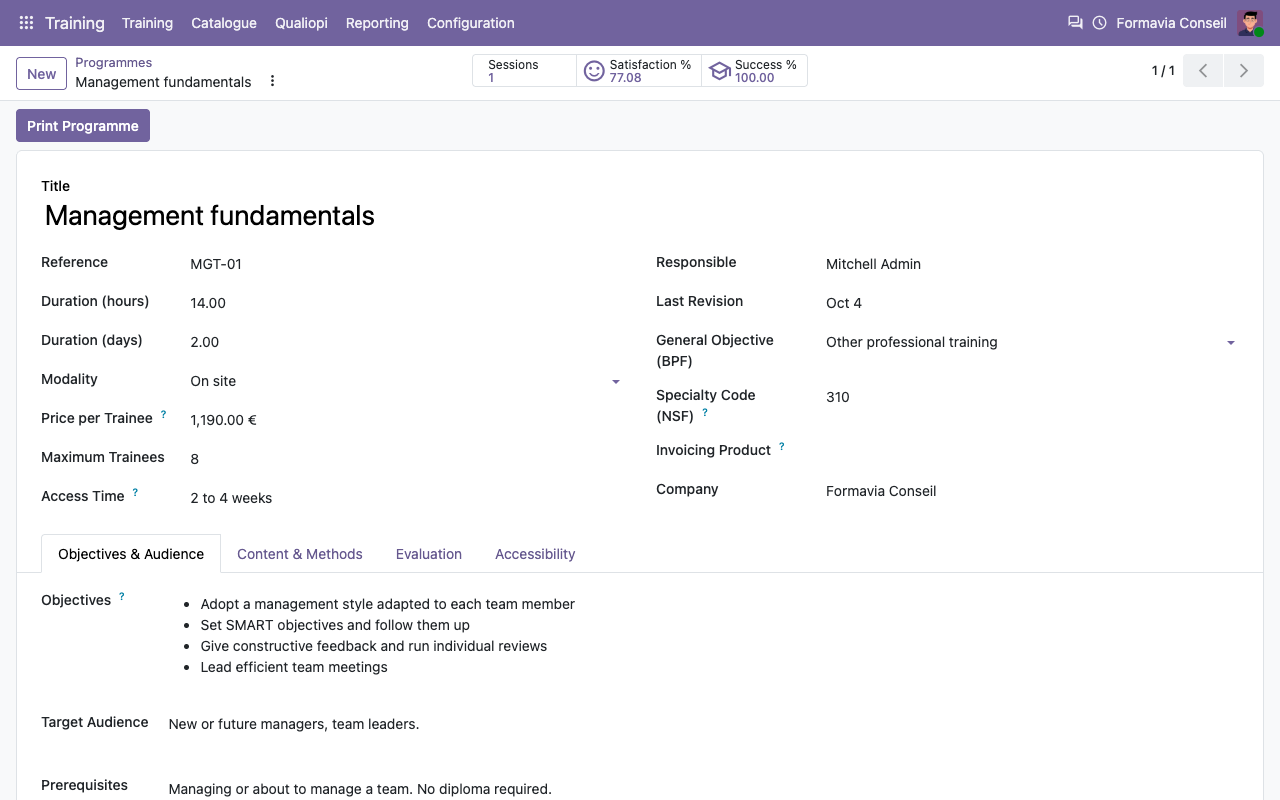
Printable programme (PDF)
Evaluations
Every answer linked to its session
How it works
Set up in ten minutes
1
Your organisation
Training > Configuration > Training Organisation: declaration number, Qualiopi certificate, signatory, stamp, disability referent, half-day hours.
2
Programmes and funders
Create your programmes and their default surveys. Set the funder type on your OPCOs, the Caisse des Dépôts and France Travail.
3
Run your sessions
Create the session, register trainees, Generate Half-days, Create Agreements, Send Convocations, sign, Send Certificates, Invoice Funders.
Under the hood
The details
FAQ
Good to know
Is it a certified Qualiopi tool?
No tool is certified: Qualiopi certifies your organisation. The app organises your evidence and produces the documents auditors usually ask for; the auditor judges them.
Does it file the BPF for me?
No. It computes the figures listed above; you check them and type them in Mon Activité Formation. Expenses (section D) come from your accounting.
Does it connect to EDOF / Mon Compte Formation?
No. CPF files are managed on EDOF; you record the CPF funding and invoice the Caisse des Dépôts from Odoo.
Can I sell seats on the website?
Yes with the standard Events and eCommerce modules. Seats sold through a sales order are invoiced by Sales and get no default funding line; add funding lines only for what a funder pays on top.
Is a portal account needed to sign?
No. Trainees and customers sign through links protected by a token; no login.
Does it work with Odoo Sign?
It does not need it. You can still send a document through Sign and mark the agreement as signed on paper.
A question? A problem? Talk to the people who built it.
We will get back to you within 8 business hours.

Email us directly at
Published by
Nalios — Odoo Gold Partner, Belgium — nalios.be